Design
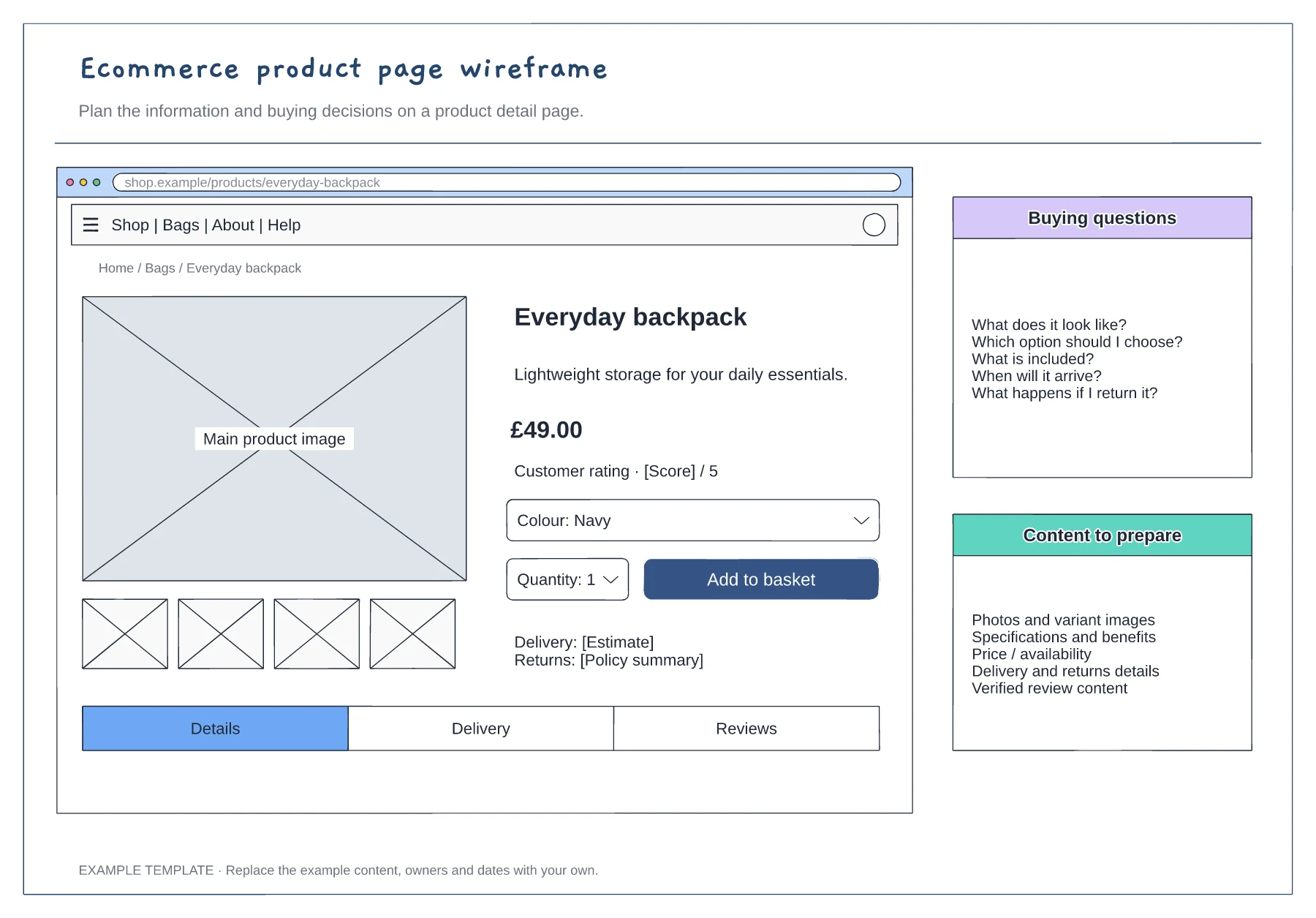
Ecommerce product page wireframe template
Product gallery and buying panel · Delivery, returns and trust information · Details and supporting content
Preview and use template →Wireframes, user flows and sitemaps for planning a page or product journey before detailed design.
Free to use · No account needed
Product gallery and buying panel · Delivery, returns and trust information · Details and supporting content
Preview and use template →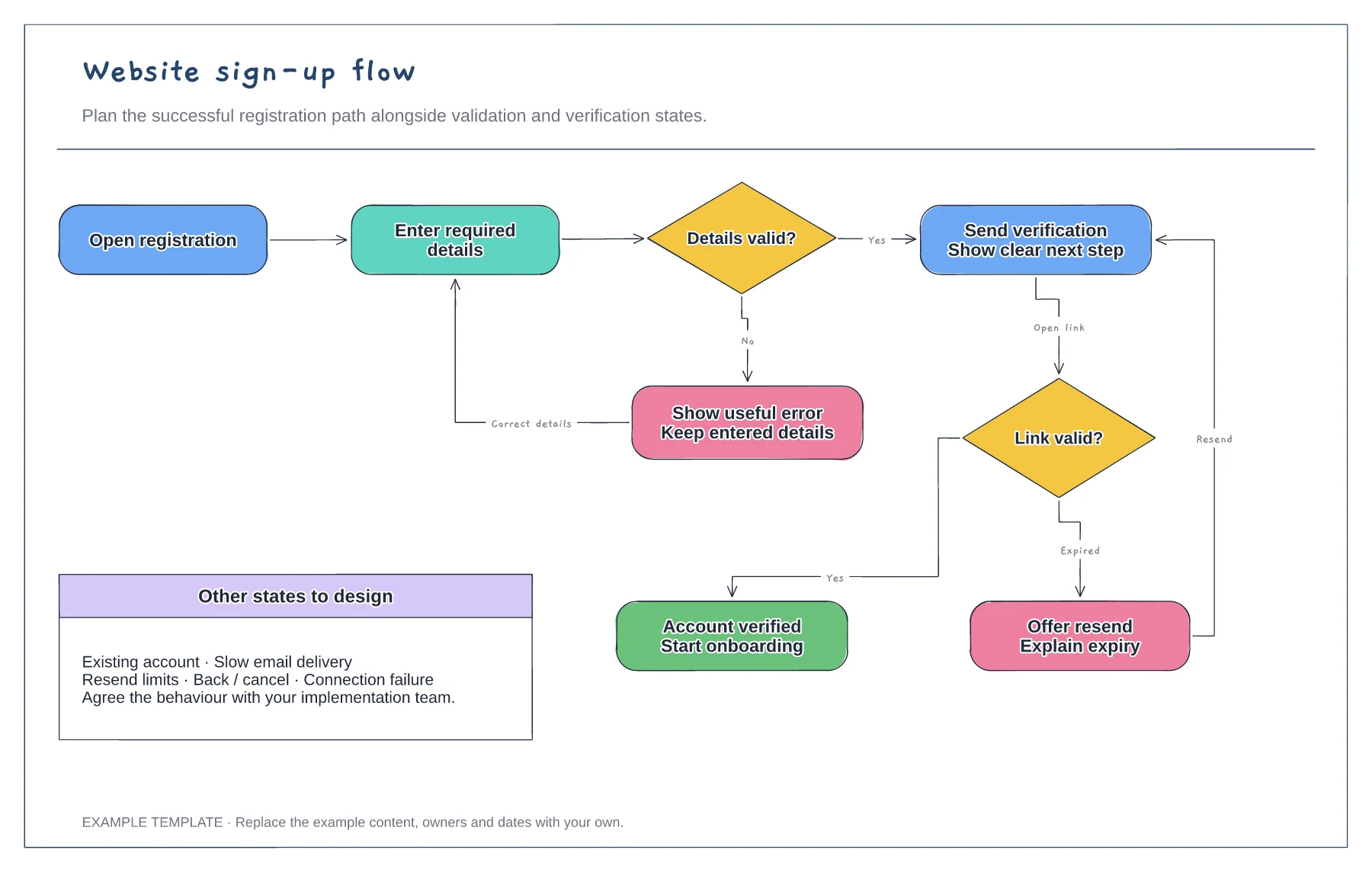
Registration form and validation · Verification and resend path · Successful access and error recovery
Preview and use template →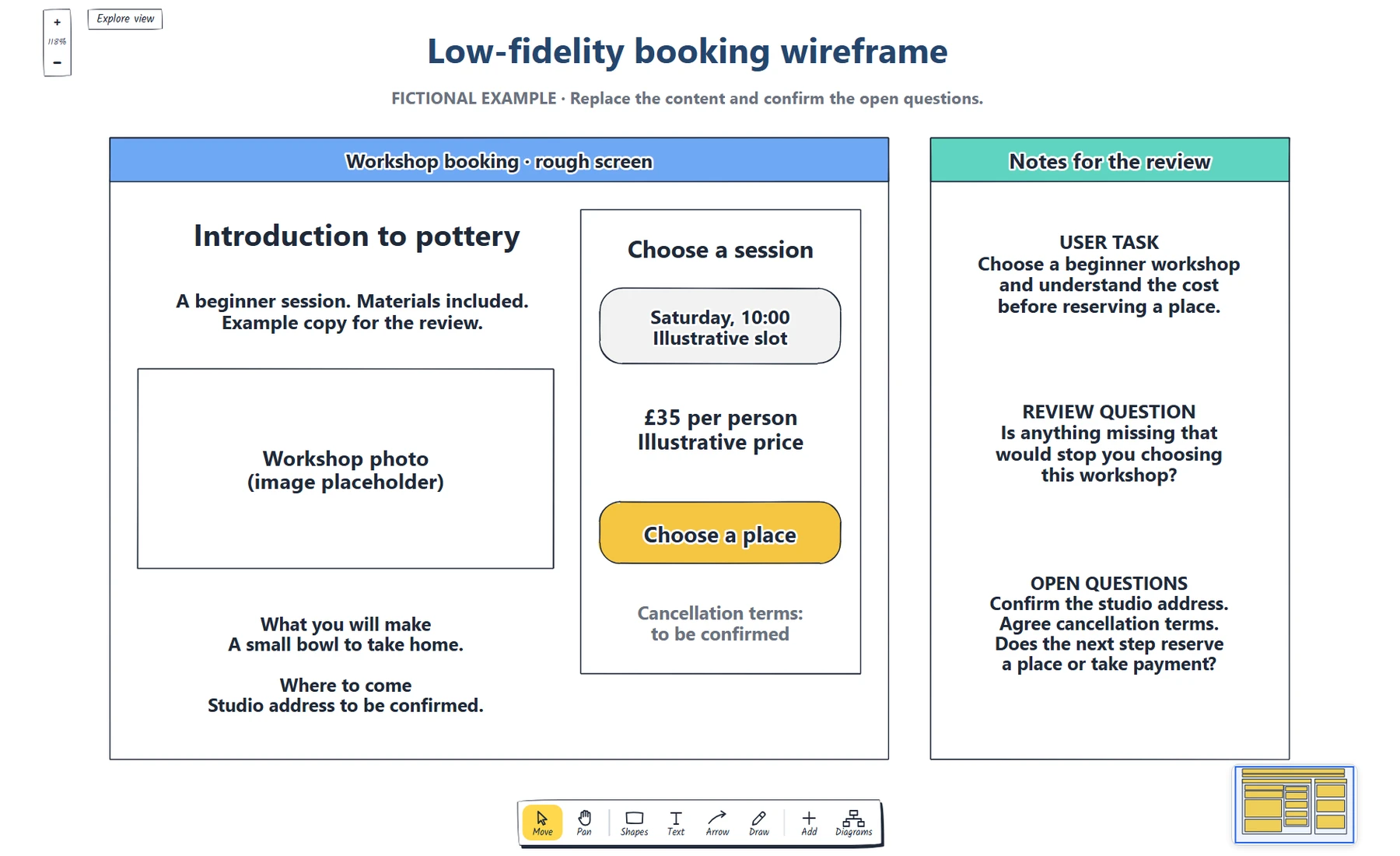
Define the booking task. · Place real content and a next step. · Which information does someone need before choosing a workshop?
Preview and use template →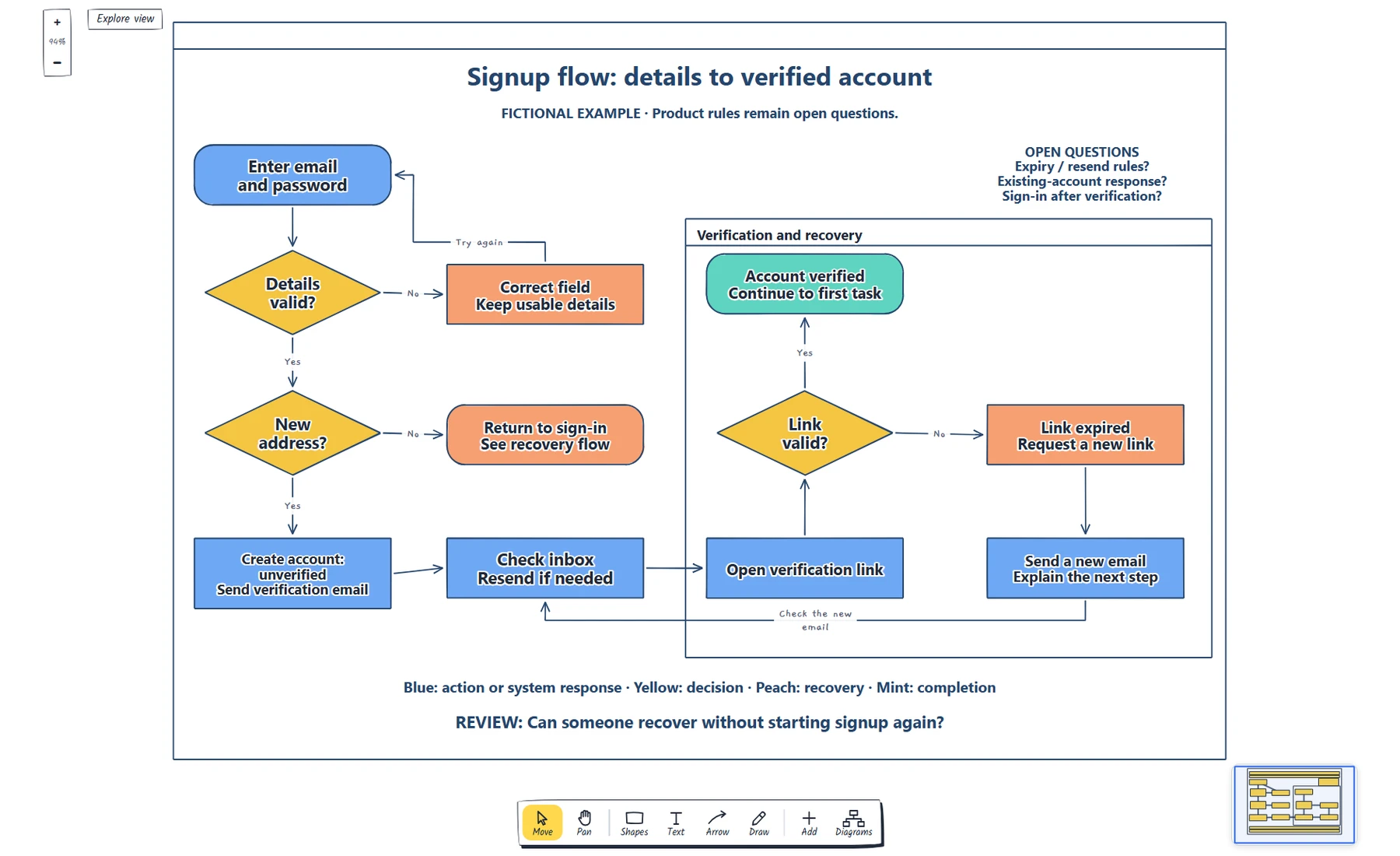
Name the starting point and completion state. · Label each decision and its outcomes. · Trace validation, sign-in and resend recovery.
Preview and use template →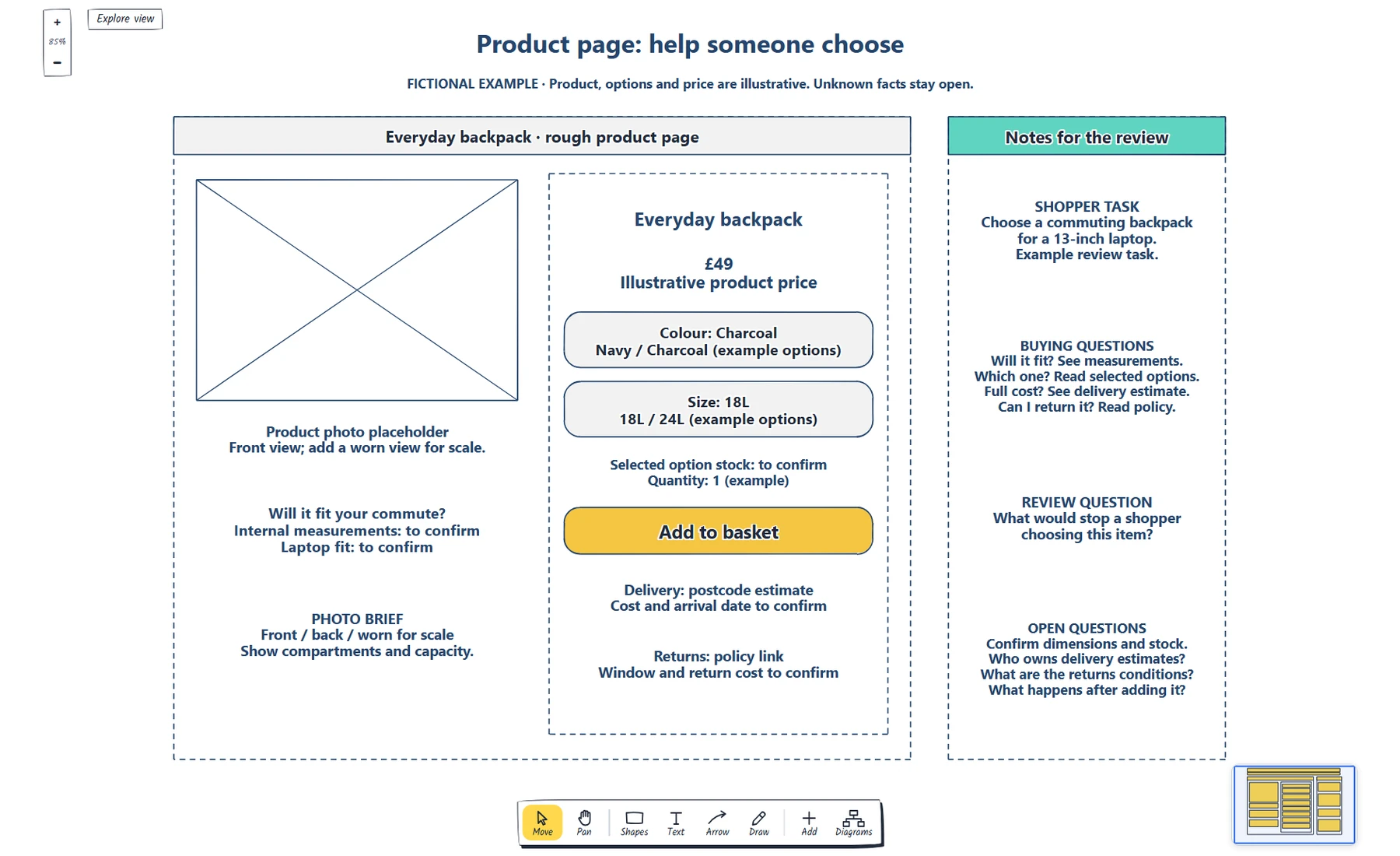
Define the shopper task and photo brief. · Make the selected options and availability clear. · Show where price, delivery and returns questions are answered.
Preview and use template →
Name the reader and main action · Specify the explanation and demonstration · Mark evidence and practical terms to confirm
Preview and use template →
Compare the same rows across plans. · Define limits and how they are counted. · Keep price, billing unit and period together.
Preview and use template →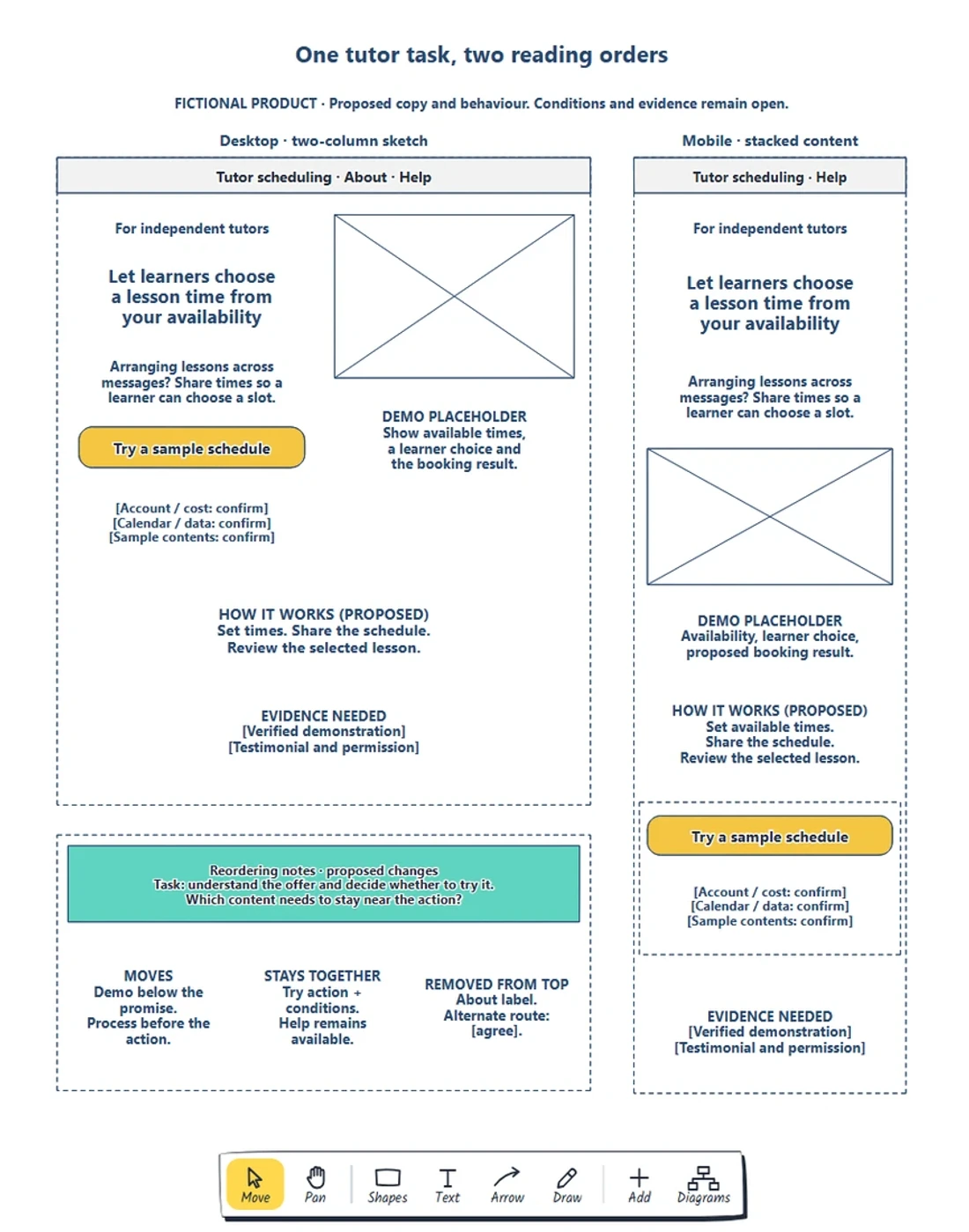
Preserve the visitor’s task and necessary information. · Choose a reading order before resizing boxes. · Keep requirements beside the action.
Preview and use template →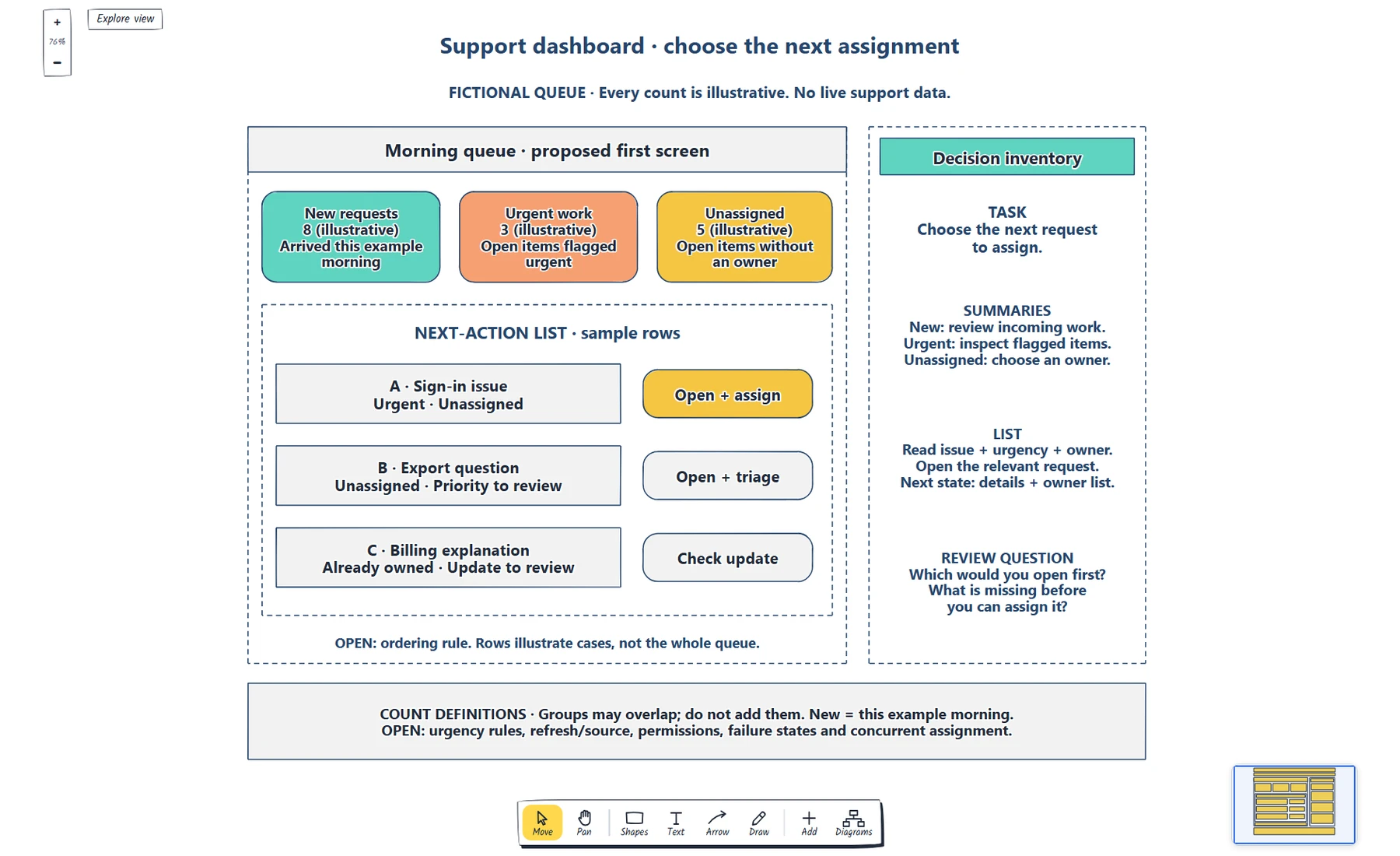
Write the role and first decision. · Define each summary, scope and destination. · Label sample counts and explain overlapping groups.
Preview and use template →
Give every page a visitor question. · Explain the meaning of each connection. · Separate planning names and visible navigation labels.
Preview and use template →
Define the starting point, task and confirmed end state. · Give each decision explicit outcomes. · Explain address correction and return routes.
Preview and use template →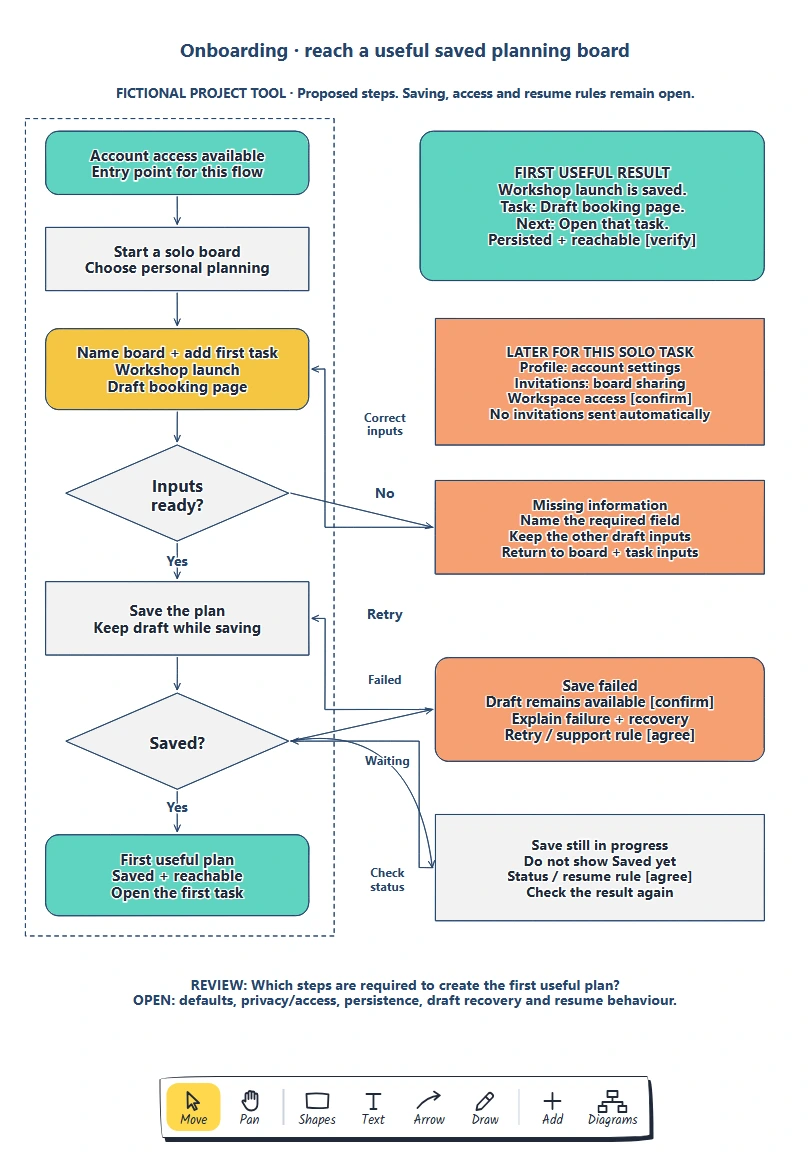
Define the person, entry point and useful result. · Give each required input a reason. · Keep later choices reachable.
Preview and use template →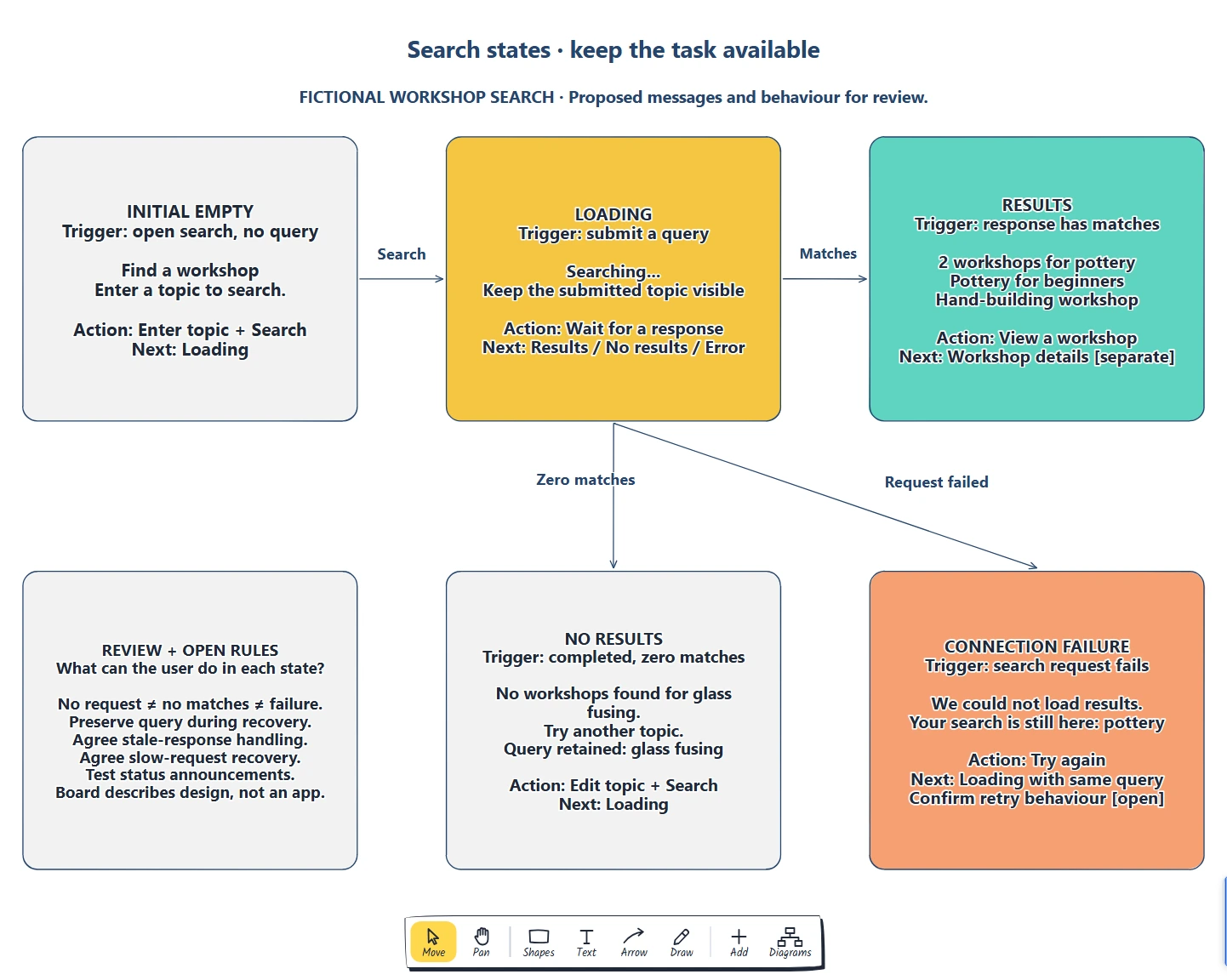
List state triggers. · Sketch content and actions. · What can the user do in each state?
Preview and use template →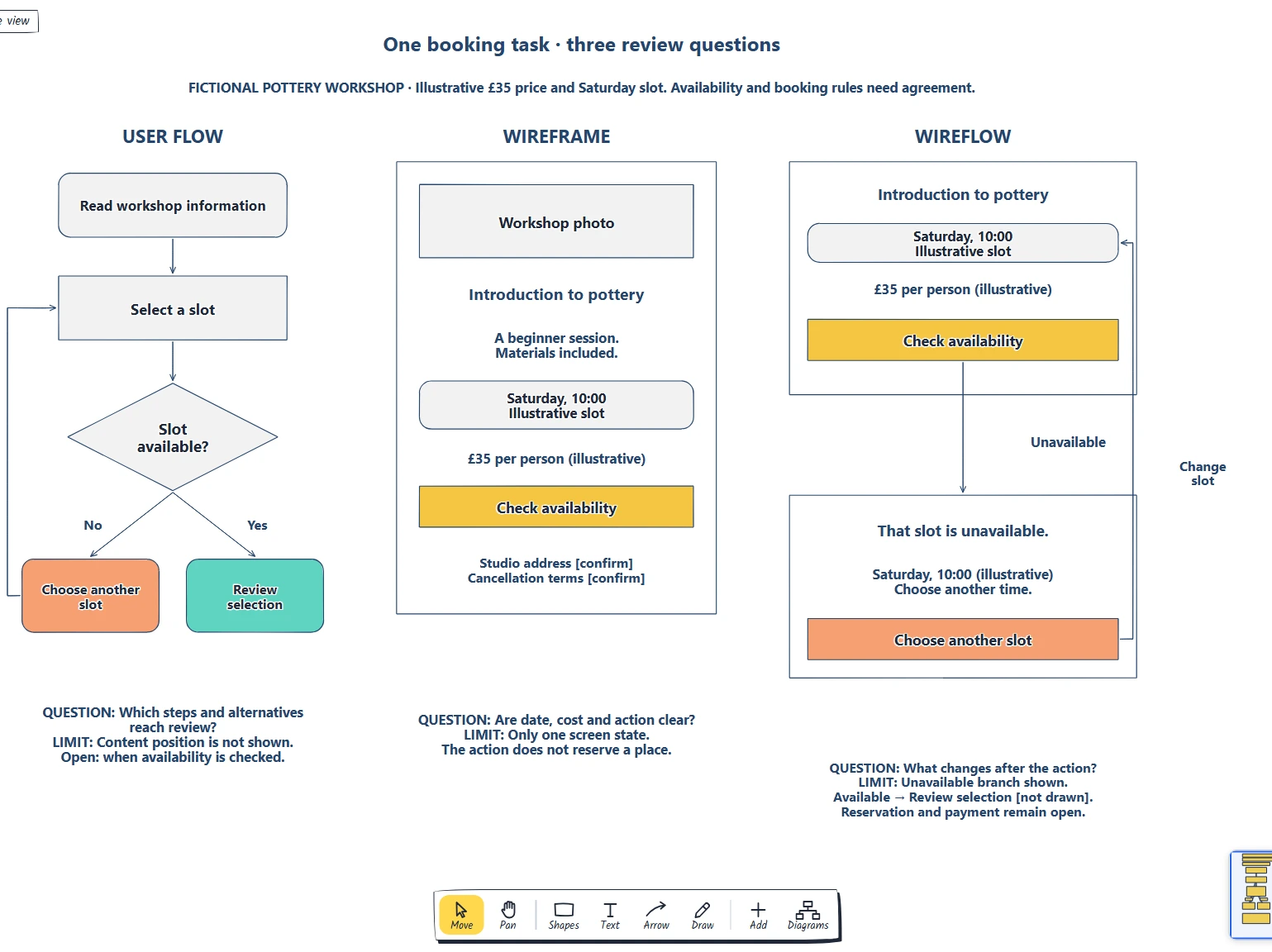
Name the review question. · Compare steps screens and transitions. · Do we need to discuss sequence, content or both?
Preview and use template →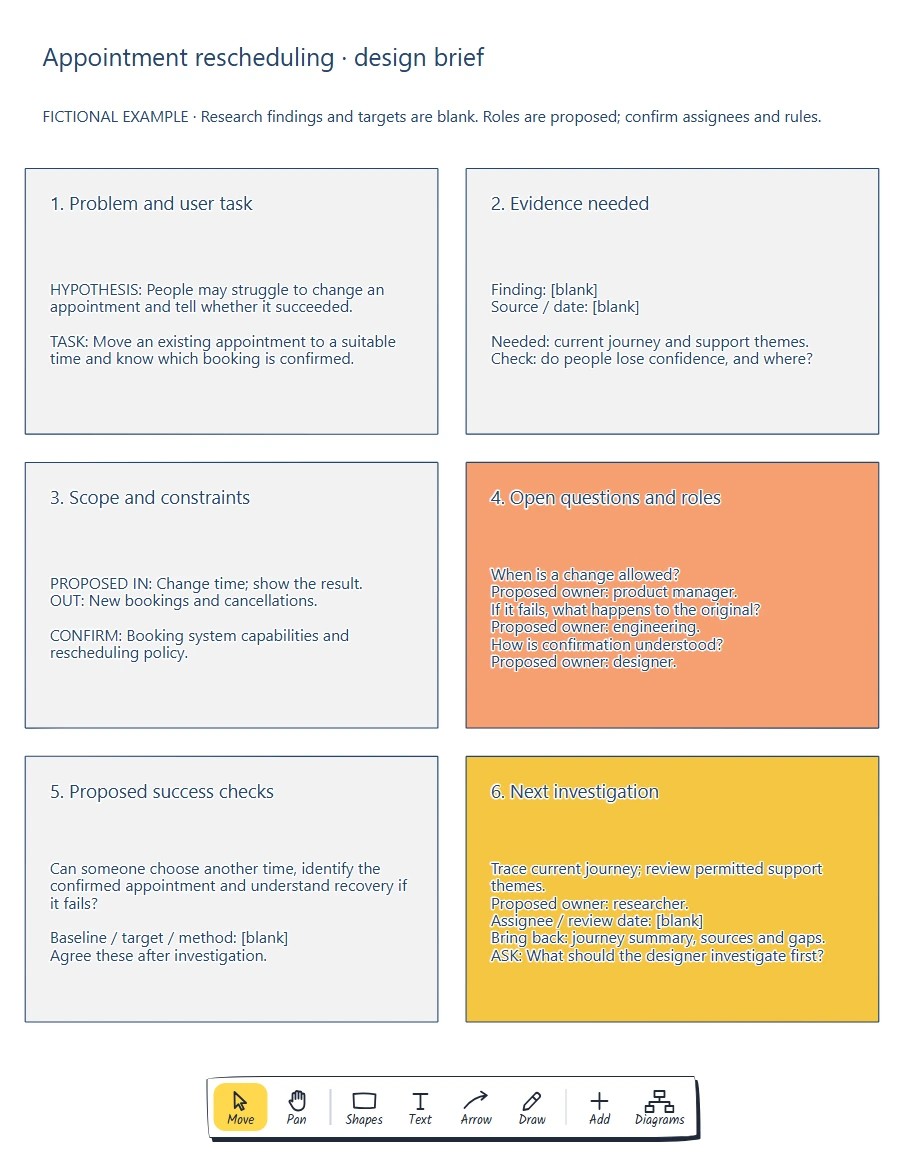
Define the problem with evidence. · Set constraints and success checks. · What should the designer investigate first?
Preview and use template →