
Design
Pricing comparison wireframe and plan worksheet template
Compare the same rows across plans. · Define limits and how they are counted. · Keep price, billing unit and period together.
Preview and use template →Plan what your screen shows while it waits, finds nothing or fails. Name each trigger, keep useful information available and connect the next action to a state.
No account needed · Opens as your own editable page
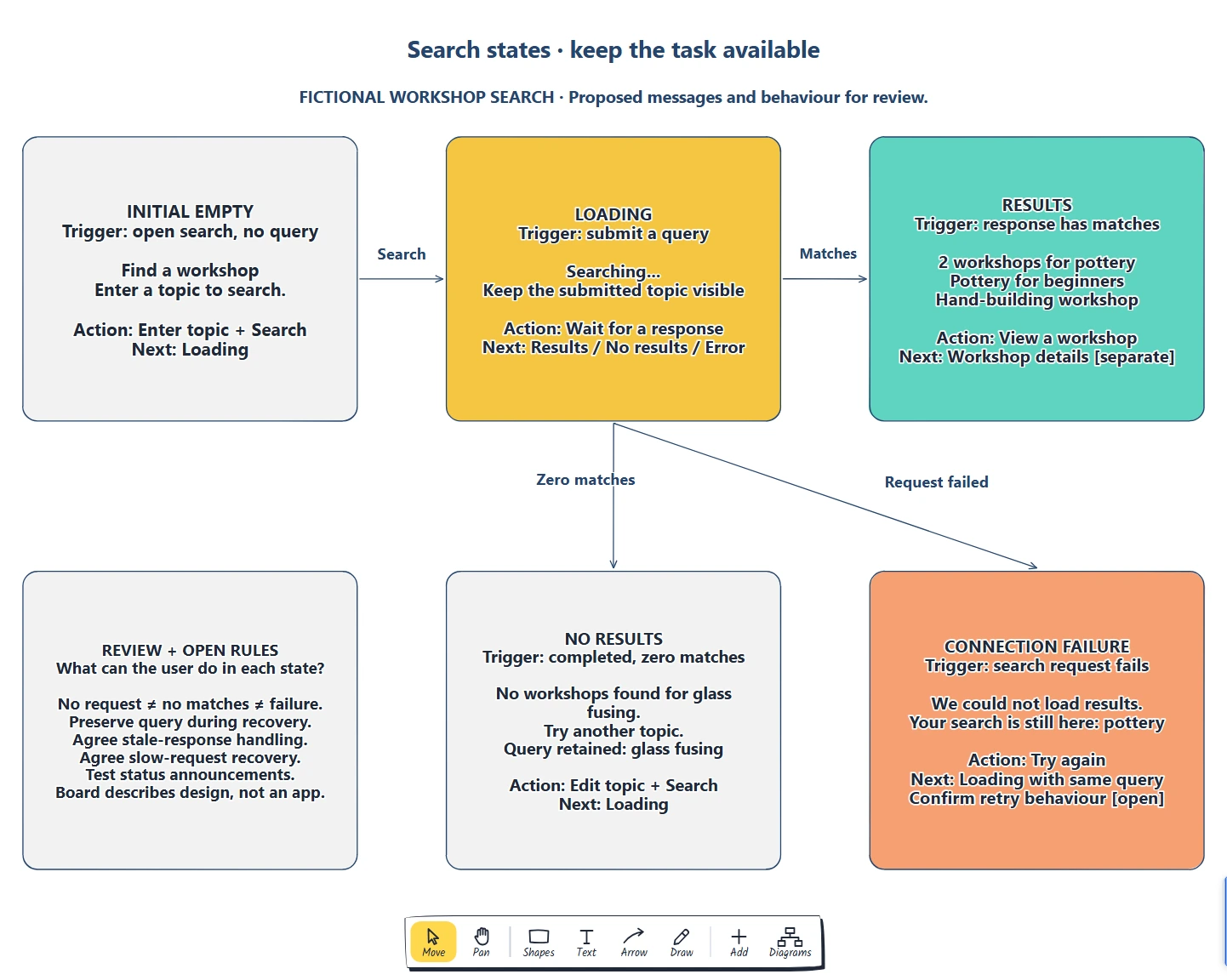
Interface reviews cover populated screens and miss other states.
Plan screen states with clear messages and recovery actions.
Inventory states and connect each to a next action. What can the user do in each state?
Yes. Copy a state card and fill in the trigger, message, action and next state, then link it from each card that can lead to it.
No. Open the template and edit it in your browser. Your work saves on this device. An account is optional if you want to sync your workspace.
Yes. Use Export in the editor to save a PNG, SVG or PDF, or download an editable .epicdraw backup.
Compare the same rows across plans. · Define limits and how they are counted. · Keep price, billing unit and period together.
Preview and use template →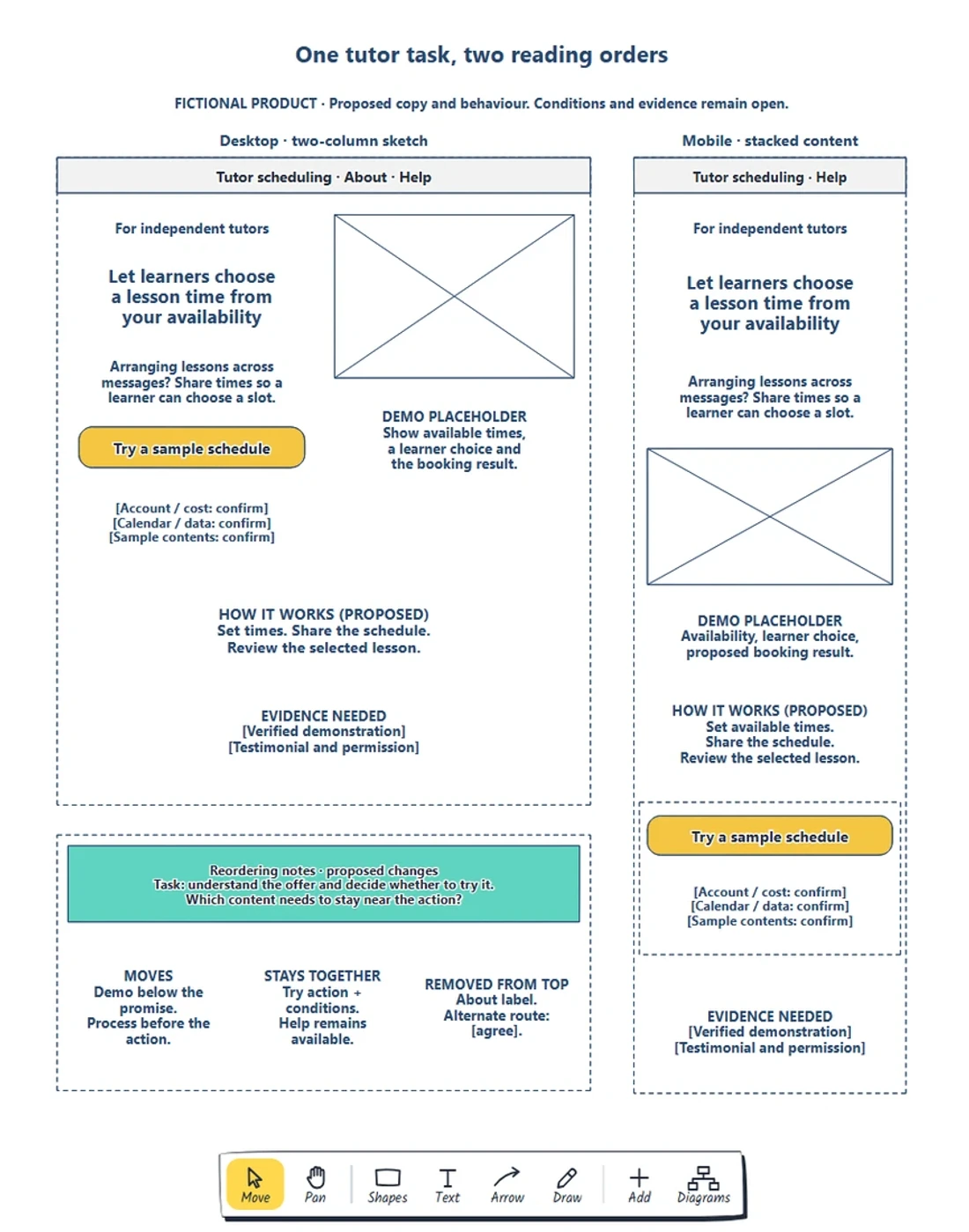
Preserve the visitor’s task and necessary information. · Choose a reading order before resizing boxes. · Keep requirements beside the action.
Preview and use template →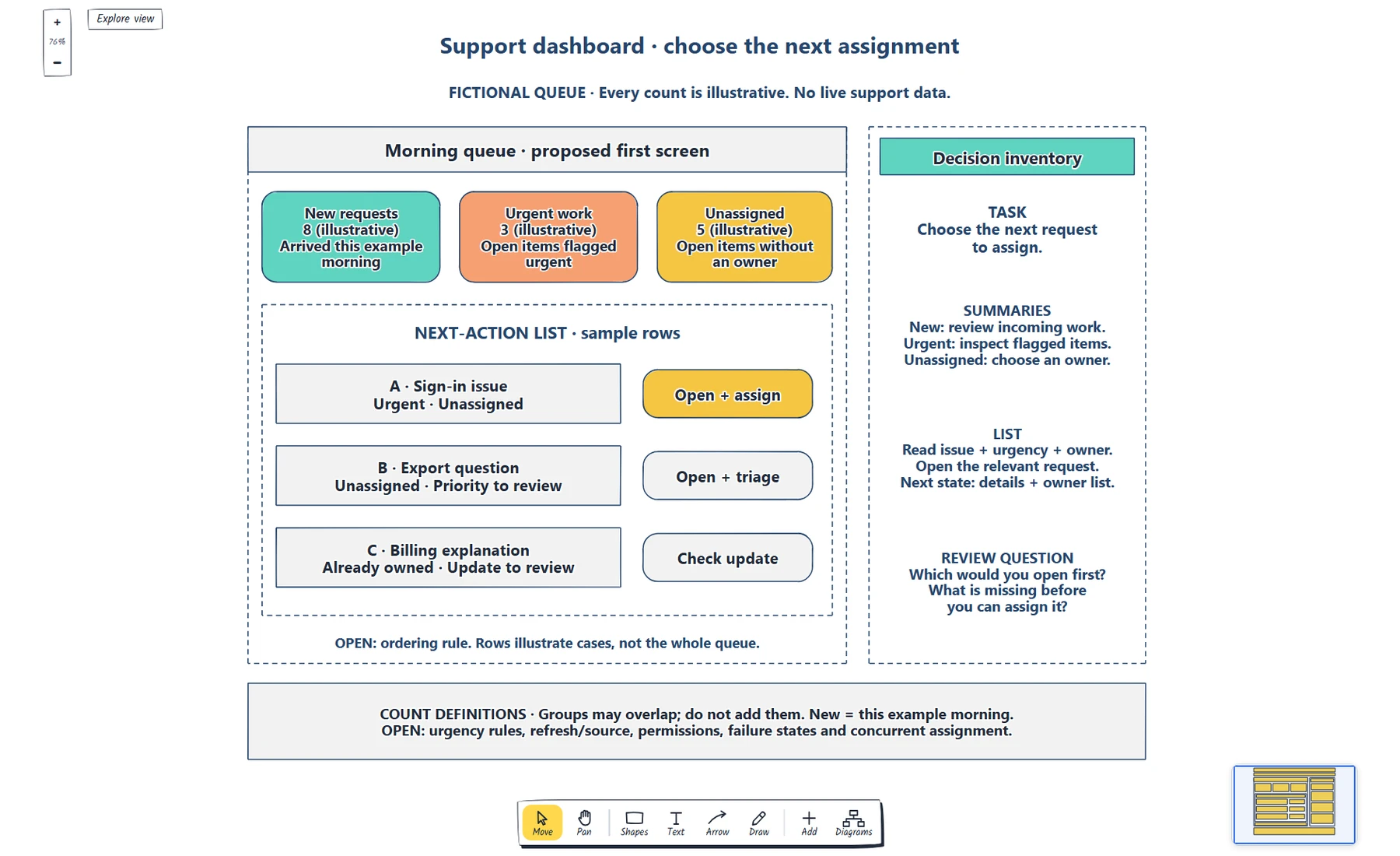
Write the role and first decision. · Define each summary, scope and destination. · Label sample counts and explain overlapping groups.
Preview and use template →
Give every page a visitor question. · Explain the meaning of each connection. · Separate planning names and visible navigation labels.
Preview and use template →
Define the starting point, task and confirmed end state. · Give each decision explicit outcomes. · Explain address correction and return routes.
Preview and use template →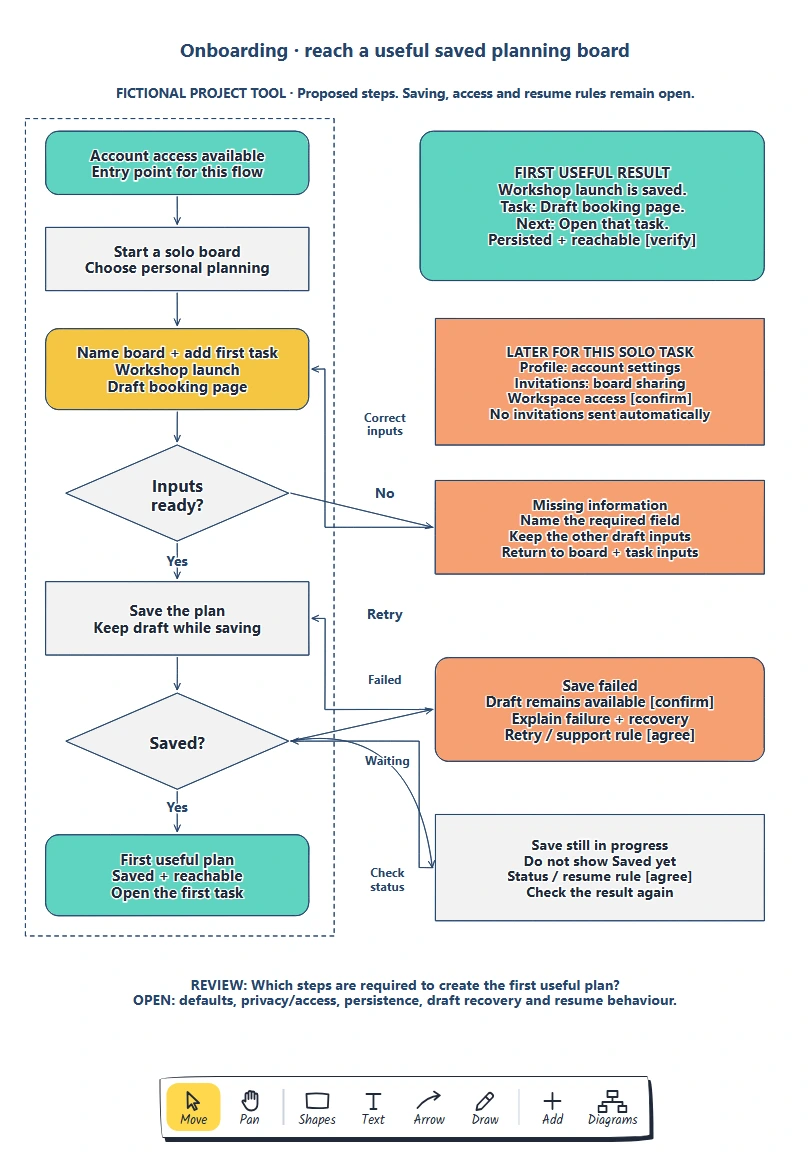
Define the person, entry point and useful result. · Give each required input a reason. · Keep later choices reachable.
Preview and use template →