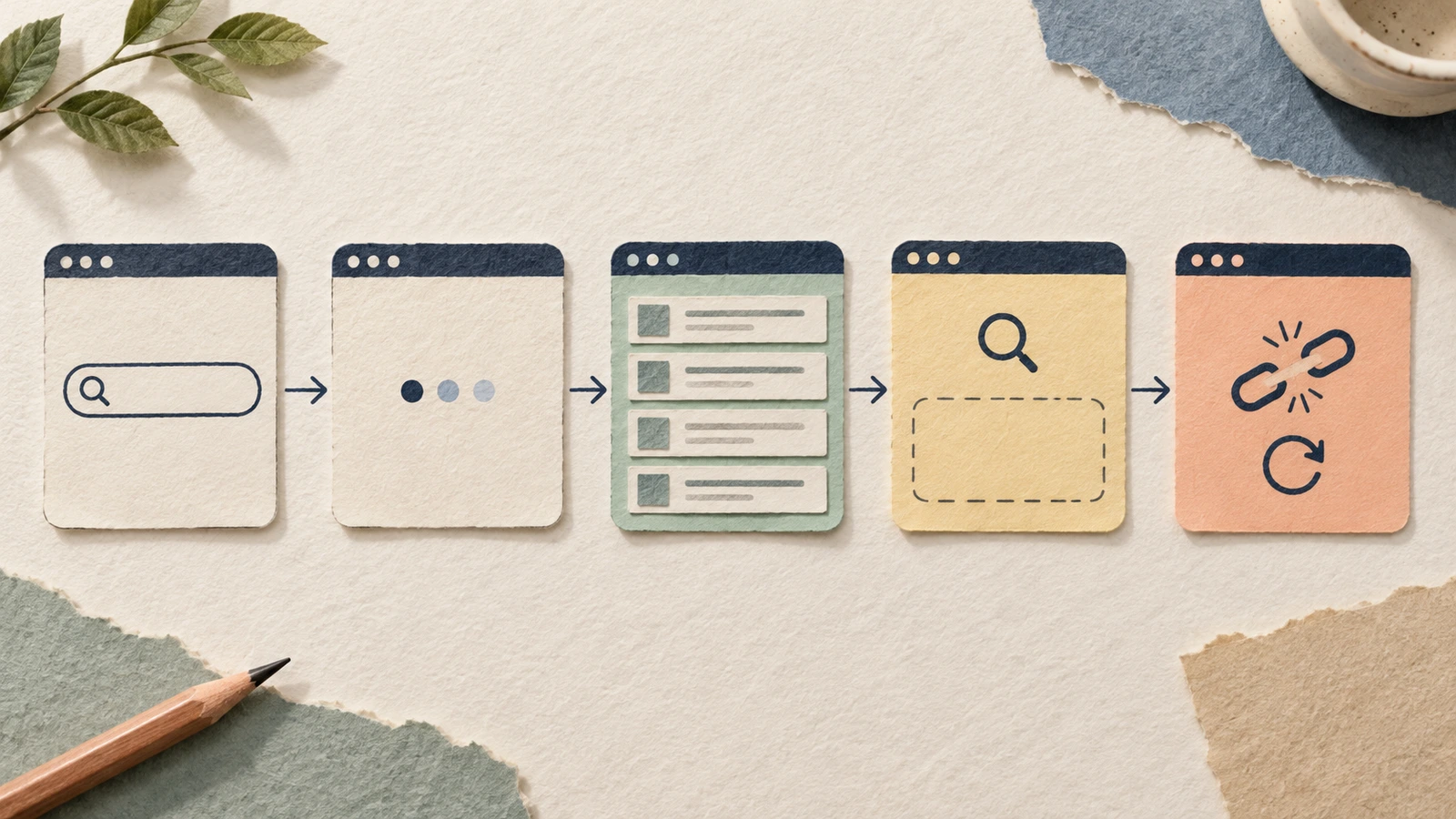
A state board helps your team review what a screen shows before, during and after an action. It gives product designers a place to agree messages, retained information and recovery, including the moments when useful content is unavailable.
Start by naming the event that puts the screen into each state. Then write what the person sees, what they can do and where that action leads. This guide uses empty, loading and error state examples from a search interface, with an editable board and an inventory you can reuse.
Separate the reasons a screen looks empty
An empty area can describe several different situations. The person may not have started, a request may still be running, or a completed search may have found nothing. A failed request leaves the outcome unknown. Give those situations separate entries so the team can choose the right explanation and action.
For each entry, record a trigger that someone can verify. “The screen is blank” describes its appearance. “The request completed successfully with zero matches” explains why the no-results message belongs there.
Keep the board rough while these rules are being discussed. Figma's introduction to low-fidelity prototyping describes using simple layouts and sequences to explore a design. Real proposed wording is useful here: it exposes what the interface is claiming even before you design its final appearance.
Give the search one task
Our example is a fictional workshop directory. A visitor wants to find a pottery session and open its details. Your job is to agree how the search explains its changing state and keeps that task available.
The board uses “pottery” for a search with two invented matches. A second query, “glass fusing”, illustrates a completed search with no matches. The connection-failure card shows a request that could not complete. Search behaviour, retained inputs and retry rules are design proposals for review.
Write this question beside the board: “What can the user do in each state?” It keeps the review on whether someone can start, understand the response and continue.
Inventory the triggers before writing messages
Use this inventory to plan the empty, loading and error states:
| State | Trigger in this example | Proposed message or content | Action and destination |
|---|---|---|---|
| Initial empty | Search opened with no query | Find a workshop. Enter a topic to search. | Enter a topic and Search; show Loading |
| Loading | A query was submitted and is awaiting a response | Searching for pottery... | Wait for the response; agree a route for an unusually slow request |
| Results | A completed response contains matches | 2 workshops for pottery, with two workshop titles | View a workshop; open its details |
| No results | A completed response contains zero matches | No workshops found for glass fusing. Try another topic. | Edit the topic and Search; return to Loading |
| Connection failure | The search request fails | We could not load results. Your search is still here: pottery | Try again with the same query; return to Loading |
The messages follow from those triggers. The initial state explains how to begin. No results explains a completed search and offers a way to change it. Failure explains what could not complete and preserves a proposed recovery route.
If your search uses filters, add the active filters to the inventory. Someone needs to know which conditions produced the response before deciding what to change. Only offer Clear filters when filters are actually applied, and agree which inputs it resets.
Build the state board in EpicDraw
Open the editable starter near the top of this guide. It adds a fresh page alongside your existing drawings. You can also download the worked example and open it with the app's Import option.
Replace the bracketed task and triggers first. Then edit the messages and actions to match those conditions. Double-click a label to change its text. Keep each state's trigger, message, action and next state together so the reviewer can compare them.
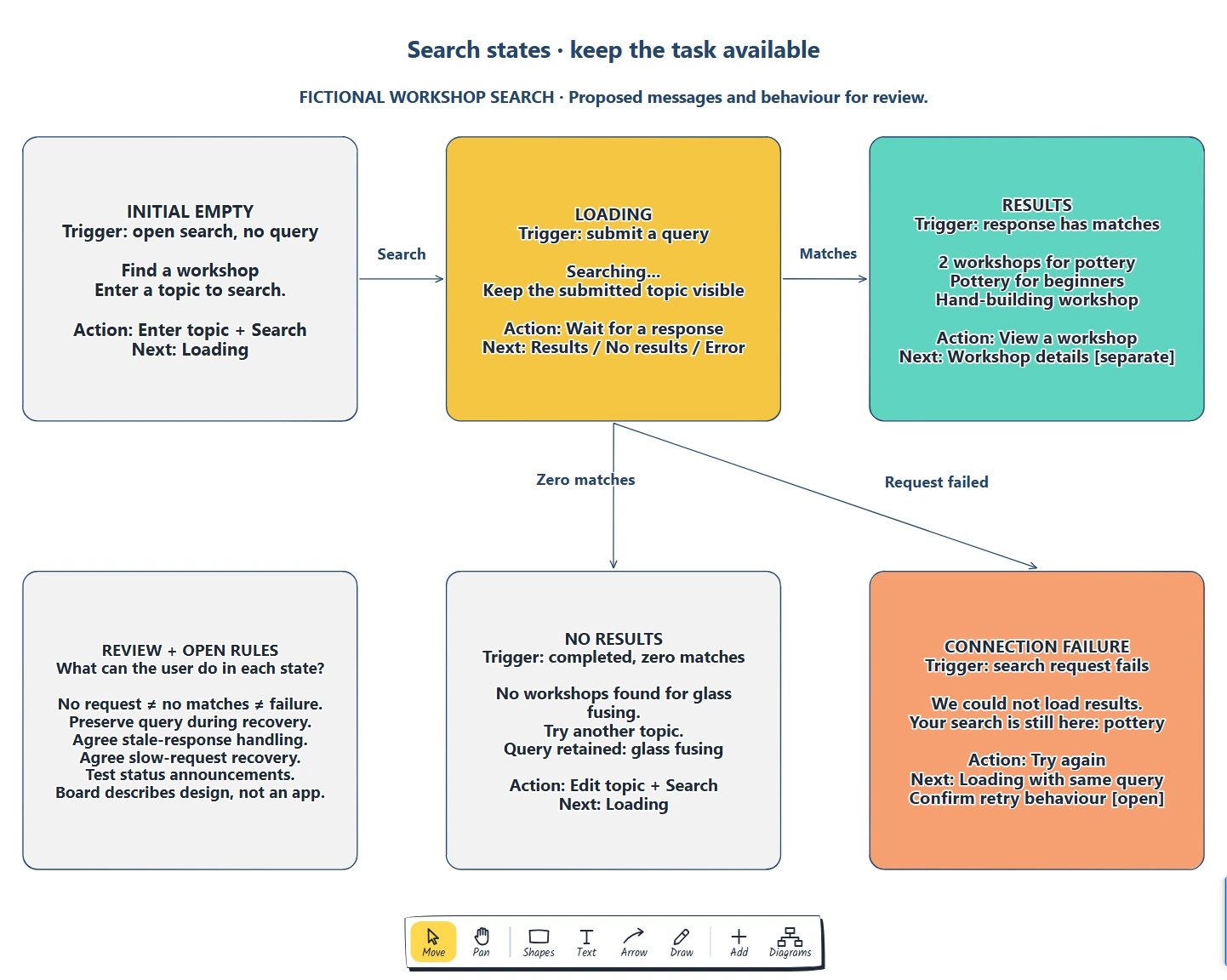
Each card names its trigger and next action. The arrows show search submission and the possible response outcomes; the recovery cards name their return to Loading.
The board combines rough content with transition annotations. Nielsen Norman Group's explanation of wireflows shows how screen layouts and flow connections can describe changes within the same page. A new state does not always need a new screen.
For a document list, adapt the initial state to creating or importing a document. A completed filtered list with no matches needs a different message, because documents may exist outside that filter. Keep those conditions distinct when replacing the workshop example.
If you need to choose between steps, one screen or connected states, use the user flow, wireframe and wireflow comparison to match the drawing to your review question.
Keep loading separate from the outcome
The inventory now tells you what the interface knows at each point. While the request is running, show that the search is in progress and retain the query for context. A loading label should explain what is happening.
Agree what happens if the response takes longer than expected. Can someone change the query or cancel? What happens to an older response after they submit a new query? Record these rules beside the loading card, with an owner, before writing messages that depend on them. The example leaves slow-request recovery and stale-response handling open.
Show No results only after a successful response establishes that there are no matches. If the request failed, the interface cannot conclude that nothing was found. This distinction determines whether the person should change their search or try loading it again.
For a flow that creates saved work, use the first-value onboarding guide to distinguish a save in progress, confirmed persistence and recovery.
Give failure a useful return route
The failure card keeps the topic visible and offers Try again. The proposed message says what failed without blaming the person or asserting a cause the interface cannot verify. Even when your test scenario uses a connection failure, the displayed message needs to reflect what the product actually knows.
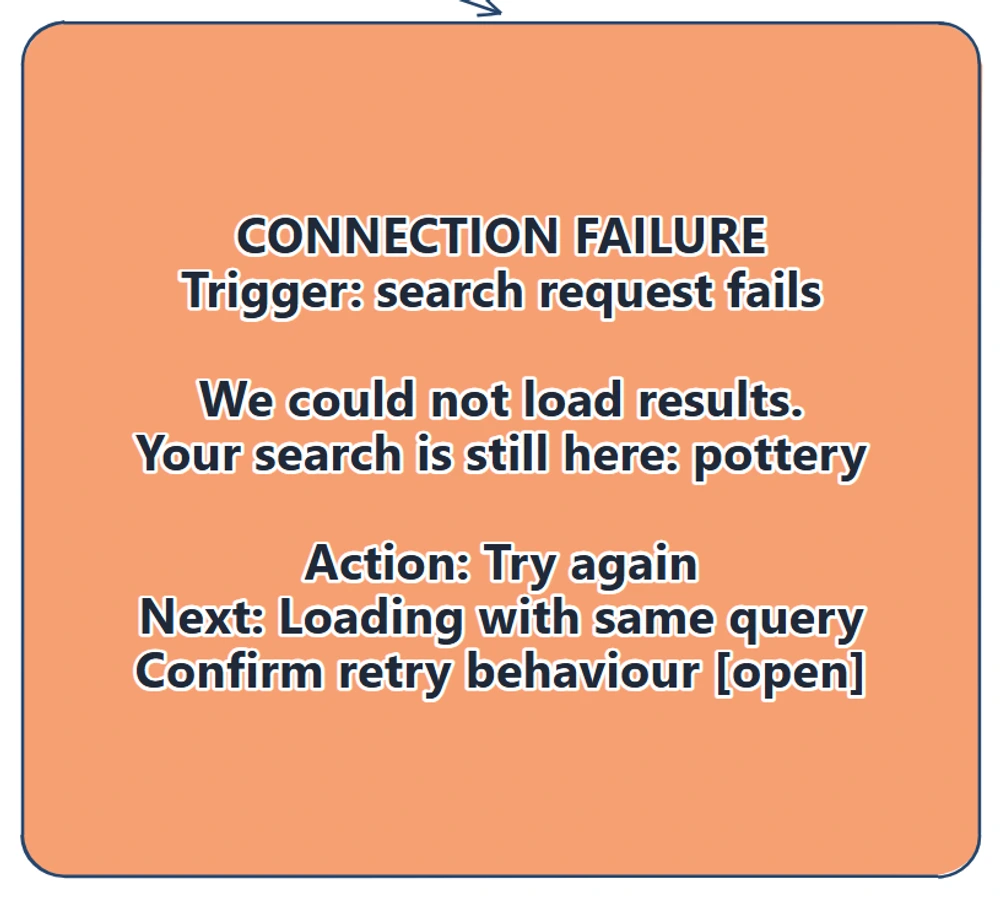
The recovery card preserves the search topic and identifies the next state. Confirm that the implementation retains the query and retries the intended request before using this wording.
Trace the return from Try again to Loading, then through each possible outcome. A retry can fail too. Agree what further help is available when recovery does not work.
This example retries a search. When adapting the board to an action that creates an order or changes saved work, first agree how the system establishes the earlier attempt's outcome. A repeated submission needs its own rules.
For an action that submits a purchase, use the checkout flow guide to review when a retry is appropriate and how an uncertain result is checked.
Review status changes as well as visible copy
A person needs to learn about a changed status while they are using the interface. W3C's status-message guidance includes brief search messages such as waiting, result counts and no results when they appear without moving focus or changing context. Those messages need to be available to assistive technology.
Record that requirement for the implemented interface. The result list itself is not automatically a status message under that criterion, and a label in a drawing does not demonstrate accessible announcements. Check the actual messages, focus behaviour and controls during implementation testing.
Ask a teammate to search for pottery, then glass fusing, then follow the failed-request recovery. Have them explain what is known, which information remains and what they can do next. Record unclear copy separately from unresolved product rules, then test the implemented journey with intended users.
Review checklist
Check these empty, loading and error state examples before sharing:
- Each state has a verifiable trigger.
- Initial empty, pending, no matches and failure remain distinct.
- The message explains the current situation using known information.
- The action has a named destination or outcome.
- Useful input remains available where the design promises it.
- Retry, slow-request and stale-response rules have owners.
- Status announcements and focus behaviour have implementation checks.
- Fictional content and unresolved rules are visible.
Copy this inventory for your own review:
Person and task:
State / verified trigger:
Message or content:
Information retained:
Available action / next state:
Recovery if the action fails again:
Status announcement / focus check:
Open rule / owner / next review date:
Optional: create the example with an AI assistant
MCP connects an assistant to EpicDraw's diagram tools. An assistant that supports remote MCP with OAuth sign-in can create an editable draft of this state board.
Use a free EpicDraw account, enable cloud sync and approve permission to create and edit diagrams. Open More, choose Connect AI assistant and add https://epicdraw.app/mcp in your assistant. Only synced pages are available to the remote server. The MCP connection guide explains the steps.
Paste this prompt into the connected assistant:
Using the connected EpicDraw MCP server, create a new editable page named "Interface state board and inventory". Leave existing pages unchanged.

Create a state board for a fictional search interface. Show initial empty, loading, results, no results and connection-failure states. For each state include a trigger, readable message, possible user action and next state. Keep state behaviour as design annotations, not a working search interface.

Use editable shapes, text and connectors. Label the example as fictional and mark unknowns as open questions. This is a visual planning draft. Check for overlapping objects and overflowing labels, then return a PNG preview and the private editor link. Leave the result as a draft for me to review.
Inspect the preview and open the private editor link while signed in. Check triggers, messages and recovery destinations before adapting the board. Assistant layouts can differ from the screenshots. The result describes a design; it does not build a search service or implement its loading and recovery behaviour.
Takeaways
- Name the trigger before writing a state's message.
- Distinguish an initial empty screen, a pending request, no matches and failure.
- Keep useful context available and give recovery a clear destination.
- Review return routes and repeated failure alongside the successful response.
- Test status announcements and product rules in the implemented interface.
Keep your next draft close
Create a free account to save your pages in the cloud and use them across devices.
Create a free accountYou can keep drawing without an account.