Legal and risk
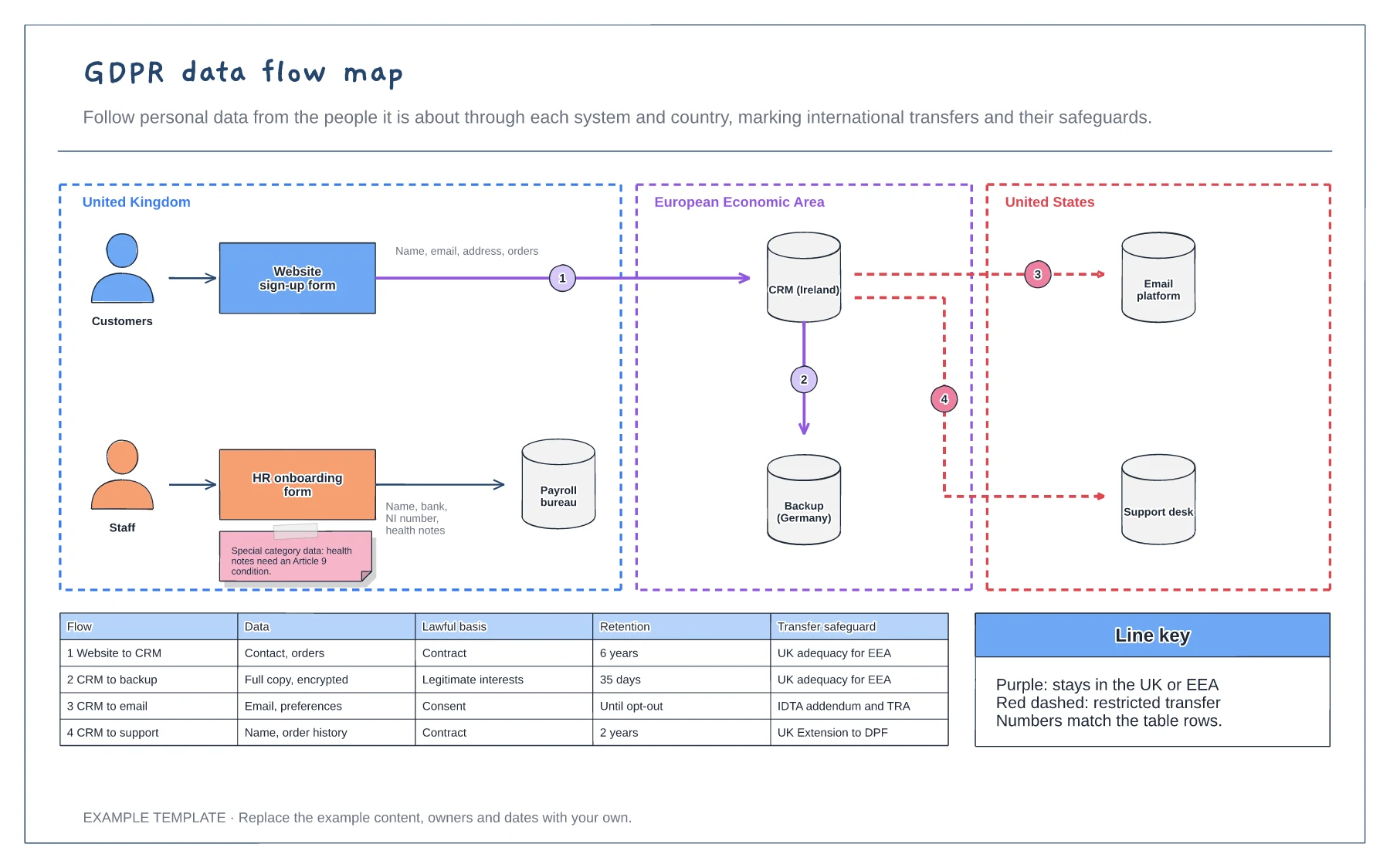
GDPR data flow map template
Systems grouped by country · Numbered flows with restricted transfers marked · Lawful basis, retention and safeguard table
Preview and use template →A subject access request gives people the right to a copy of their personal data, and you normally have one calendar month to respond. This board plans a request on a five-week calendar, from logging it and checking ID to searching systems, collating, redacting other people's data, checking exemptions and sending the pack with time to spare, plus what to send and when the deadline can move.
This is a planning example, not legal advice. Check your own policies, advisers and the local rules that apply to you.
No account needed · Opens as your own editable page
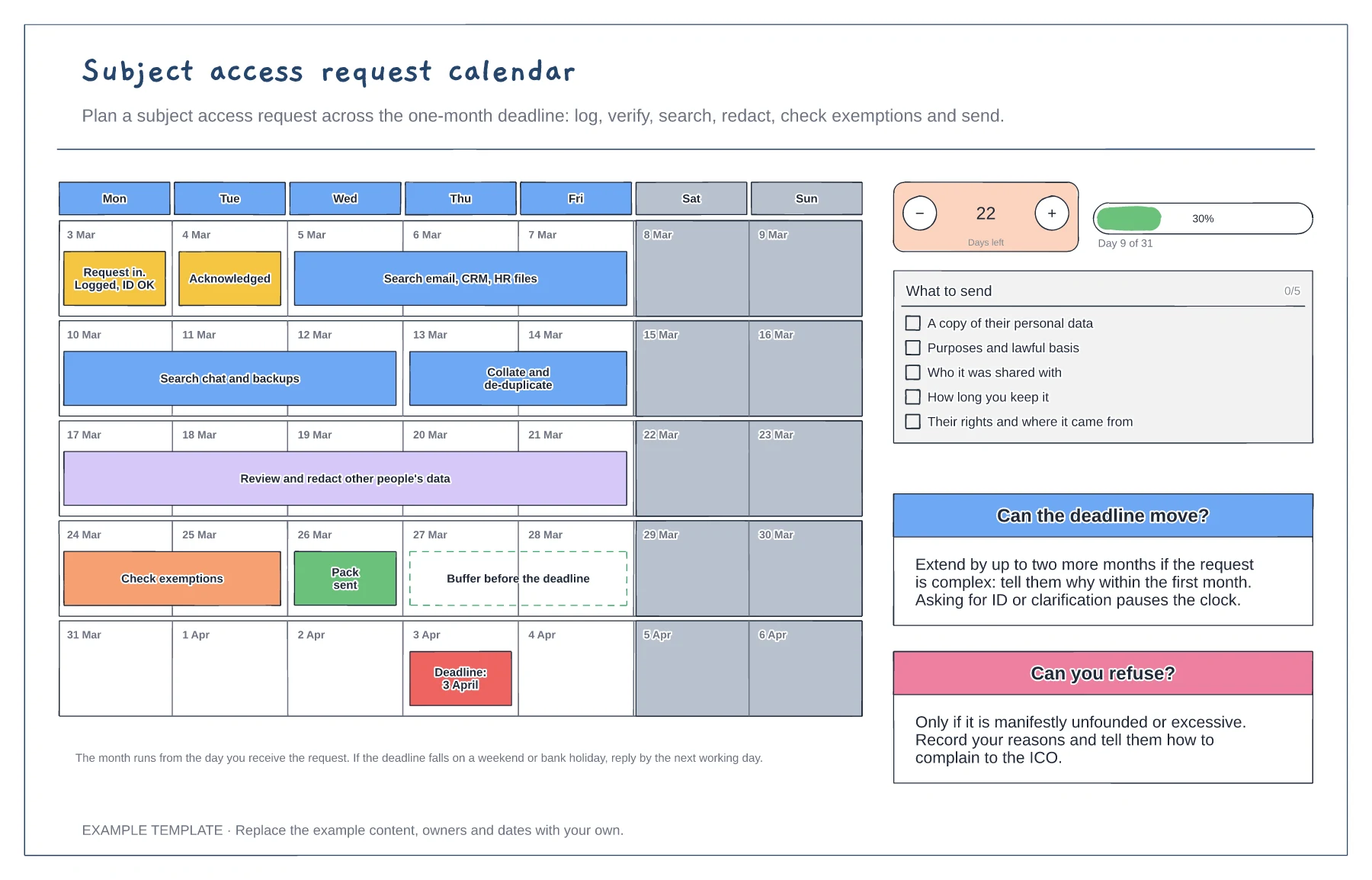
Record when the request arrived and check identity if you need to. Asking for ID or clarification pauses the clock.
List every place the data could be, including email, chat, CRM, HR files and backups, and give each search an owner and a date.
Redaction and exemption checks take longer than searching. Plan them early so the pack goes out before the deadline.
Change the calendar dates to start from the day you received the request, then move each task bar and the deadline marker to match.
No. Open the template and edit it in your browser. Your work saves on this device. An account is optional if you want to sync your workspace.
Yes. Use Export in the editor to save a PNG, SVG or PDF, or download an editable .epicdraw backup.
Systems grouped by country · Numbered flows with restricted transfers marked · Lawful basis, retention and safeguard table
Preview and use template →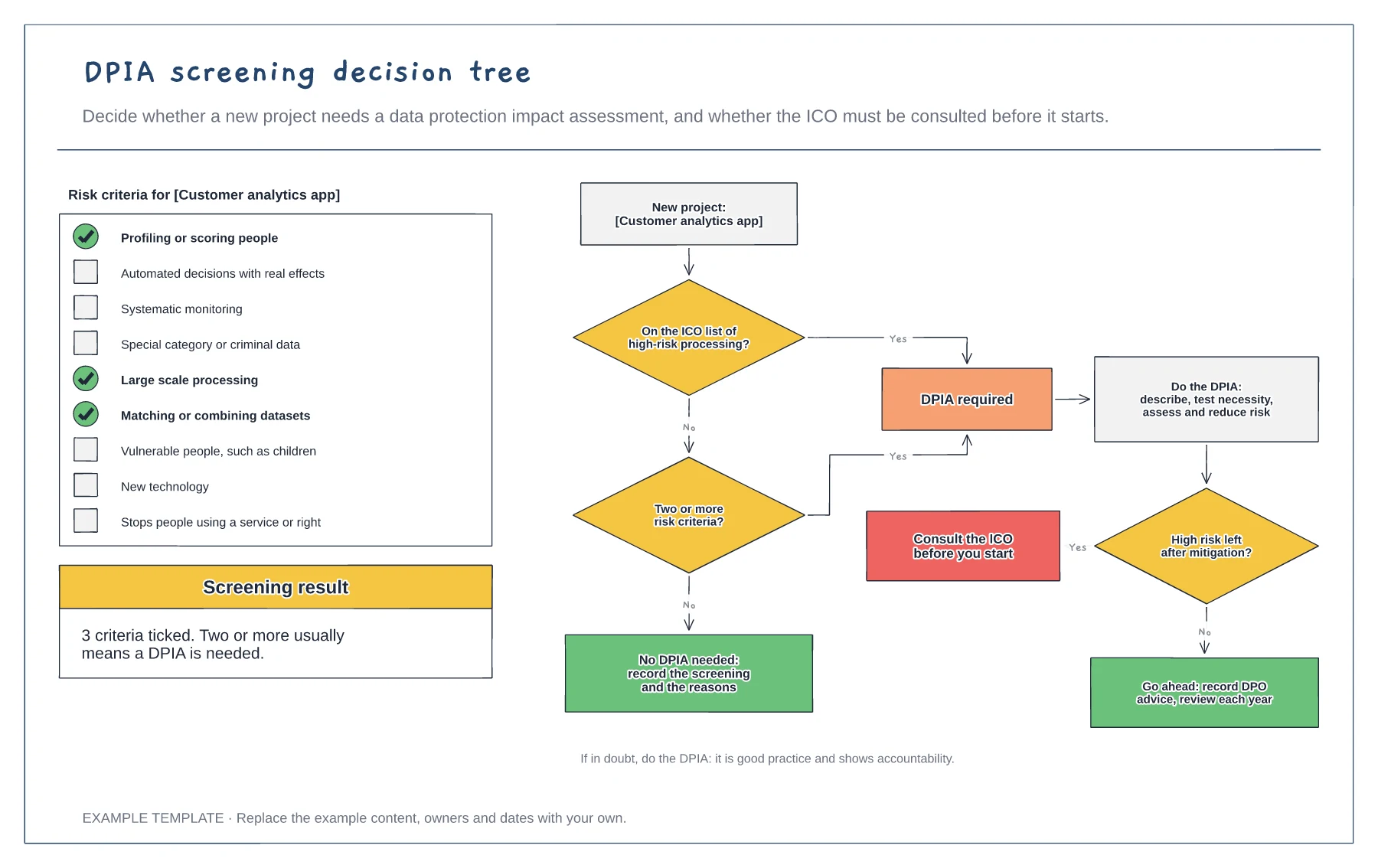
Nine risk criteria with three ticked · Decision tree with four outcomes · When to consult the regulator
Preview and use template →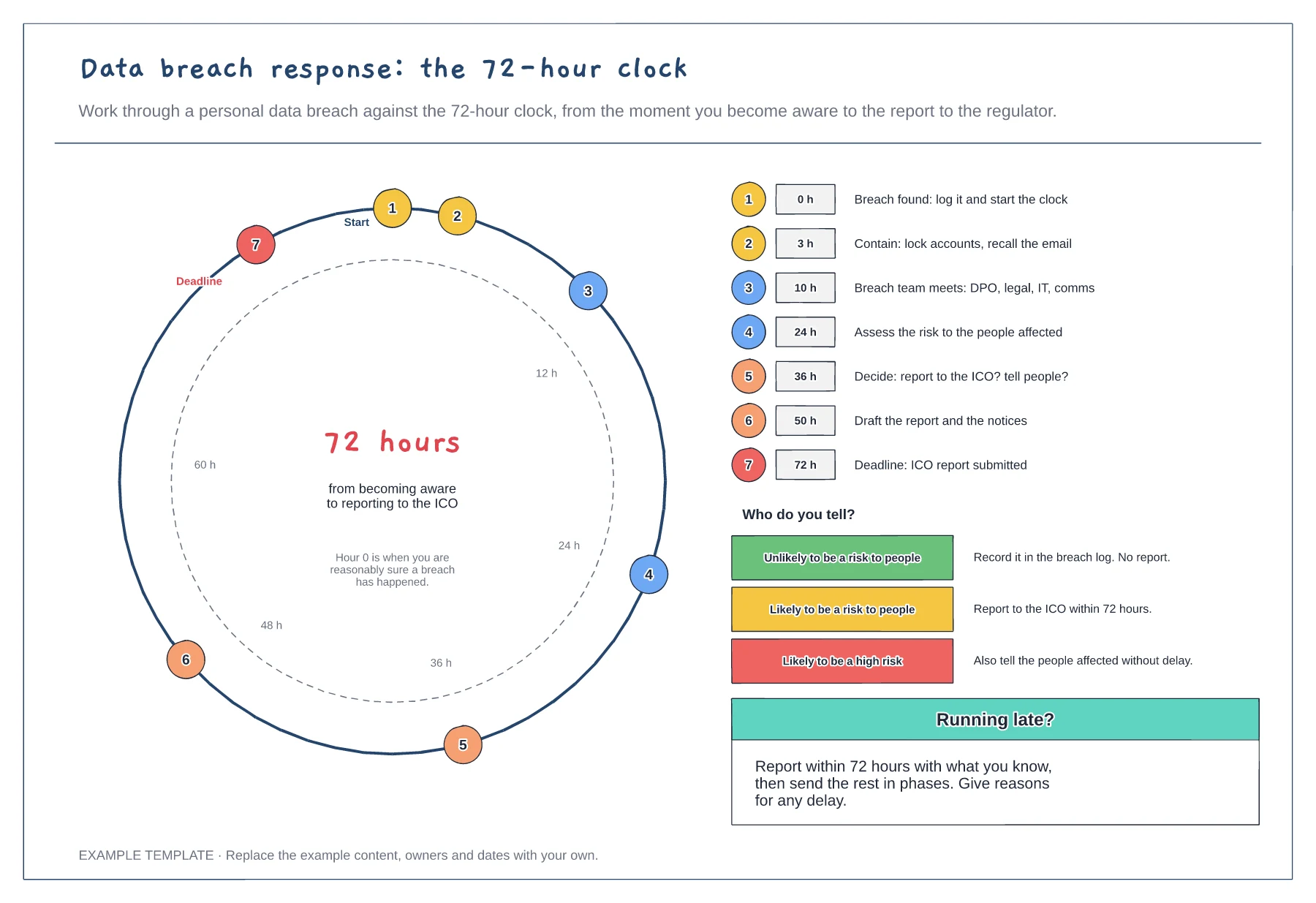
72-hour dial with timed steps · Step list with target hours · Who to tell at each level of risk
Preview and use template →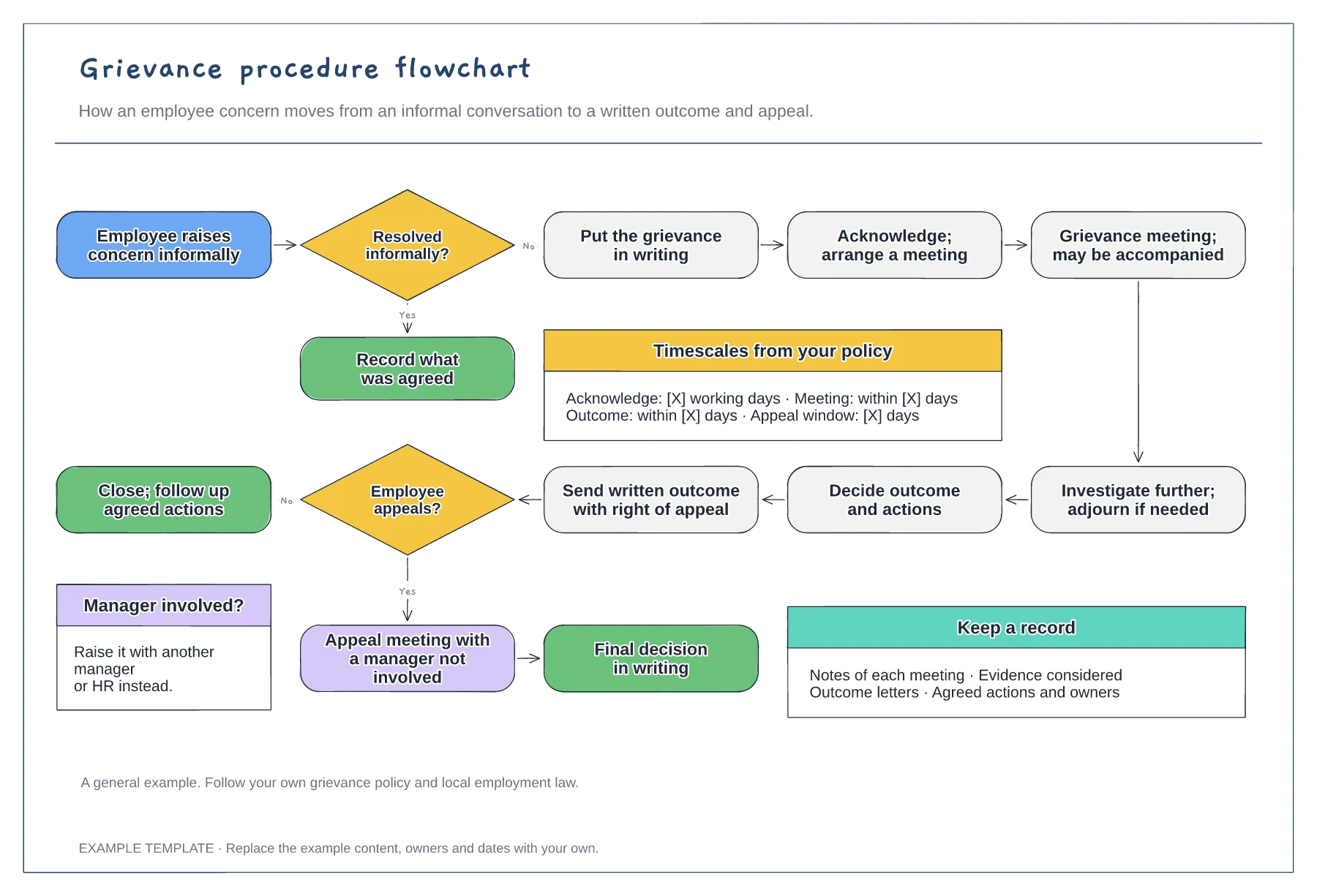
Informal and formal routes · Meeting, investigation and written outcome · Appeal and timescales from your policy
Preview and use template →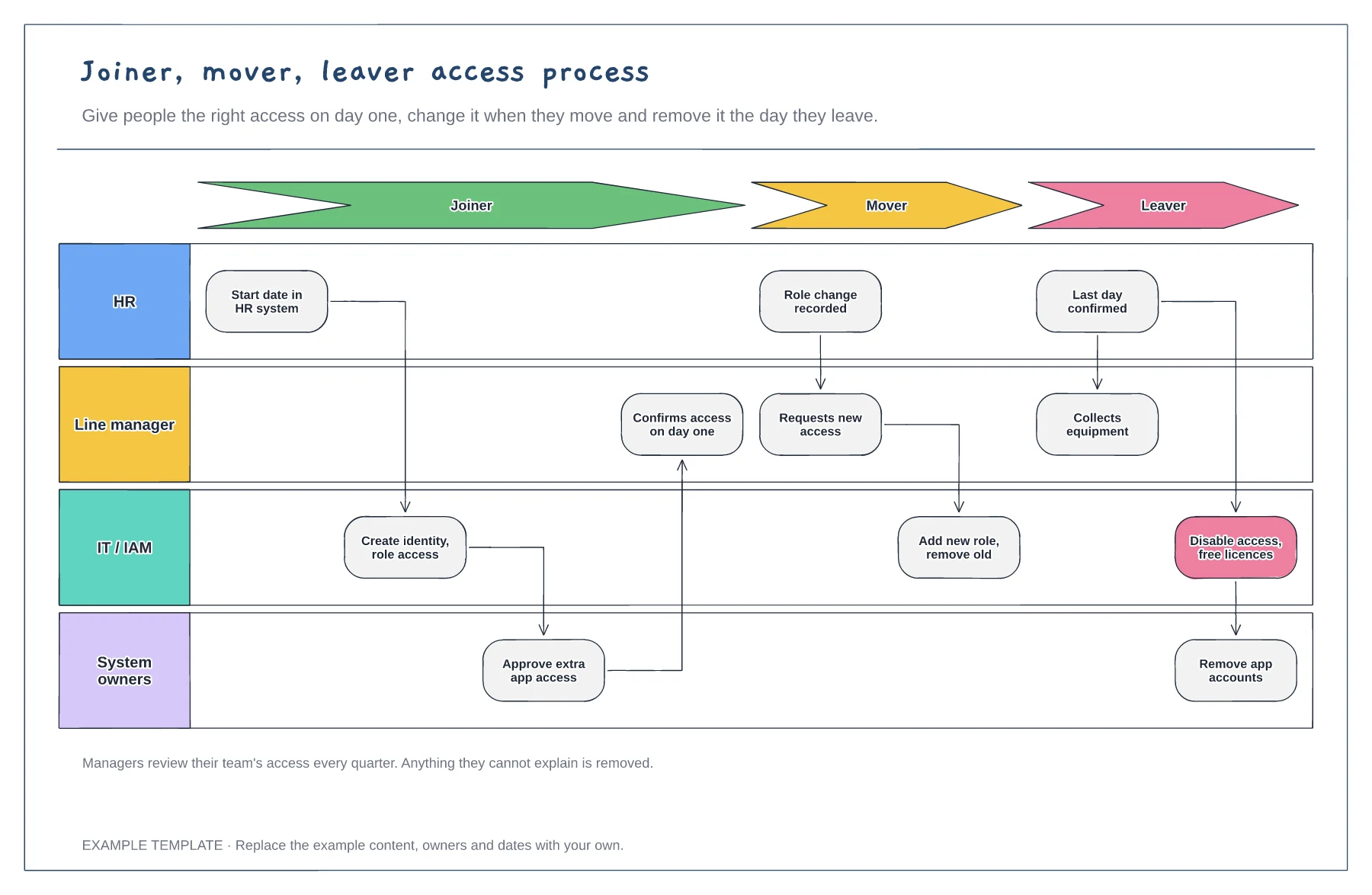
Joiner, mover and leaver stages · HR, manager, IT and system owner lanes · Quarterly access review
Preview and use template →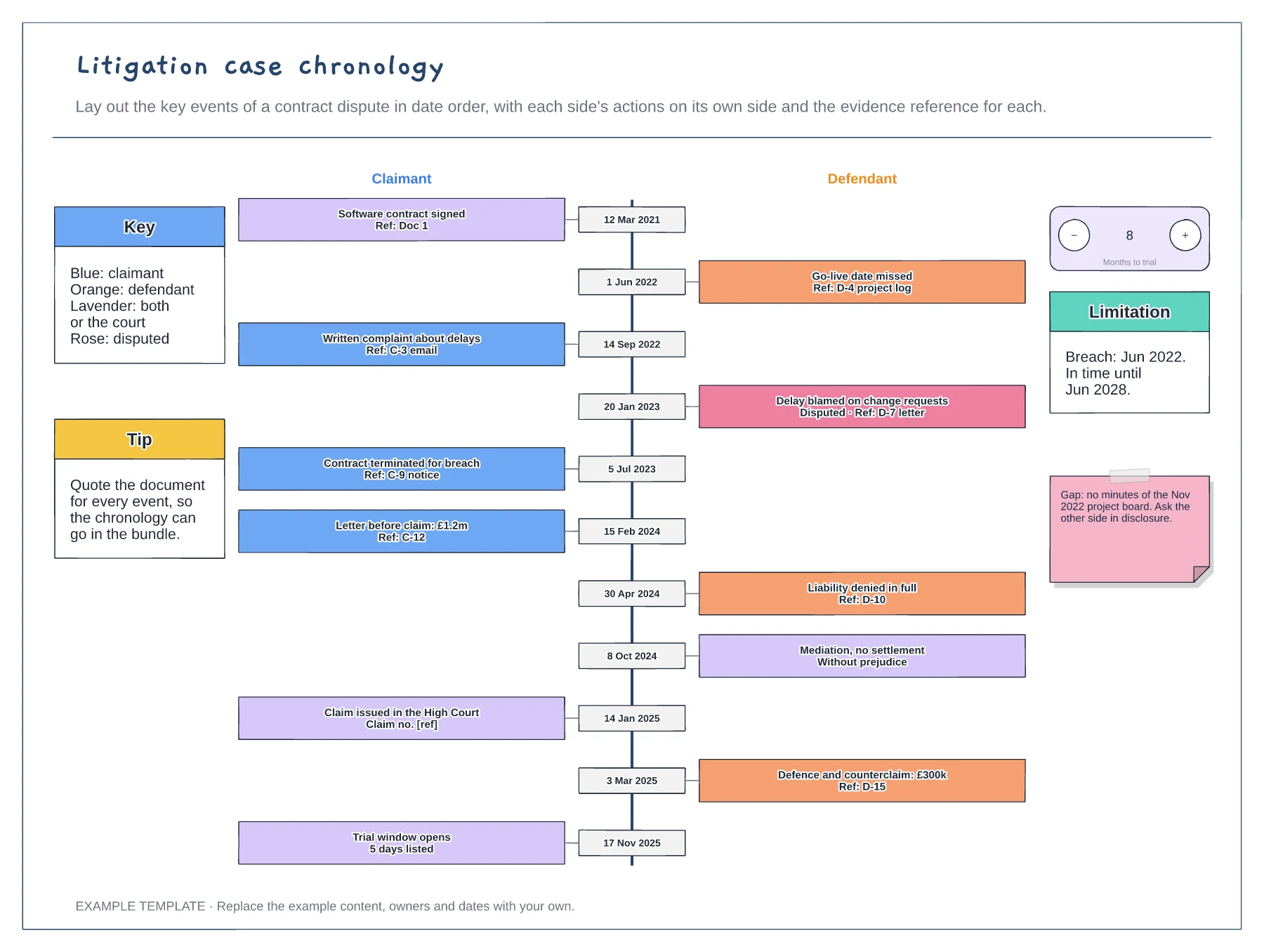
Eleven dated events on a central spine · Evidence reference on every event · Disputed facts, gaps and limitation date
Preview and use template →