Legal and risk
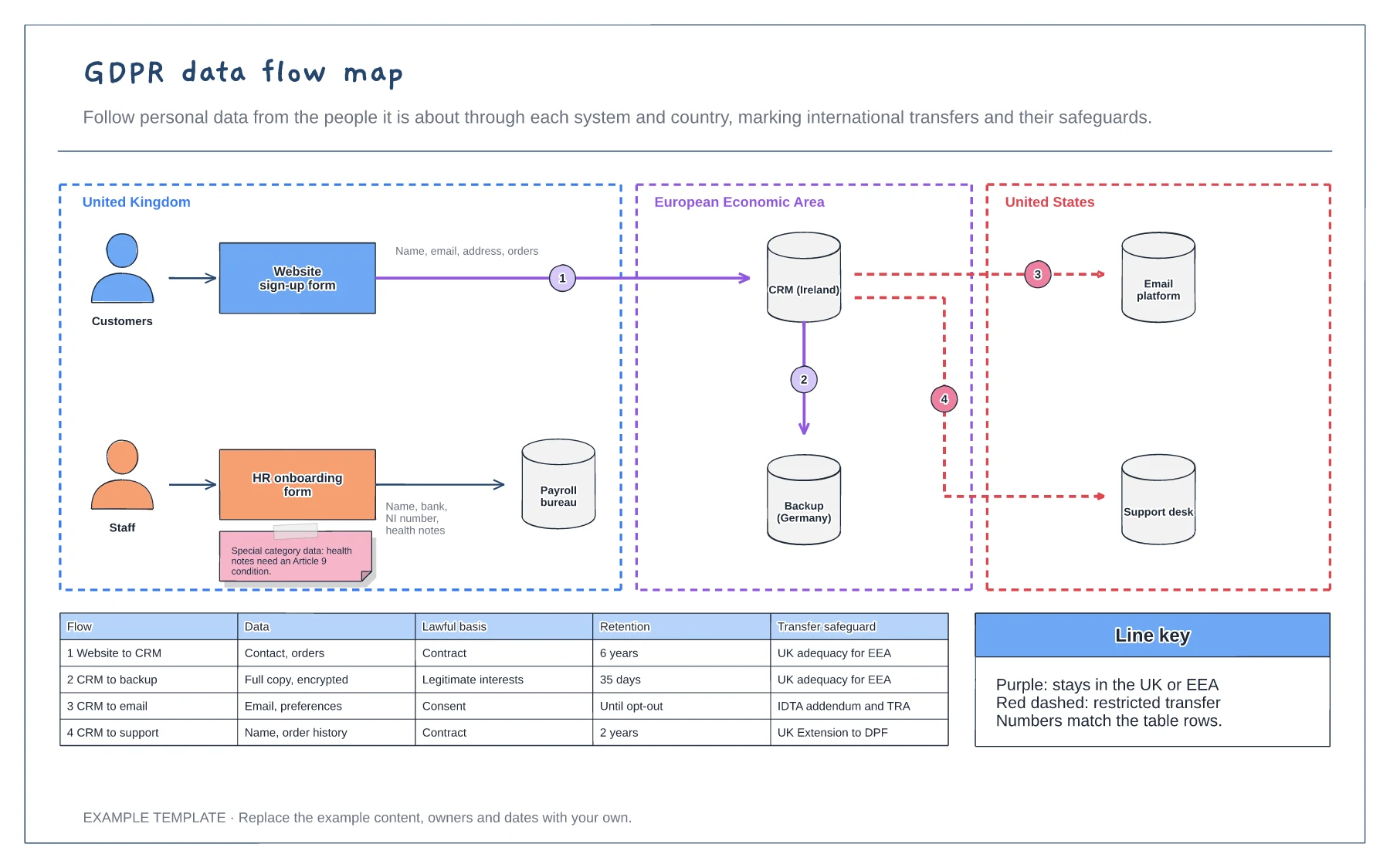
GDPR data flow map template
Systems grouped by country · Numbered flows with restricted transfers marked · Lawful basis, retention and safeguard table
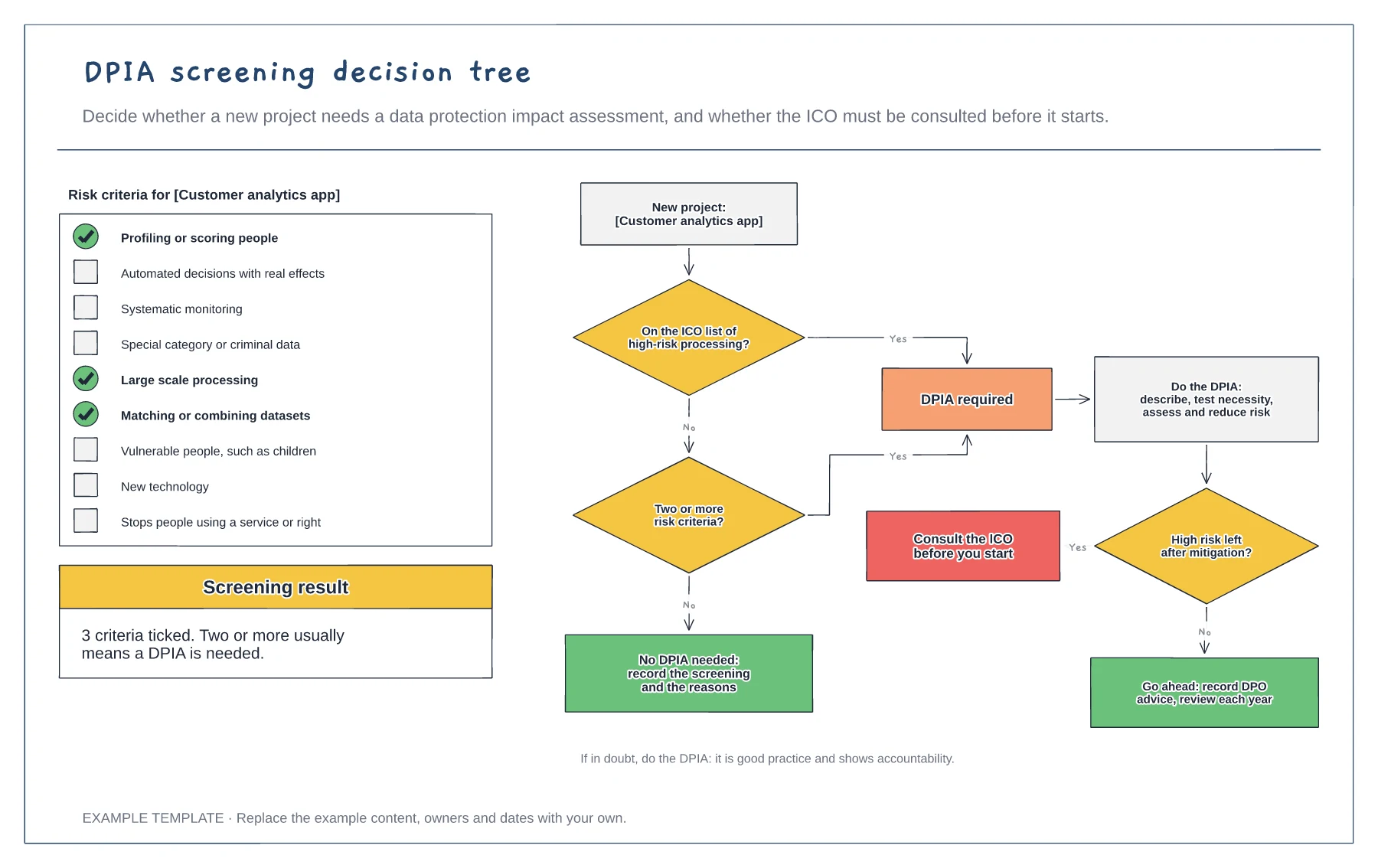
Preview and use template →A data protection impact assessment is needed when processing is likely to result in a high risk to people. This board screens a new customer analytics app against nine common risk criteria, then follows a decision tree: is it on the ICO high-risk list, does it meet two or more criteria, and after mitigation is there still a high risk that means consulting the ICO before starting.
This is a planning example, not legal advice. Check your own policies, advisers and the local rules that apply to you.
No account needed · Opens as your own editable page
Run the screening as soon as the project idea is clear, before design decisions are fixed and while changes are cheap.
Check the project against each criterion. Two or more usually means a DPIA, and so does anything on the regulator's high-risk list.
Whatever the answer, record the screening and the reasons. If a DPIA is needed, involve your DPO and plan the mitigations.
Yes. Rename the project, tick each criterion that applies in the editor and update the screening result to show how many are ticked.
No. Open the template and edit it in your browser. Your work saves on this device. An account is optional if you want to sync your workspace.
Yes. Use Export in the editor to save a PNG, SVG or PDF, or download an editable .epicdraw backup.
Systems grouped by country · Numbered flows with restricted transfers marked · Lawful basis, retention and safeguard table
Preview and use template →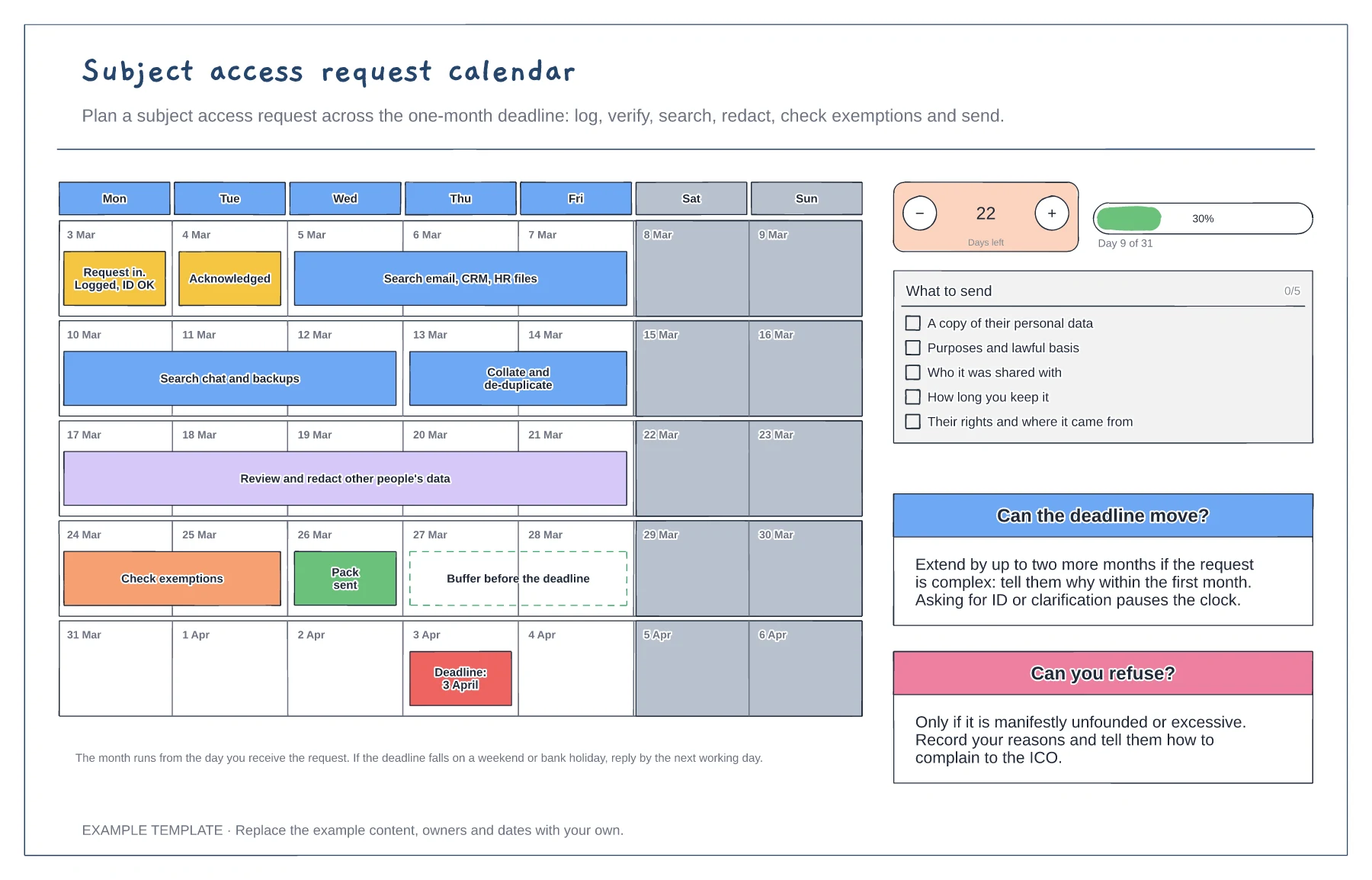
Five-week calendar with the work as bars · What to send checklist · Rules for extensions and refusals
Preview and use template →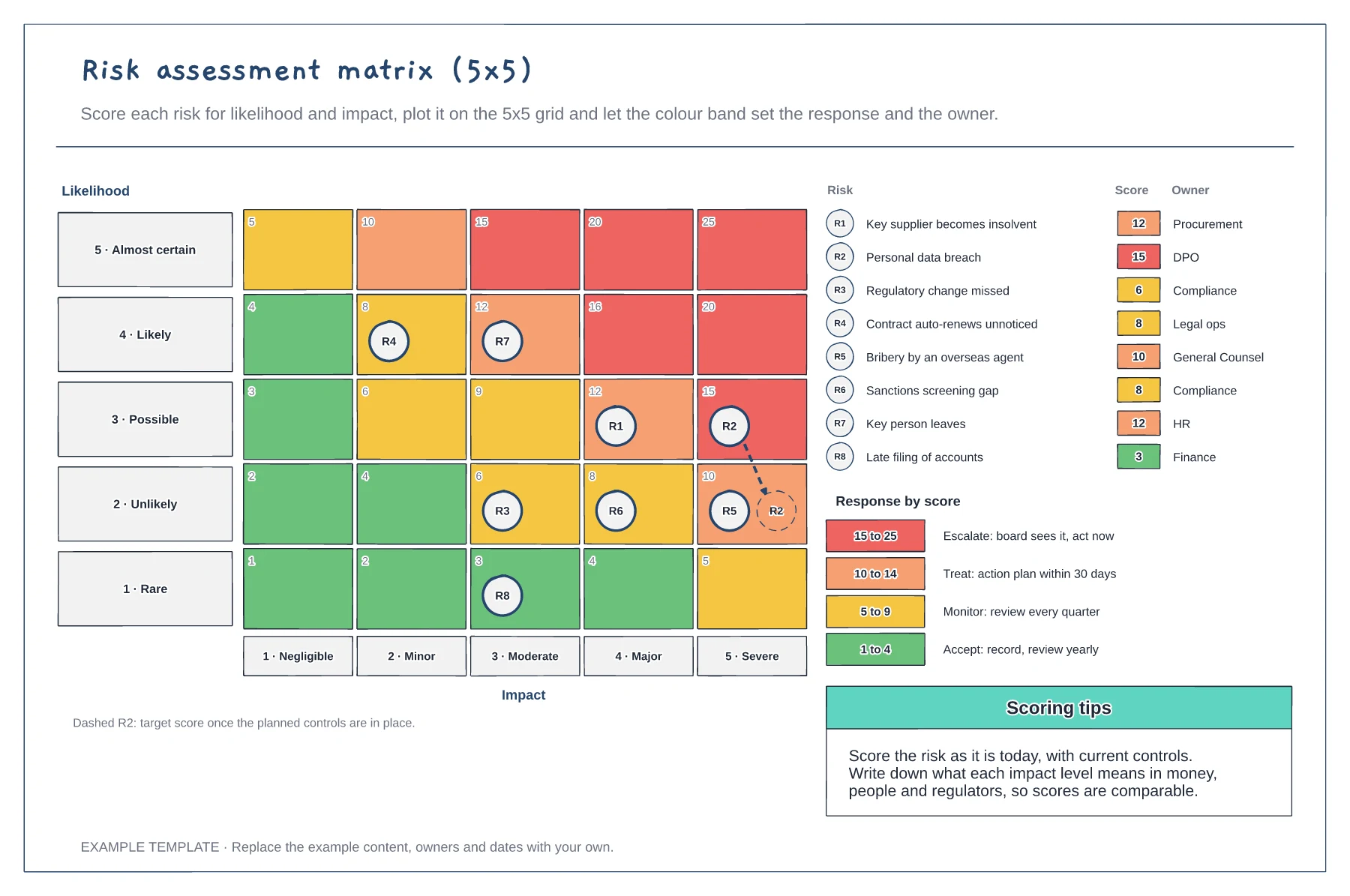
5x5 grid with scores and colour bands · Eight plotted risks with owners · A response rule for each band
Preview and use template →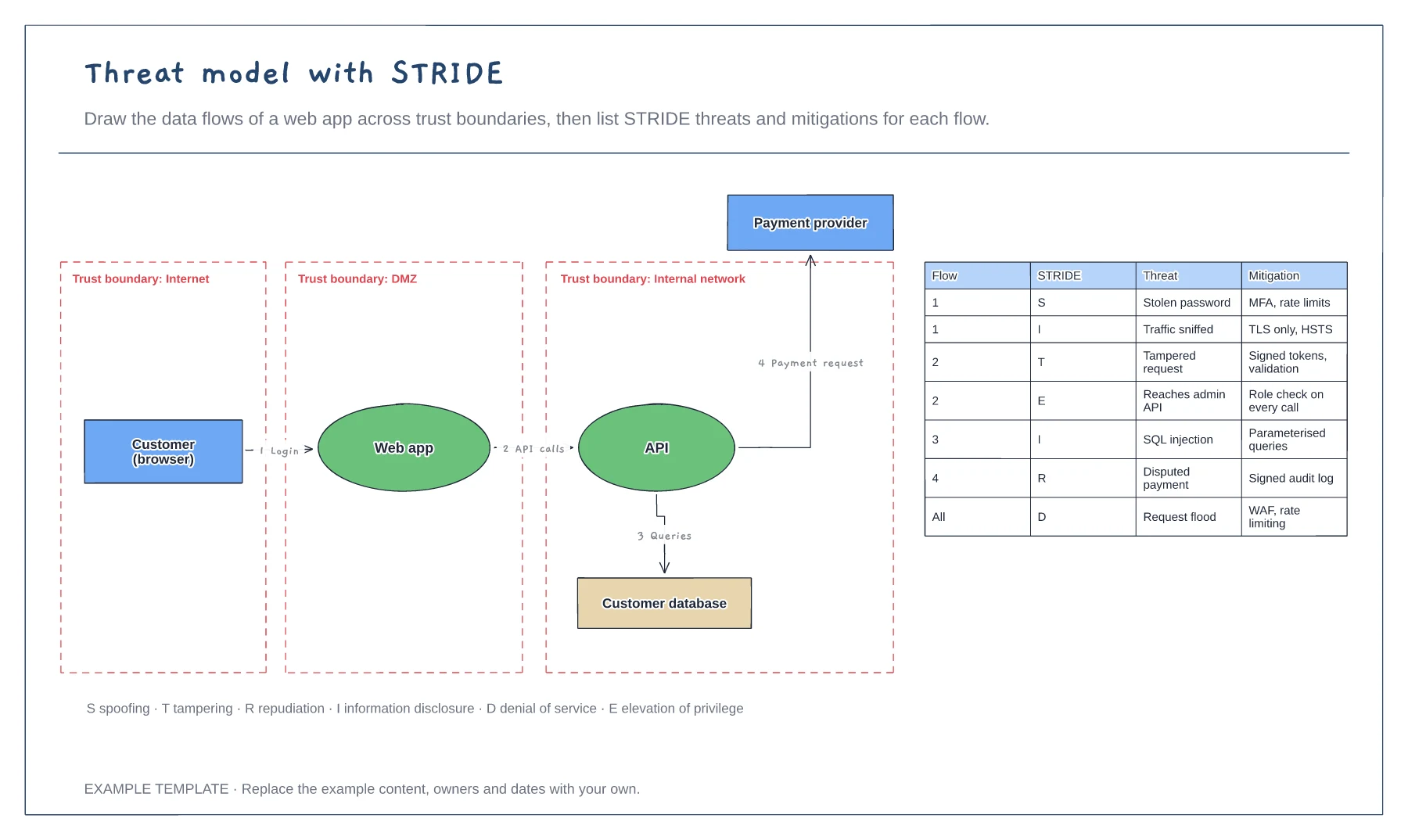
Data flow diagram with trust boundaries · Numbered flows between components · STRIDE threat and mitigation table
Preview and use template →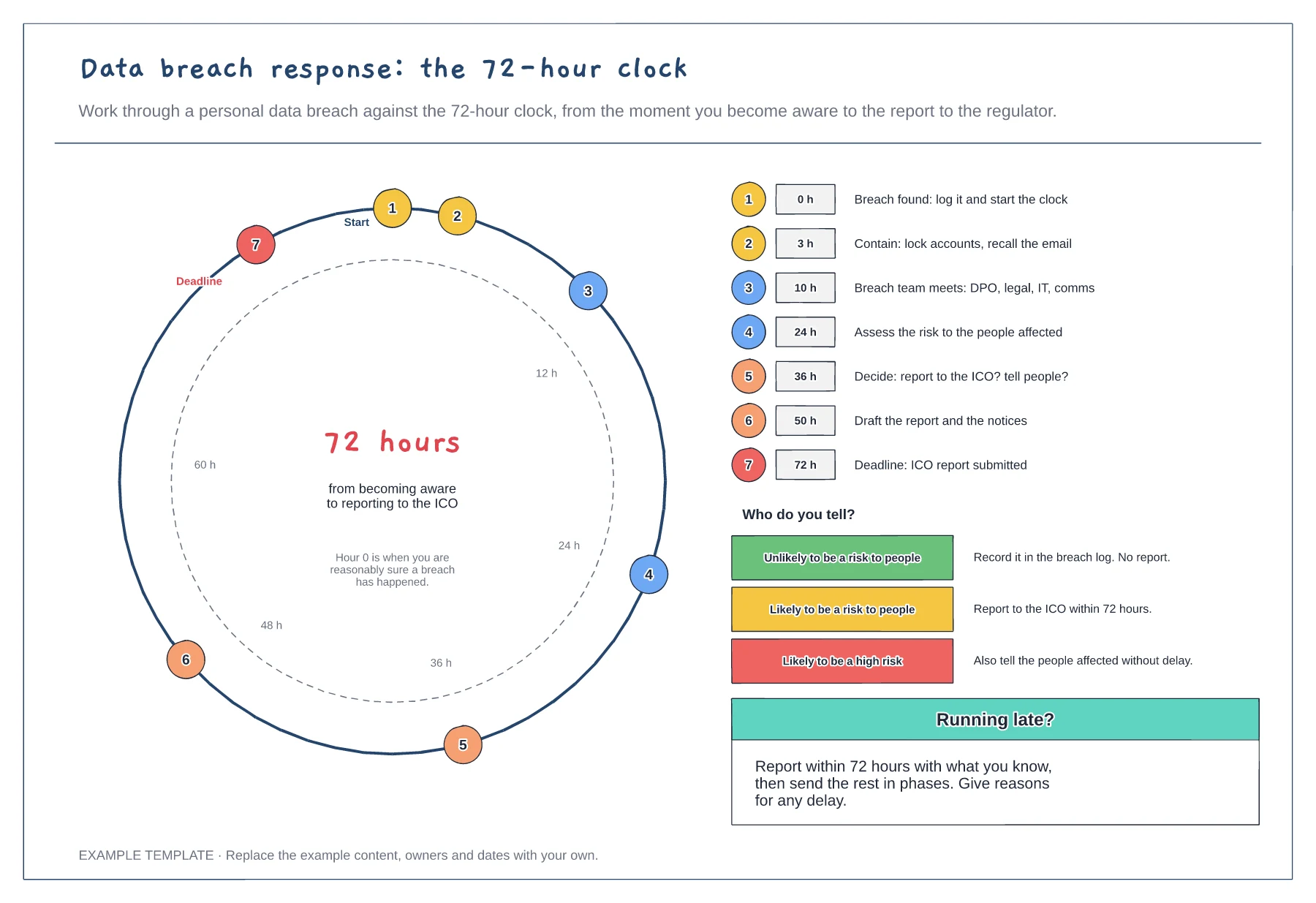
72-hour dial with timed steps · Step list with target hours · Who to tell at each level of risk
Preview and use template →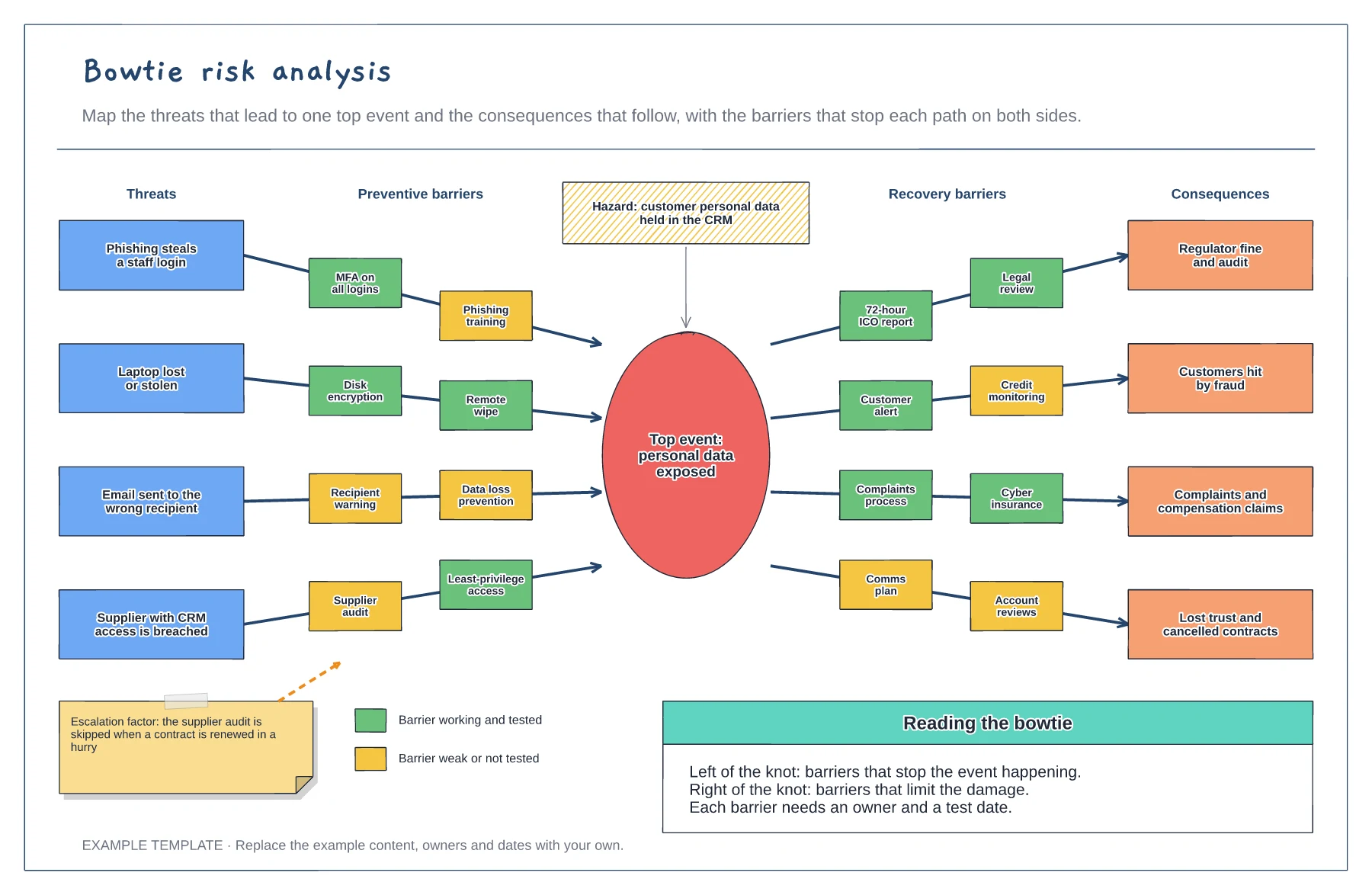
Hazard, top event and four threat paths · Preventive and recovery barriers · Barrier strength key and an escalation factor
Preview and use template →