Legal and risk
Subject access request calendar template
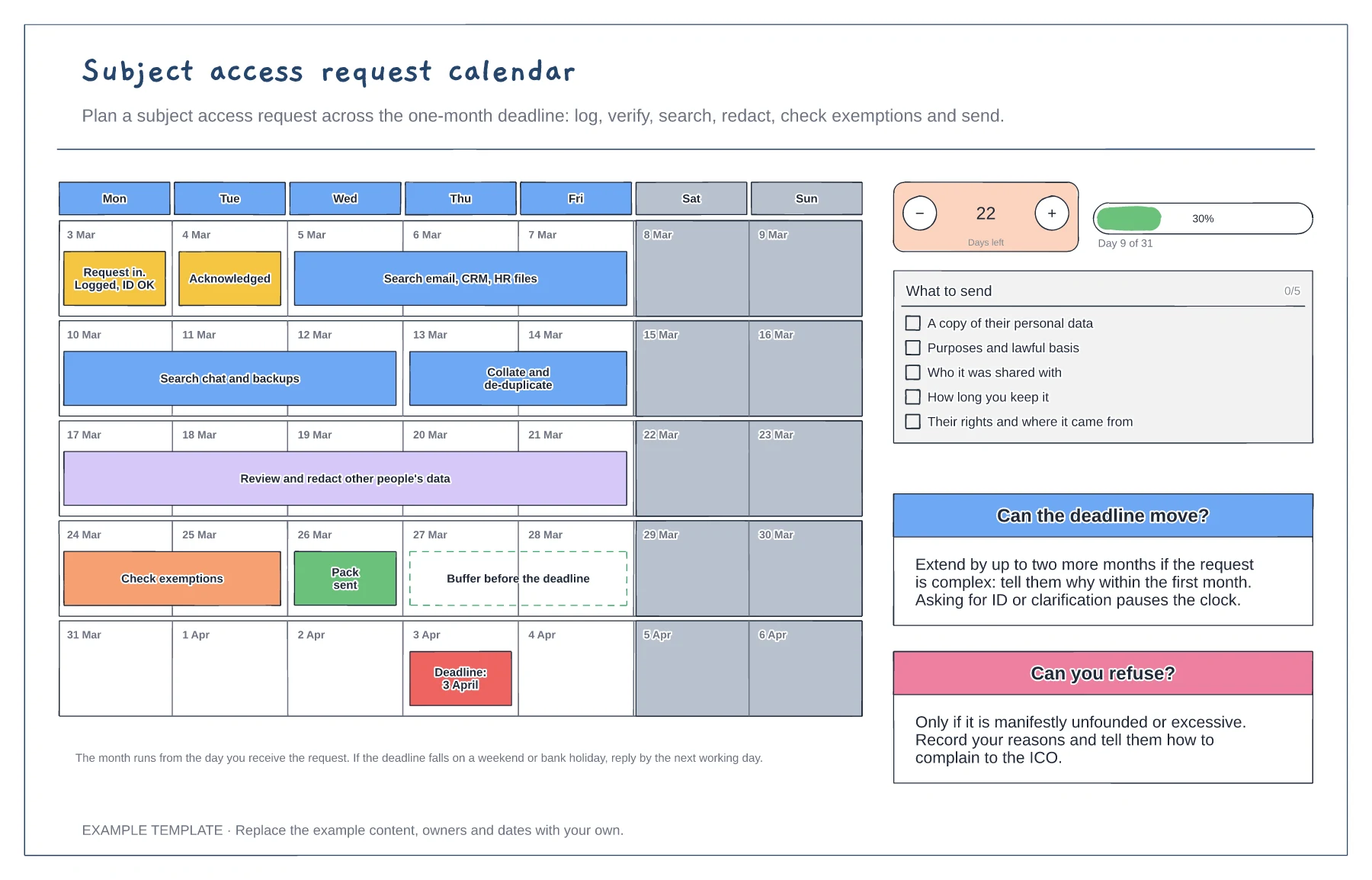
Five-week calendar with the work as bars · What to send checklist · Rules for extensions and refusals
Preview and use template →A GDPR data flow map shows where personal data comes from, which systems it passes through and which countries it ends up in. This example follows customer data from a sign-up form into a CRM hosted in Ireland, then to a backup in Germany and to email and support tools in the US, and staff data to a payroll bureau. Each numbered flow has its lawful basis, retention period and transfer safeguard in the table below.
This is a planning example, not legal advice. Check your own policies, advisers and the local rules that apply to you.
No account needed · Opens as your own editable page
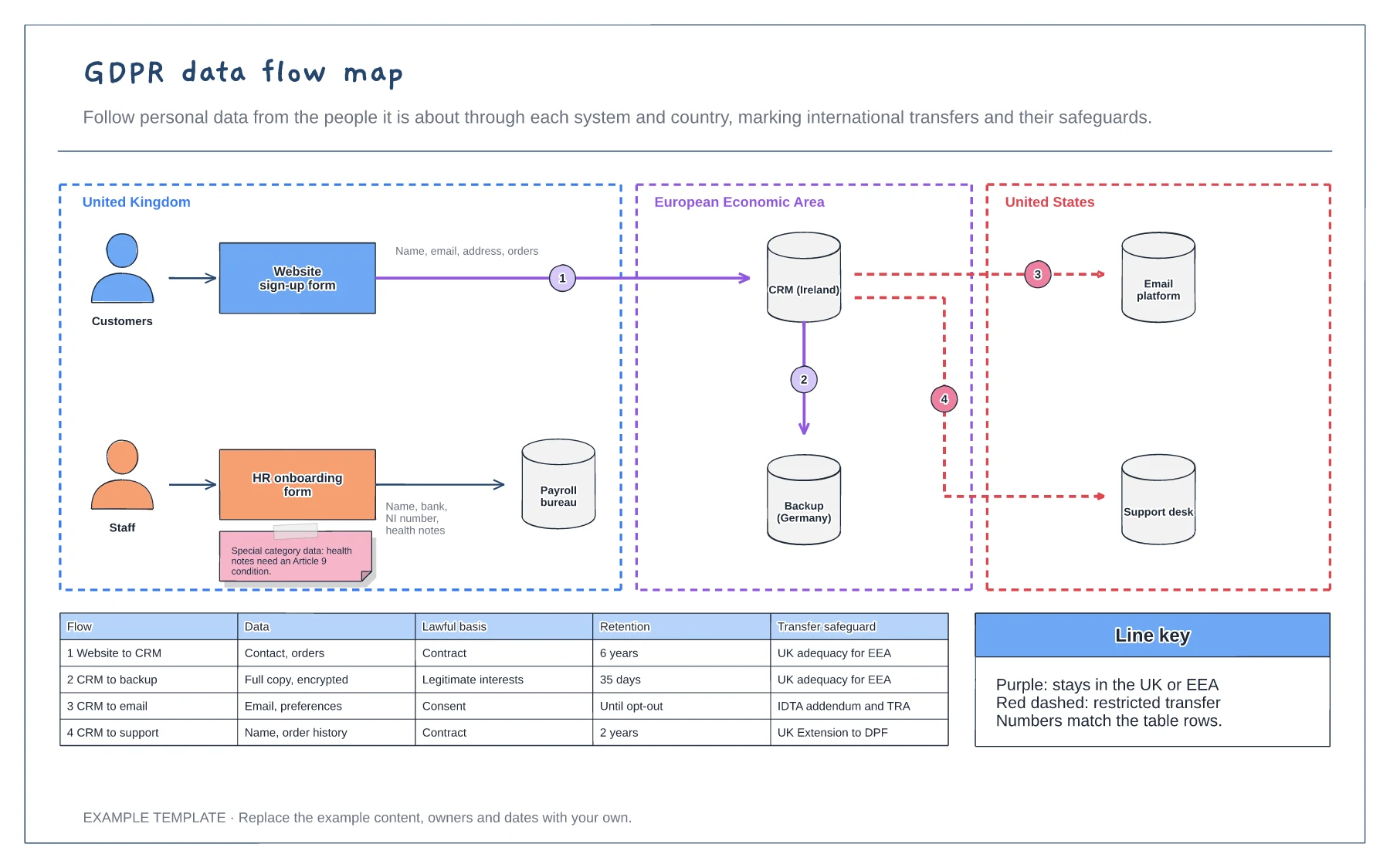
Draw the groups of people the data is about, such as customers and staff, and the forms or channels where you collect it.
Draw every system the data moves into and group them by the country where the data is stored or accessed. Number each flow.
For each flow note the data, the lawful basis, how long you keep it and, for international transfers, the safeguard you rely on.
Draw a numbered arrow between the systems, then add a row to the table with the data, lawful basis, retention and transfer safeguard for that flow.
No. Open the template and edit it in your browser. Your work saves on this device. An account is optional if you want to sync your workspace.
Yes. Use Export in the editor to save a PNG, SVG or PDF, or download an editable .epicdraw backup.
Five-week calendar with the work as bars · What to send checklist · Rules for extensions and refusals
Preview and use template →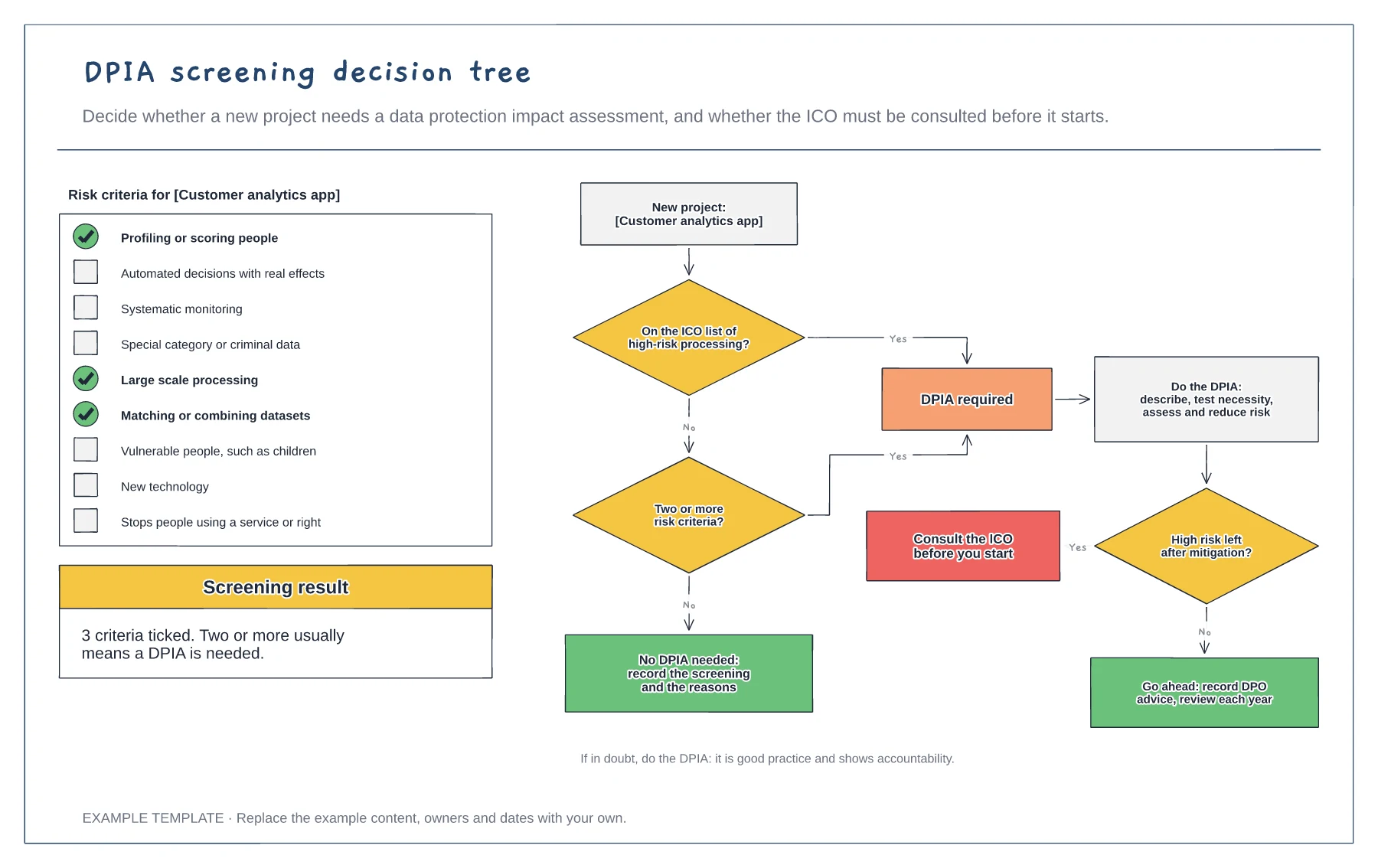
Nine risk criteria with three ticked · Decision tree with four outcomes · When to consult the regulator
Preview and use template →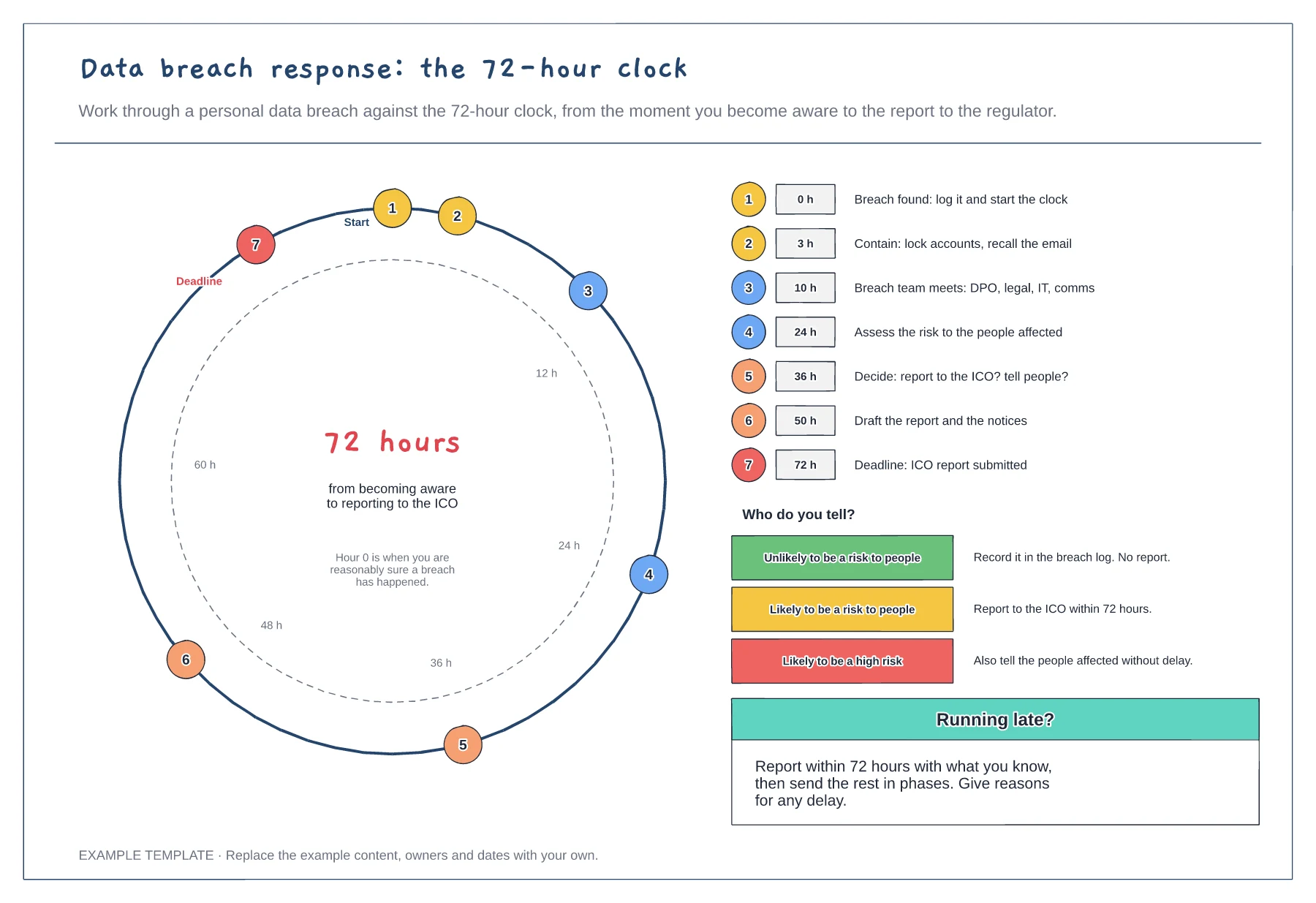
72-hour dial with timed steps · Step list with target hours · Who to tell at each level of risk
Preview and use template →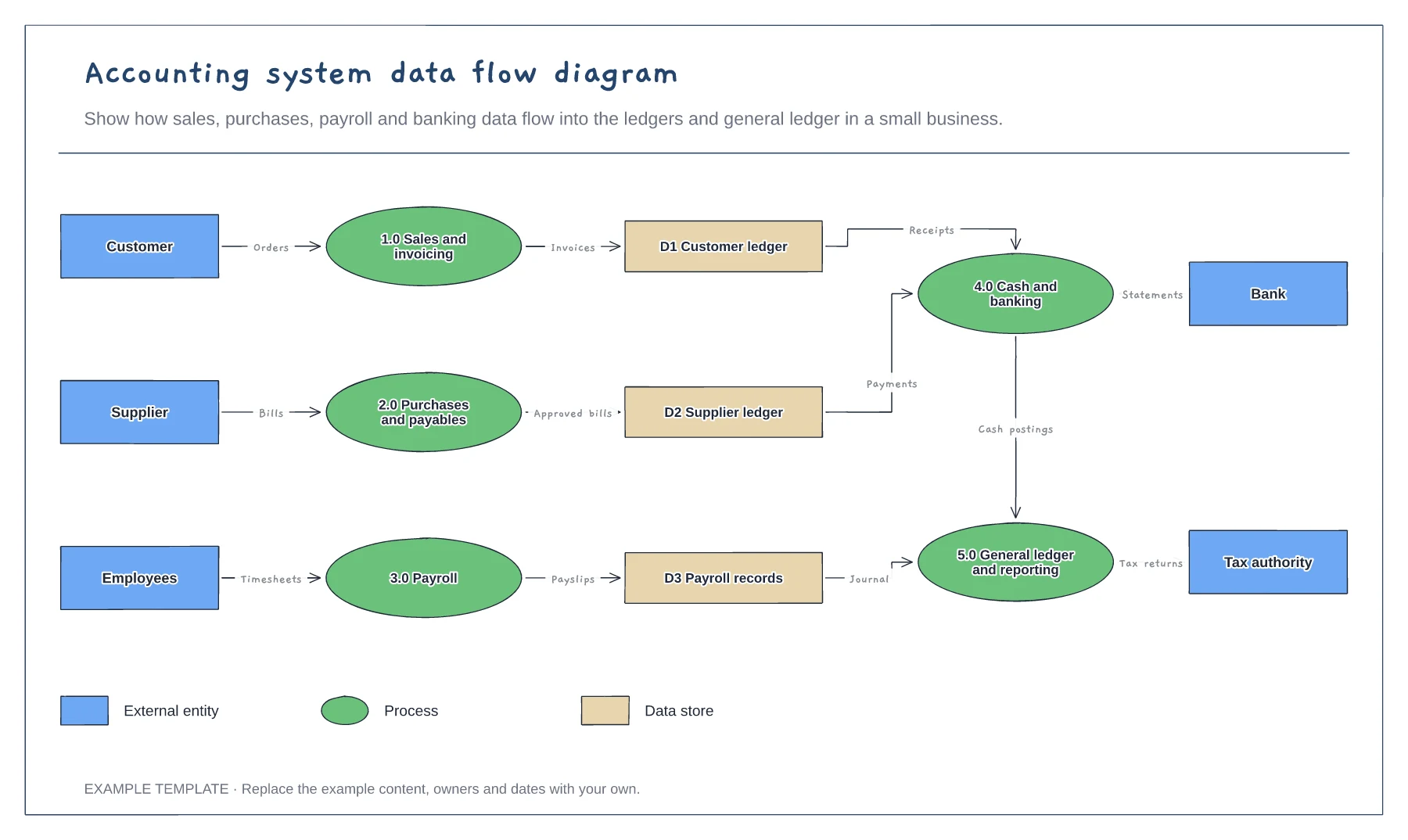
External entities, processes and data stores · Labelled data flows · Shape legend for DFD notation
Preview and use template →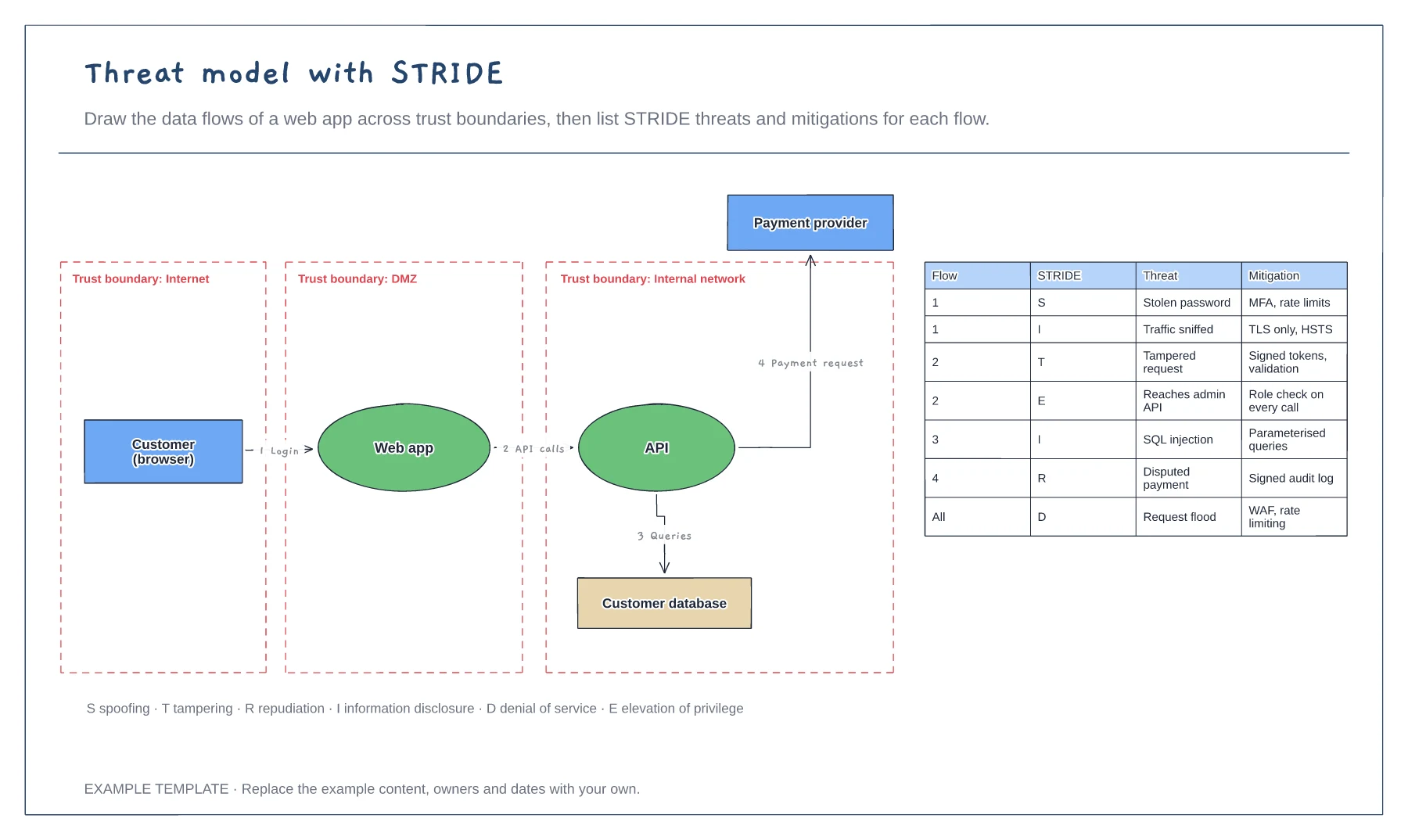
Data flow diagram with trust boundaries · Numbered flows between components · STRIDE threat and mitigation table
Preview and use template →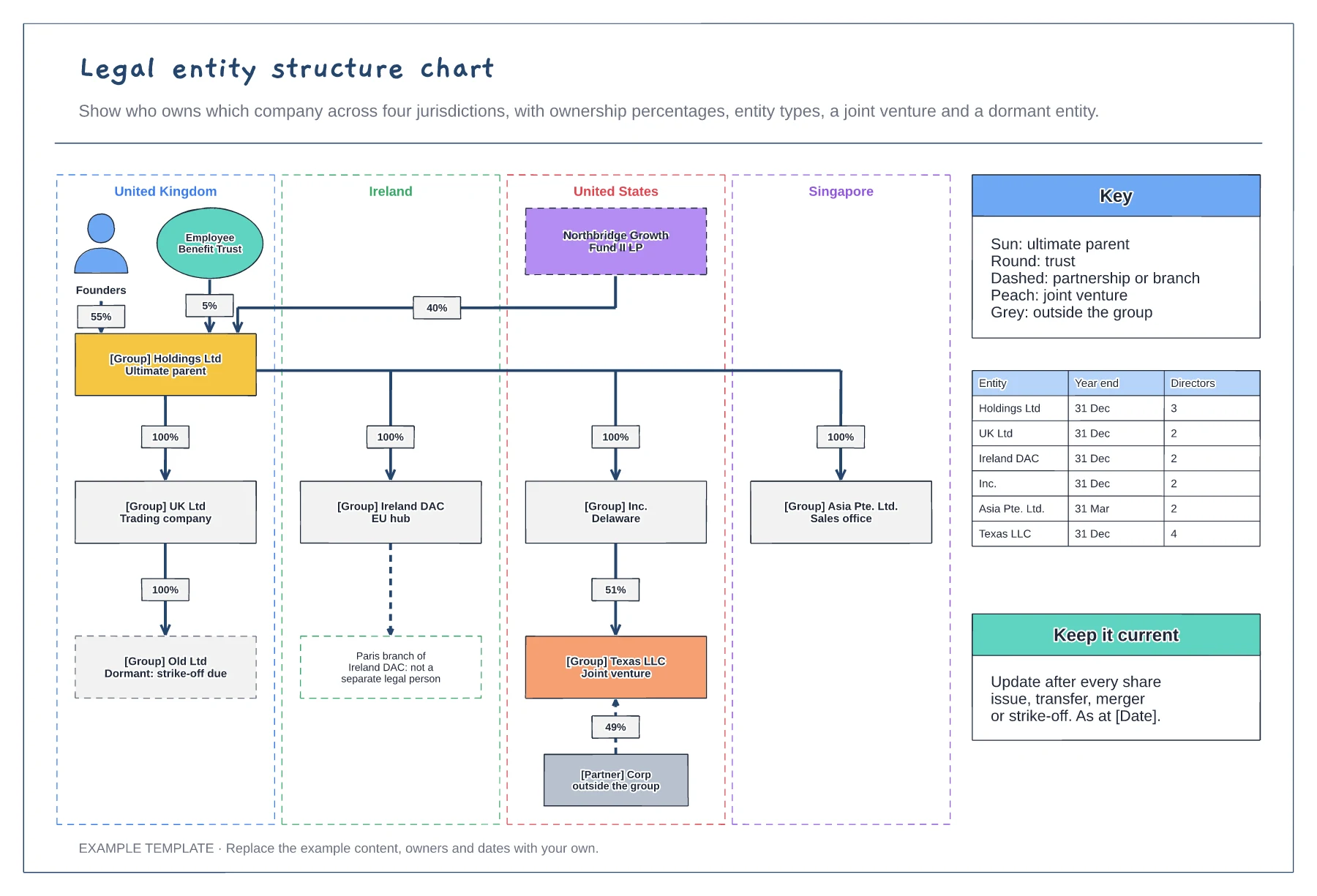
Entities in jurisdiction columns · Ownership percentages on every line · Key facts table with year ends and directors
Preview and use template →