IT and security
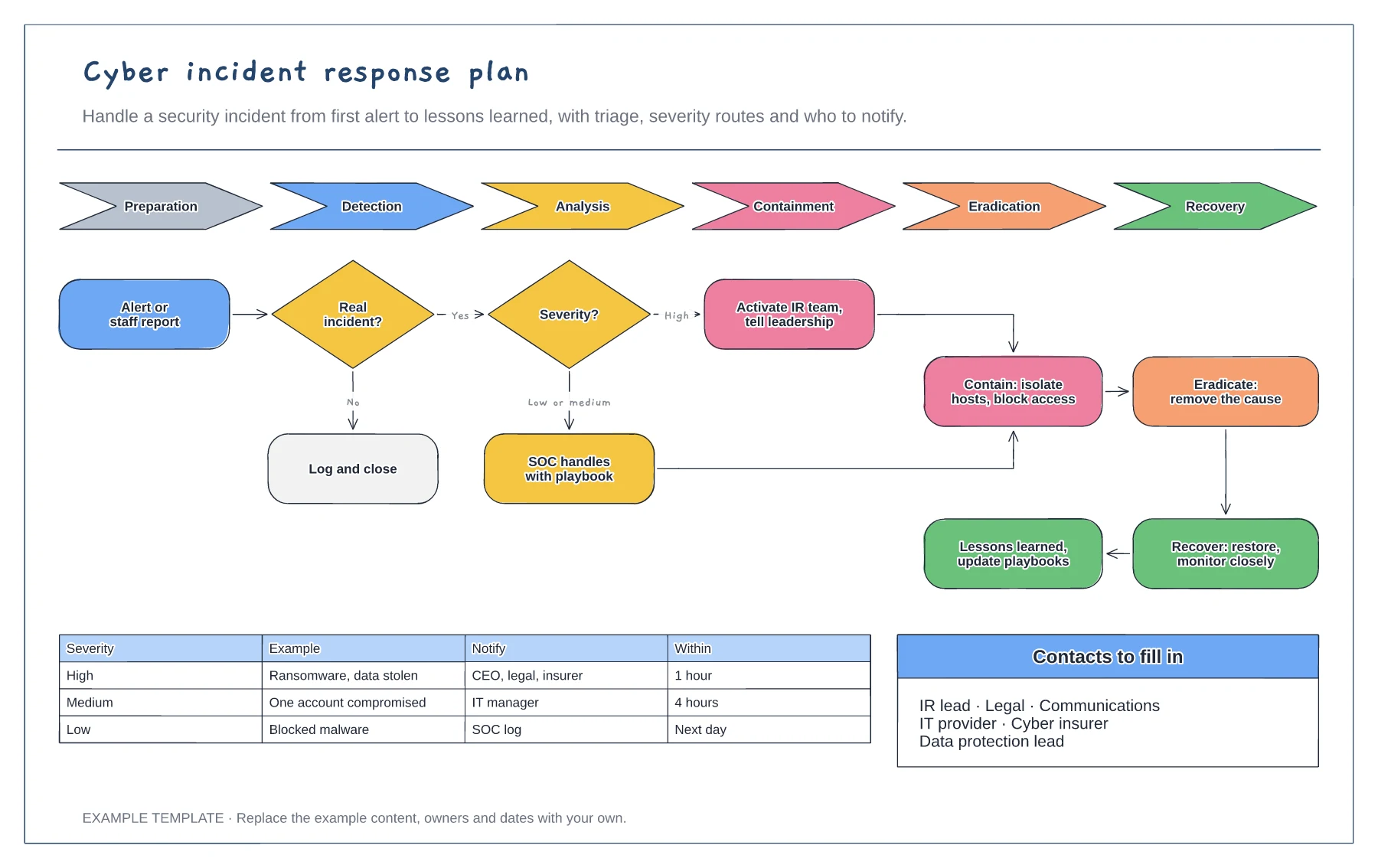
Cyber incident response plan template
NIST lifecycle from preparation to recovery · Triage and severity routes · Escalation matrix and contacts
Preview and use template →Under UK GDPR you usually have 72 hours from becoming aware of a reportable personal data breach to tell the ICO. This board draws that window as a clock face with seven numbered steps placed at the hour they should happen, from logging the breach and containing it to the breach team meeting, the risk assessment, the reporting decision and the report itself, plus a simple guide to who you tell.
This is a planning example, not legal advice. Check your own policies, advisers and the local rules that apply to you.
No account needed · Opens as your own editable page
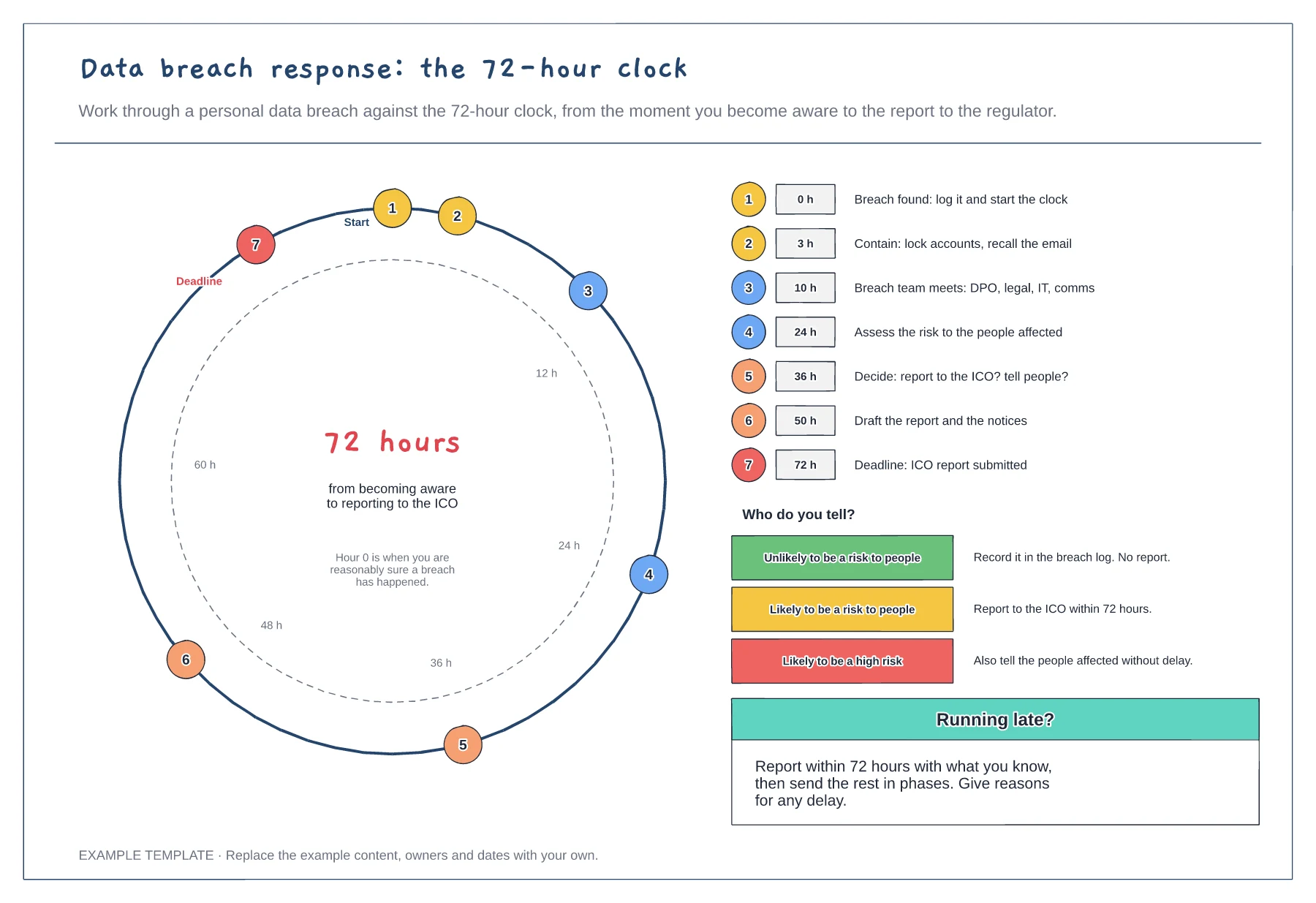
Record the time you became reasonably sure a breach happened. That is hour 0, not the time it was finally confirmed.
Stop the breach getting worse, then assess the likely risk to the people affected. Keep notes of every decision and why.
Decide whether to report to the regulator and whether to tell the people affected. If you cannot finish in time, report what you know and follow up.
Yes. Edit the seven numbered steps and move their markers round the clock to fit your own breach plan, keeping the deadline at 72 hours.
No. Open the template and edit it in your browser. Your work saves on this device. An account is optional if you want to sync your workspace.
Yes. Use Export in the editor to save a PNG, SVG or PDF, or download an editable .epicdraw backup.
NIST lifecycle from preparation to recovery · Triage and severity routes · Escalation matrix and contacts
Preview and use template →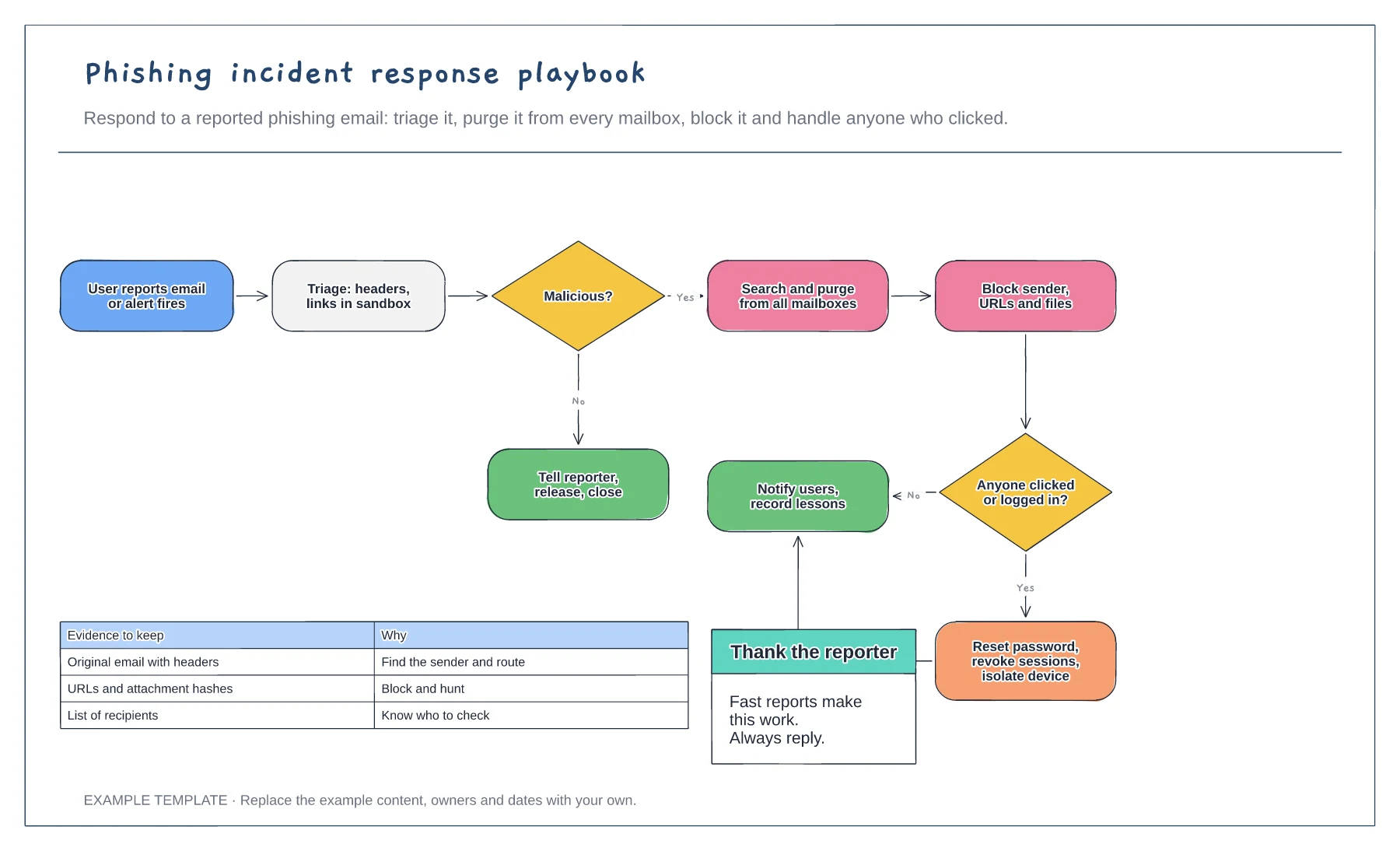
Triage, purge and block steps · Branch for users who clicked or logged in · Evidence to keep
Preview and use template →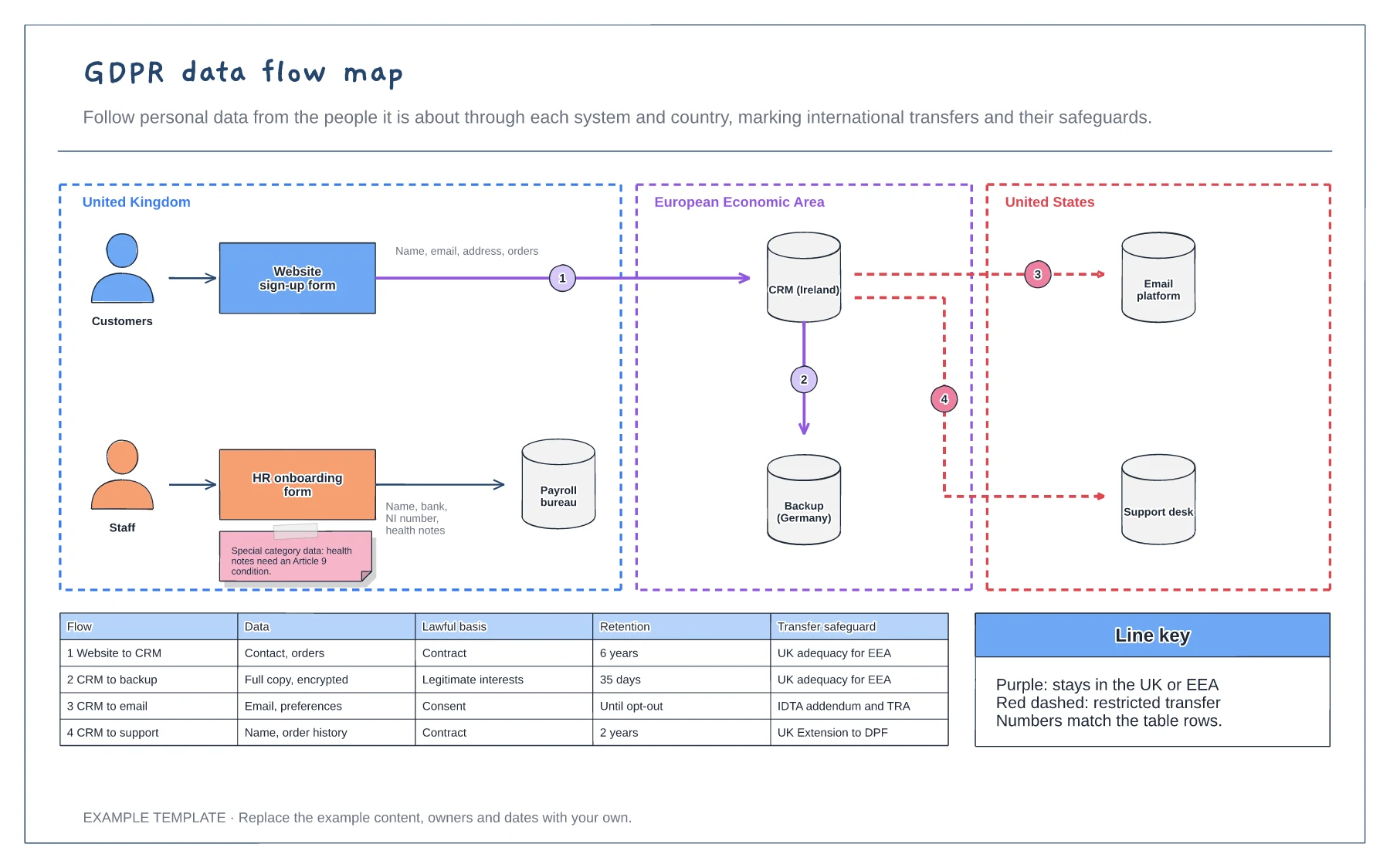
Systems grouped by country · Numbered flows with restricted transfers marked · Lawful basis, retention and safeguard table
Preview and use template →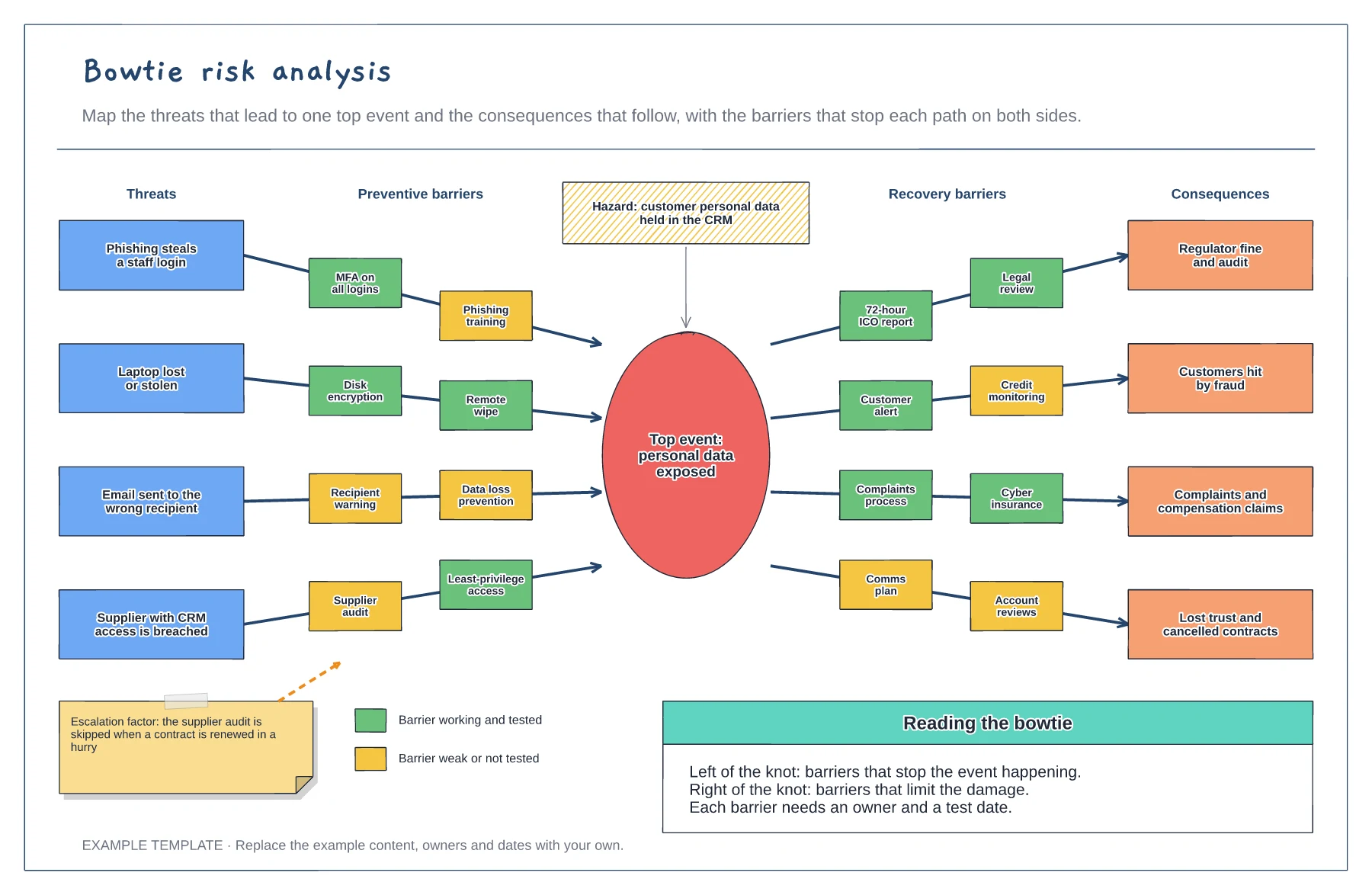
Hazard, top event and four threat paths · Preventive and recovery barriers · Barrier strength key and an escalation factor
Preview and use template →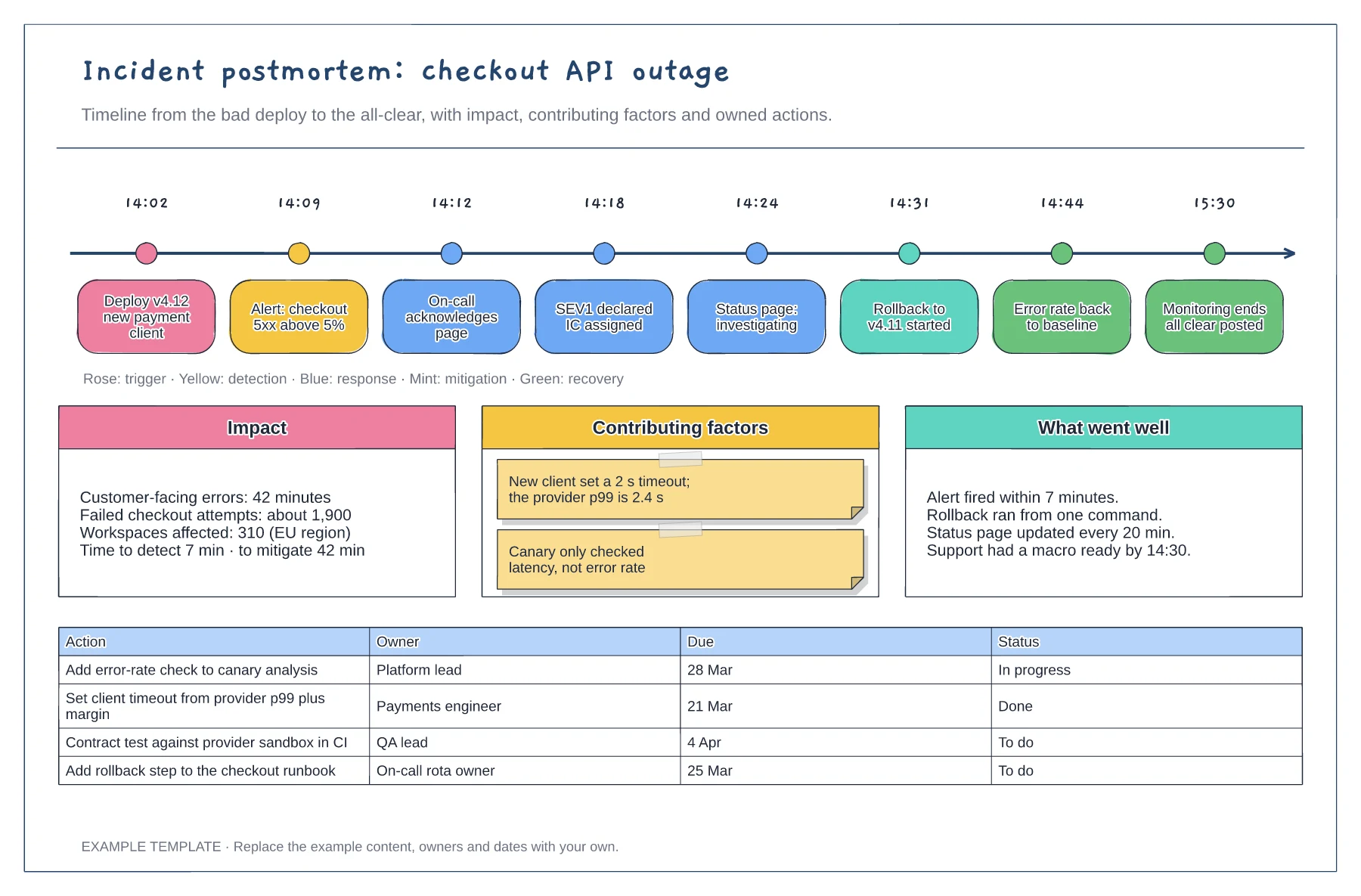
Timestamped events from deploy to all-clear · Impact, contributing factors and what went well · Action table with owners, due dates and status
Preview and use template →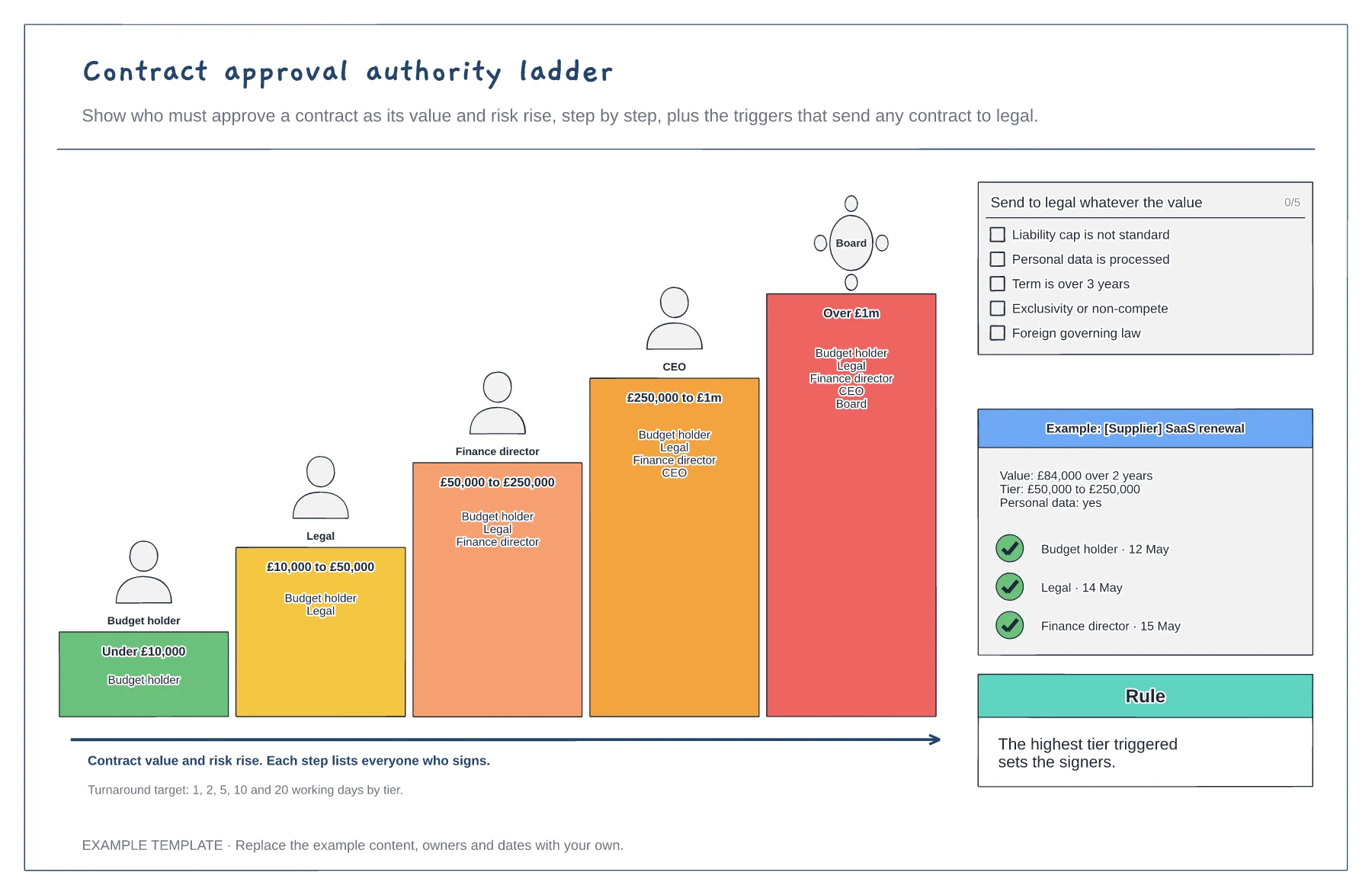
Five value tiers with cumulative signers · Risk triggers for legal review · A worked approval example
Preview and use template →