Legal and risk
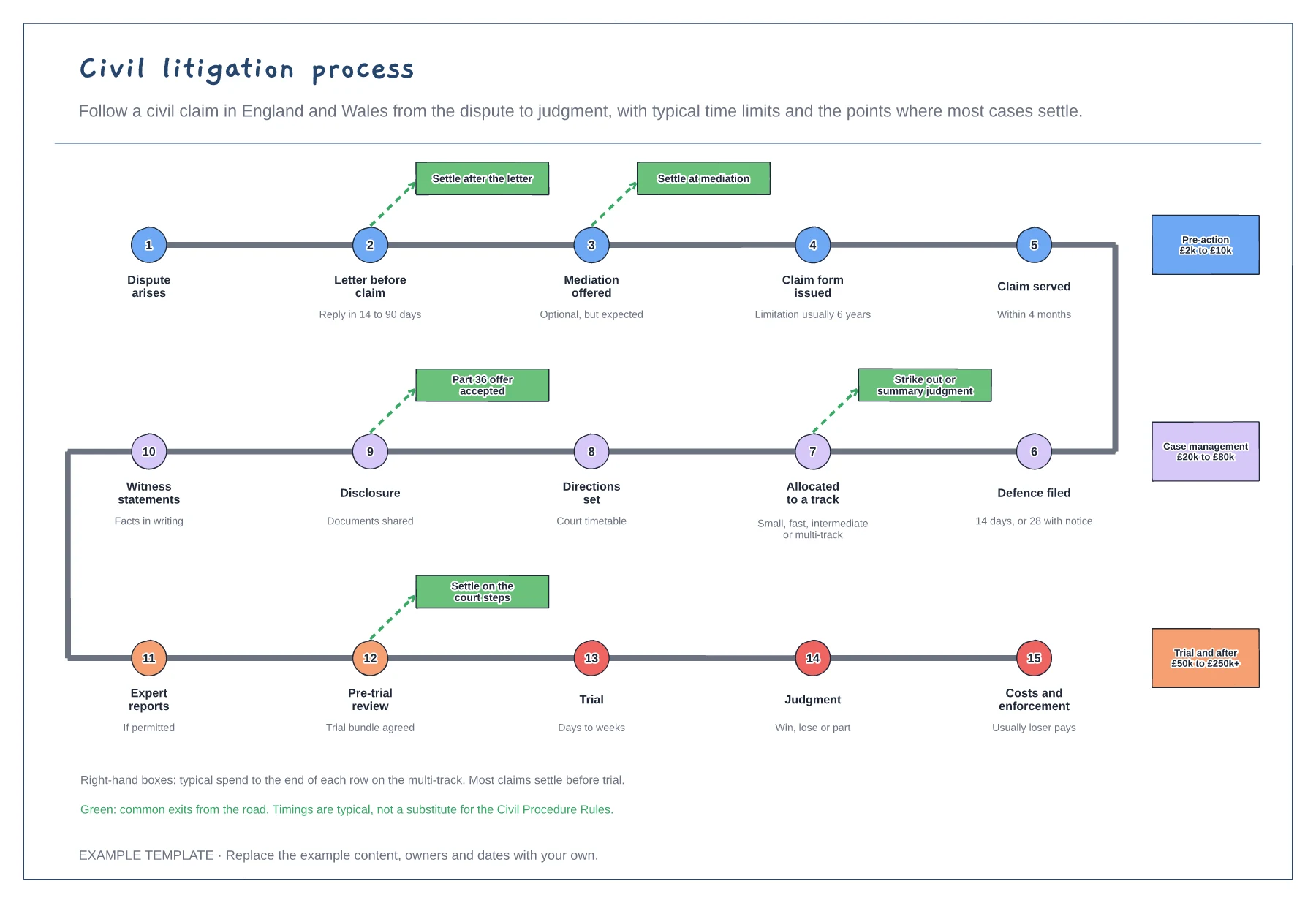
Civil litigation process template
Fifteen stages from dispute to enforcement · Typical time limits under each stage · Settlement exits and spend by phase
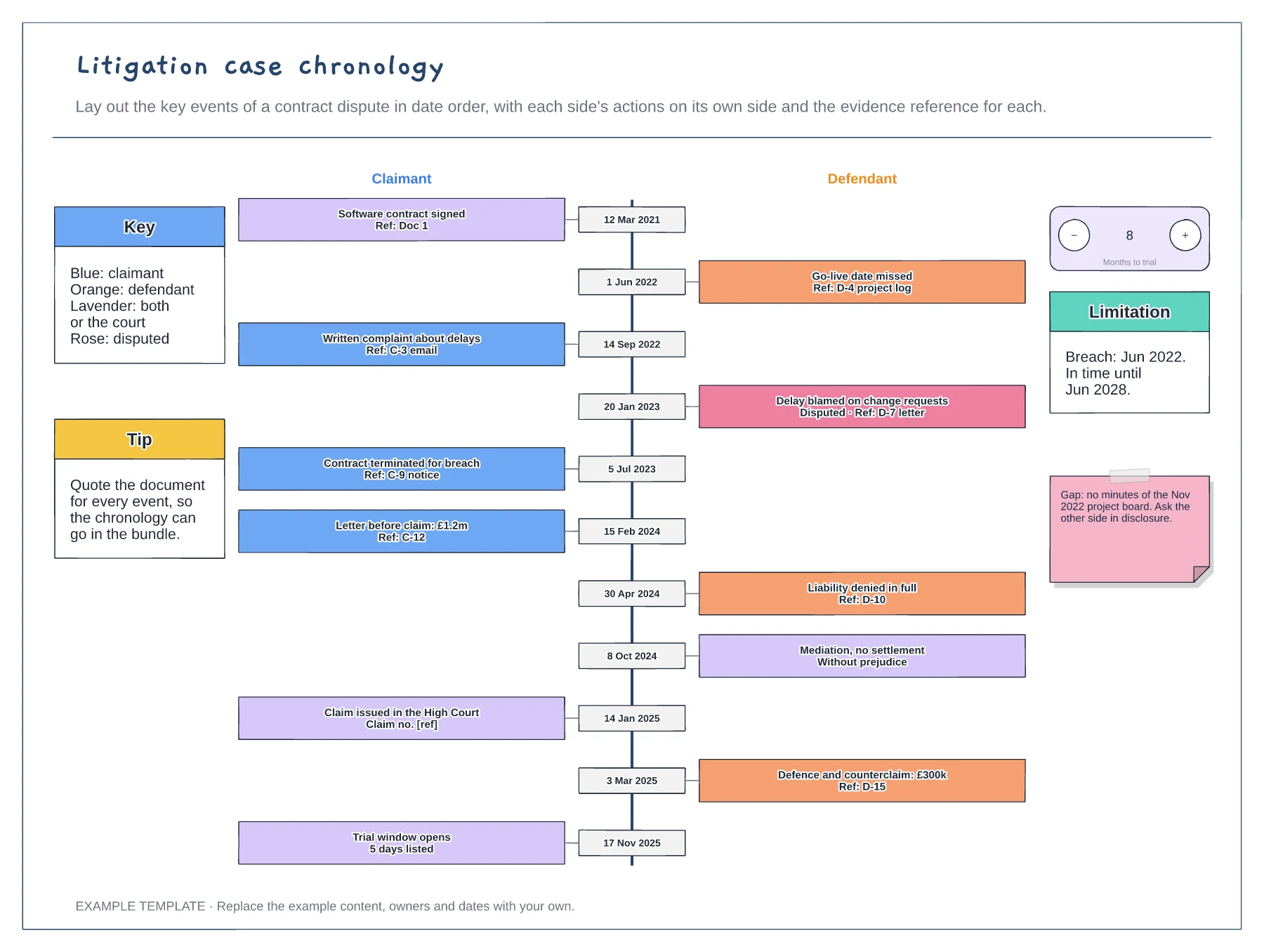
Preview and use template →A case chronology puts every key event in a dispute in date order, so the story and the gaps are easy to see. This example follows a software contract dispute from signing to the trial window, with the claimant's actions on the left, the defendant's on the right and joint or court events in lavender. Each event carries a document reference, disputed facts are flagged and the limitation date is tracked.
This is a planning example, not legal advice. Check your own policies, advisers and the local rules that apply to you.
No account needed · Opens as your own editable page
Go through the documents and pull out every event that matters, with its date and the document that proves it.
Put each party's actions on its own side of the spine. Joint events and court steps sit in a colour of their own.
Mark facts the other side disputes and gaps where you have no document. These shape disclosure requests and witness evidence.
Claimant events sit on one side and defendant events on the other, so each party's actions are easy to follow. The colour key shows which is which.
No. Open the template and edit it in your browser. Your work saves on this device. An account is optional if you want to sync your workspace.
Yes. Use Export in the editor to save a PNG, SVG or PDF, or download an editable .epicdraw backup.
Fifteen stages from dispute to enforcement · Typical time limits under each stage · Settlement exits and spend by phase
Preview and use template →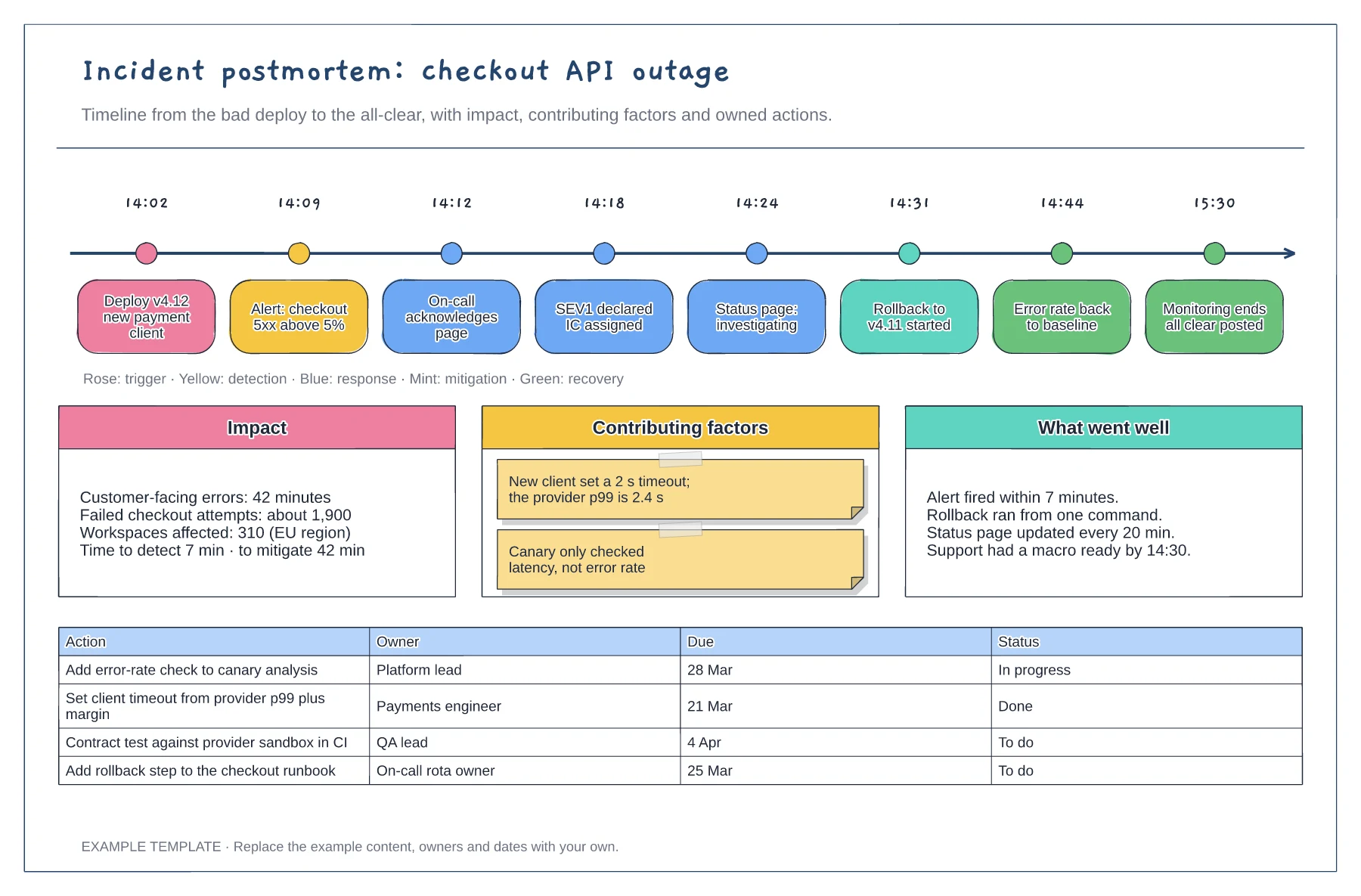
Timestamped events from deploy to all-clear · Impact, contributing factors and what went well · Action table with owners, due dates and status
Preview and use template →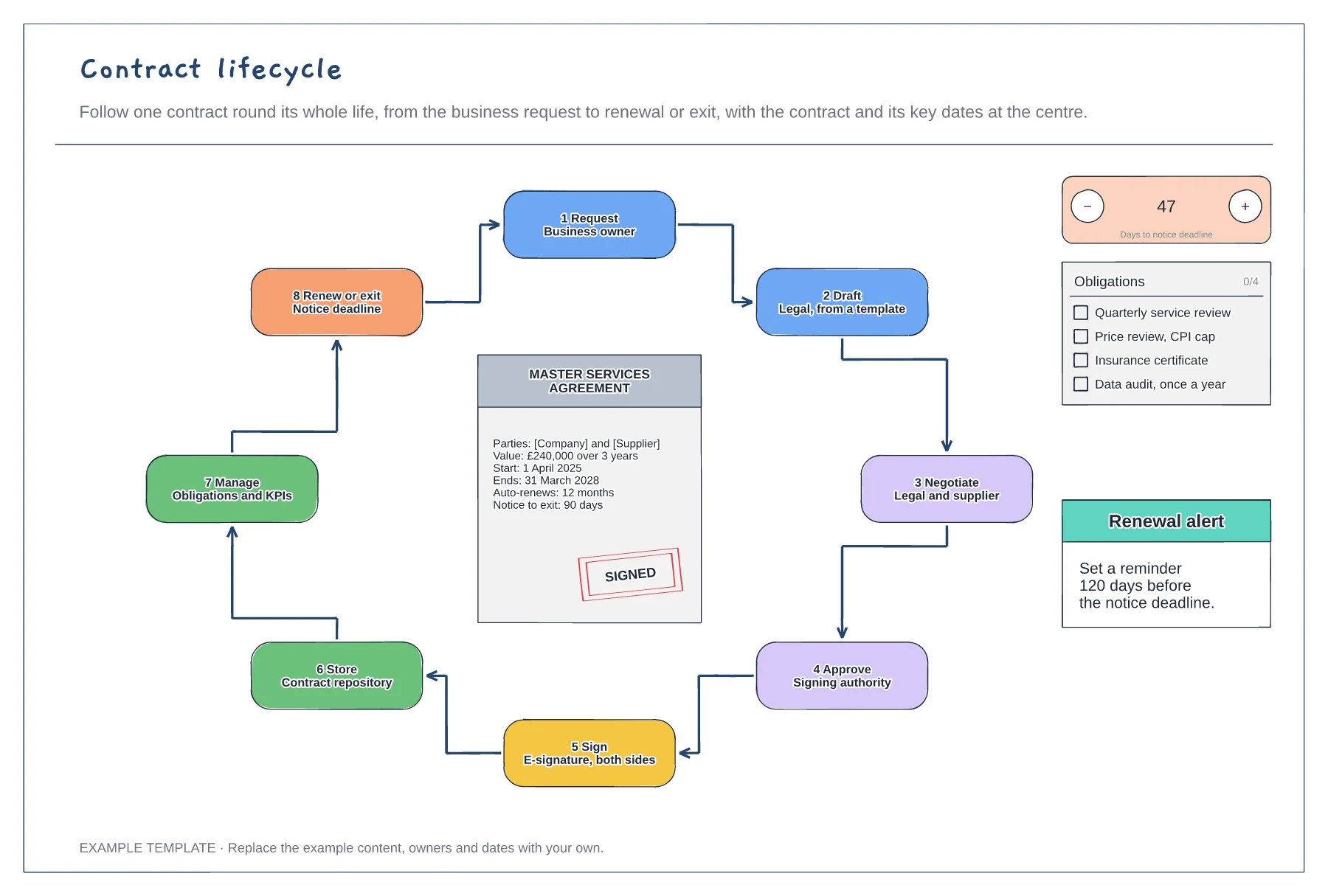
Eight stages in a loop with owners · Contract summary with key dates · Notice countdown and obligations list
Preview and use template →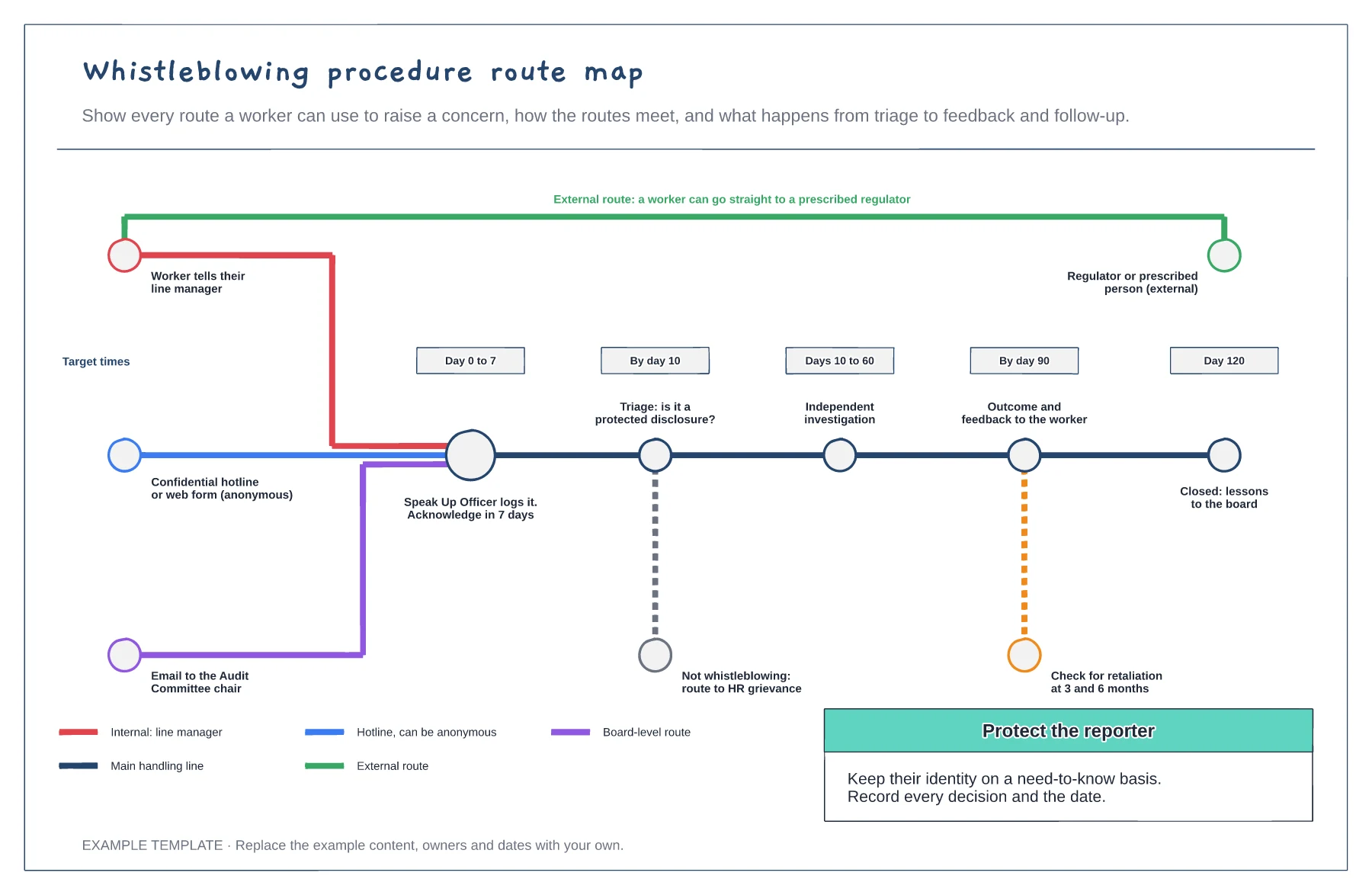
Four reporting routes, one external · Handling line with target times · Retaliation checks and HR branch
Preview and use template →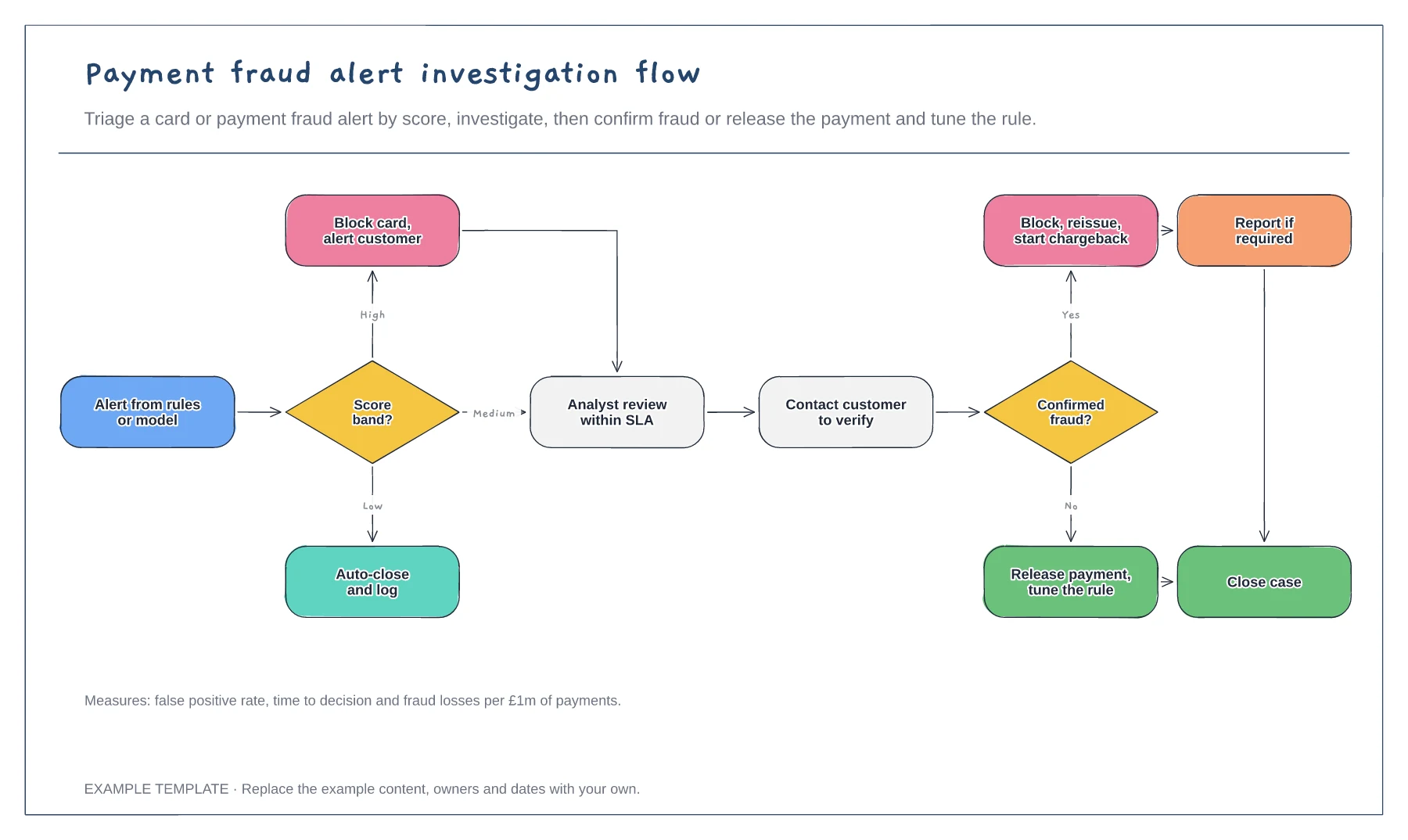
Triage by score band · Analyst review and customer contact · Confirmed and false positive outcomes
Preview and use template →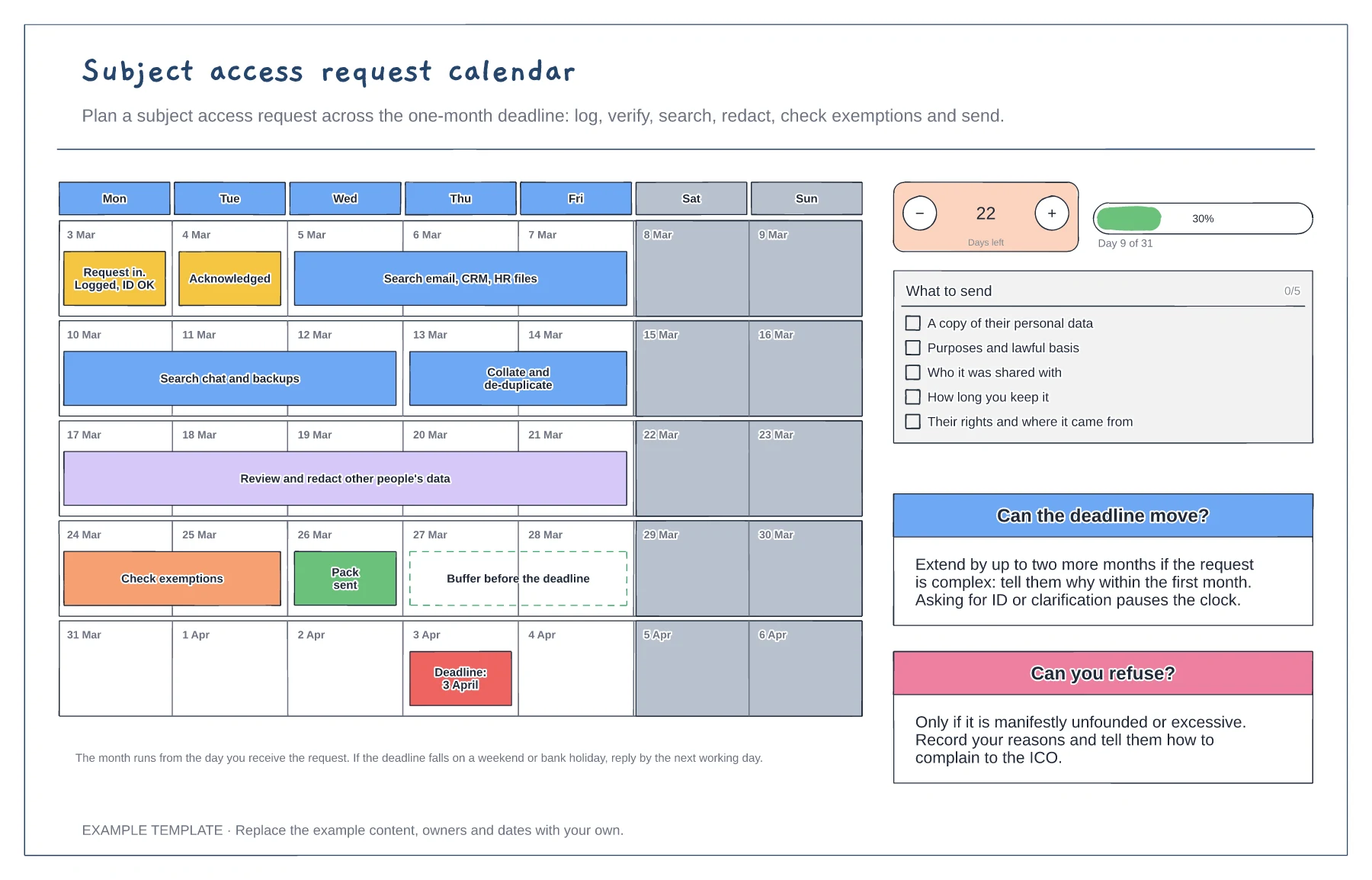
Five-week calendar with the work as bars · What to send checklist · Rules for extensions and refusals
Preview and use template →