HR
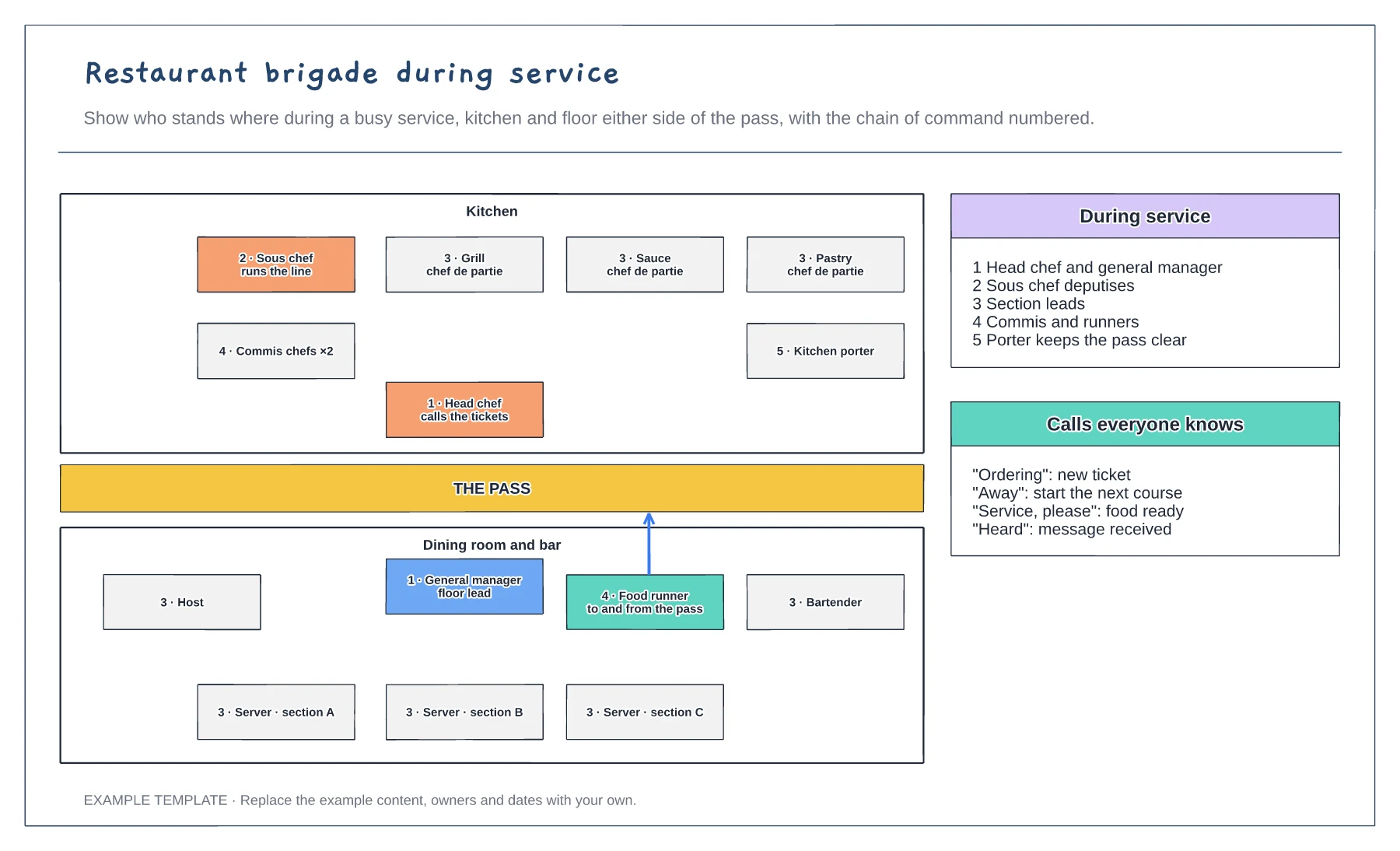
Restaurant brigade during service template
Kitchen and floor either side of the pass · Chain of command numbered · Service calls everyone knows
Preview and use template →A staff rota shows who is working each day and whether every part of the day is covered. This example plans a week in a cafe for eight people, colours shifts by role, totals each person’s hours and counts who is in at opening and closing, flagging the two shifts that fall short.
No account needed · Opens as your own editable page
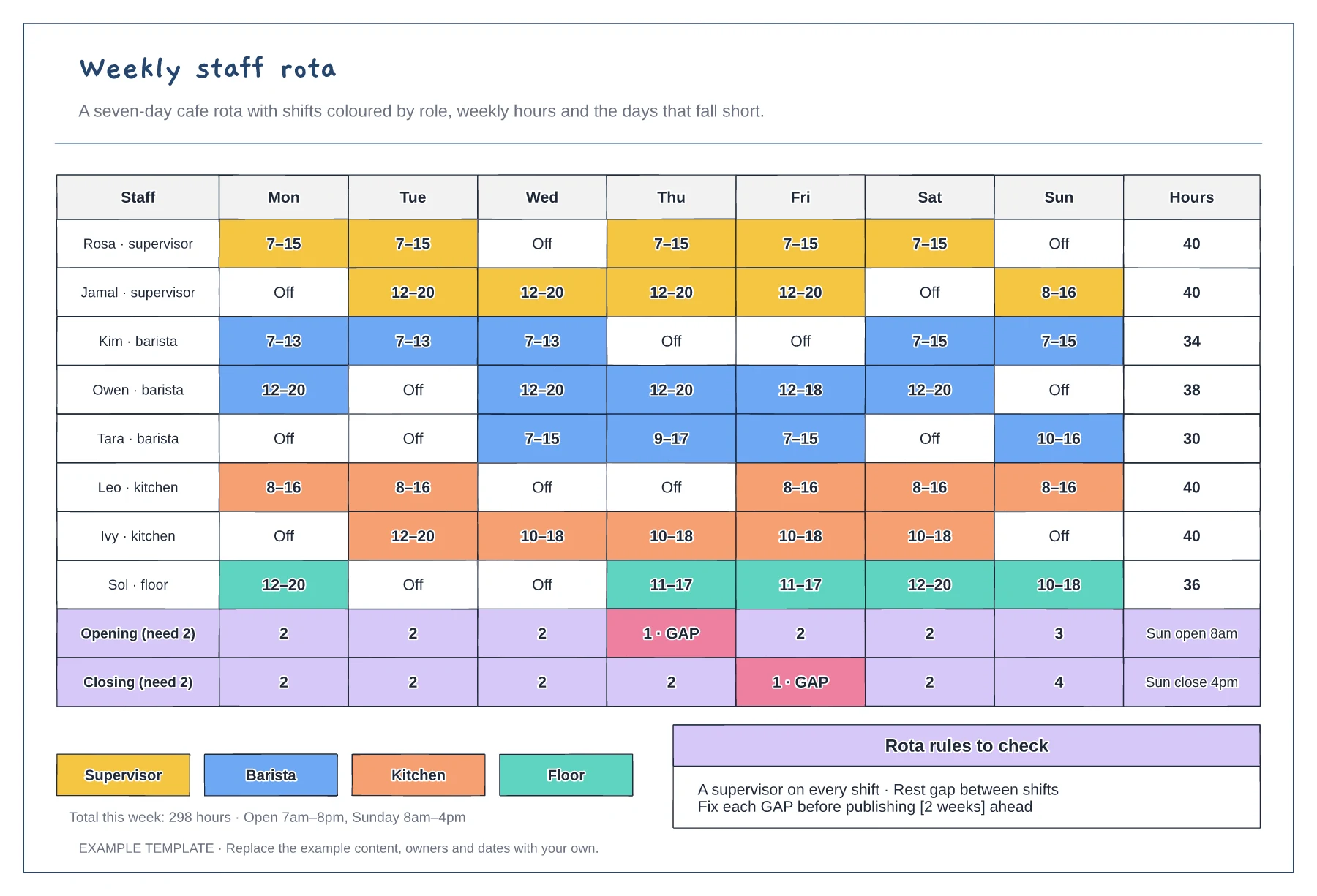
Write how many people you need at opening, peak and closing. A daily headcount can look fine while the first hour runs with one person.
Compare each person’s weekly total with their contracted hours and any limits on working time. The totals column makes overtime and short weeks easy to spot.
Resolve each flagged gap, then publish the rota early enough for people to plan around it. Note who to call if someone is ill, so last-minute changes have a route.
Yes. Move shifts to new days or times, edit the hours per person and update the cover counts so any gaps are flagged before you publish it.
No. Open the template and edit it in your browser. Your work saves on this device. An account is optional if you want to sync your workspace.
Yes. Use Export in the editor to save a PNG, SVG or PDF, or download an editable .epicdraw backup.
Kitchen and floor either side of the pass · Chain of command numbered · Service calls everyone knows
Preview and use template →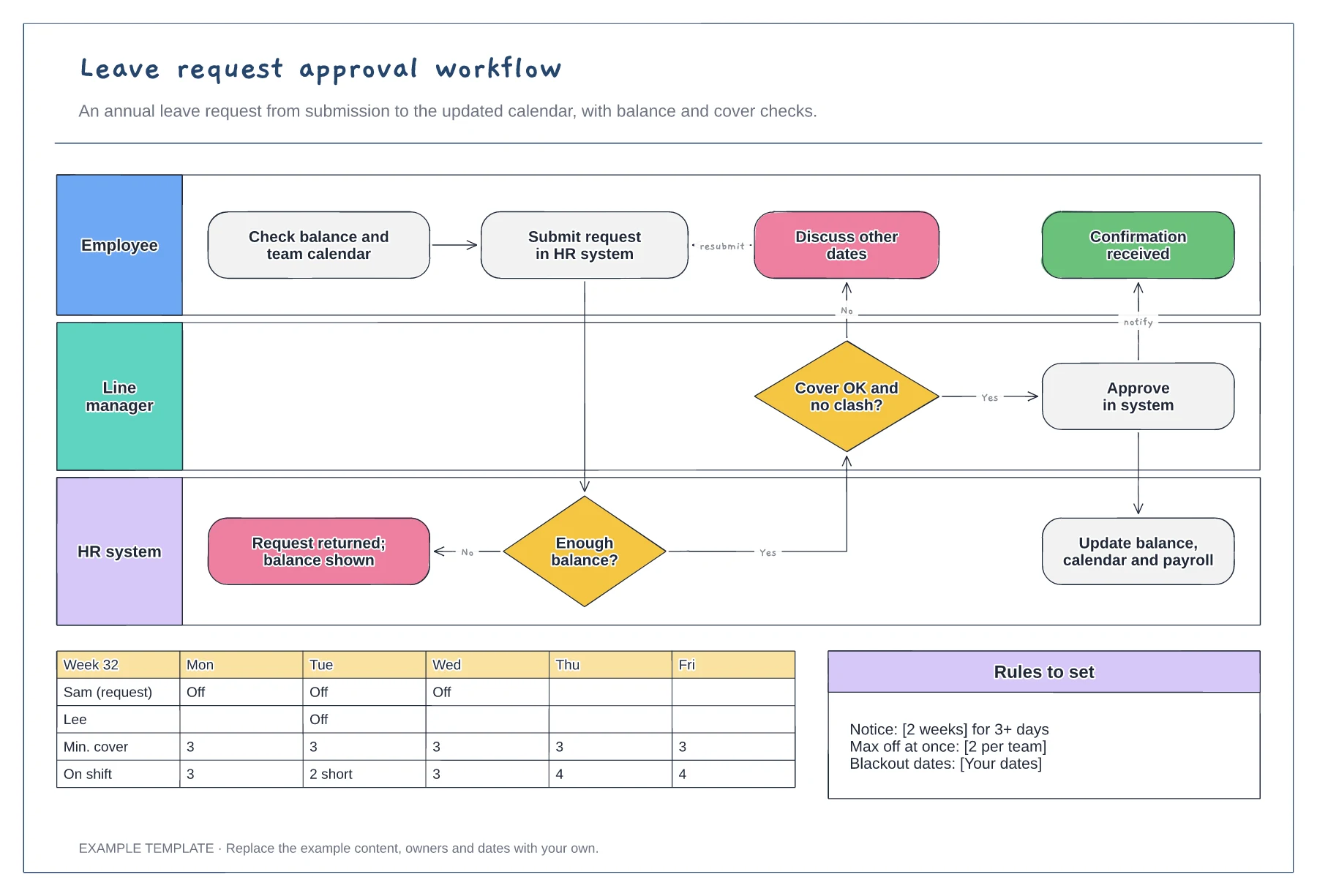
Employee, manager and HR system lanes · Balance and cover decisions · Team calendar and leave rules
Preview and use template →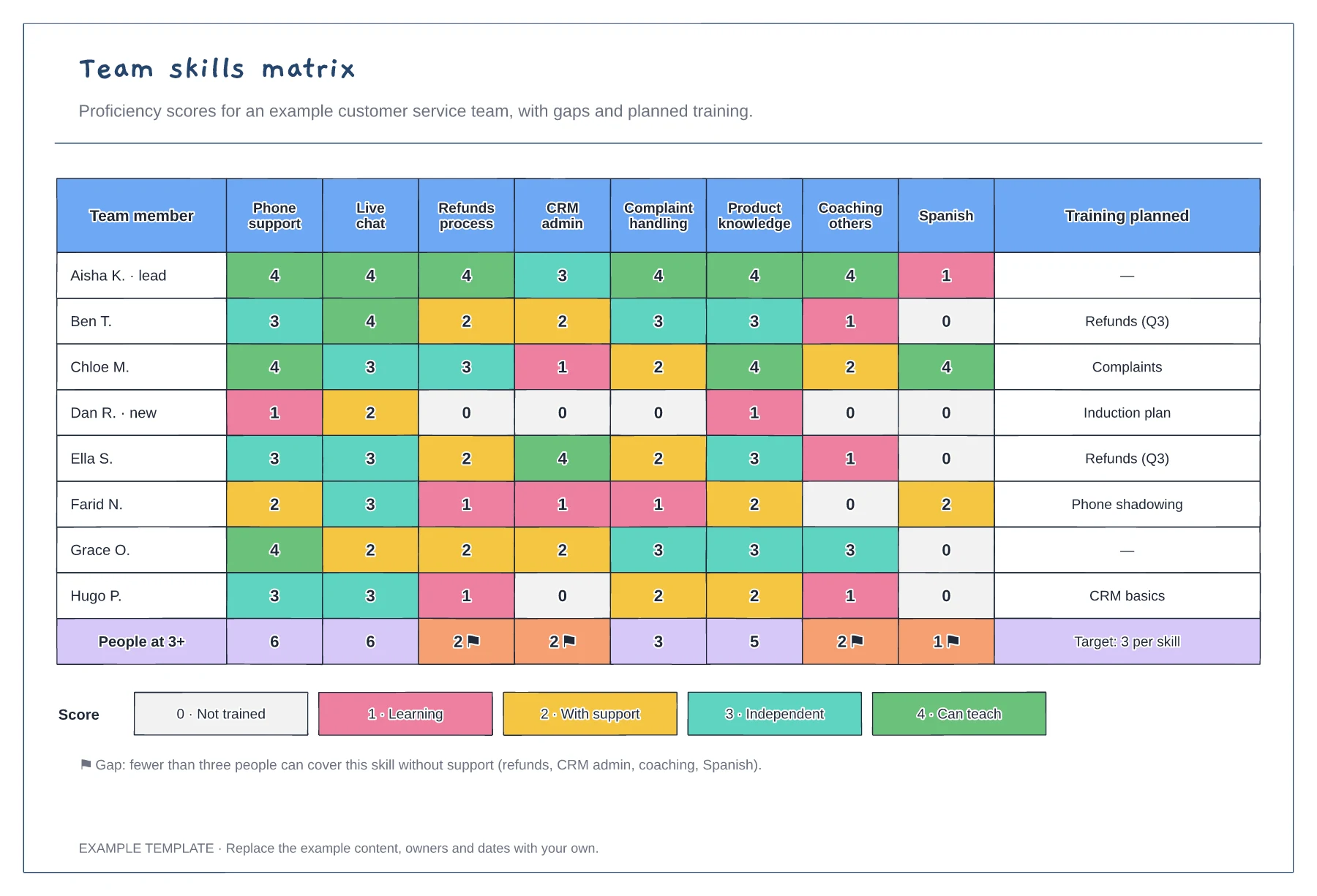
Team members scored against eight skills · Coverage totals with gap flags · Score key and planned training
Preview and use template →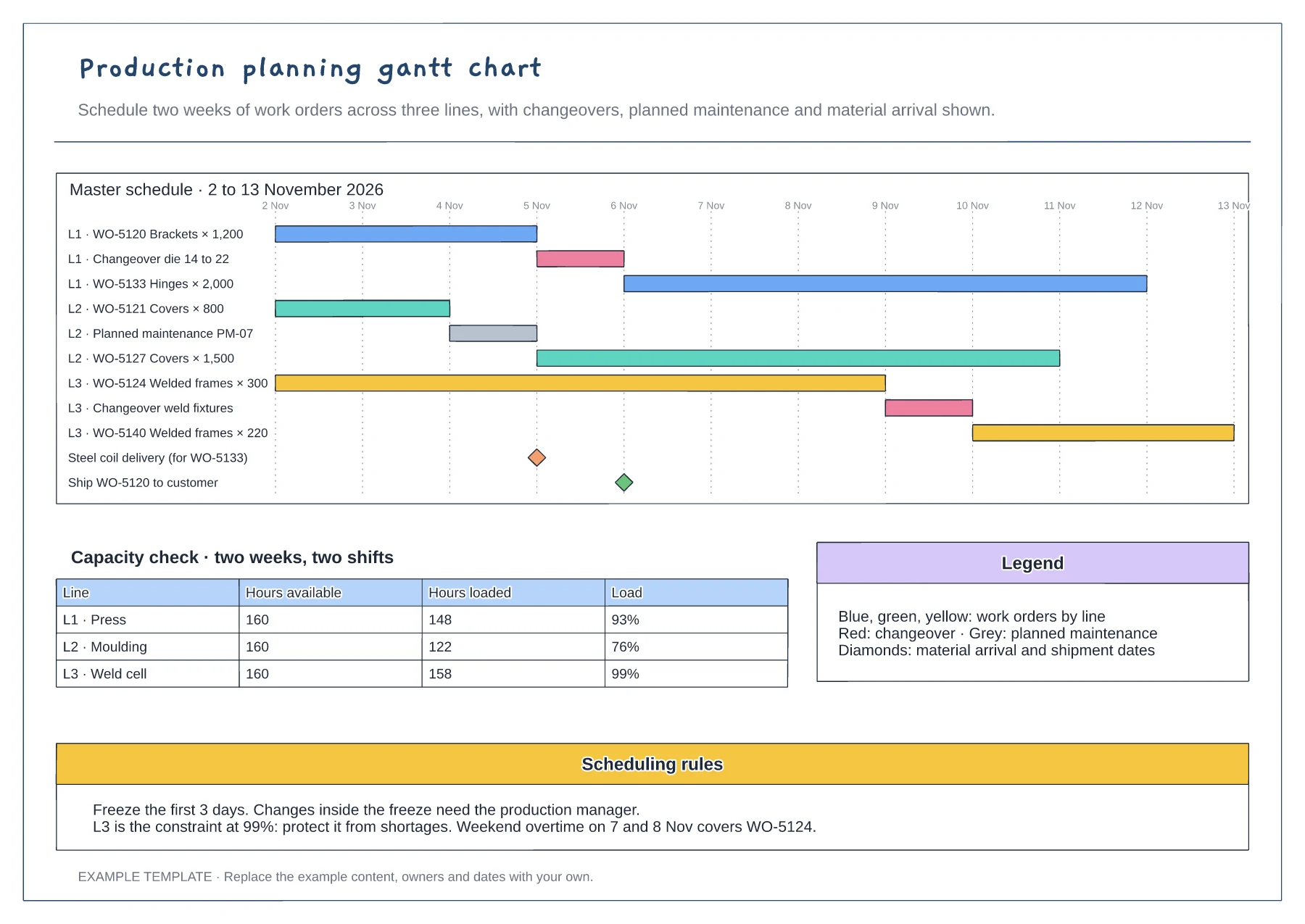
Gantt of work orders by line and day · Changeover, maintenance and milestone rows · Capacity table and scheduling rules
Preview and use template →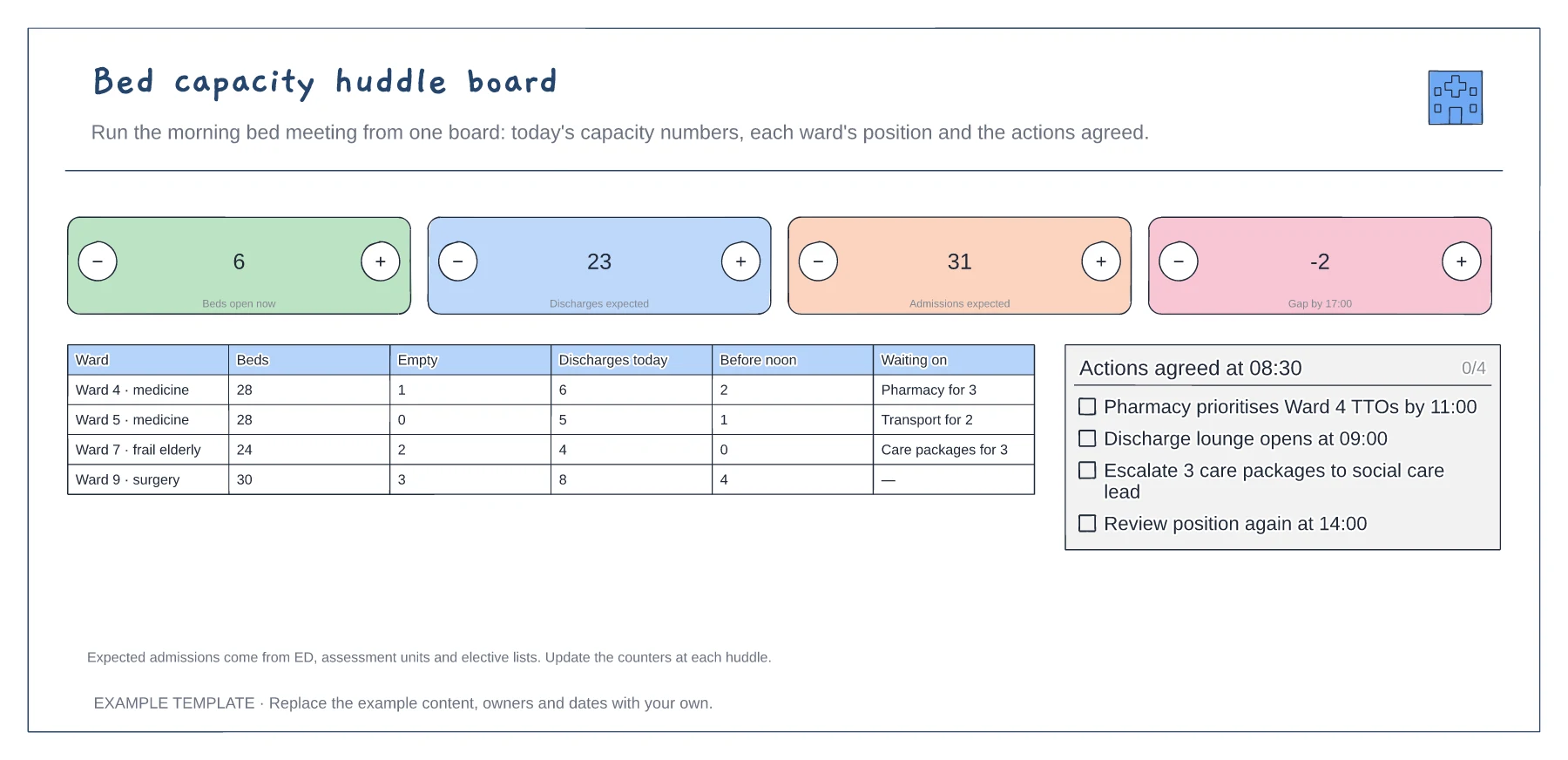
Four headline capacity counts · Ward-by-ward position · Actions agreed at the huddle
Preview and use template →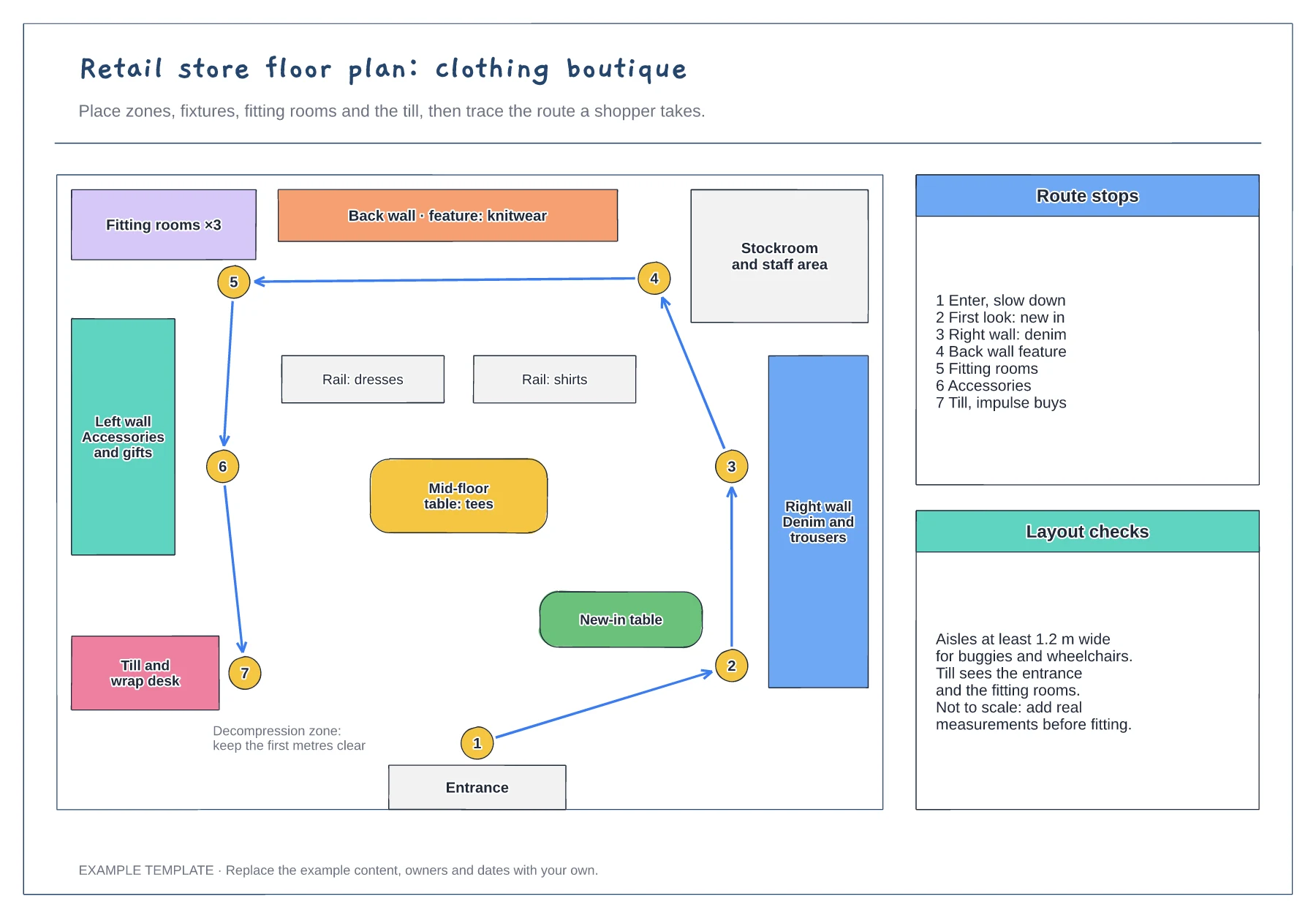
Zones, fixtures and service points · Numbered shopper route · Checks for aisles and sightlines
Preview and use template →