HR
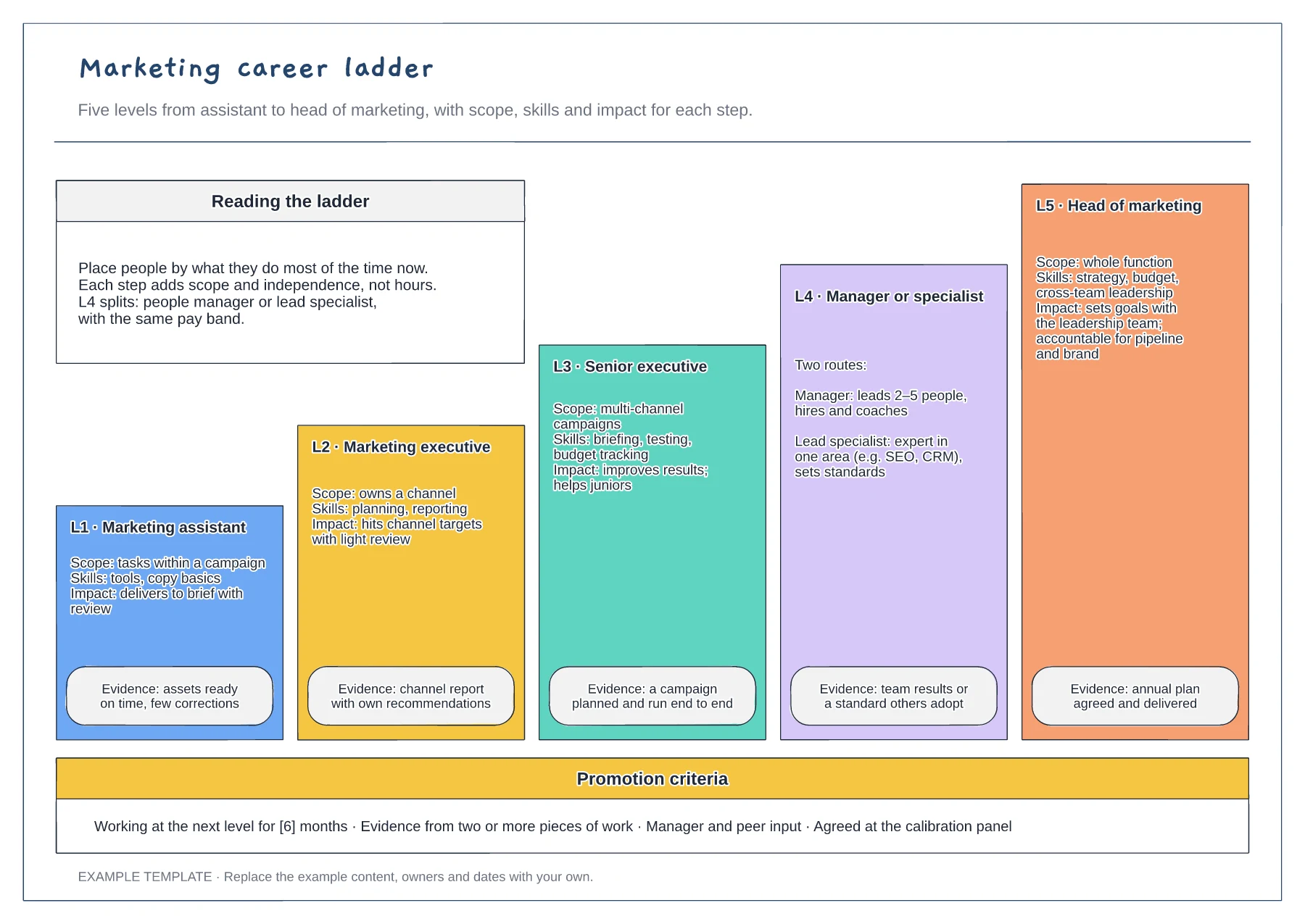
Career ladder template
Five levels drawn as a staircase · Scope, skills, impact and evidence · Promotion criteria strip
Preview and use template →A skills matrix shows who can do what across a team, so you can plan training and cover before someone is off. This example scores eight customer service staff against eight skills from 0 to 4, colours each cell, counts how many people are independent in each skill and flags the gaps.
No account needed · Opens as your own editable page
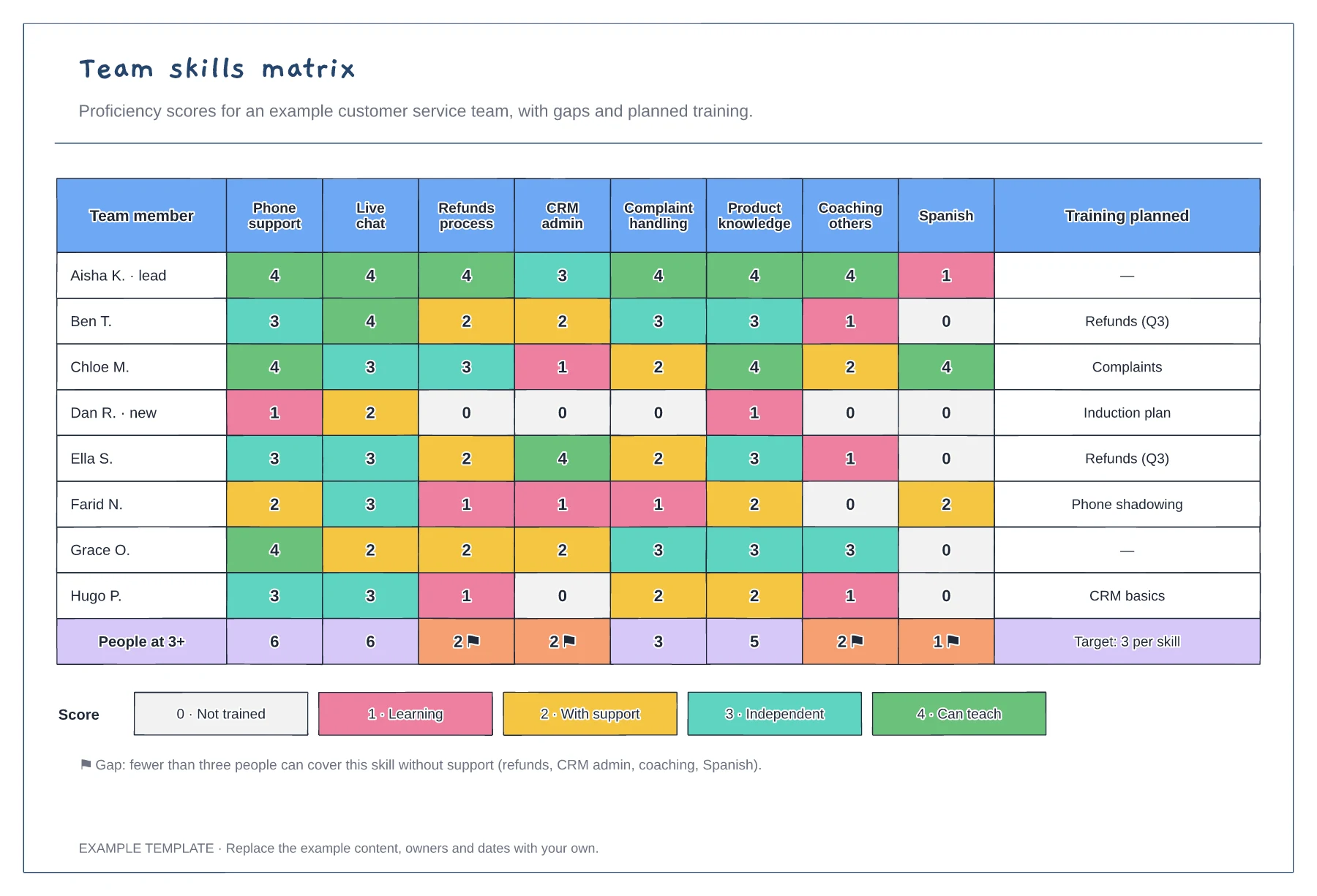
List the tasks the team must keep running when people are absent, not every skill on a job description. Eight to twelve columns keep the matrix readable.
Use the key so a 2 means the same to every manager. Agree whether people score themselves first, then review the scores with their manager to reduce guesswork.
Look for skills with fewer than three independent people and plan training there first. Record the plan in the right-hand column so the matrix becomes a schedule, not a snapshot.
Each total counts the people scored 3 or above for that skill. A flag shows where too few people are covered, which is where the training column should focus.
No. Open the template and edit it in your browser. Your work saves on this device. An account is optional if you want to sync your workspace.
Yes. Use Export in the editor to save a PNG, SVG or PDF, or download an editable .epicdraw backup.
Five levels drawn as a staircase · Scope, skills, impact and evidence · Promotion criteria strip
Preview and use template →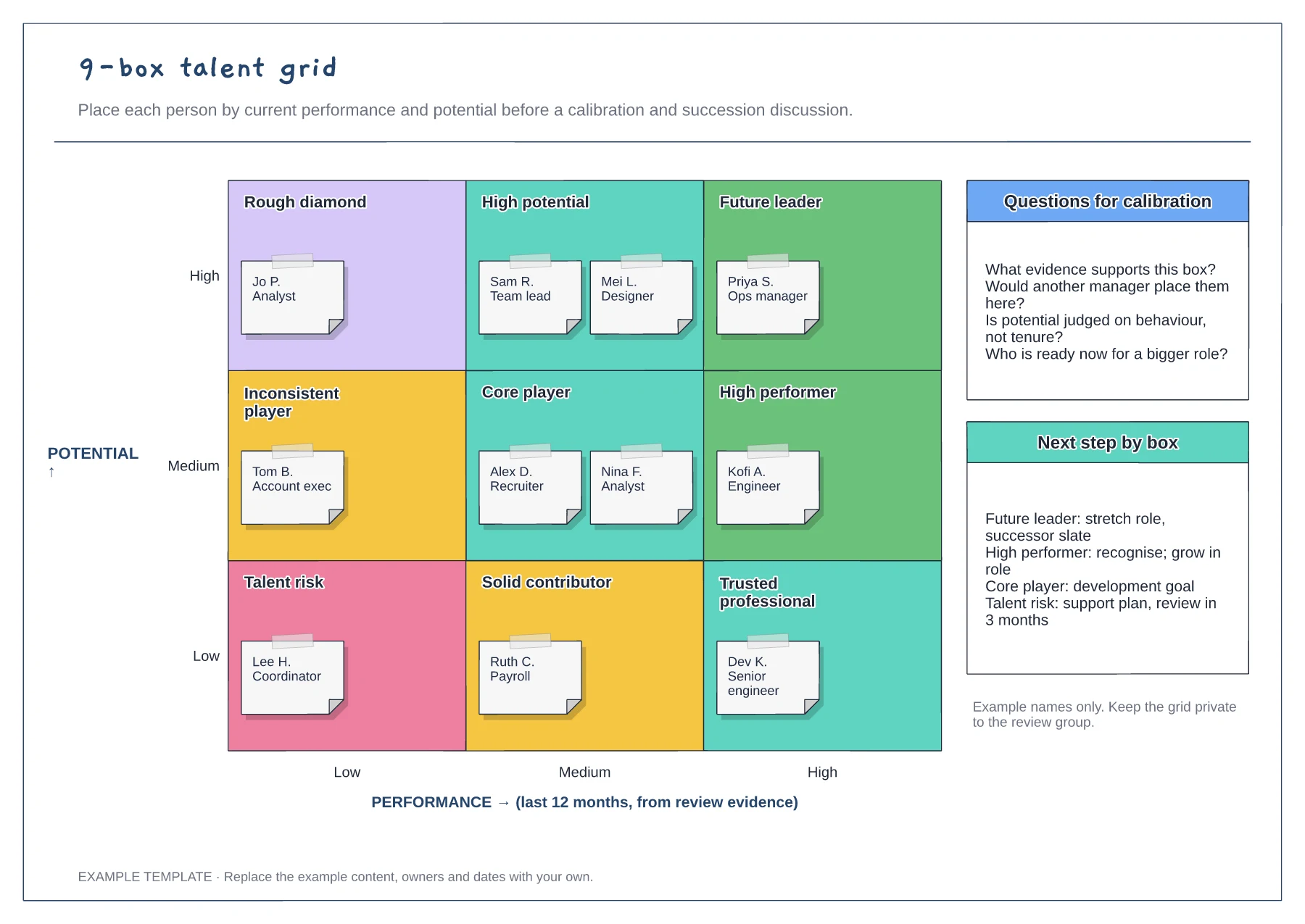
Performance and potential axes · Nine labelled cells with employee notes · Calibration questions and next steps
Preview and use template →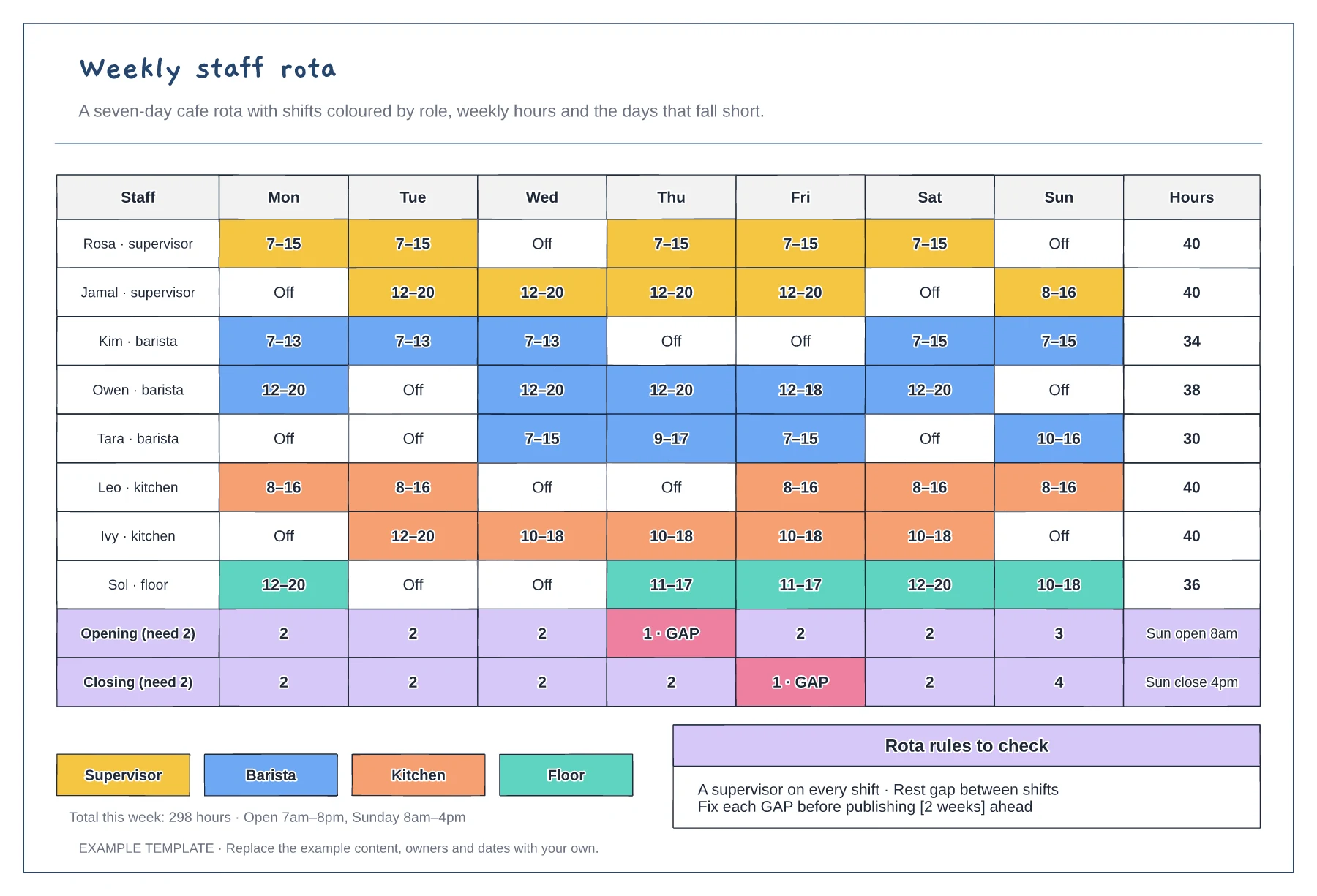
Mon to Sun shifts coloured by role · Weekly hours per person · Opening and closing cover with gaps flagged
Preview and use template →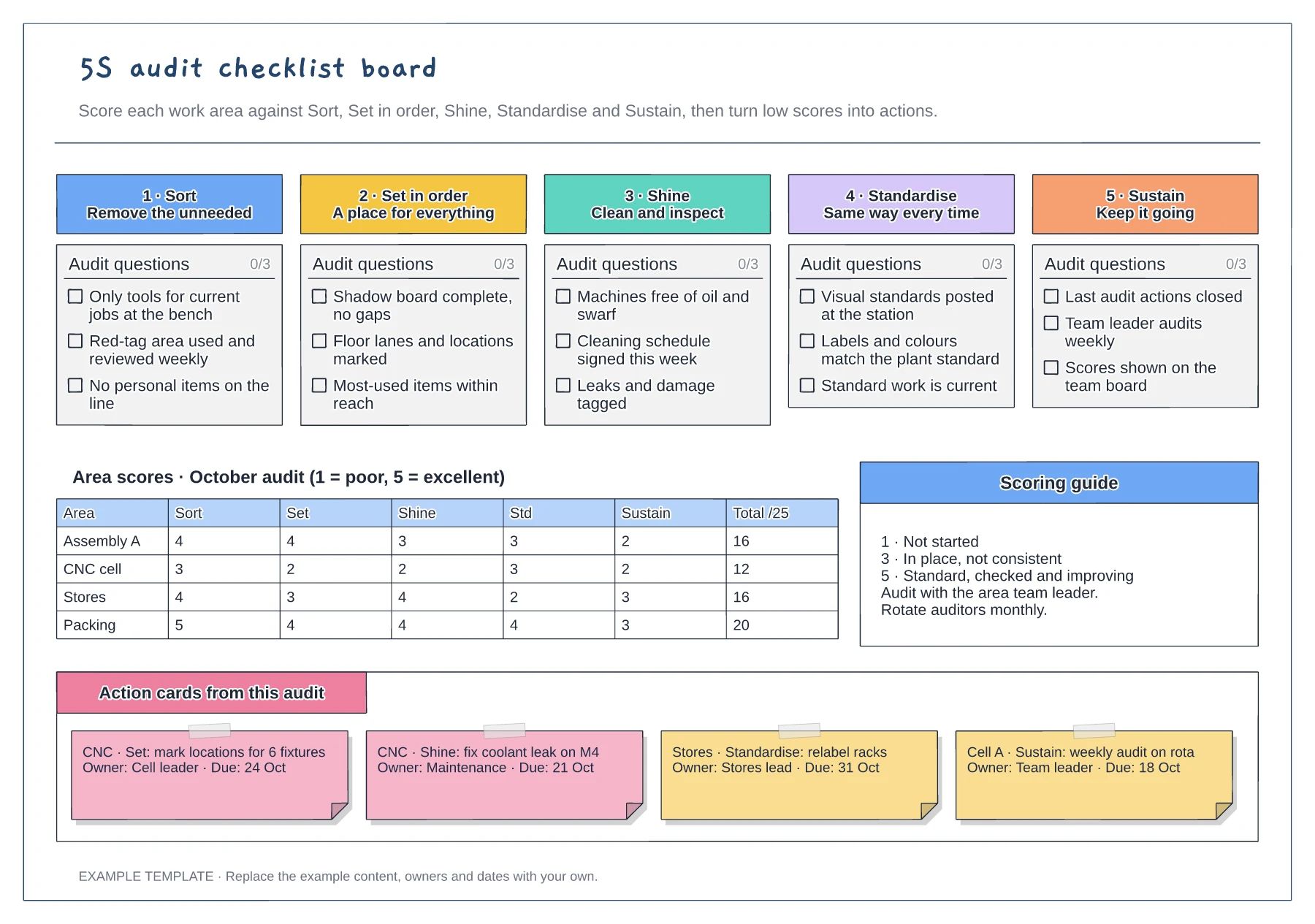
Tickable audit questions for each S · Score grid by area and pillar · Action cards with owner and due date
Preview and use template →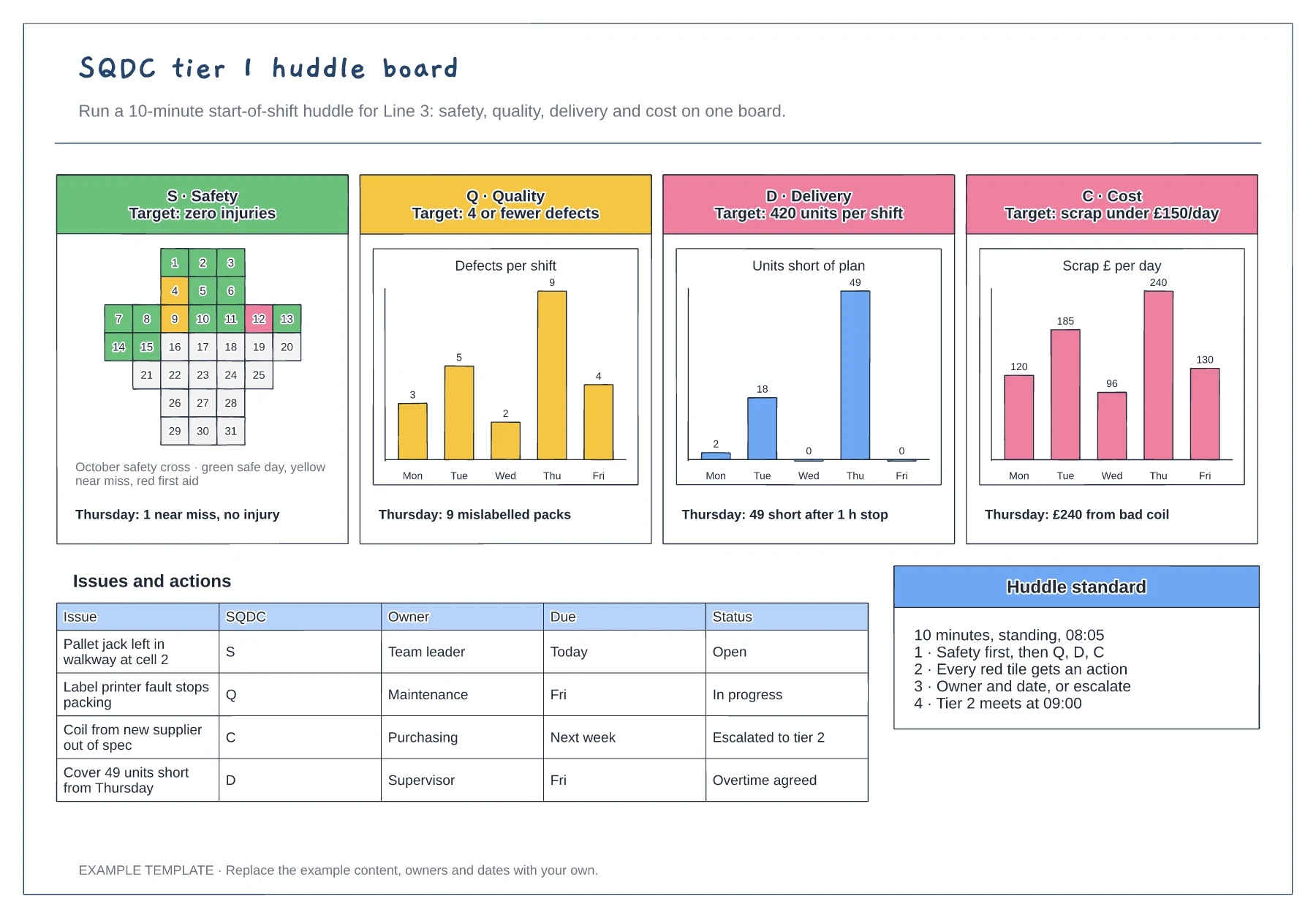
Safety cross for the month · Quality, delivery and cost charts by day · Issues and actions table with escalation
Preview and use template →
Before-start preparation · Day-one and first-week activities · First-month review
Preview and use template →