HR
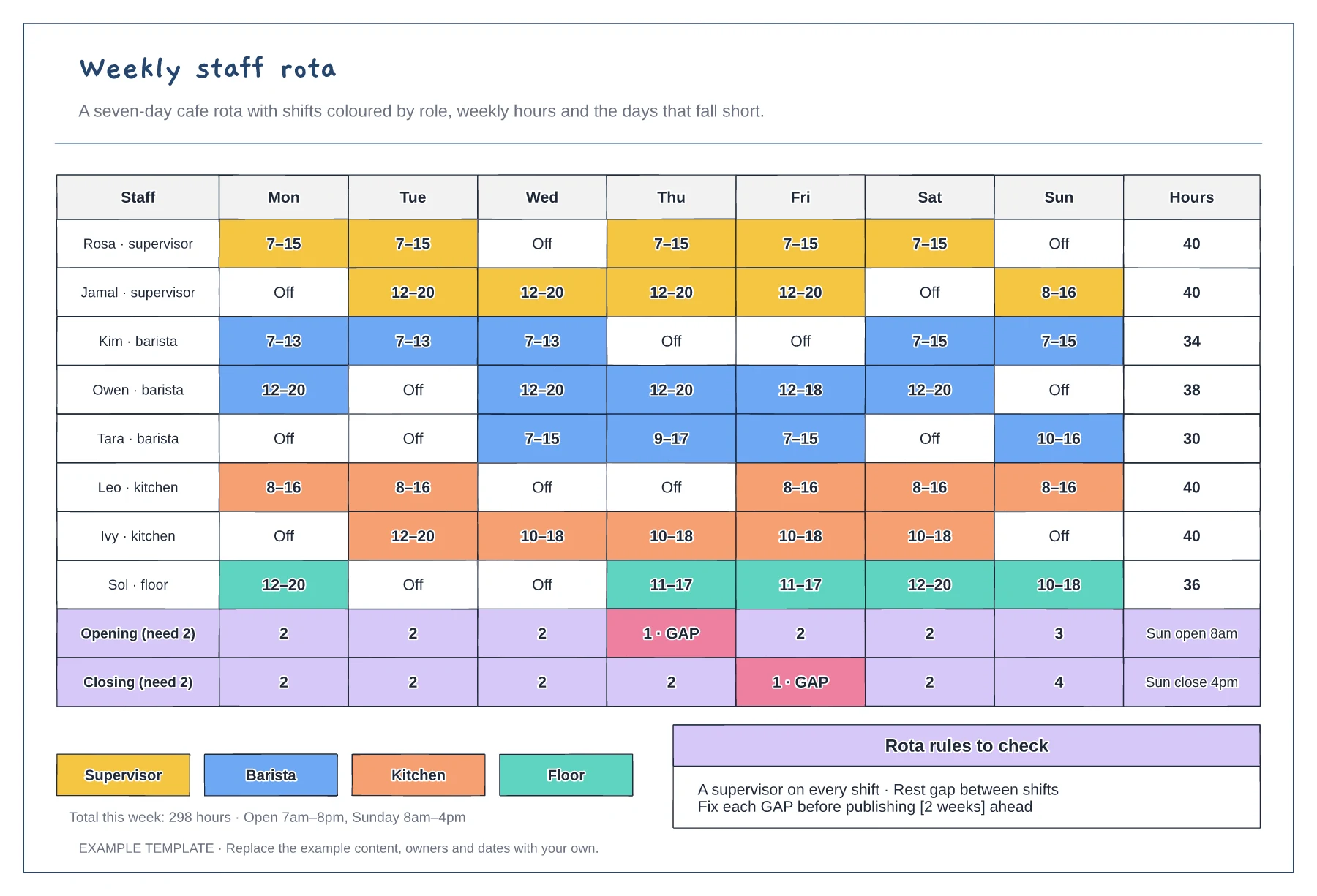
Staff rota template
Mon to Sun shifts coloured by role · Weekly hours per person · Opening and closing cover with gaps flagged
Preview and use template →A leave request approval workflow shows how a holiday request moves from the employee to a decision, and what gets updated afterwards. This example has lanes for the employee, line manager and HR system, decisions for the leave balance and team cover, and a week of the team calendar showing the clash a manager would spot.
No account needed · Opens as your own editable page
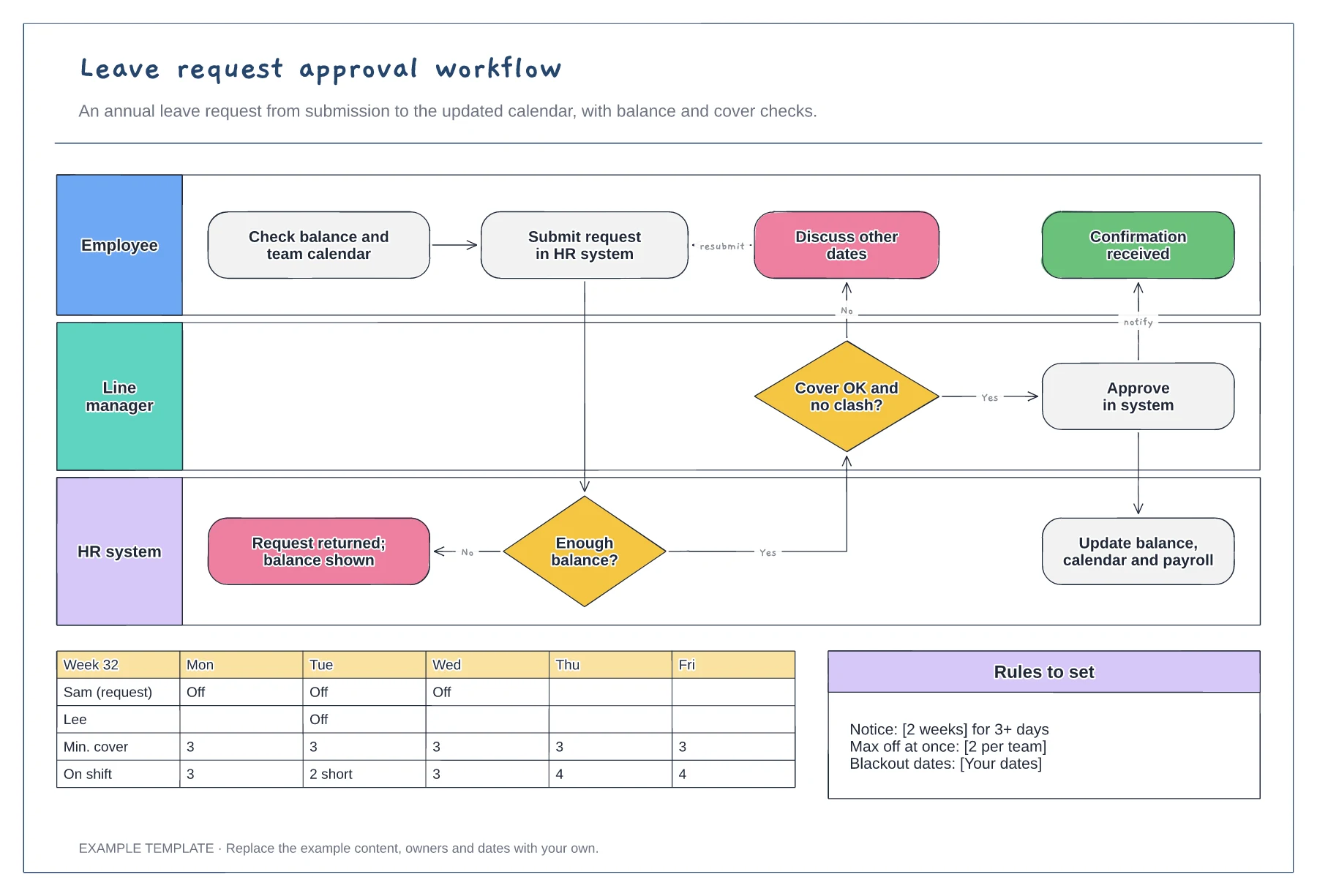
Fill in notice periods, the maximum number of people off at once and any blackout dates. Managers can then explain a decline using a rule instead of a judgement call.
If your HR system checks balances automatically, keep it as a system step. If someone checks a spreadsheet, put that person in the lane so the delay is visible.
Make sure approved leave updates the calendar, the balance and payroll where it affects pay. A request that is approved but not recorded causes problems at year end.
It marks a day when approving the request would leave the team below its minimum cover. Change the cover rule in the leave rules box to match your team.
No. Open the template and edit it in your browser. Your work saves on this device. An account is optional if you want to sync your workspace.
Yes. Use Export in the editor to save a PNG, SVG or PDF, or download an editable .epicdraw backup.
Mon to Sun shifts coloured by role · Weekly hours per person · Opening and closing cover with gaps flagged
Preview and use template →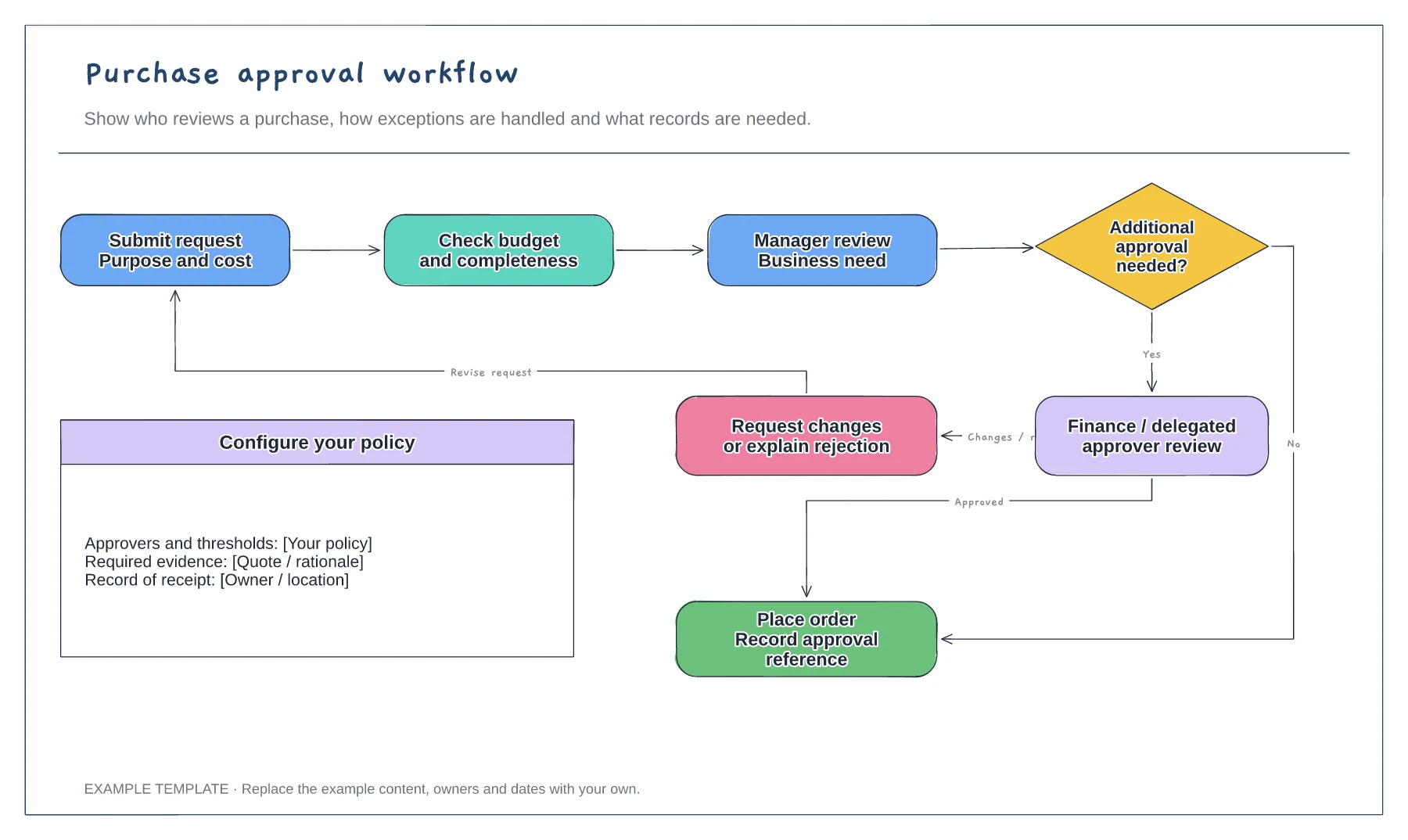
Purchase request and supporting information · Approval decisions and revision path · Order and record-keeping steps
Preview and use template →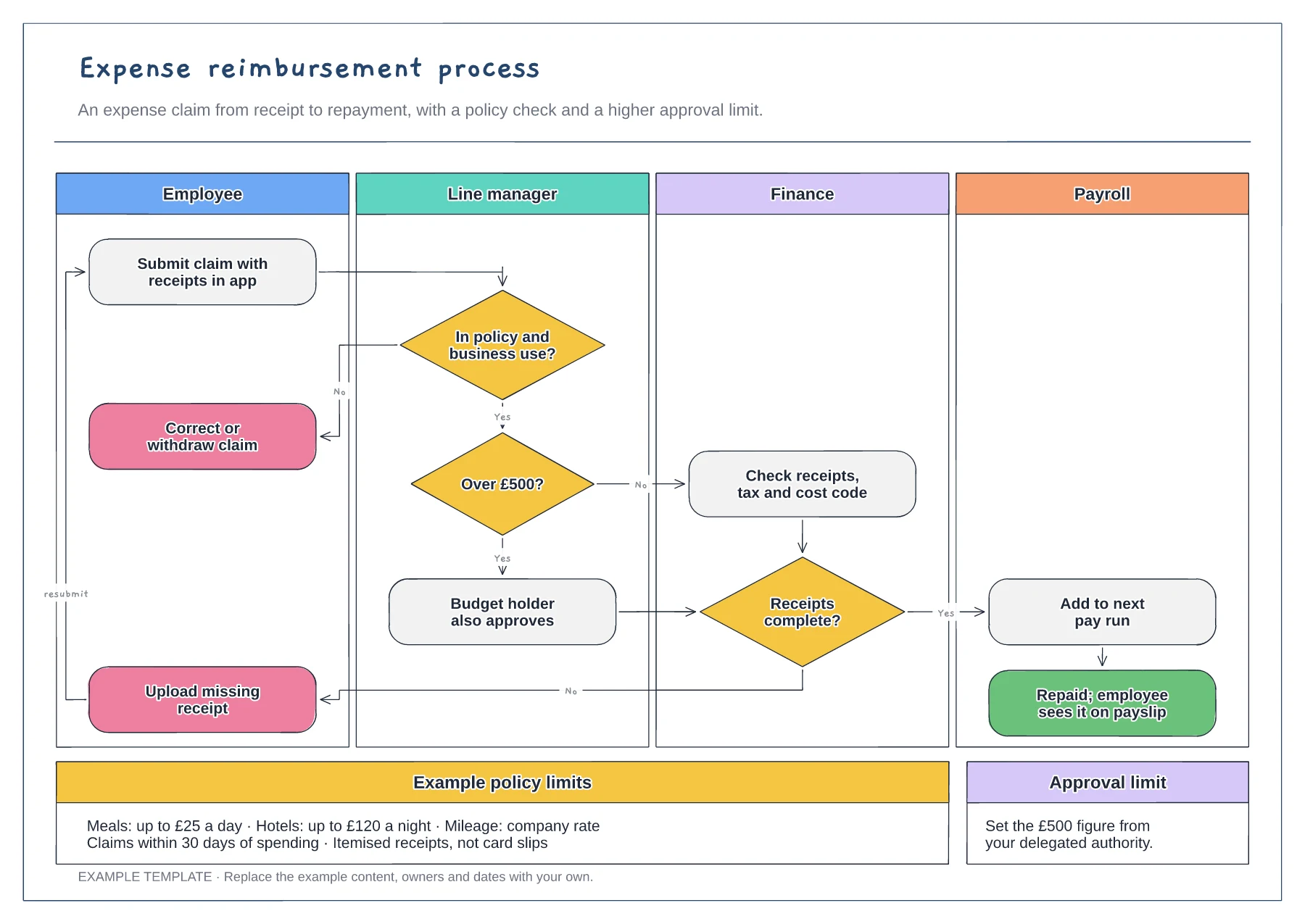
Employee, manager, finance and payroll lanes · Policy, approval limit and receipt decisions · Example limits and claim rules
Preview and use template →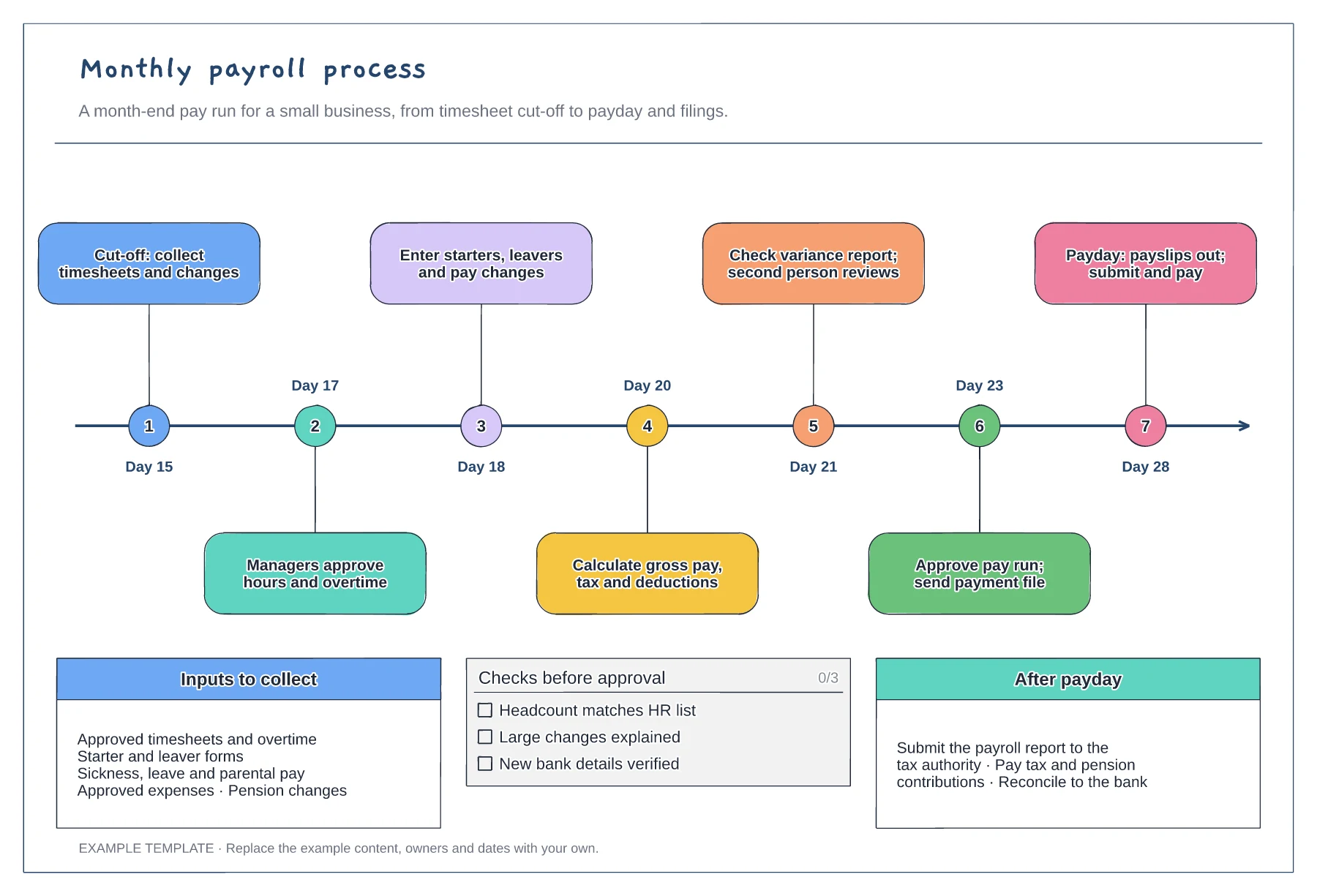
Month-end timeline with seven steps · Inputs to collect before cut-off · Pre-approval checks and after-payday tasks
Preview and use template →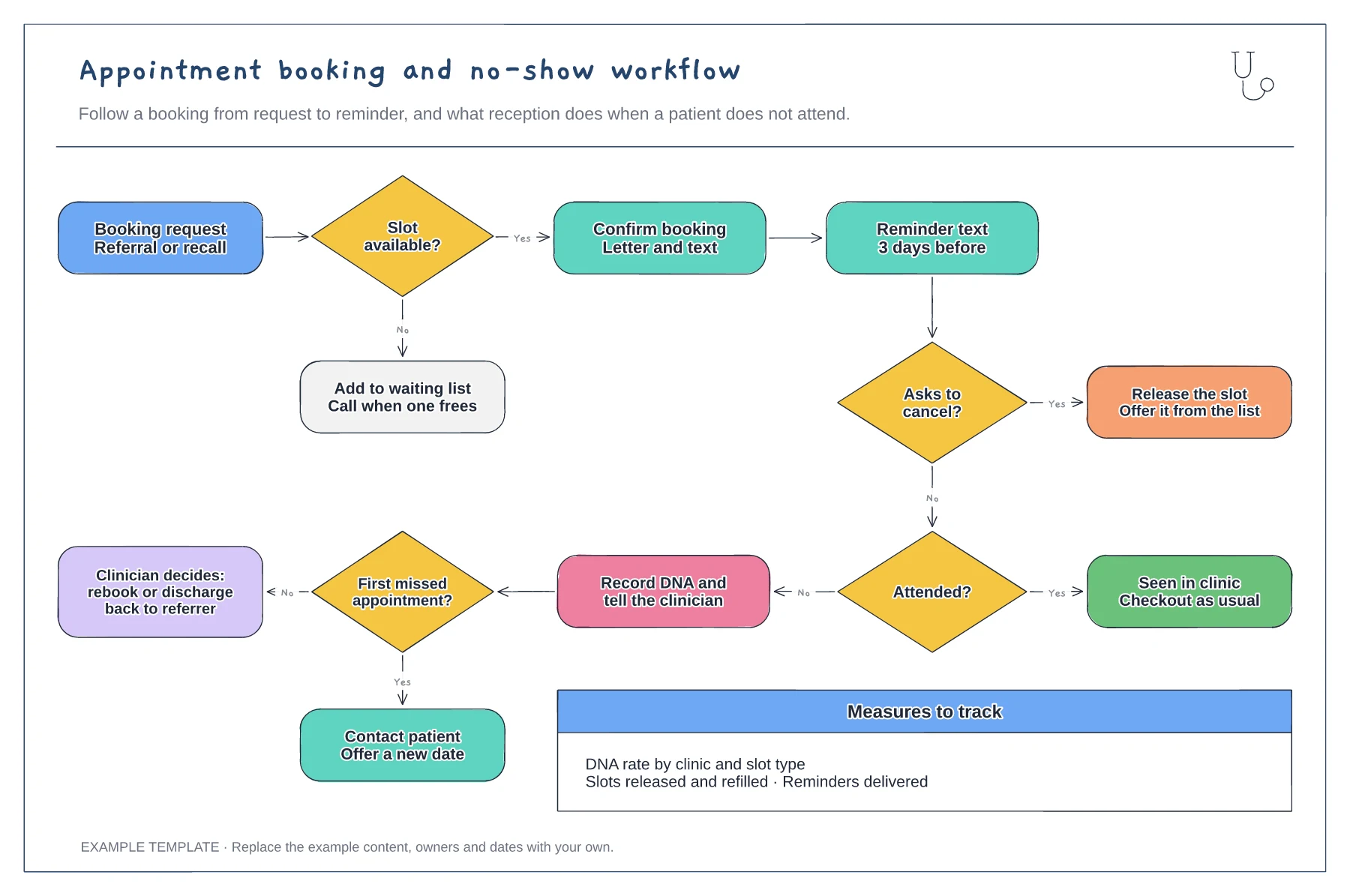
Booking, confirmation and reminder steps · Cancellation route that refills the slot · DNA route with rebook or discharge
Preview and use template →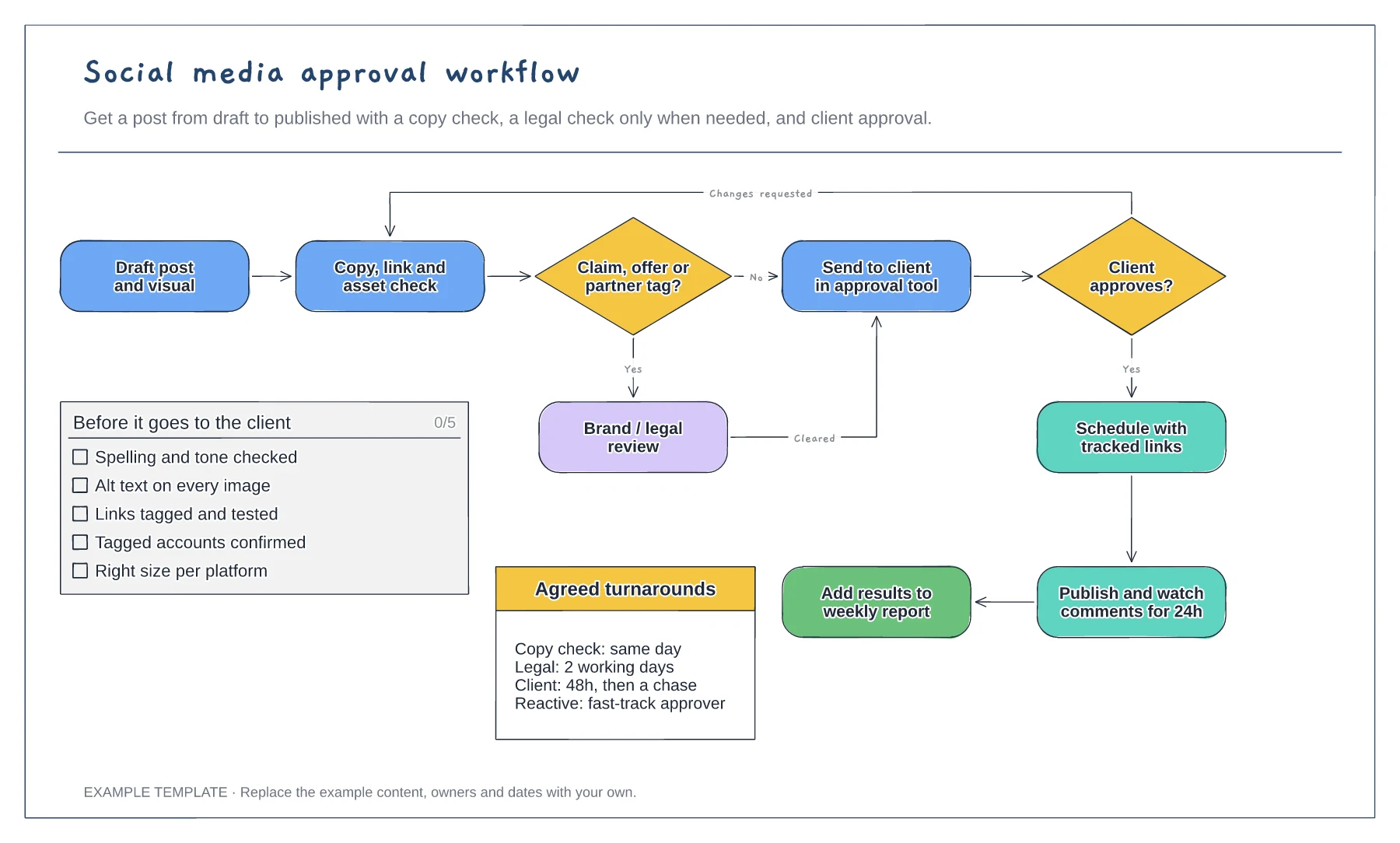
Flowchart with a conditional legal check · Changes-requested loop back to the copy check · Pre-approval checklist and agreed turnarounds
Preview and use template →