Hospitality
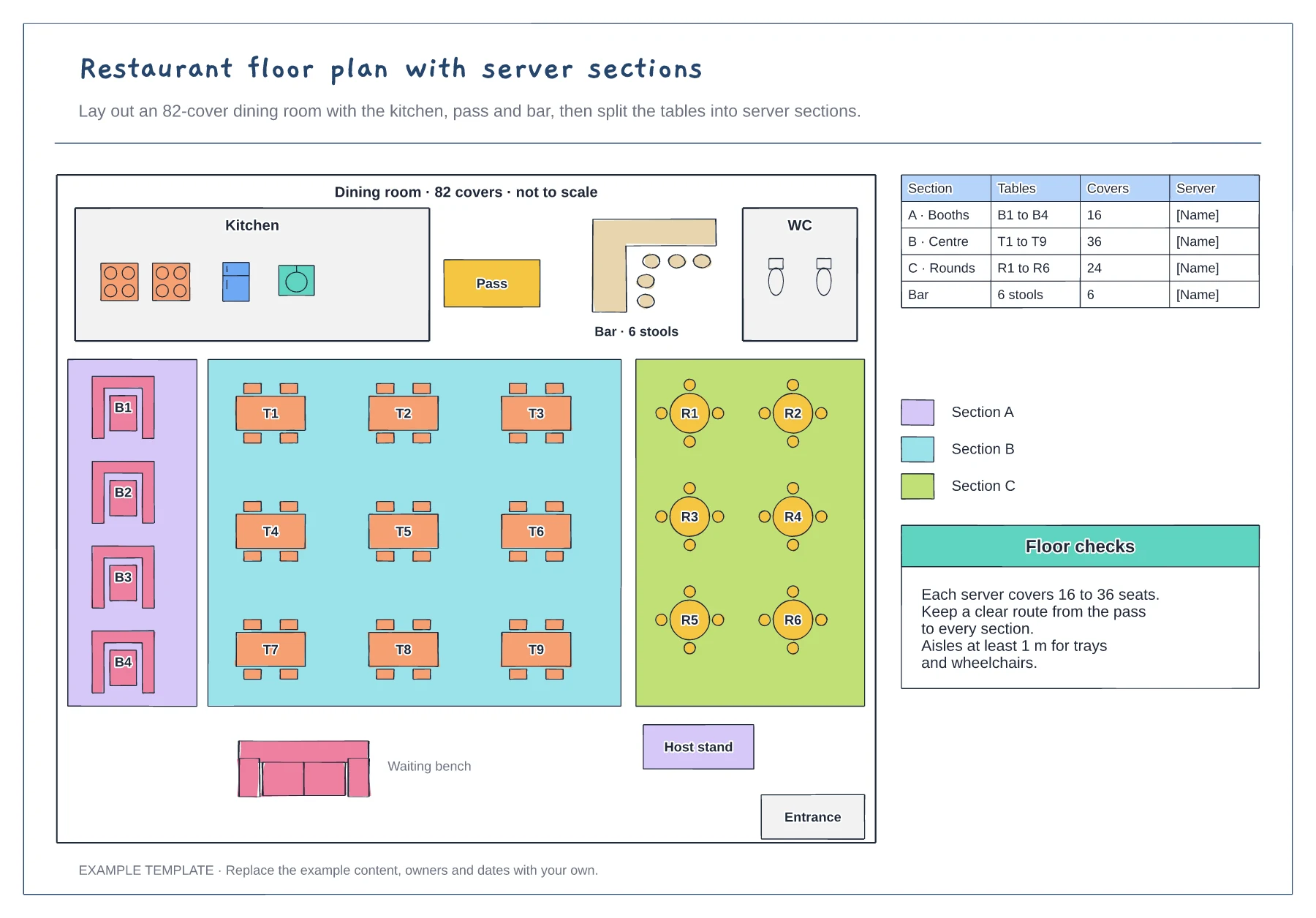
Restaurant floor plan template
Kitchen, pass, bar and toilets · Booths, four-tops and rounds with numbers · Server sections with cover counts
Preview and use template →A restaurant service flowchart follows one table from the moment the guests arrive to the moment it is reset. This example runs across six lanes, guest, host, server, POS and kitchen display, kitchen and bar, and shows each handover, so you can see where tickets wait and which step to time when service slows down.
No account needed · Opens as your own editable page
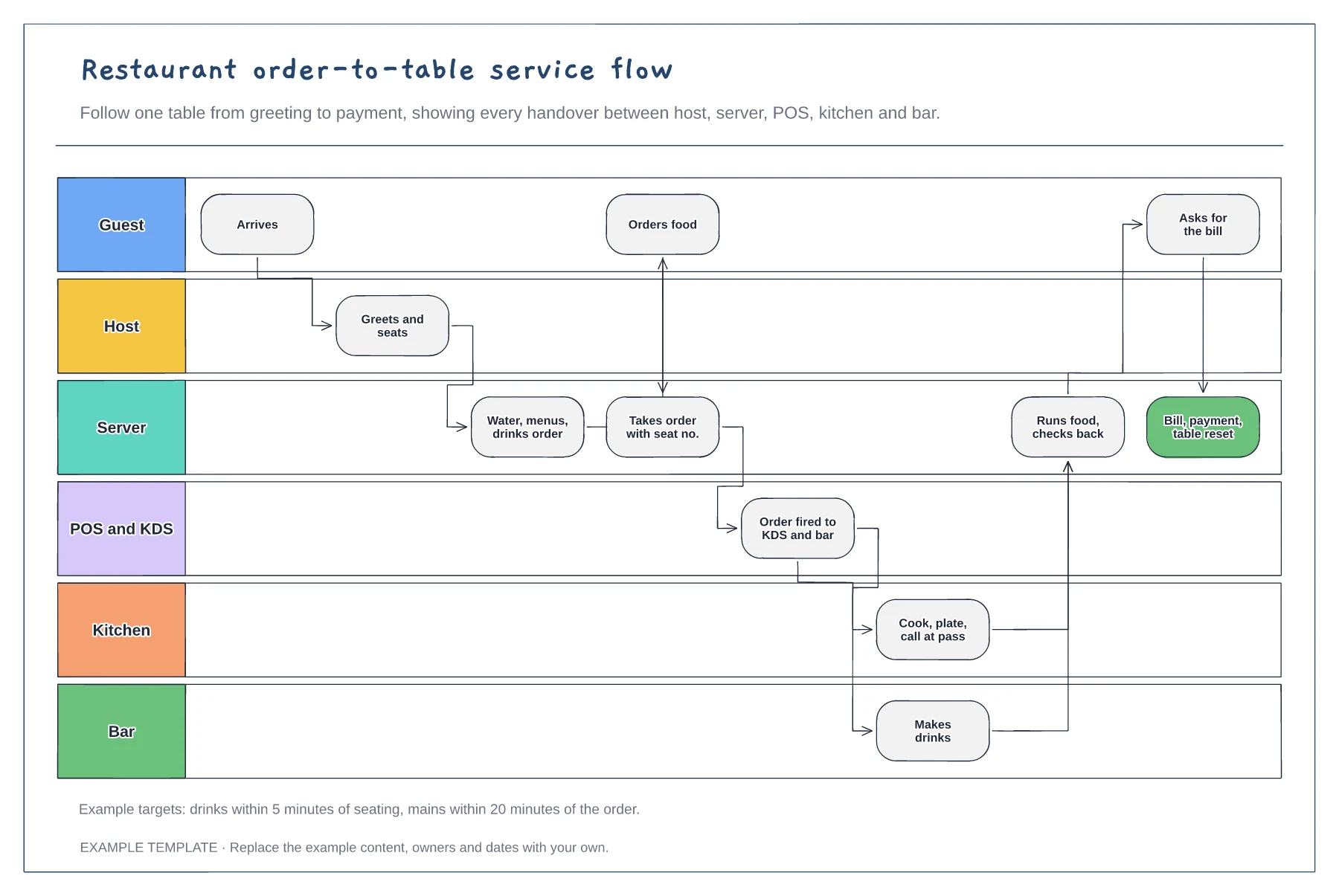
Adjust the steps to how you serve, for example ordering at the counter, a QR code menu or courses fired one at a time. Delete lanes you do not use.
Every arrow between lanes is a handover where something can wait or be lost. Note how each one happens: a ticket, a call at the pass or a screen.
Time a few tables during a busy service and add the targets to the board. Start improving at the step with the longest wait.
Yes. Rename the lane for printed tickets or delete it and link the POS step straight to the kitchen and bar, so orders still fire to both together.
No. Open the template and edit it in your browser. Your work saves on this device. An account is optional if you want to sync your workspace.
Yes. Use Export in the editor to save a PNG, SVG or PDF, or download an editable .epicdraw backup.
Kitchen, pass, bar and toilets · Booths, four-tops and rounds with numbers · Server sections with cover counts
Preview and use template →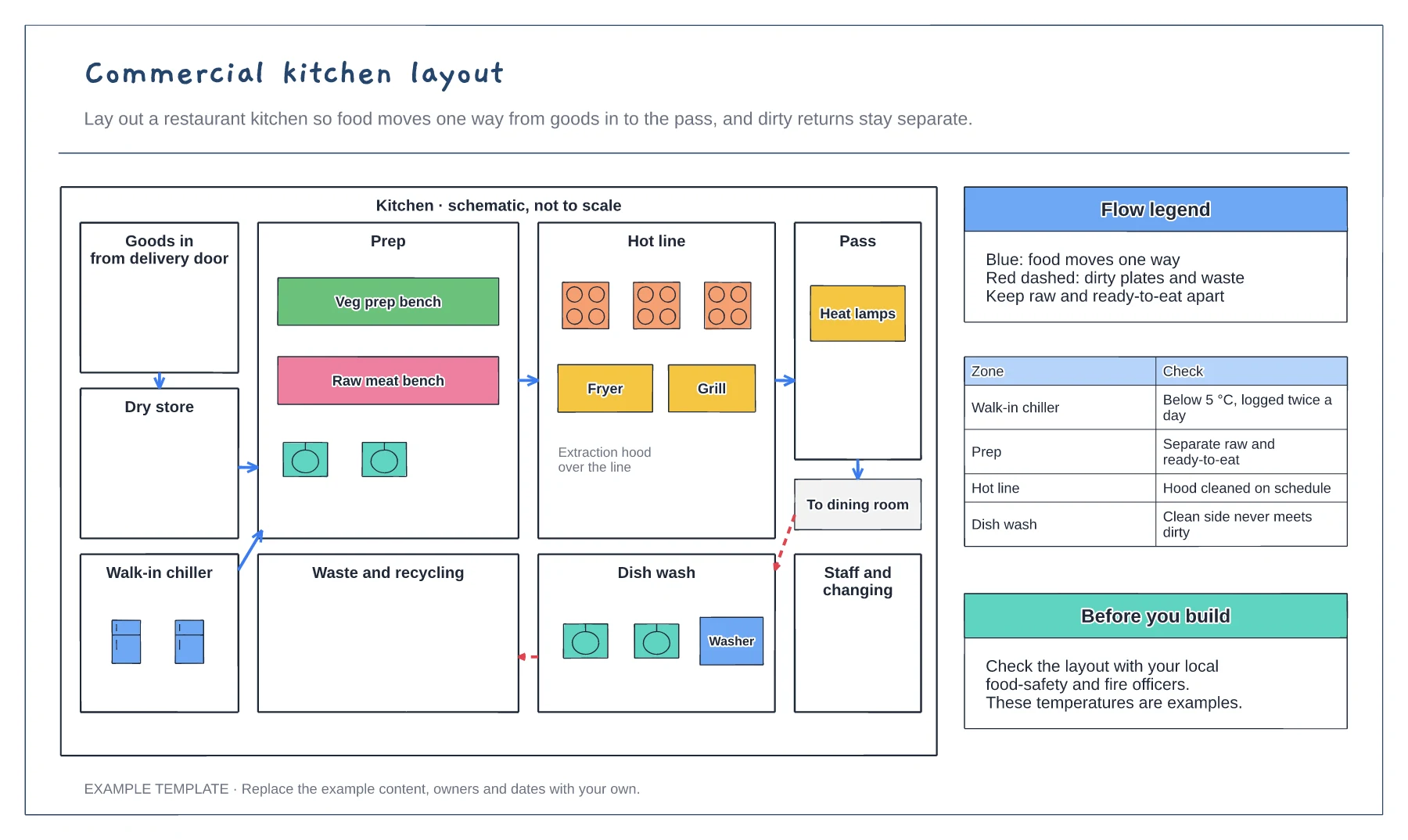
Storage, prep, hot line and pass zones · One-way food flow arrows · Separate route for dirty returns and waste
Preview and use template →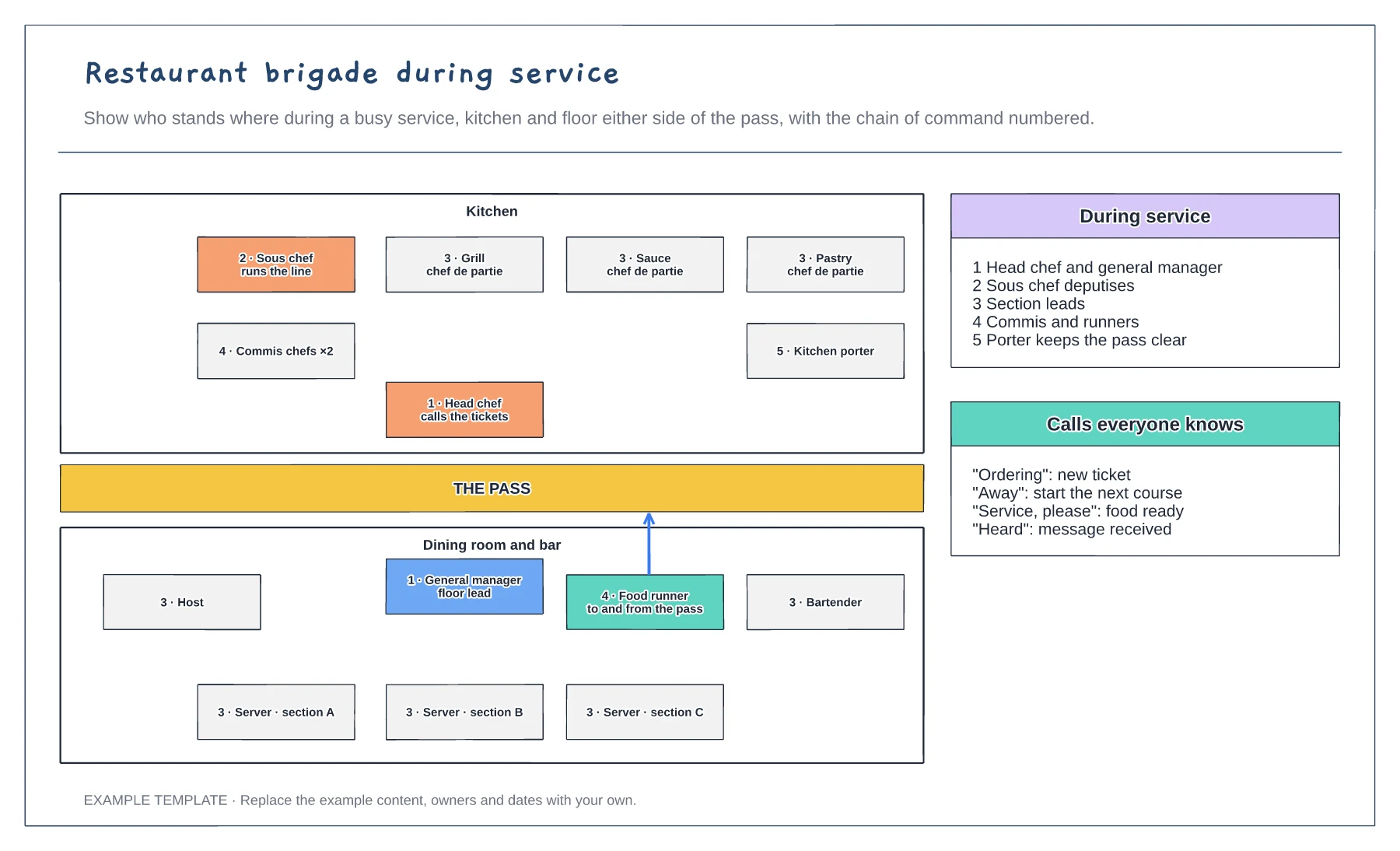
Kitchen and floor either side of the pass · Chain of command numbered · Service calls everyone knows
Preview and use template →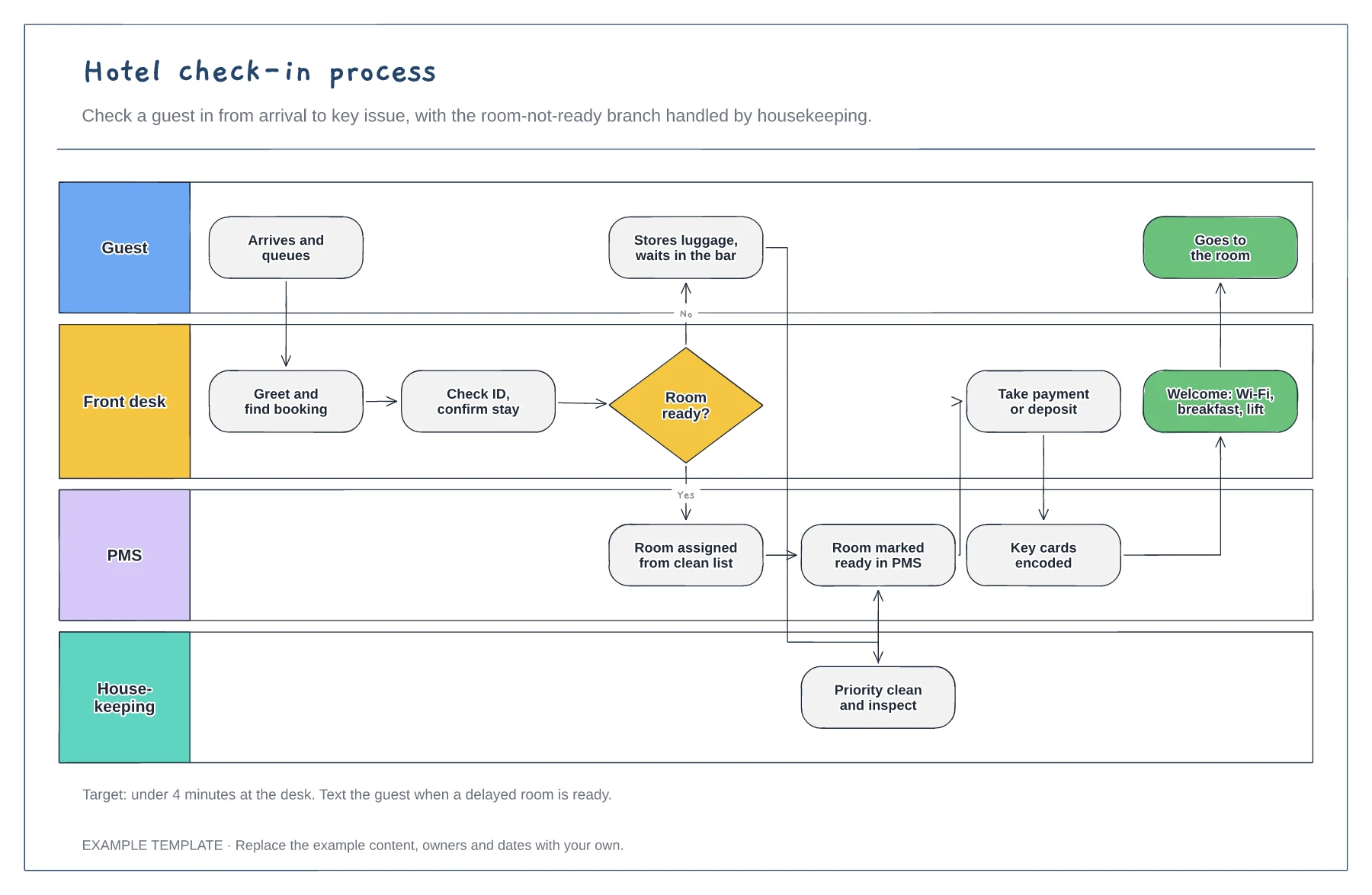
Guest, front desk, PMS and housekeeping lanes · Room-not-ready branch with priority clean · Payment, keys and welcome steps
Preview and use template →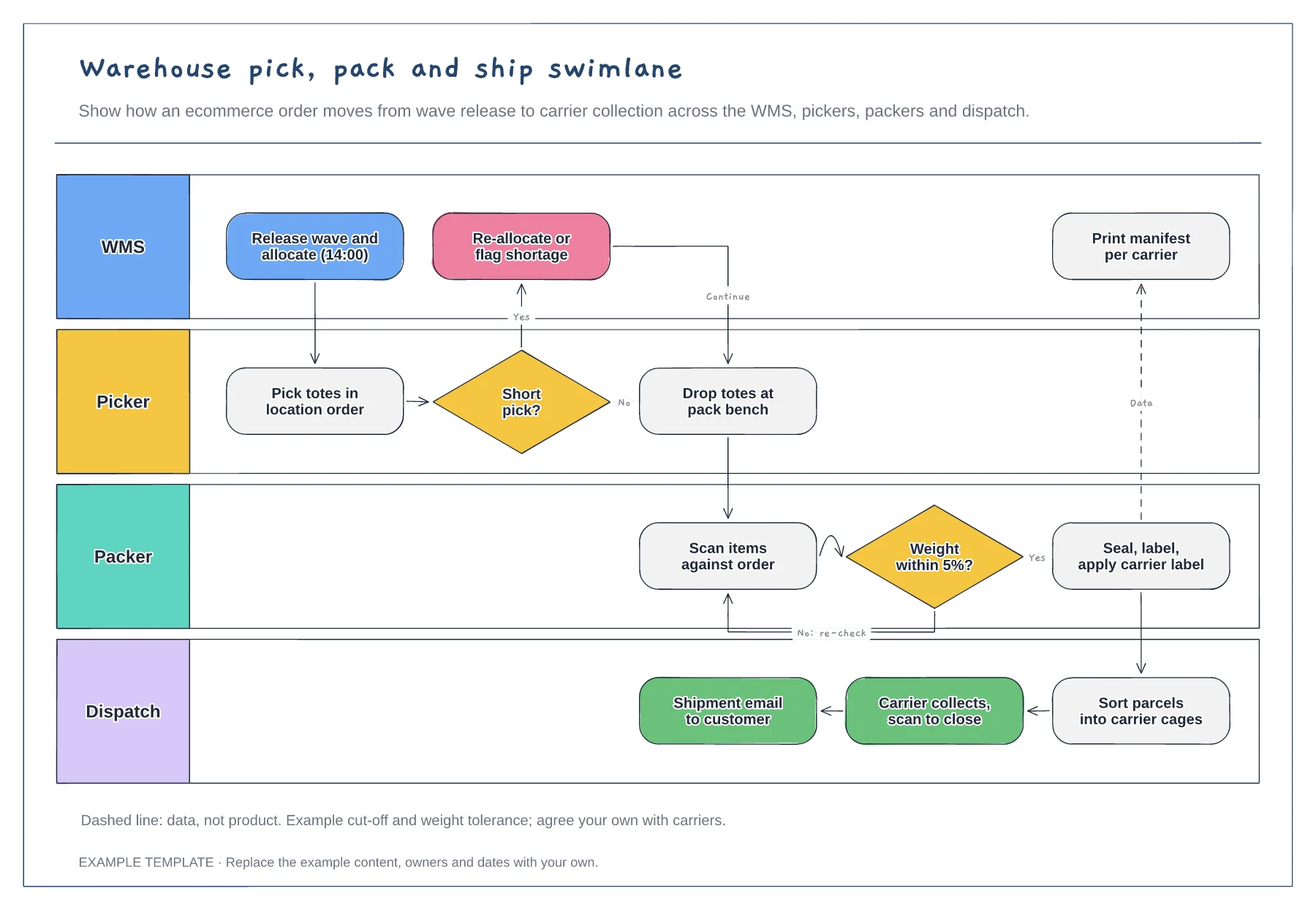
Lanes for WMS, picker, packer and dispatch · Short-pick and weight-check decisions · Data handoff for the carrier manifest
Preview and use template →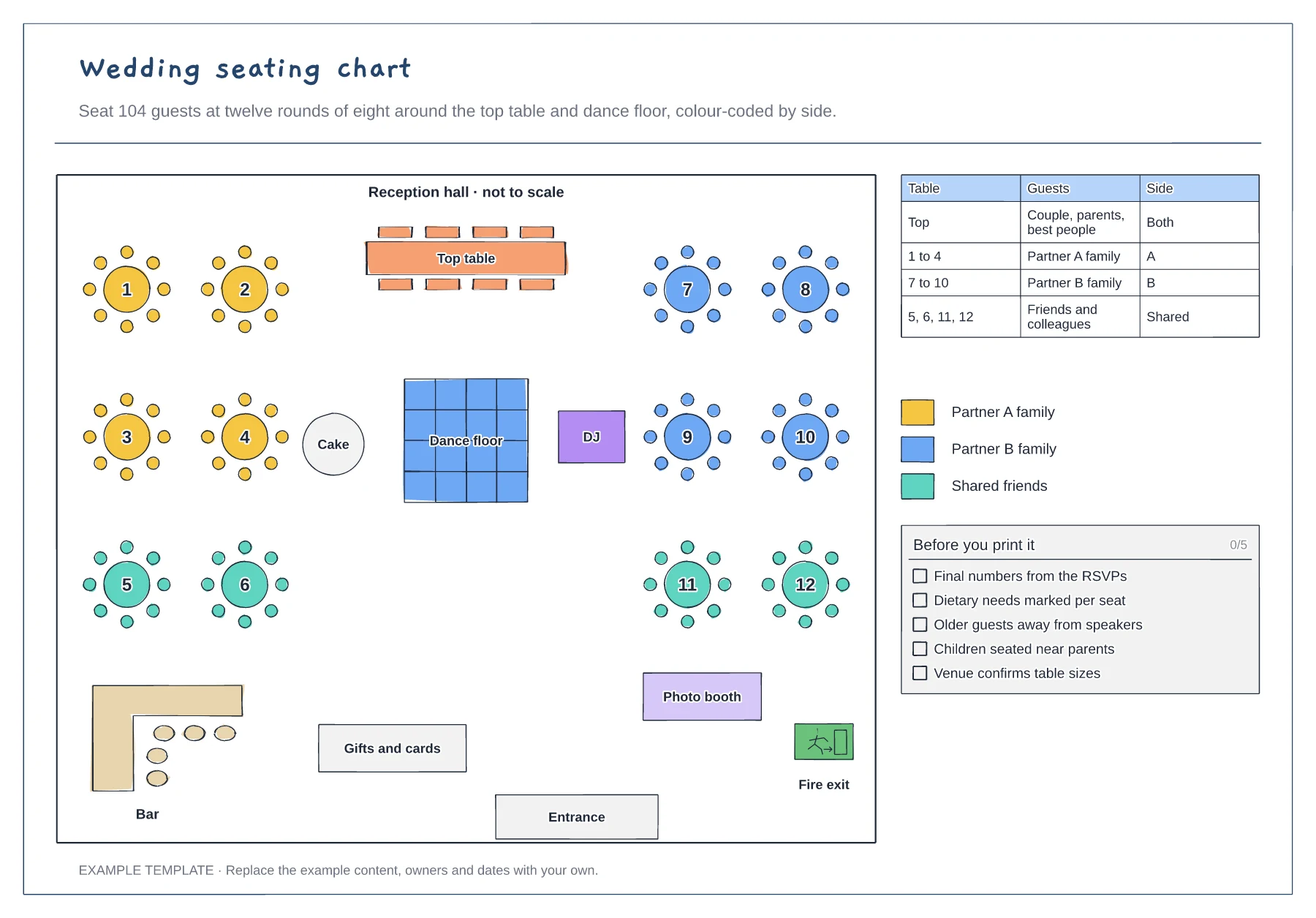
Top table, dance floor, bar and exits · Twelve numbered rounds of eight · Guest table and colour key by side
Preview and use template →