Manufacturing
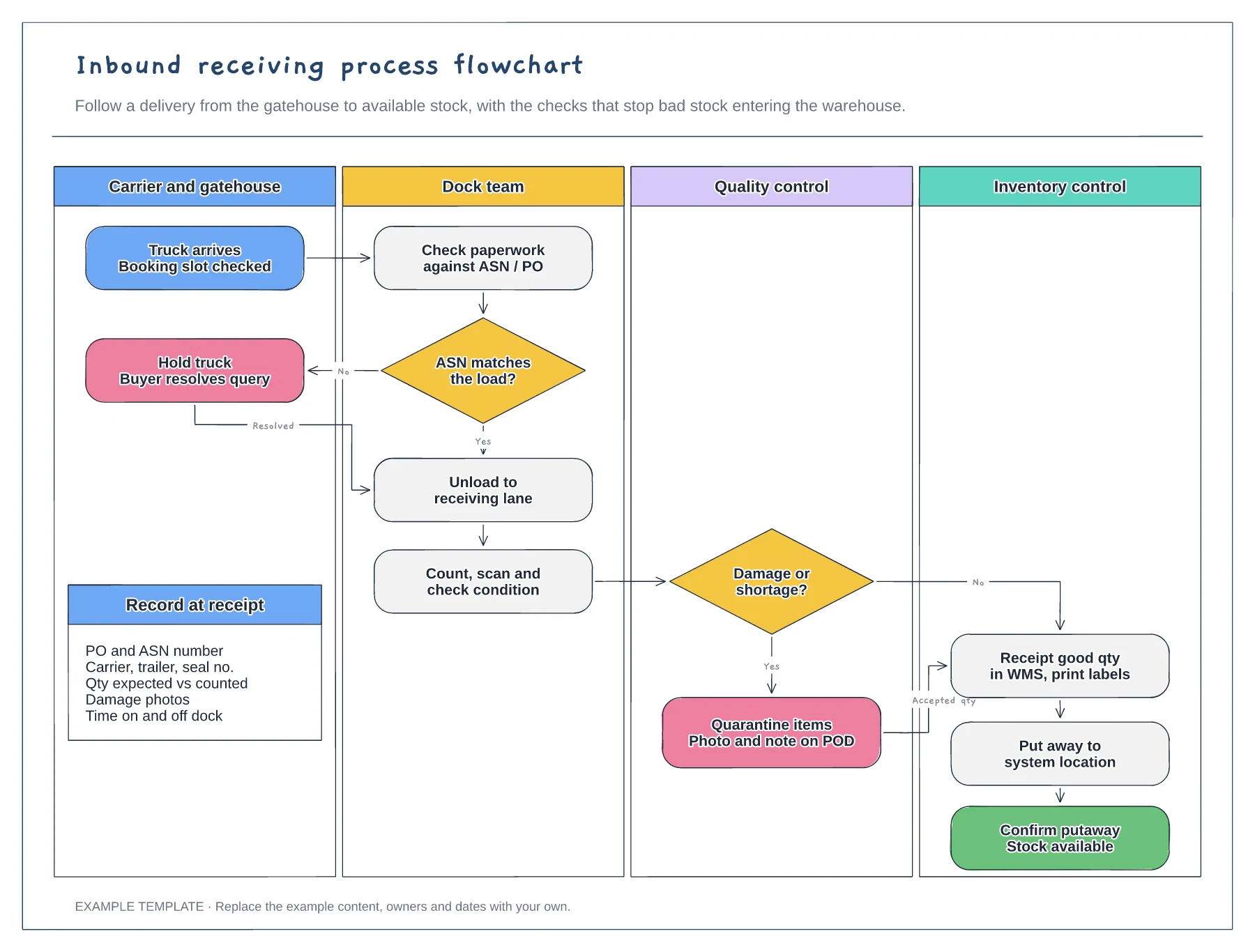
Inbound receiving process flowchart template
Four swimlanes from carrier to inventory · ASN and damage decisions with Yes and No paths · Data to record at receipt
Preview and use template →A pick, pack and ship swimlane shows how an order passes between the warehouse system and the people who handle it. This example runs from a 14:00 wave release through picking with a short-pick decision, scanning and a weight check at packing, carrier labels and manifests, and sorting parcels for collection.
No account needed · Opens as your own editable page
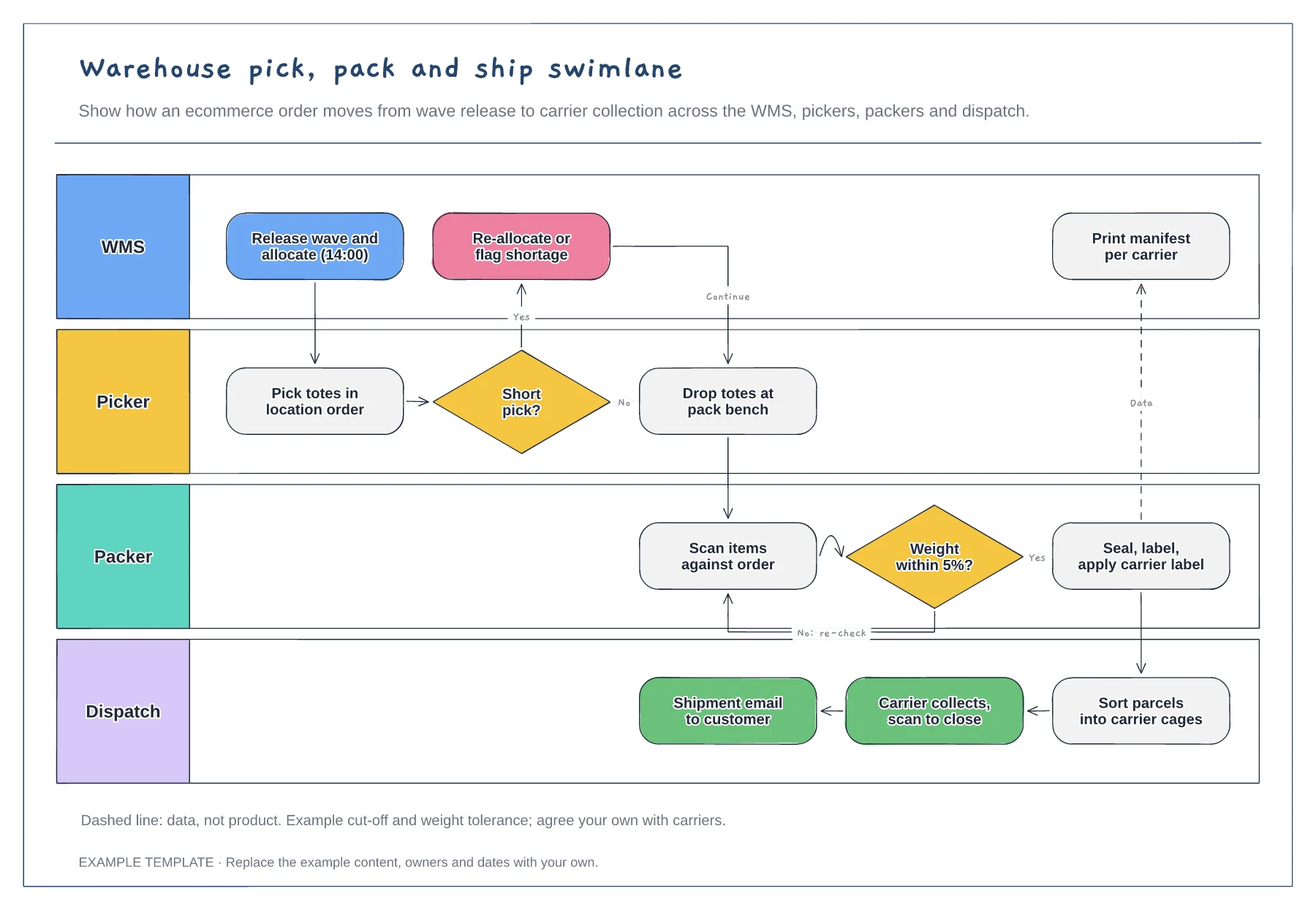
Replace the 14:00 cut-off with your carrier collection times. Wave timing decides how much time pickers and packers have, so it belongs on the diagram.
Show who re-allocates stock and whether the picker waits or moves on to the next location. Unclear short-pick rules are a common cause of orders missing their collection.
Edit the weight tolerance and add any other check your packers make. Each check should catch a real error type, such as a wrong or missing item.
Yes. Rename the WMS lane to the person or spreadsheet that releases orders, and keep the picker, packer and dispatch lanes as they are.
No. Open the template and edit it in your browser. Your work saves on this device. An account is optional if you want to sync your workspace.
Yes. Use Export in the editor to save a PNG, SVG or PDF, or download an editable .epicdraw backup.
Four swimlanes from carrier to inventory · ASN and damage decisions with Yes and No paths · Data to record at receipt
Preview and use template →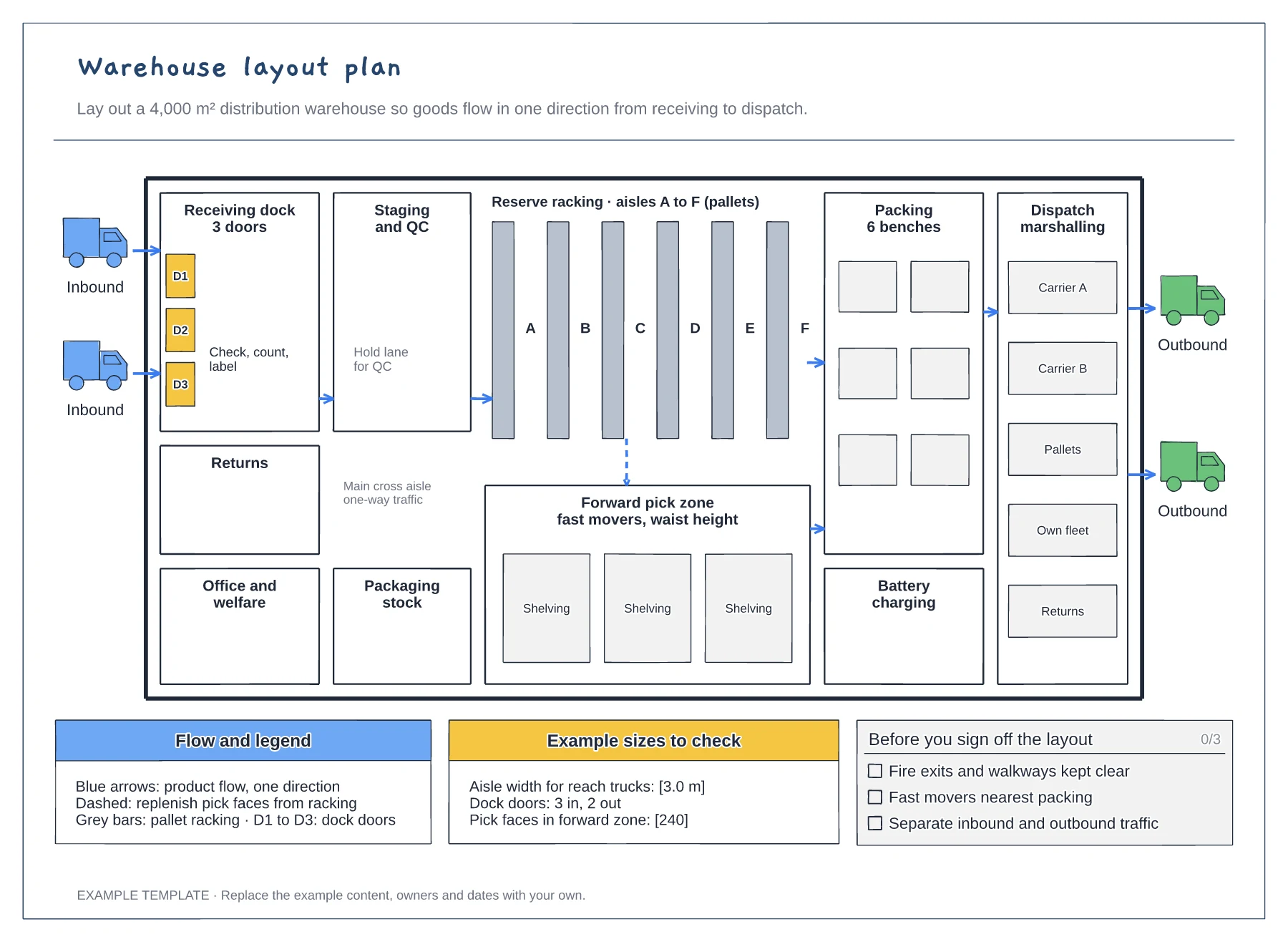
Floor plan with docks, racking and work areas · Flow arrows and a replenishment route · Size checks and a sign-off checklist
Preview and use template →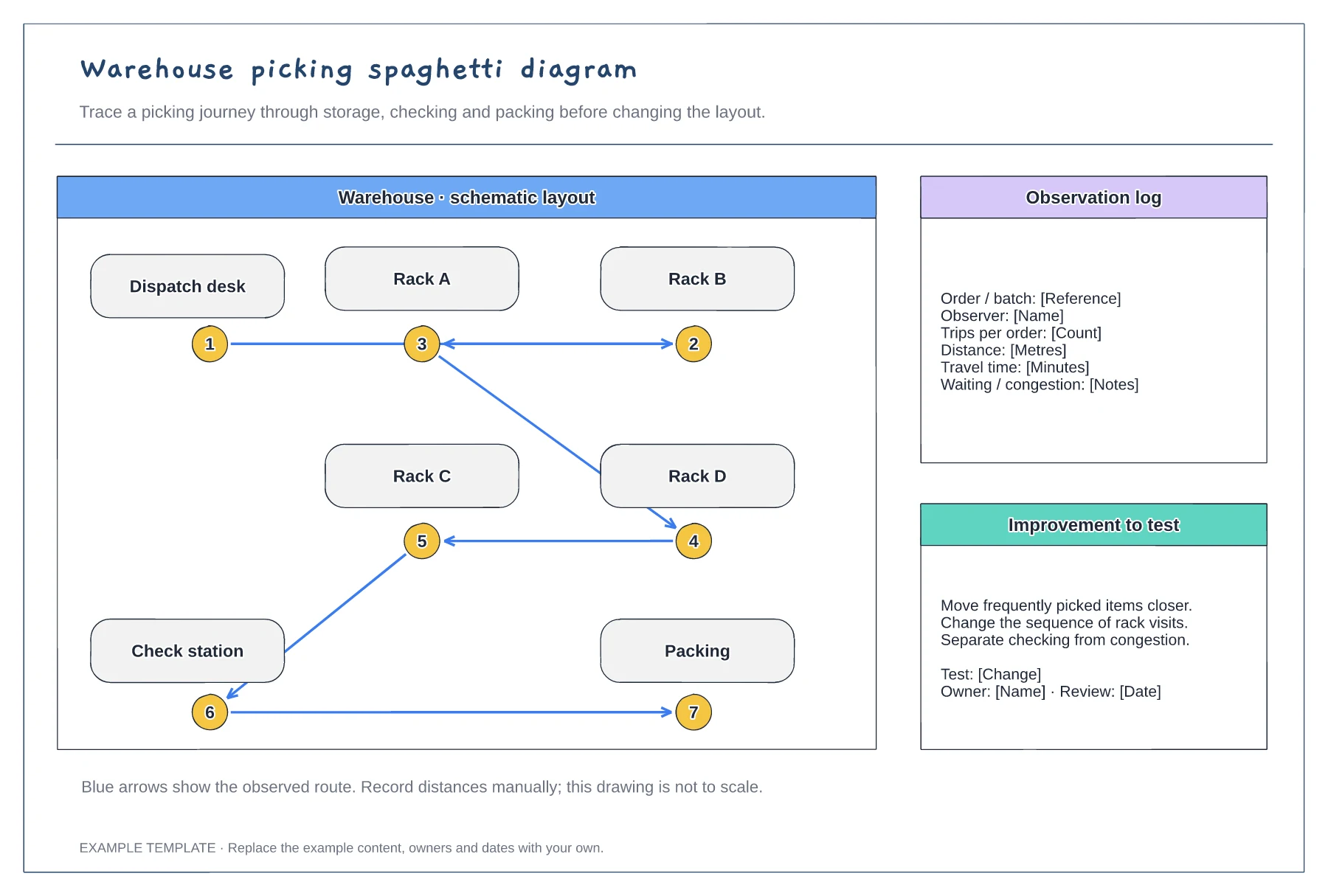
An example warehouse layout · Numbered picking stops and route arrows · Space to discuss movement and changes
Preview and use template →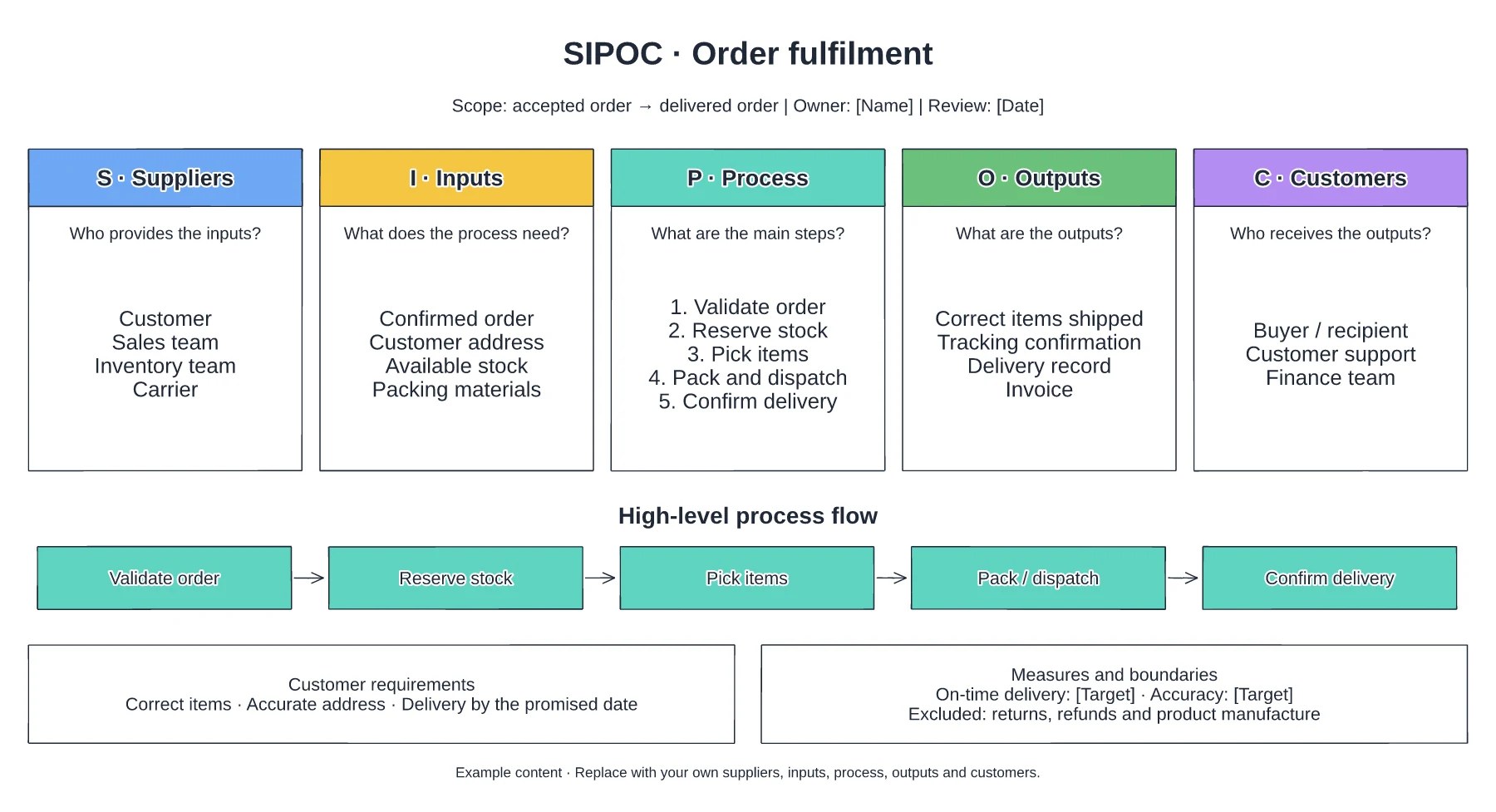
Suppliers and required inputs · High-level fulfilment stages · Outputs, customers and requirements
Preview and use template →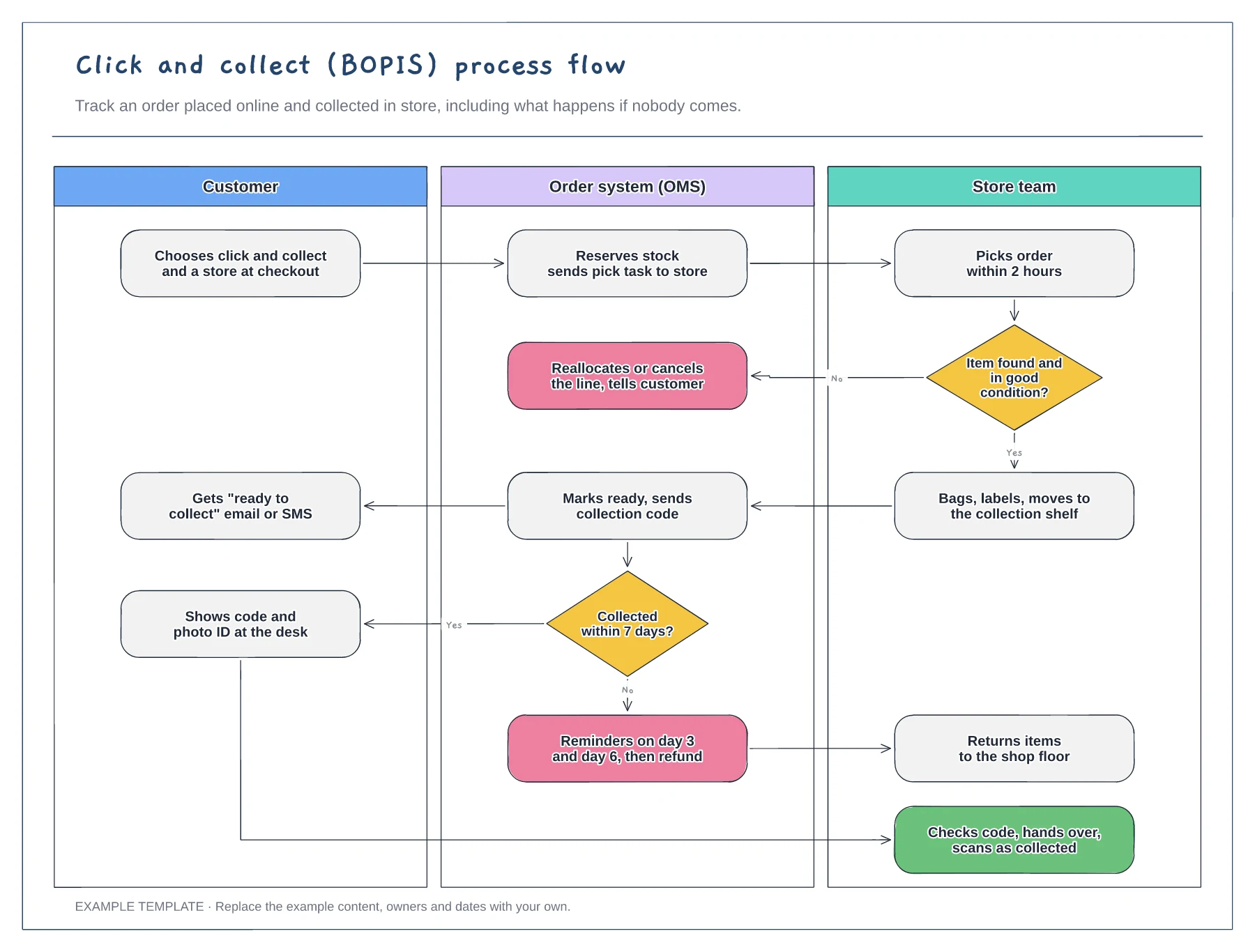
Customer, order system and store lanes · Item-not-found and not-collected branches · Collection checks at the desk
Preview and use template →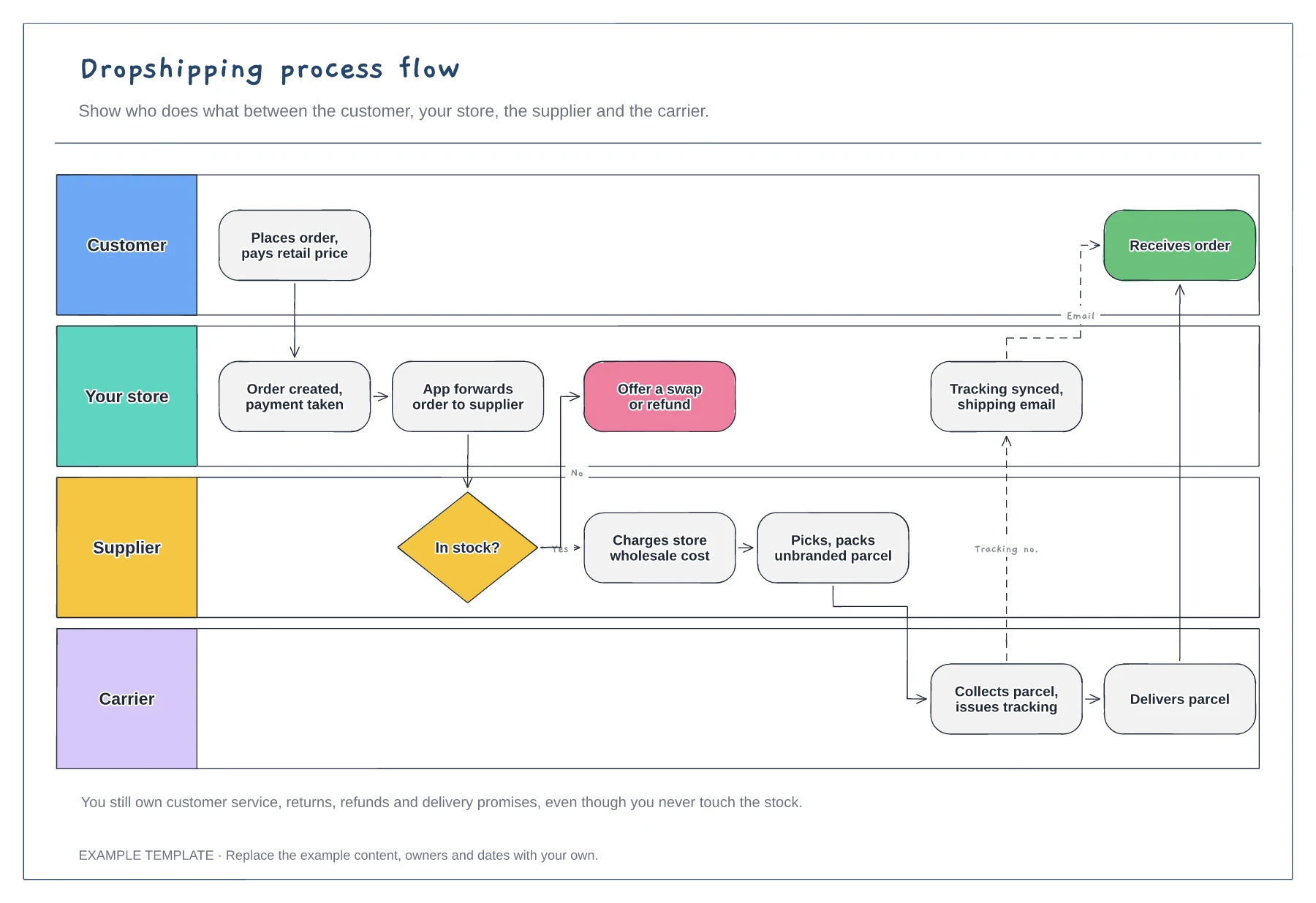
Four swimlanes with handoffs · Out-of-stock branch · Tracking sync back to the customer
Preview and use template →