Hospitality
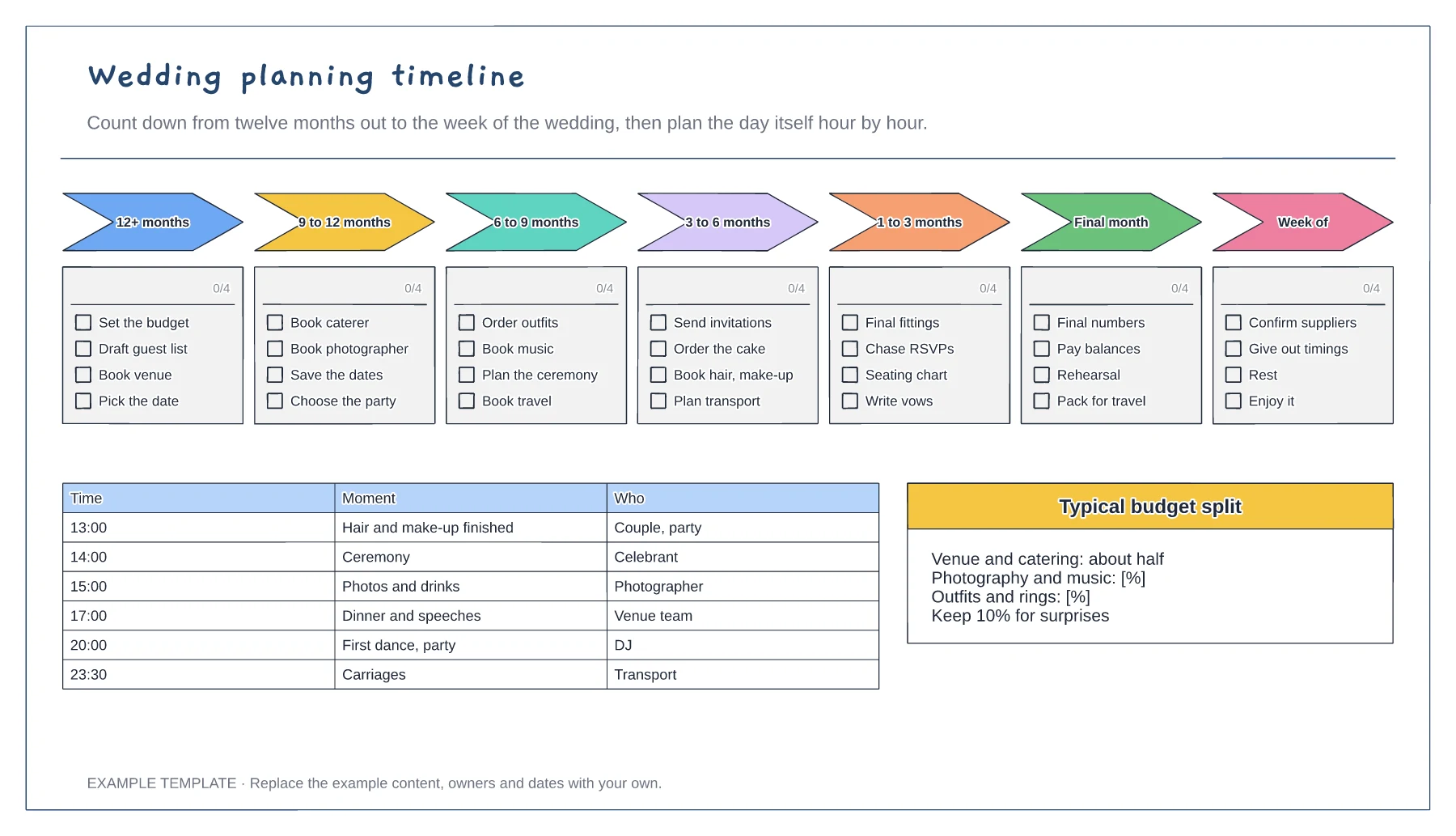
Wedding planning timeline template
Seven countdown stages with checklists · Day-of schedule with times and owners · Budget split prompts
Preview and use template →A wedding seating chart shows where every guest sits and how the tables sit around the top table, dance floor and bar. This example seats 104 guests at twelve rounds of eight, colours each table by family side, and keeps the guest list beside the plan so changes from late RSVPs are easy to make.
No account needed · Opens as your own editable page
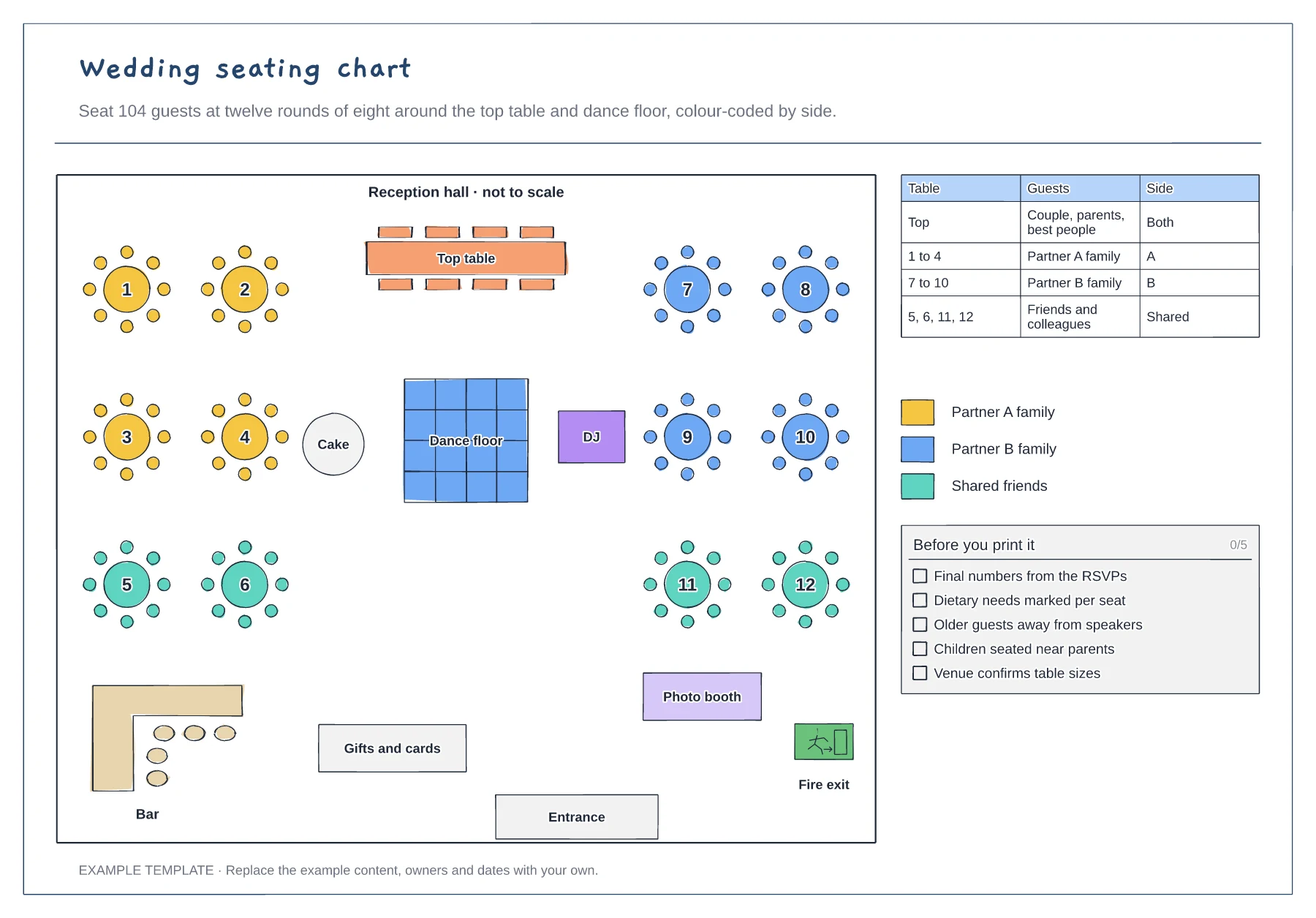
Ask the venue for its room plan and the table sizes it supplies, then move the top table, dance floor and bar to match. Round tables of eight are common, but some venues use tens or long banquet tables.
Fill the tables nearest the top table with close family first, then place friends and colleagues further out. Colour each table by side so it is easy to see the balance at a glance.
Keep older guests away from the speakers, seat children near their parents and mark dietary needs on each seat. Walk the plan with someone who knows both families before you print the place cards.
Yes. Copy or delete the round tables and renumber them, then update the guest table so every name points to the right table.
No. Open the template and edit it in your browser. Your work saves on this device. An account is optional if you want to sync your workspace.
Yes. Use Export in the editor to save a PNG, SVG or PDF, or download an editable .epicdraw backup.
Seven countdown stages with checklists · Day-of schedule with times and owners · Budget split prompts
Preview and use template →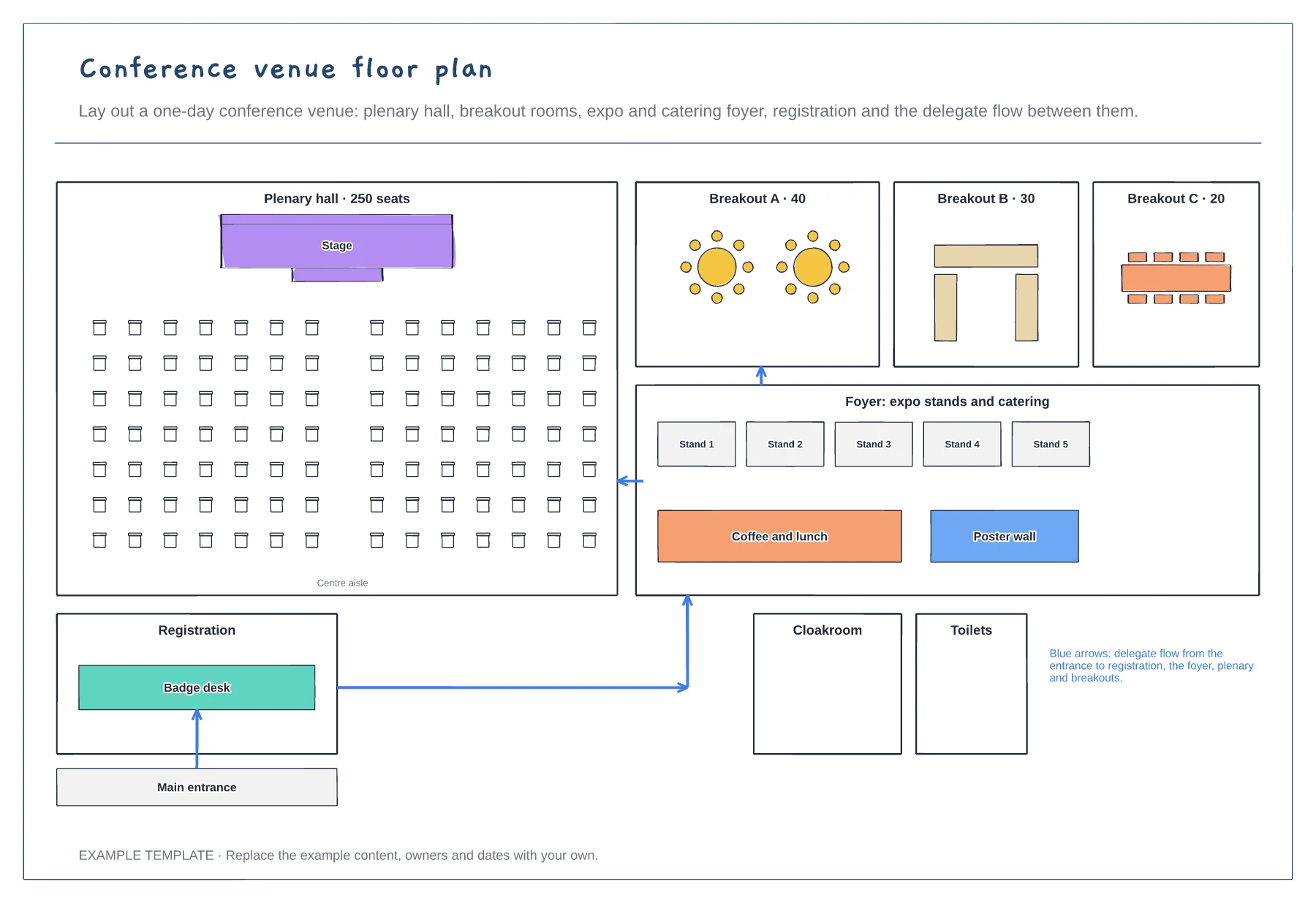
Plenary hall with theatre seating · Three breakout rooms and an expo foyer · Registration and delegate flow arrows
Preview and use template →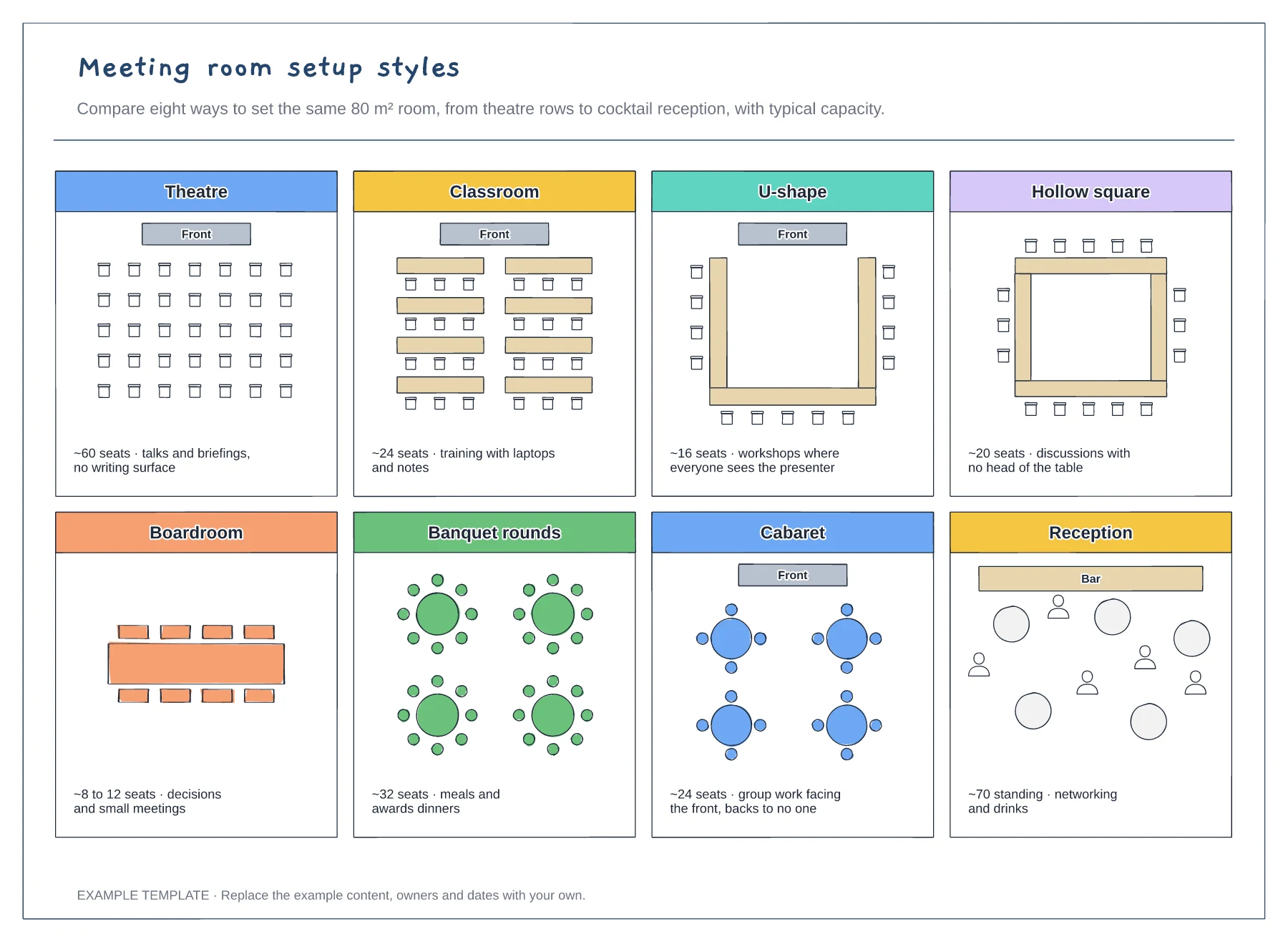
Eight room layouts side by side · Approximate capacity for each style · What each setup is best for
Preview and use template →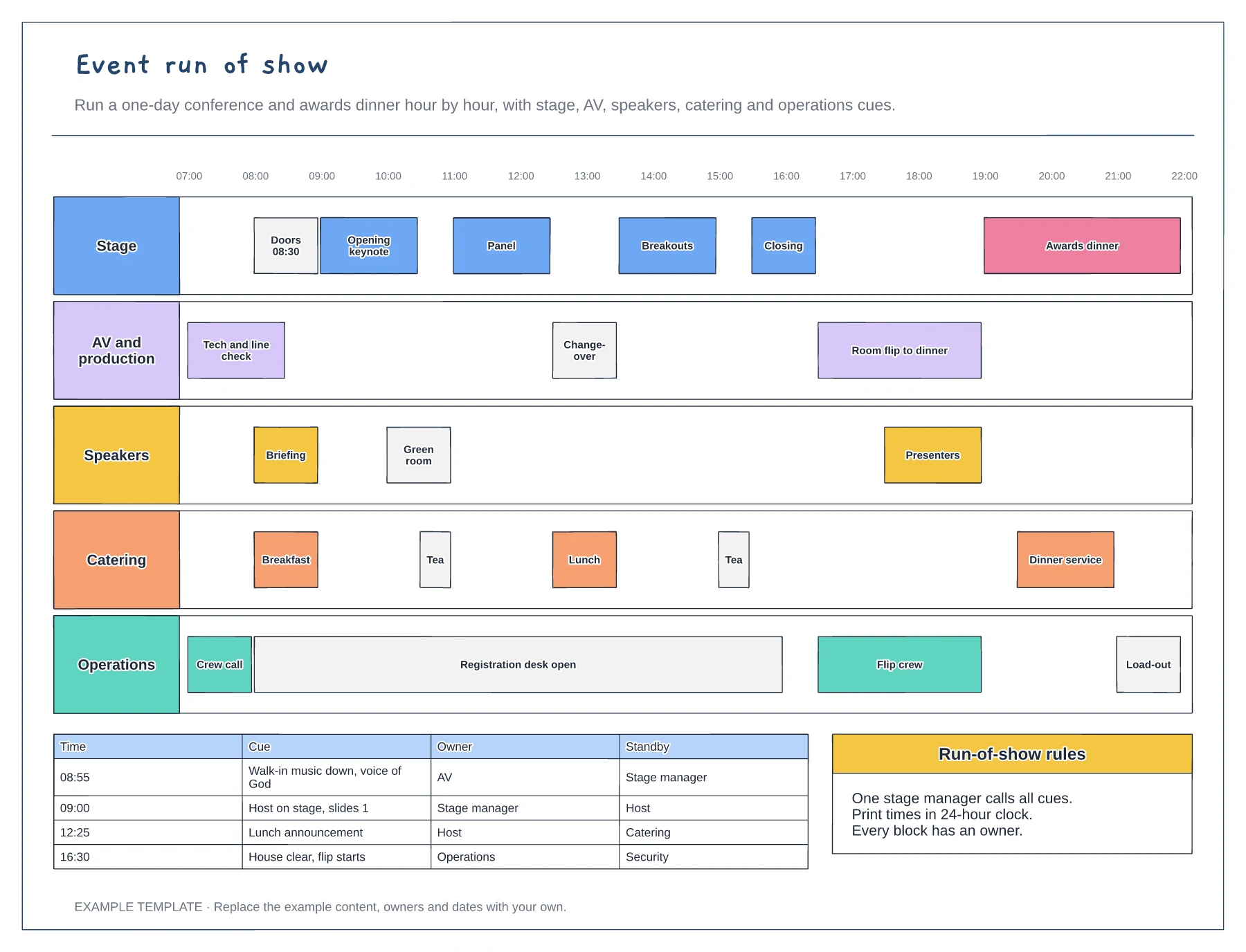
Hour-by-hour swimlanes for five teams · Changeovers and room flip blocks · Cue sheet with owner and standby
Preview and use template →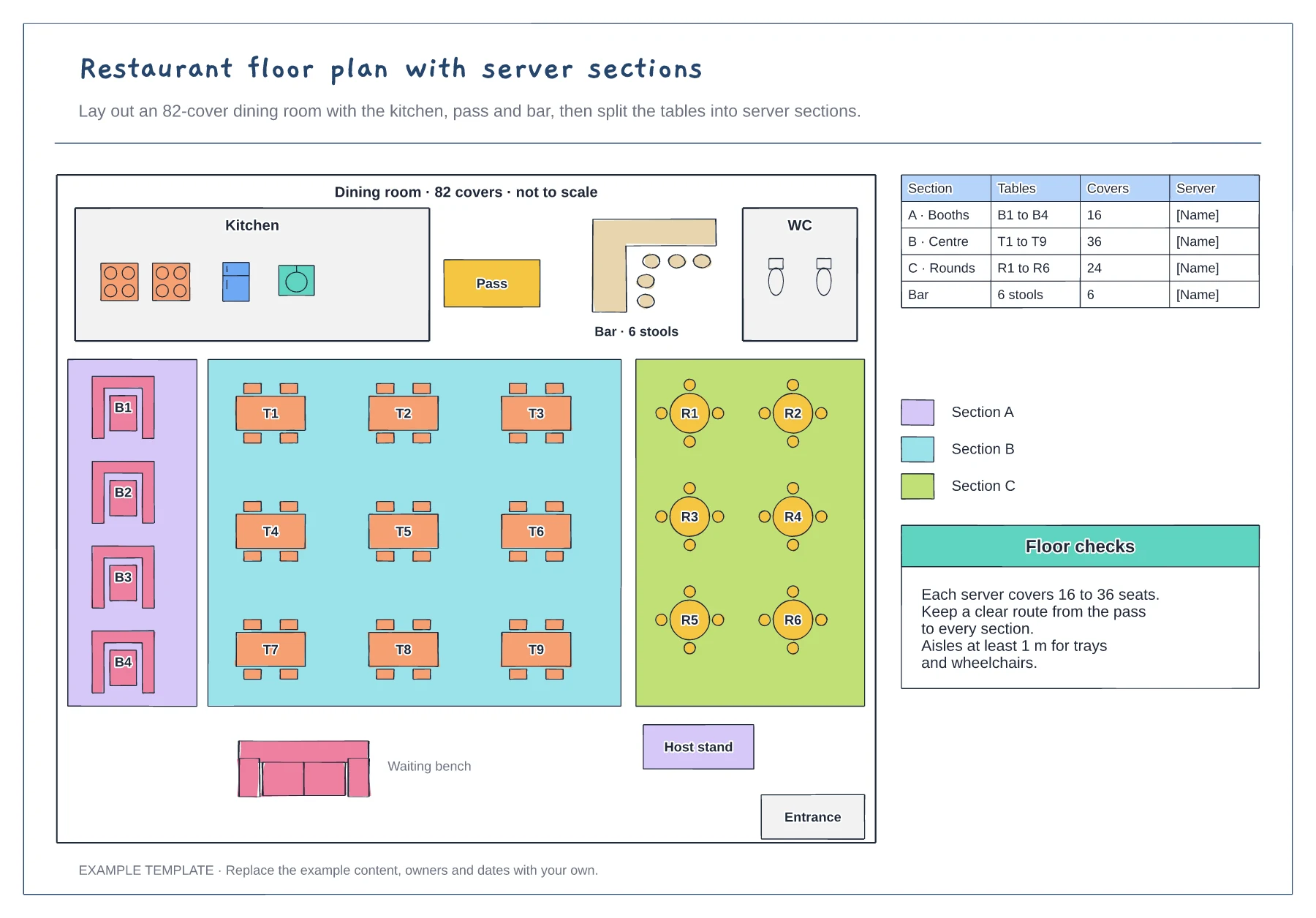
Kitchen, pass, bar and toilets · Booths, four-tops and rounds with numbers · Server sections with cover counts
Preview and use template →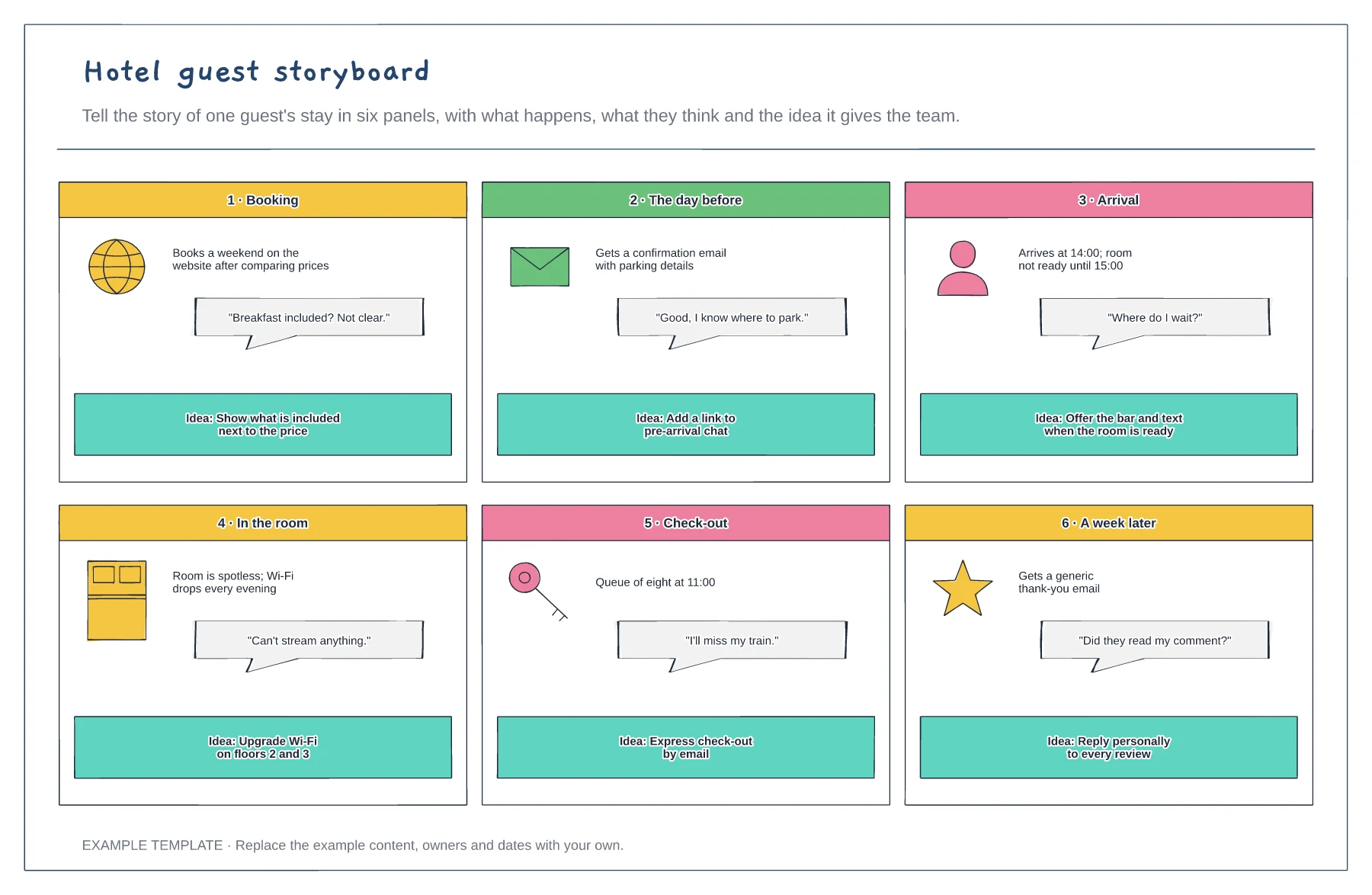
Six panels from booking to after the stay · What the guest thinks in each panel · An improvement idea per panel
Preview and use template →