Construction
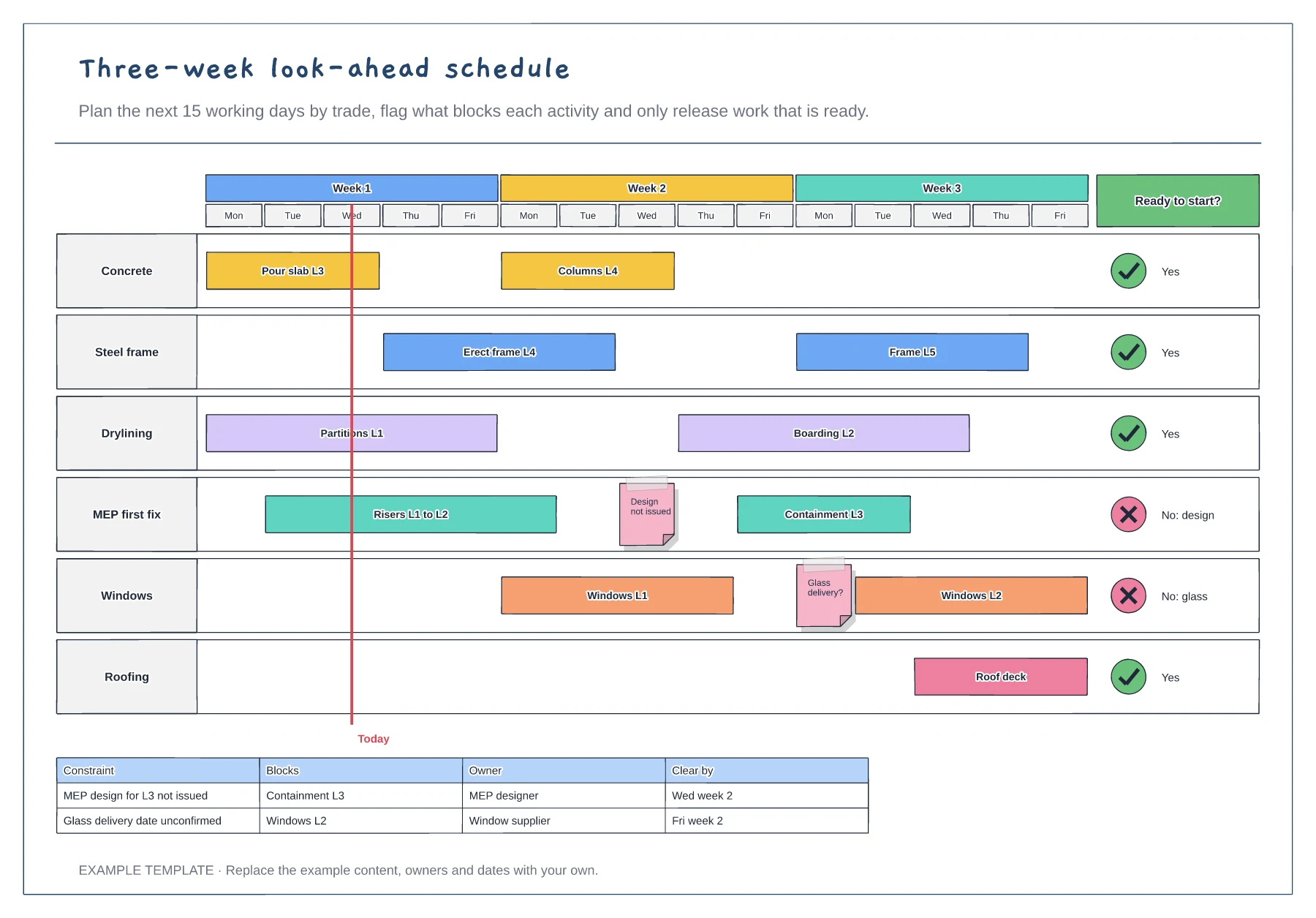
Three-week look-ahead schedule template
Fifteen working days by trade · Constraint flags and a today line · Ready-to-start column and constraints table
Preview and use template →A pull planning board lets the trades plan together, working backwards from a milestone so every task exists for a reason. This example plans twelve weeks to a building-watertight milestone, with a row for each trade, sticky notes for tasks, red arrows for the handoffs both trades agreed and a log of the constraints that could stop the plan.
No account needed · Opens as your own editable page
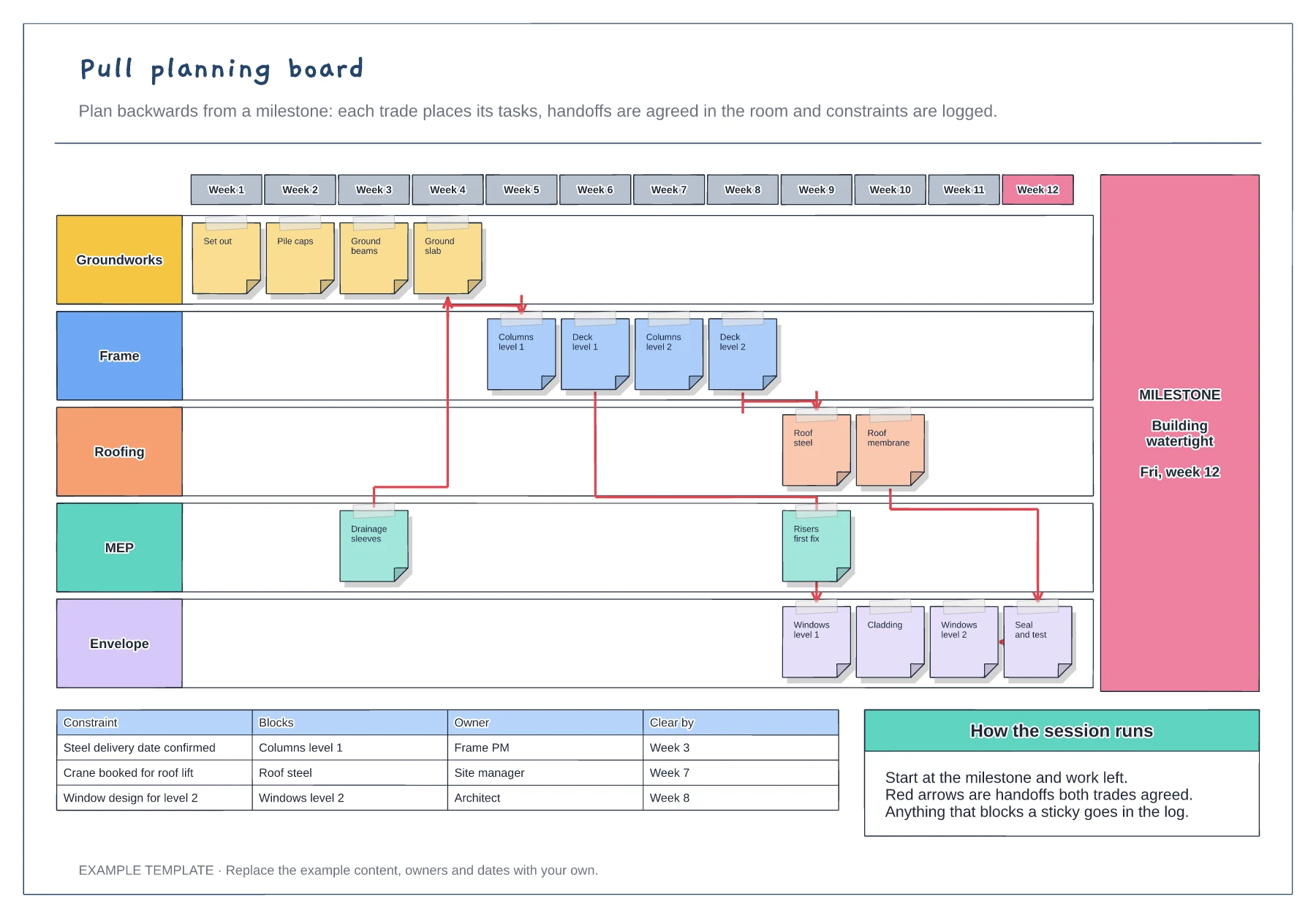
Agree one clear milestone and date, such as building watertight, and put it on the right of the board.
Ask each trade what it needs finished before it can start its work, and place those tasks to the left. Each sticky note answers the question of who needs it next.
Draw an arrow only when both trades agree the handoff. Log anything that blocks a task, with an owner and a date to clear it.
Yes. Share the board so each trade lead can place their own sticky notes in their row, then log any constraints in the table with an owner and clear-by date.
No. Open the template and edit it in your browser. Your work saves on this device. An account is optional if you want to sync your workspace.
Yes. Use Export in the editor to save a PNG, SVG or PDF, or download an editable .epicdraw backup.
Fifteen working days by trade · Constraint flags and a today line · Ready-to-start column and constraints table
Preview and use template →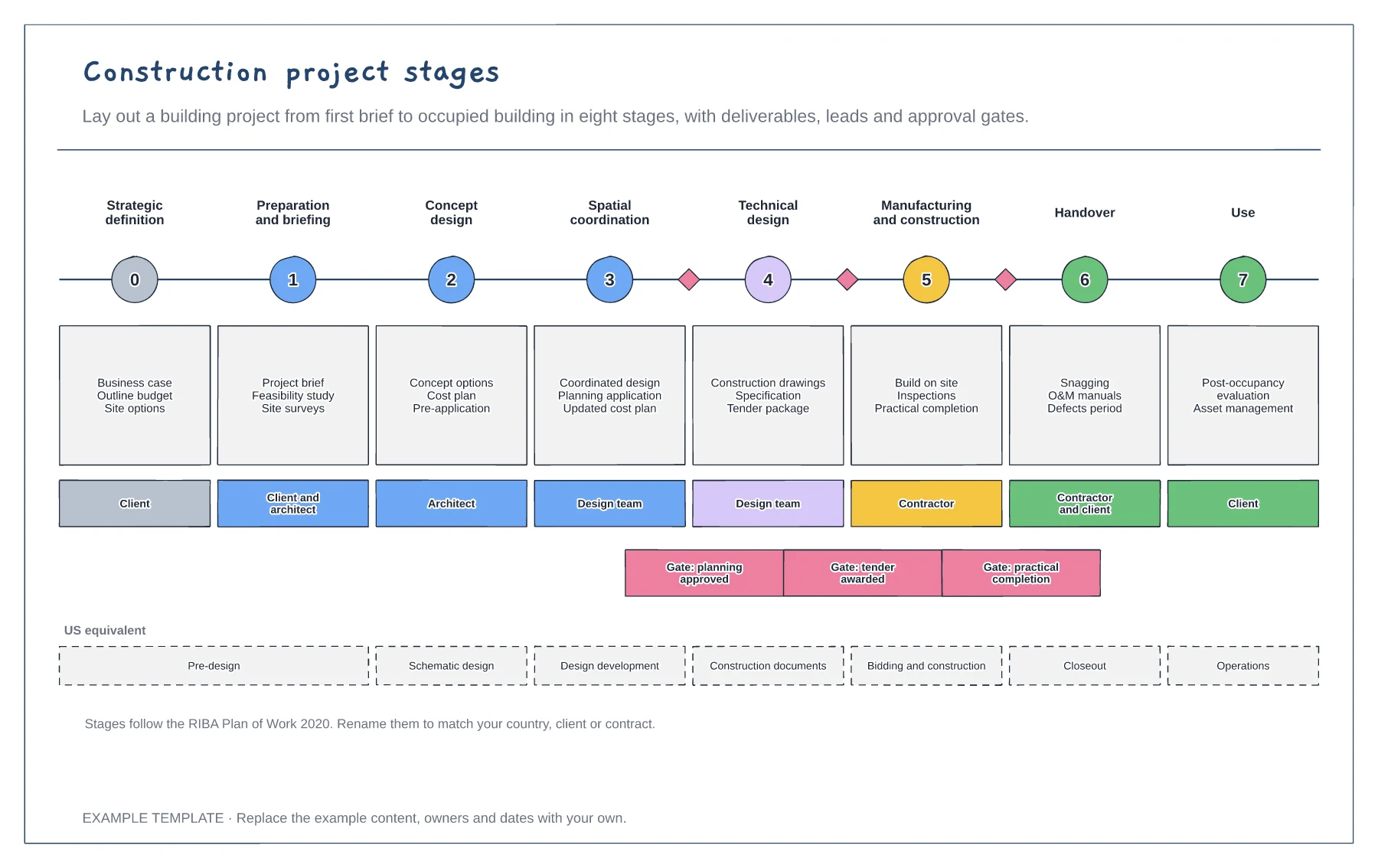
Eight stages with deliverables · Who leads each stage · Approval gates and US equivalents
Preview and use template →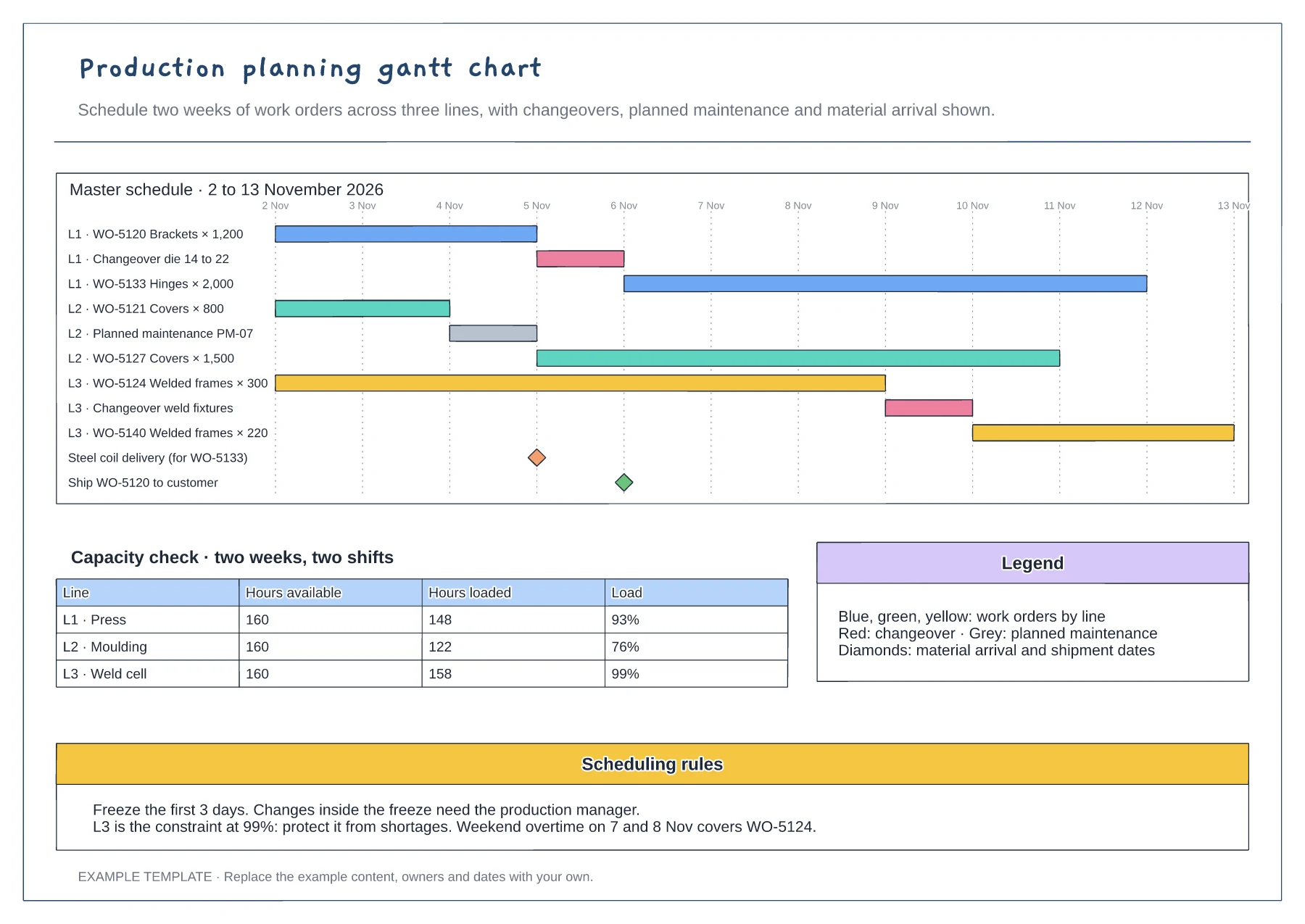
Gantt of work orders by line and day · Changeover, maintenance and milestone rows · Capacity table and scheduling rules
Preview and use template →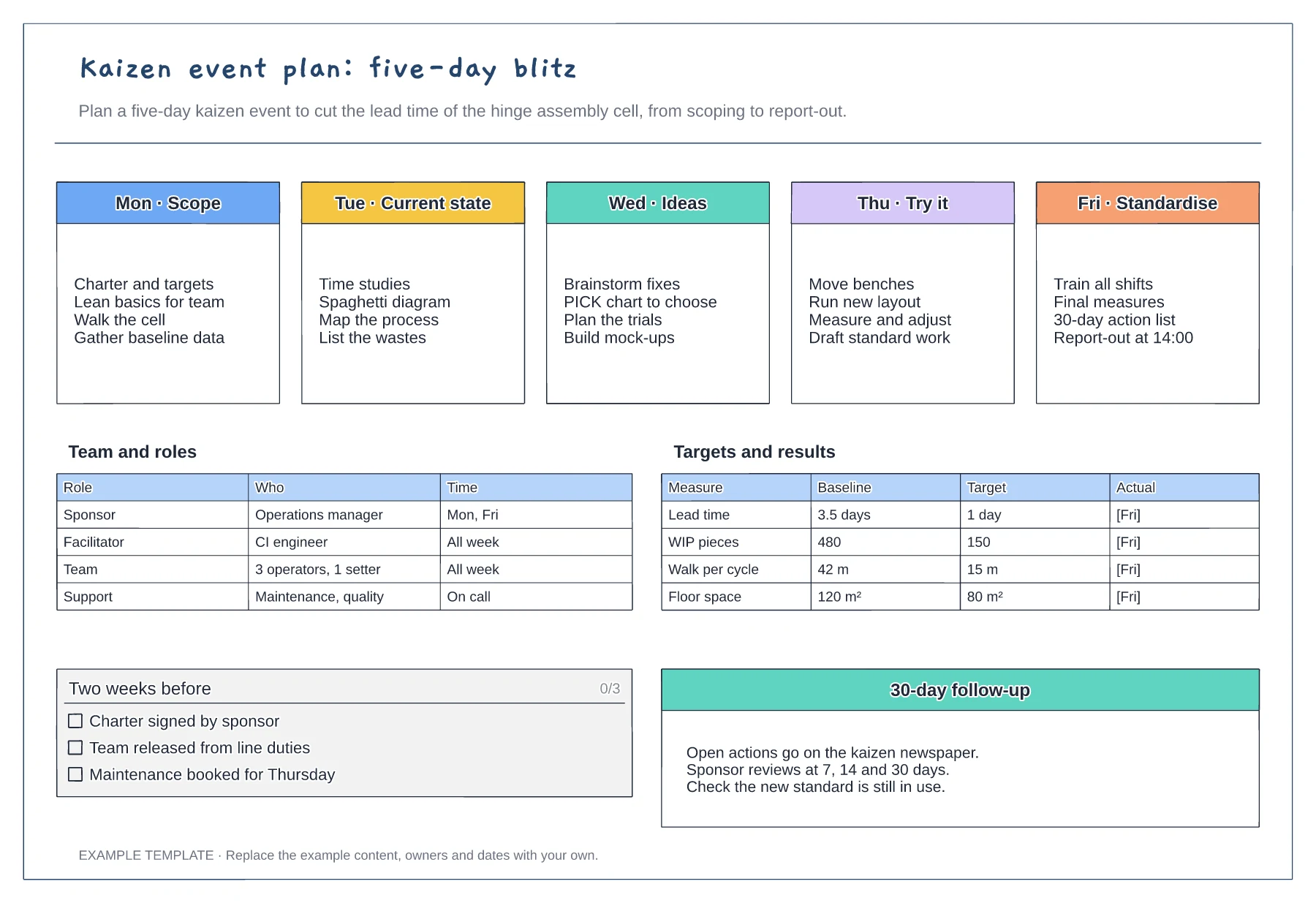
Five-day agenda from scope to standardise · Team roles and time commitment · Baseline, target and actual measures
Preview and use template →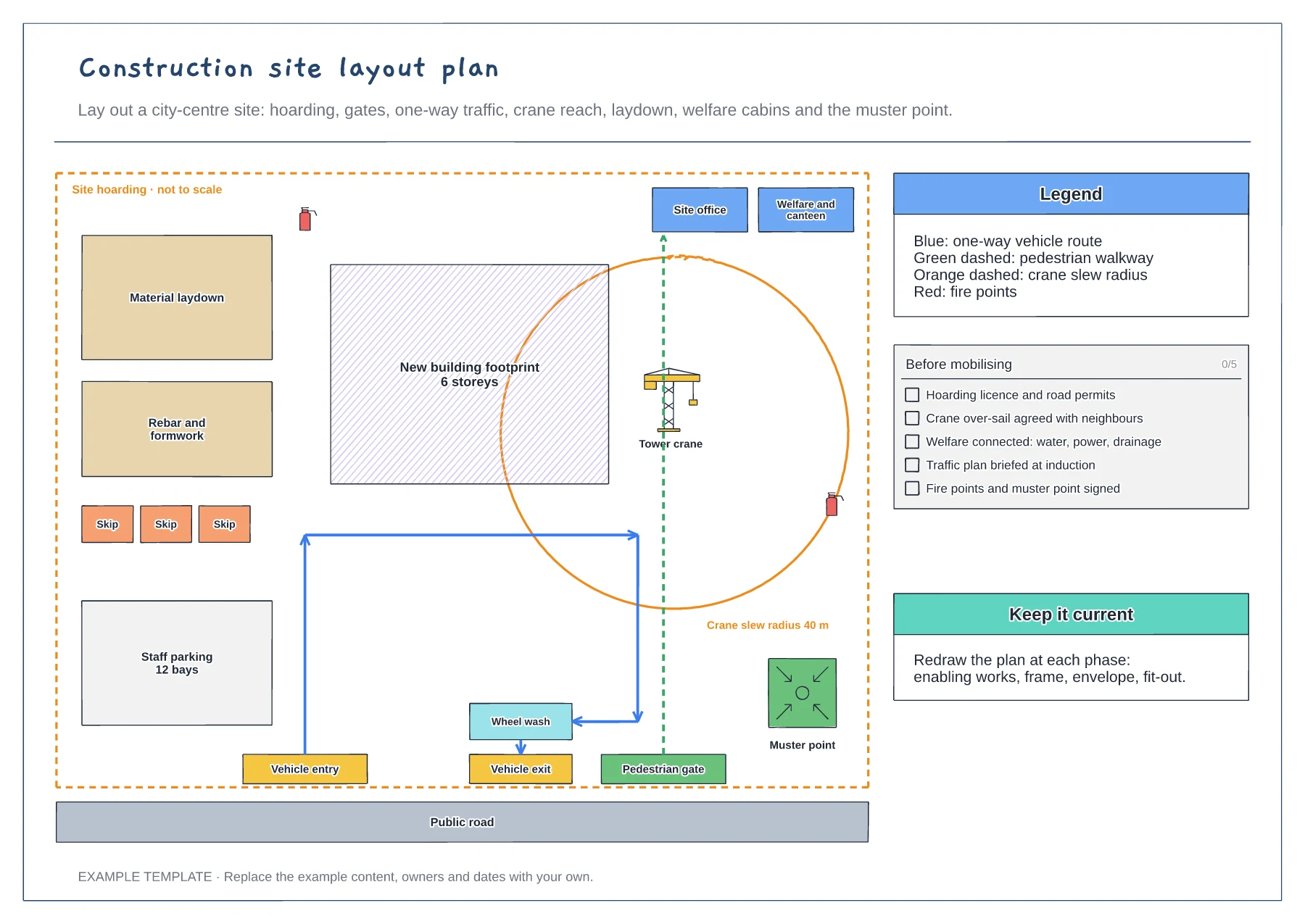
Hoarding, gates and one-way traffic route · Crane slew radius and laydown areas · Welfare, fire points and muster point
Preview and use template →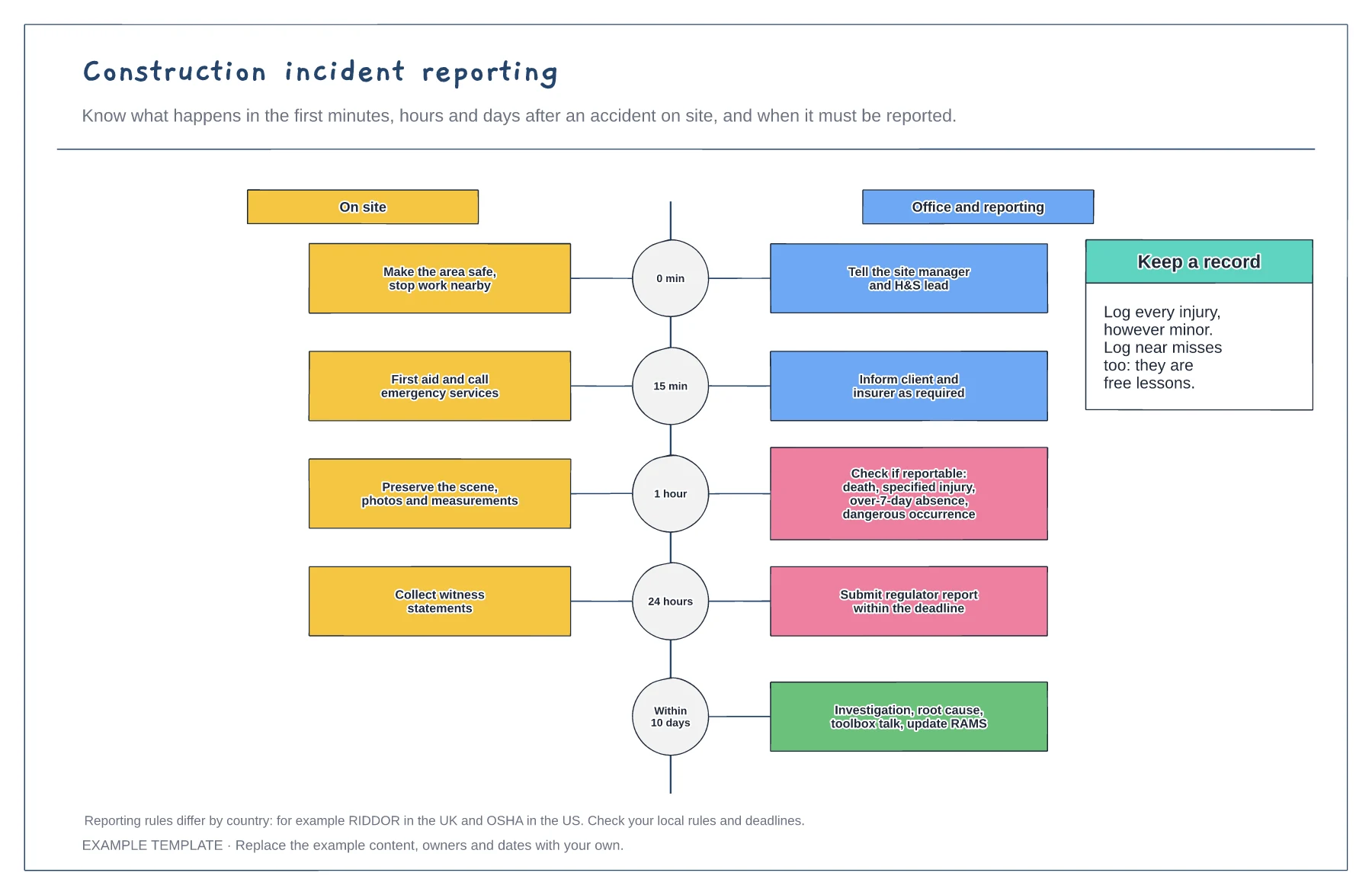
Timeline from first minute to ten days · On-site and office actions side by side · Reportable incident check
Preview and use template →