Construction
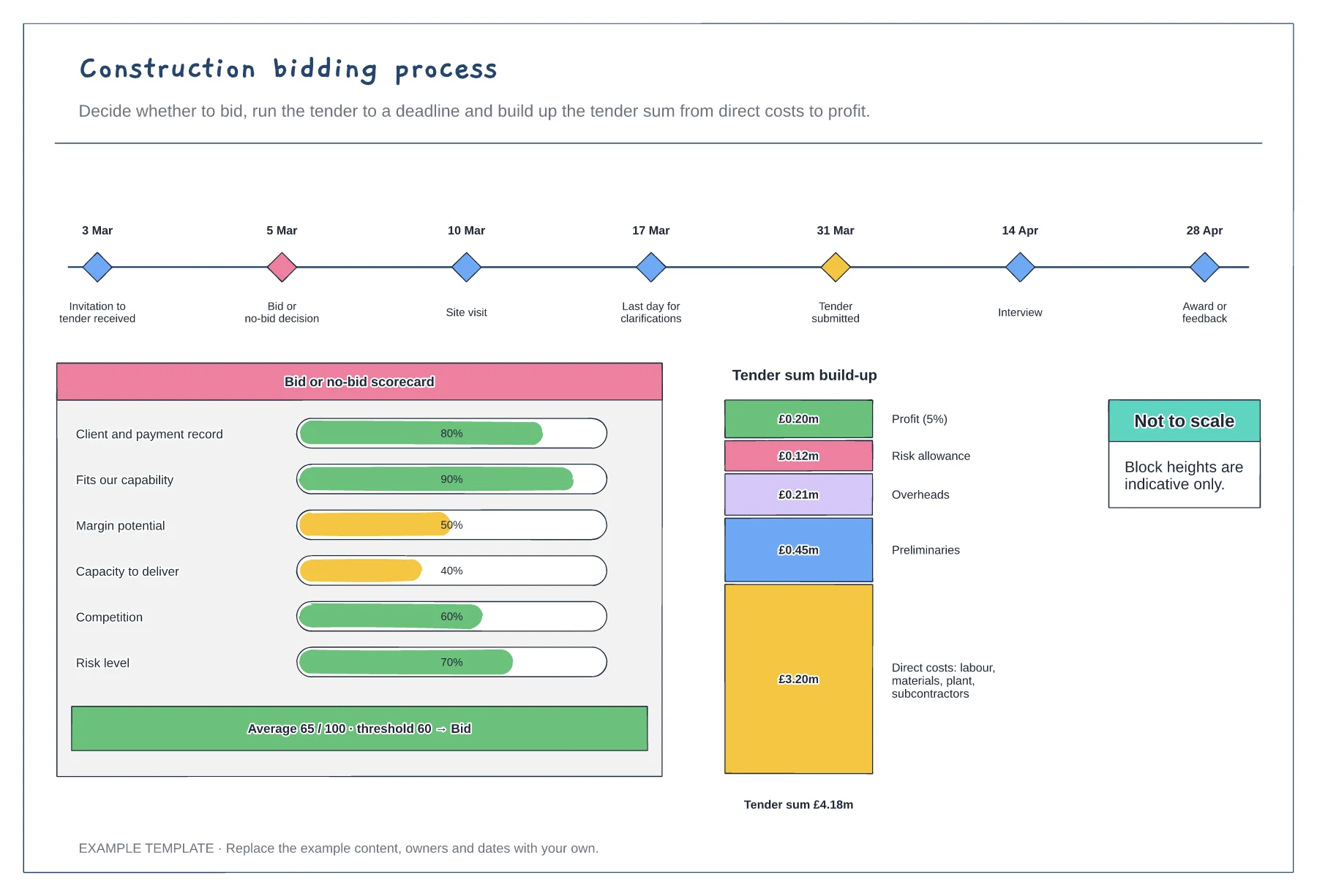
Construction bidding process template
Tender timeline with key dates · Bid or no-bid scorecard · Tender sum build-up
Preview and use template →A project stages plan shows everyone where a building project is and what comes next. This example lays out eight stages from strategic definition to the building in use, based on the RIBA Plan of Work, with the main deliverables and lead for each stage, the gates for planning approval, tender award and practical completion, and the equivalent US design phases.
No account needed · Opens as your own editable page
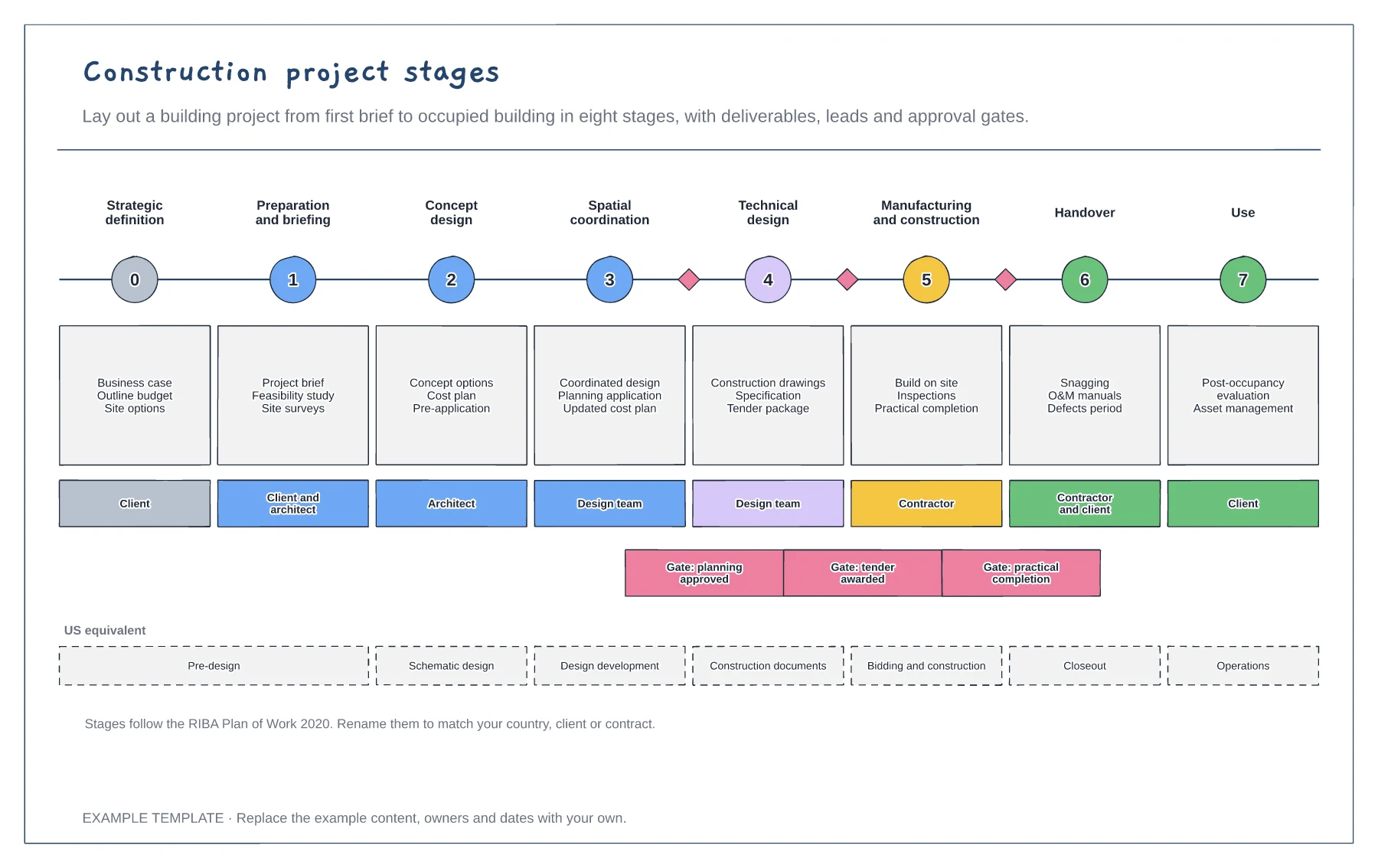
Highlight the current stage and share the board with the client so everyone sees what has been agreed and what is next.
Edit the deliverables for each stage to match your appointment documents. These become the checklist for moving on.
Do not move past a gate until its approval is in place. Most cost overruns start with design that moved on too early.
Yes. Edit the stage names, deliverables and leads in each column, and add or remove columns if your project uses fewer or more gates.
No. Open the template and edit it in your browser. Your work saves on this device. An account is optional if you want to sync your workspace.
Yes. Use Export in the editor to save a PNG, SVG or PDF, or download an editable .epicdraw backup.
Tender timeline with key dates · Bid or no-bid scorecard · Tender sum build-up
Preview and use template →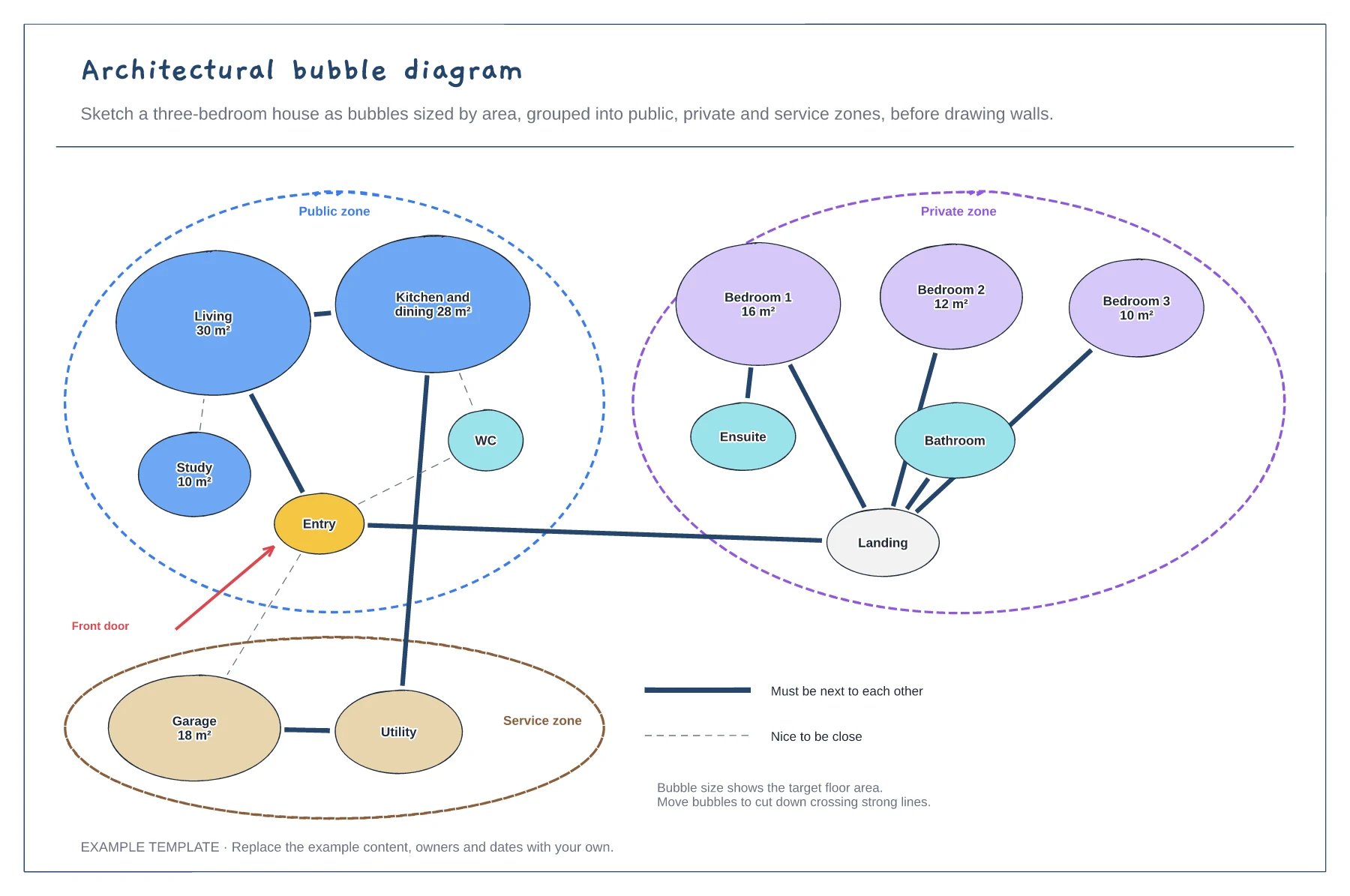
Rooms sized by target area · Public, private and service zones · Strong and weak adjacency lines
Preview and use template →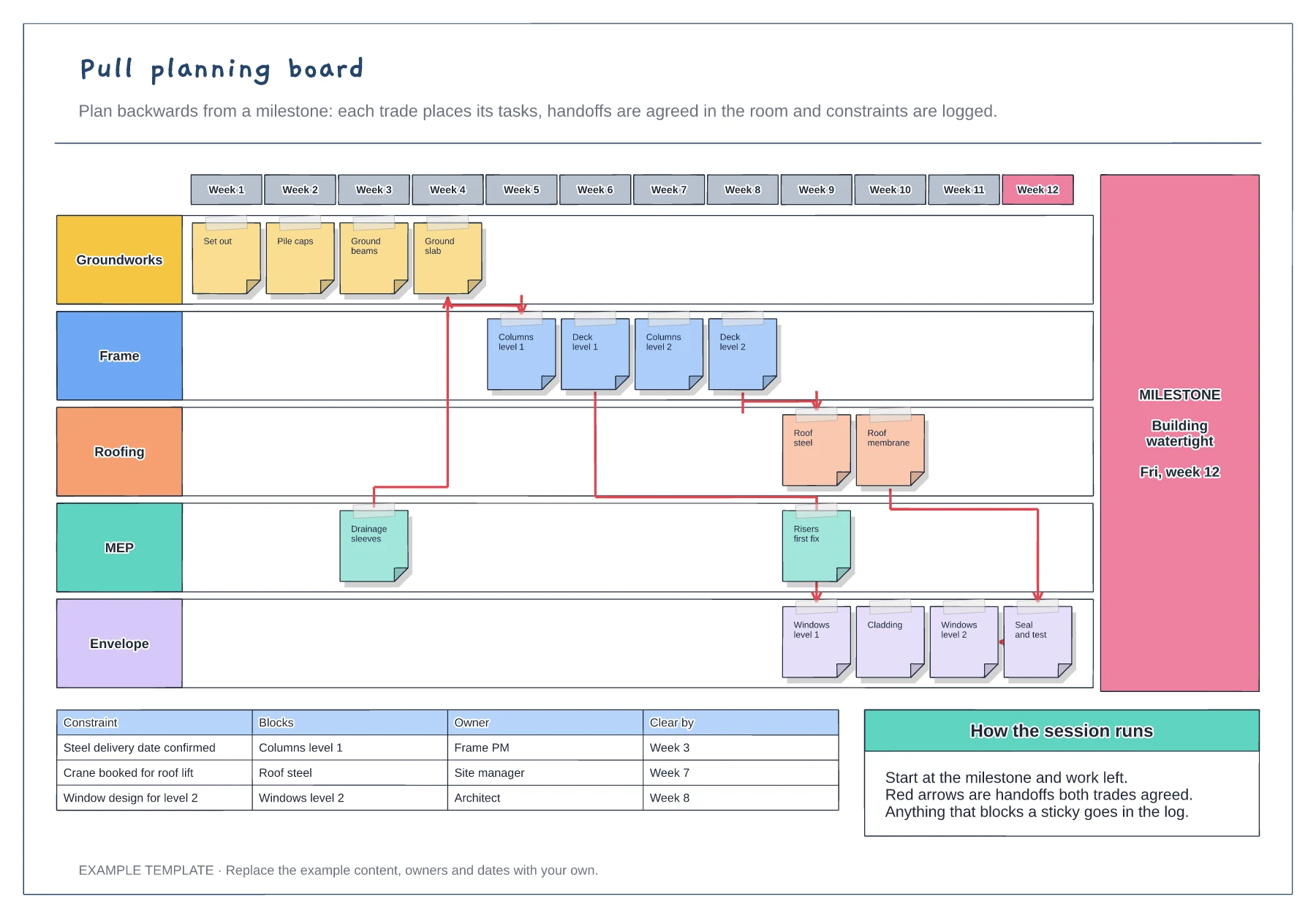
Week columns ending at a milestone · Sticky notes for each trade · Agreed handoffs and a constraints log
Preview and use template →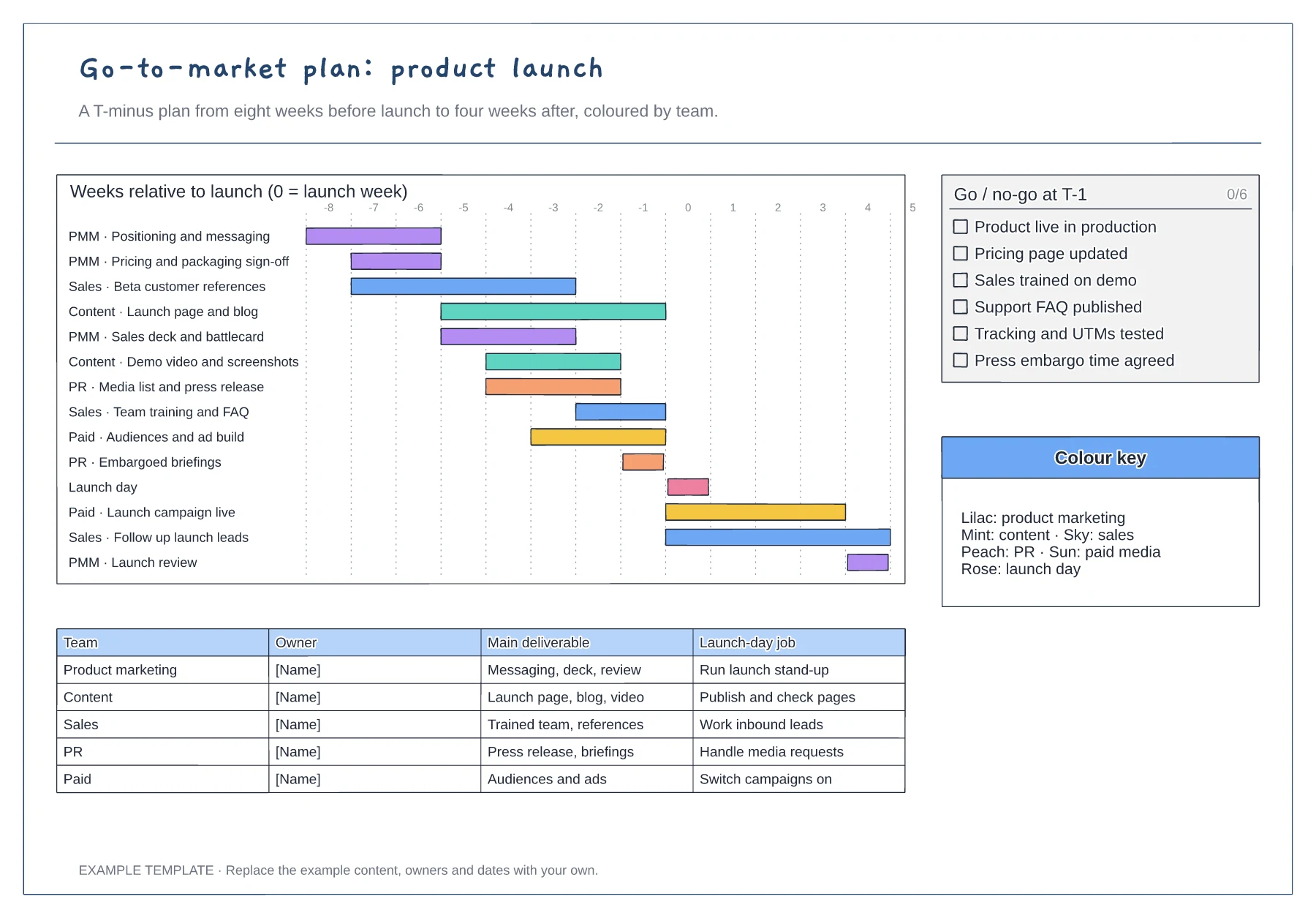
T-minus gantt chart coloured by team · Go/no-go checklist for the week before launch · Owner table with each team's launch-day job
Preview and use template →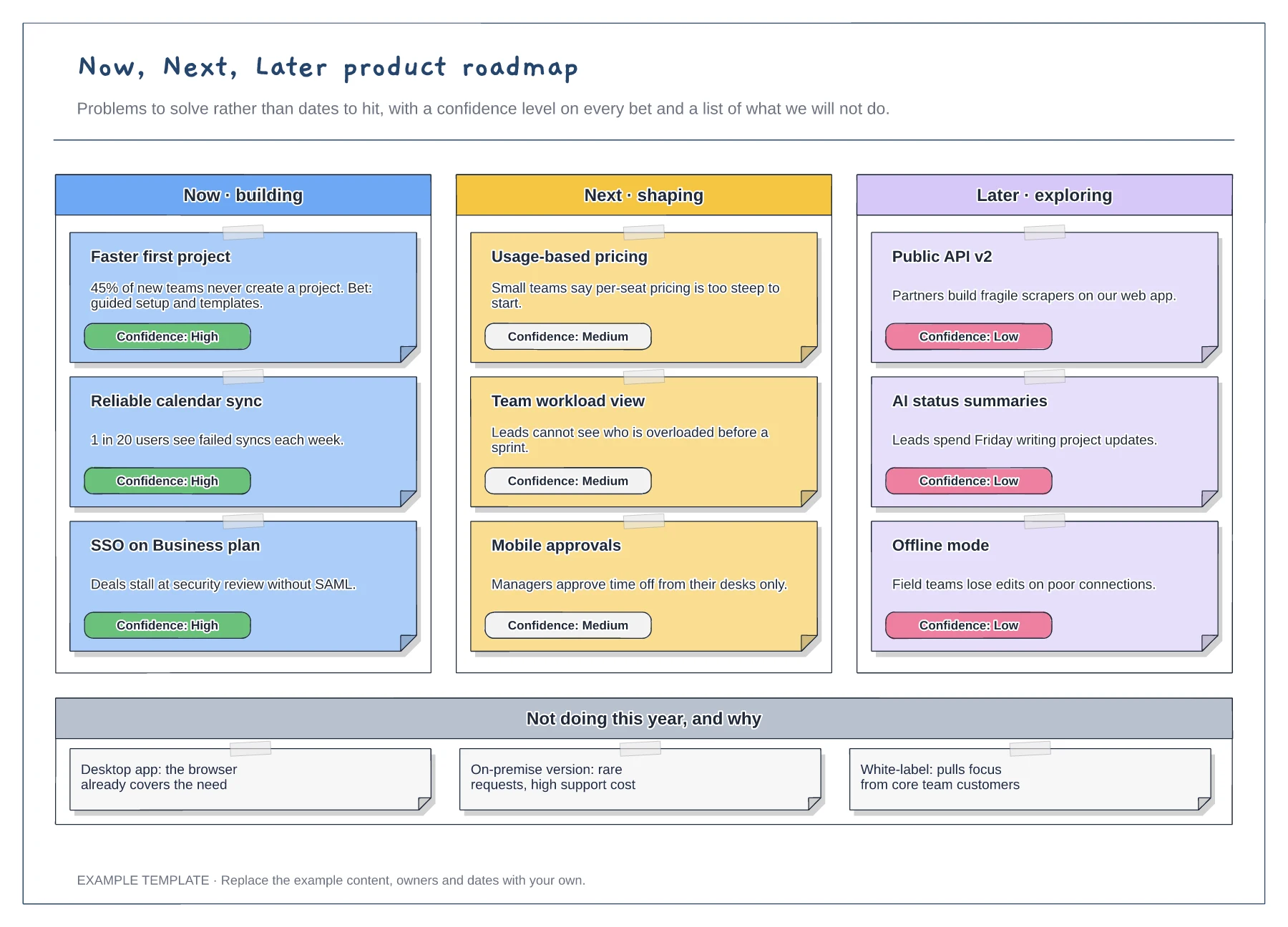
Now, Next and Later columns · Problem statements with confidence tags · A not-doing list with reasons
Preview and use template →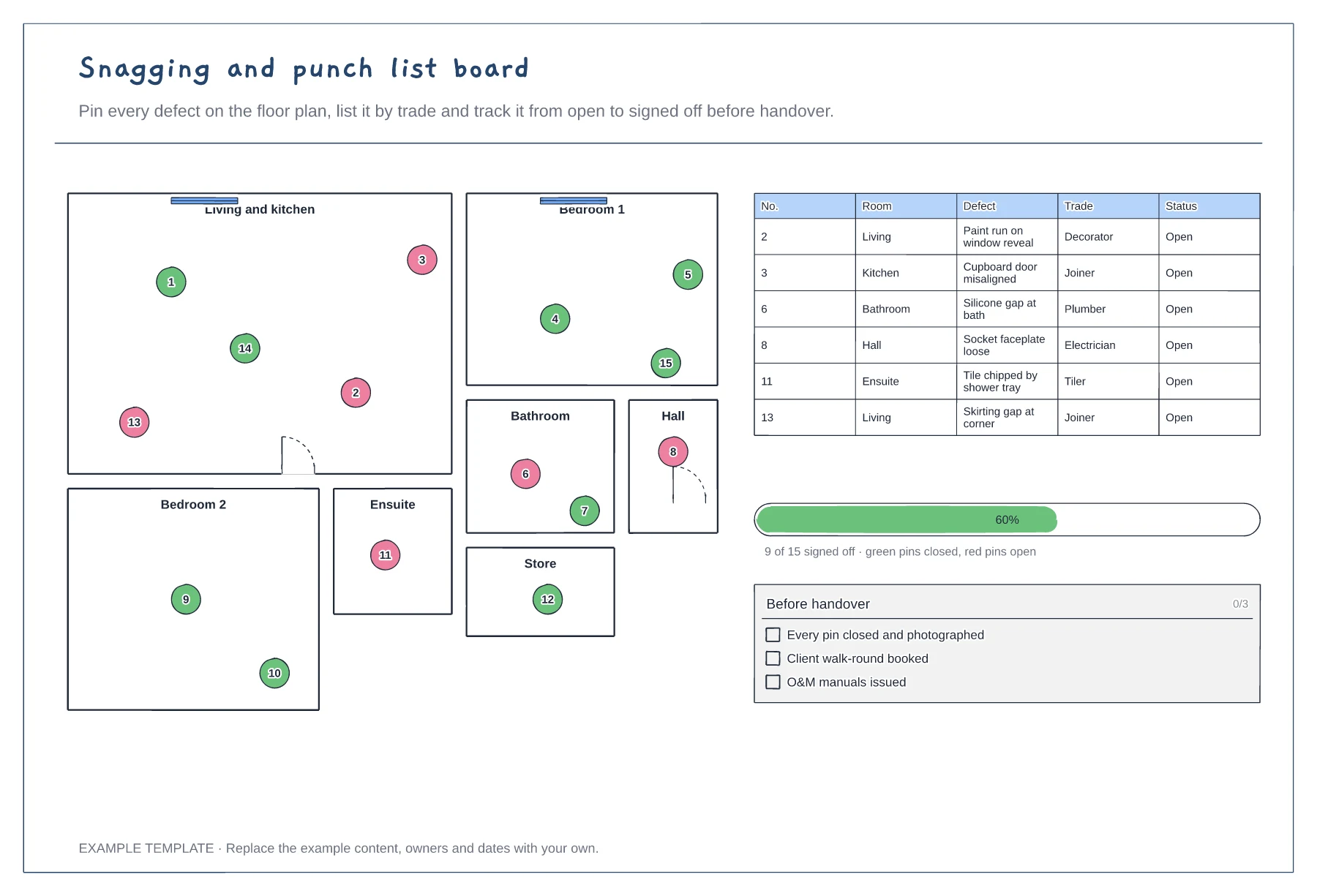
Floor plan with numbered snag pins · Snag list by room and trade · Progress to sign-off
Preview and use template →