Construction
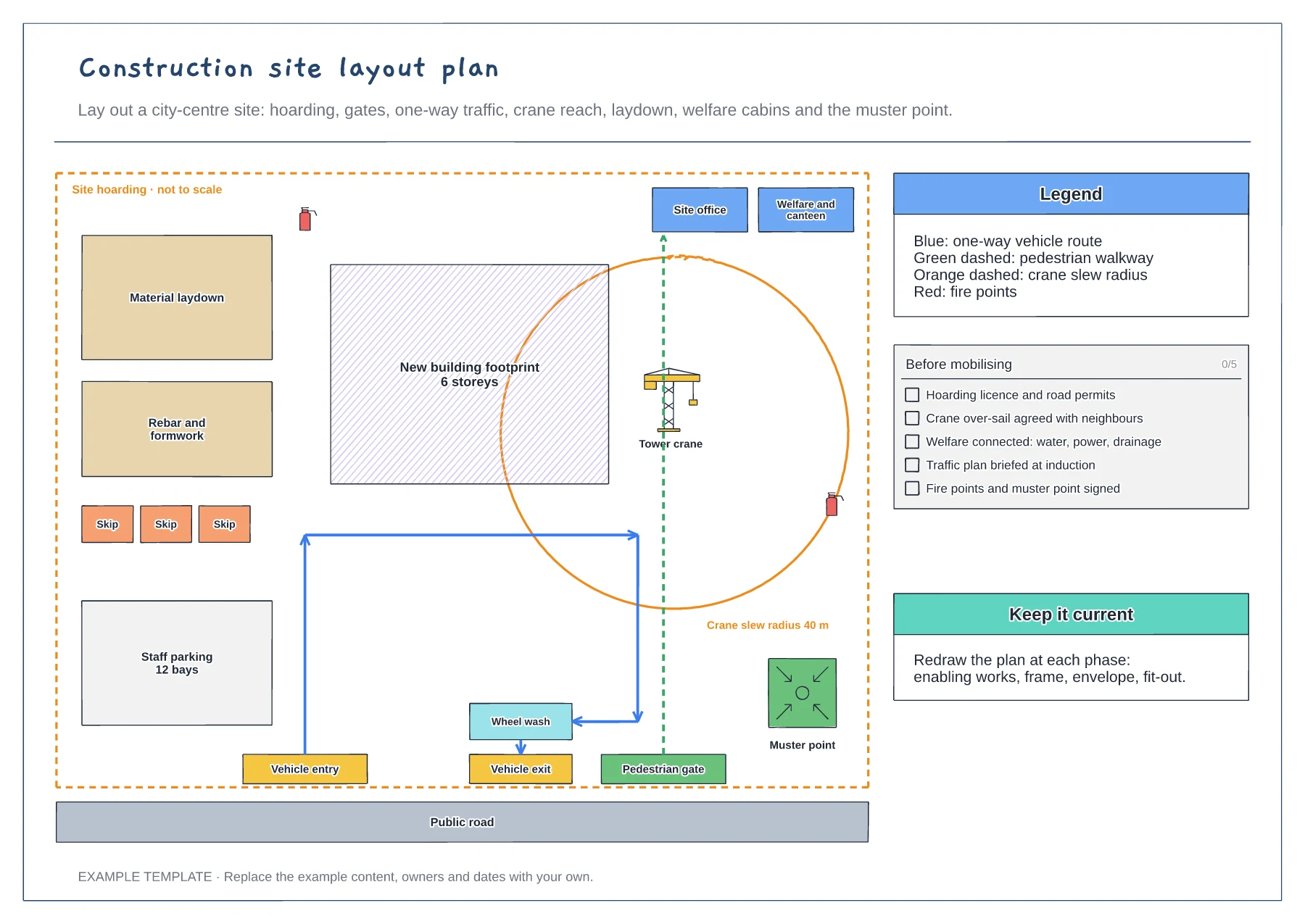
Construction site layout plan template
Hoarding, gates and one-way traffic route · Crane slew radius and laydown areas · Welfare, fire points and muster point
Preview and use template →When someone is hurt on site, the first minutes matter and there is no time to look up the procedure. This board sets out what happens on a timeline, with on-site actions on one side and office and reporting actions on the other, from making the area safe in the first minute to reporting to the regulator and the investigation within days.
No account needed · Opens as your own editable page
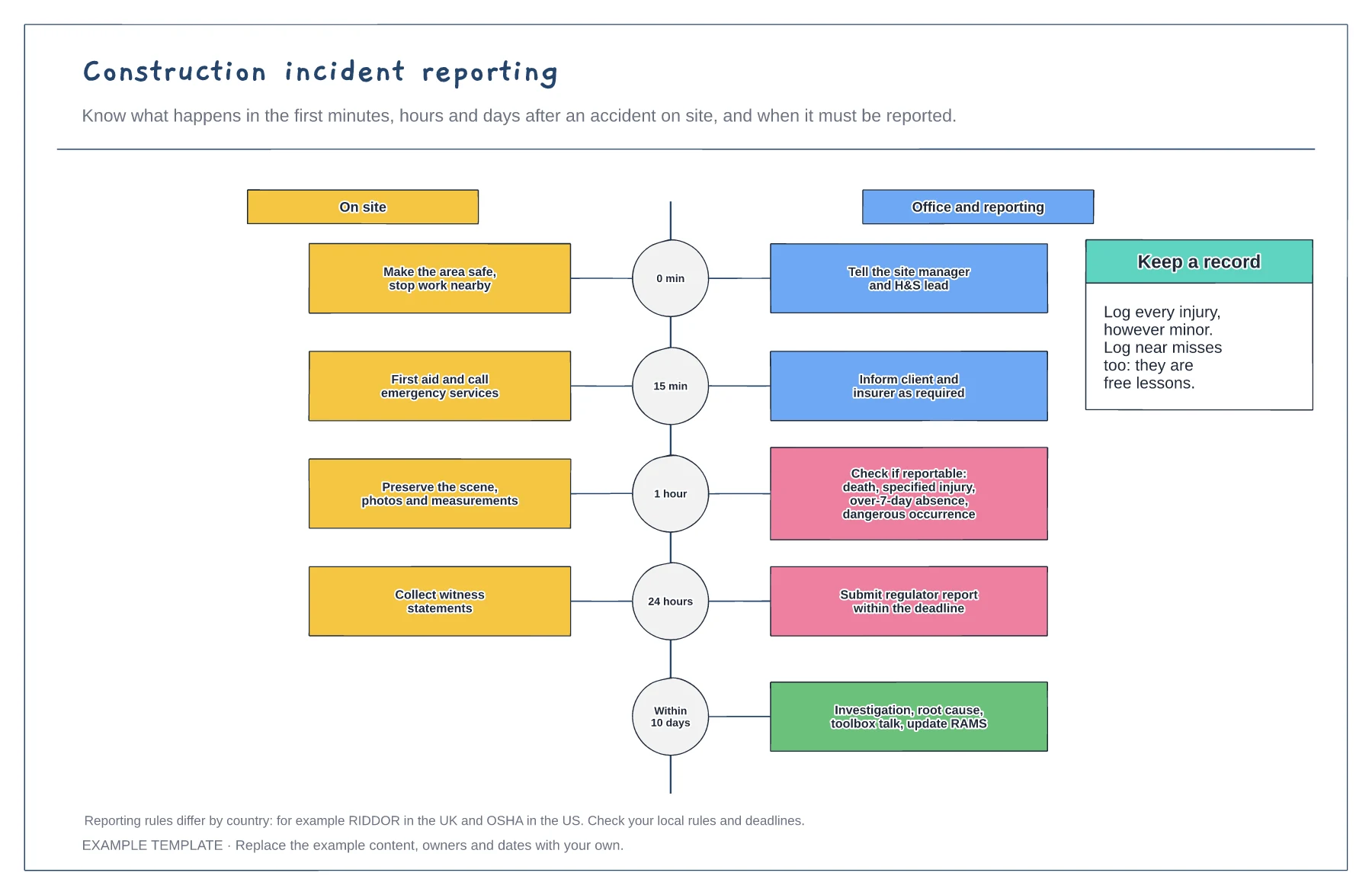
Print the board for the site office and welfare cabin, with the site manager and first aiders named on it.
Replace the examples with the rules and deadlines that apply where you work, such as RIDDOR in the UK or OSHA in the US.
After every incident, share the root cause in a toolbox talk and update the risk assessment and method statement.
Yes. Edit the office and reporting lane to name your site manager, H&S lead, client and insurer, and set the deadlines your local rules require.
No. Open the template and edit it in your browser. Your work saves on this device. An account is optional if you want to sync your workspace.
Yes. Use Export in the editor to save a PNG, SVG or PDF, or download an editable .epicdraw backup.
Hoarding, gates and one-way traffic route · Crane slew radius and laydown areas · Welfare, fire points and muster point
Preview and use template →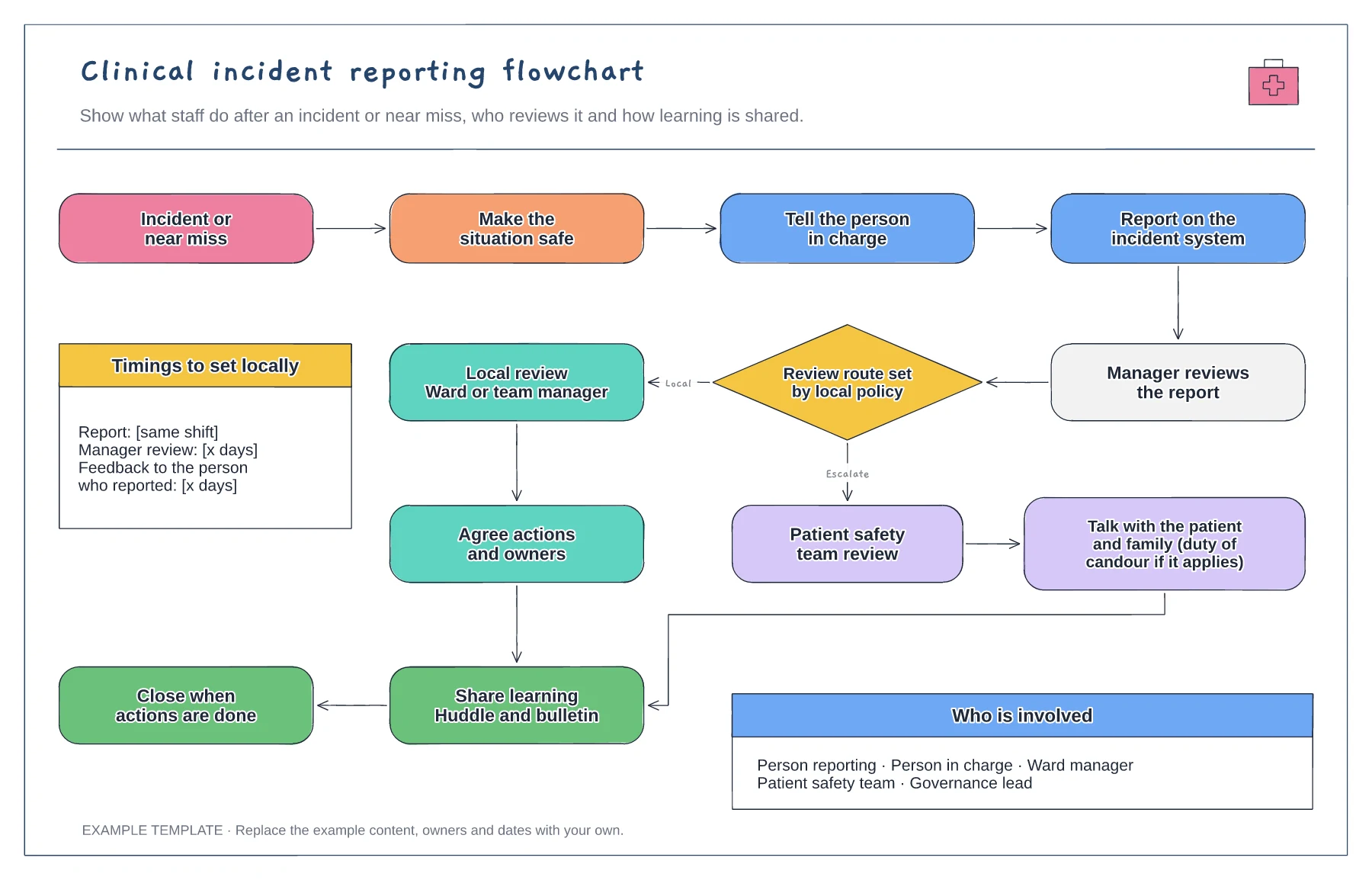
Immediate actions and reporting · Review route set by local policy · Learning shared and report closed
Preview and use template →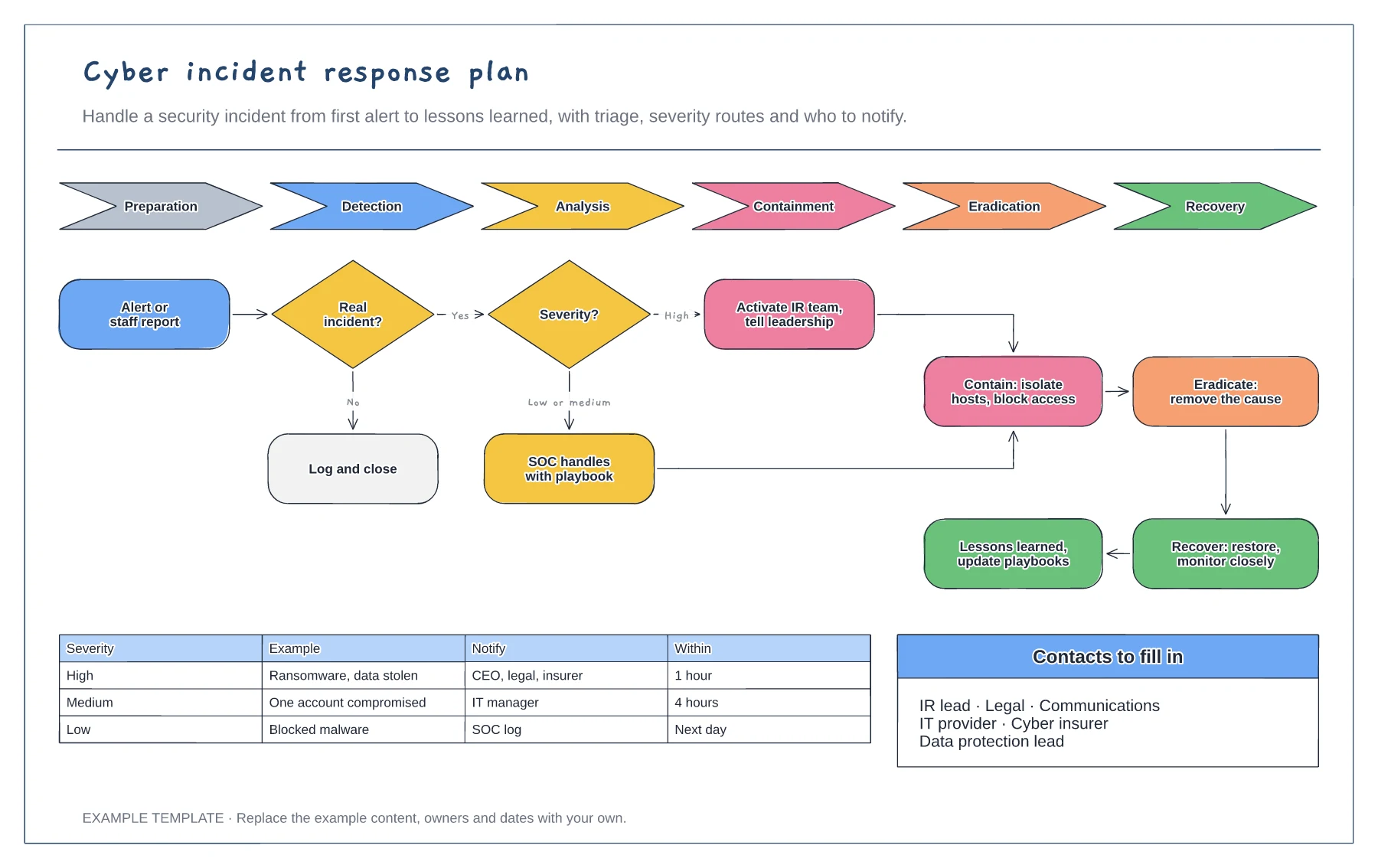
NIST lifecycle from preparation to recovery · Triage and severity routes · Escalation matrix and contacts
Preview and use template →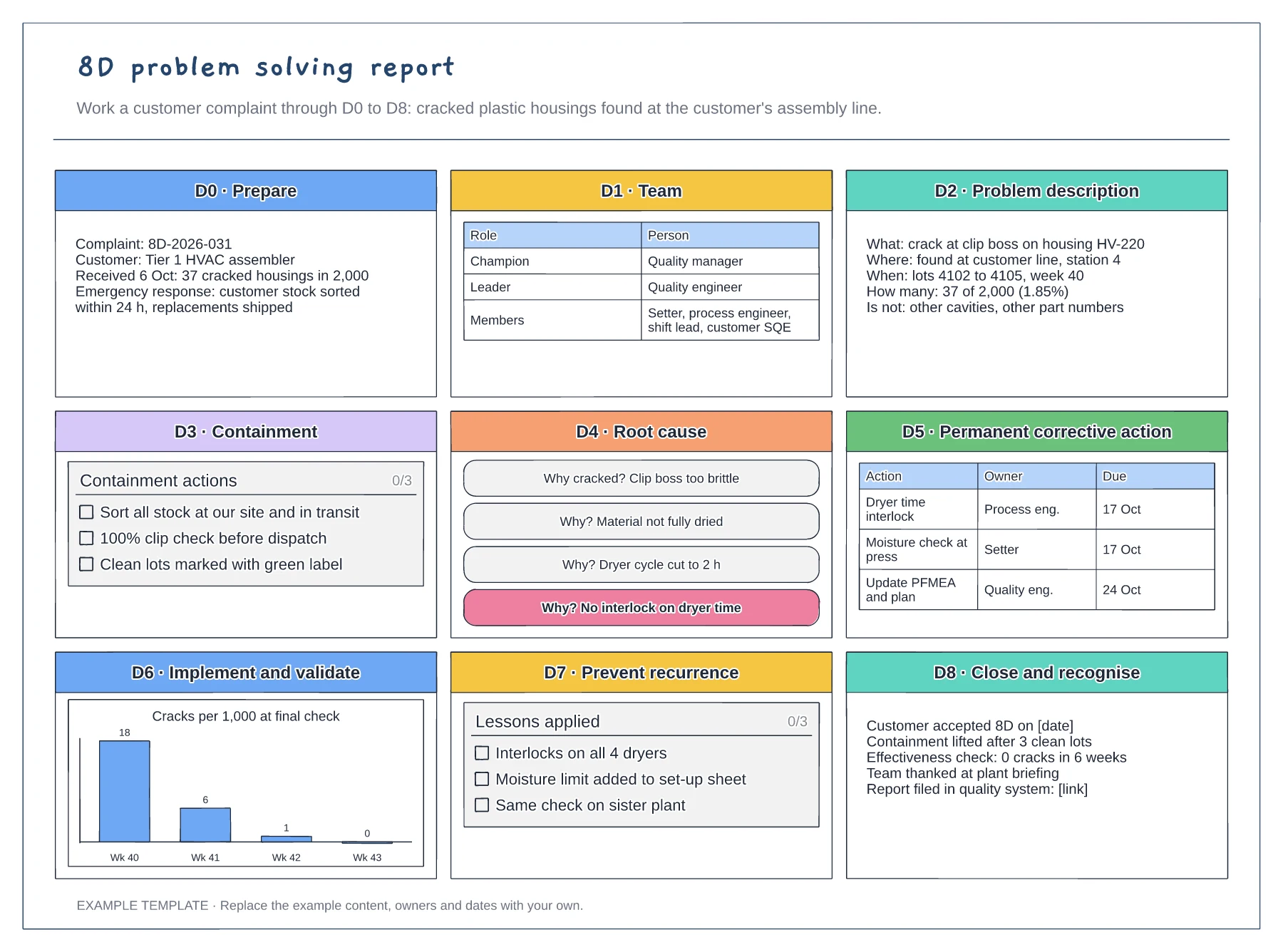
Nine panels from D0 to D8 · 5 whys root cause and action table · Validation chart and closure record
Preview and use template →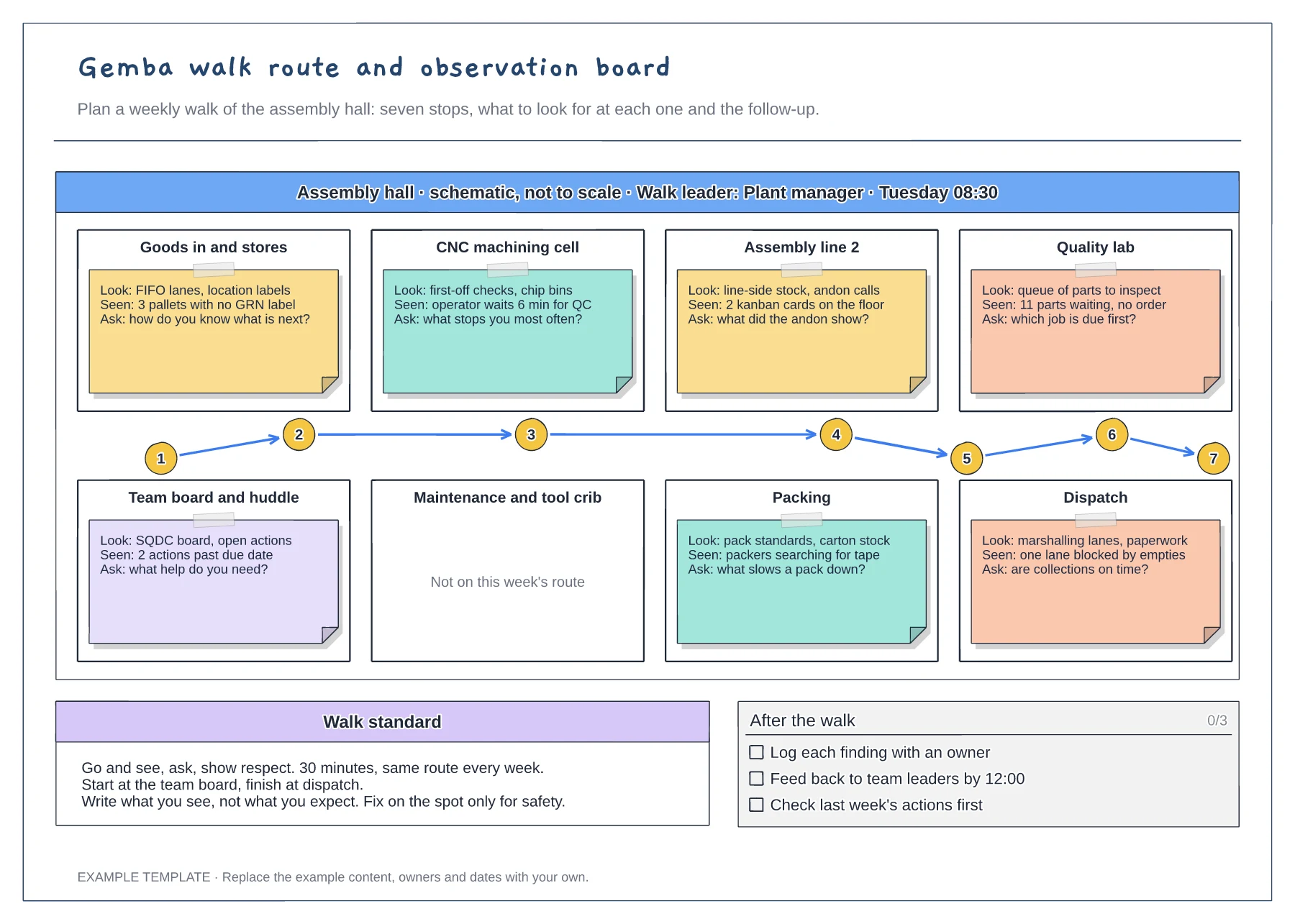
Floor plan with a numbered walk route · Look, seen and ask notes at every stop · Walk standard and after-the-walk checklist
Preview and use template →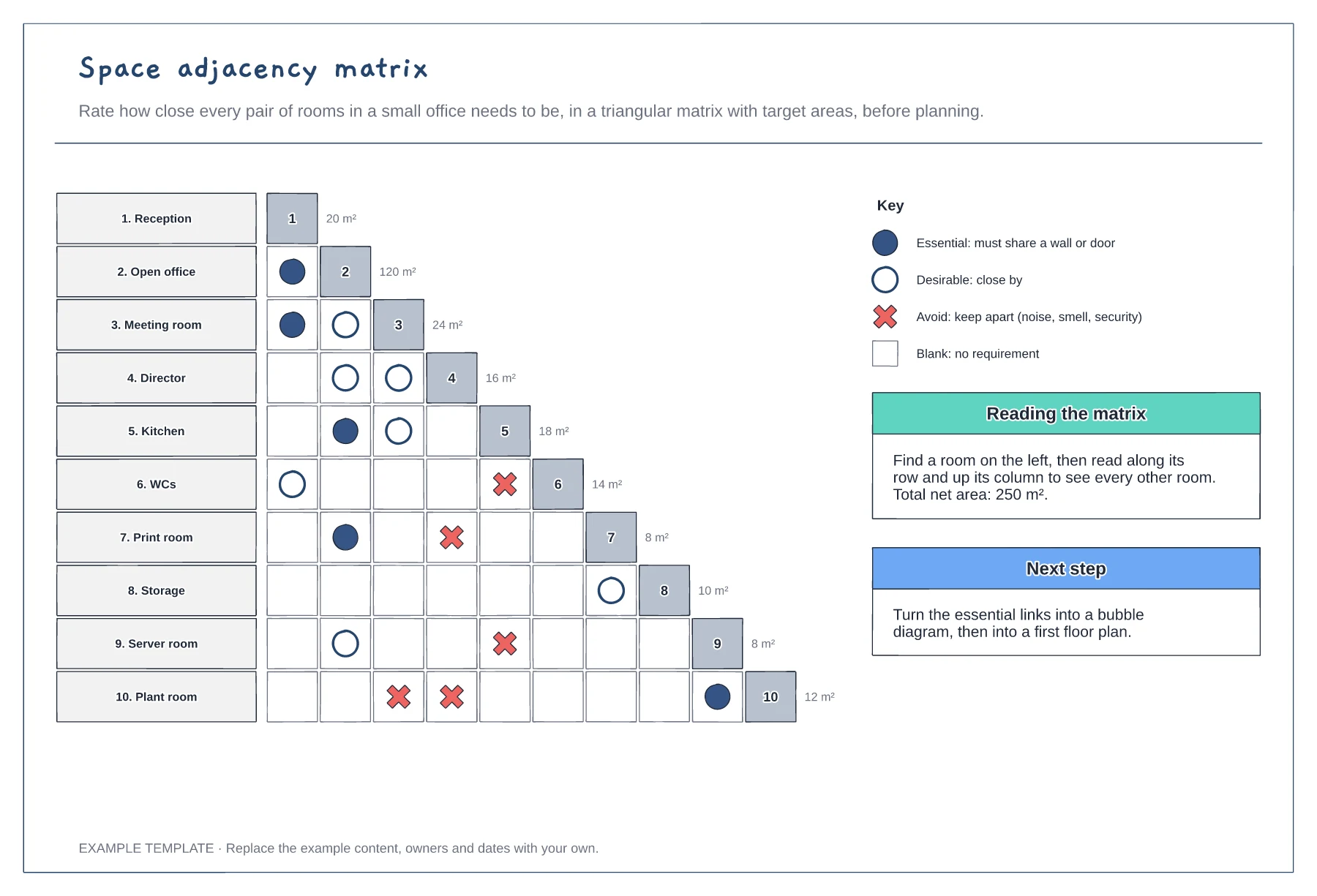
Triangular grid of ten rooms · Essential, desirable and avoid symbols · Target area for each room
Preview and use template →