Marketing
B2B buying committee map template
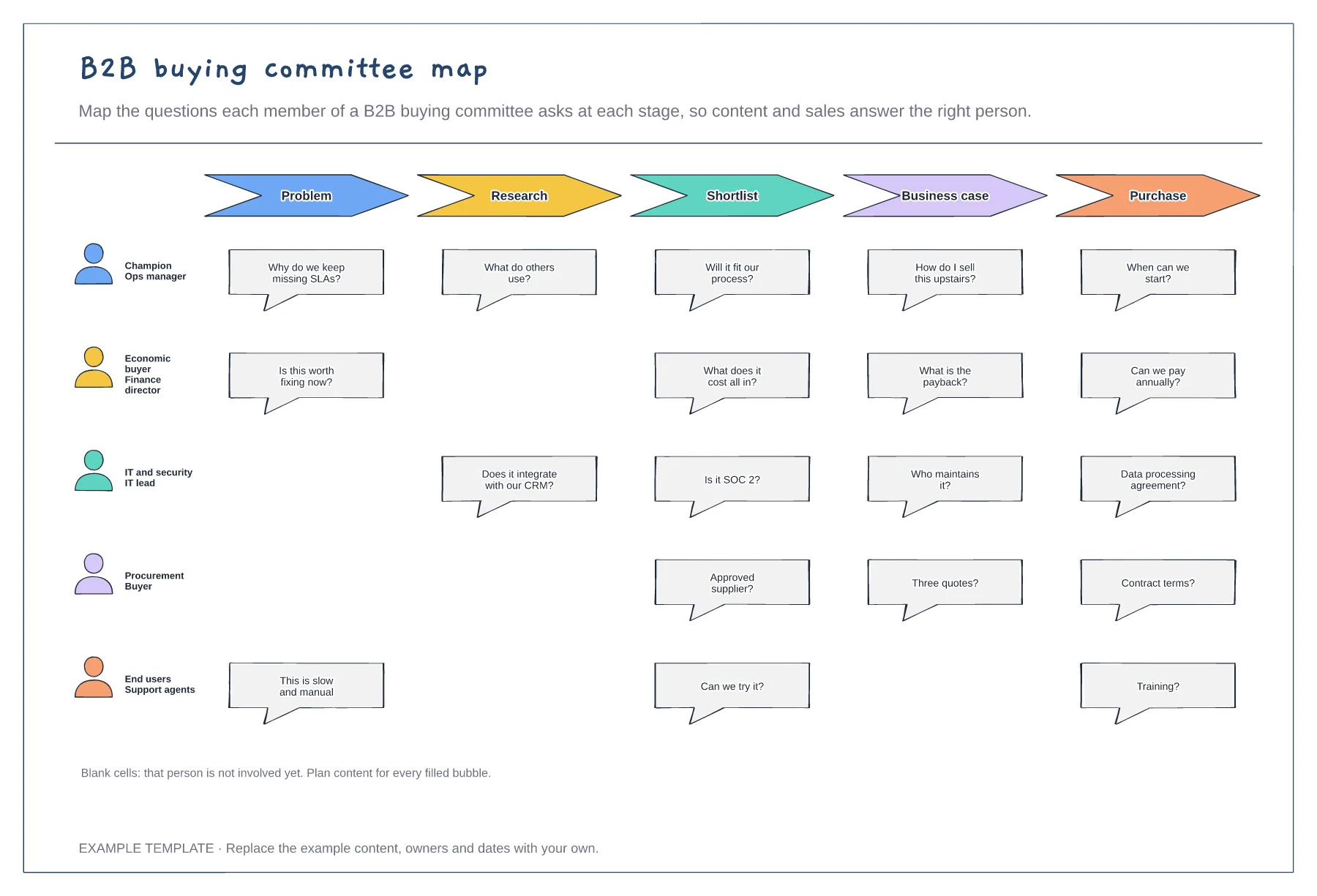
Five buying committee roles · Their questions at each stage · Gaps where a role is not yet involved
Preview and use template →A positioning map, also called a perceptual map, plots how customers see competing brands on two attributes that matter to them. This example places five coffee subscription brands on price and choice, sizes each circle by rough share, and marks the gap a new brand could own at a mid-market price.
No account needed · Opens as your own editable page
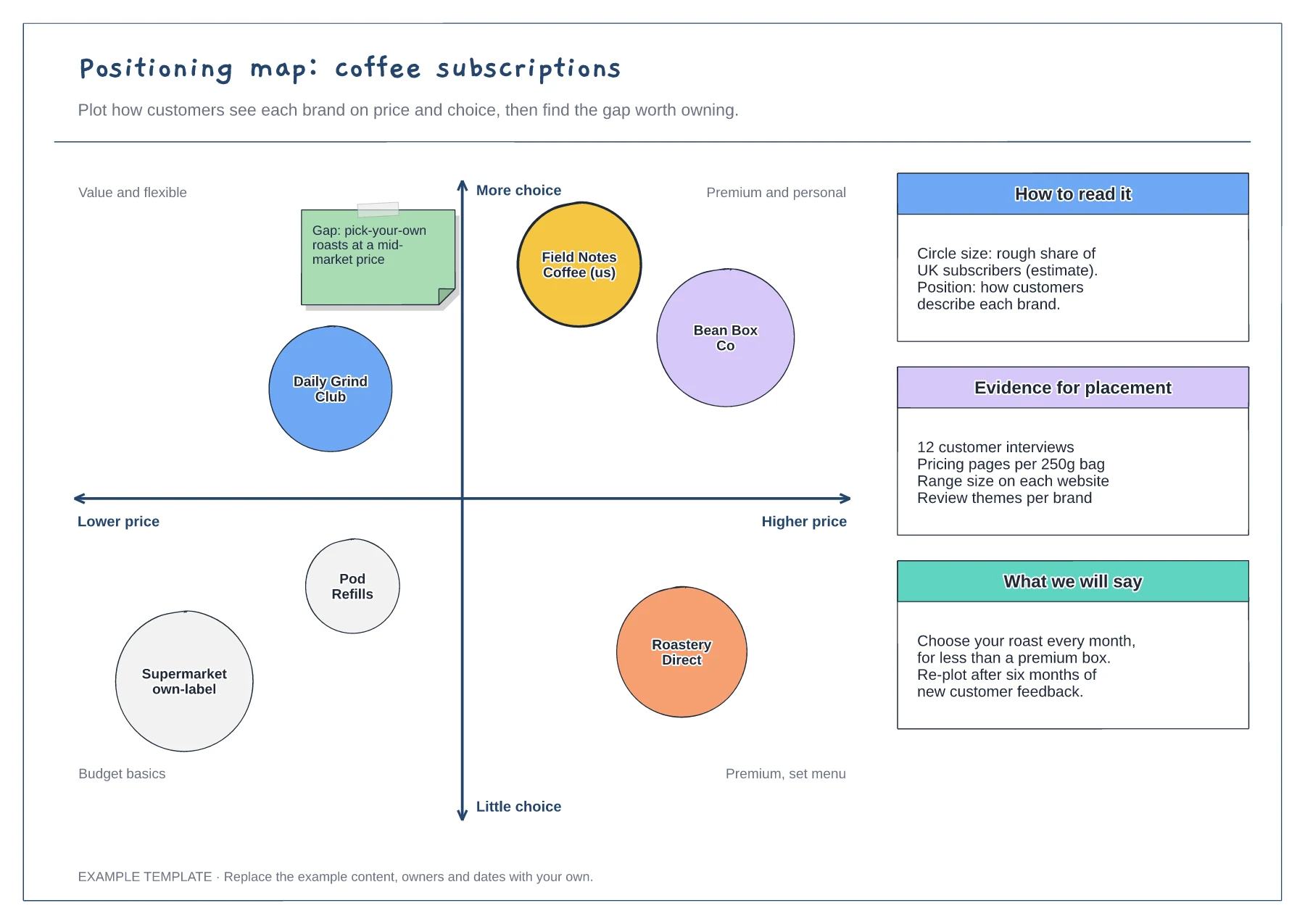
Choose two attributes buyers mention when they compare options, not internal features. If customers never talk about an axis, the gaps it reveals will not mean much to them.
Use interviews, reviews and pricing pages to position each competitor, and note your sources beside the map. Positions based on your own opinion tend to flatter your brand.
An empty space is only useful if customers want it. Write the message you would use to claim it, then test that message before you change the product or price.
Yes. Relabel both axes and the quadrants with the two factors buyers in your market care about, then move the competitor circles to match.
No. Open the template and edit it in your browser. Your work saves on this device. An account is optional if you want to sync your workspace.
Yes. Use Export in the editor to save a PNG, SVG or PDF, or download an editable .epicdraw backup.
Five buying committee roles · Their questions at each stage · Gaps where a role is not yet involved
Preview and use template →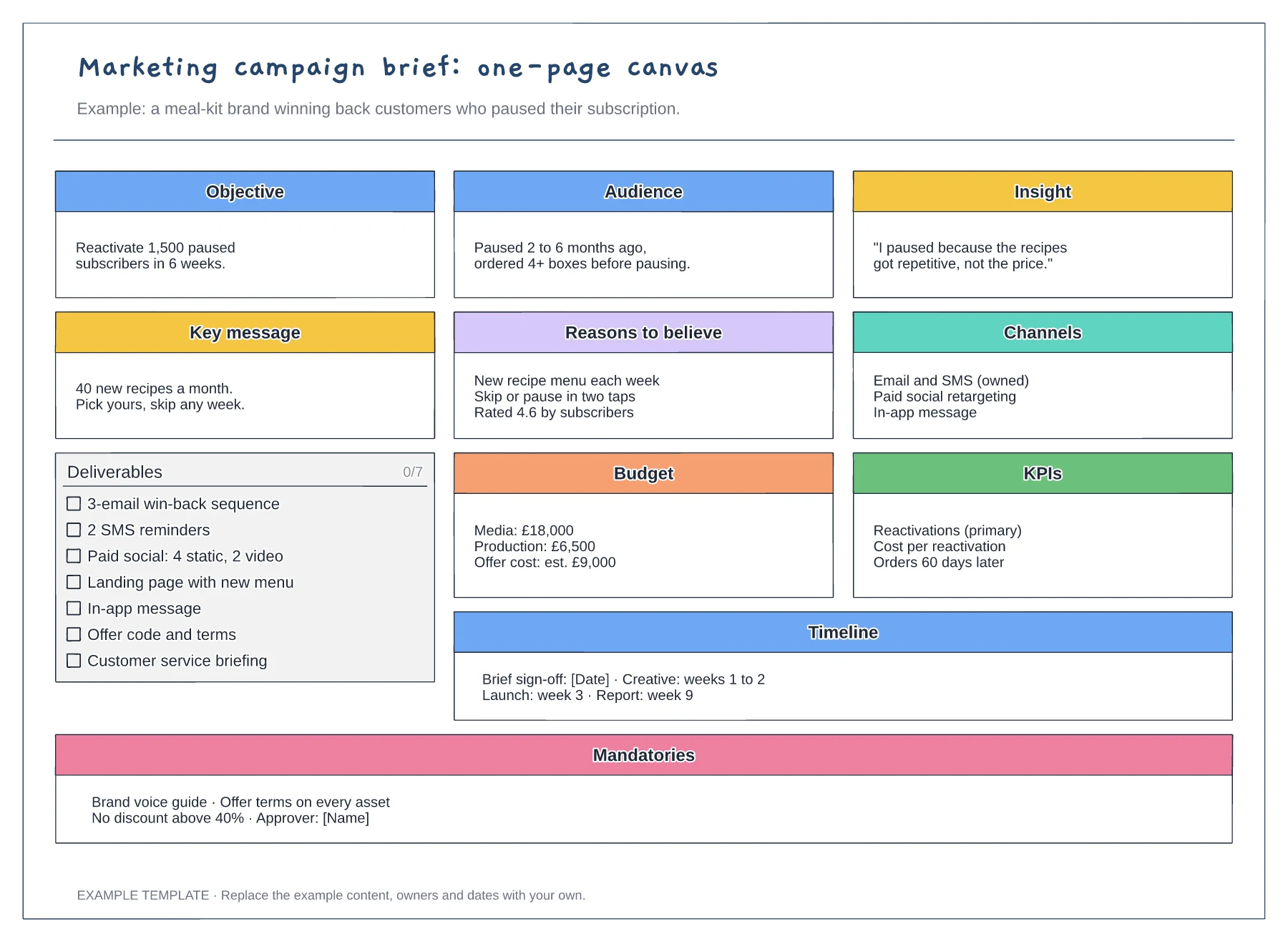
Objective, audience, insight and key message · Deliverables checklist with budget and KPIs · Timeline and mandatories for every asset
Preview and use template →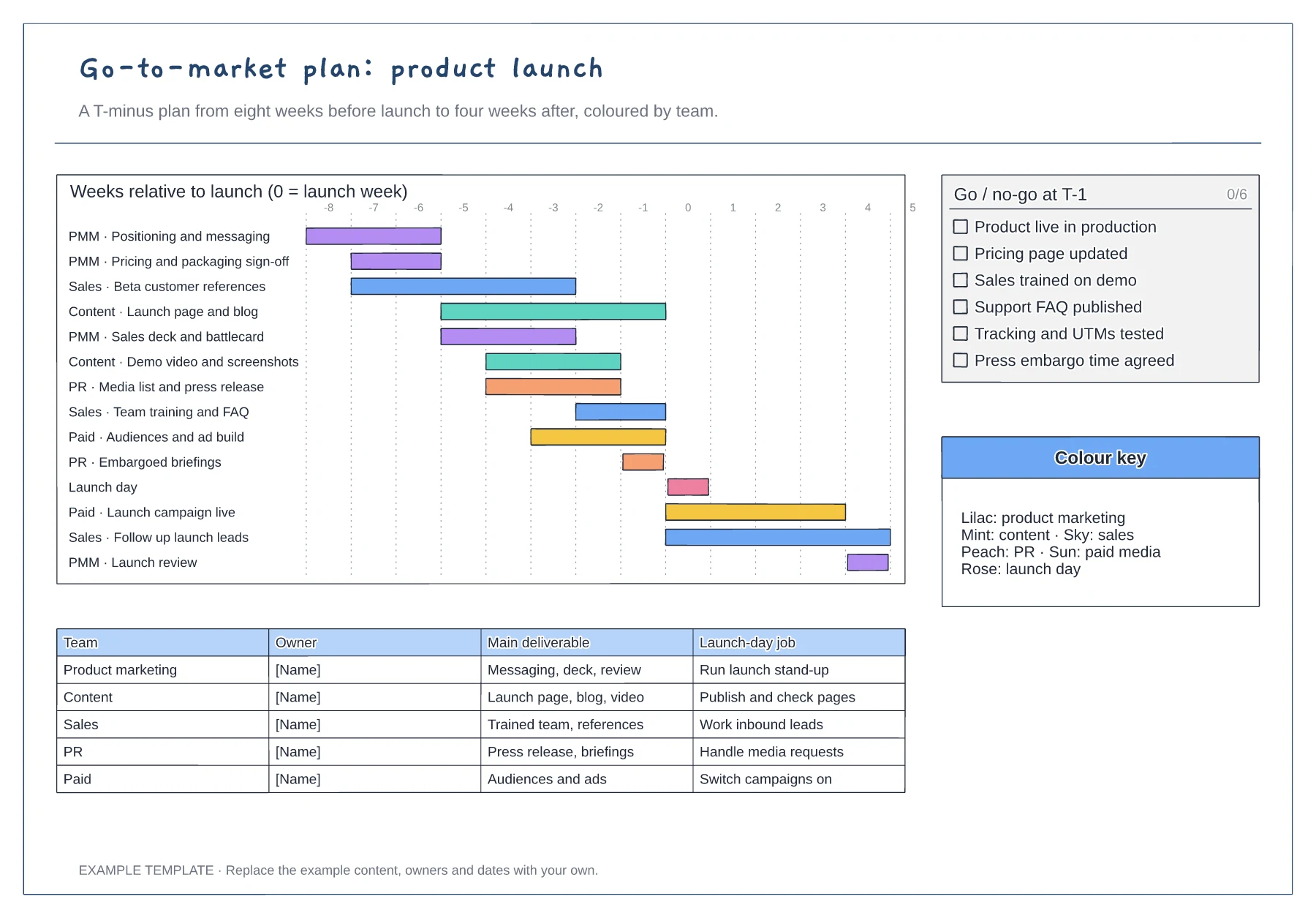
T-minus gantt chart coloured by team · Go/no-go checklist for the week before launch · Owner table with each team's launch-day job
Preview and use template →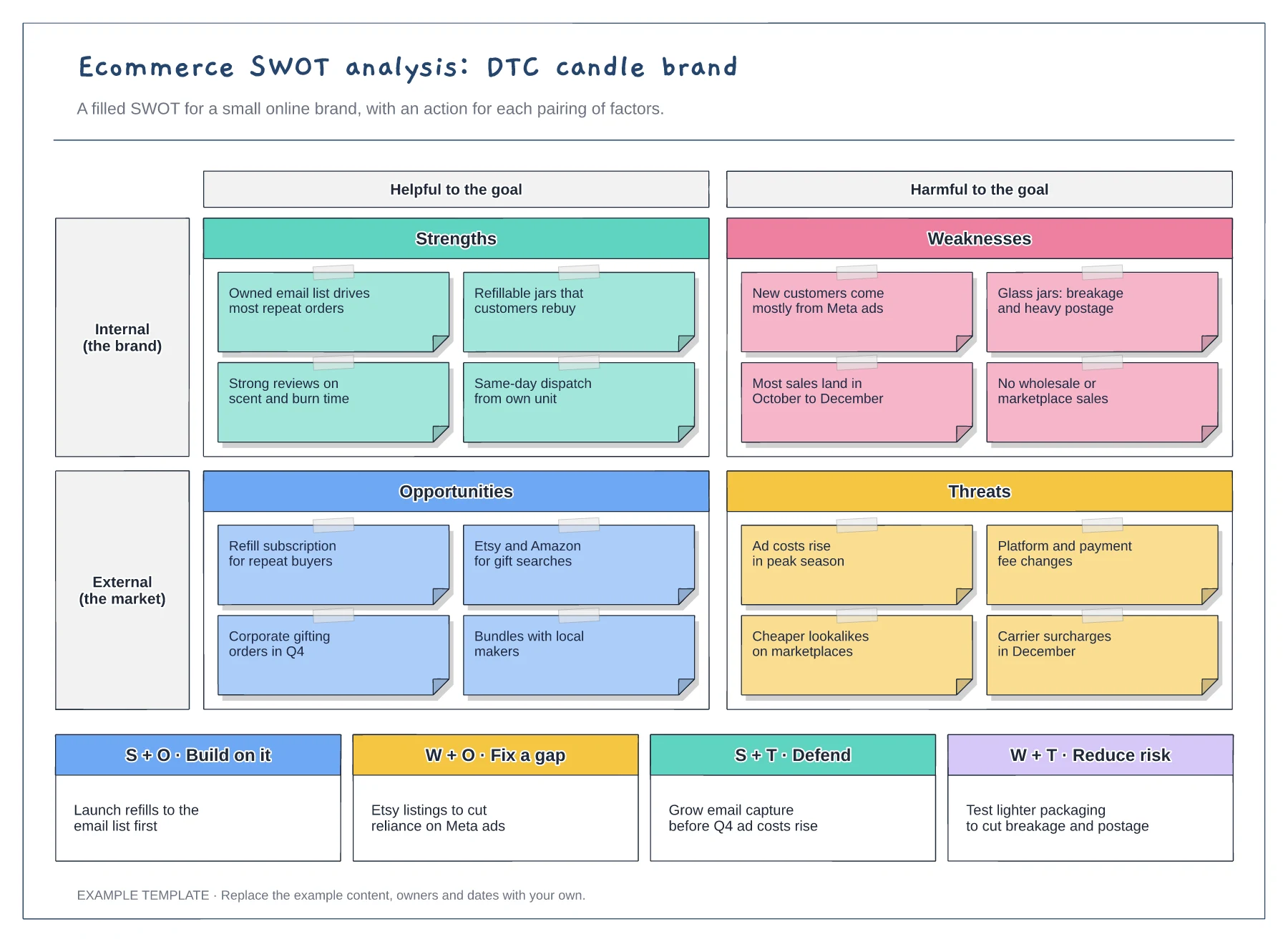
Filled SWOT for a DTC brand · Helpful and harmful axes · Four actions from paired factors
Preview and use template →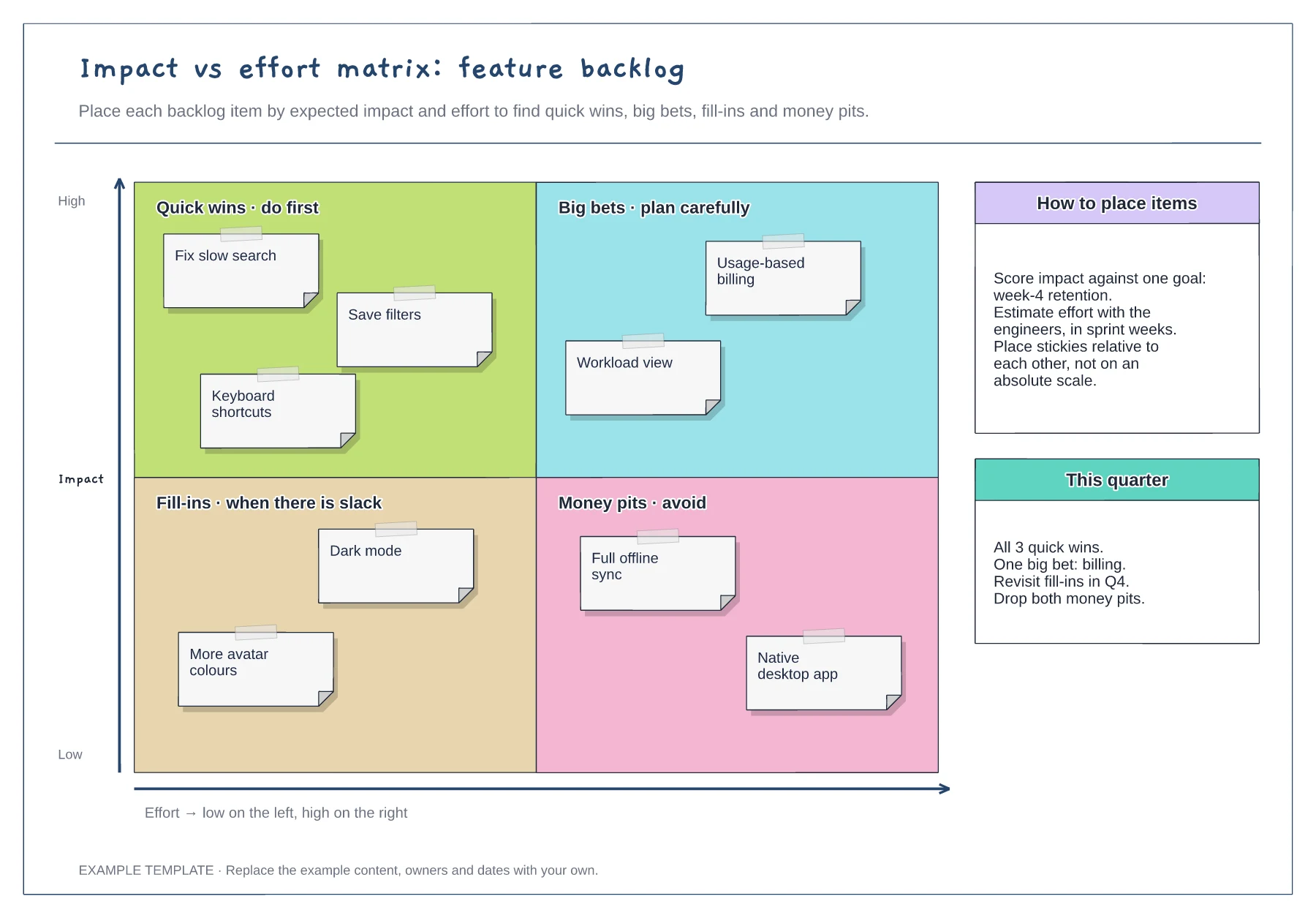
Quick wins, big bets, fill-ins and money pits · Nine example backlog items · Placement guidance and a quarter plan
Preview and use template →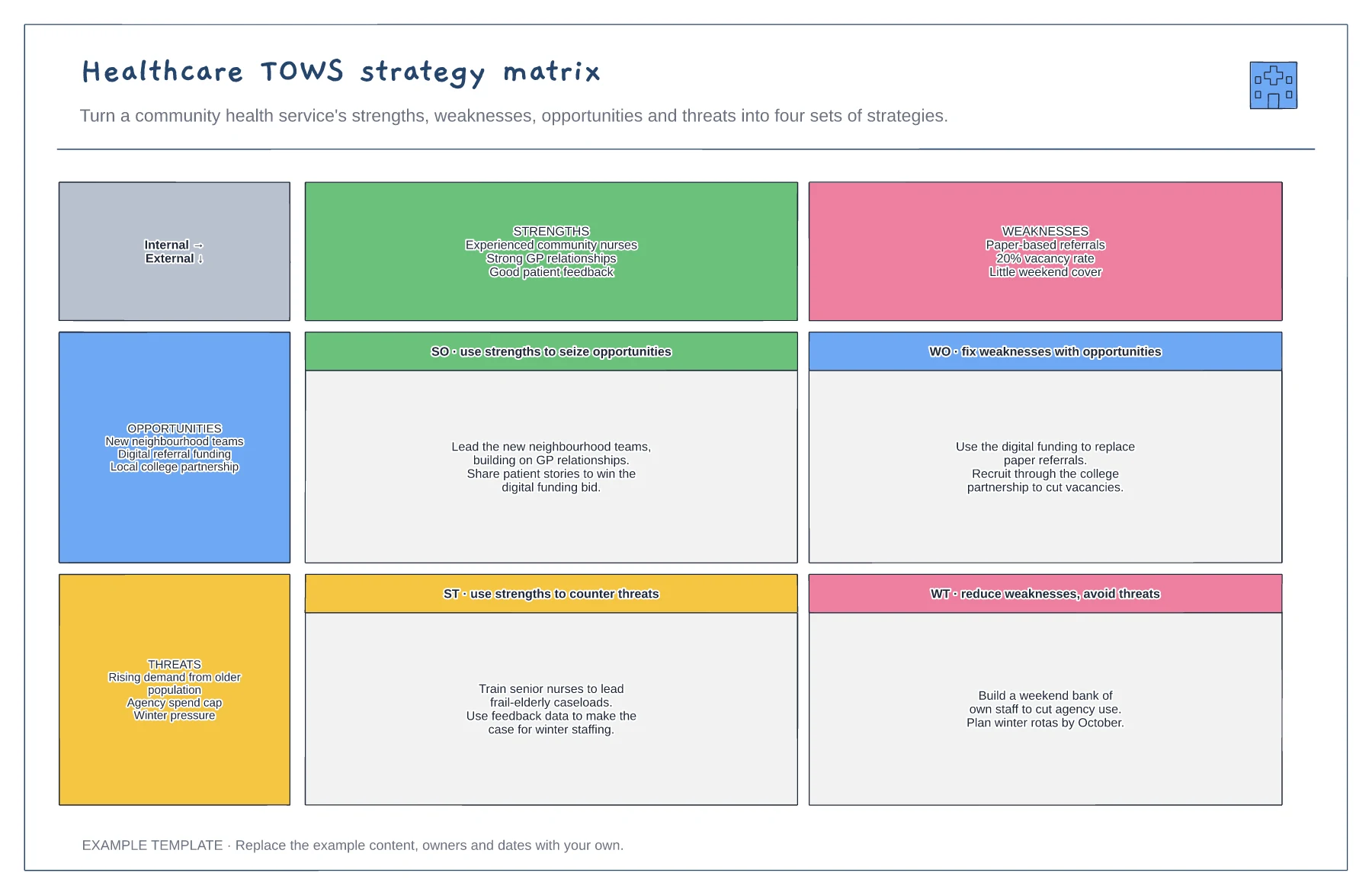
Strengths, weaknesses, opportunities and threats · Four sets of strategies · An example community health service
Preview and use template →