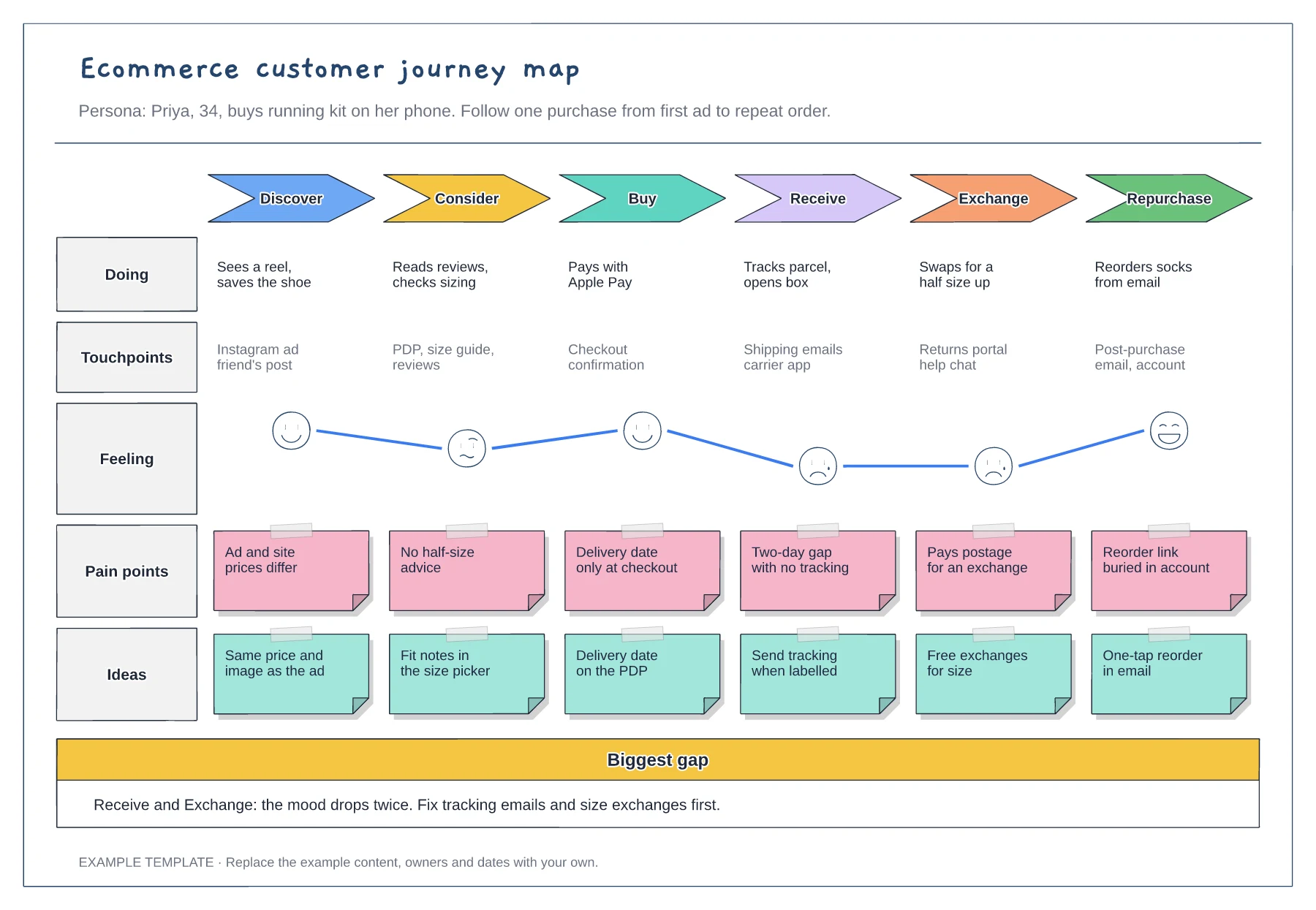
Ecommerce
Ecommerce customer journey map template
Six stages from discover to repurchase · Touchpoints and an emotion curve · Pain points paired with ideas
Preview and use template →B2B purchases are made by a group, and each person in it asks different questions at different times. This map lists five members of a typical buying committee down the side and the stages of the purchase across the top, with each person's question in a speech bubble where they are involved, so marketing and sales can answer the right person at the right moment.
No account needed · Opens as your own editable page
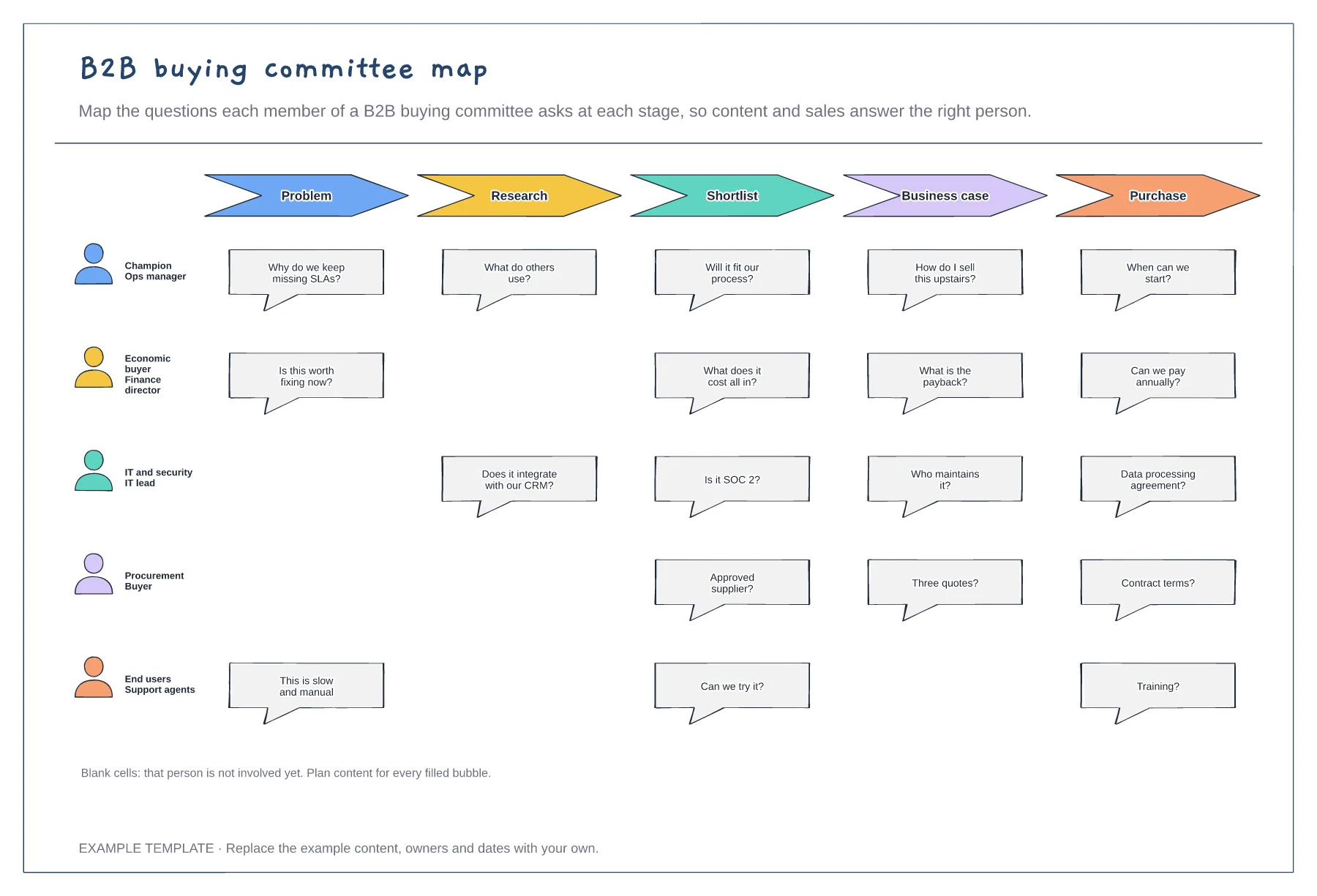
List the roles involved in buying your product, from the champion to procurement and end users.
Fill each bubble with a question you have heard on sales calls or seen in emails, in the buyer's own words.
For each question, link the page, case study or call that answers it. Empty answers are content to create.
Rename or add role rows and fill in the questions each person asks at every stage. Leave a cell empty where a role is not yet involved, so the gap is visible.
No. Open the template and edit it in your browser. Your work saves on this device. An account is optional if you want to sync your workspace.
Yes. Use Export in the editor to save a PNG, SVG or PDF, or download an editable .epicdraw backup.
Six stages from discover to repurchase · Touchpoints and an emotion curve · Pain points paired with ideas
Preview and use template →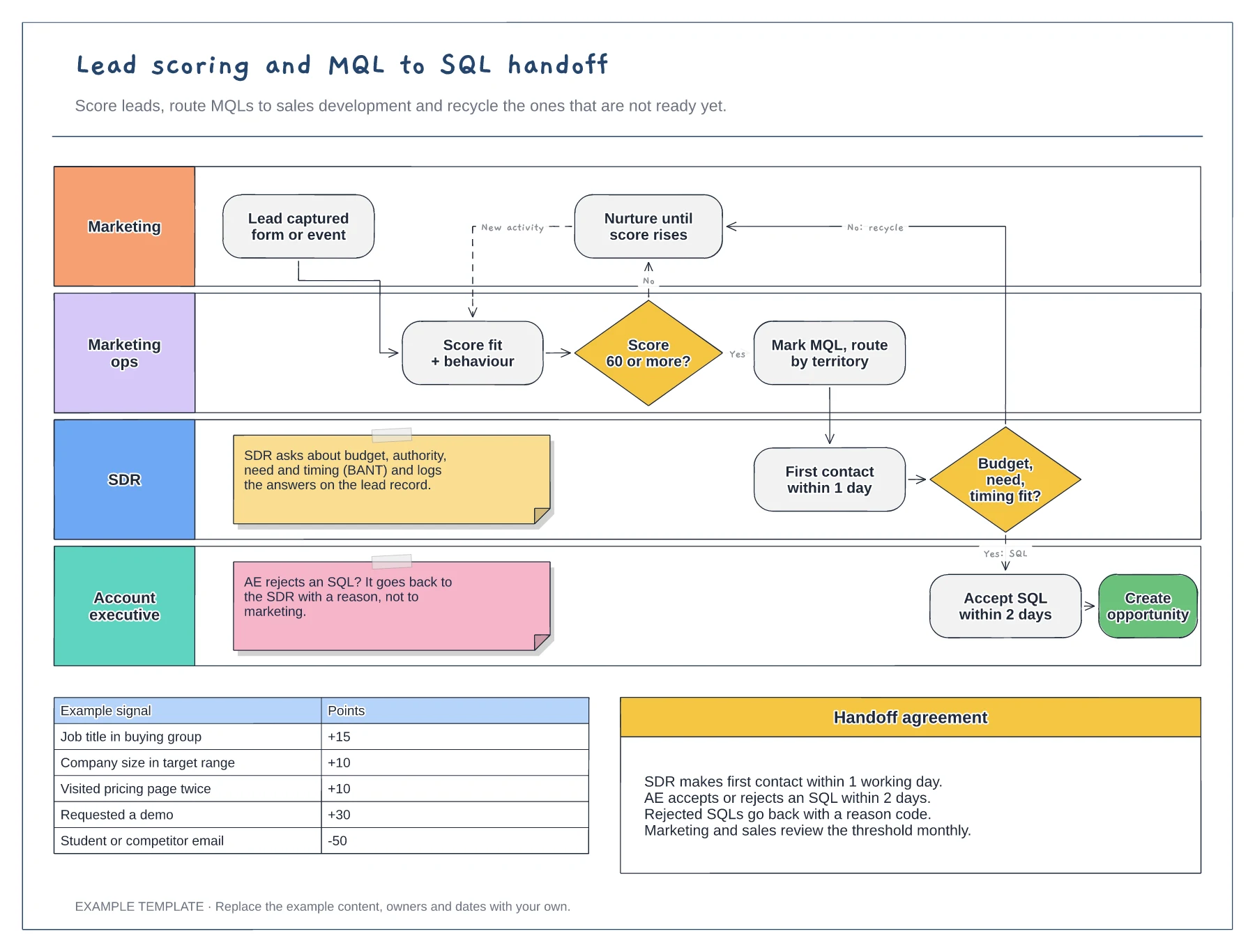
Swimlanes for marketing, marketing ops, SDR and AE · Example scoring model with points · Service-level agreement between the teams
Preview and use template →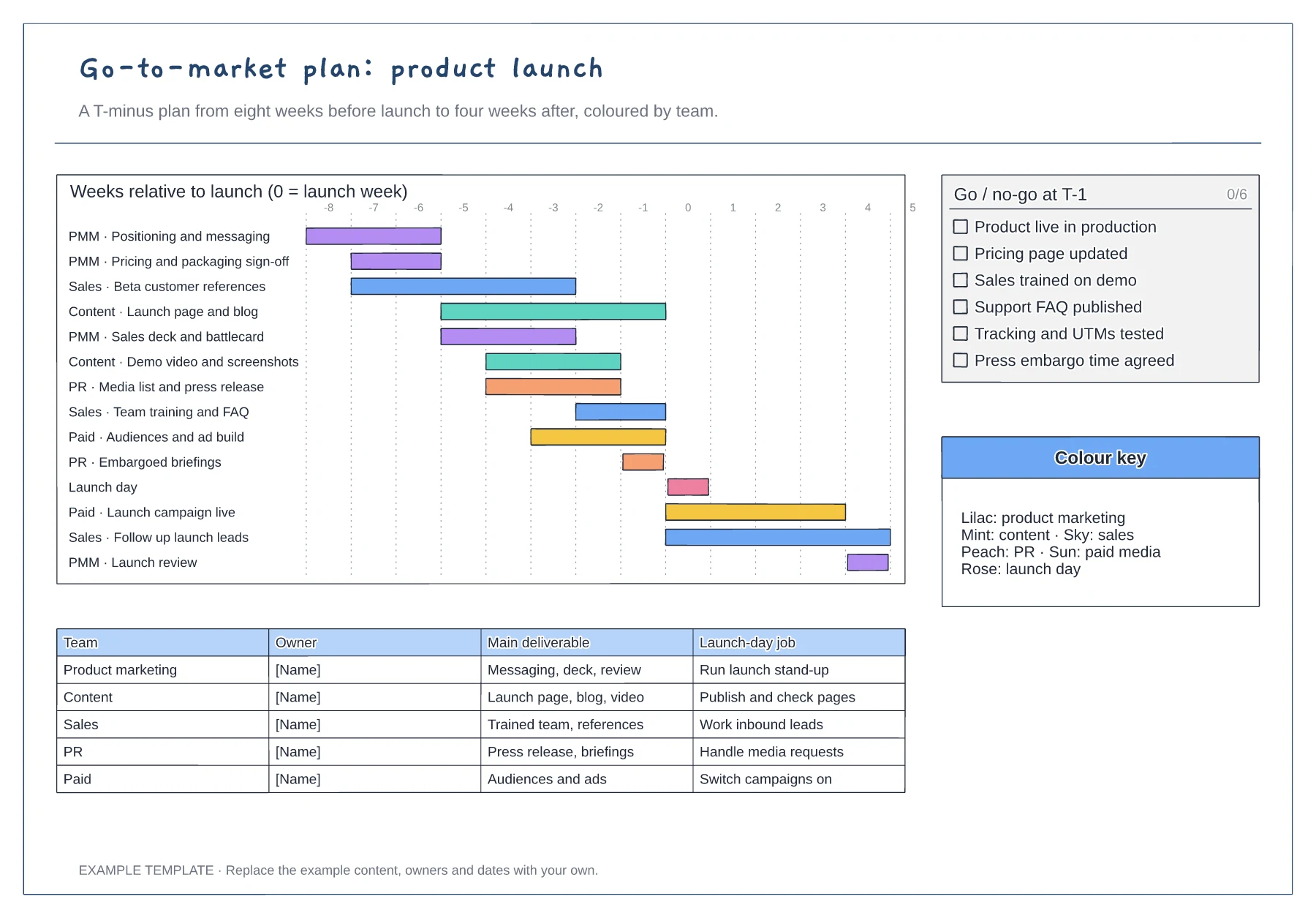
T-minus gantt chart coloured by team · Go/no-go checklist for the week before launch · Owner table with each team's launch-day job
Preview and use template →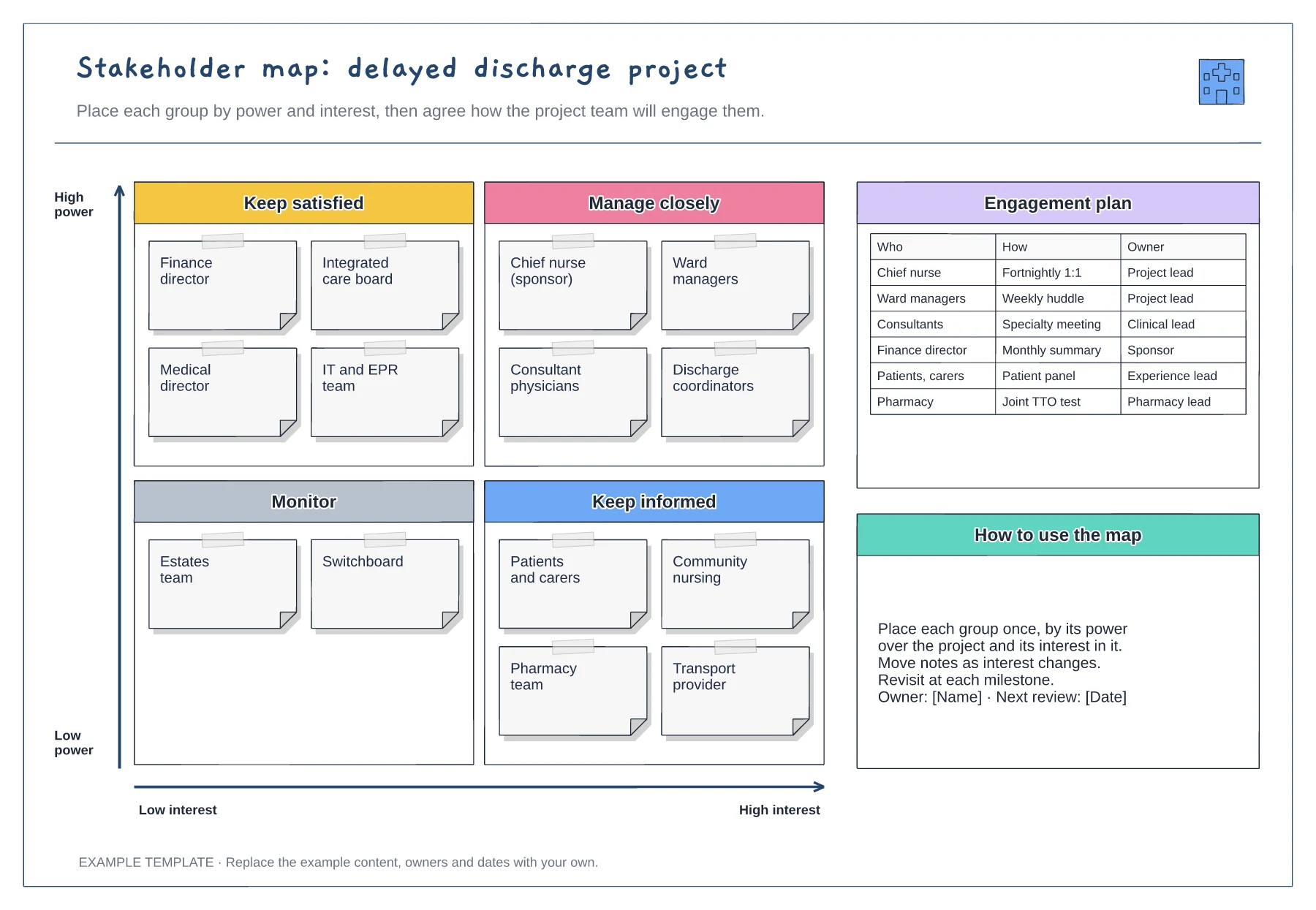
Power and interest grid · Stakeholder notes in four quadrants · Engagement plan with owners
Preview and use template →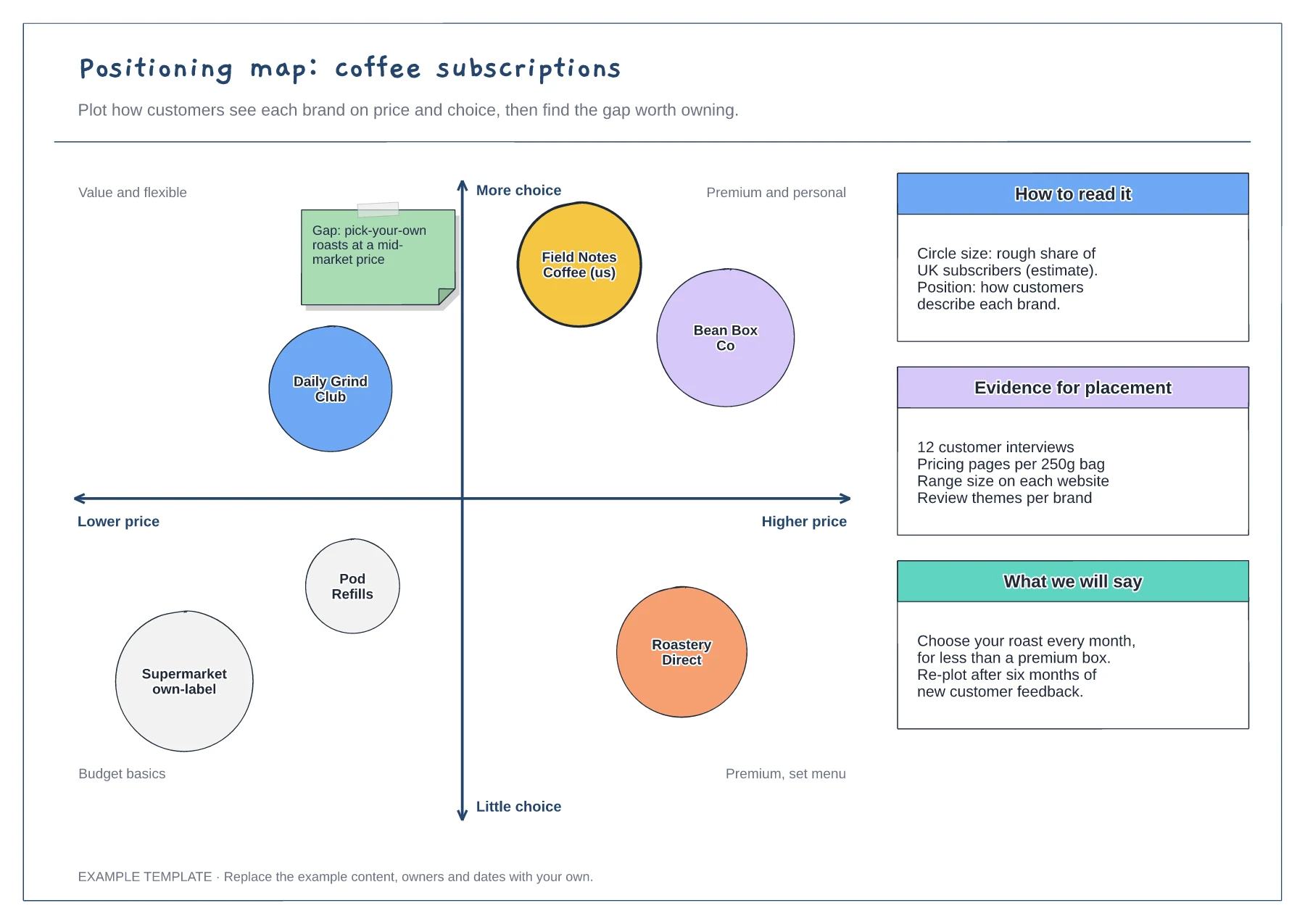
Two-axis map with labelled quadrants · Competitor circles sized by share · Notes on evidence and the message to test
Preview and use template →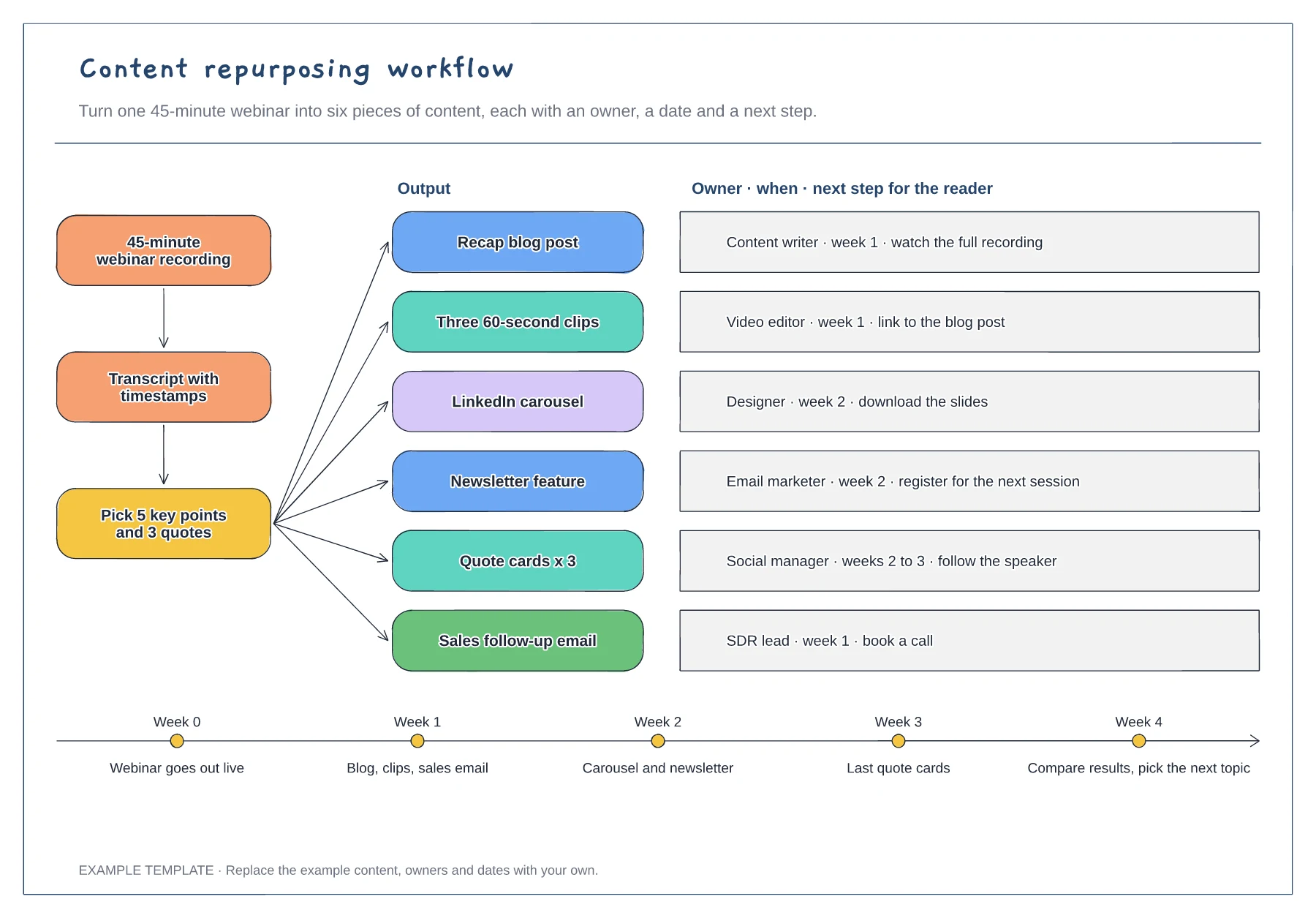
Source, transcript and key-points steps · Six outputs with owner, timing and next step · Four-week release timeline
Preview and use template →