Marketing
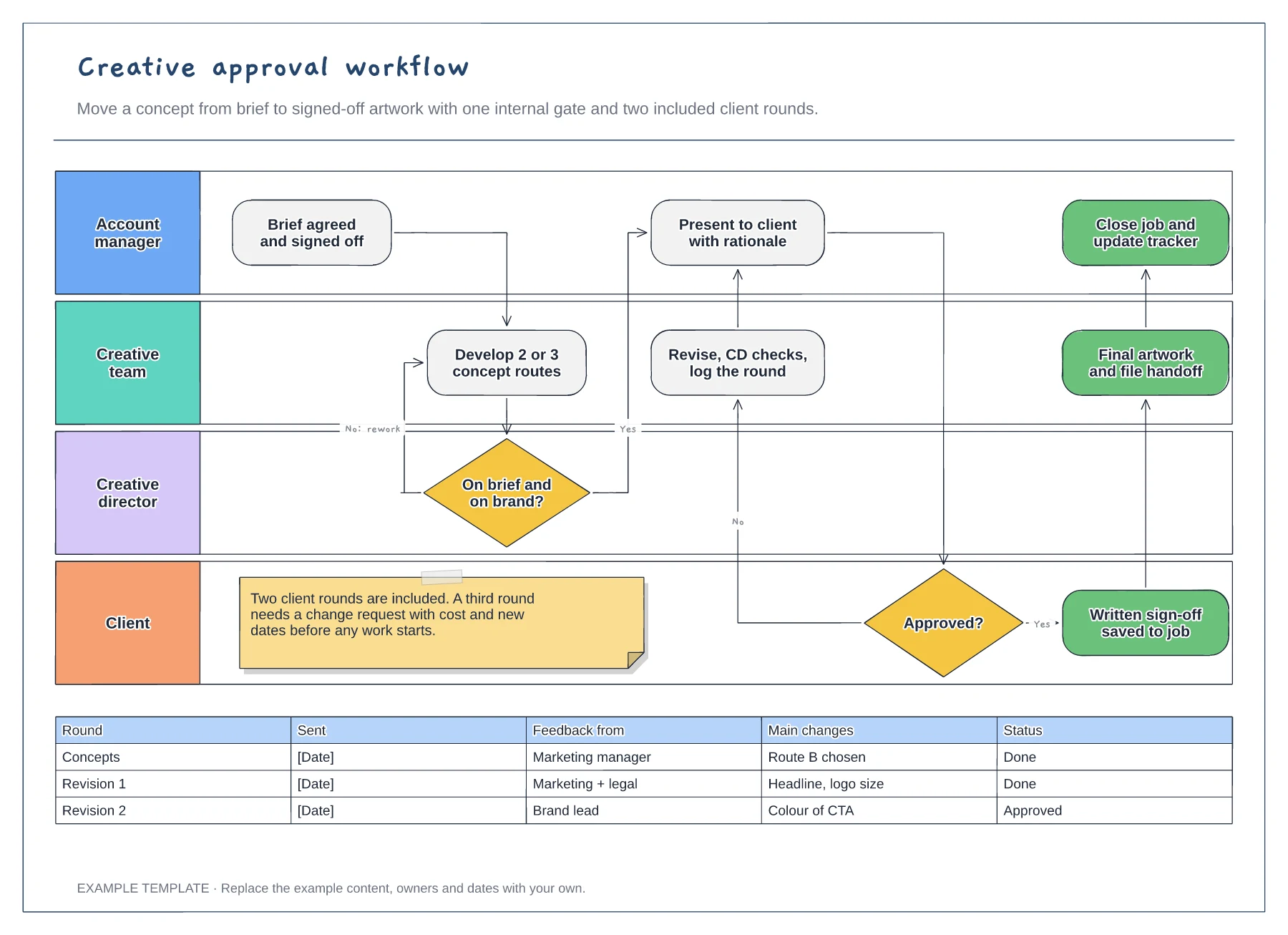
Creative approval workflow template
Four swimlanes from account manager to client · Internal gate and client revision loop · Revision log and a limit on included rounds
Preview and use template →A campaign brief gives everyone working on a campaign the same starting point. This one-page canvas shows a meal-kit brand winning back paused subscribers, with the objective, audience, insight and single key message at the top, then channels, deliverables, budget, KPIs and the rules every asset must follow.
No account needed · Opens as your own editable page
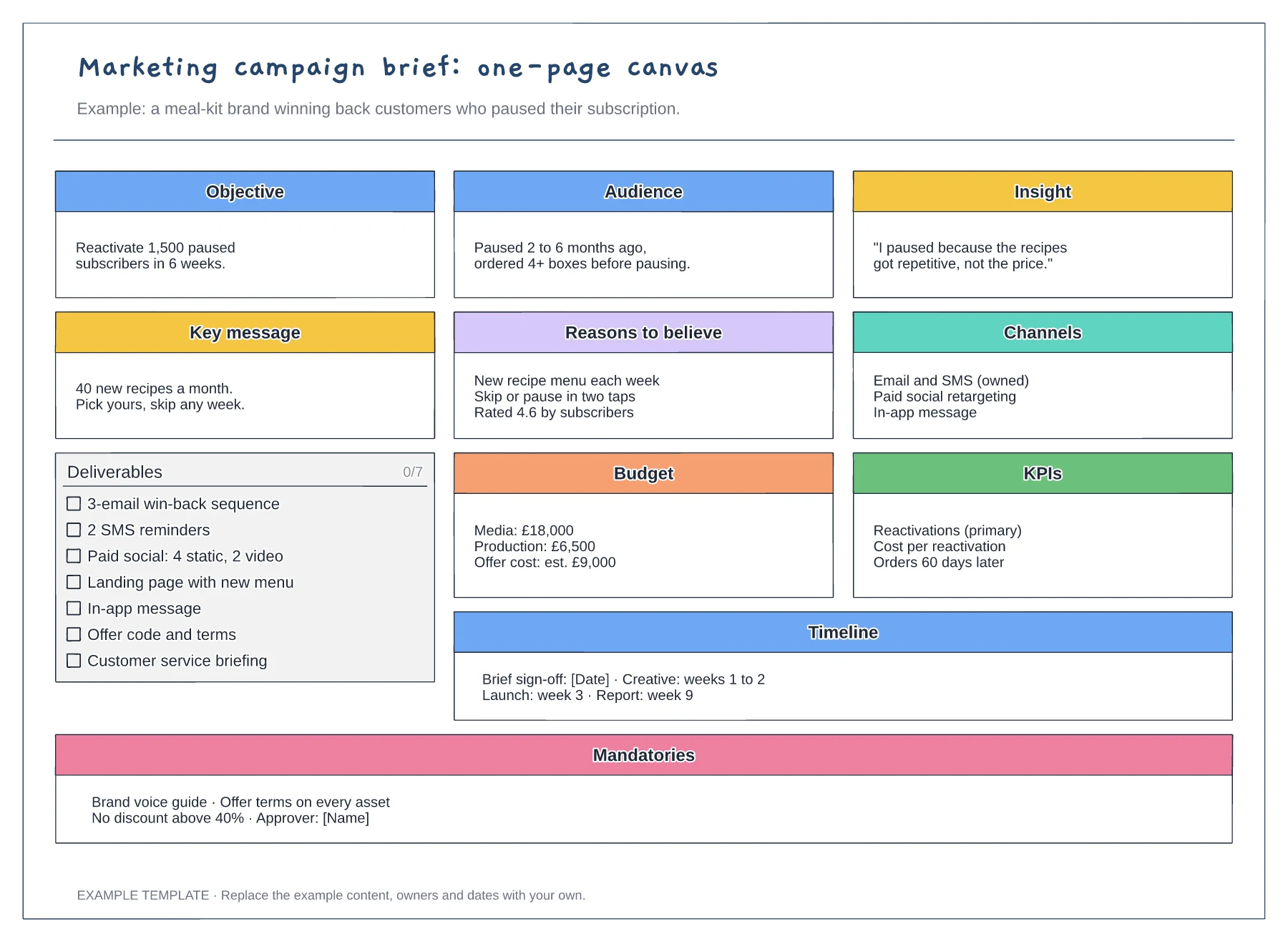
Replace the example with one outcome, a number and a deadline. If the objective cannot be measured, the KPIs box will end up describing activity instead of results.
Use a real customer quote or research finding for the insight box. A strong insight makes the key message easier to write and gives the creative team something specific to work with.
List anything every asset must include or avoid, such as offer terms, brand rules and the approver. Agreeing these upfront prevents late rework in the approval stage.
No. Start with the objective, audience, insight and key message, then delete any box that does not apply, such as mandatories for a small internal campaign.
No. Open the template and edit it in your browser. Your work saves on this device. An account is optional if you want to sync your workspace.
Yes. Use Export in the editor to save a PNG, SVG or PDF, or download an editable .epicdraw backup.
Four swimlanes from account manager to client · Internal gate and client revision loop · Revision log and a limit on included rounds
Preview and use template →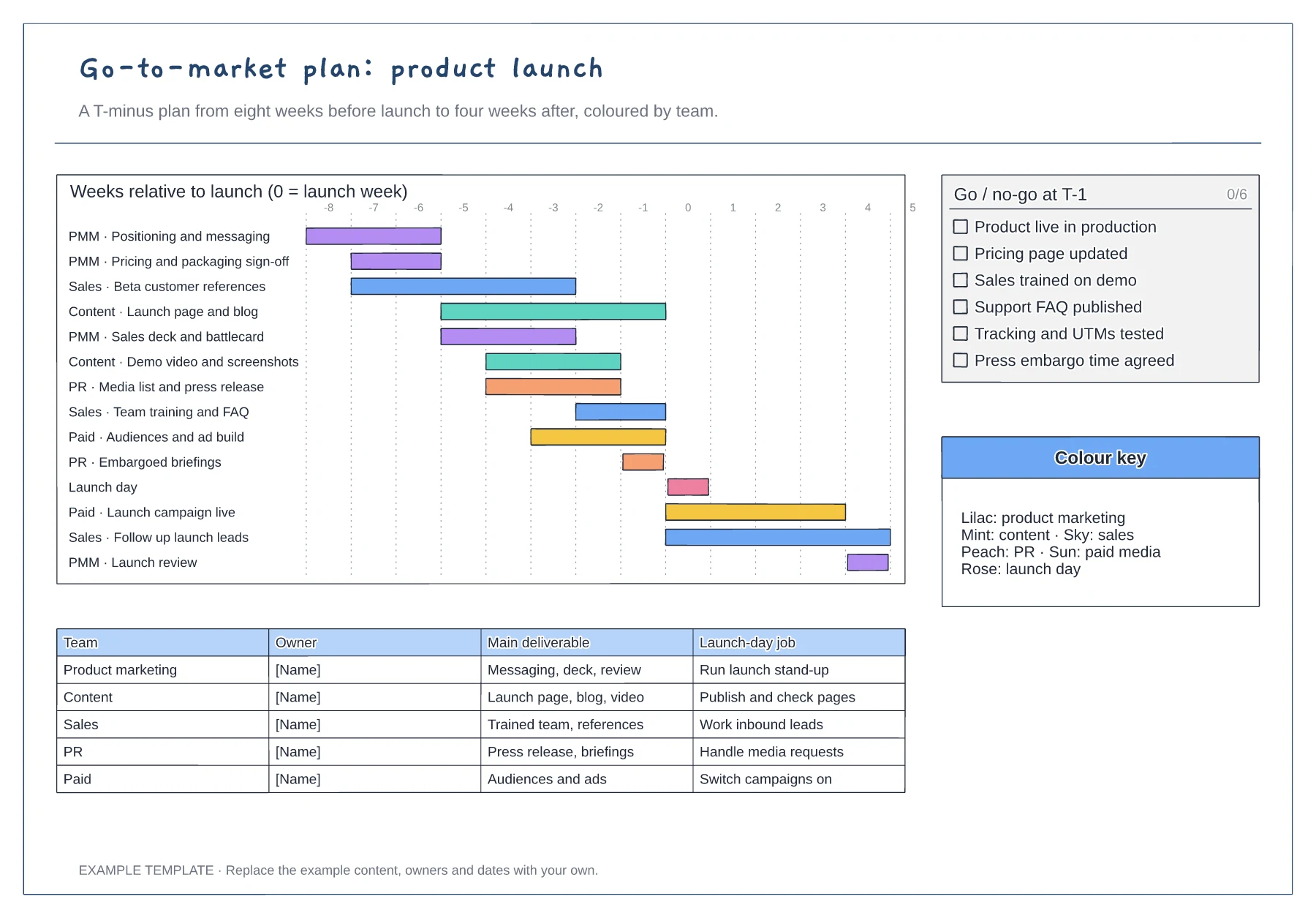
T-minus gantt chart coloured by team · Go/no-go checklist for the week before launch · Owner table with each team's launch-day job
Preview and use template →
Planning, preparation, launch and learning phases · Channel deliverables and owners · Goals, budget and review prompts
Preview and use template →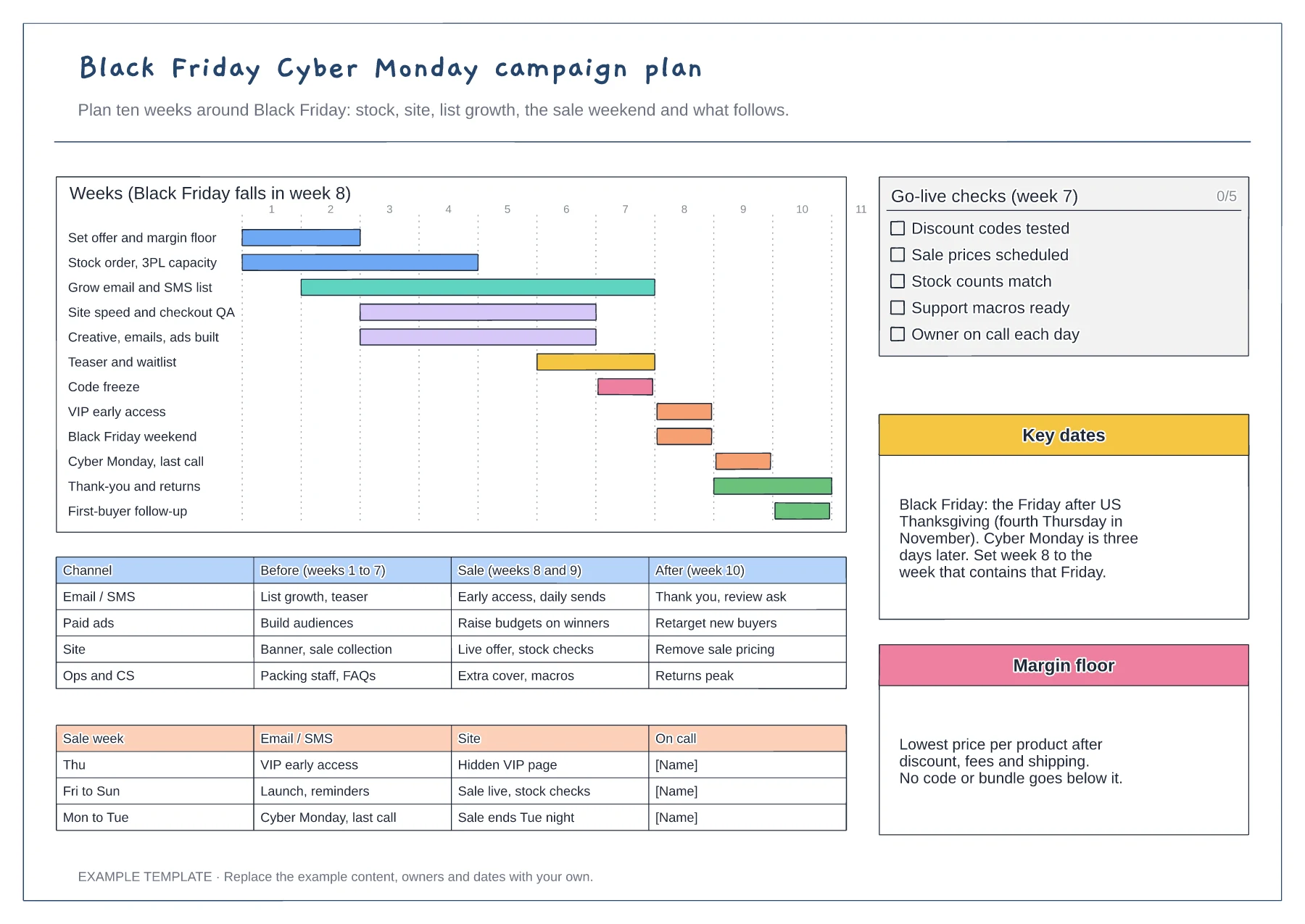
Ten-week gantt by workstream · Channel plan before, during and after · Go-live checks and sale-week rota
Preview and use template →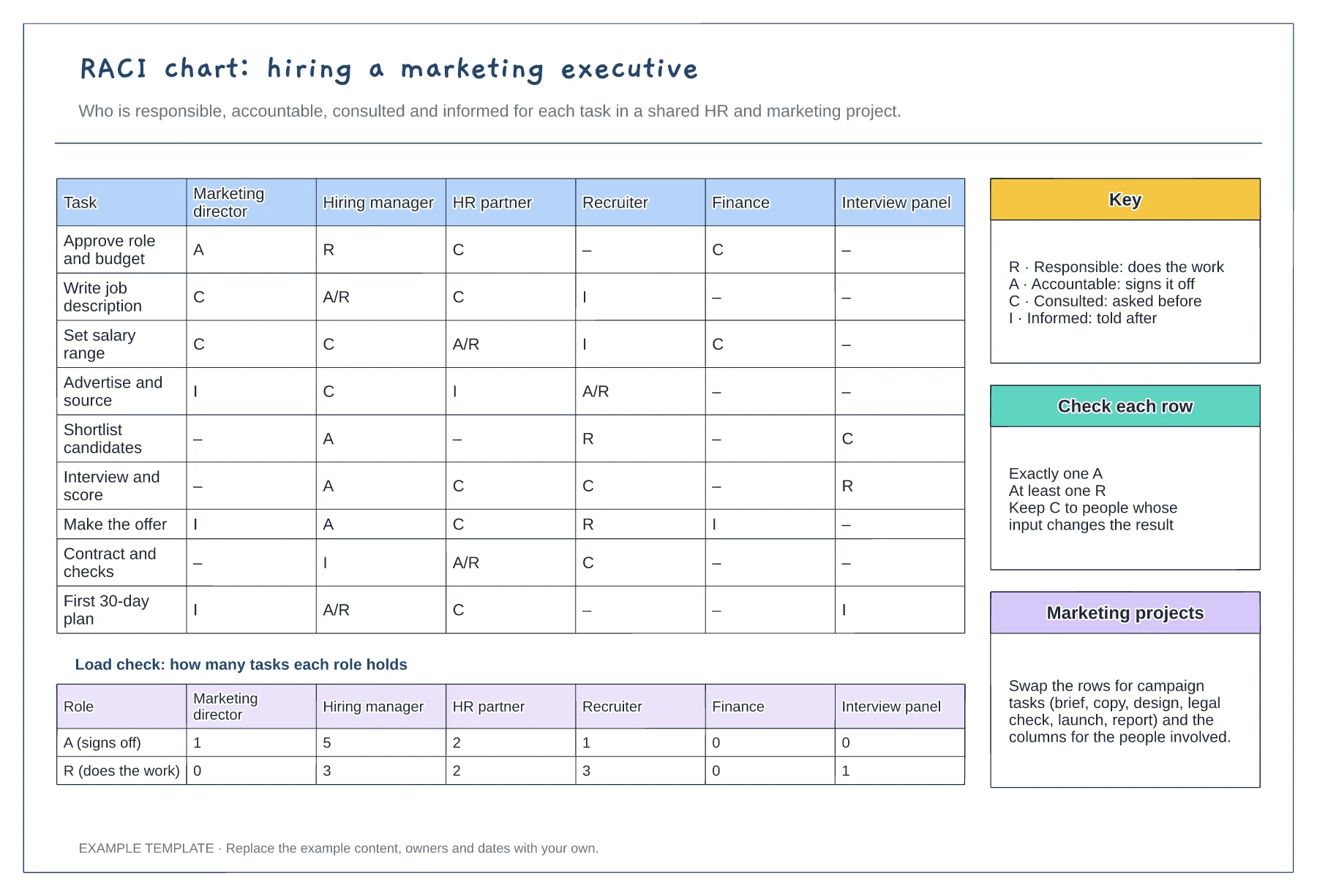
Tasks against six roles with R, A, C and I · Load check of A and R per role · Key, row checks and reuse notes
Preview and use template →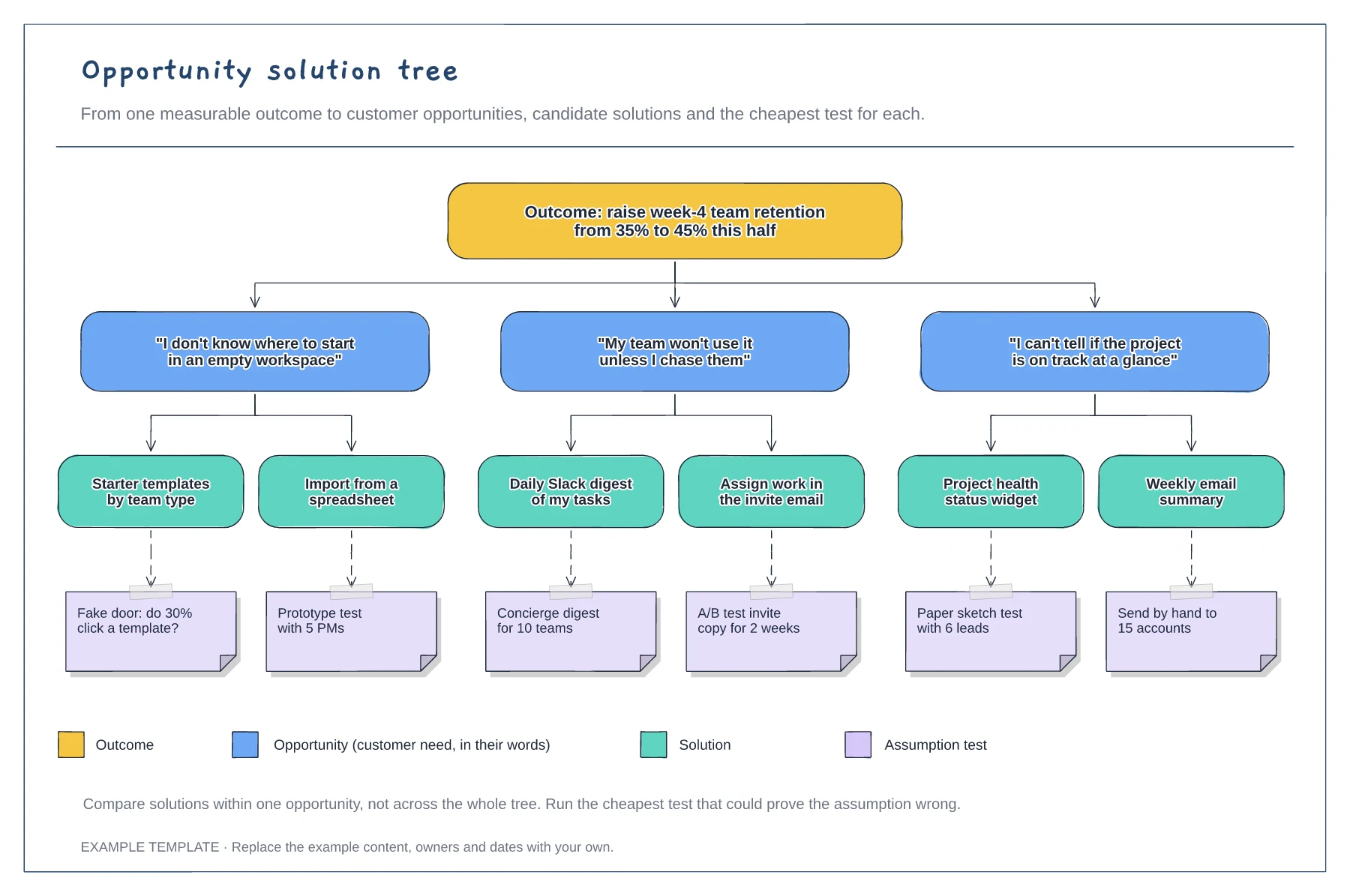
A measurable outcome at the top · Opportunities phrased as customer quotes · Solutions with assumption tests and a legend
Preview and use template →