Product
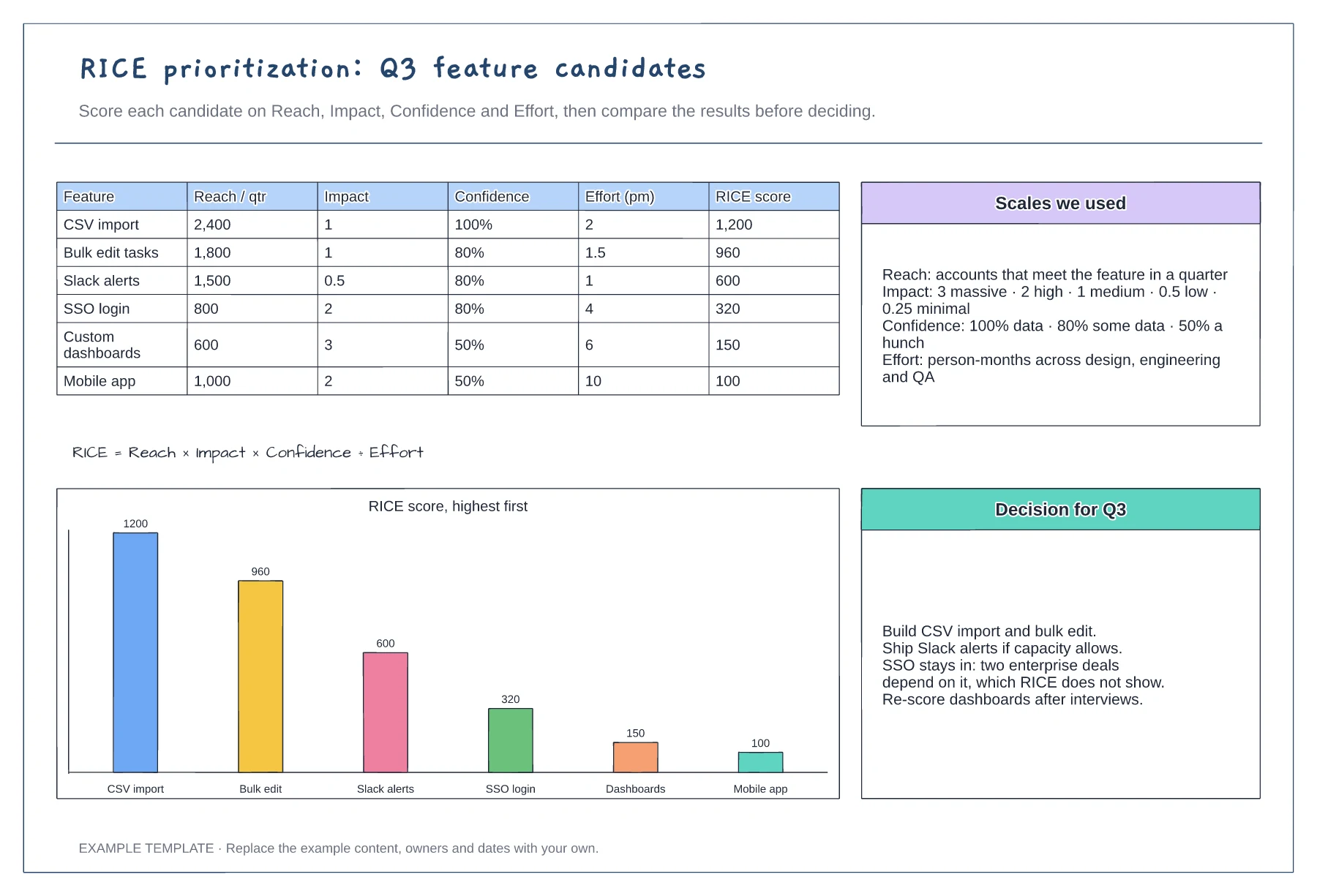
RICE prioritization scoring template
Scoring table with six features · Scales for reach, impact, confidence and effort · Ranked chart and a recorded decision
Preview and use template →An impact effort matrix sorts ideas into four quadrants so a team can agree quickly what to do first and what to drop. This example places nine backlog items for a SaaS product against one goal, week-4 retention, and turns the quadrants into a plan for the quarter.
No account needed · Opens as your own editable page
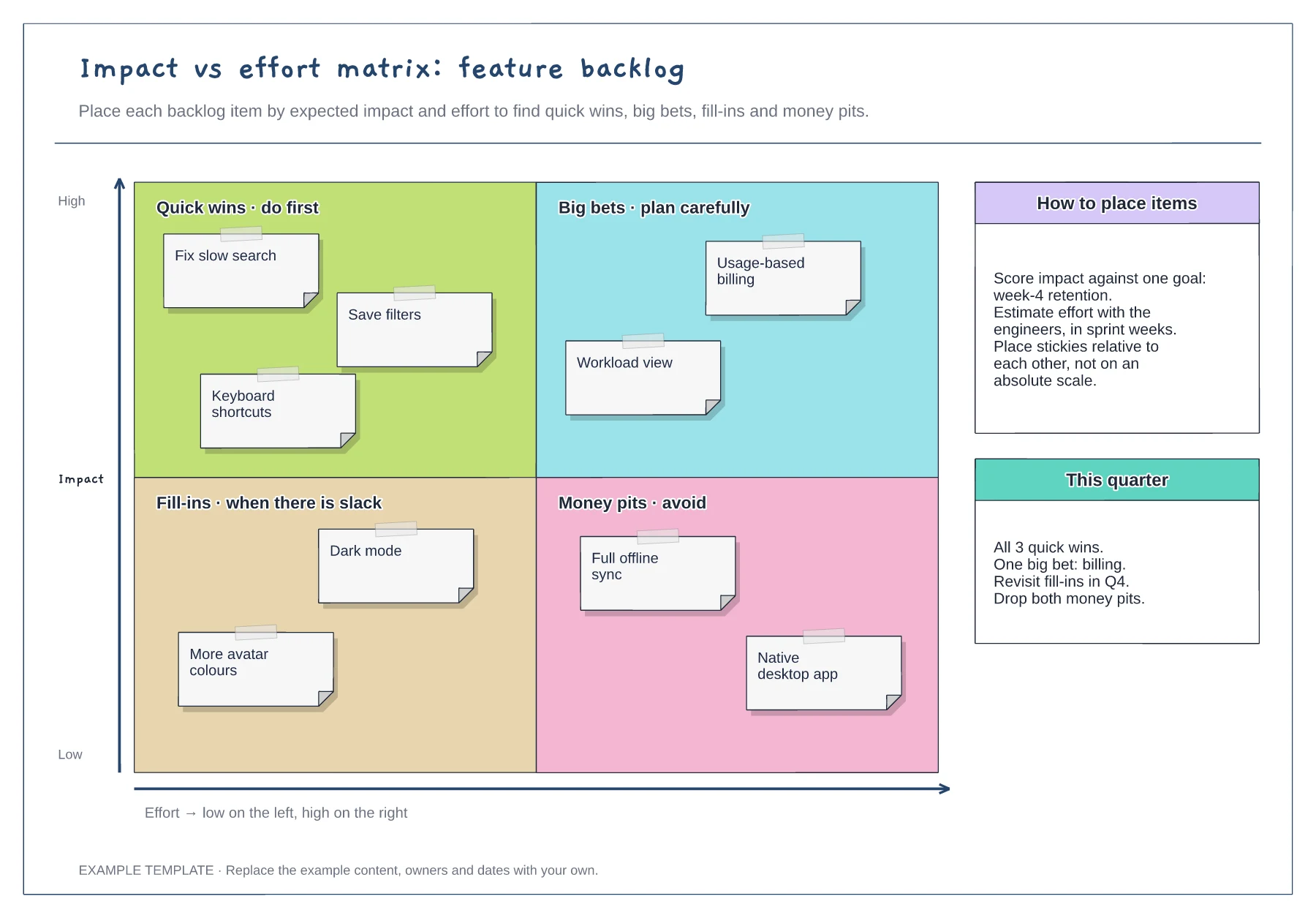
Score impact against a single outcome, such as retention or activation. Mixing goals makes every item look important, and the matrix stops separating anything useful from the rest.
Start with the item everyone agrees on, then place the rest above, below or beside it. Relative placement is faster than scoring and avoids false precision.
Write down what you will do with each quadrant this quarter, and who owns it. A matrix without a decision is only a picture of the backlog.
No. Place each note relative to the others, as the placement guidance on the board suggests, and move notes as the team discusses them.
No. Open the template and edit it in your browser. Your work saves on this device. An account is optional if you want to sync your workspace.
Yes. Use Export in the editor to save a PNG, SVG or PDF, or download an editable .epicdraw backup.
Scoring table with six features · Scales for reach, impact, confidence and effort · Ranked chart and a recorded decision
Preview and use template →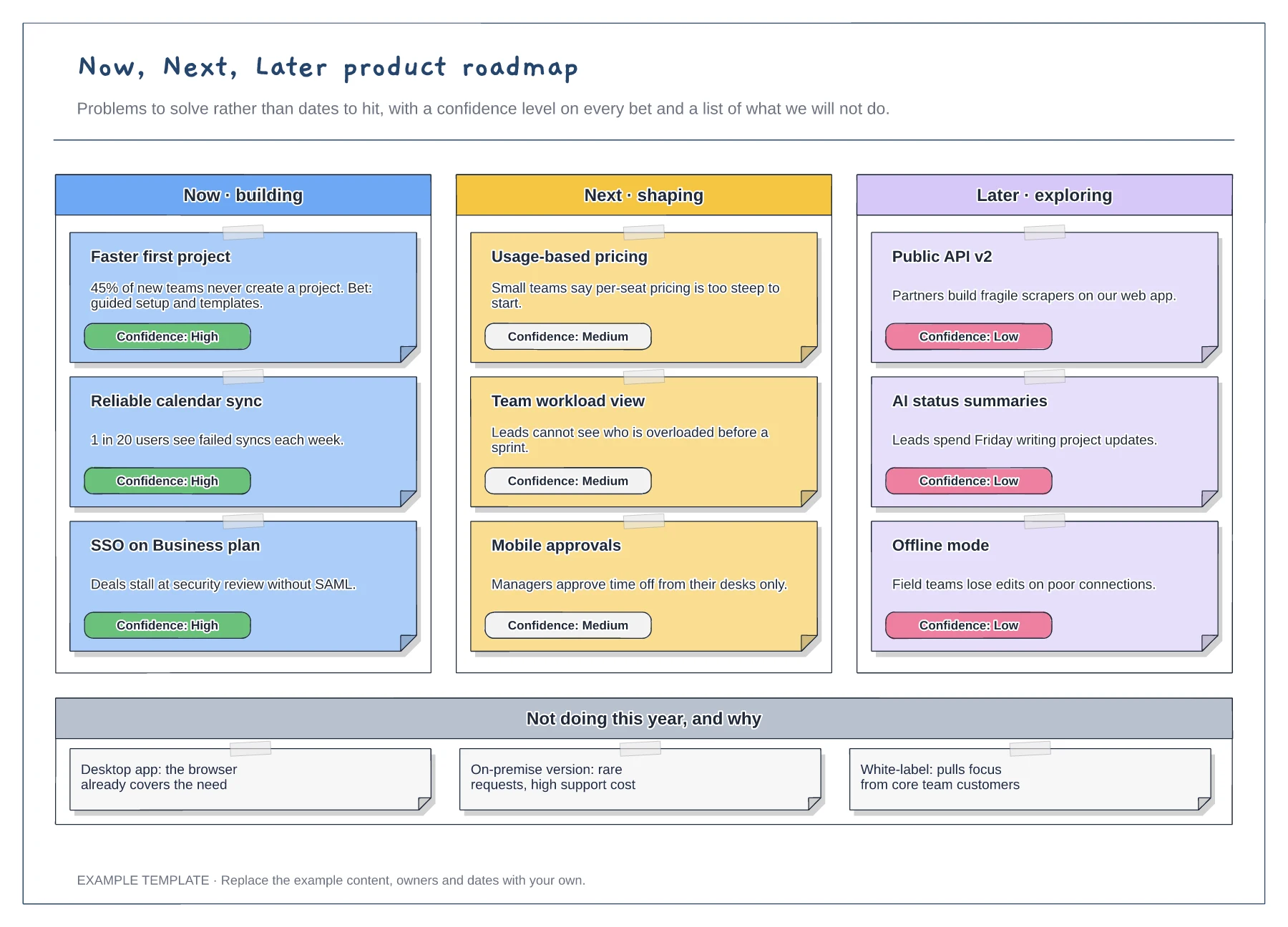
Now, Next and Later columns · Problem statements with confidence tags · A not-doing list with reasons
Preview and use template →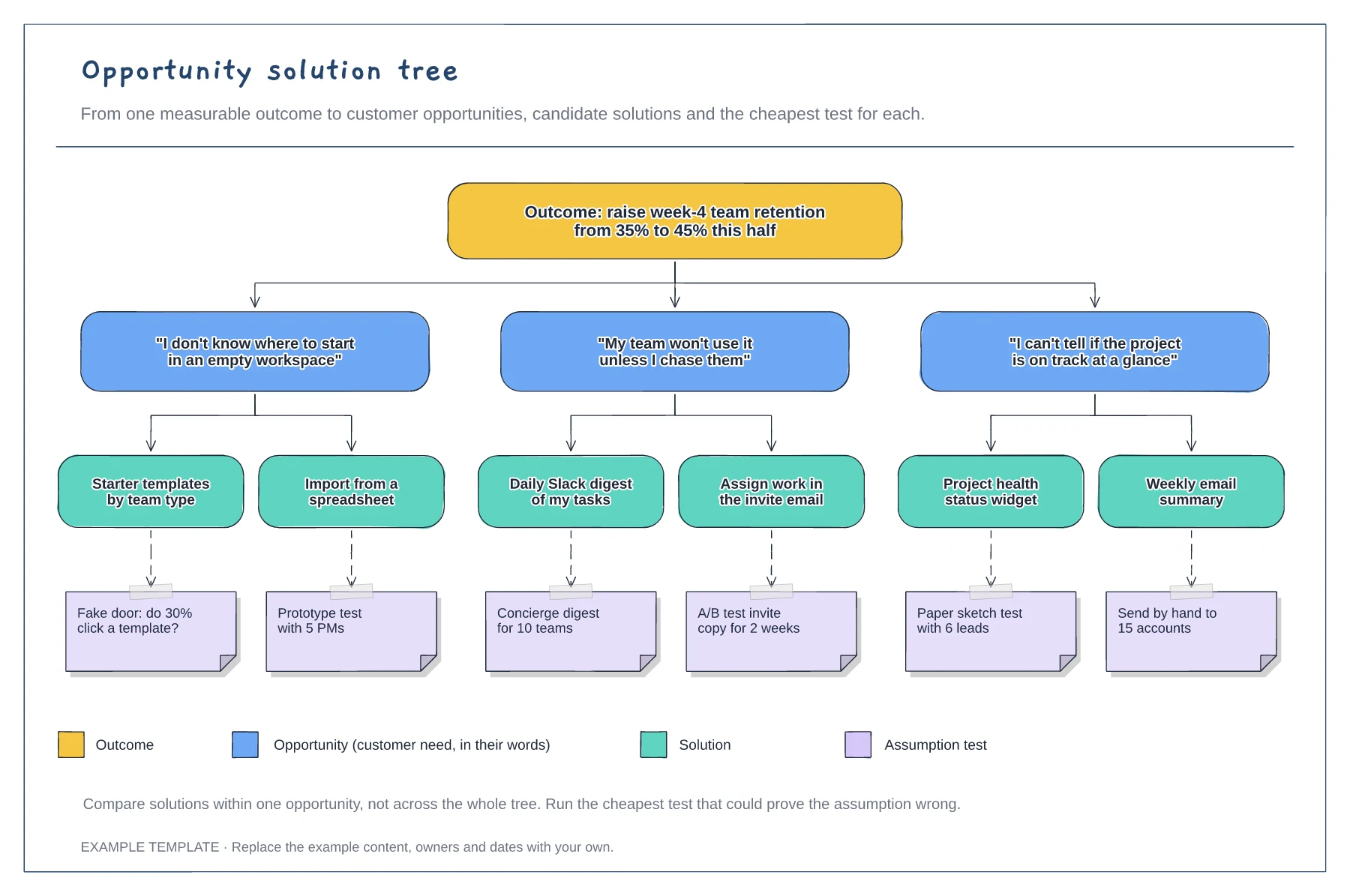
A measurable outcome at the top · Opportunities phrased as customer quotes · Solutions with assumption tests and a legend
Preview and use template →
Observations from the sprint · Discussion and improvement ideas · An owned experiment and review
Preview and use template →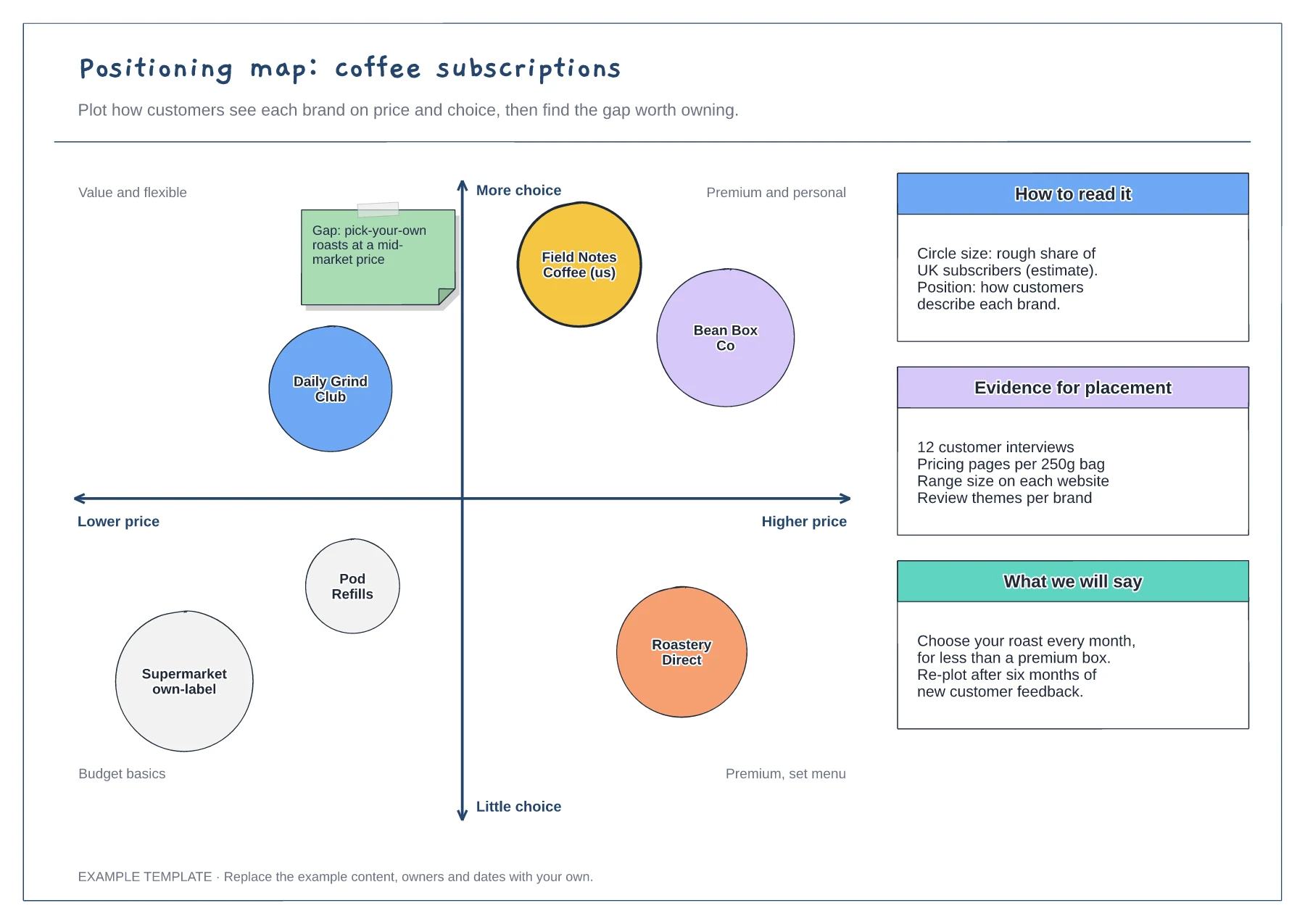
Two-axis map with labelled quadrants · Competitor circles sized by share · Notes on evidence and the message to test
Preview and use template →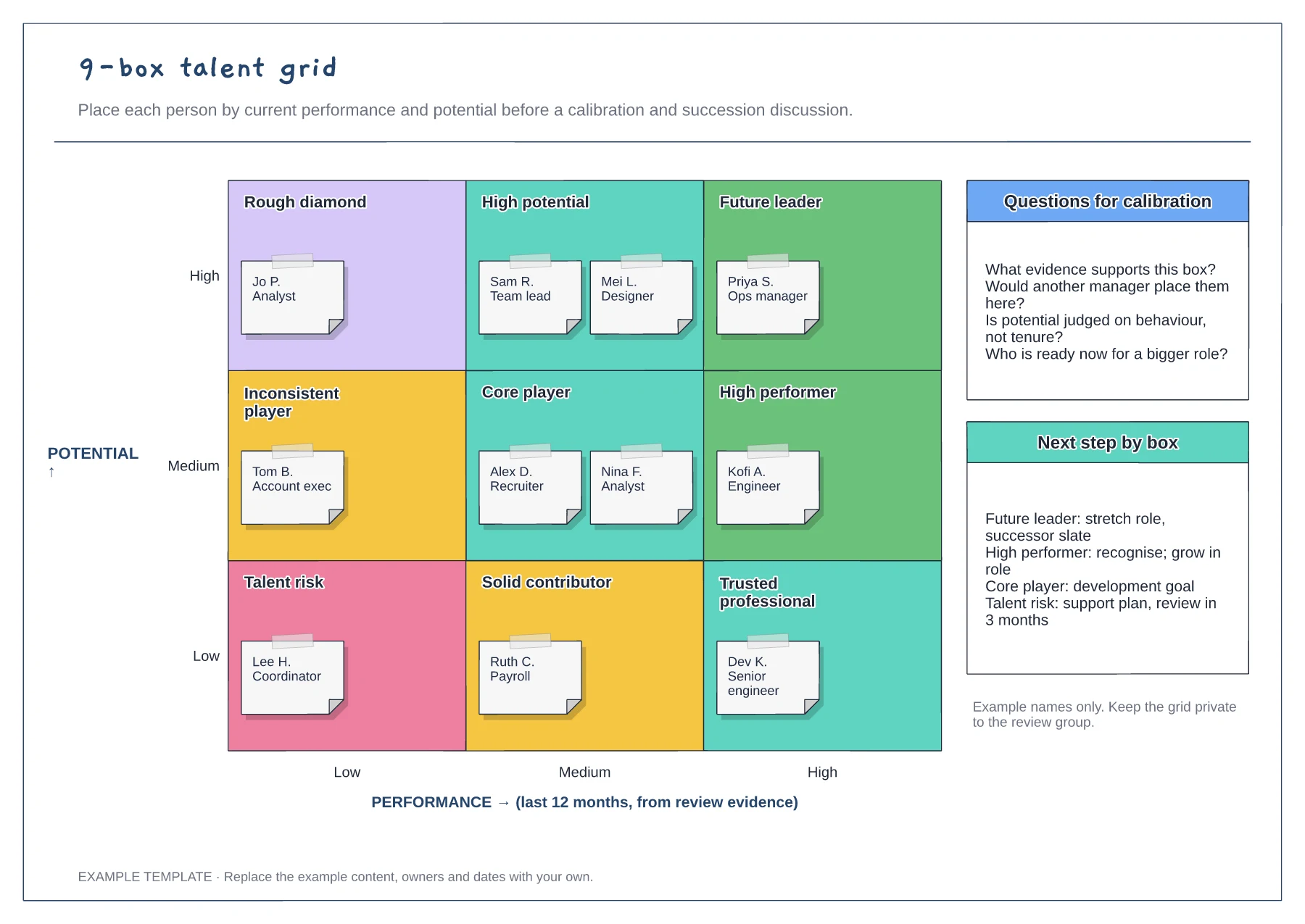
Performance and potential axes · Nine labelled cells with employee notes · Calibration questions and next steps
Preview and use template →