Engineering
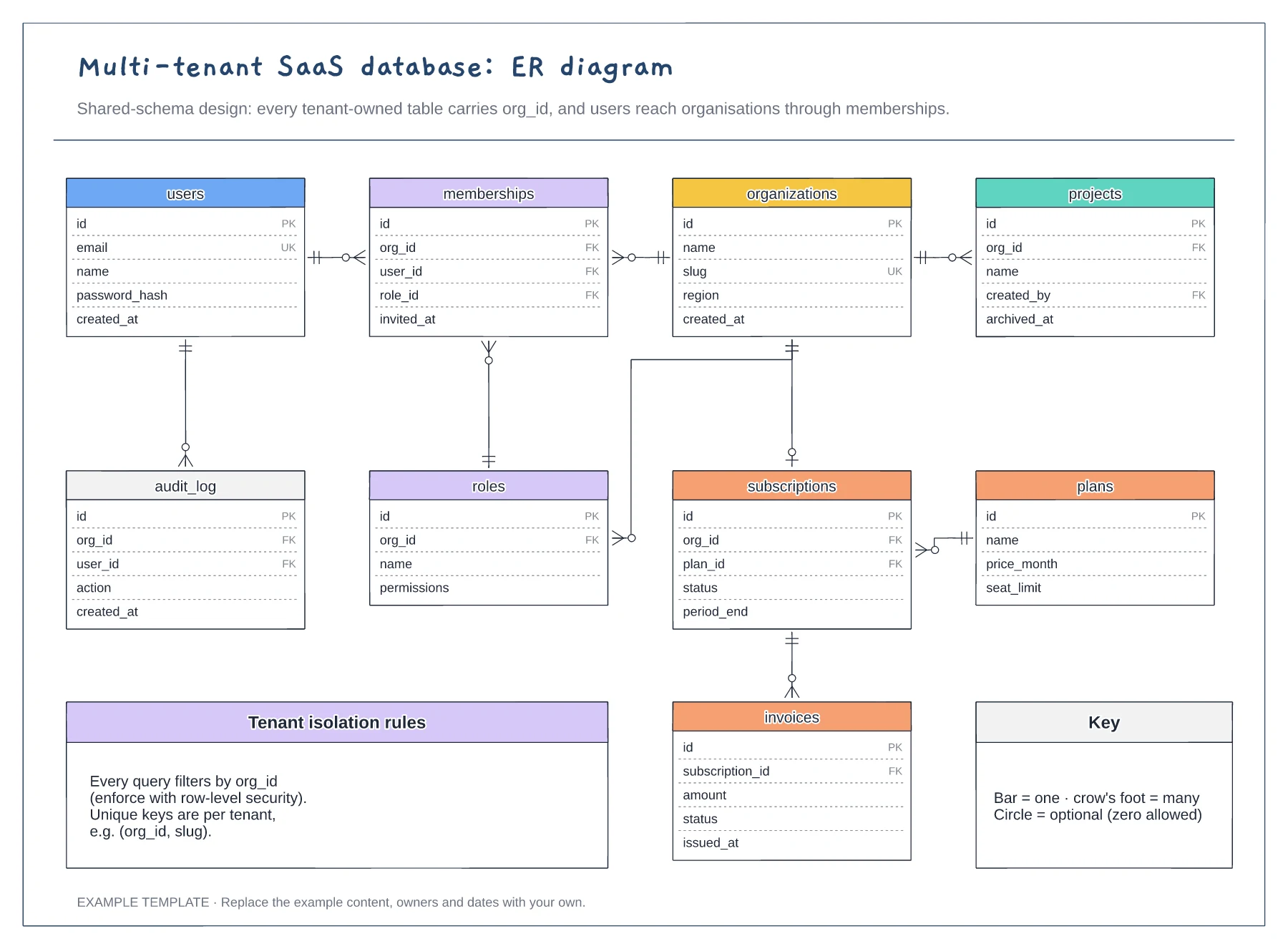
Multi-tenant SaaS database ER diagram template
Nine tables with keys marked PK, FK and UK · Crow's foot relationships with optional ends · Tenant isolation rules and a notation key
Preview and use template →An entity relationship diagram shows the tables a system stores and how they link, which makes it the natural starting point for an ecommerce database. This example models an online shop with nine entities, from customer and order to product variant, payment and shipment, each with its primary and foreign keys and its one-to-many relationships marked.
No account needed · Opens as your own editable page
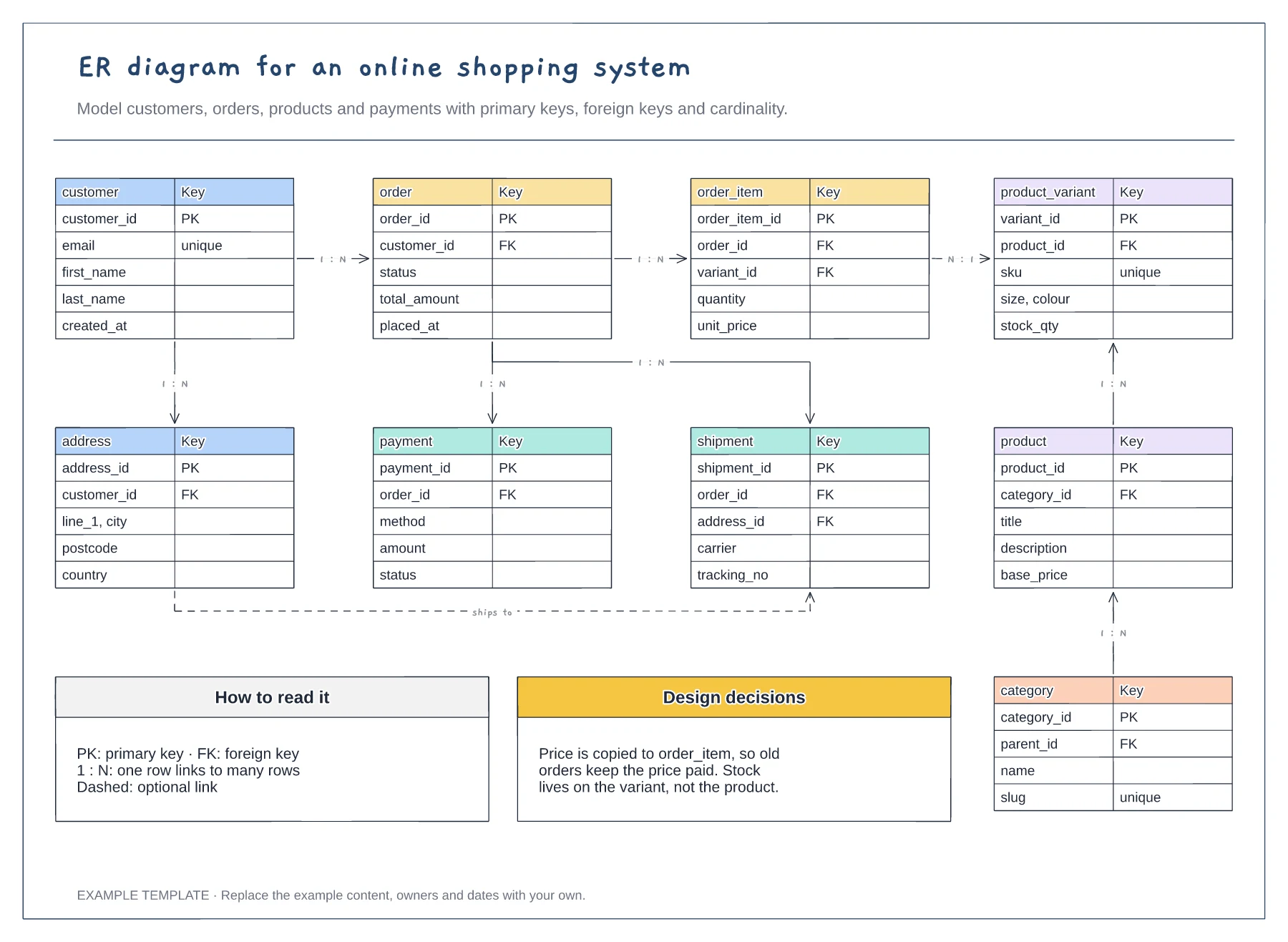
Most questions an online shop asks lead back to the order, so place it centrally and connect customers, items, payments and shipments to it. This shows which records must exist before anyone can place an order.
Keep stock on the variant rather than the product, because each size and colour sells separately. Copy the price onto every order item so past orders keep the price the customer actually paid.
Extend the model with tables such as discounts, reviews, returns or wishlists. Draw each new link with its cardinality before writing a migration, so the team agrees on the rules first.
Yes. Copy an entity box, list its key fields with primary and foreign keys, and connect it with a labelled one-to-many line, for example product to review.
No. Open the template and edit it in your browser. Your work saves on this device. An account is optional if you want to sync your workspace.
Yes. Use Export in the editor to save a PNG, SVG or PDF, or download an editable .epicdraw backup.
Nine tables with keys marked PK, FK and UK · Crow's foot relationships with optional ends · Tenant isolation rules and a notation key
Preview and use template →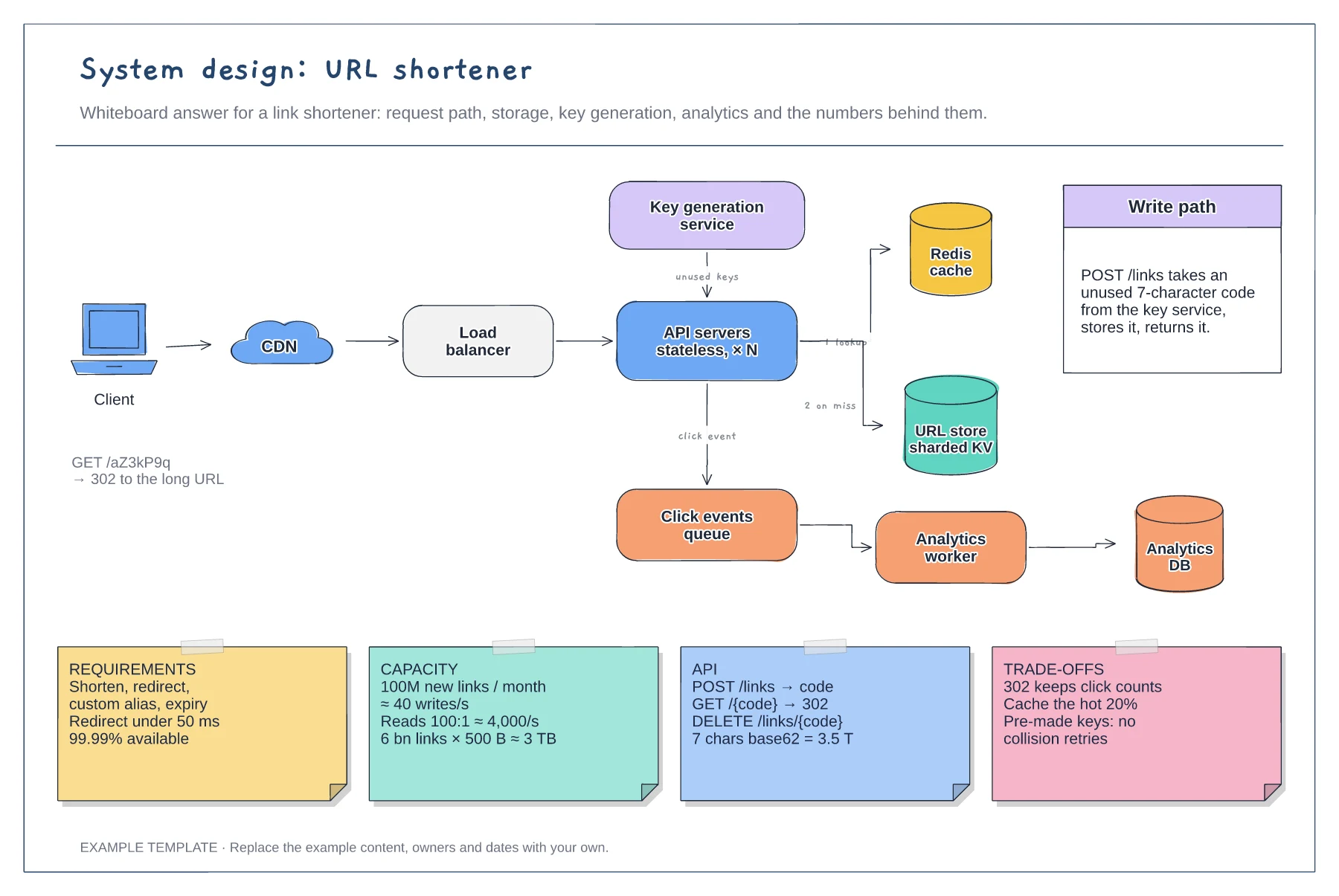
Read and write paths through cache and store · Key generation service and analytics queue · Requirement, capacity, API and trade-off notes
Preview and use template →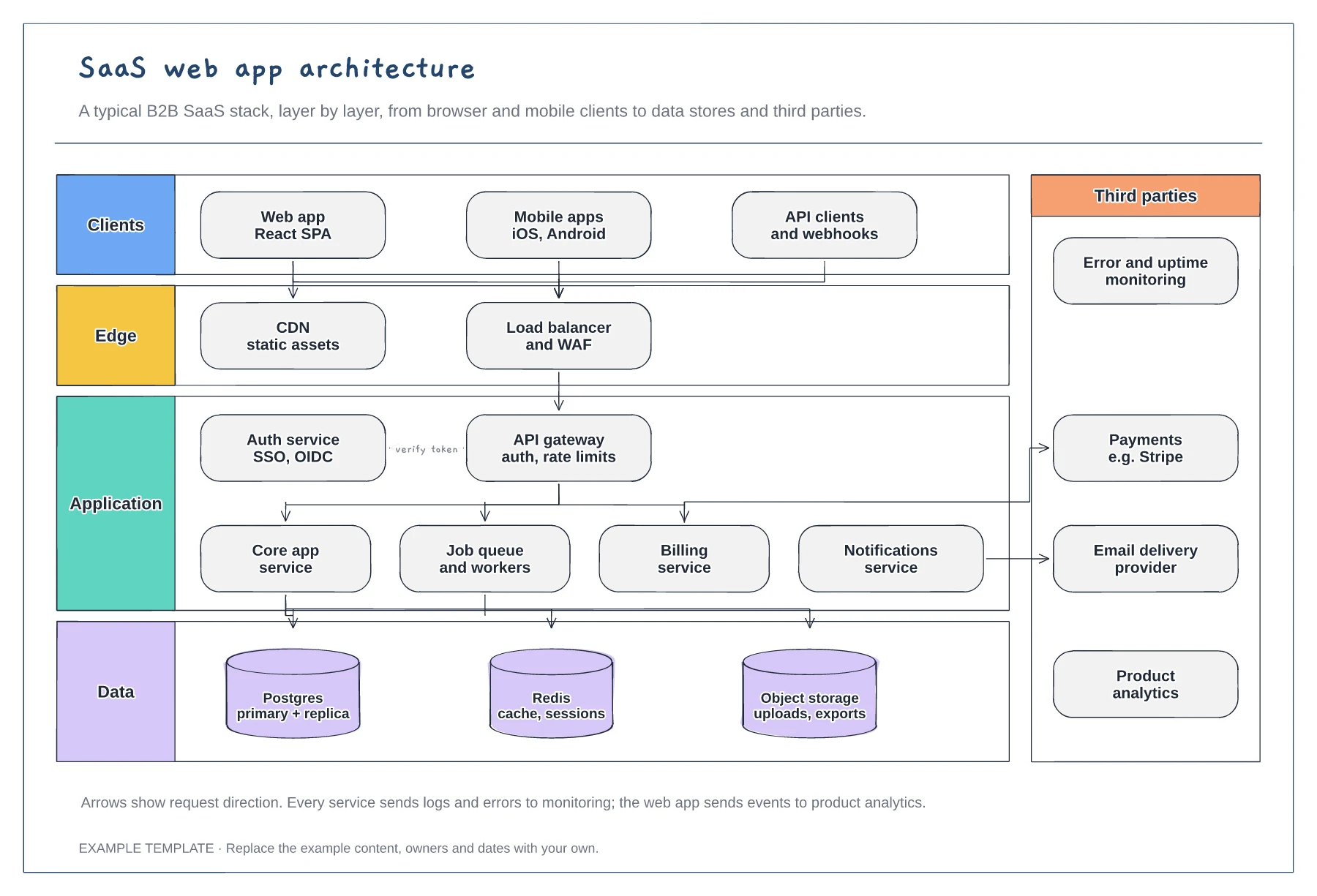
Client, edge, application and data layers · Services behind an API gateway and auth service · Third parties such as payments and email
Preview and use template →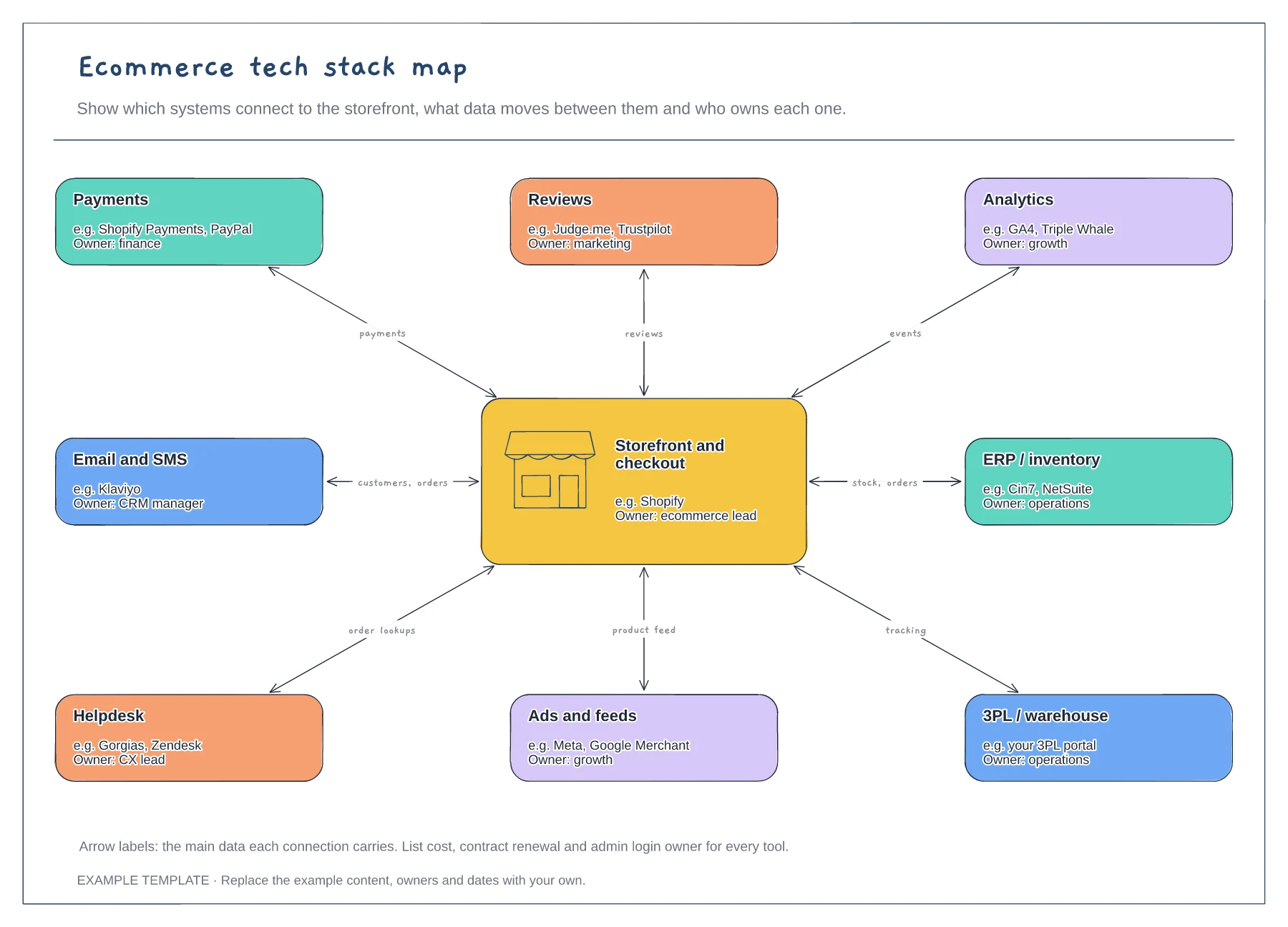
Storefront hub and eight systems · Data carried by each connection · An owner for every tool
Preview and use template →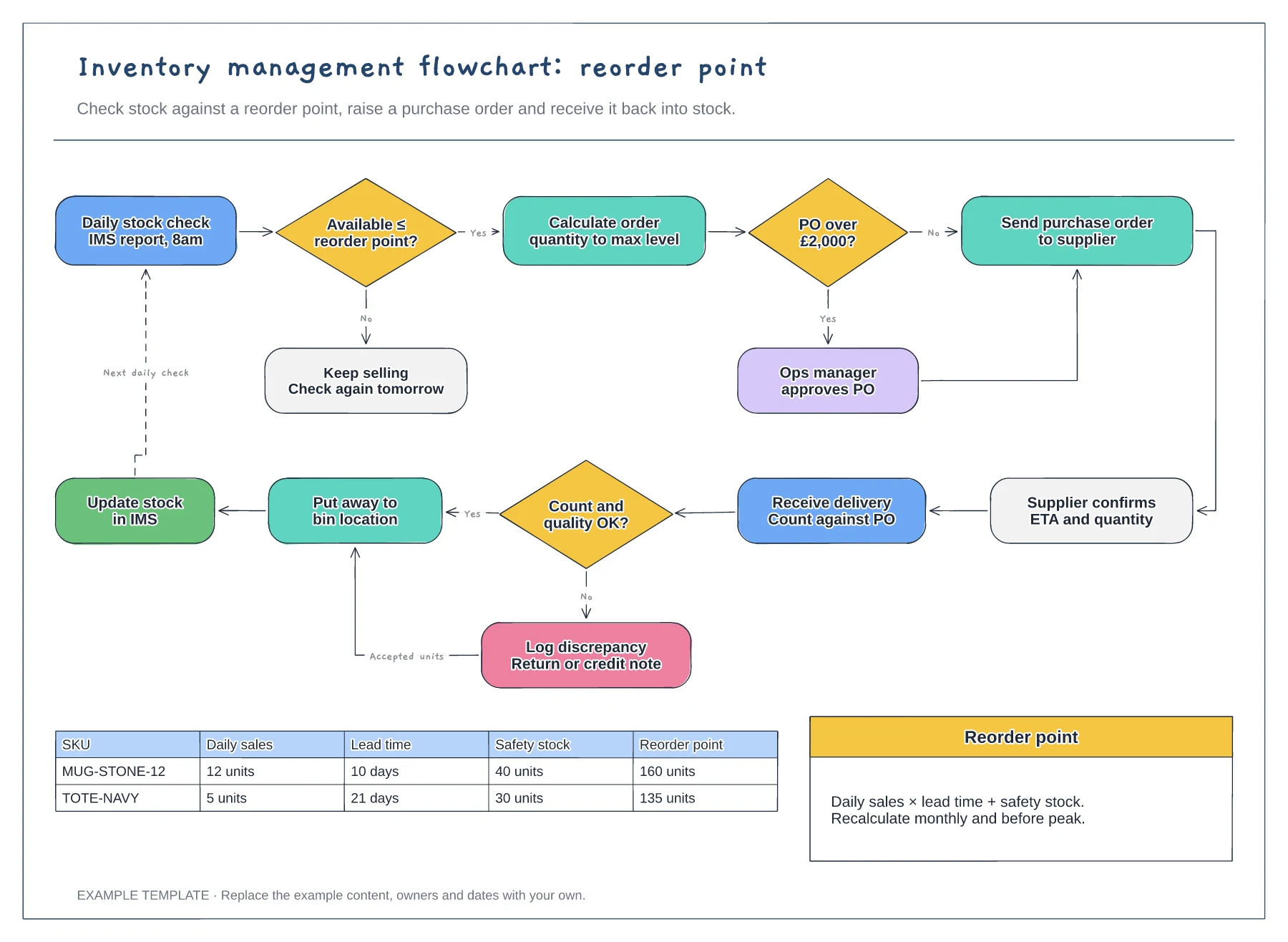
Reorder point decision and loop · Purchase order approval and receiving · Worked reorder point table
Preview and use template →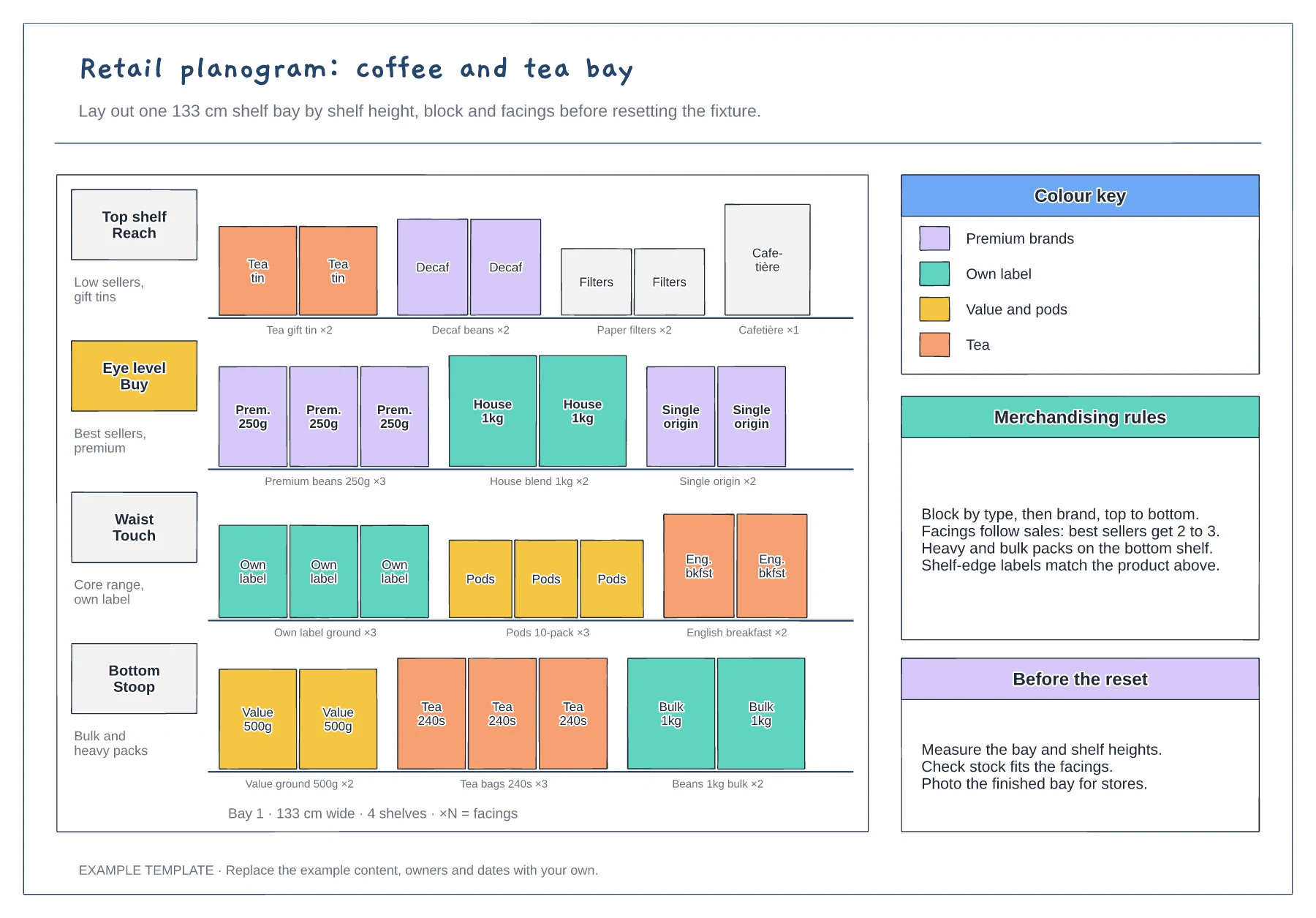
Four shelves by height zone · Product facings with counts · Colour key and merchandising rules
Preview and use template →