Ecommerce
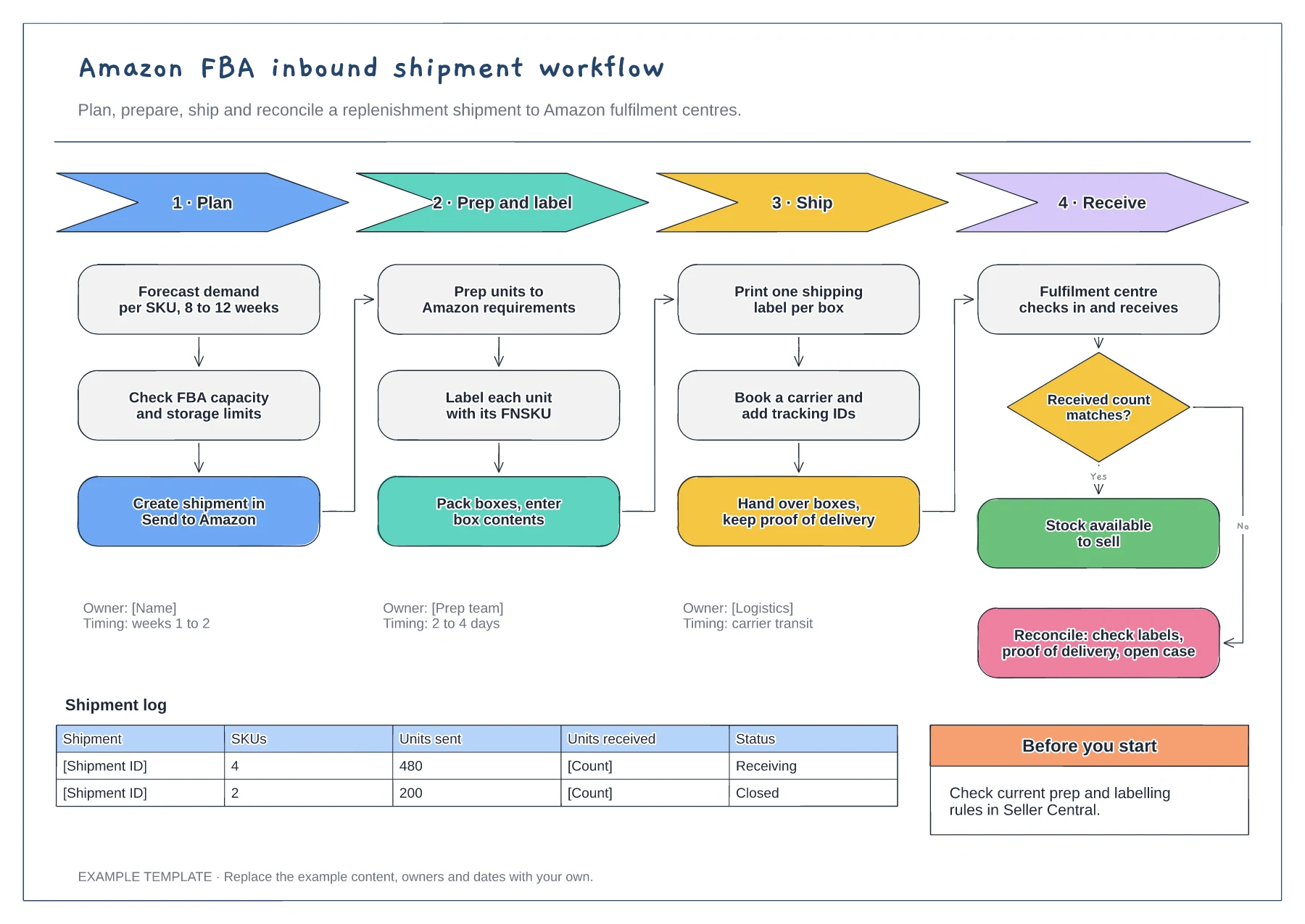
Amazon FBA inbound shipment workflow template
Four phases with their steps · Owners and timings per phase · Receiving check and shipment log
Preview and use template →An inventory management flowchart shows when stock gets reordered and what happens between the purchase order and the shelf. This example checks available stock against a reorder point every morning, routes large orders for approval, receives and checks each delivery, logs discrepancies and updates the stock system, with two worked reorder point calculations.
No account needed · Opens as your own editable page
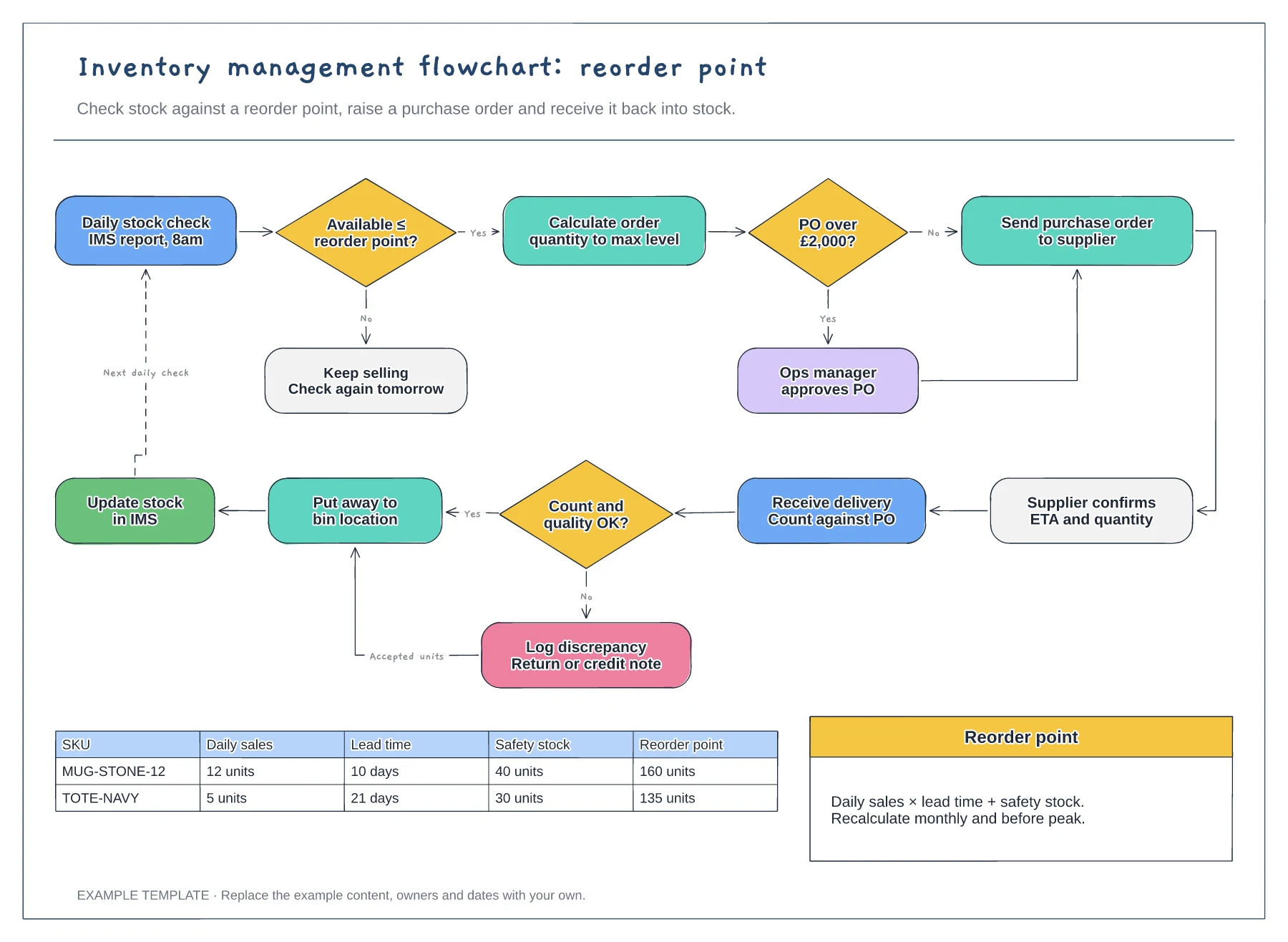
Calculate a reorder point for each SKU from daily sales, supplier lead time and safety stock. Without one, the first decision in the flowchart becomes a guess made by whoever happens to check.
Replace the example threshold with your own purchase approval limit and the role that signs it off. A clear limit stops urgent orders waiting on someone who did not know the decision was theirs.
Agree who logs short or damaged deliveries and whether you return the goods, accept them or ask for a credit note. Recording this before put-away keeps the stock figure accurate.
Edit the worked reorder point table with your daily sales, lead time and safety stock, then update the figure in the reorder point decision to match.
No. Open the template and edit it in your browser. Your work saves on this device. An account is optional if you want to sync your workspace.
Yes. Use Export in the editor to save a PNG, SVG or PDF, or download an editable .epicdraw backup.
Four phases with their steps · Owners and timings per phase · Receiving check and shipment log
Preview and use template →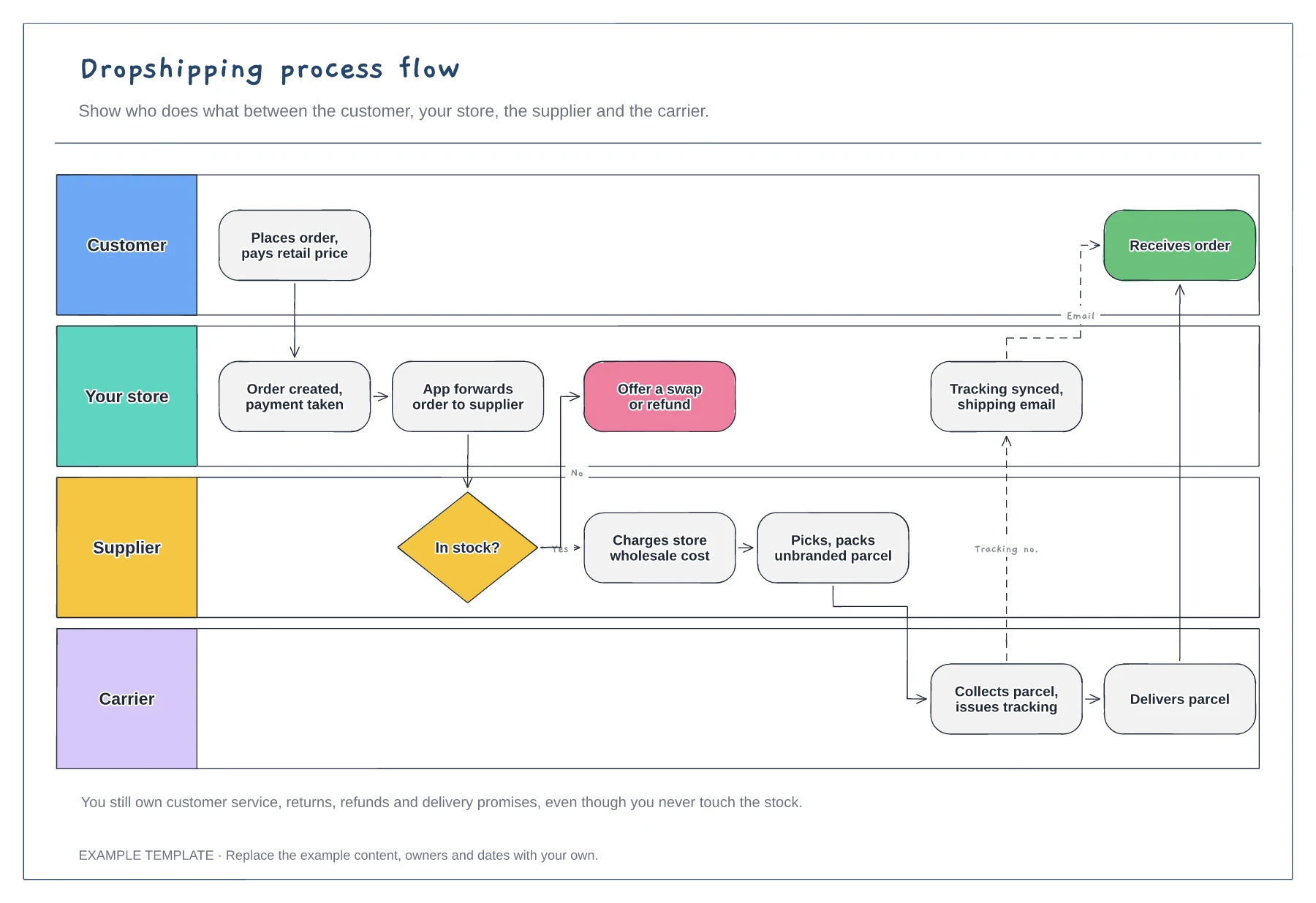
Four swimlanes with handoffs · Out-of-stock branch · Tracking sync back to the customer
Preview and use template →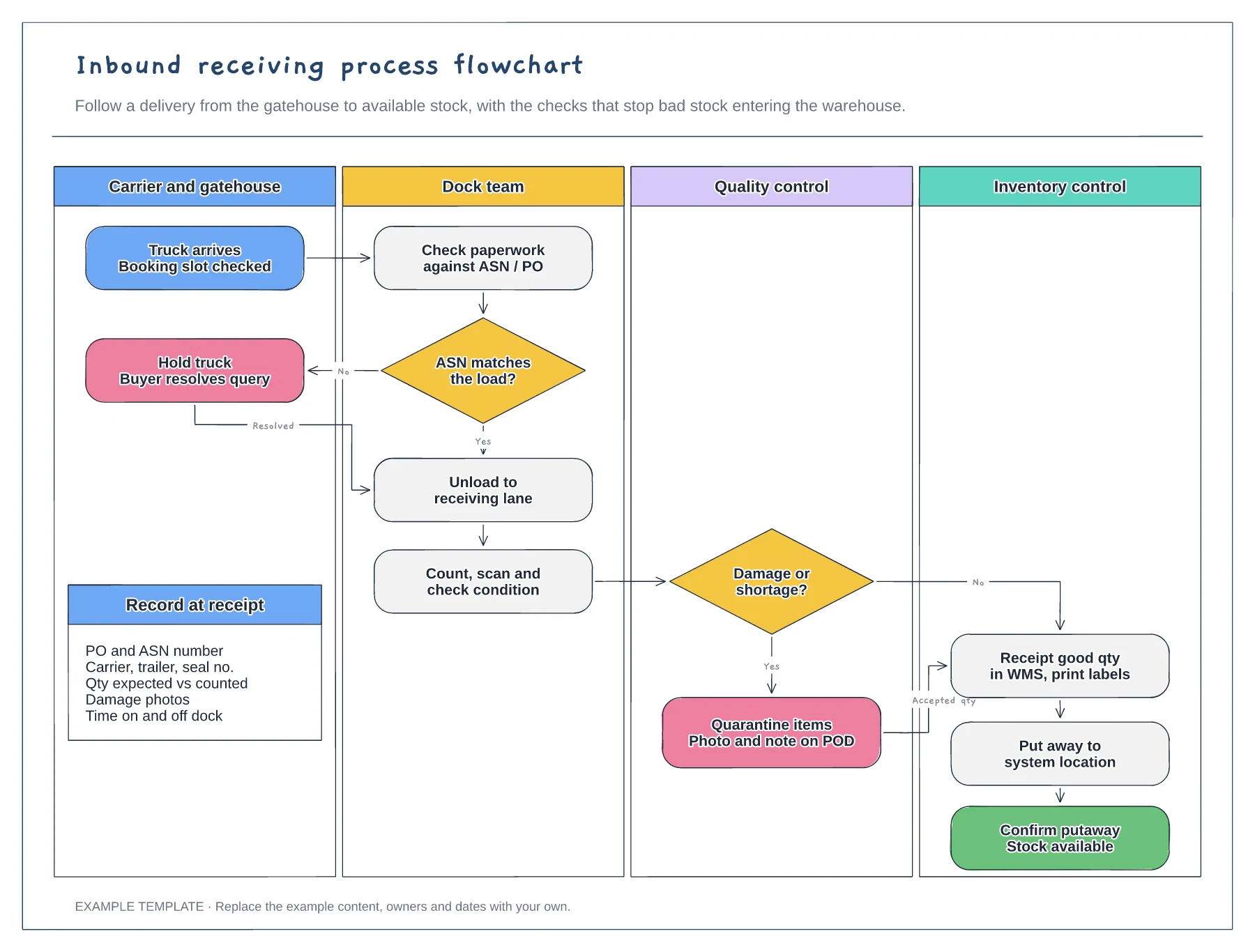
Four swimlanes from carrier to inventory · ASN and damage decisions with Yes and No paths · Data to record at receipt
Preview and use template →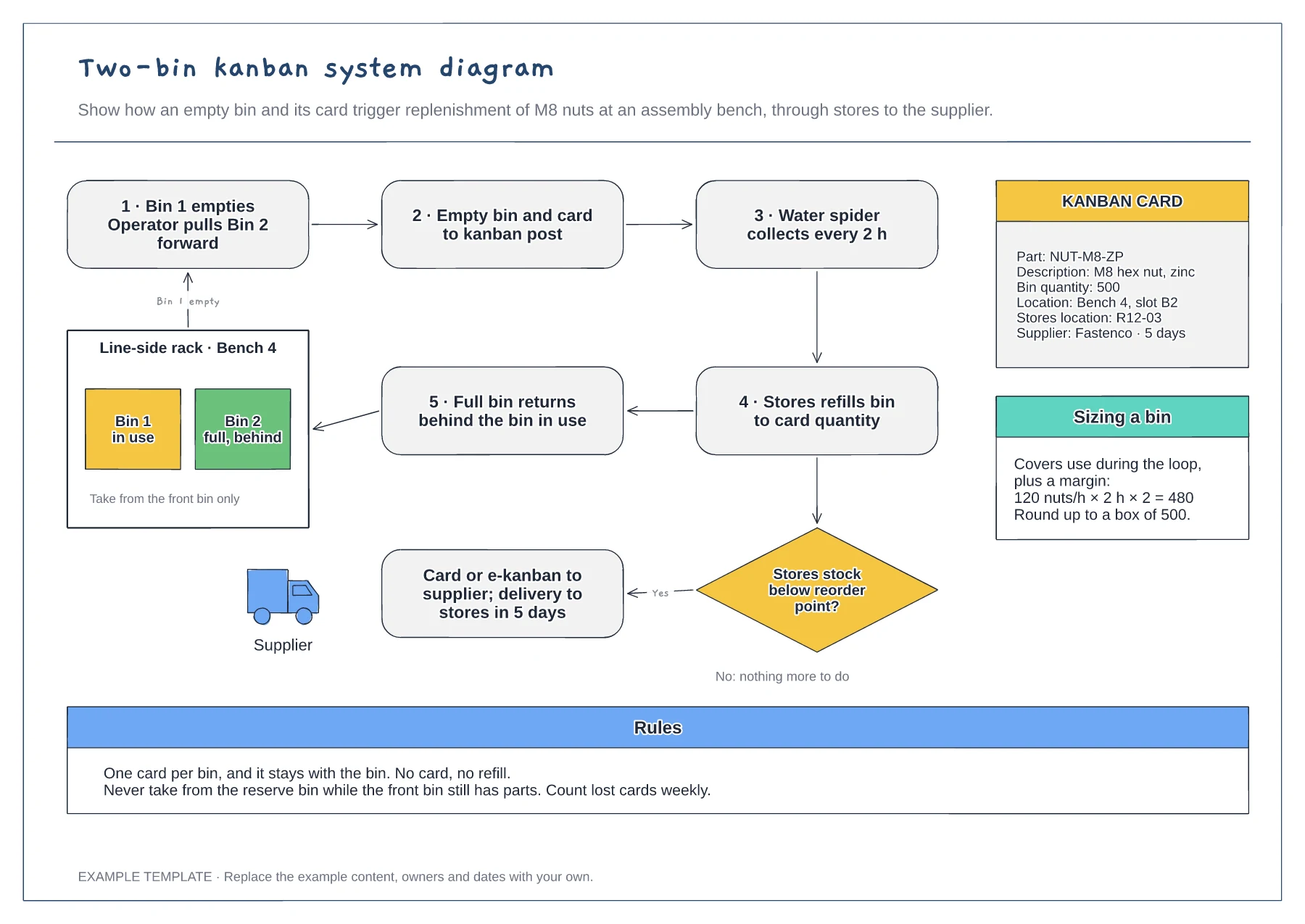
Replenishment loop from bench to stores · Reorder decision and supplier trigger · Kanban card fields and bin sizing
Preview and use template →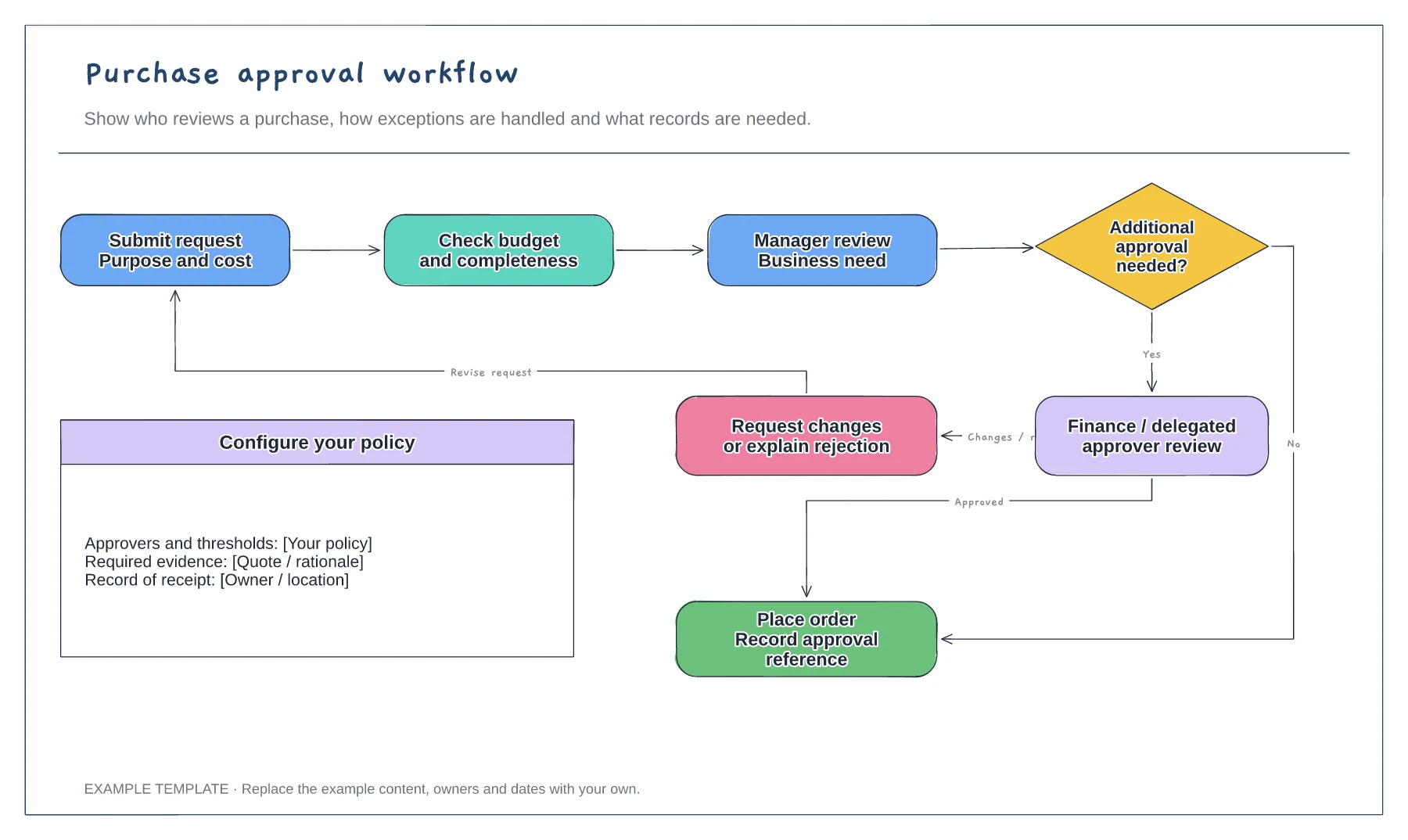
Purchase request and supporting information · Approval decisions and revision path · Order and record-keeping steps
Preview and use template →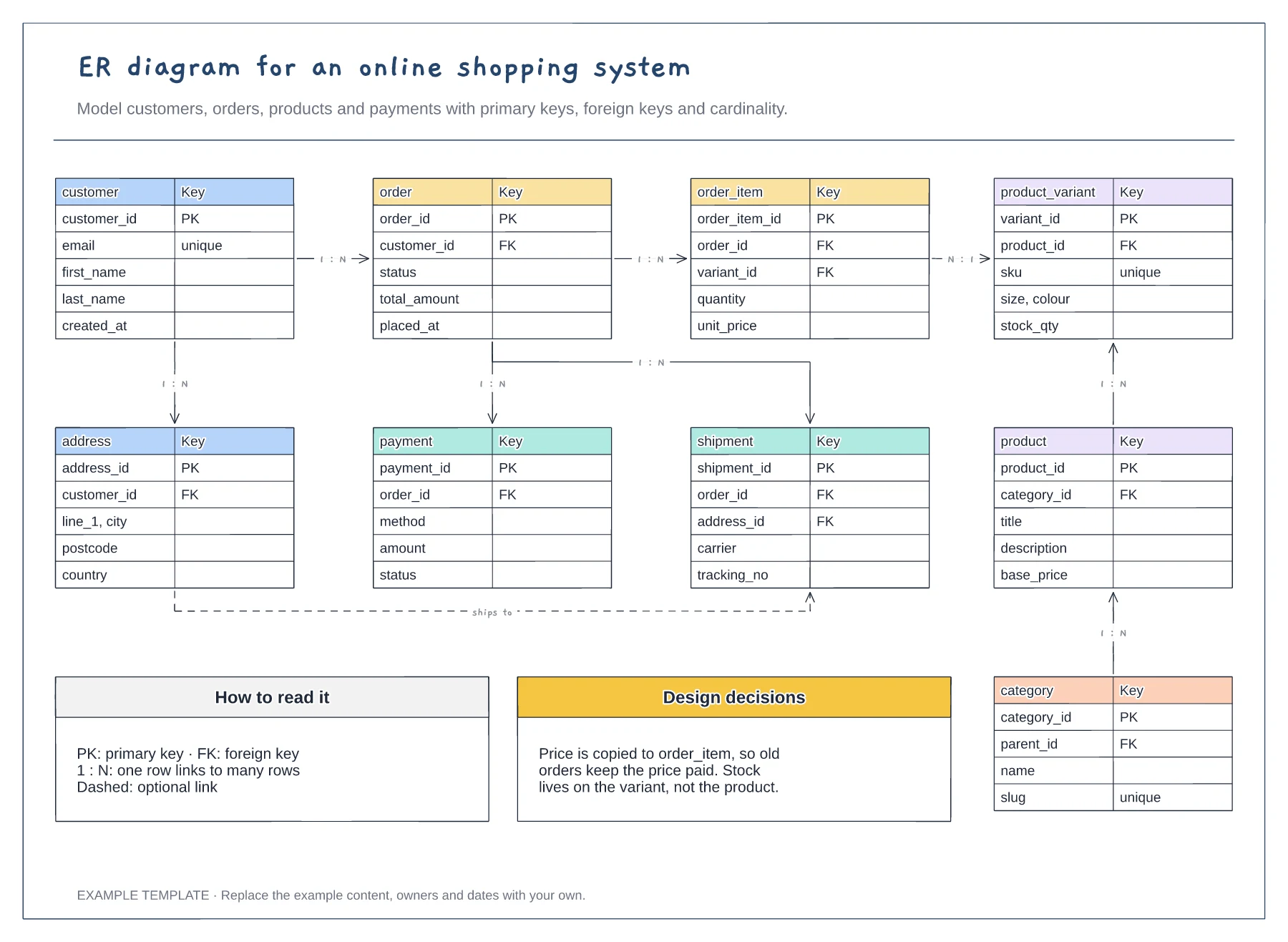
Nine entities with key fields · Primary and foreign keys · One-to-many relationships labelled
Preview and use template →