Engineering
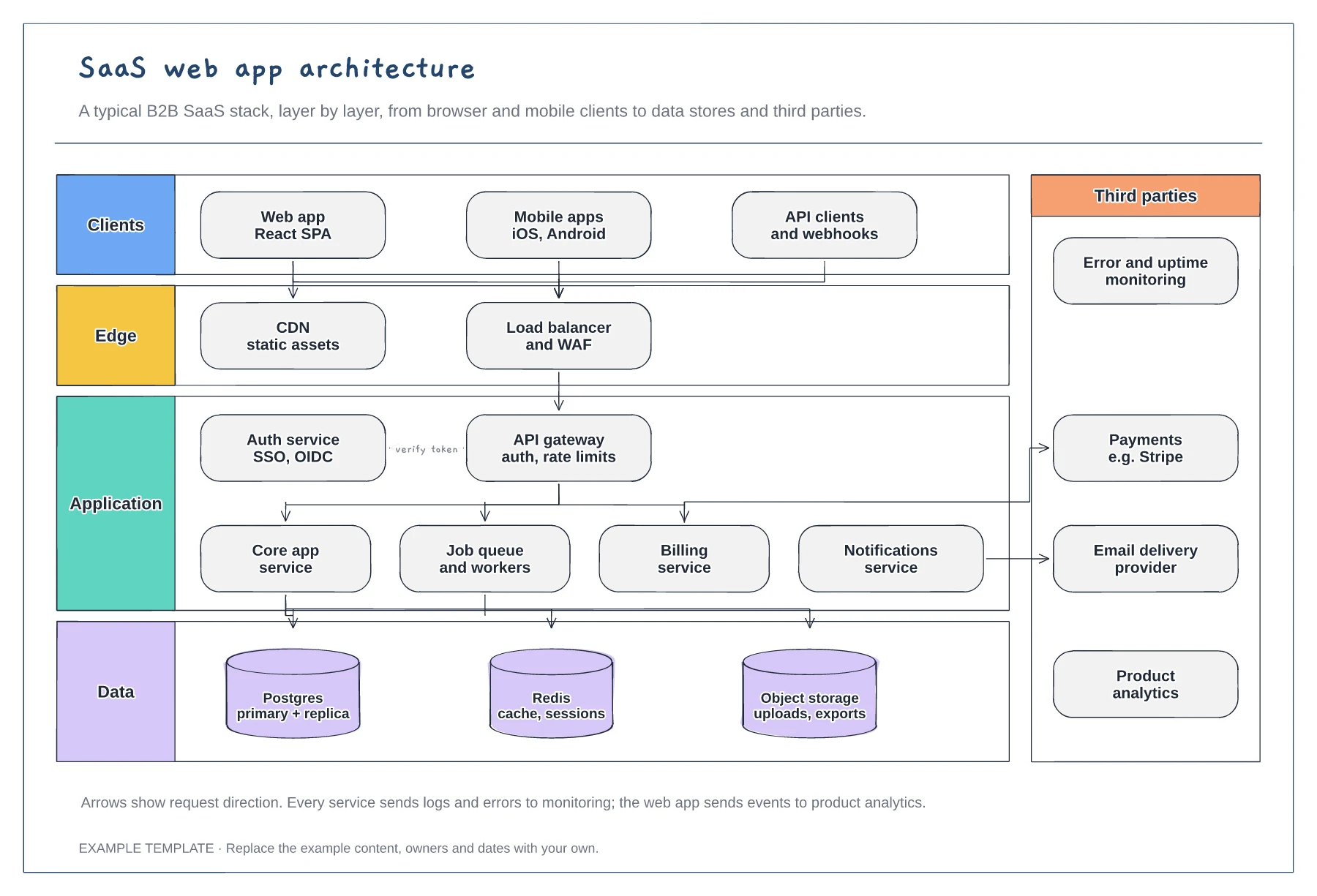
SaaS architecture diagram template
Client, edge, application and data layers · Services behind an API gateway and auth service · Third parties such as payments and email
Preview and use template →An ER diagram for a multi-tenant SaaS shows how customer data stays separated while users, billing and permissions connect. This shared-schema example puts organizations at the centre, links users through memberships with roles, and adds plans, subscriptions, invoices, projects and an audit log, using crow's foot notation.
No account needed · Opens as your own editable page
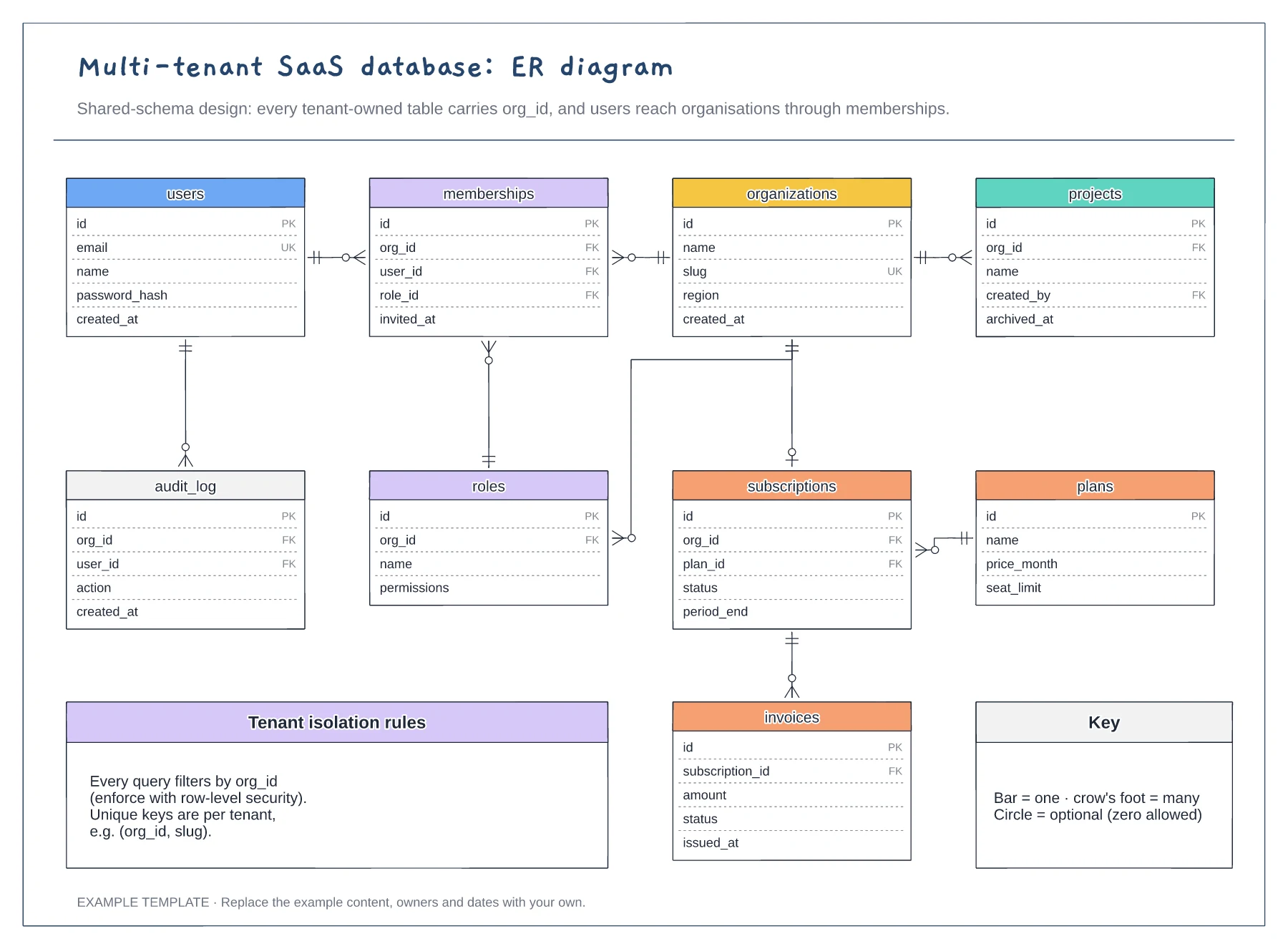
This example uses one shared schema with org_id on every tenant table. If you need a schema or database per tenant, keep the entities but move organizations and plans to a central control database.
Keep memberships as a separate table, because people often belong to several workspaces. Putting org_id directly on users makes that impossible later without a painful migration.
Replace projects with the core objects of your product and give each one org_id. Then check that every query path can be filtered by tenant before writing the first migration.
A crow's foot means many, a single bar means one and a circle marks an optional end. The notation key on the board shows each one.
No. Open the template and edit it in your browser. Your work saves on this device. An account is optional if you want to sync your workspace.
Yes. Use Export in the editor to save a PNG, SVG or PDF, or download an editable .epicdraw backup.
Client, edge, application and data layers · Services behind an API gateway and auth service · Third parties such as payments and email
Preview and use template →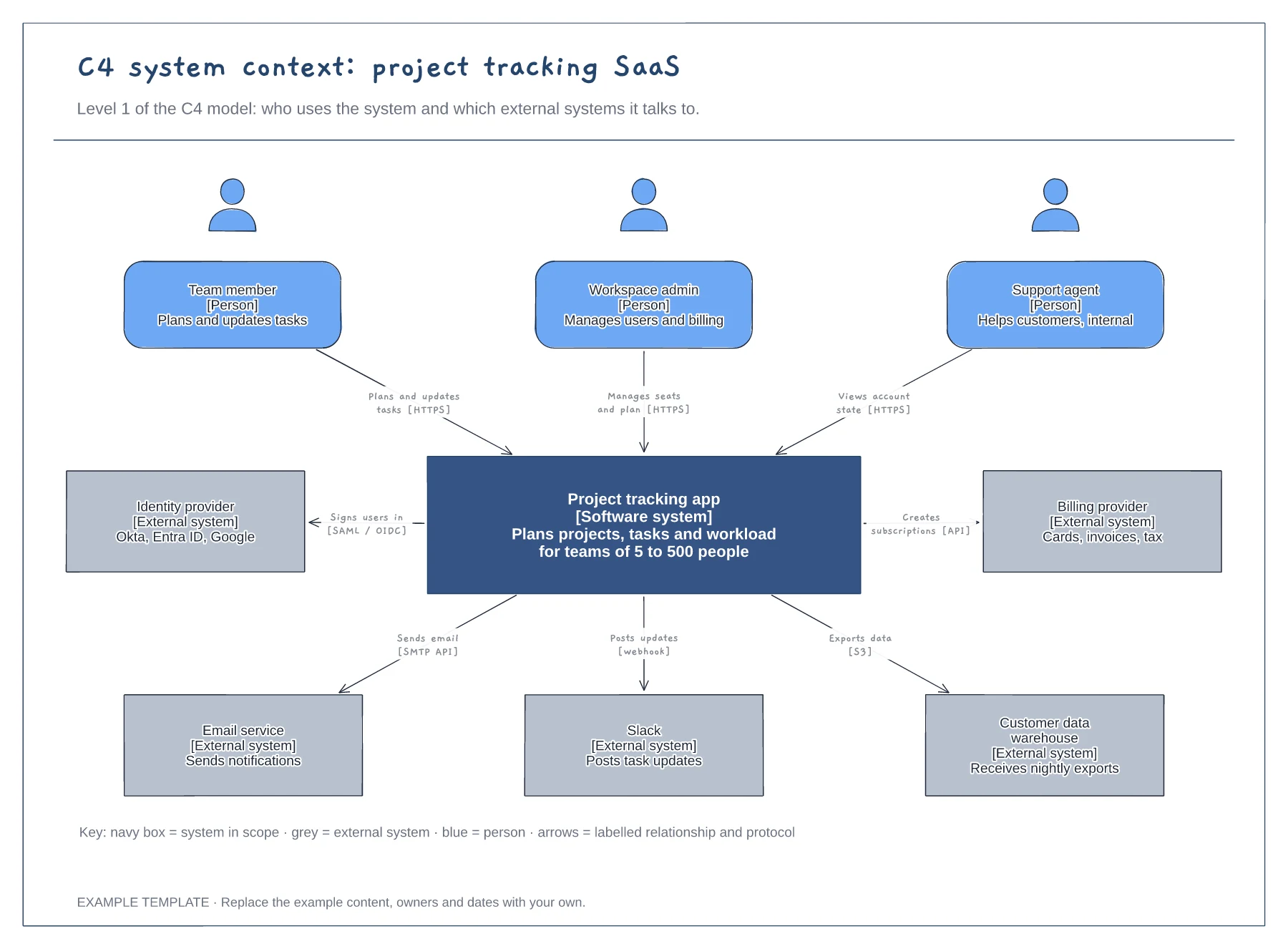
People with roles and descriptions · The system in scope and its external systems · Labelled relationships with protocols, plus a key
Preview and use template →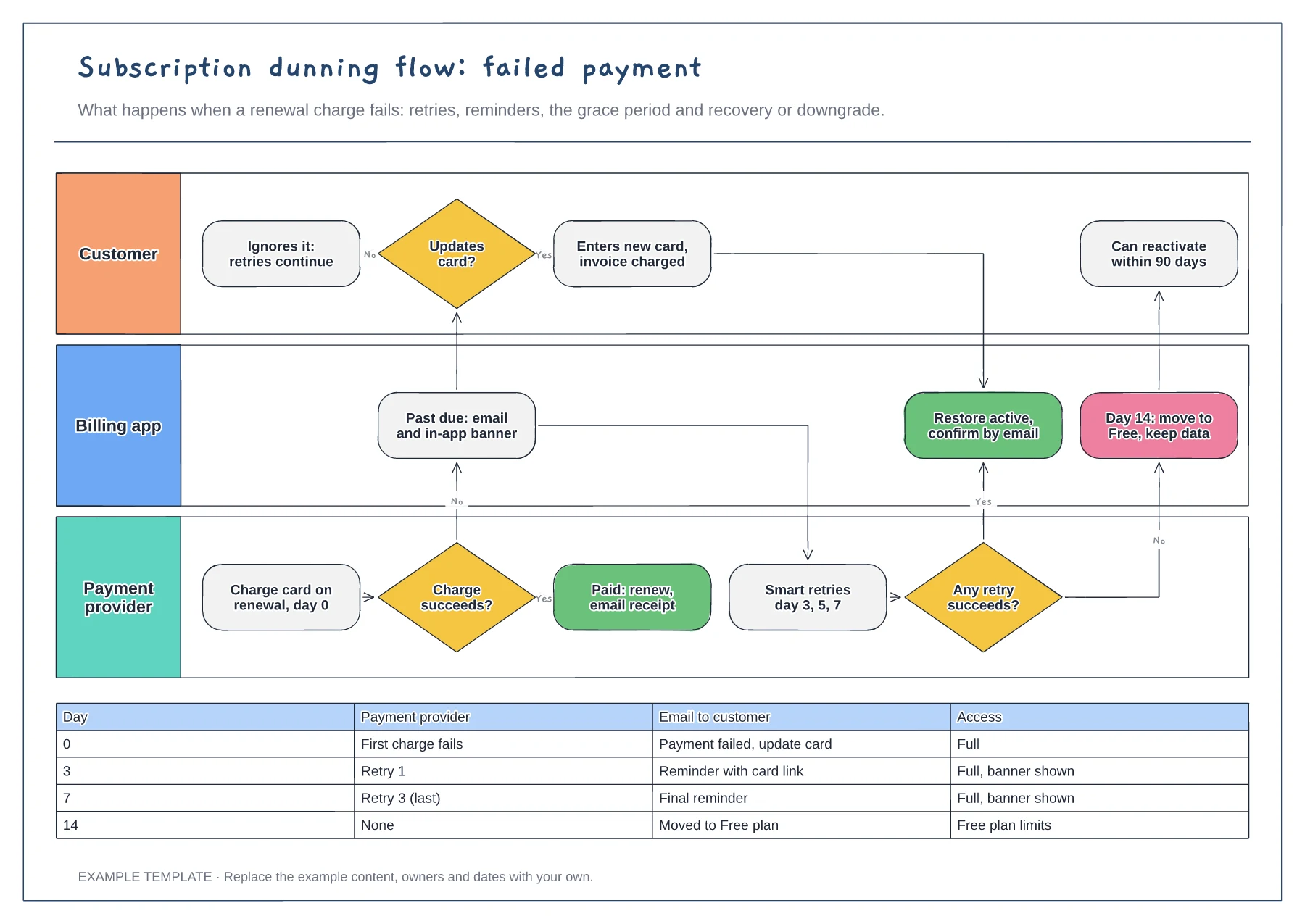
Lanes for customer, billing app and payment provider · Retry and reminder schedule by day · Recovery and downgrade outcomes
Preview and use template →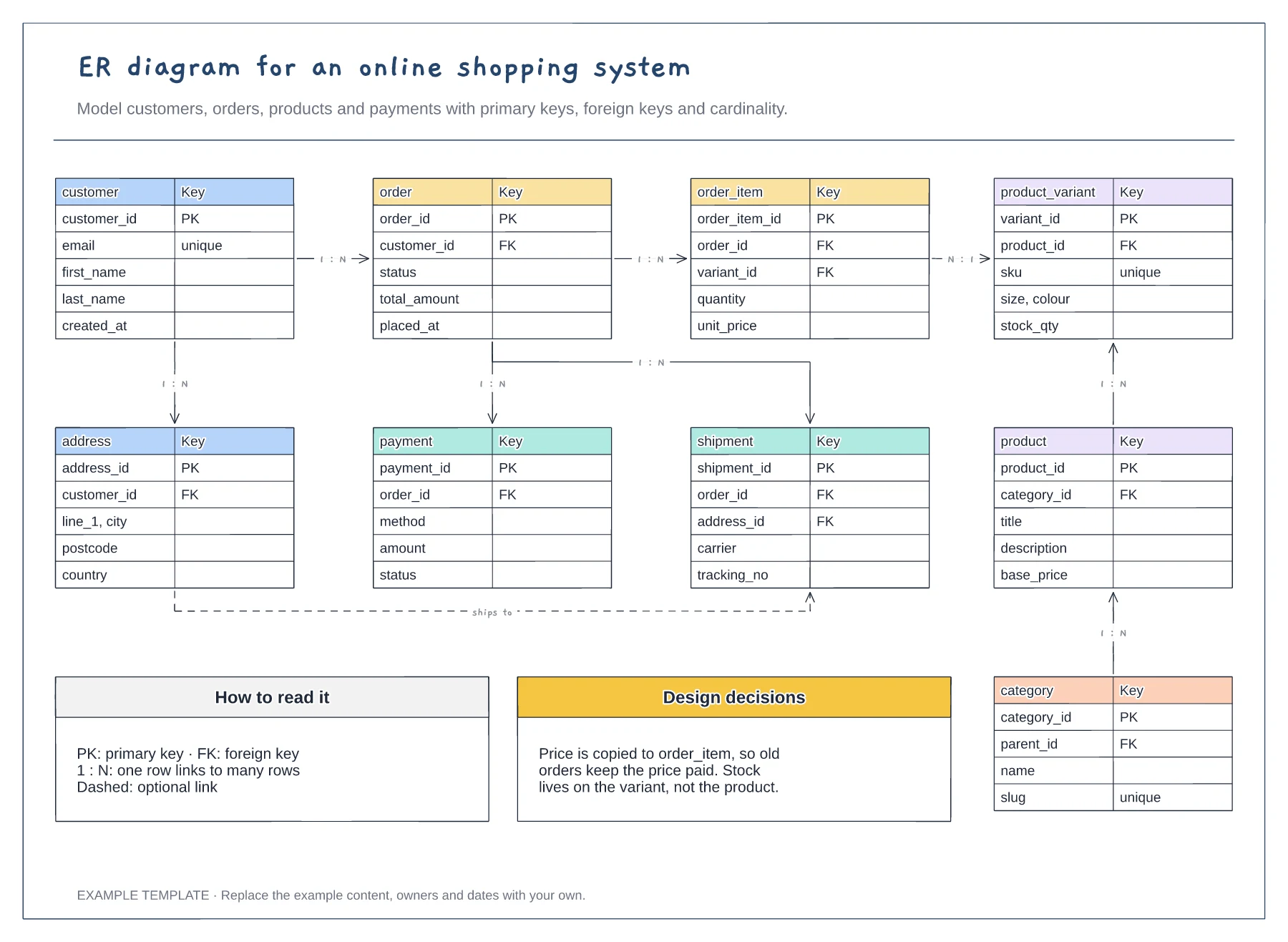
Nine entities with key fields · Primary and foreign keys · One-to-many relationships labelled
Preview and use template →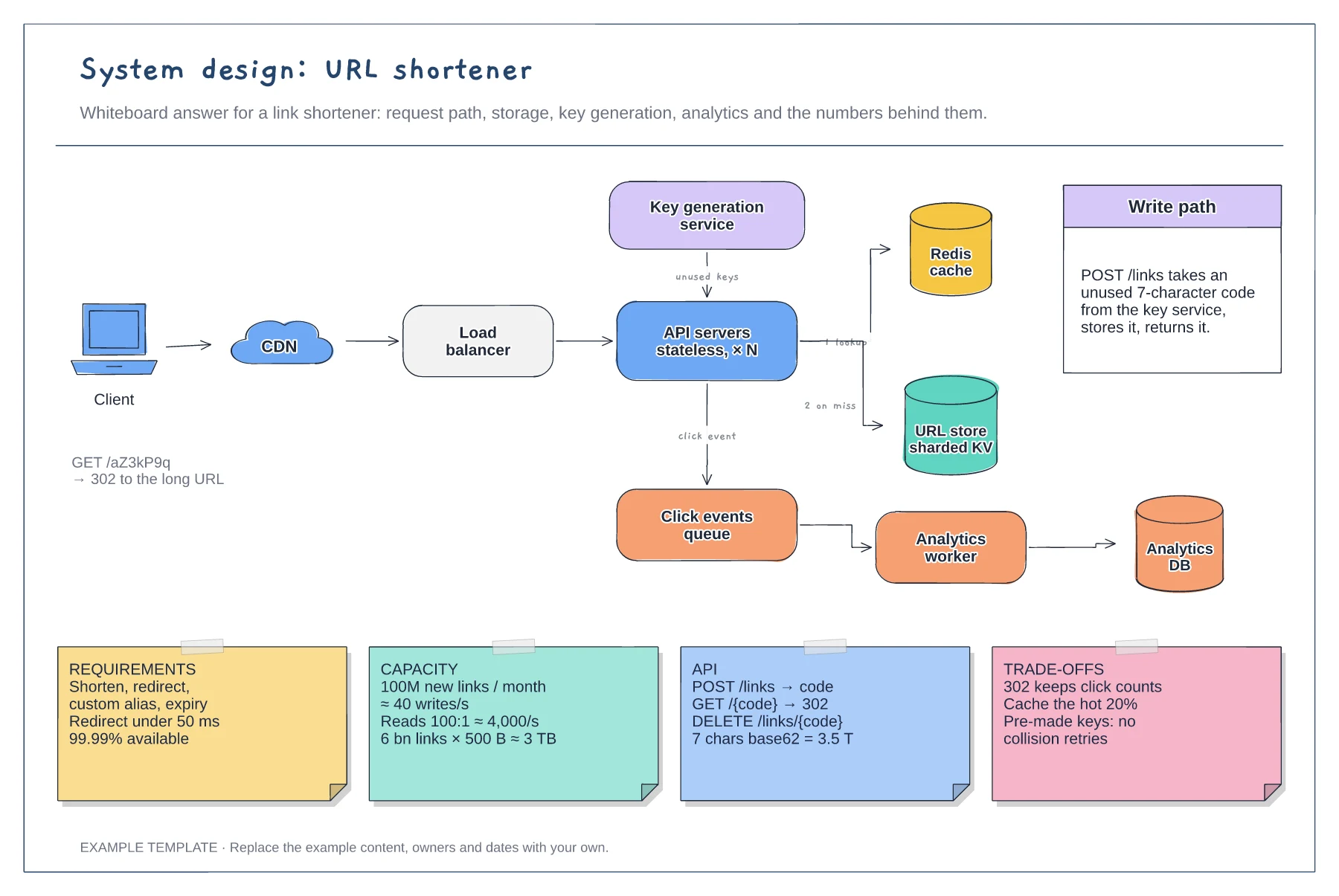
Read and write paths through cache and store · Key generation service and analytics queue · Requirement, capacity, API and trade-off notes
Preview and use template →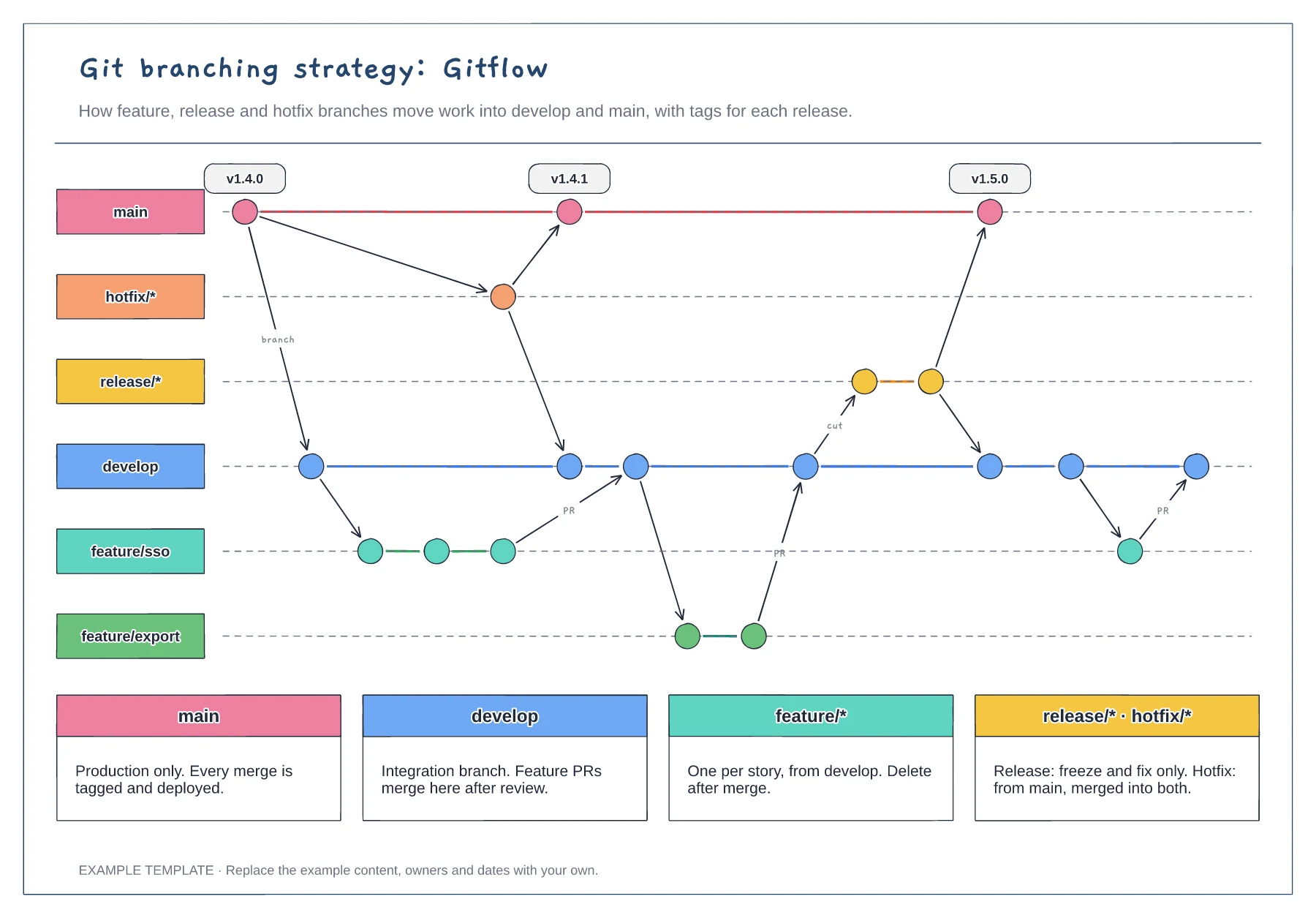
Lanes for main, develop, feature, release and hotfix · Commits, merges and version tags · One rule per branch type
Preview and use template →