Engineering
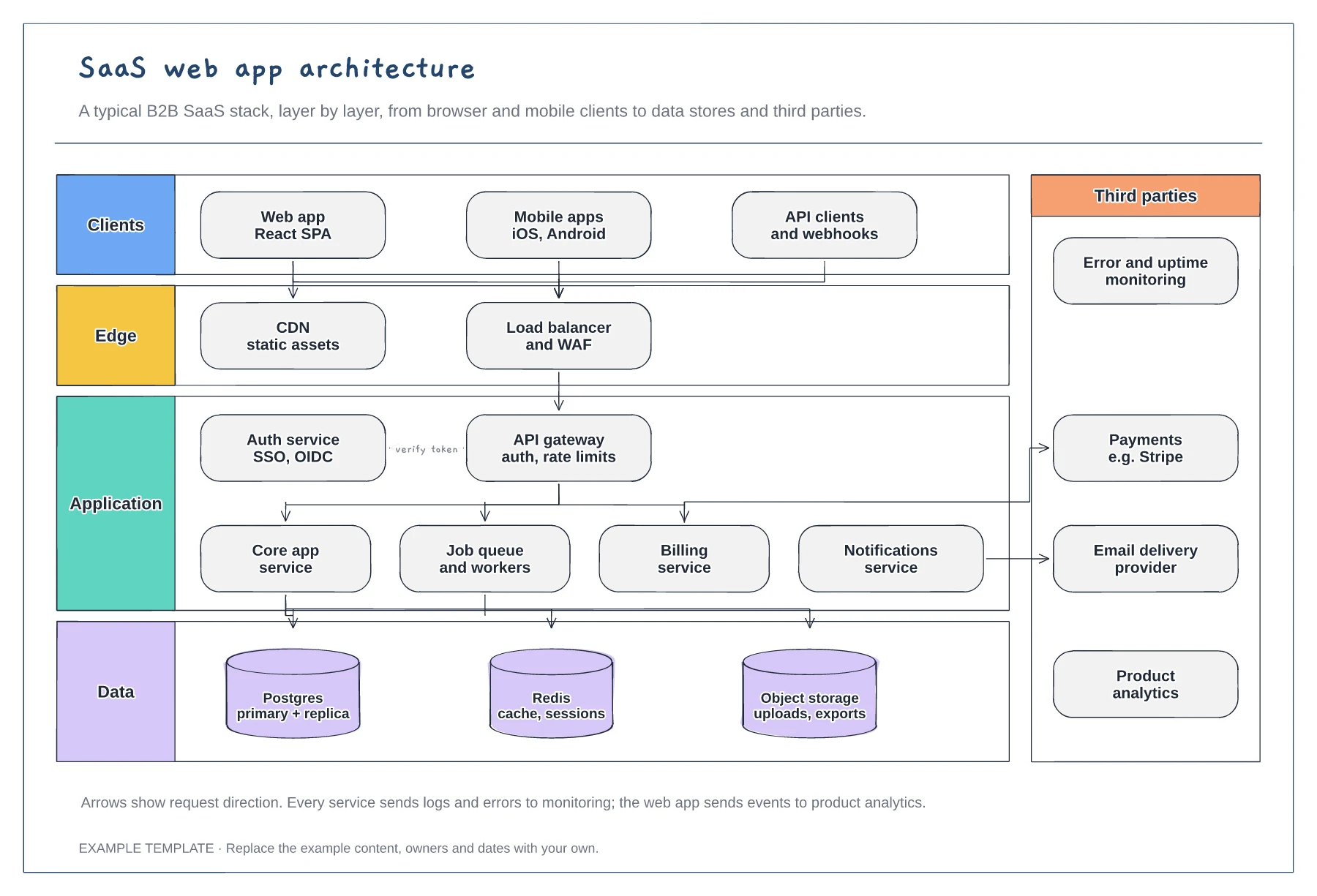
SaaS architecture diagram template
Client, edge, application and data layers · Services behind an API gateway and auth service · Third parties such as payments and email
Preview and use template →A system design diagram shows how requests move through your services and where data lives, which is what interviewers want to hear you reason about. This whiteboard answer for a link shortener covers the redirect path, the write path through a key generation service, click analytics and the numbers behind each choice.
No account needed · Opens as your own editable page
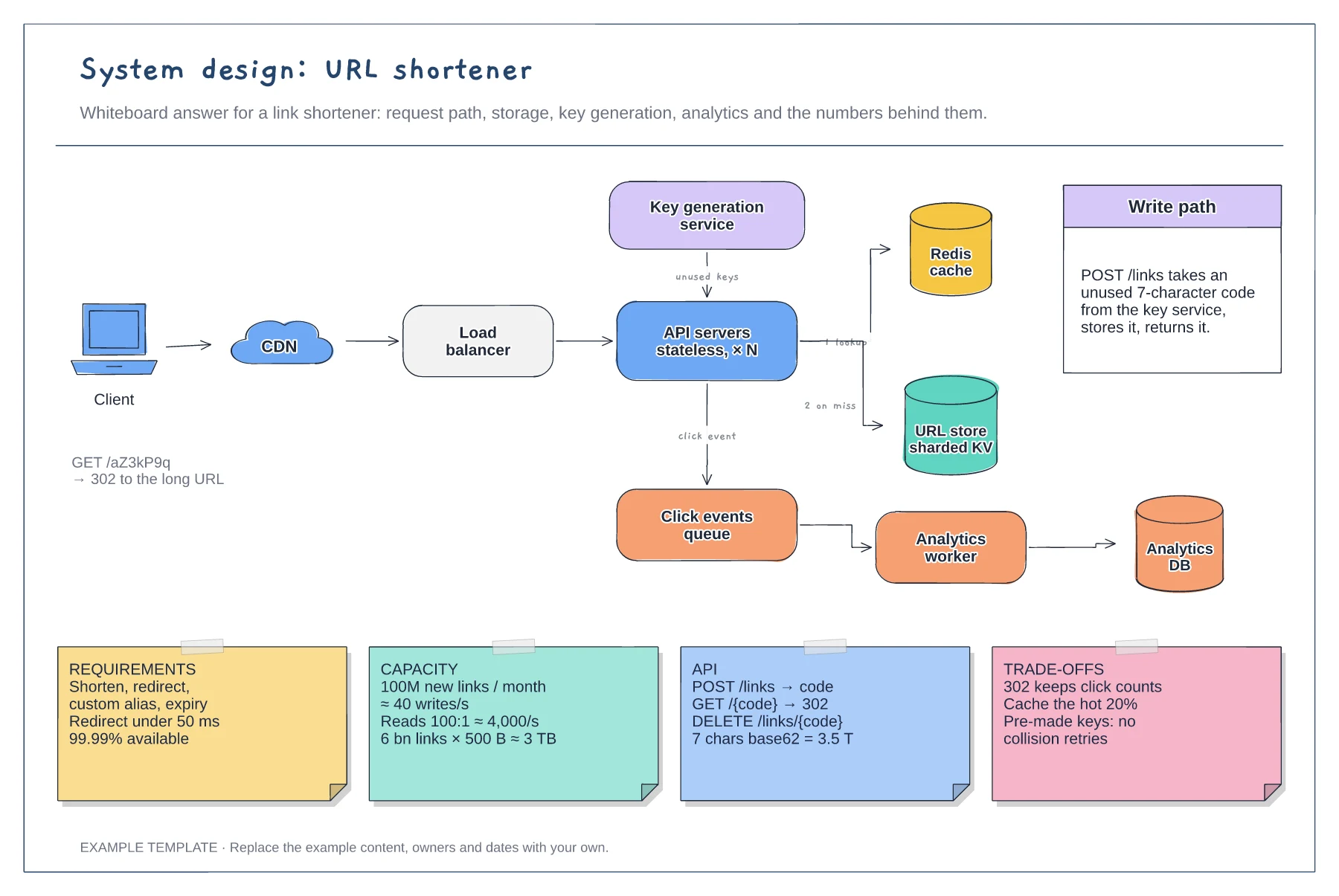
Fill in the four stickies before drawing boxes. Read and write rates decide whether you need a cache, and storage size decides whether you need sharding, so the architecture follows from the estimates.
Trace the redirect first, then the write, then analytics. Numbering arrows, like the 1 lookup and 2 on miss labels, helps the interviewer follow your reasoning while you talk.
Duplicate the board for a rate limiter, chat app or news feed. Keep the client, load balancer and API layer, then replace the storage and queue components with the ones that problem needs.
Edit the capacity estimate notes with your own read and write rates, then adjust the cache and sharded store if the new numbers change the design.
No. Open the template and edit it in your browser. Your work saves on this device. An account is optional if you want to sync your workspace.
Yes. Use Export in the editor to save a PNG, SVG or PDF, or download an editable .epicdraw backup.
Client, edge, application and data layers · Services behind an API gateway and auth service · Third parties such as payments and email
Preview and use template →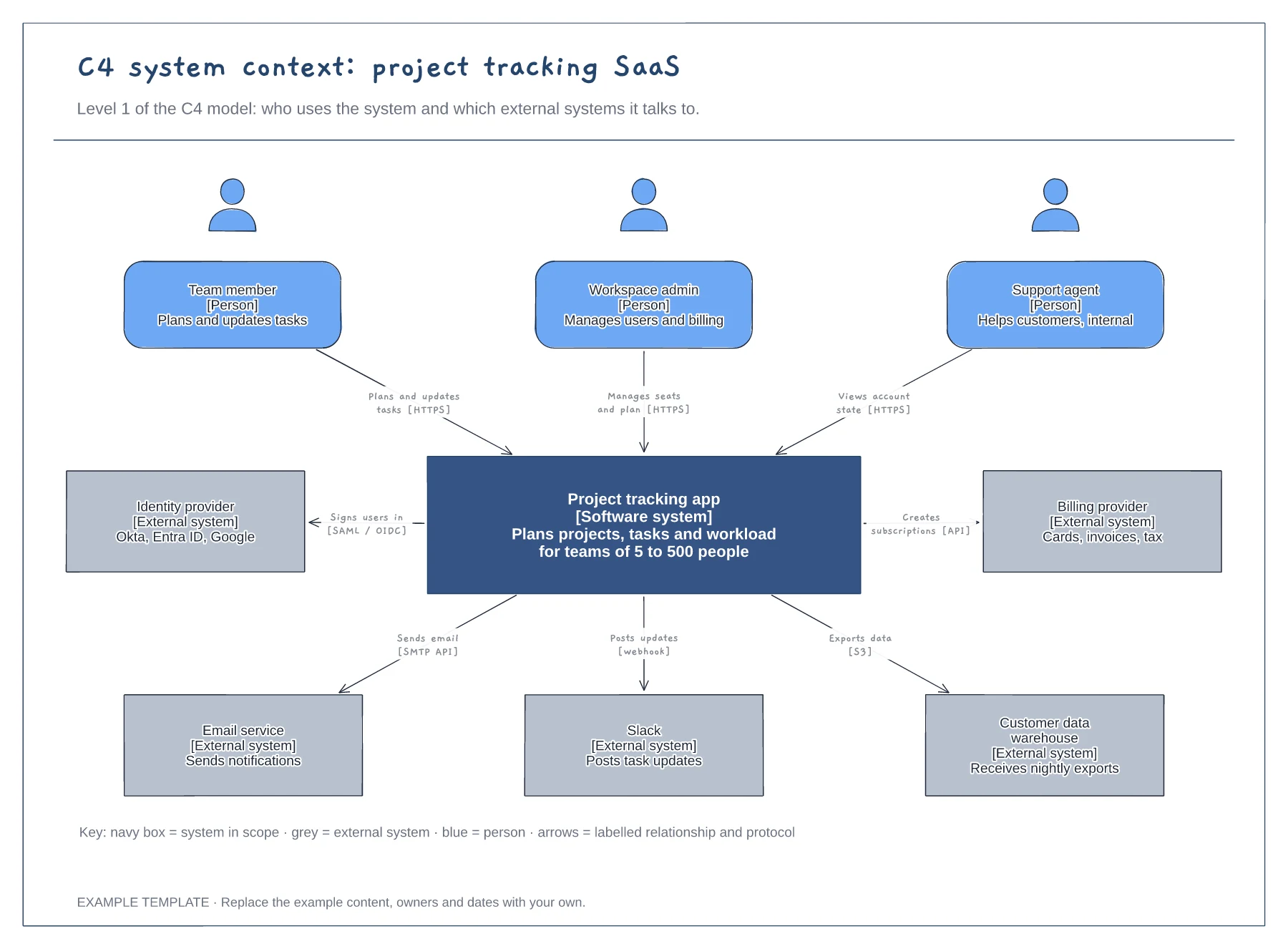
People with roles and descriptions · The system in scope and its external systems · Labelled relationships with protocols, plus a key
Preview and use template →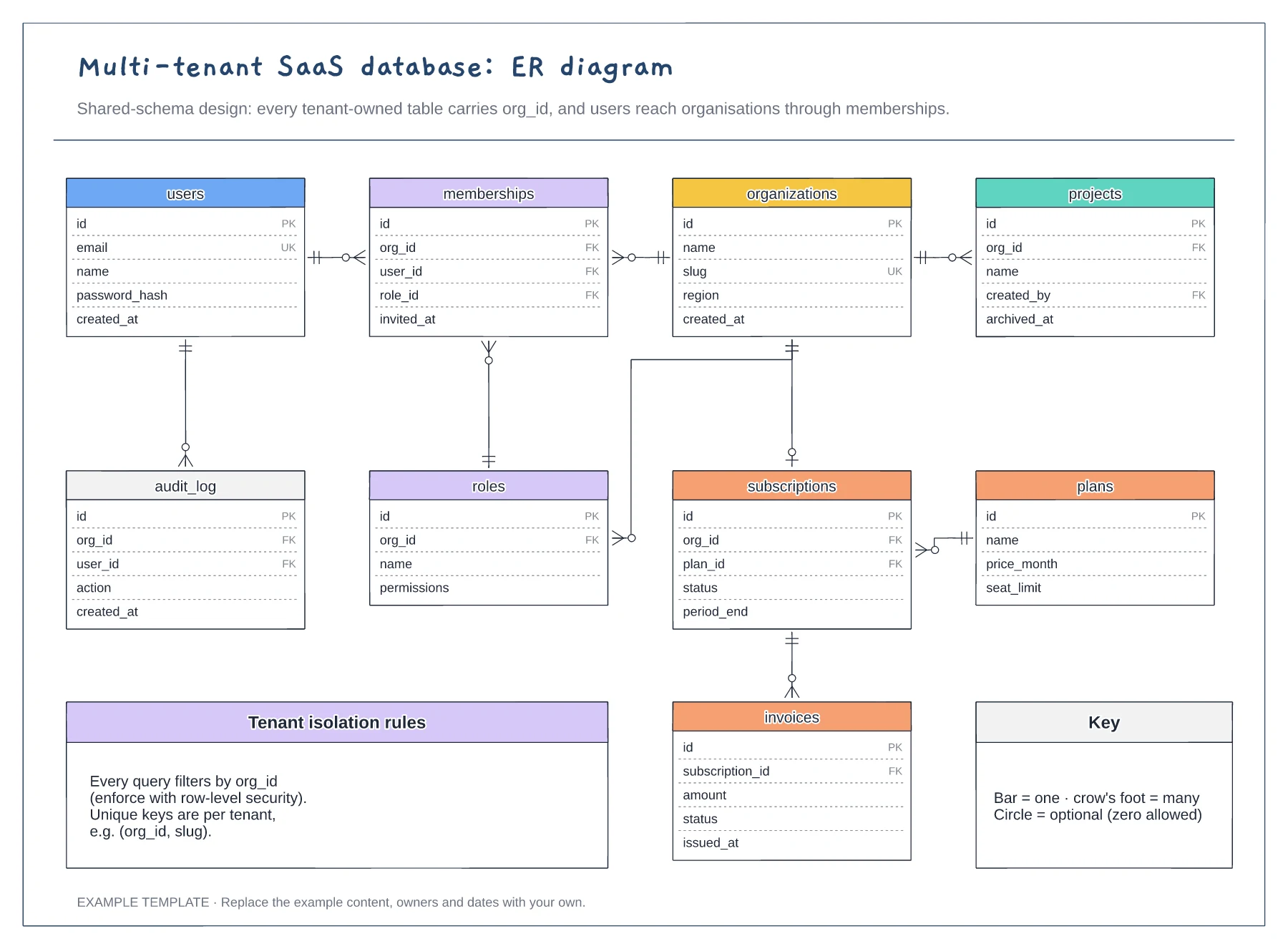
Nine tables with keys marked PK, FK and UK · Crow's foot relationships with optional ends · Tenant isolation rules and a notation key
Preview and use template →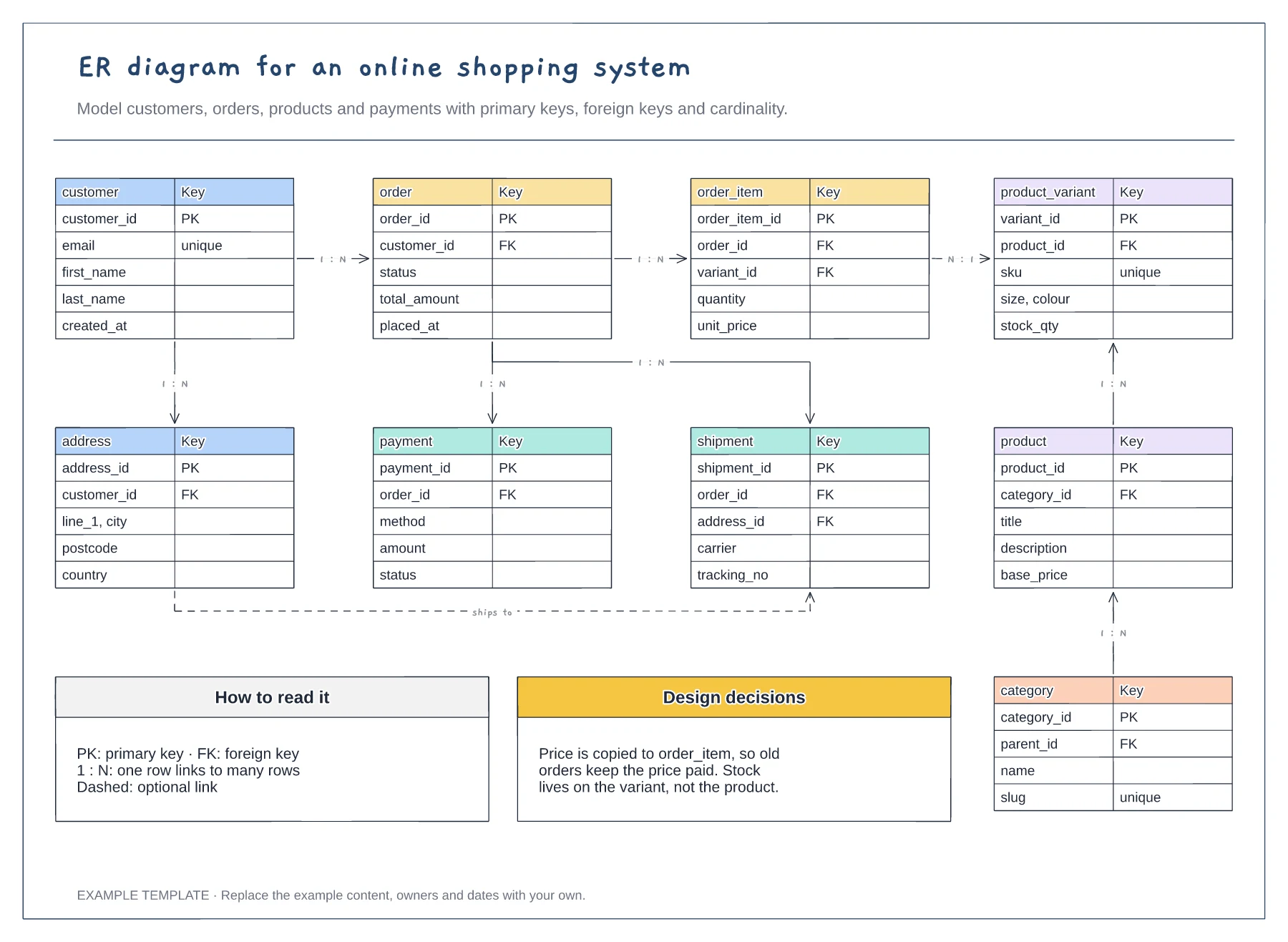
Nine entities with key fields · Primary and foreign keys · One-to-many relationships labelled
Preview and use template →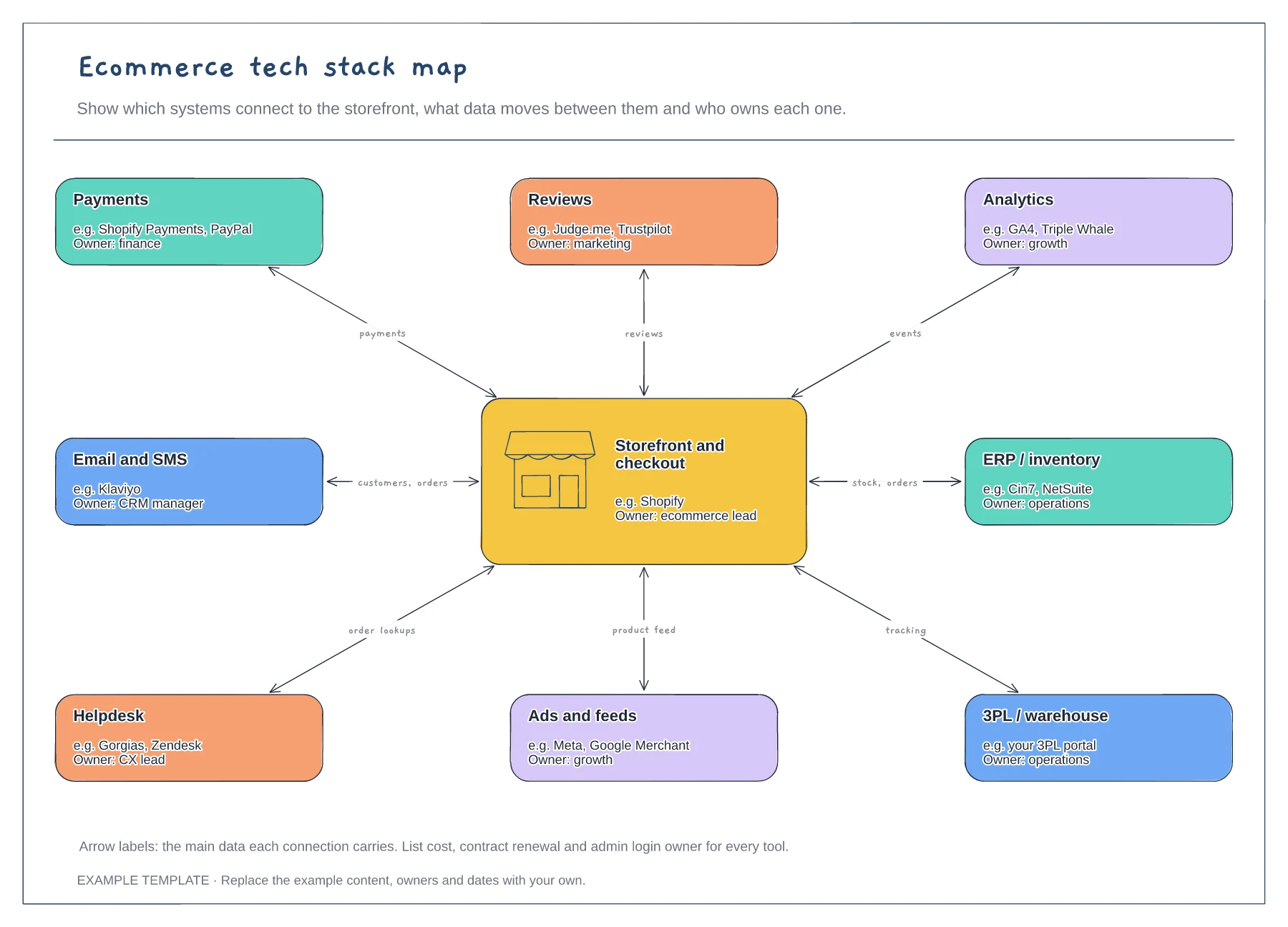
Storefront hub and eight systems · Data carried by each connection · An owner for every tool
Preview and use template →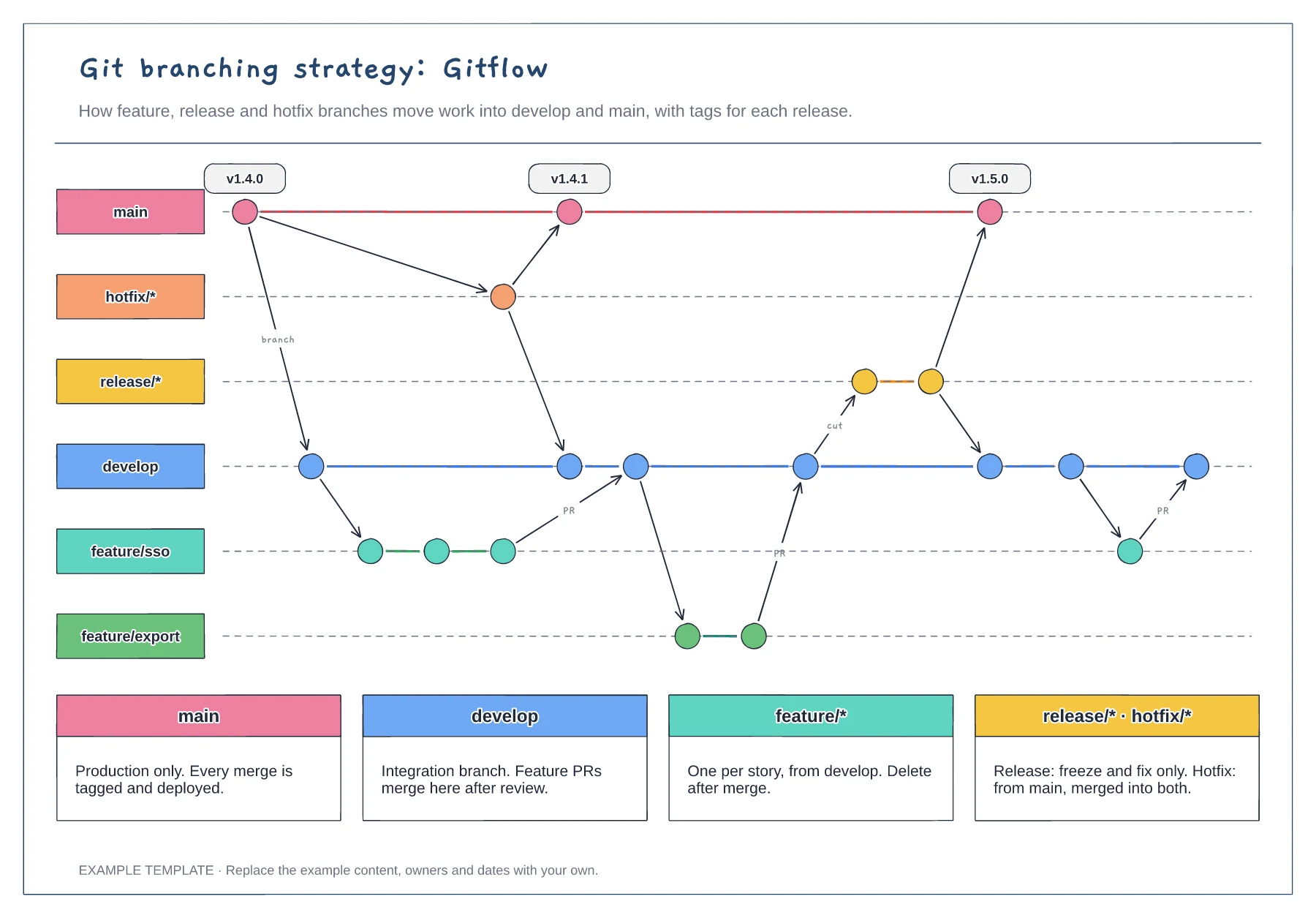
Lanes for main, develop, feature, release and hotfix · Commits, merges and version tags · One rule per branch type
Preview and use template →