Engineering
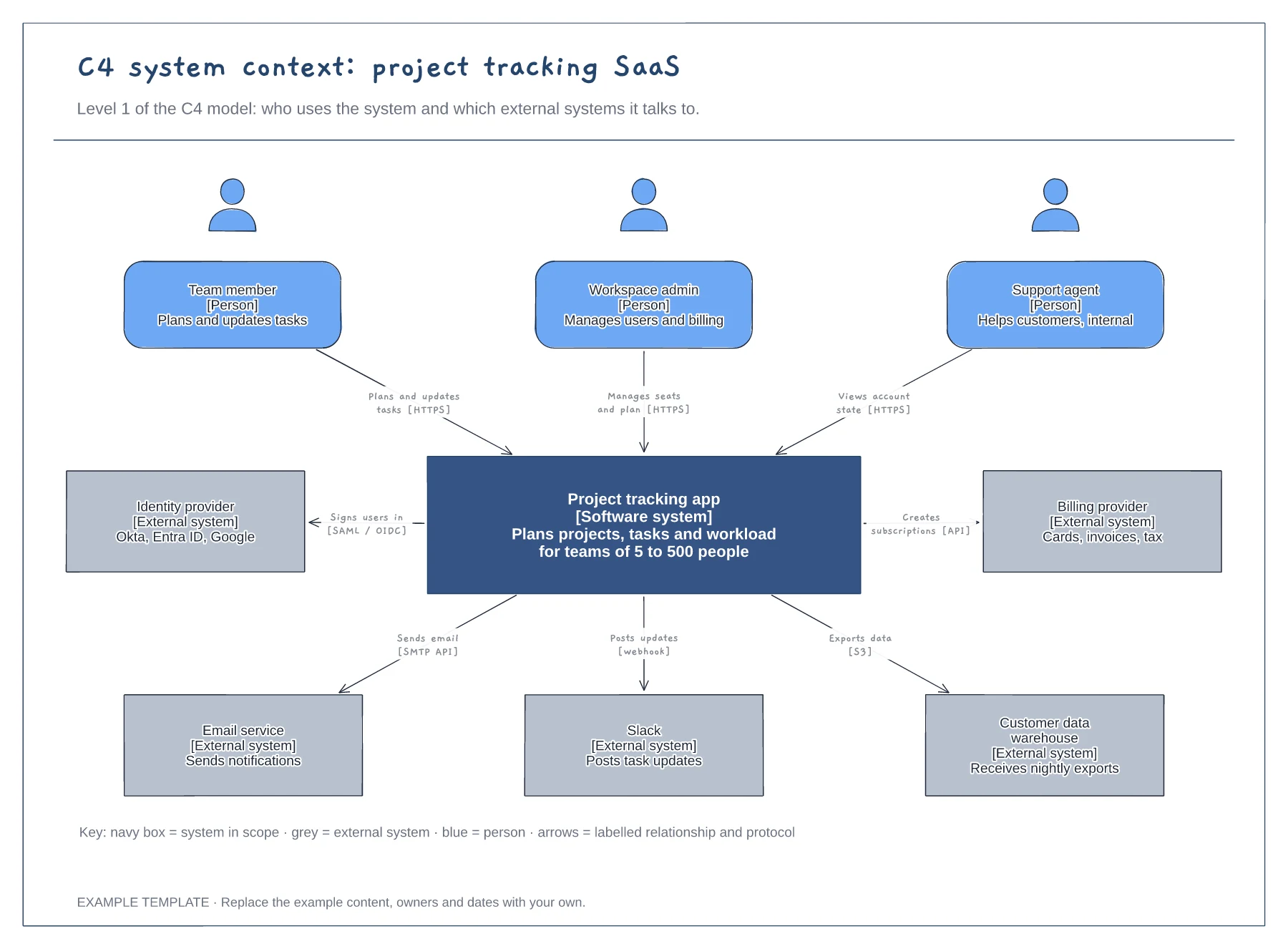
C4 context diagram template
People with roles and descriptions · The system in scope and its external systems · Labelled relationships with protocols, plus a key
Preview and use template →A SaaS architecture diagram gives new engineers, investors and security reviewers the same picture of how the product is built. This layered example shows a typical B2B stack, from web and mobile clients through the edge and application services down to the data stores, with payments, email and monitoring as third parties.
No account needed · Opens as your own editable page
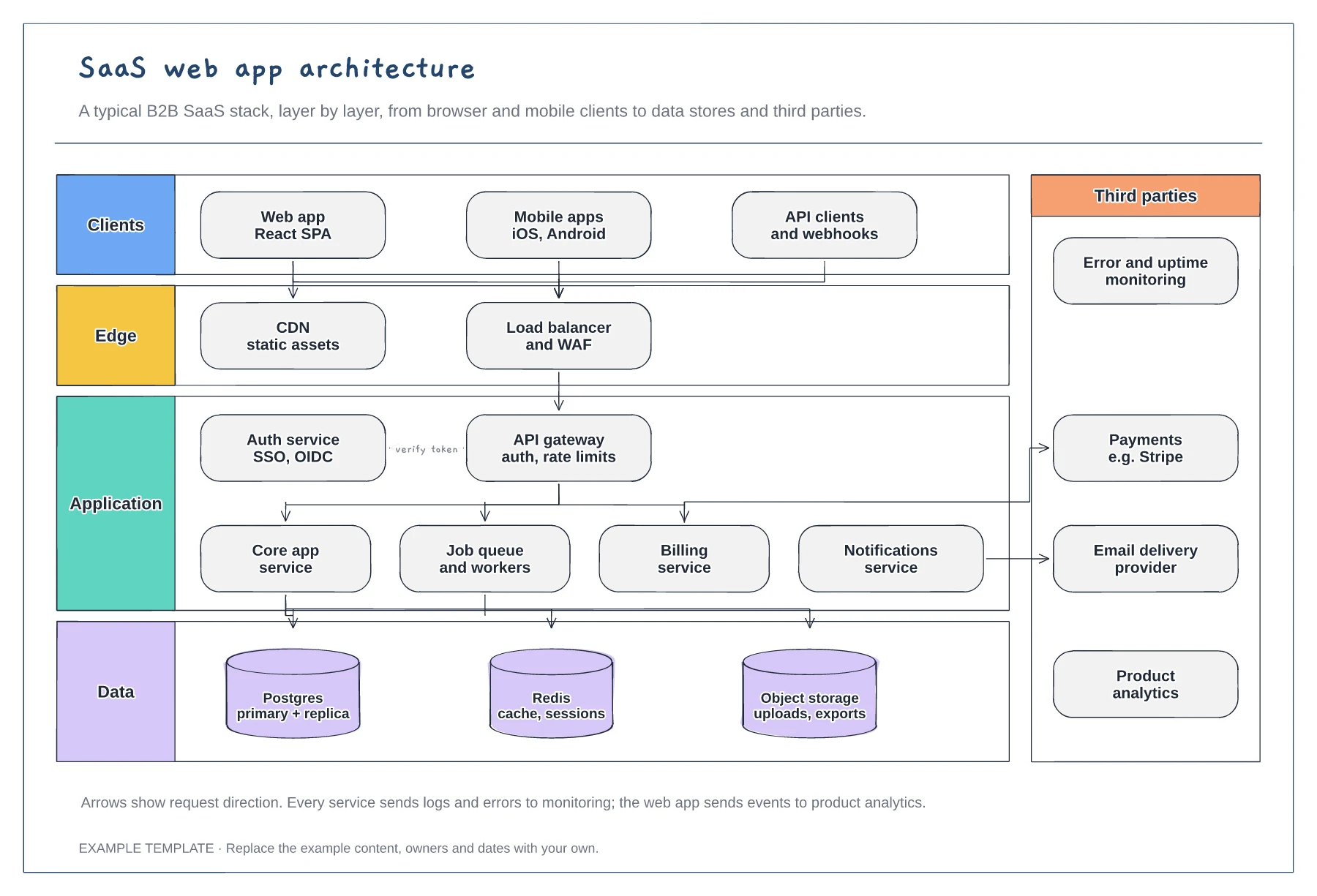
Rename each box to match your stack, for example a different cache or a managed queue. The layers stay useful because readers find a component faster when they know which layer to look in.
Show the arrows a typical request follows and leave out every internal call. A diagram with every connection becomes unreadable; that detail belongs in a separate diagram for each service.
For a security review, add where data is encrypted and which services hold personal data. For a pitch deck, collapse the application layer into one box and keep the third parties.
Delete the gateway box and connect the load balancer straight to your services. The client, edge, application and data layers still work as they are.
No. Open the template and edit it in your browser. Your work saves on this device. An account is optional if you want to sync your workspace.
Yes. Use Export in the editor to save a PNG, SVG or PDF, or download an editable .epicdraw backup.
People with roles and descriptions · The system in scope and its external systems · Labelled relationships with protocols, plus a key
Preview and use template →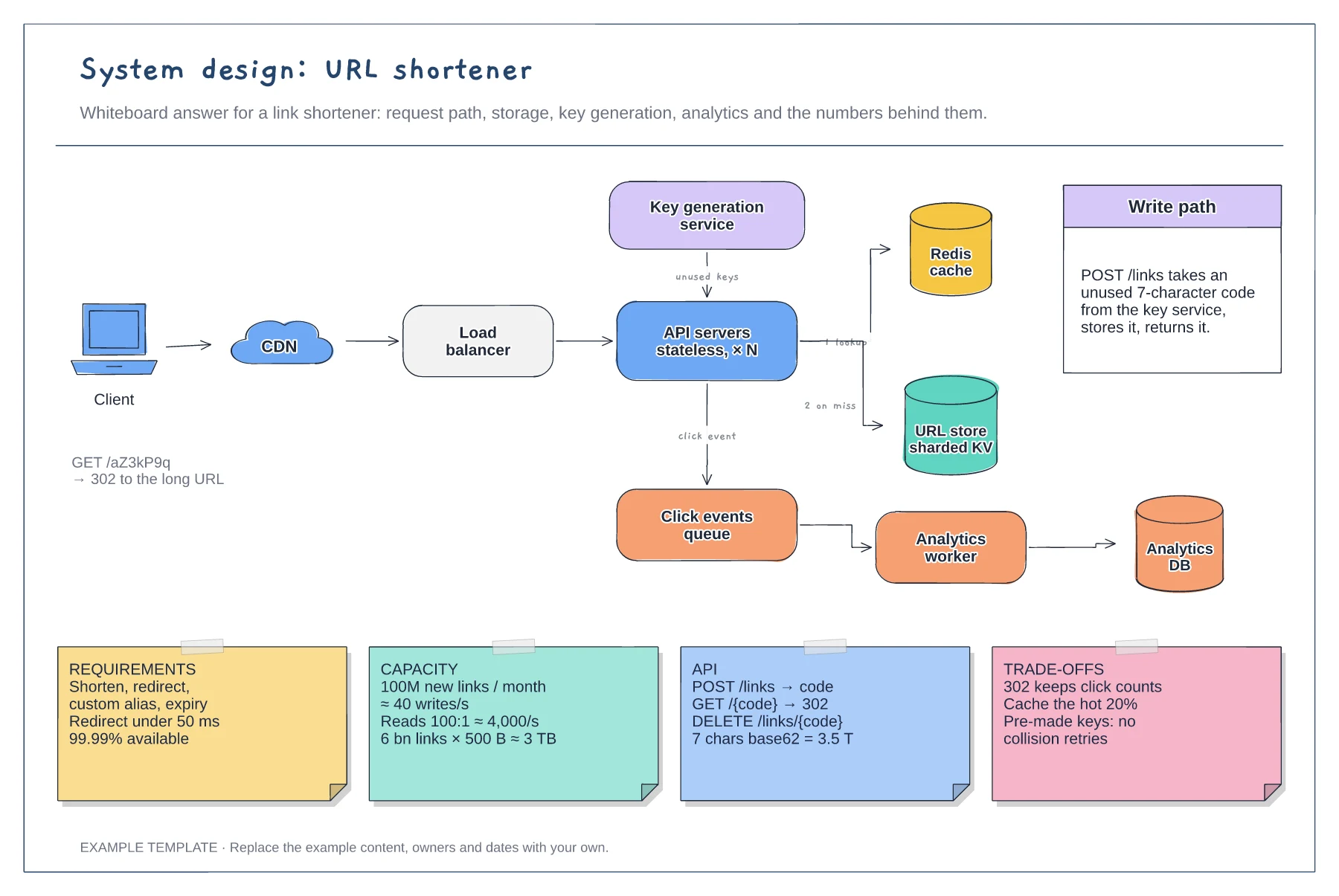
Read and write paths through cache and store · Key generation service and analytics queue · Requirement, capacity, API and trade-off notes
Preview and use template →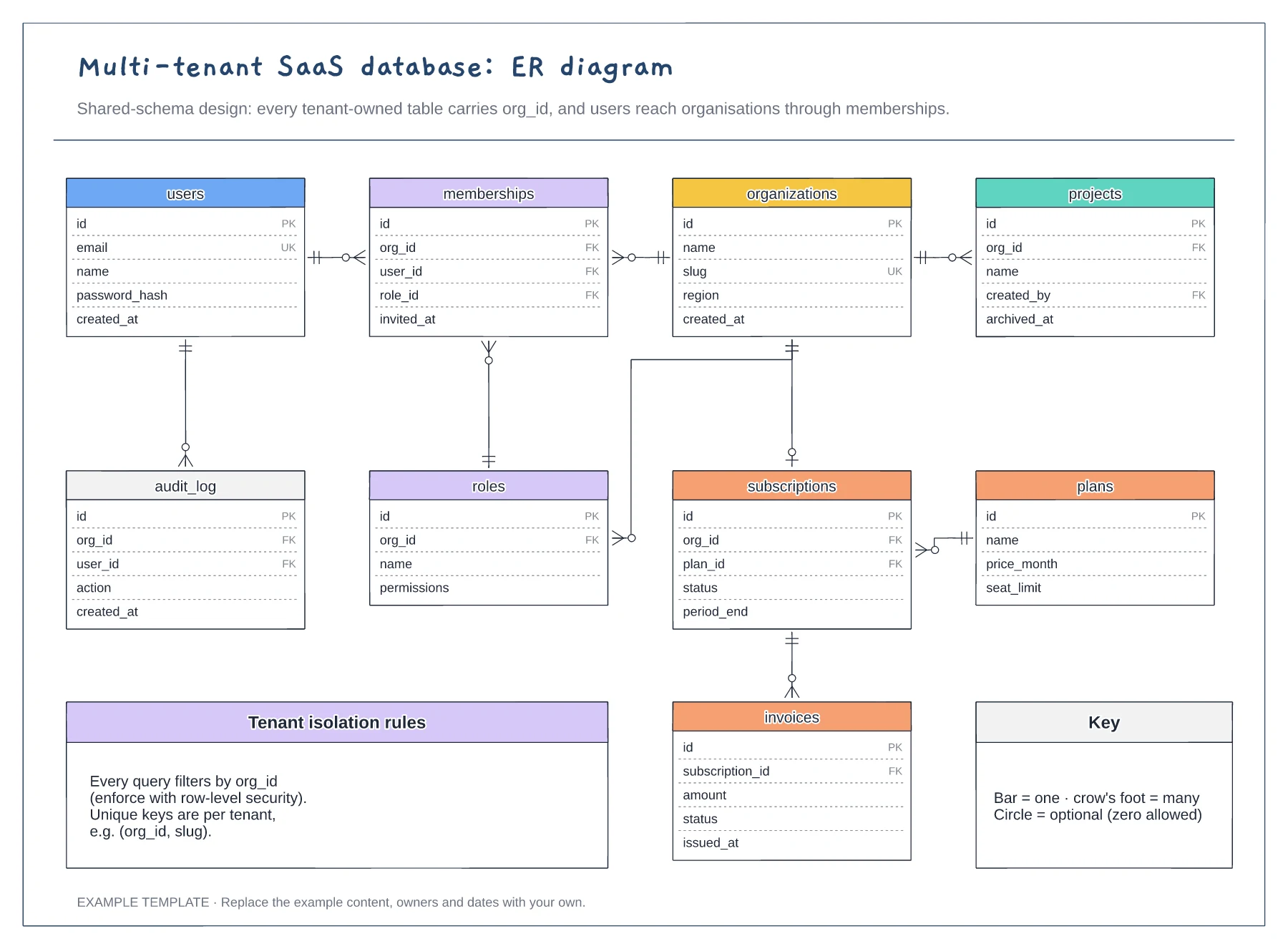
Nine tables with keys marked PK, FK and UK · Crow's foot relationships with optional ends · Tenant isolation rules and a notation key
Preview and use template →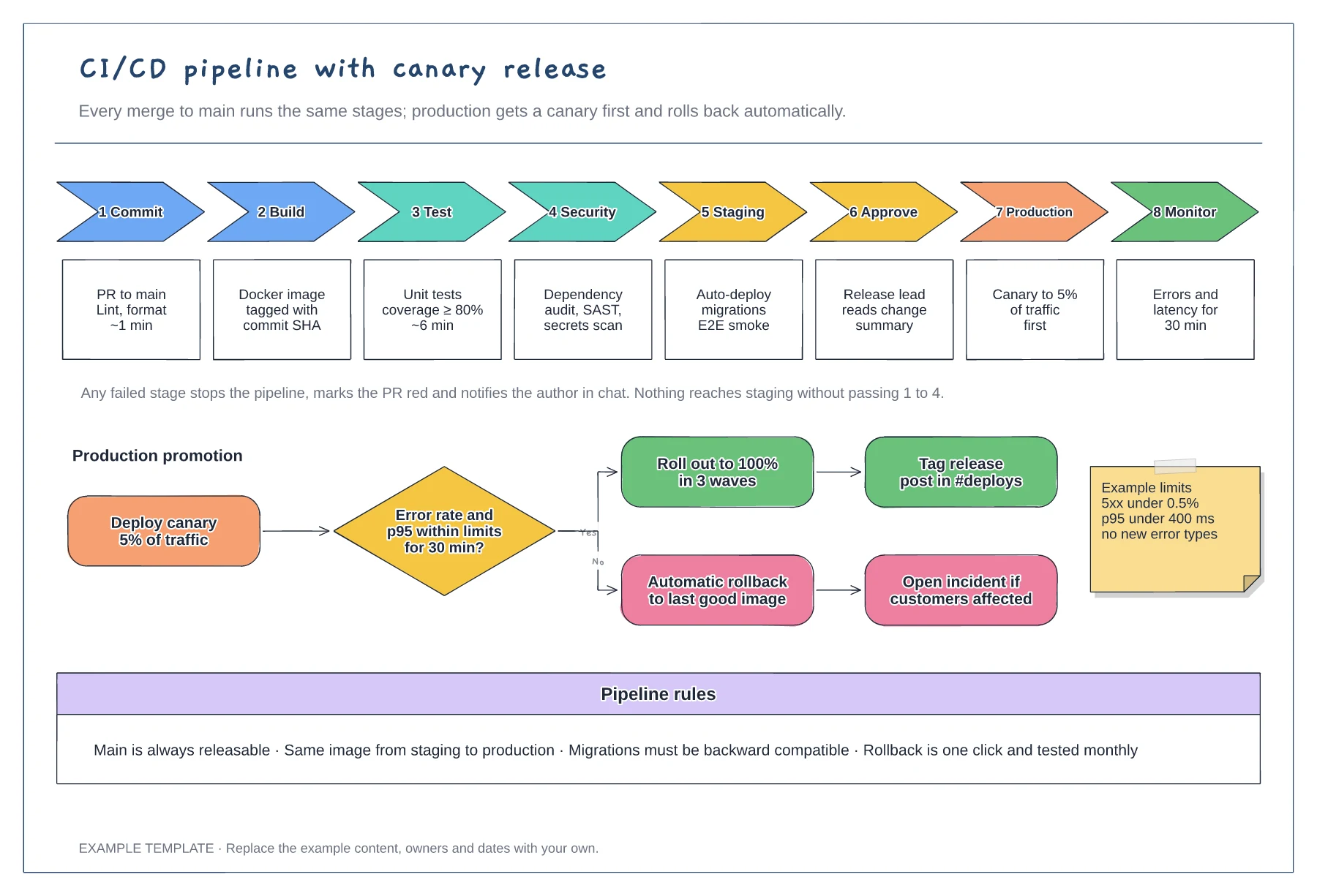
Eight stages with checks and time budgets · Canary promotion with a rollback branch · Example limits and pipeline rules
Preview and use template →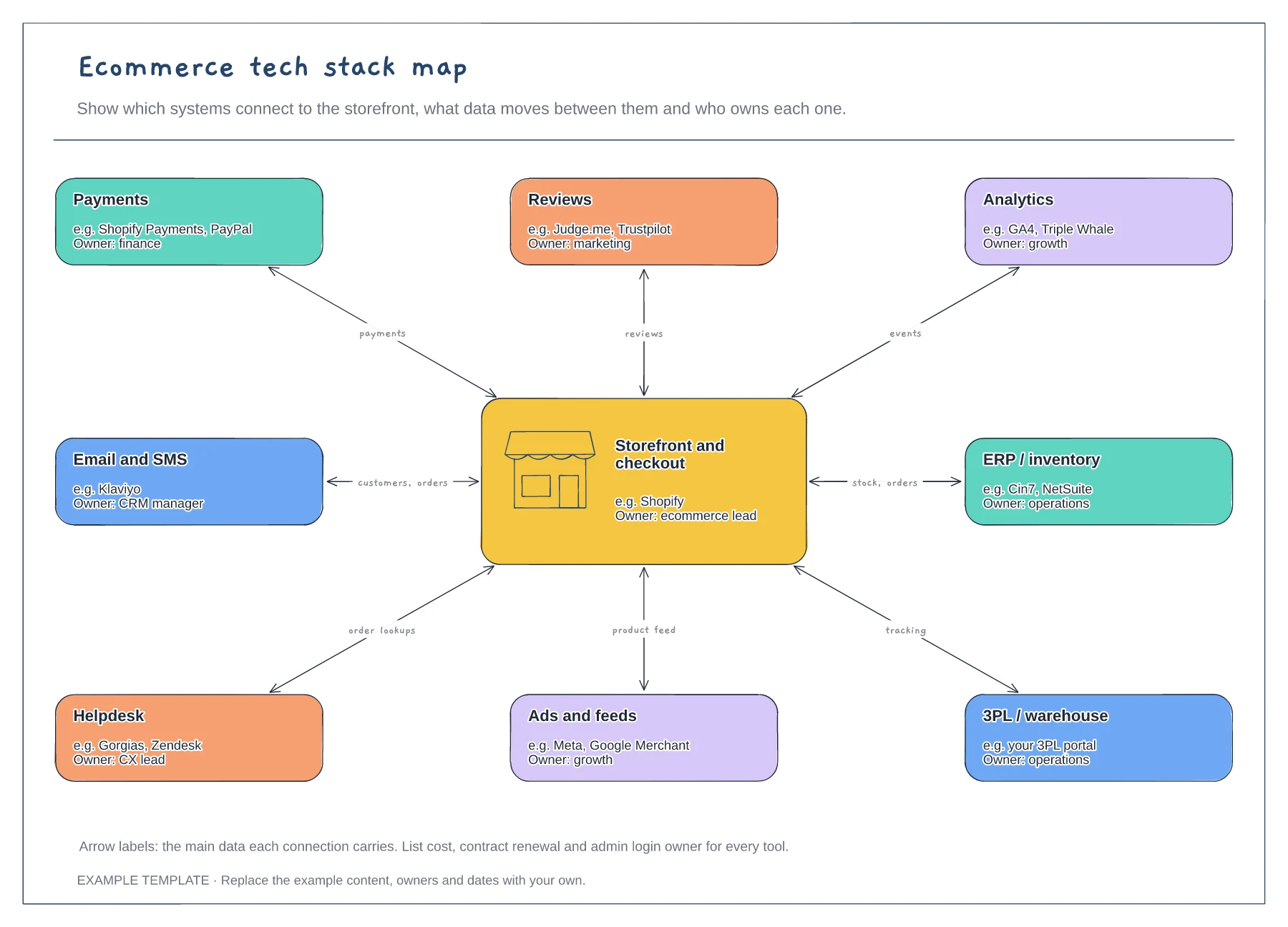
Storefront hub and eight systems · Data carried by each connection · An owner for every tool
Preview and use template →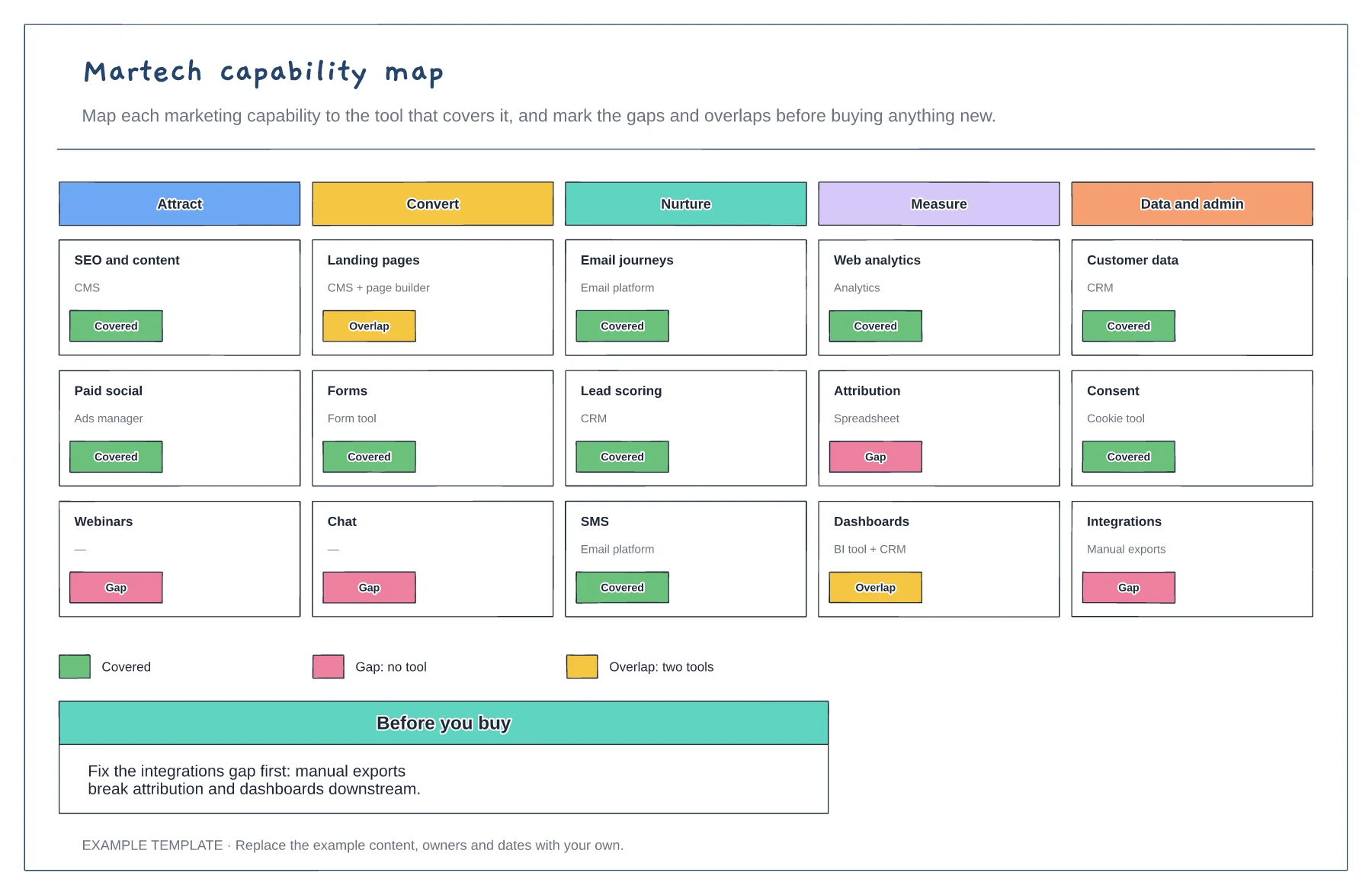
Capabilities in five stages · The tool covering each · Gaps and overlaps marked
Preview and use template →