Marketing
Martech capability map template
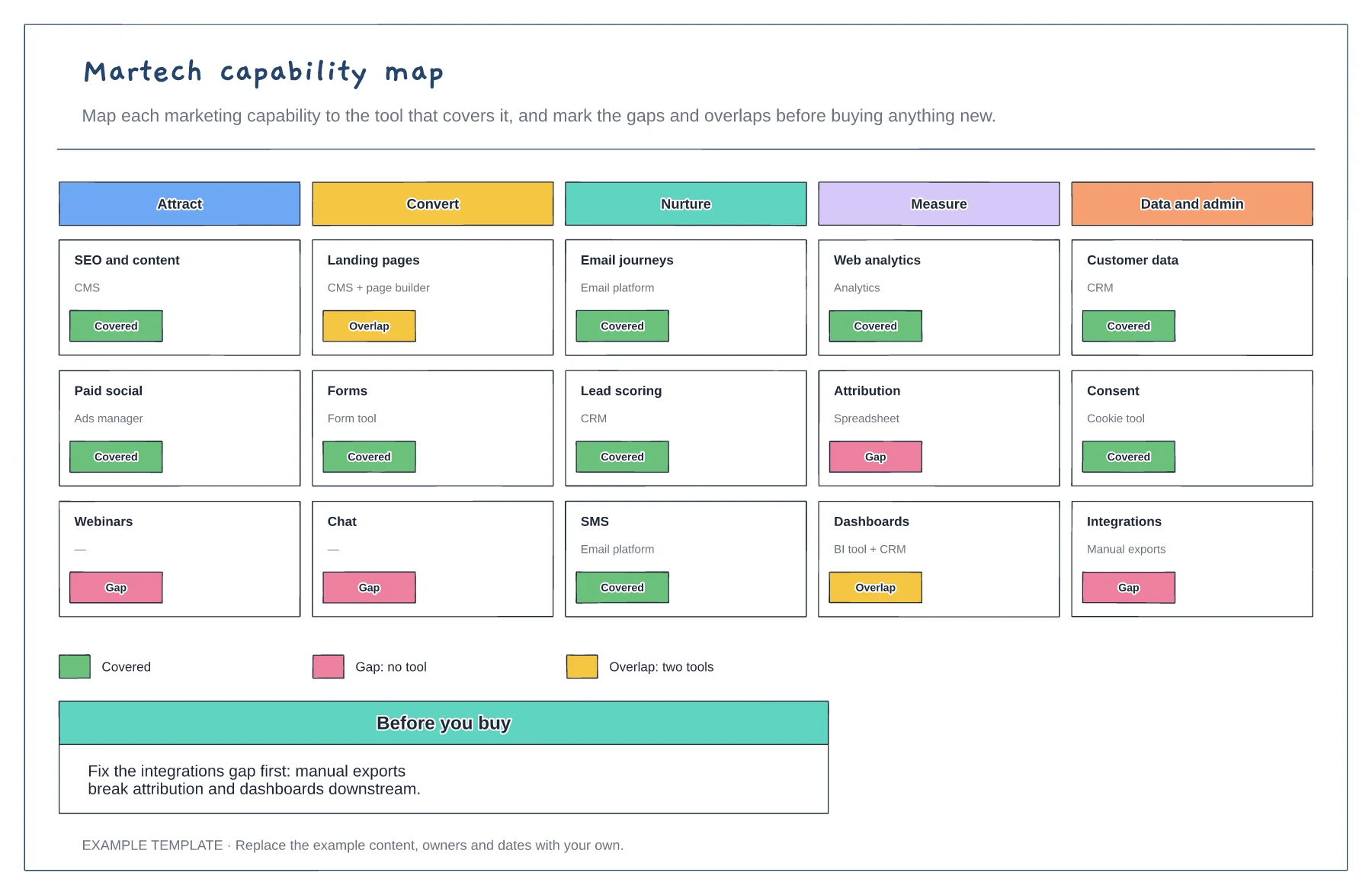
Capabilities in five stages · The tool covering each · Gaps and overlaps marked
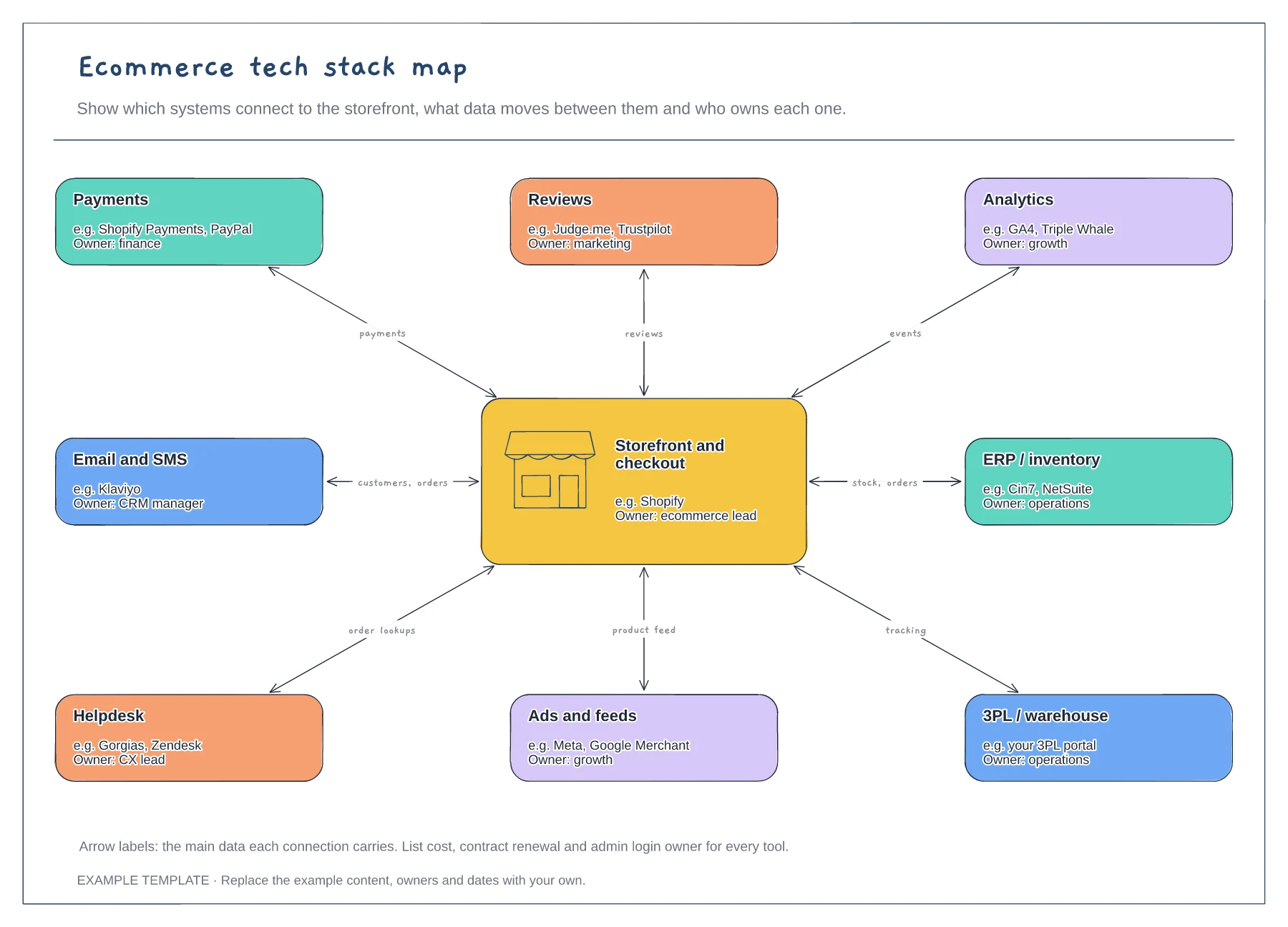
Preview and use template →An ecommerce tech stack map shows every system that connects to your online shop, what data moves between them and who looks after each one. This example puts the storefront at the centre and links eight systems, from payments and email to inventory, the 3PL and the helpdesk, labelling each connection with the data it carries.
No account needed · Opens as your own editable page
Go through invoices and installed apps rather than relying on memory. Small apps often hold customer data or run checkout features, so they belong on the map as well.
Write what each connection sends, such as orders, stock levels or tracking numbers. When something breaks, the labels show which other systems could be affected and where to look first.
Give every tool an owner who manages logins, renewals and changes. Tools without an owner tend to keep billing long after anyone has stopped using them.
Each label names the data passed between the storefront and that system, such as orders or stock levels. Edit them to match your own integrations.
No. Open the template and edit it in your browser. Your work saves on this device. An account is optional if you want to sync your workspace.
Yes. Use Export in the editor to save a PNG, SVG or PDF, or download an editable .epicdraw backup.
Capabilities in five stages · The tool covering each · Gaps and overlaps marked
Preview and use template →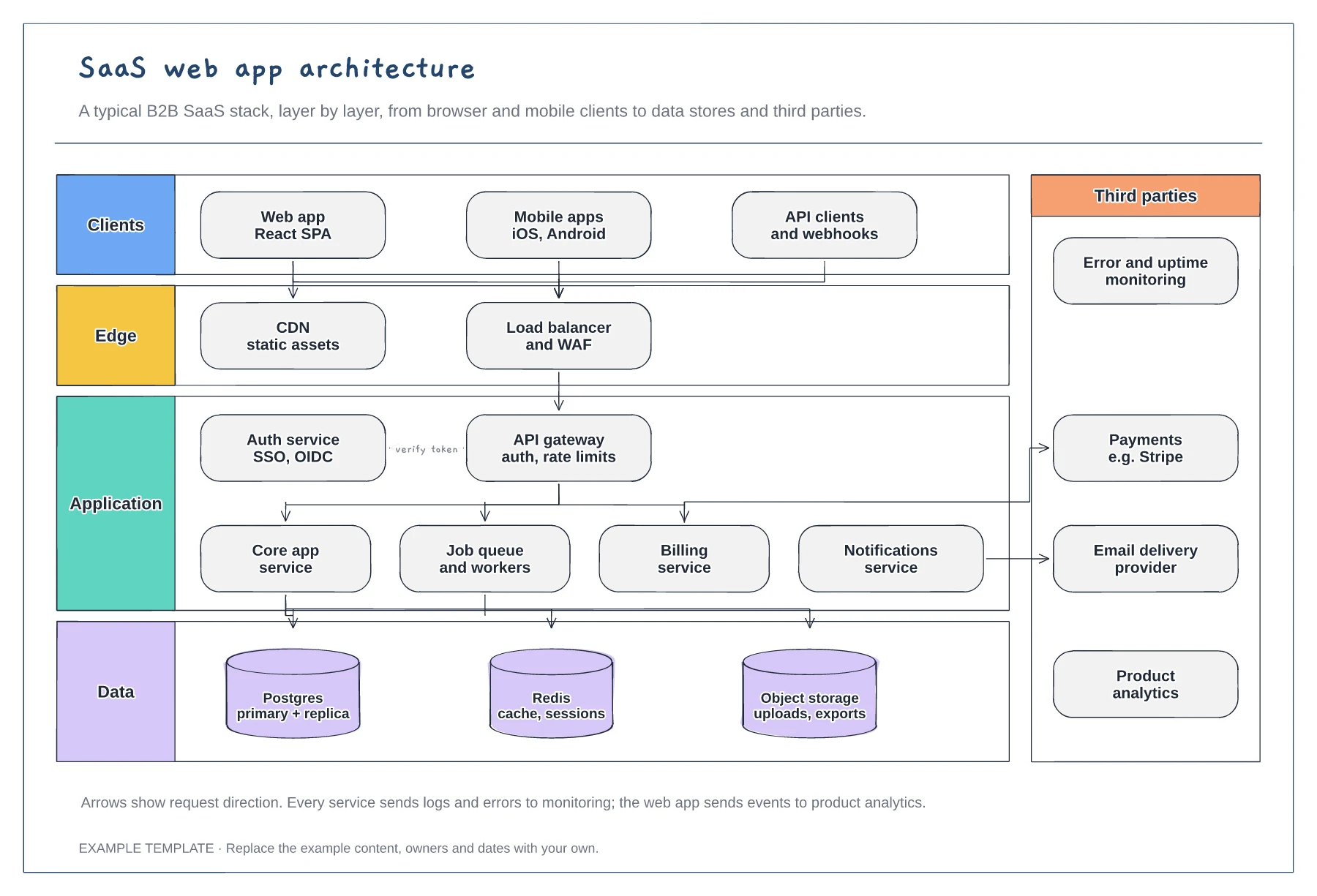
Client, edge, application and data layers · Services behind an API gateway and auth service · Third parties such as payments and email
Preview and use template →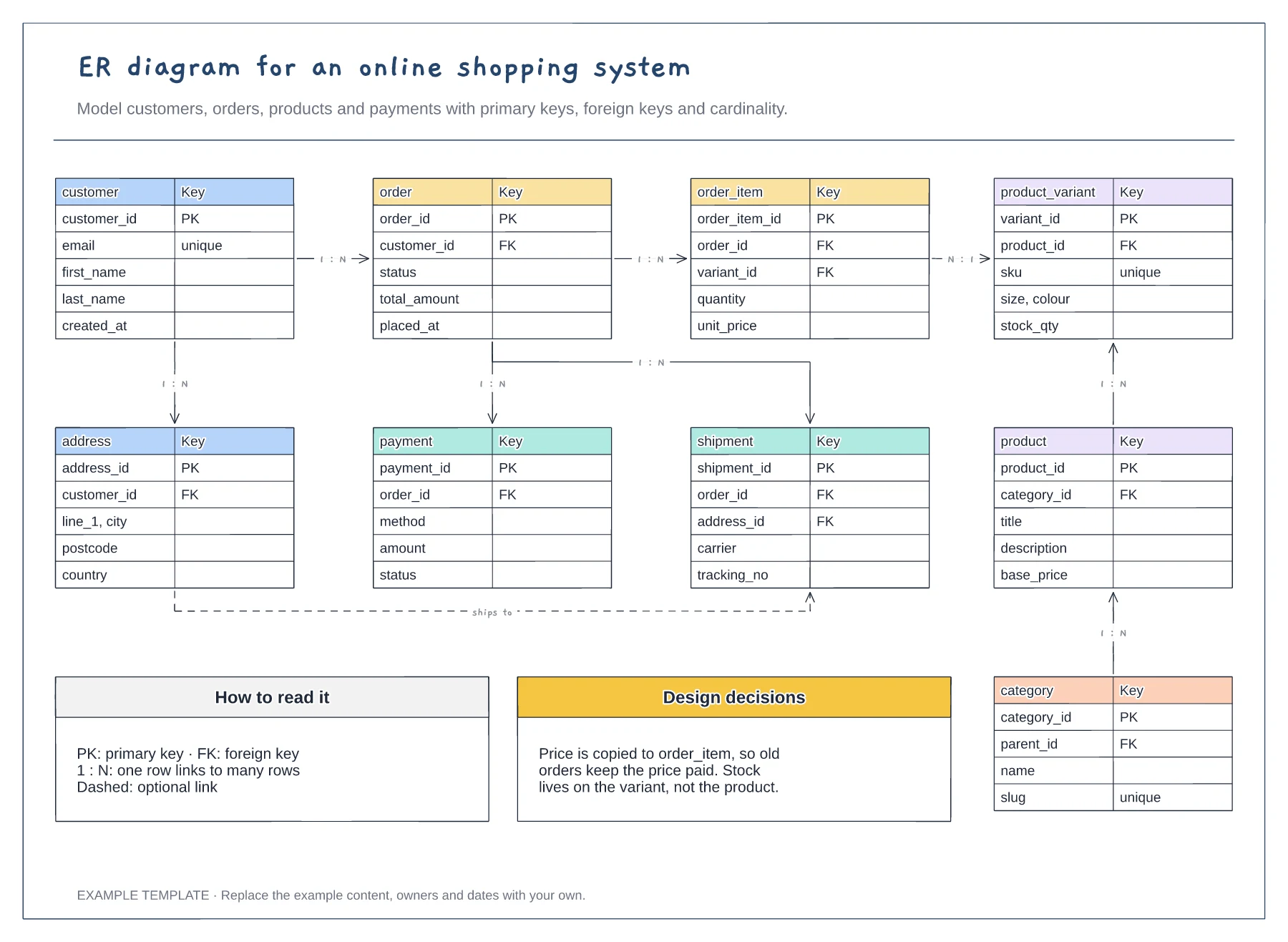
Nine entities with key fields · Primary and foreign keys · One-to-many relationships labelled
Preview and use template →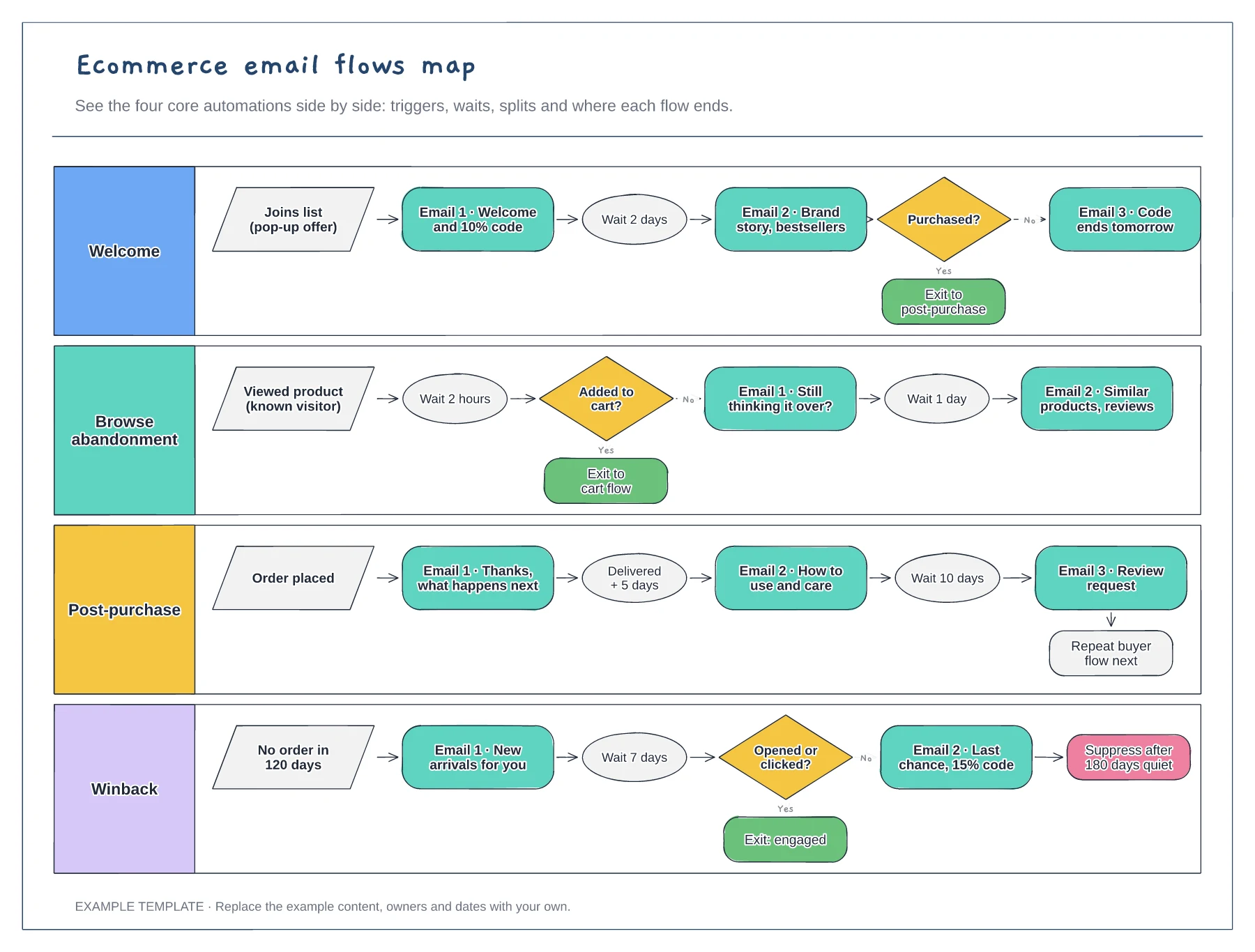
Four flows in separate lanes · Triggers, waits and conditional splits · Exits that hand people to the next flow
Preview and use template →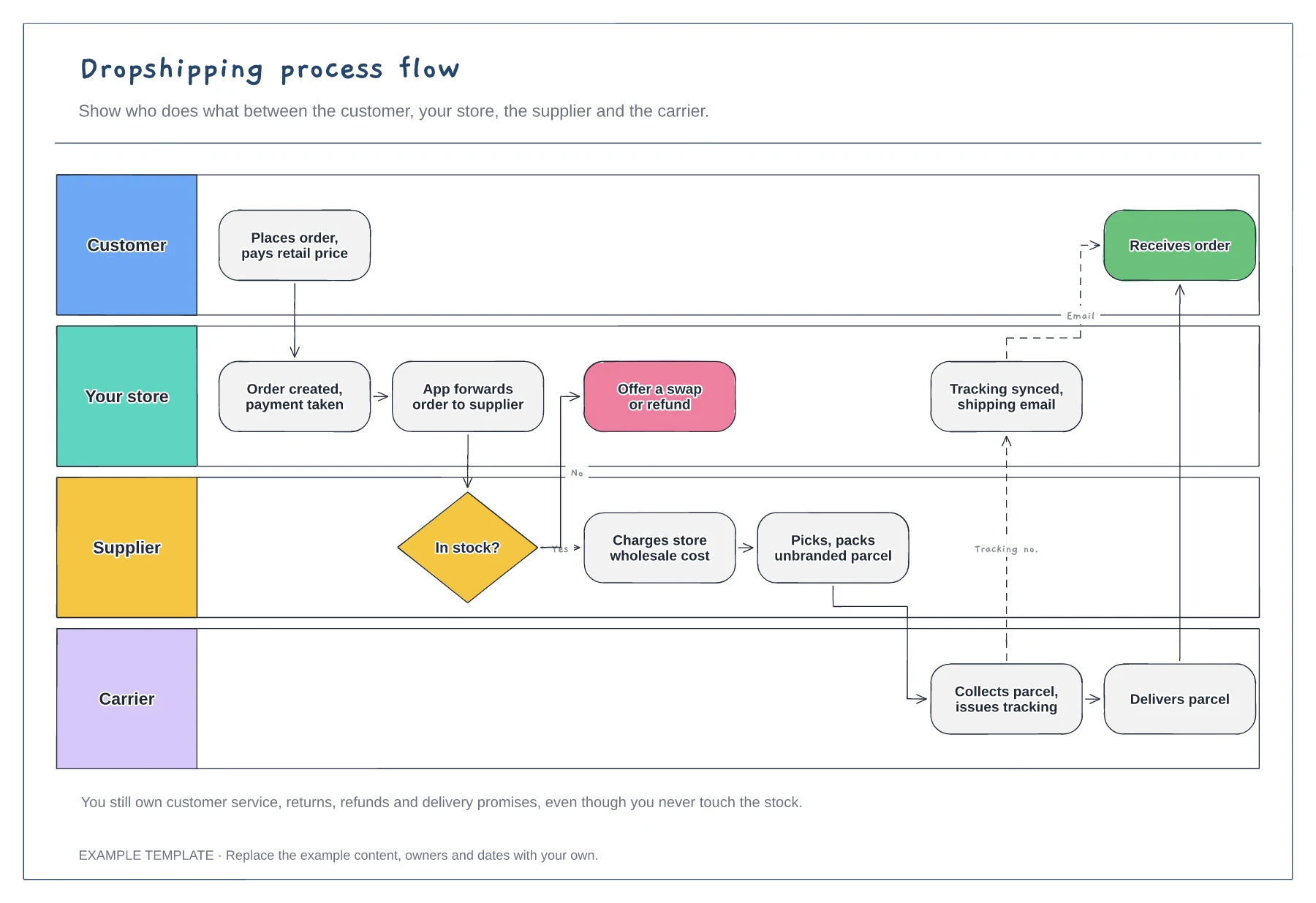
Four swimlanes with handoffs · Out-of-stock branch · Tracking sync back to the customer
Preview and use template →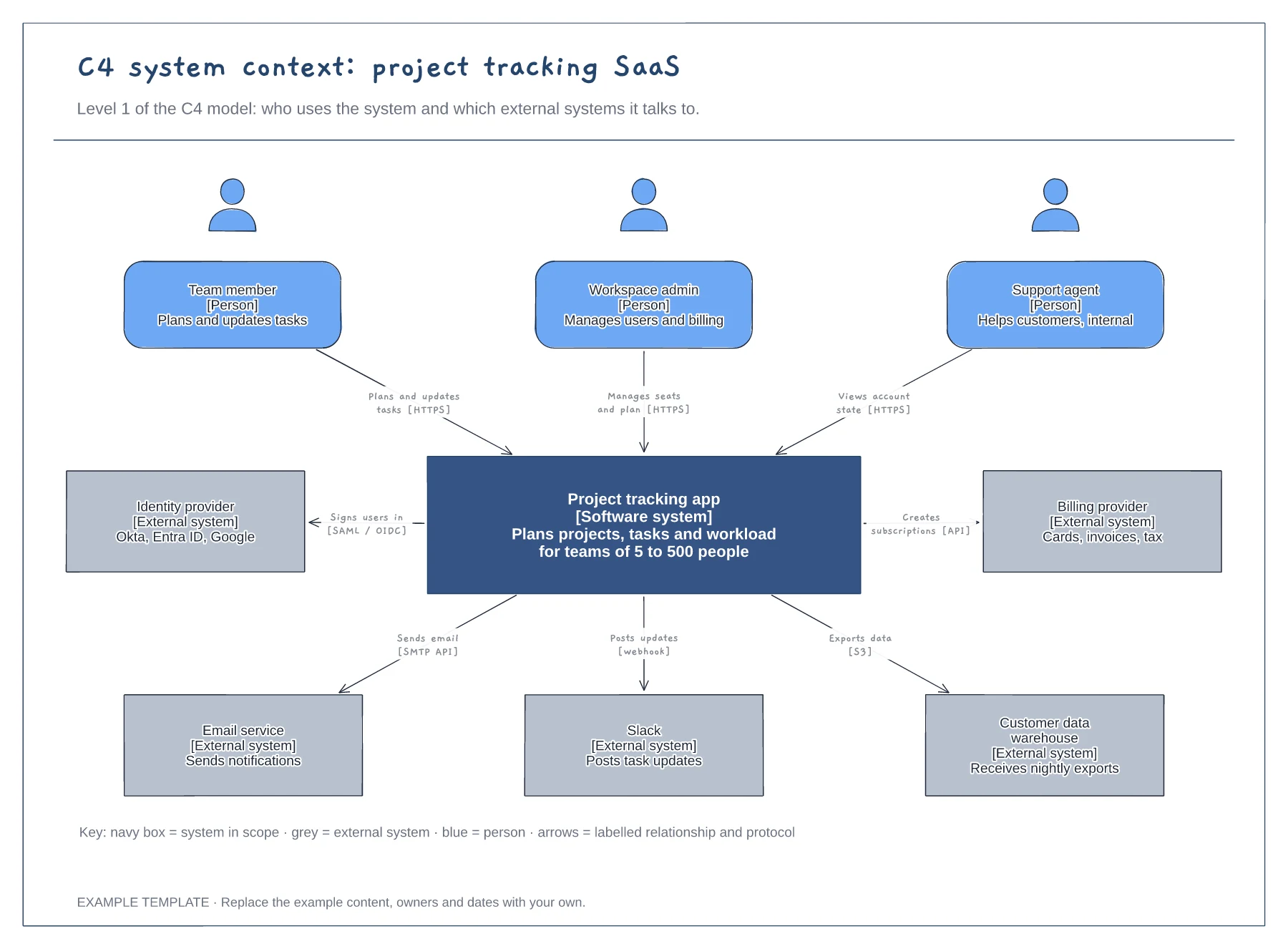
People with roles and descriptions · The system in scope and its external systems · Labelled relationships with protocols, plus a key
Preview and use template →