HR
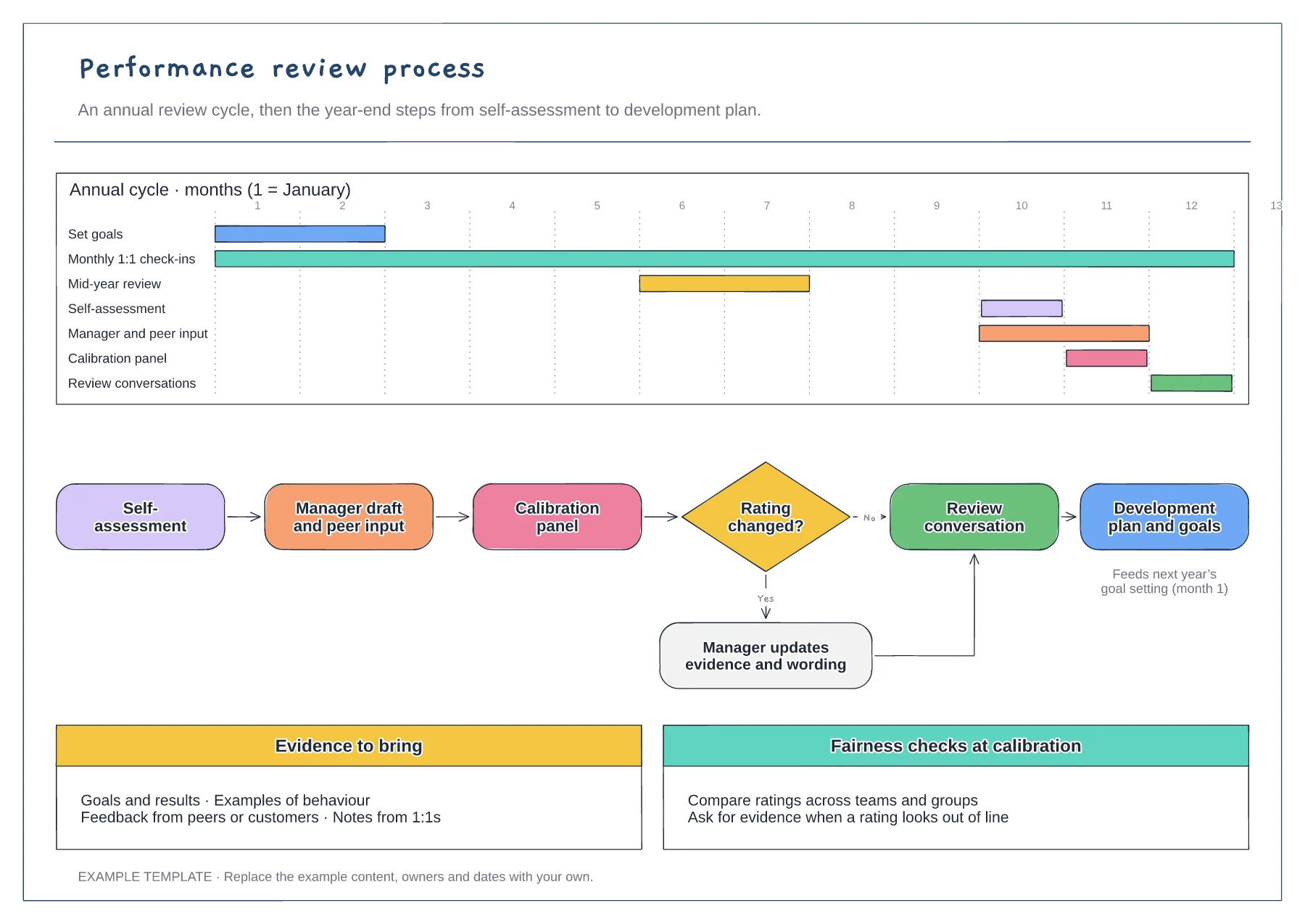
Performance review process flowchart template
Annual cycle on a Gantt chart · Year-end flow with calibration decision · Evidence and fairness checks
Preview and use template →A 9-box grid places each person by current performance and future potential so a review group can discuss development and succession together. This example labels all nine cells, places ten employees as sticky notes and adds the questions to ask in calibration and a typical next step for each box.
No account needed · Opens as your own editable page
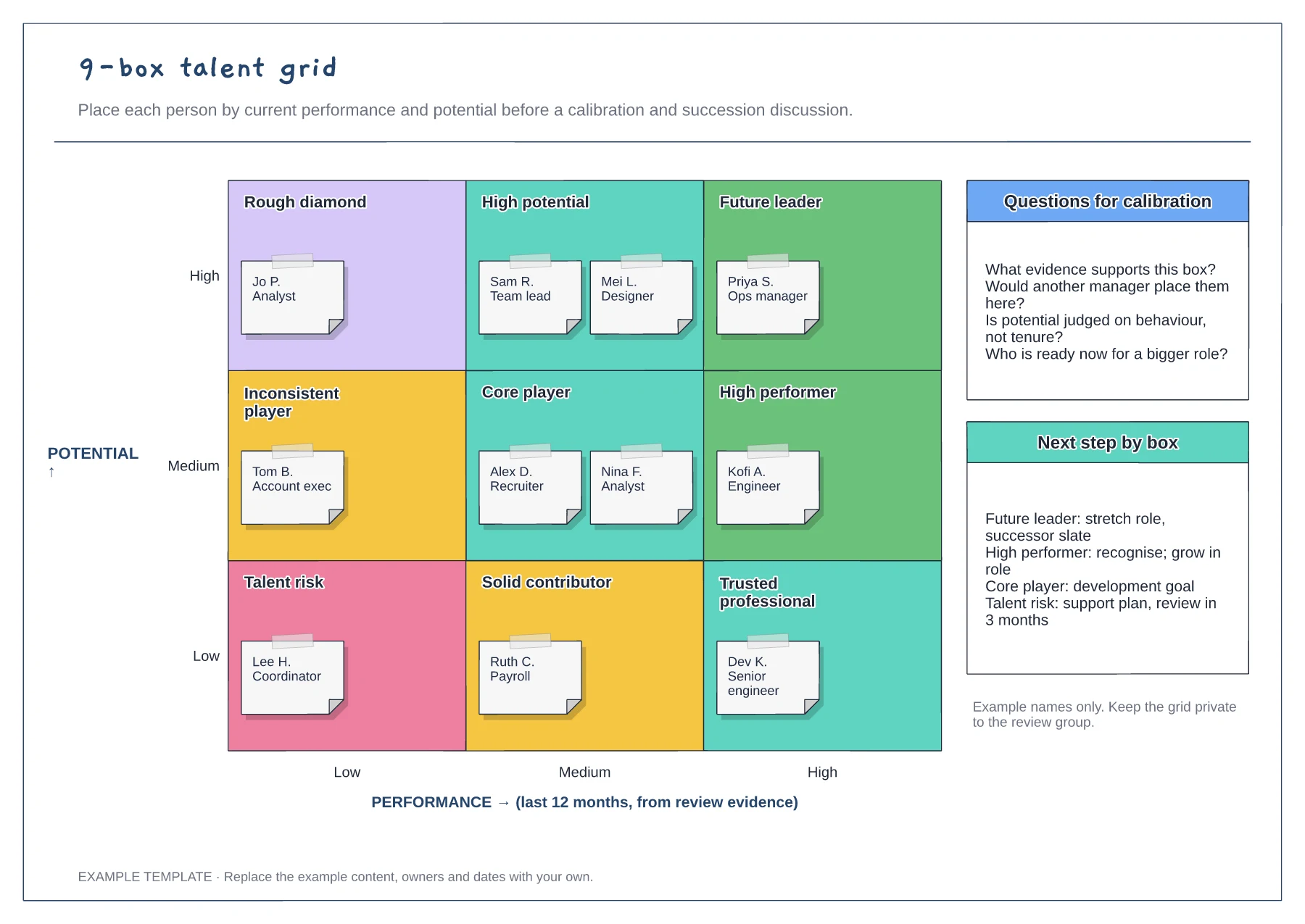
Write down the evidence for performance, such as the last review rating, and the behaviours that signal potential. Without shared definitions, each manager places people by instinct and the grid reflects opinions rather than evidence.
Ask each manager to move their team onto the grid in advance. The meeting can then focus on placements that others question instead of filling in boxes one by one.
Use the next-step panel to agree what happens after the session. A placement with no development action, stretch role or support plan changes nothing for the employee.
Yes. Drag each sticky note to the cell agreed in the calibration discussion, and rename the cells if your talent review uses different labels.
No. Open the template and edit it in your browser. Your work saves on this device. An account is optional if you want to sync your workspace.
Yes. Use Export in the editor to save a PNG, SVG or PDF, or download an editable .epicdraw backup.
Annual cycle on a Gantt chart · Year-end flow with calibration decision · Evidence and fairness checks
Preview and use template →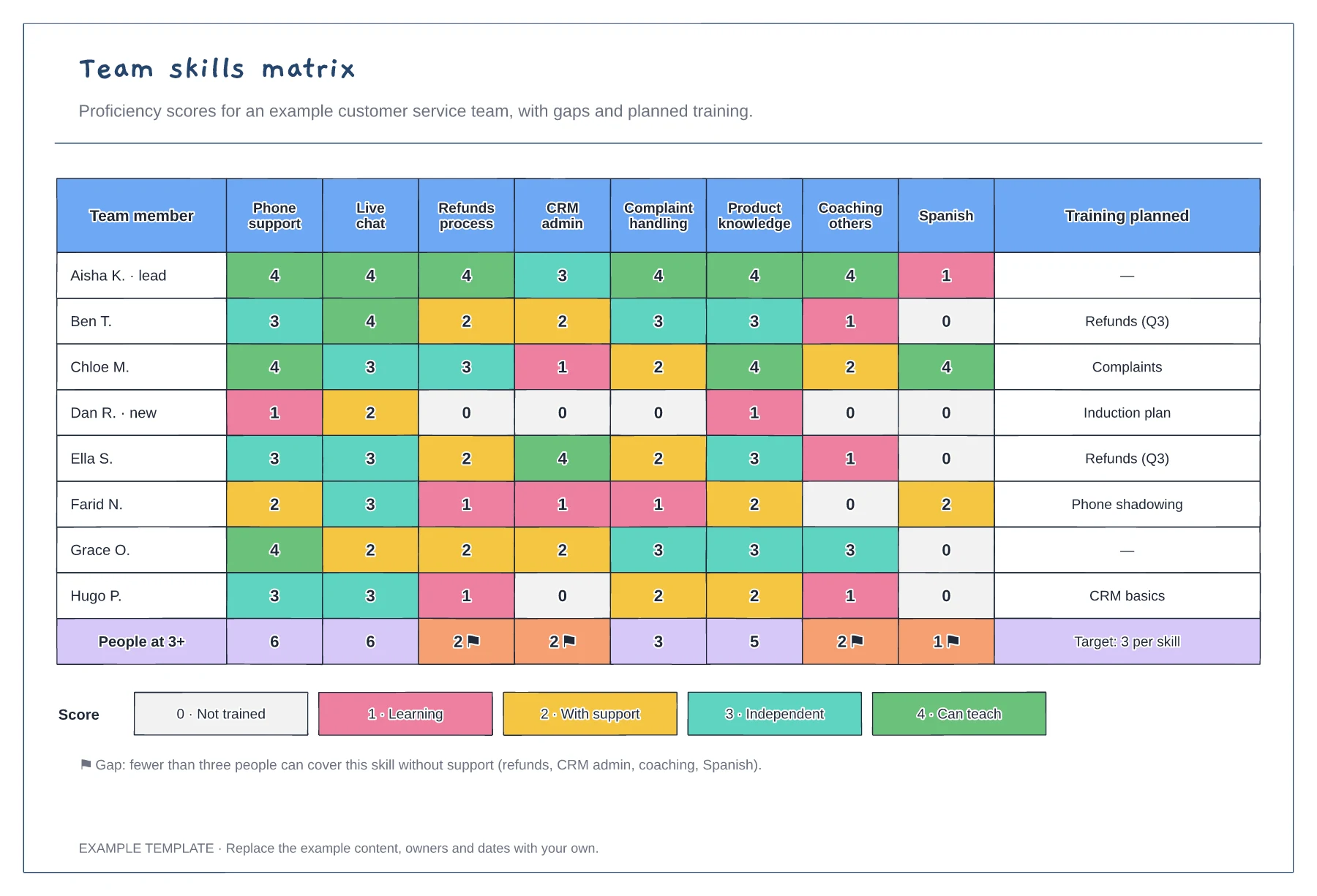
Team members scored against eight skills · Coverage totals with gap flags · Score key and planned training
Preview and use template →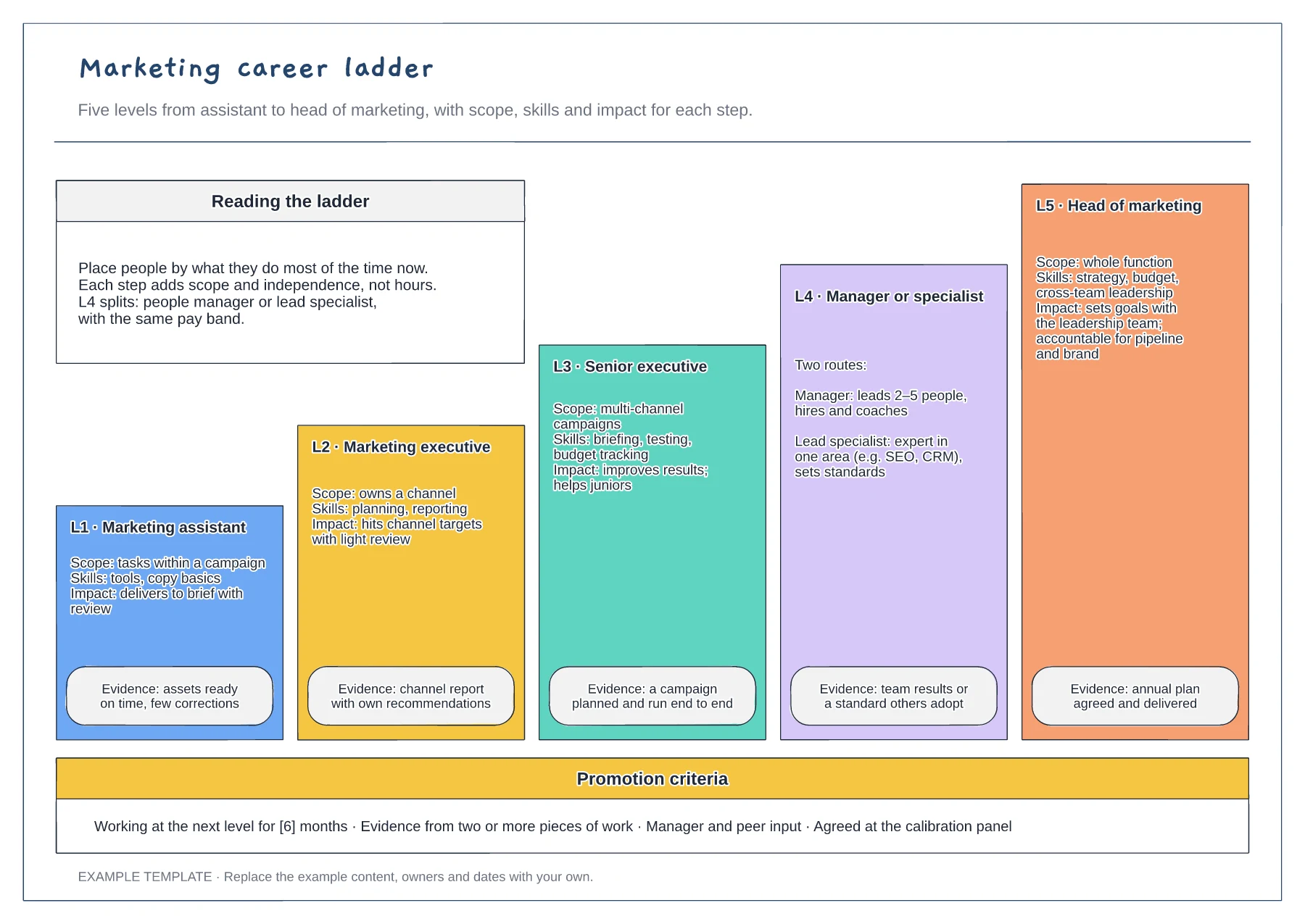
Five levels drawn as a staircase · Scope, skills, impact and evidence · Promotion criteria strip
Preview and use template →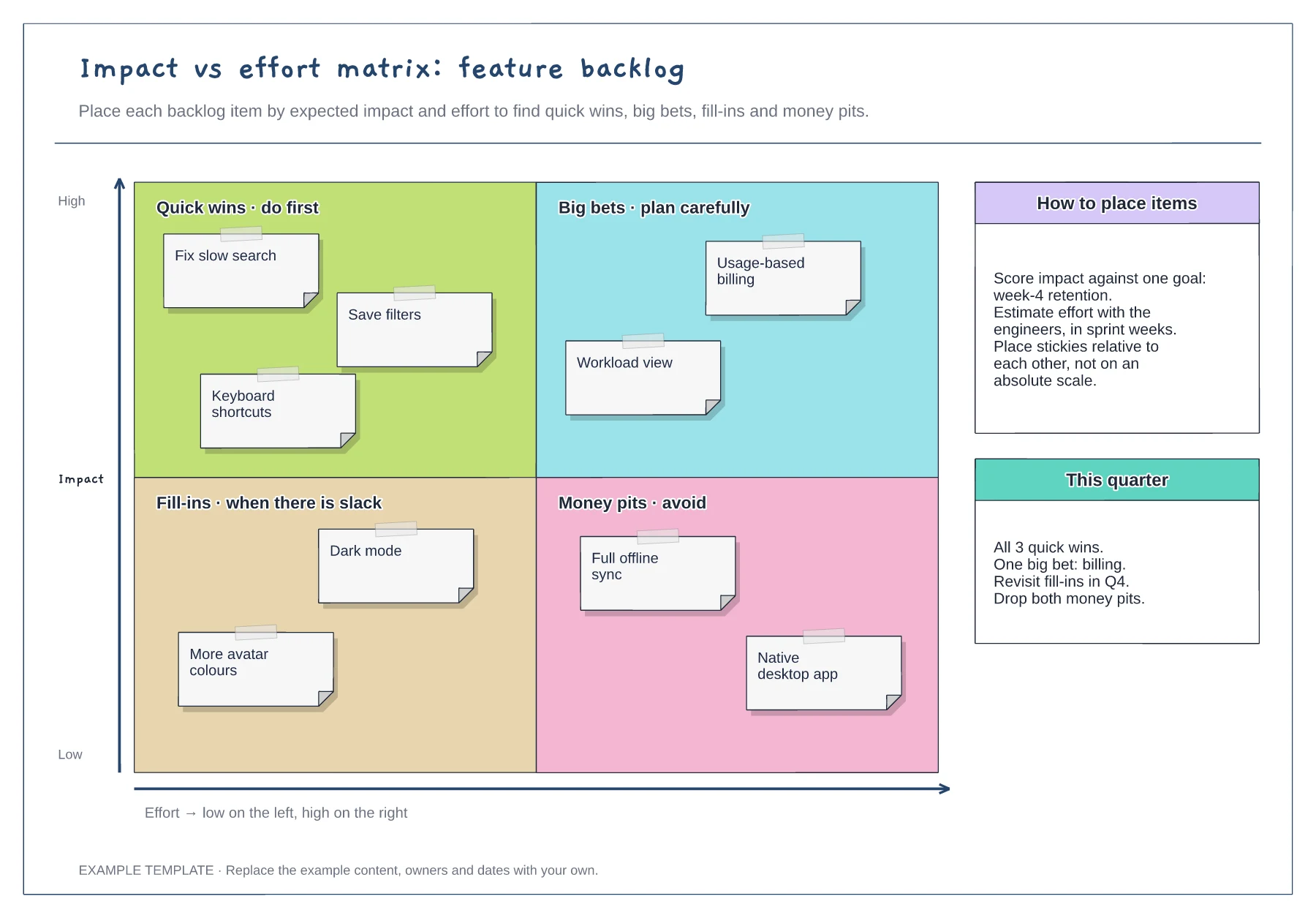
Quick wins, big bets, fill-ins and money pits · Nine example backlog items · Placement guidance and a quarter plan
Preview and use template →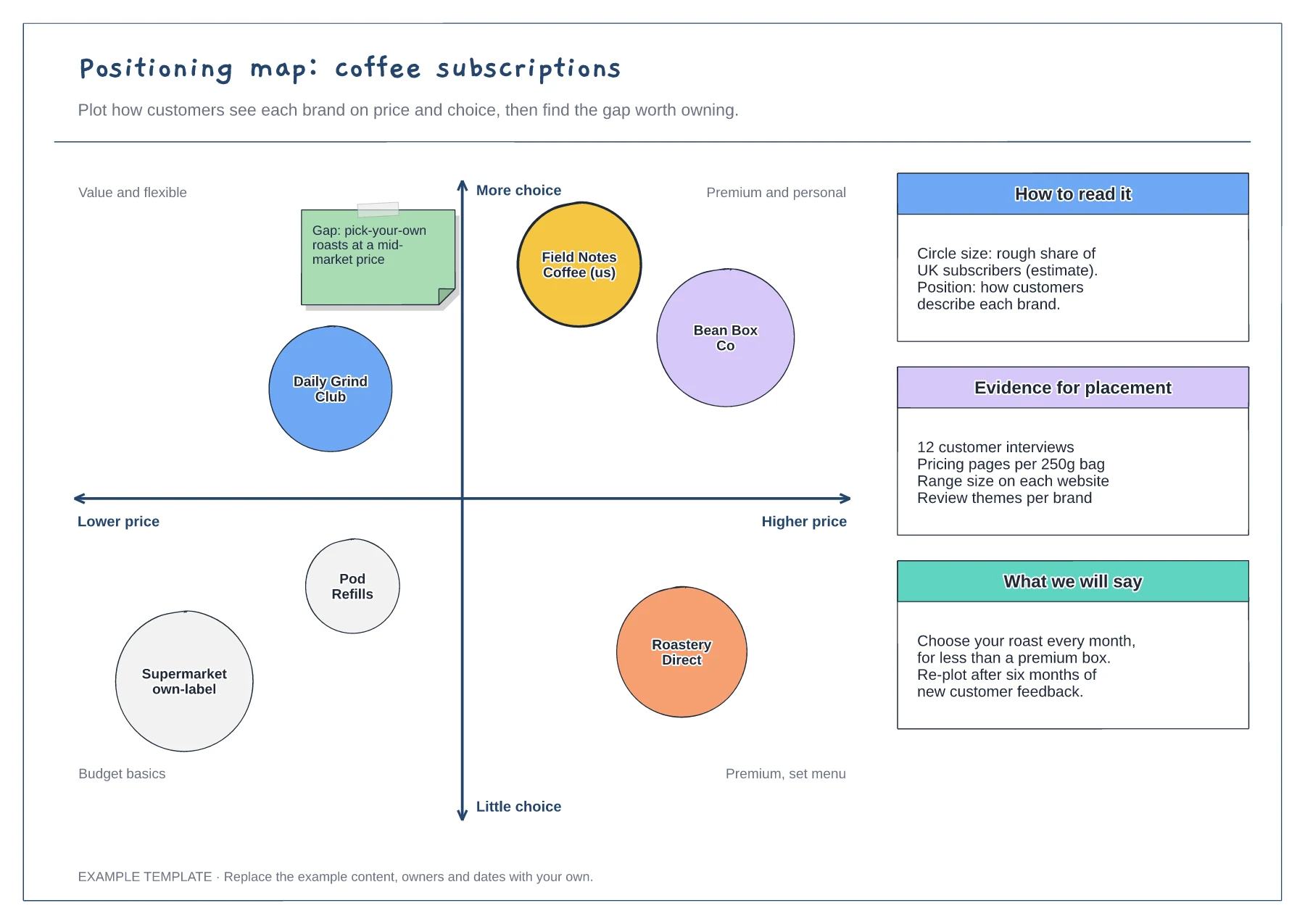
Two-axis map with labelled quadrants · Competitor circles sized by share · Notes on evidence and the message to test
Preview and use template →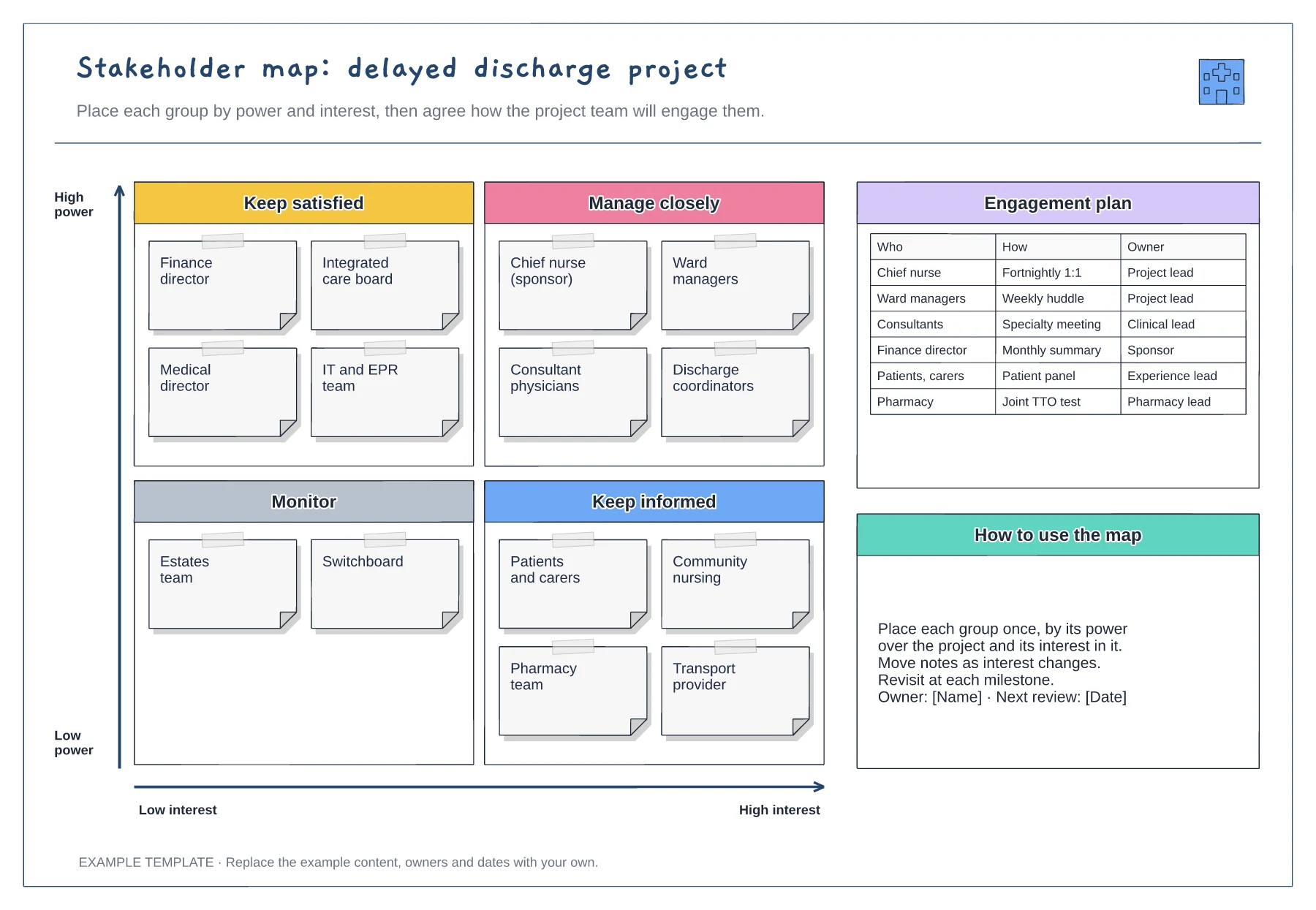
Power and interest grid · Stakeholder notes in four quadrants · Engagement plan with owners
Preview and use template →