HR
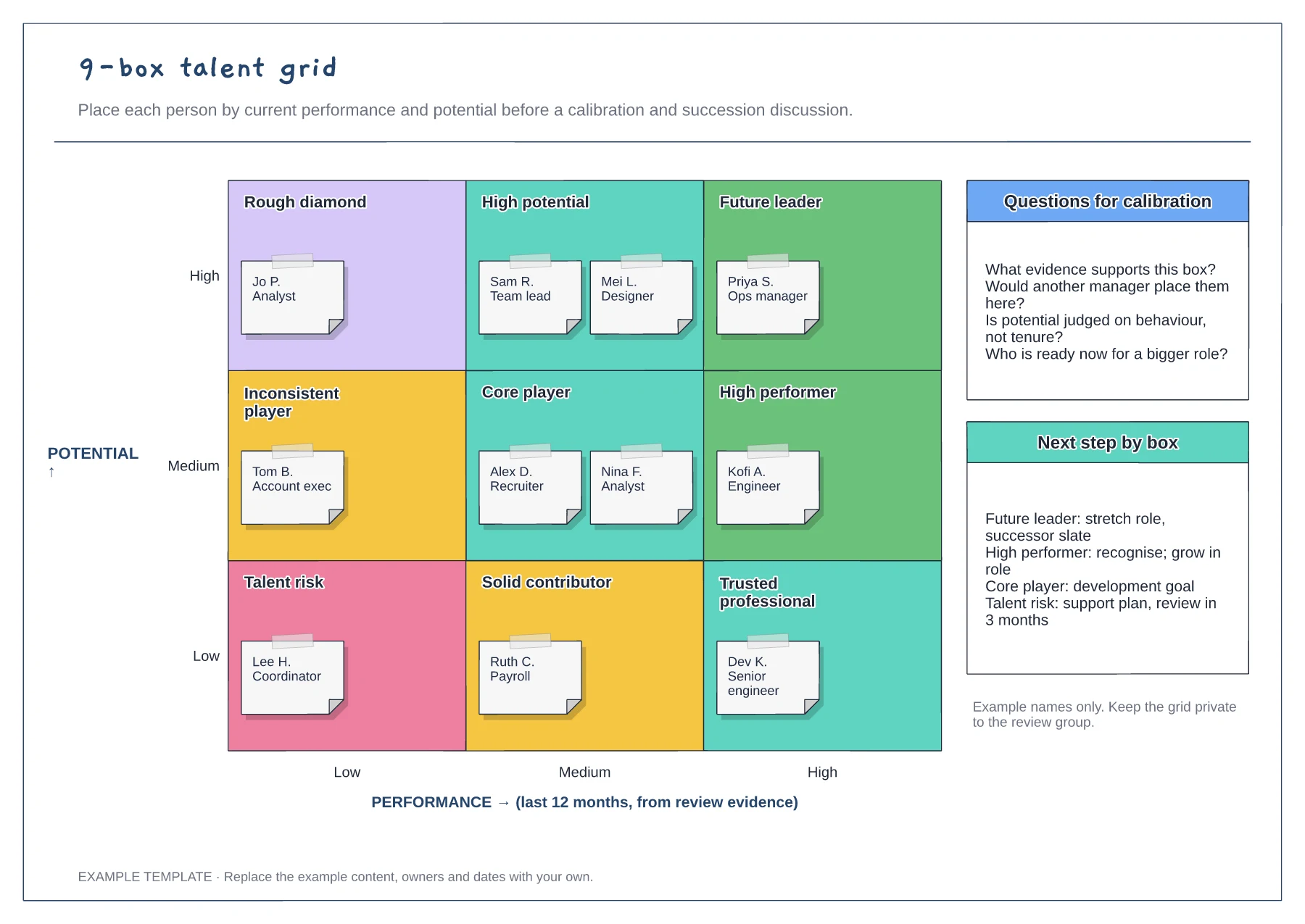
9-box talent grid template
Performance and potential axes · Nine labelled cells with employee notes · Calibration questions and next steps
Preview and use template →A performance review process flowchart shows when each part of the review cycle happens and how a rating is agreed. This example sets out a calendar year on a Gantt chart, from goal setting and monthly check-ins to calibration, then follows the year-end steps from self-assessment to the review conversation and a development plan.
No account needed · Opens as your own editable page
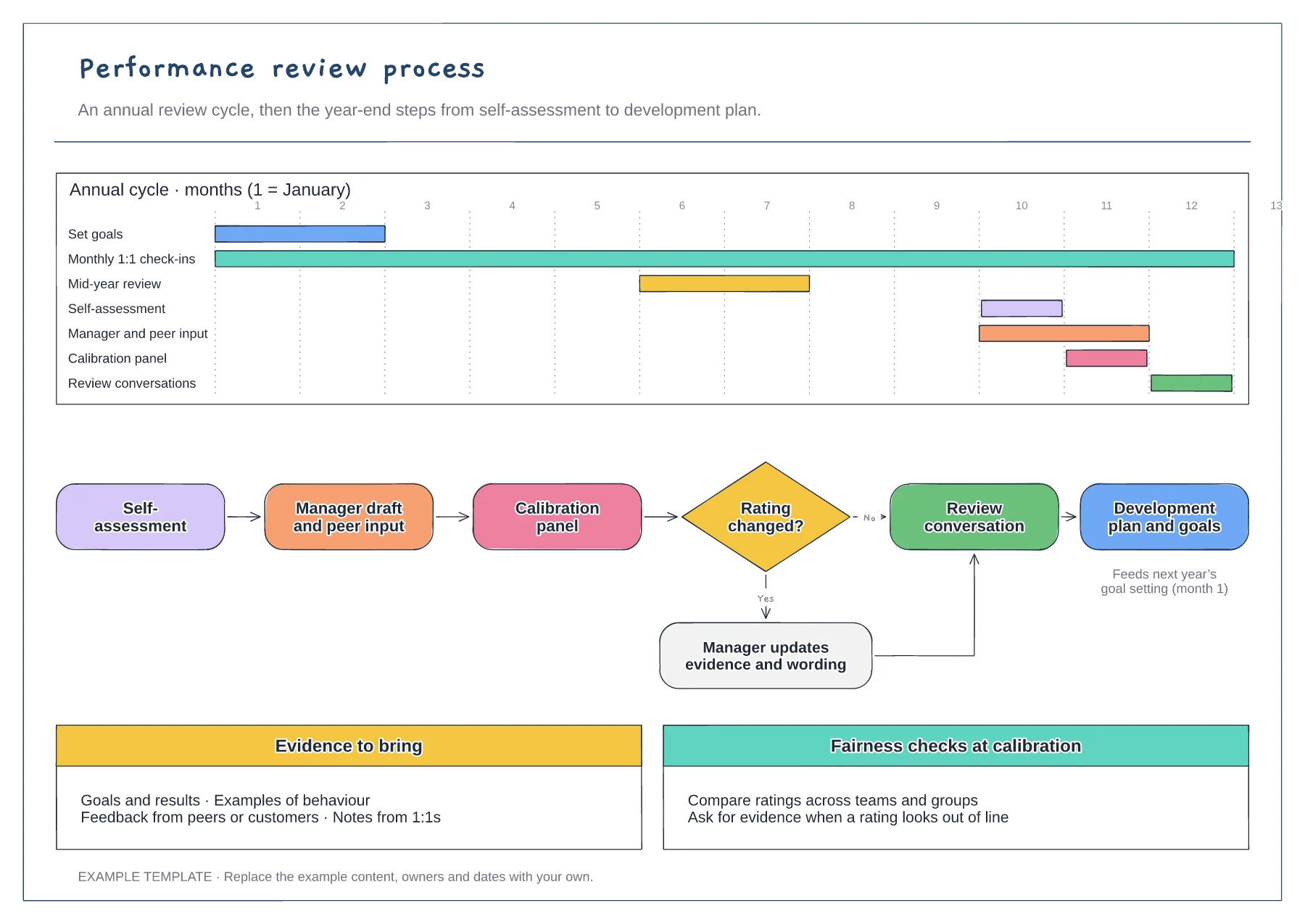
Move the bars to match your financial year and busy periods. Avoid placing self-assessments in the same month as year-end targets, when people have little time to reflect.
Agree whether the panel can change ratings or only flag them for review. The decision branch shows what happens when a rating moves, so the employee hears a consistent explanation.
Make the development plan feed the next goal-setting round. A review that ends with a rating but no plan gives the employee little reason to engage next time.
Yes. Drag each bar to match your review year, such as a mid-year check-in in a different month, and the year-end flow below stays the same.
No. Open the template and edit it in your browser. Your work saves on this device. An account is optional if you want to sync your workspace.
Yes. Use Export in the editor to save a PNG, SVG or PDF, or download an editable .epicdraw backup.
Performance and potential axes · Nine labelled cells with employee notes · Calibration questions and next steps
Preview and use template →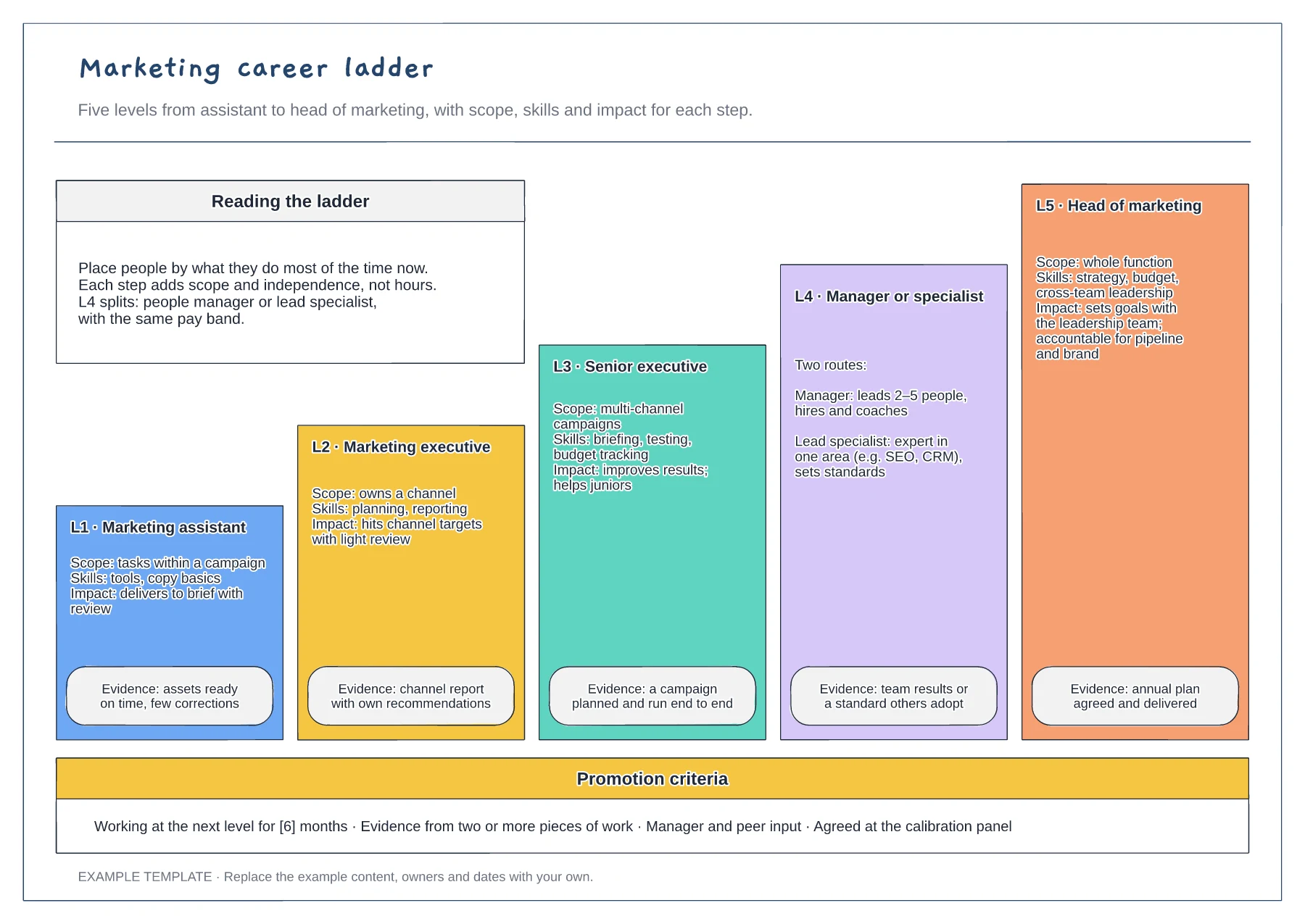
Five levels drawn as a staircase · Scope, skills, impact and evidence · Promotion criteria strip
Preview and use template →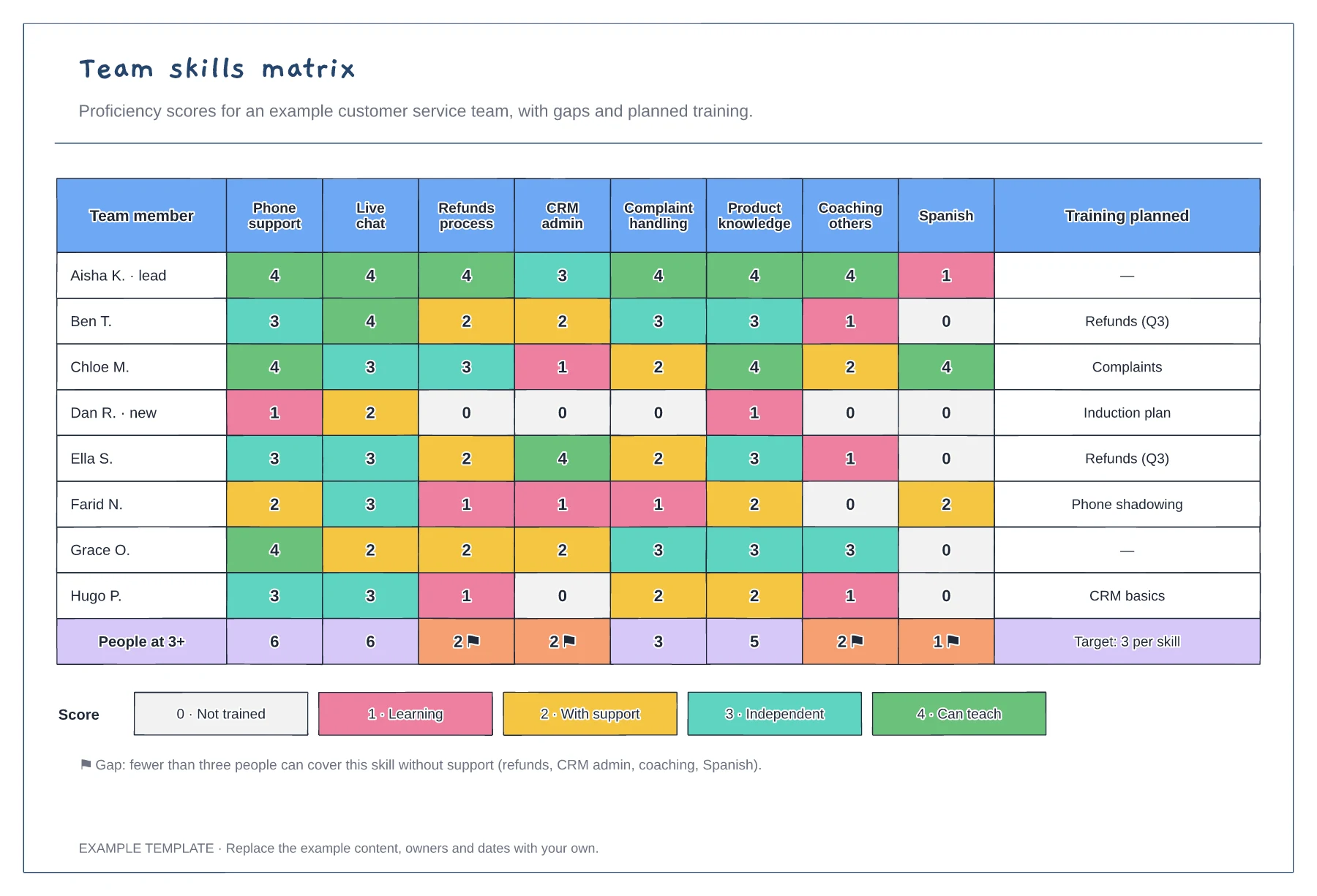
Team members scored against eight skills · Coverage totals with gap flags · Score key and planned training
Preview and use template →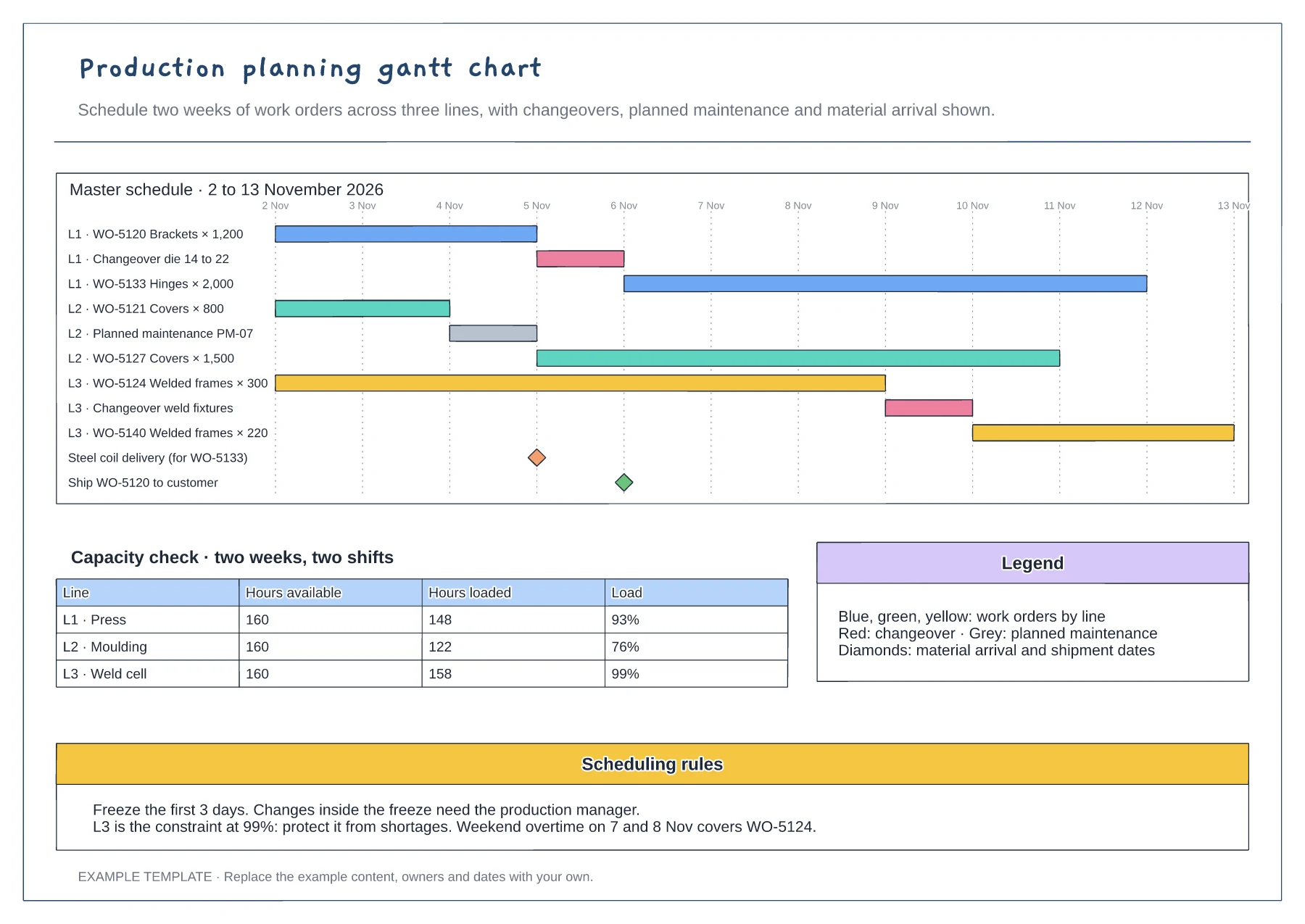
Gantt of work orders by line and day · Changeover, maintenance and milestone rows · Capacity table and scheduling rules
Preview and use template →
Observations from the sprint · Discussion and improvement ideas · An owned experiment and review
Preview and use template →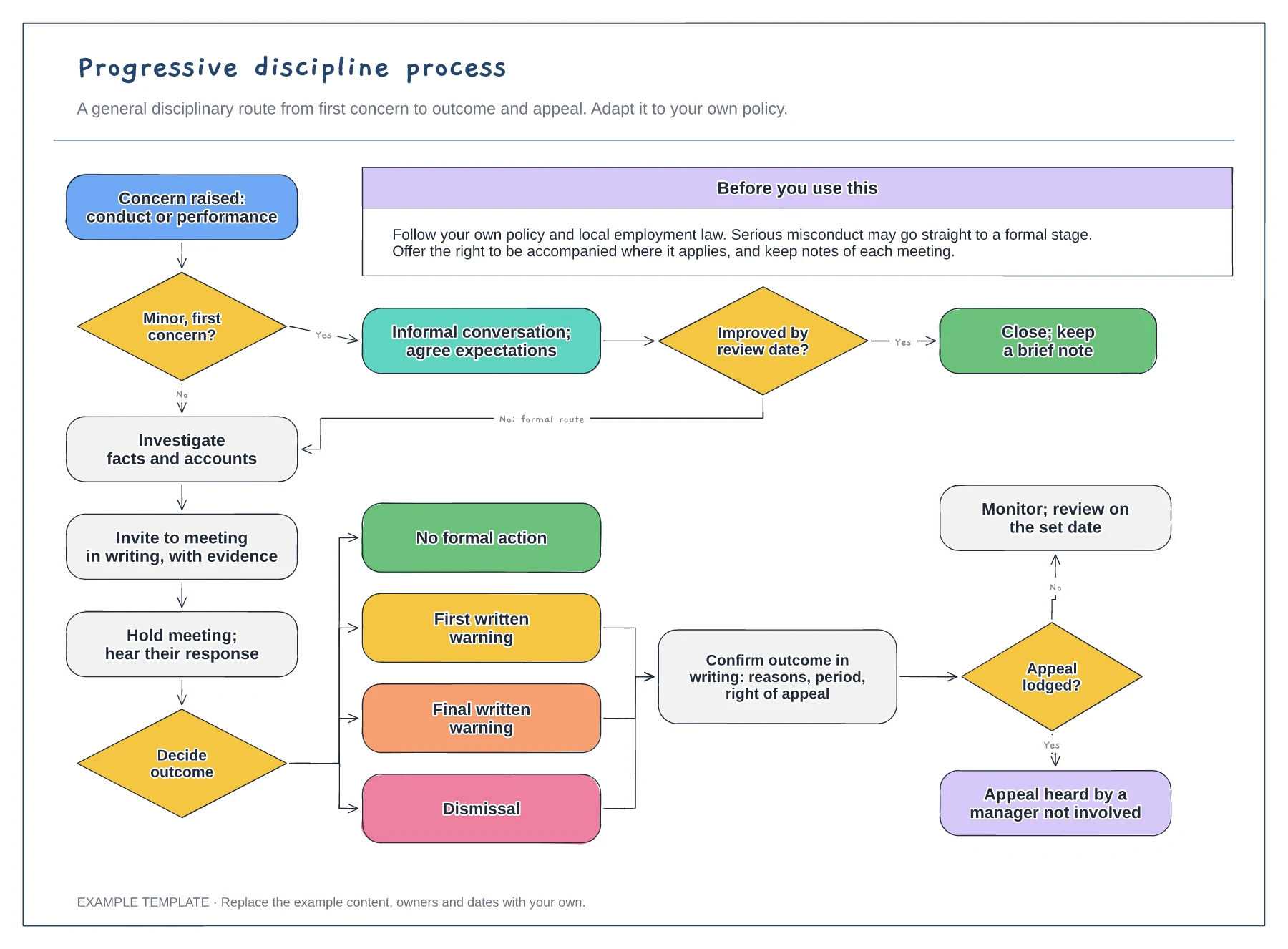
Informal route and review date · Investigation, meeting and outcome options · Written outcome and appeal
Preview and use template →