Finance
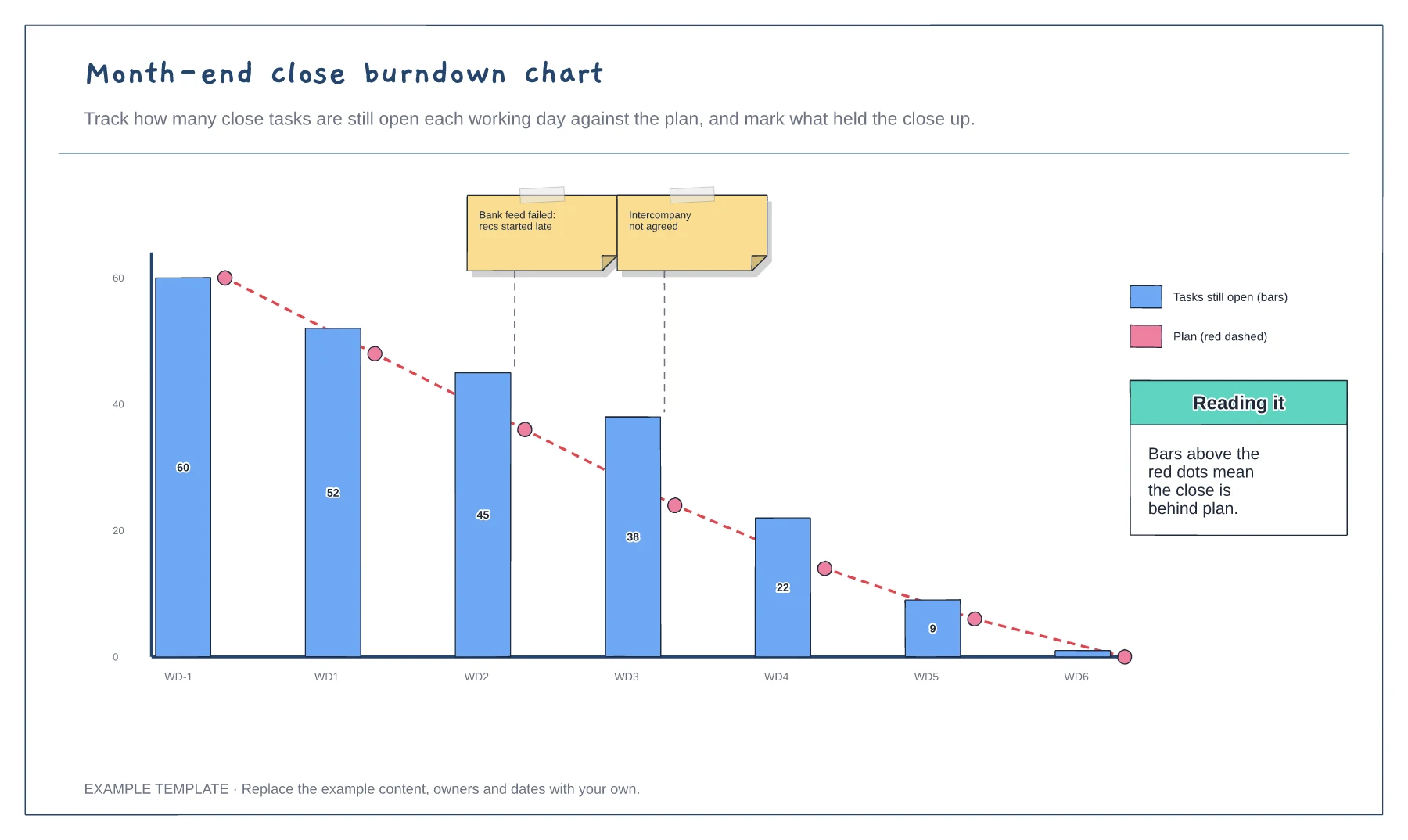
Month-end close burndown chart template
Open tasks by working day · Planned burndown line · Blockers marked on the chart
Preview and use template →A month-end close plan shows which team does what on each working day, so the books close on time every month. This example runs from invoice cut-off two days before month-end to controller sign-off on the sixth working day, with tasks for AP, AR, general ledger, payroll and the controller and the point each ledger is closed.
This is a planning example, not financial, accounting, tax or legal advice. Check your own policies, auditors and local rules.
No account needed · Opens as your own editable page
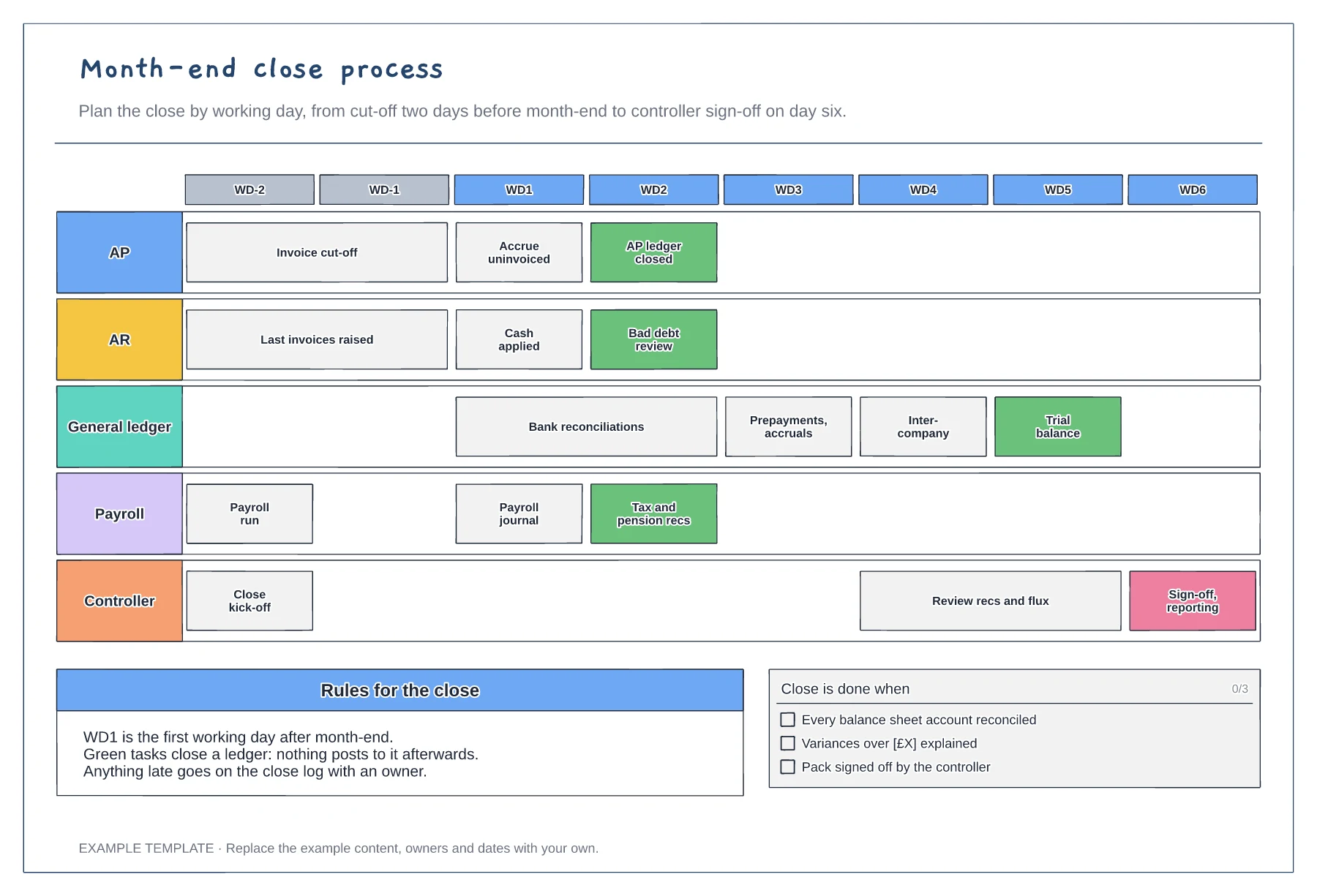
Collect the tasks from each team, including the small ones such as uploading bank statements. Missing tasks are usually why closes run late.
Put each task on the day it must finish and show which tasks depend on others, such as bank reconciliations before the trial balance.
Mark the point each ledger closes so nobody posts to it afterwards. Review the plan after each close and pull tasks earlier where you can.
Yes. Add a row to the working-day grid and place its tasks on the days they happen, so they line up with the ledger close points.
No. Open the template and edit it in your browser. Your work saves on this device. An account is optional if you want to sync your workspace.
Yes. Use Export in the editor to save a PNG, SVG or PDF, or download an editable .epicdraw backup.
Open tasks by working day · Planned burndown line · Blockers marked on the chart
Preview and use template →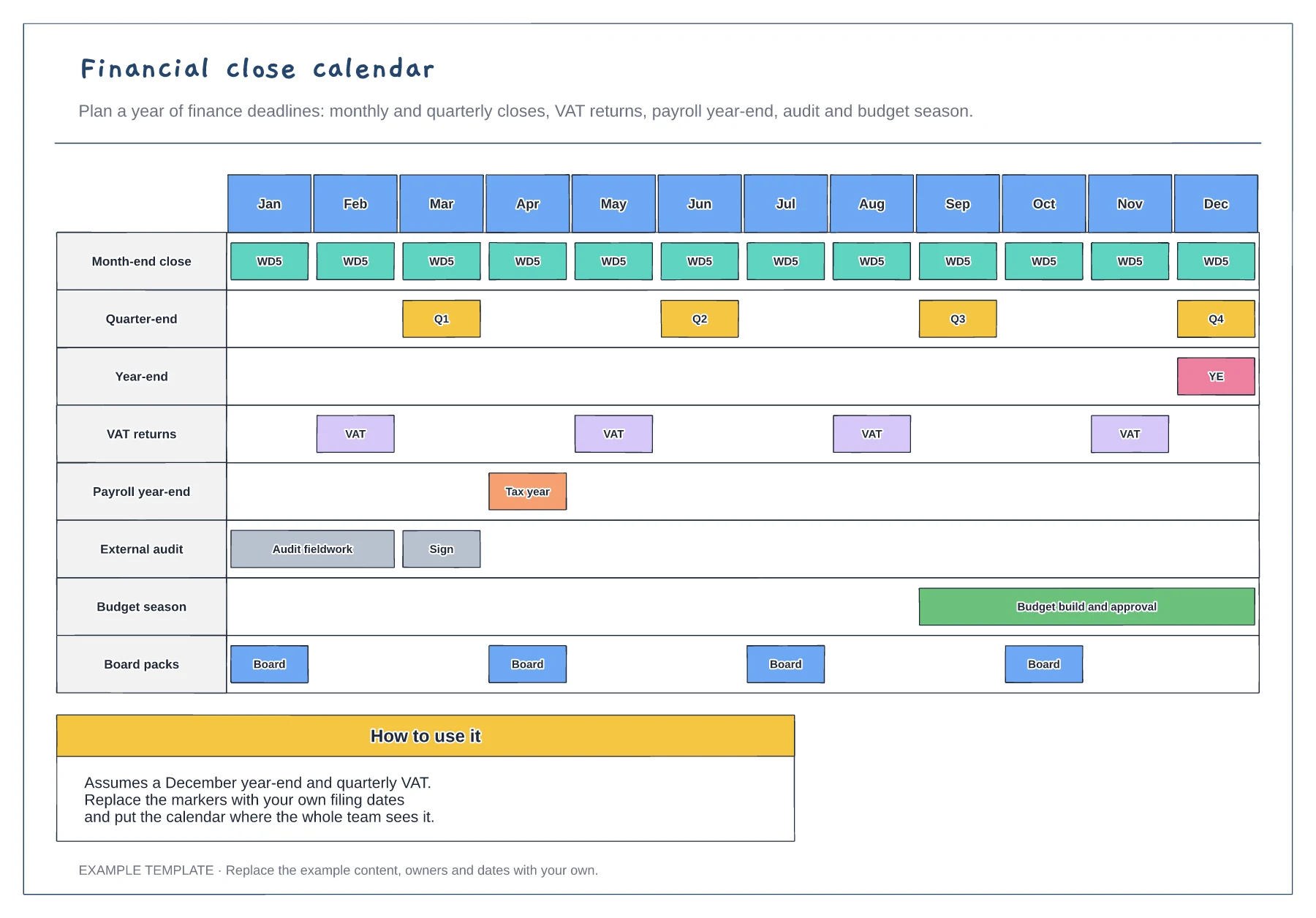
Twelve months on one page · Closes, filings, audit and budget · Board pack dates
Preview and use template →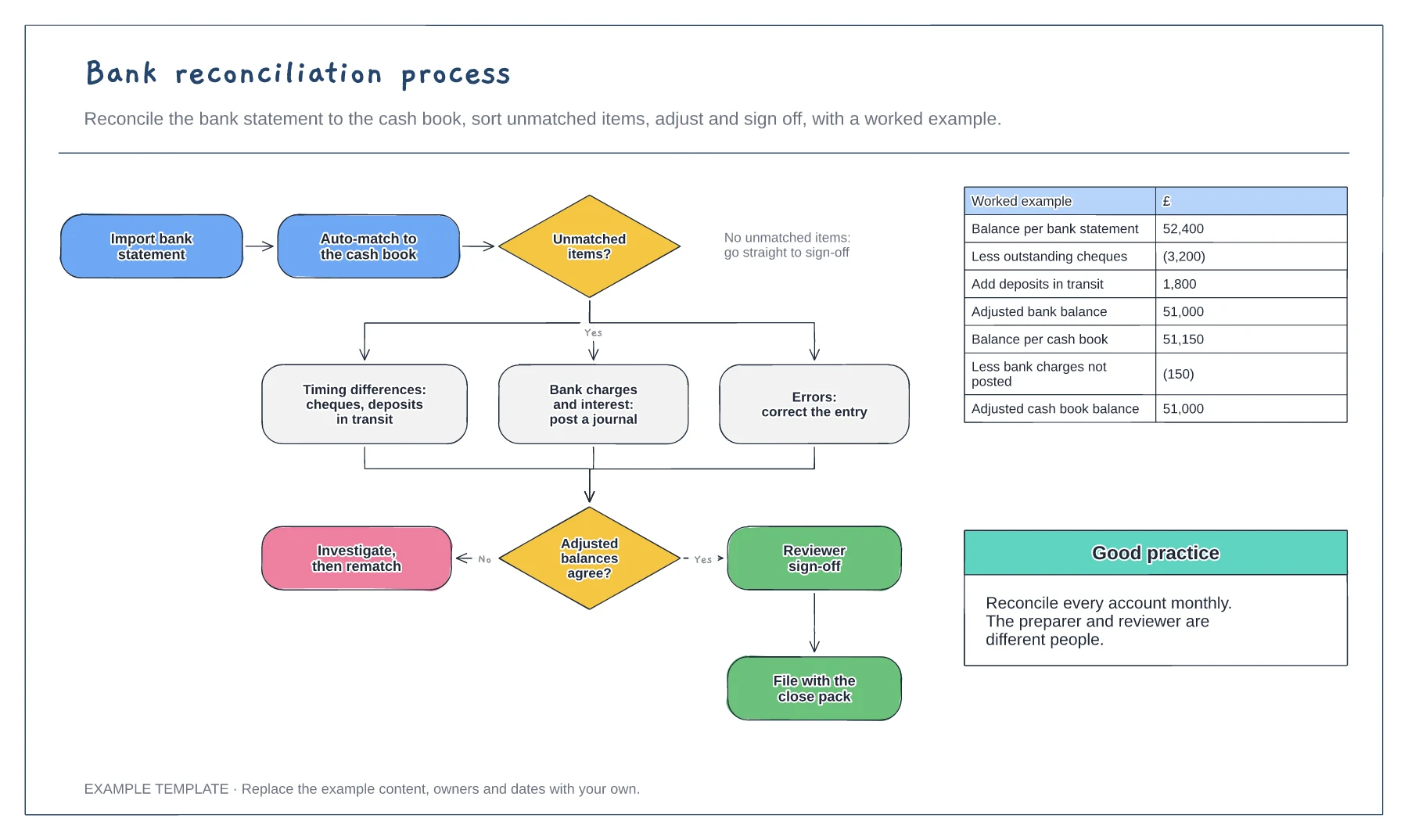
Import, match and adjust steps · Three kinds of unmatched item · Worked reconciliation example
Preview and use template →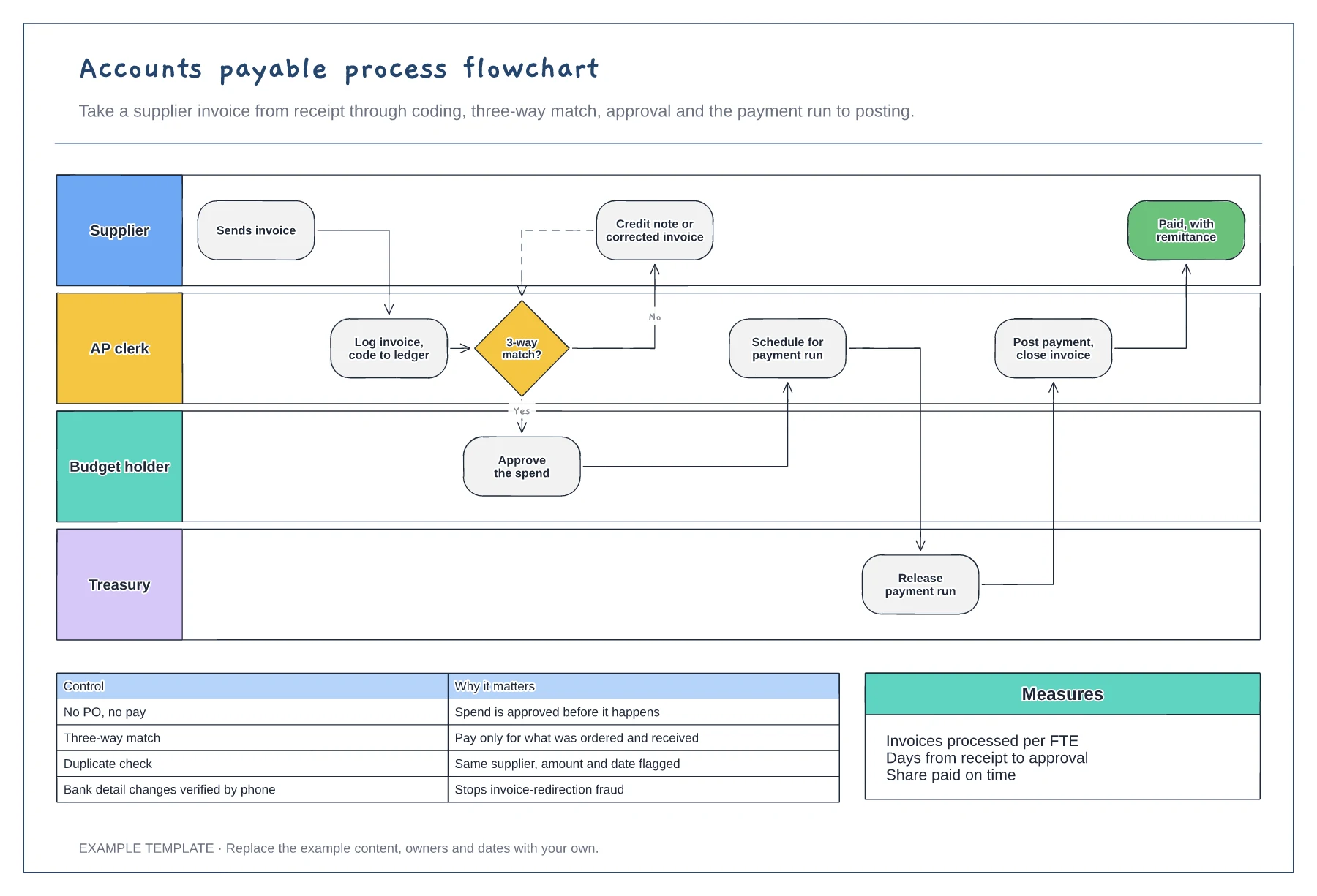
Supplier, AP, budget holder and treasury lanes · Three-way match with a query loop · Key AP controls and measures
Preview and use template →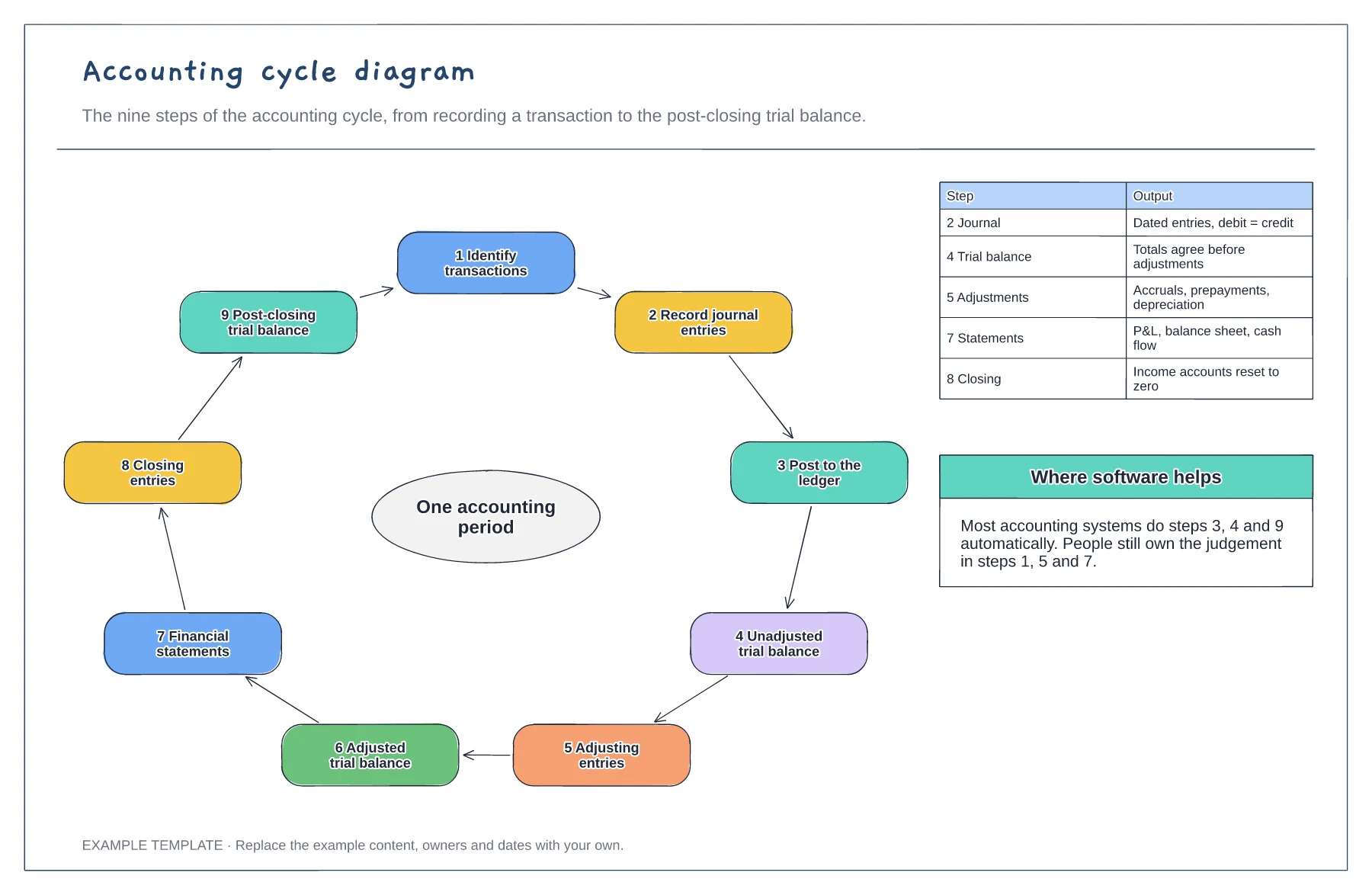
Nine steps in a loop · Output of the key steps · Where software does the work
Preview and use template →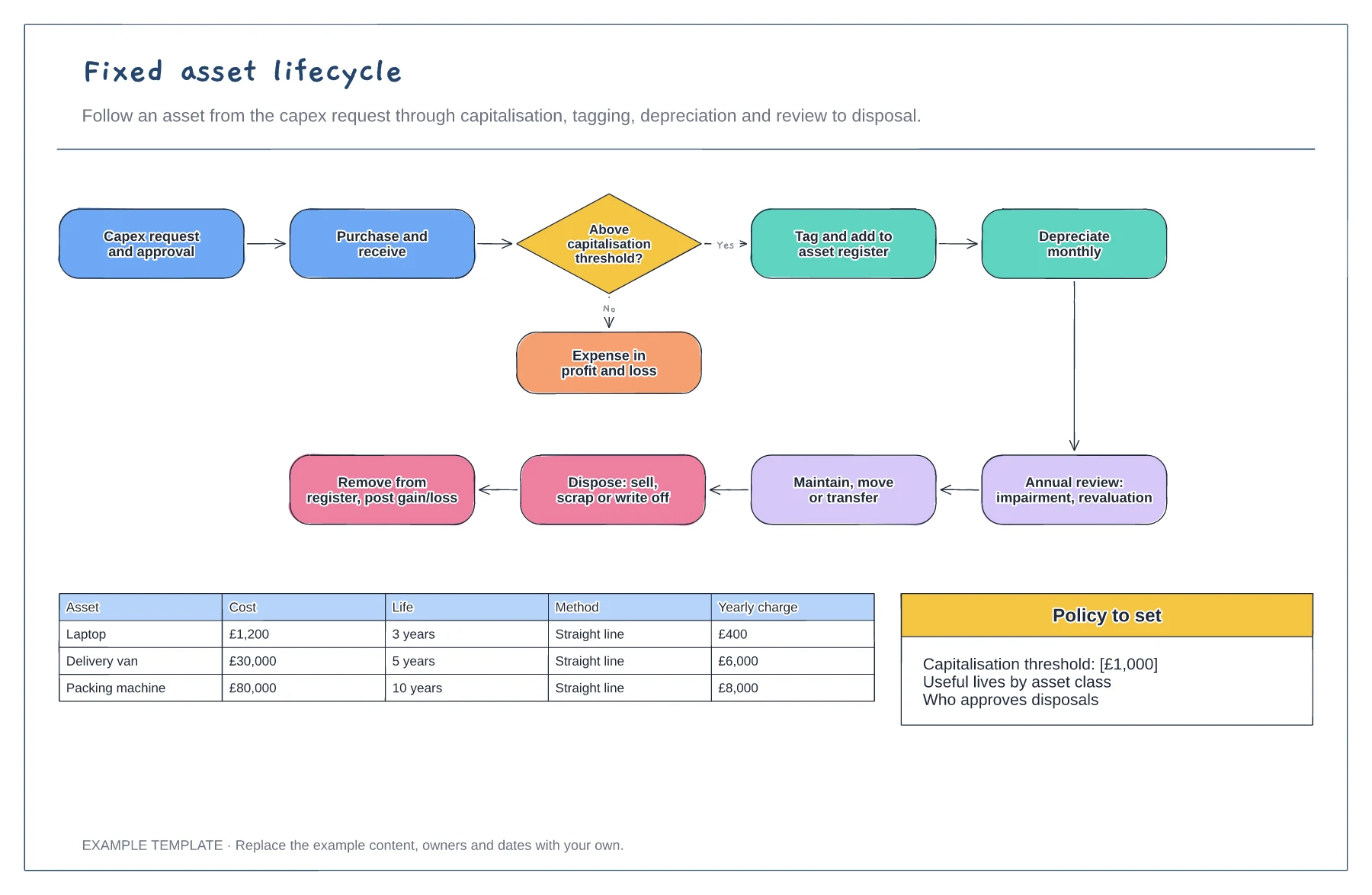
Request to disposal in one loop · Capitalisation threshold decision · Depreciation examples by asset
Preview and use template →