Finance
Month-end close process template
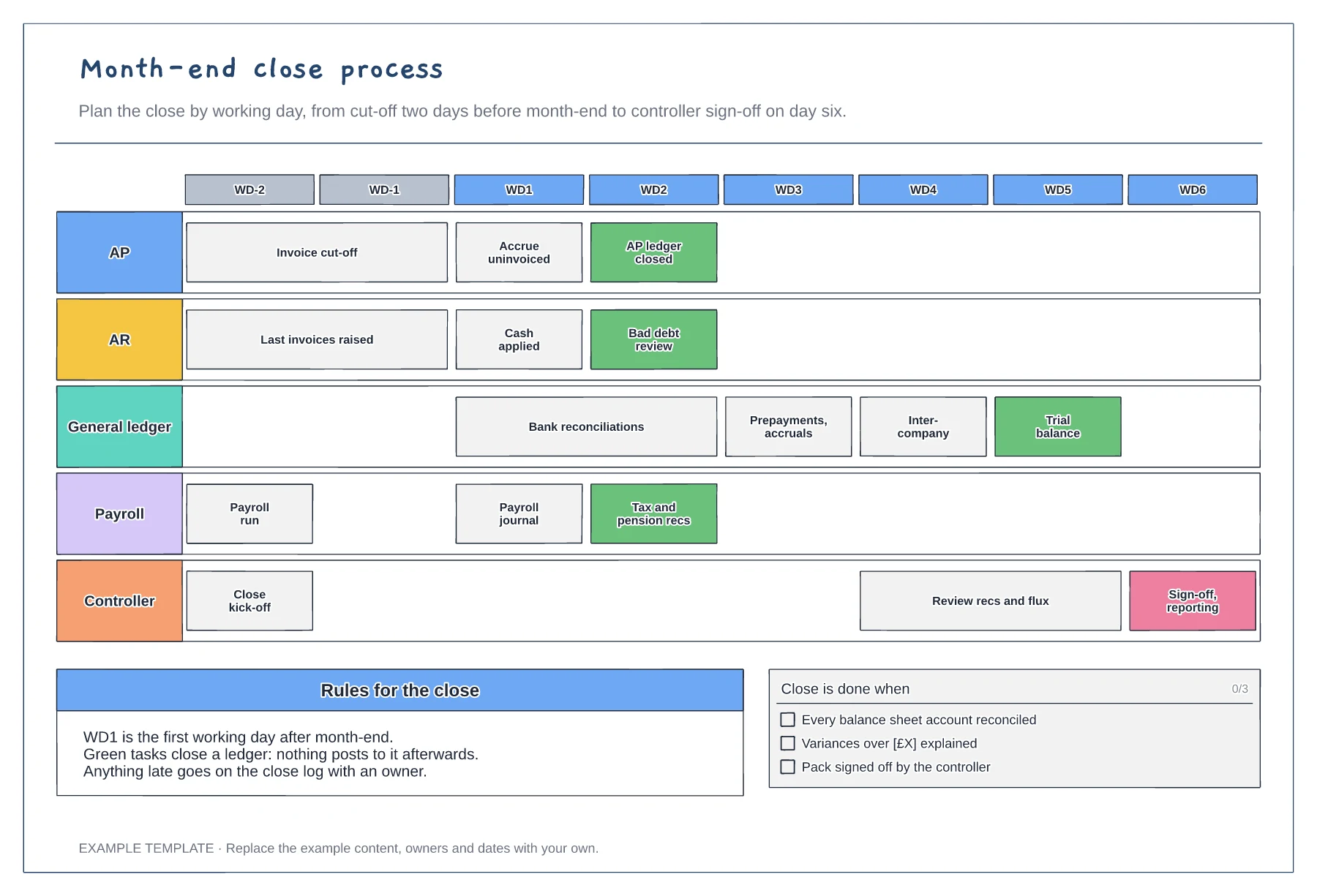
Working-day grid from WD-2 to WD6 · Tasks for five teams · Ledger close points and a done checklist
Preview and use template →A bank reconciliation proves that the cash in your books matches the cash in the bank. This example shows the steps from importing the statement and auto-matching, through sorting unmatched items into timing differences, bank charges and errors, to reviewer sign-off, with a worked example that brings both balances to the same figure.
This is a planning example, not financial, accounting, tax or legal advice. Check your own policies, auditors and local rules.
No account needed · Opens as your own editable page
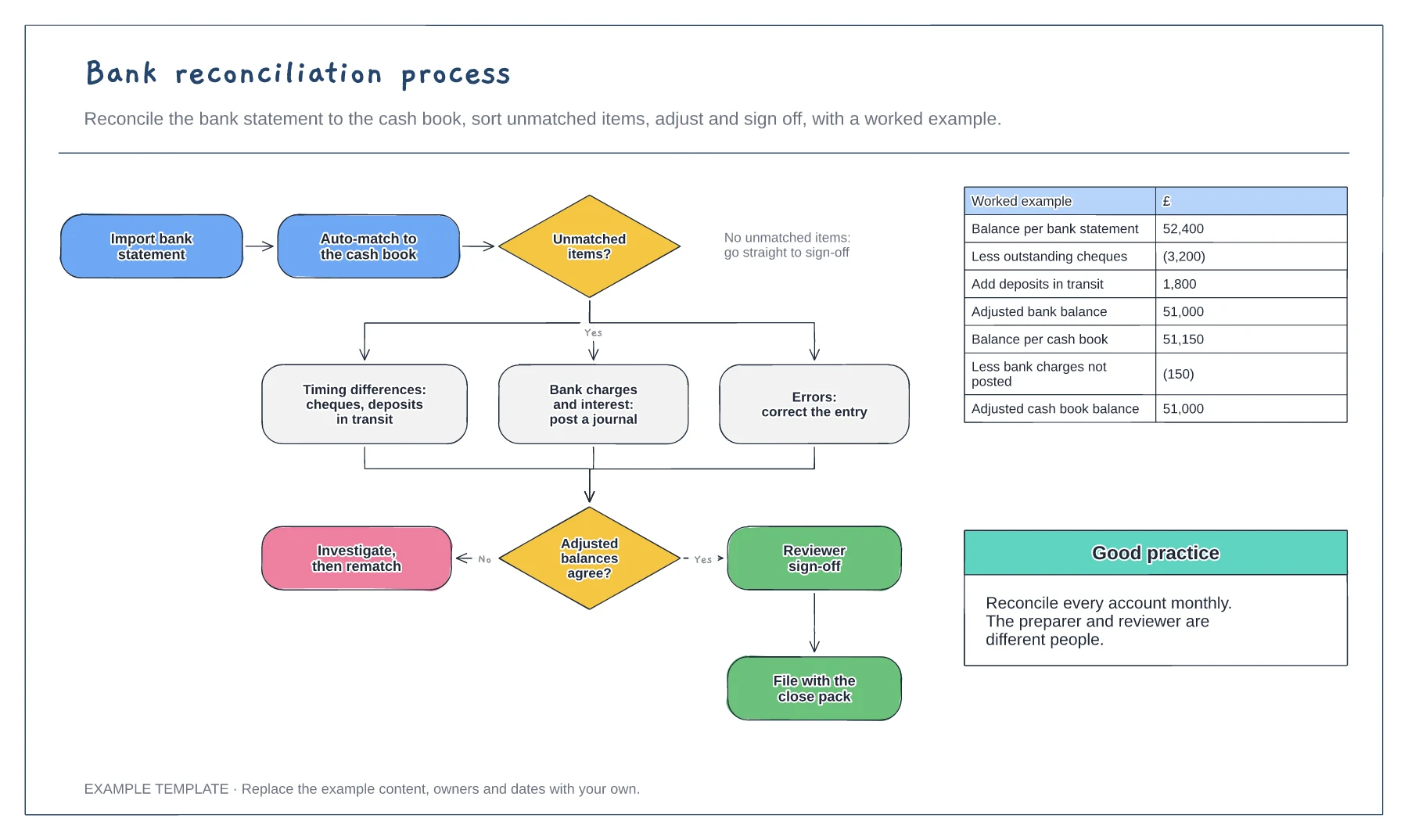
Import the statement and let your system match routine items. Set rules for regular payments to cut the manual work.
Group unmatched items as timing differences, bank charges or interest to post, and errors to correct. Each group has a different fix.
Show both adjusted balances agreeing, then have someone other than the preparer review and sign. File it with the close pack.
Yes. Replace the statement and ledger balances and the unmatched items, and the example shows how they reconcile to the same closing balance.
No. Open the template and edit it in your browser. Your work saves on this device. An account is optional if you want to sync your workspace.
Yes. Use Export in the editor to save a PNG, SVG or PDF, or download an editable .epicdraw backup.
Working-day grid from WD-2 to WD6 · Tasks for five teams · Ledger close points and a done checklist
Preview and use template →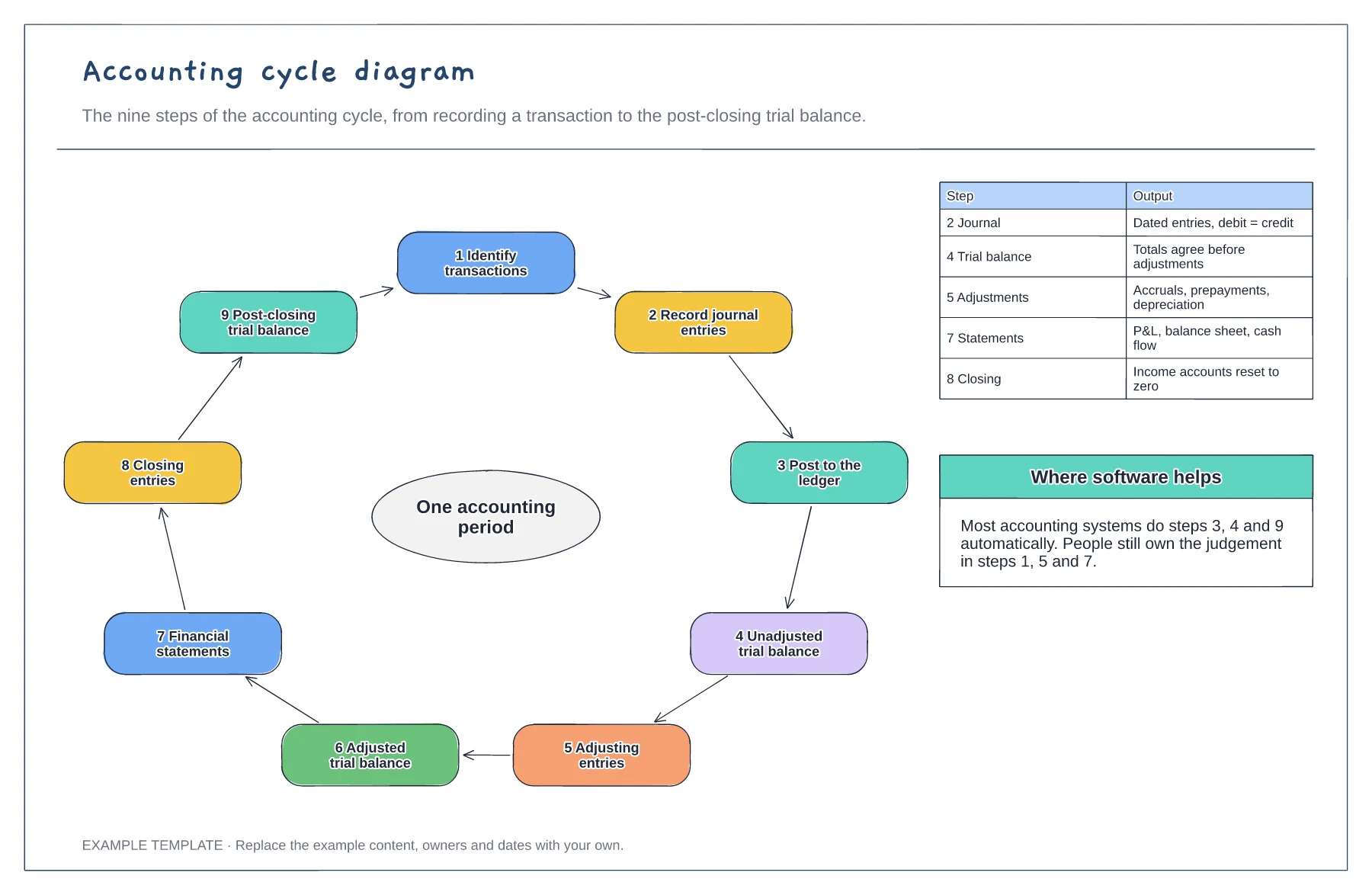
Nine steps in a loop · Output of the key steps · Where software does the work
Preview and use template →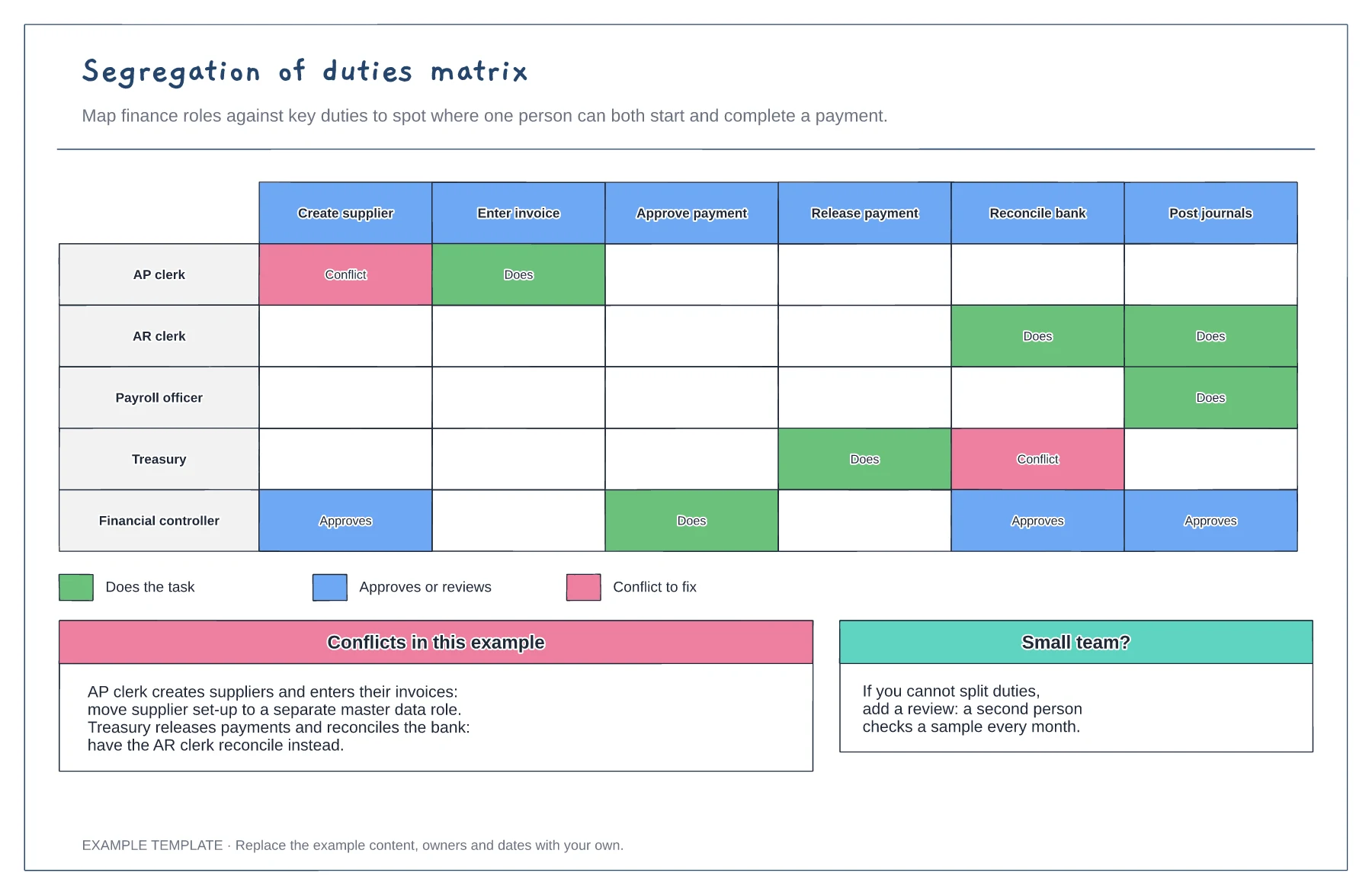
Roles against six finance duties · Does, approves and conflict markers · Fixes for each conflict
Preview and use template →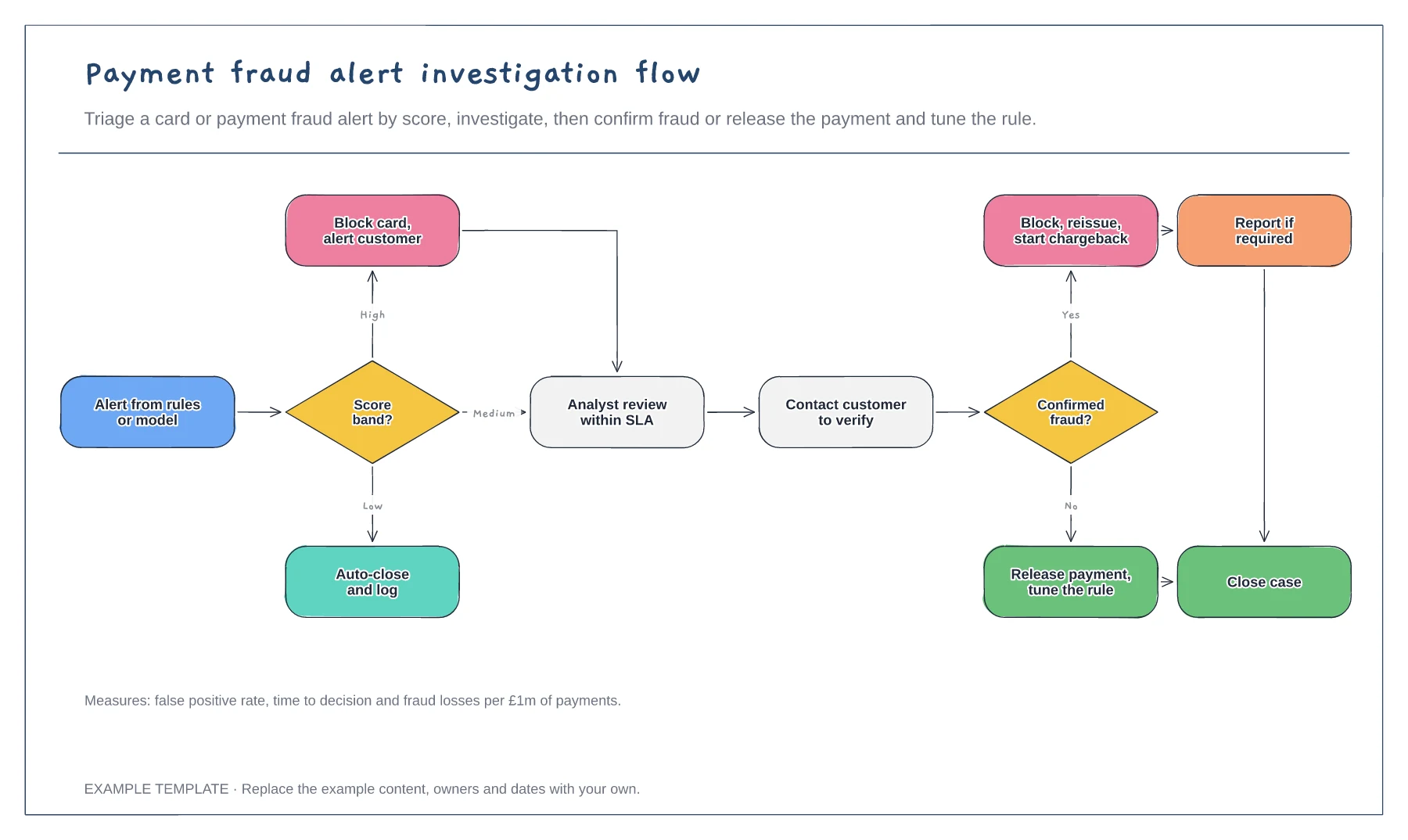
Triage by score band · Analyst review and customer contact · Confirmed and false positive outcomes
Preview and use template →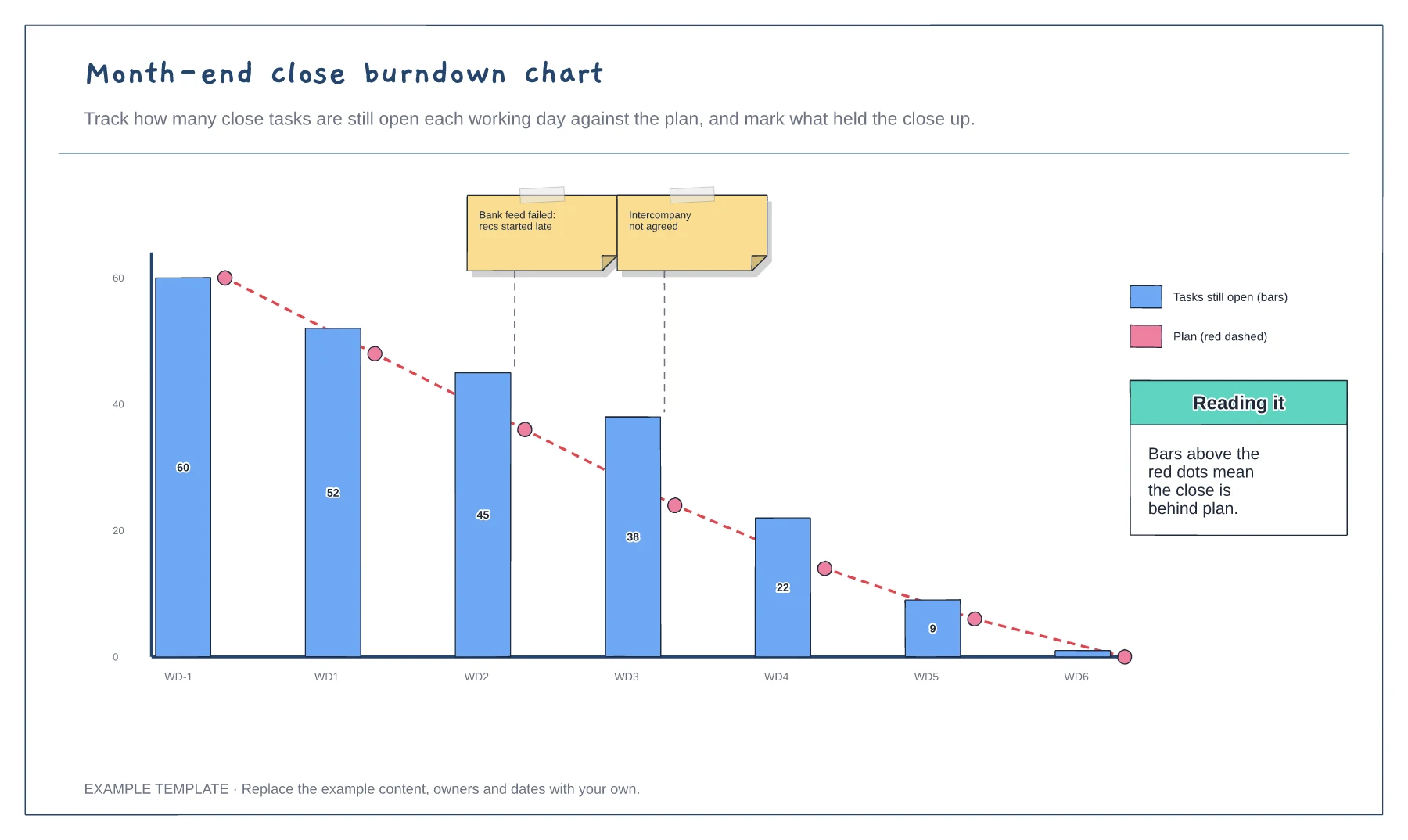
Open tasks by working day · Planned burndown line · Blockers marked on the chart
Preview and use template →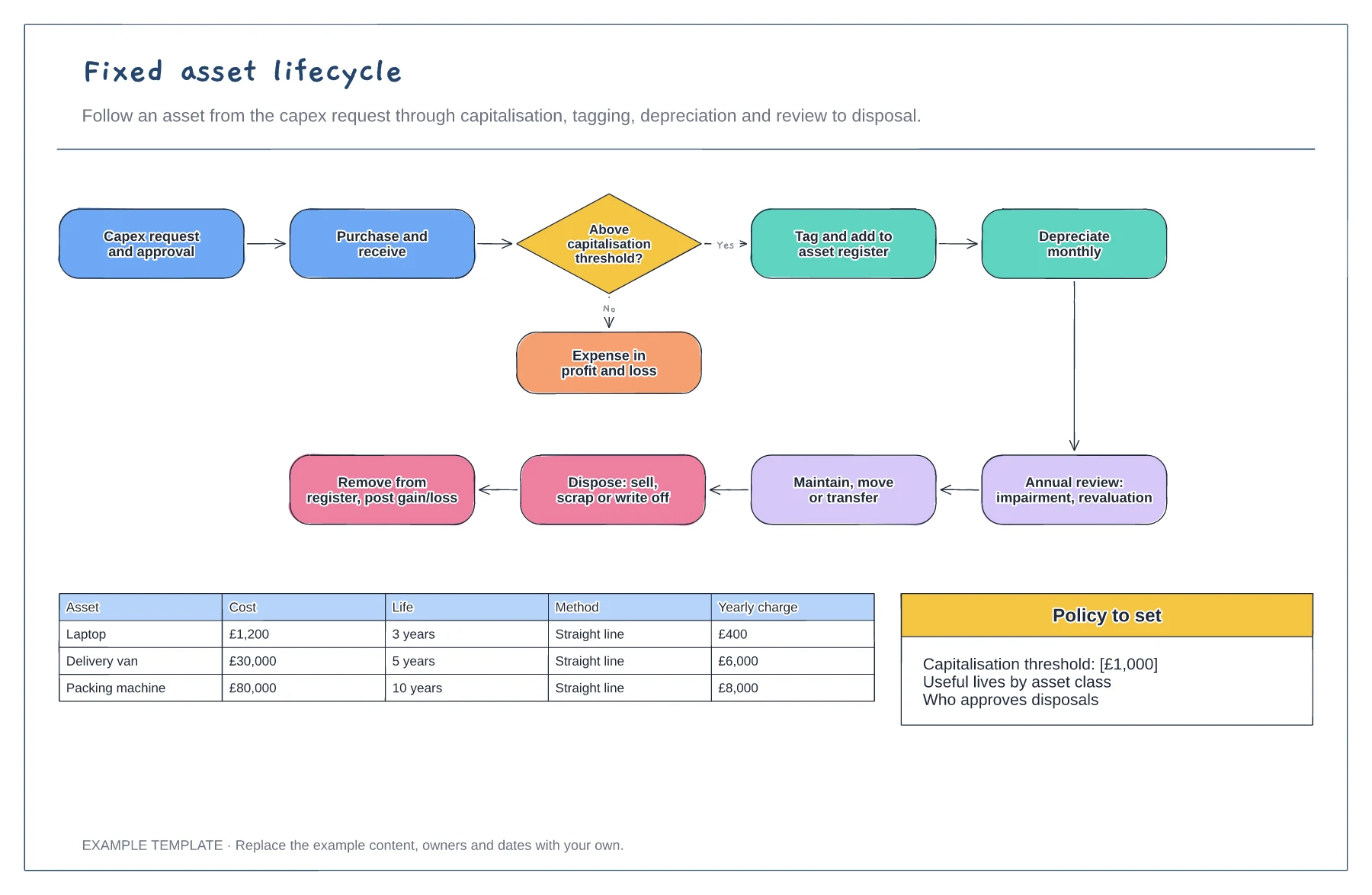
Request to disposal in one loop · Capitalisation threshold decision · Depreciation examples by asset
Preview and use template →