Finance
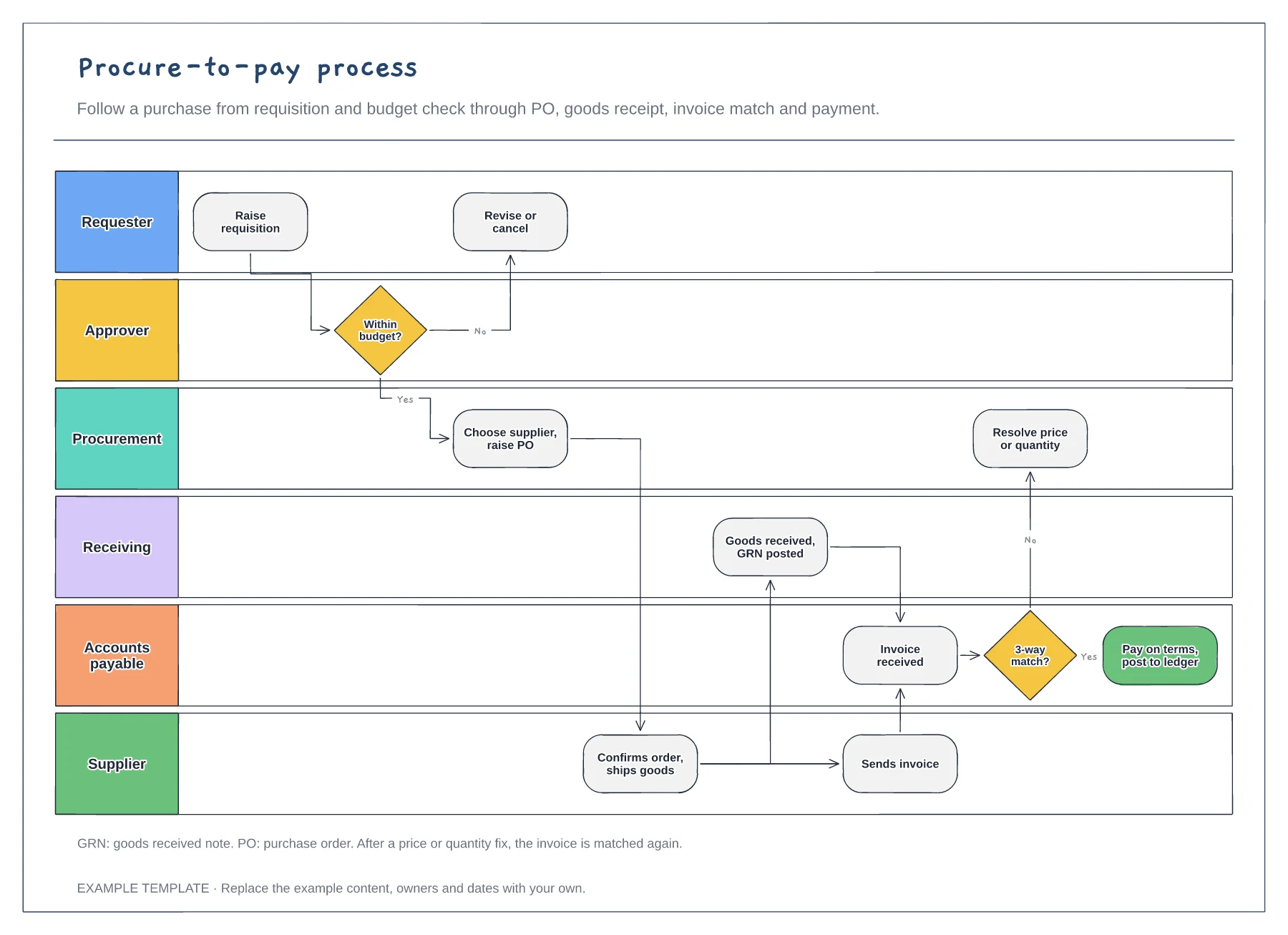
Procure-to-pay process template
Six lanes from requester to supplier · Budget check and purchase order · Goods receipt, invoice match and payment
Preview and use template →An accounts payable flowchart shows how a supplier invoice becomes a payment and who touches it on the way. This example runs across supplier, AP clerk, budget holder and treasury lanes, with a three-way match against the purchase order and goods receipt, a query loop for mismatches and the controls that stop duplicate or fraudulent payments.
This is a planning example, not financial, accounting, tax or legal advice. Check your own policies, auditors and local rules.
No account needed · Opens as your own editable page
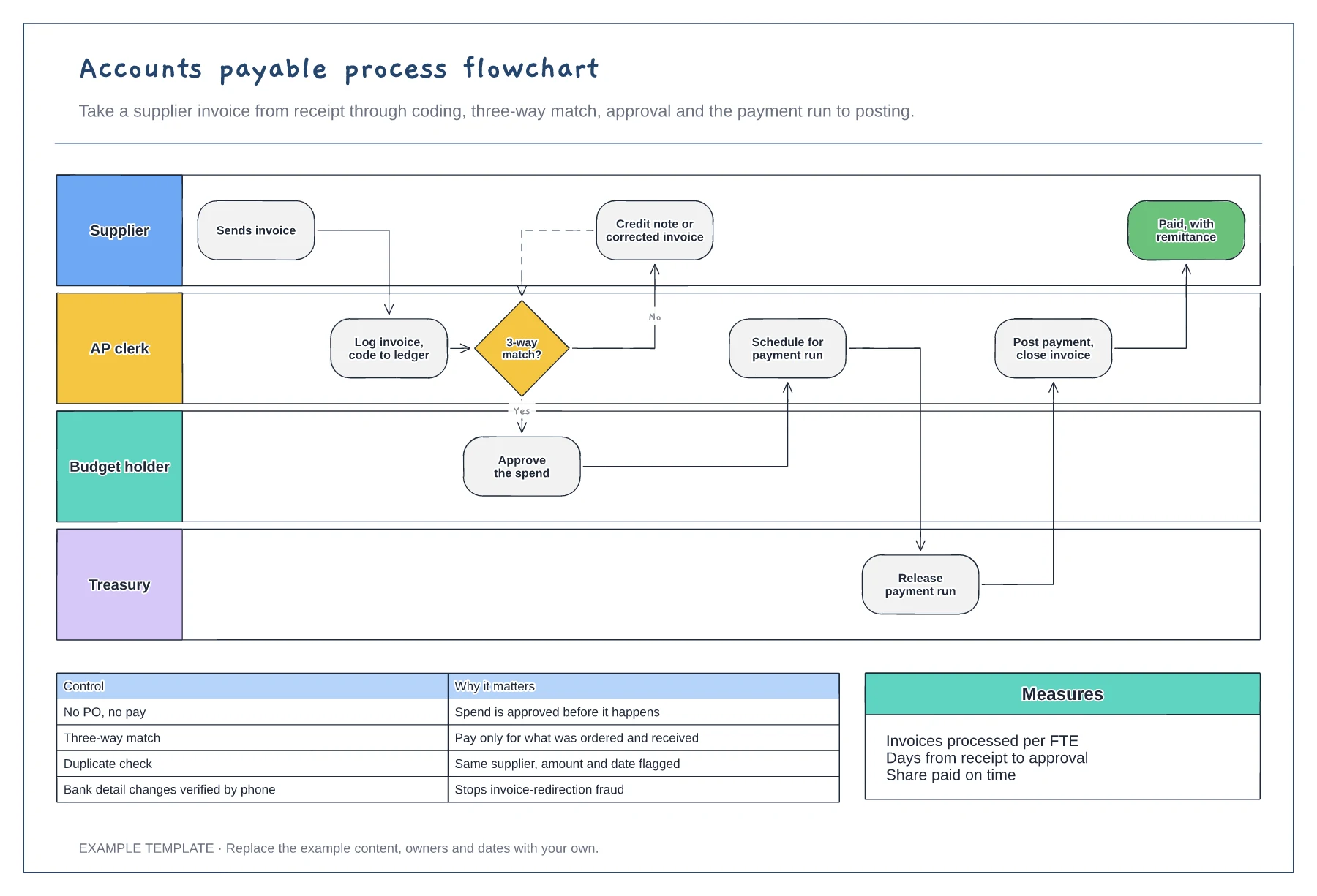
Start with the real routes in: email inbox, supplier portal, post. Each one needs a way to be logged so nothing sits in someone's inbox.
Show what happens when the invoice, purchase order and goods receipt do not agree, and who approves spend without a PO. These exceptions take most of the team's time.
List the checks that protect the payment run, such as duplicate detection and verifying bank detail changes by phone. Note who owns each one.
It is the route an invoice takes when the three-way match fails. AP queries it with the supplier or budget holder and it returns to the match once fixed.
No. Open the template and edit it in your browser. Your work saves on this device. An account is optional if you want to sync your workspace.
Yes. Use Export in the editor to save a PNG, SVG or PDF, or download an editable .epicdraw backup.
Six lanes from requester to supplier · Budget check and purchase order · Goods receipt, invoice match and payment
Preview and use template →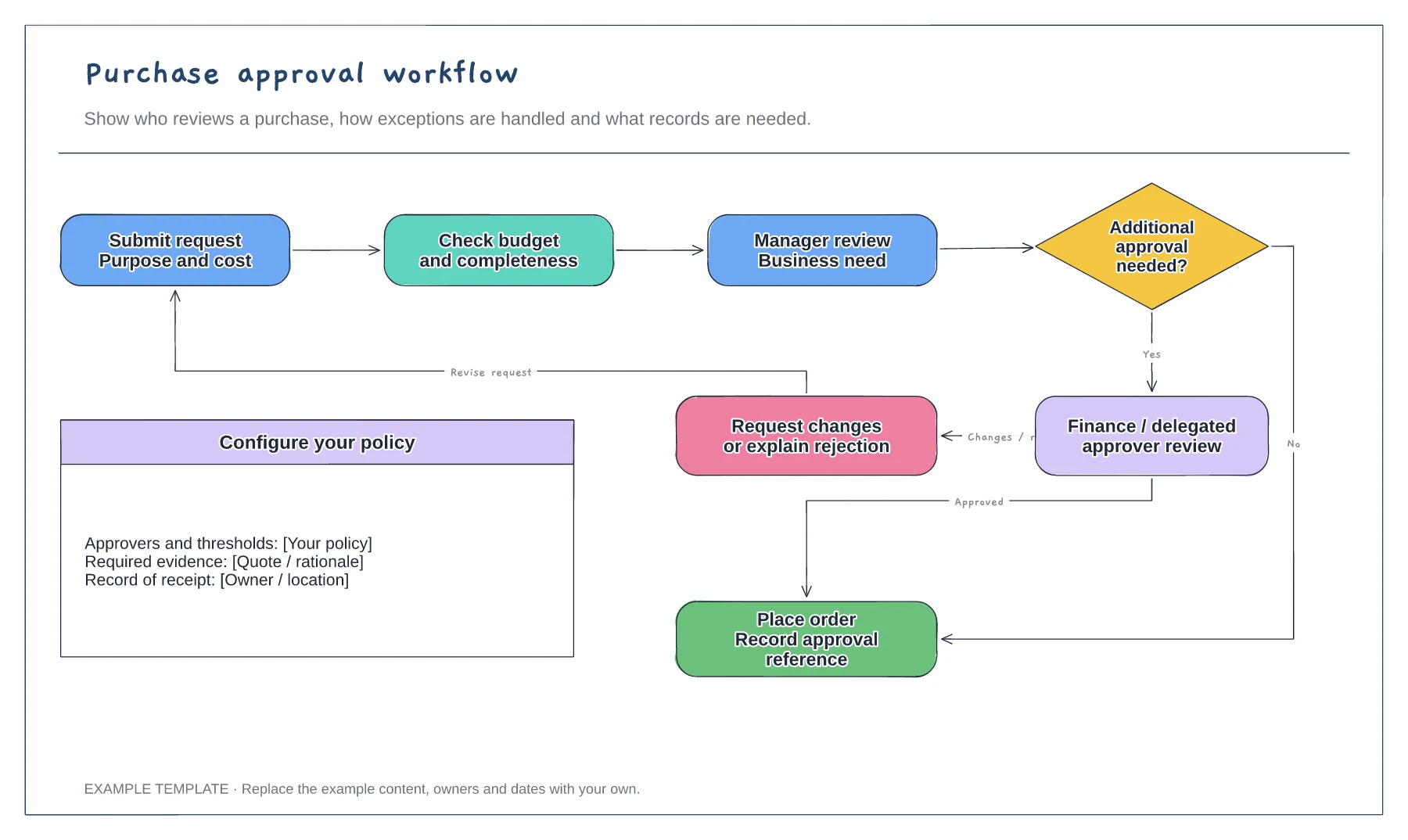
Purchase request and supporting information · Approval decisions and revision path · Order and record-keeping steps
Preview and use template →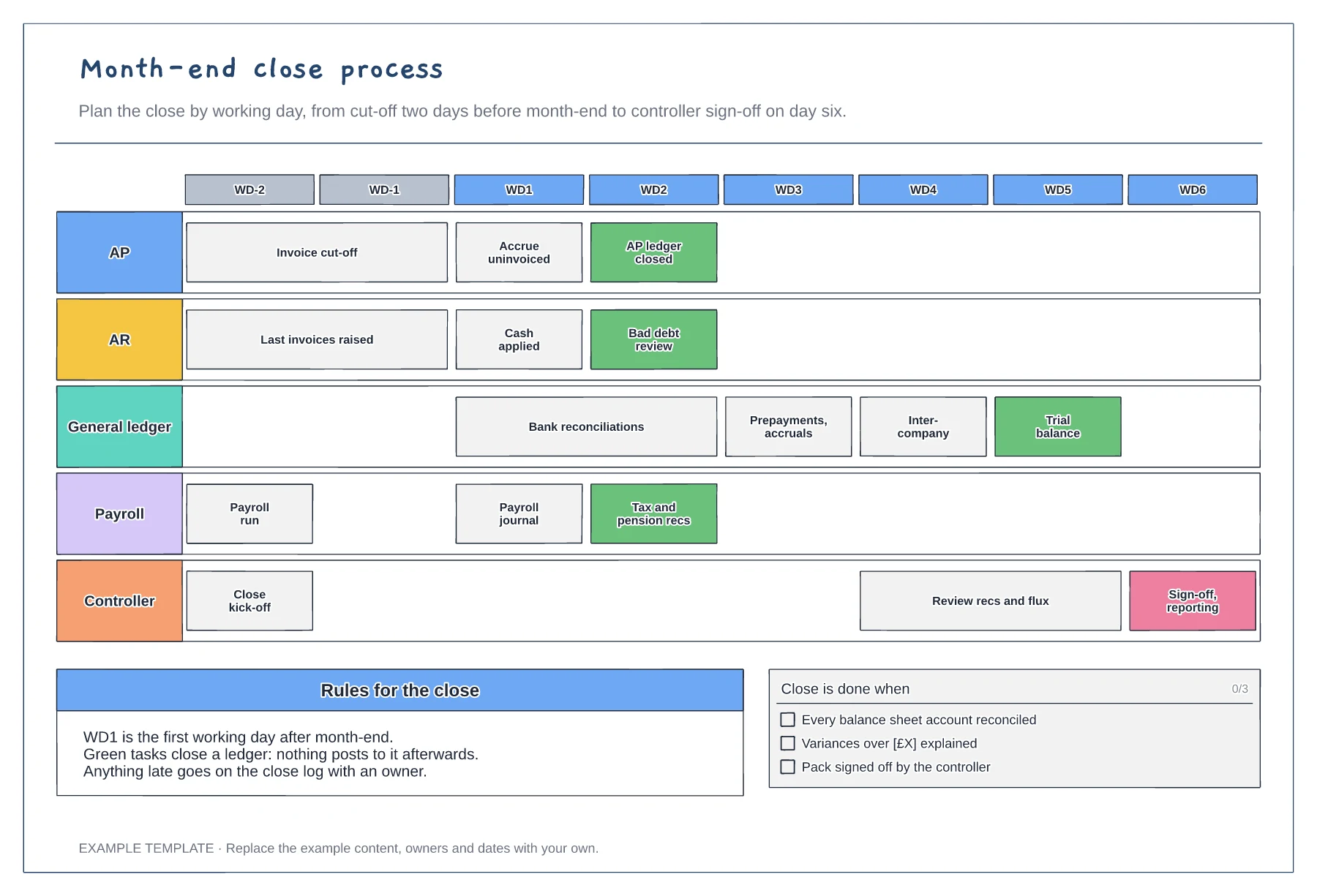
Working-day grid from WD-2 to WD6 · Tasks for five teams · Ledger close points and a done checklist
Preview and use template →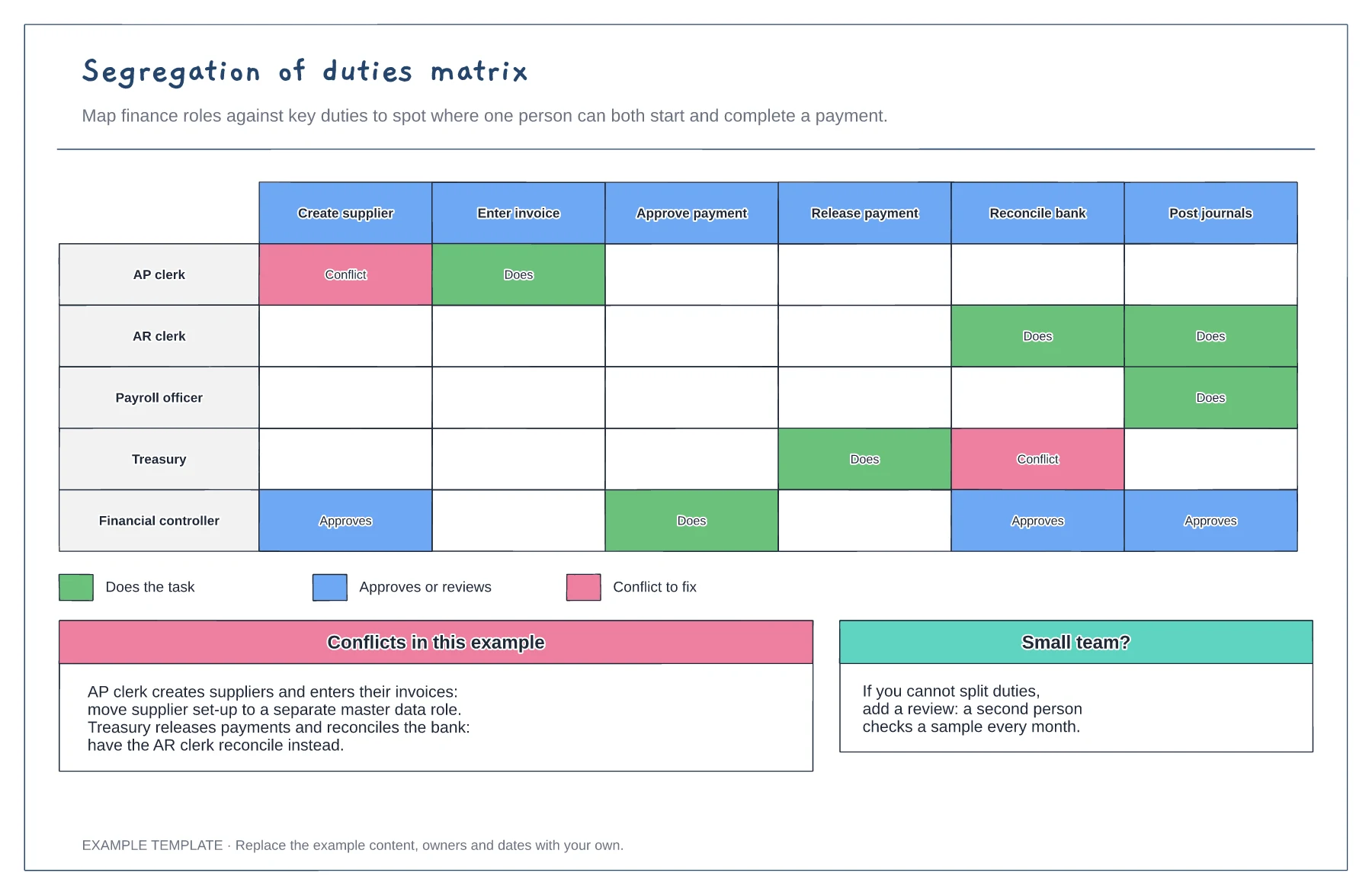
Roles against six finance duties · Does, approves and conflict markers · Fixes for each conflict
Preview and use template →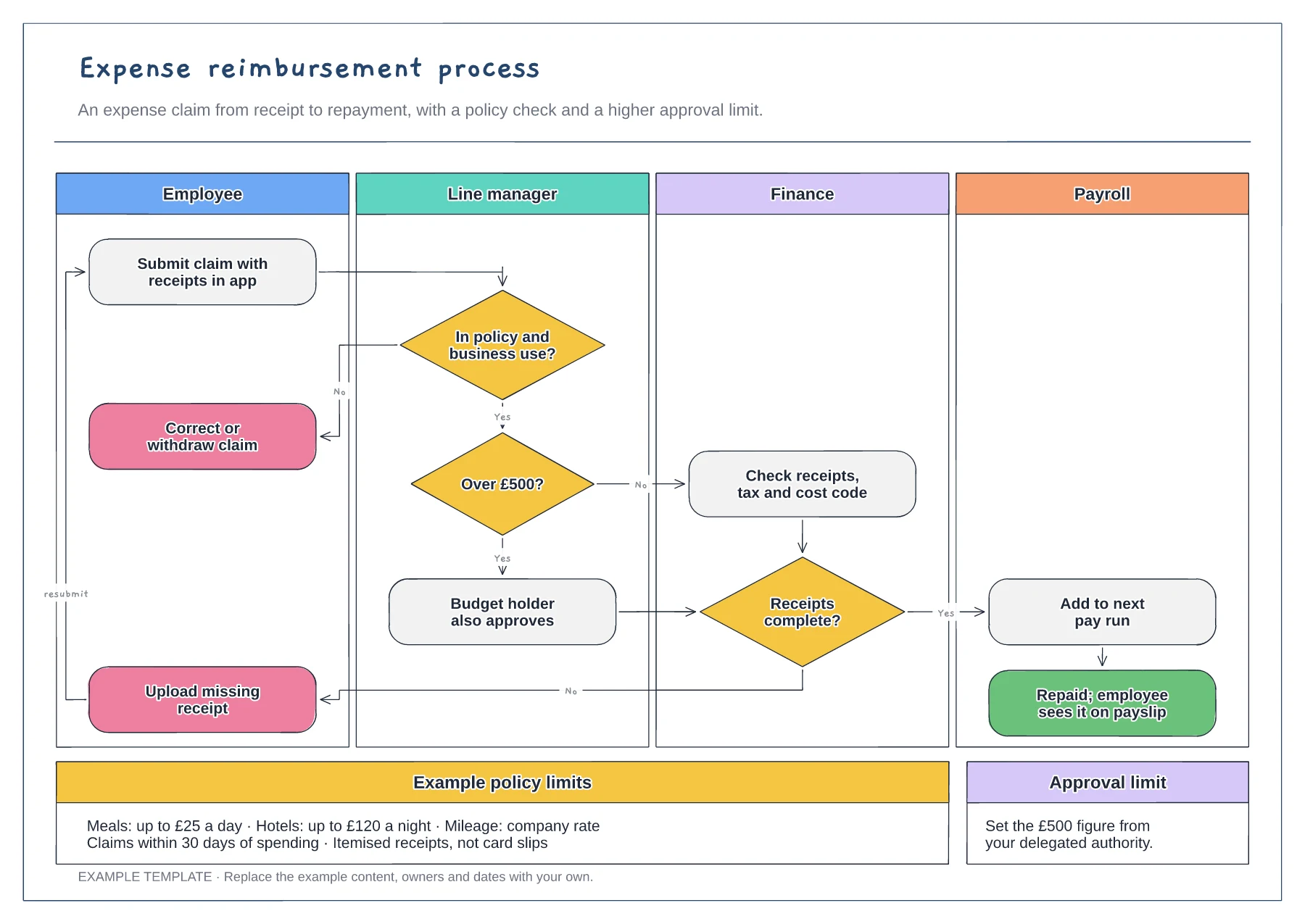
Employee, manager, finance and payroll lanes · Policy, approval limit and receipt decisions · Example limits and claim rules
Preview and use template →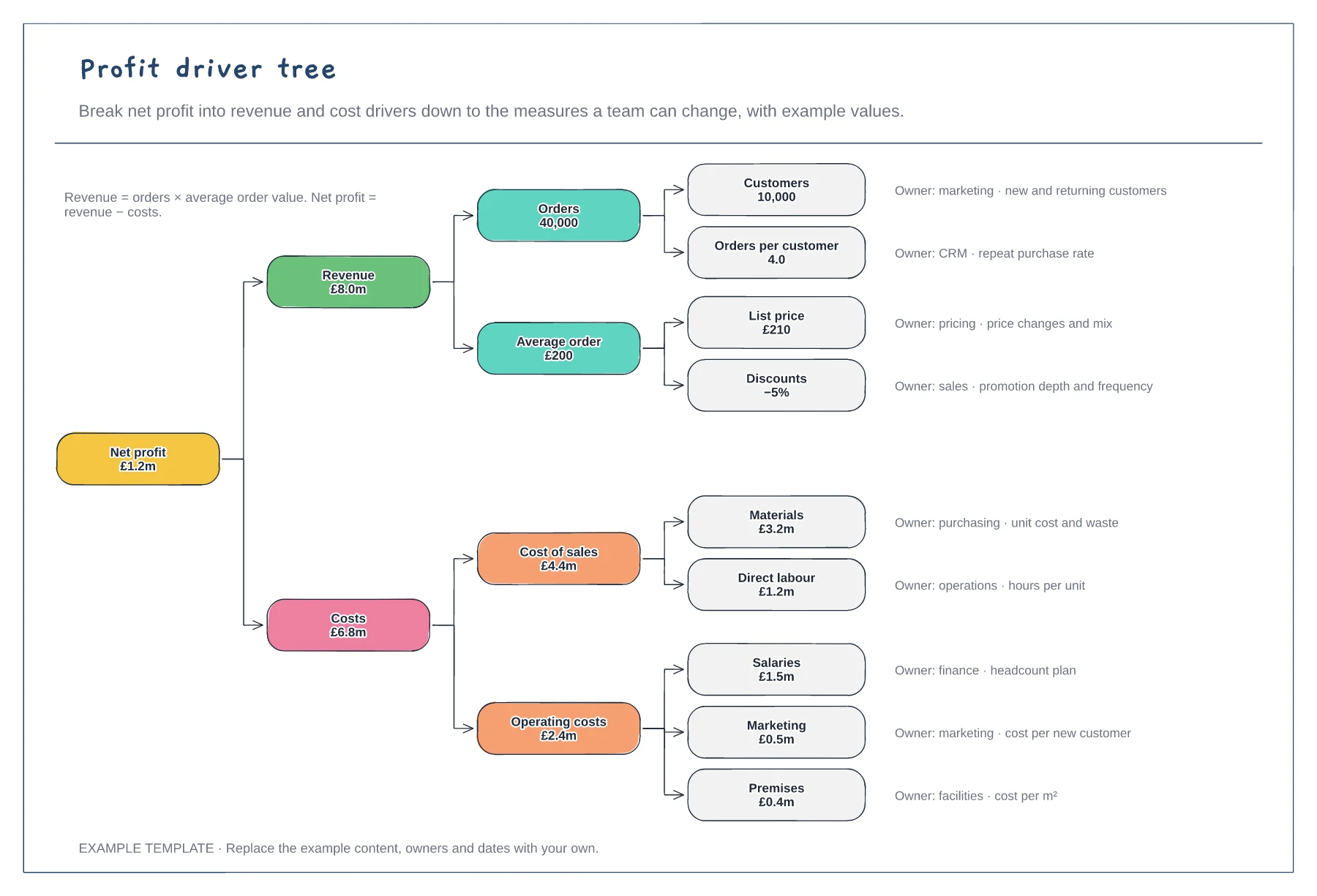
Net profit down to nine drivers · Example values that add up · An owner and measure for each driver
Preview and use template →