Finance
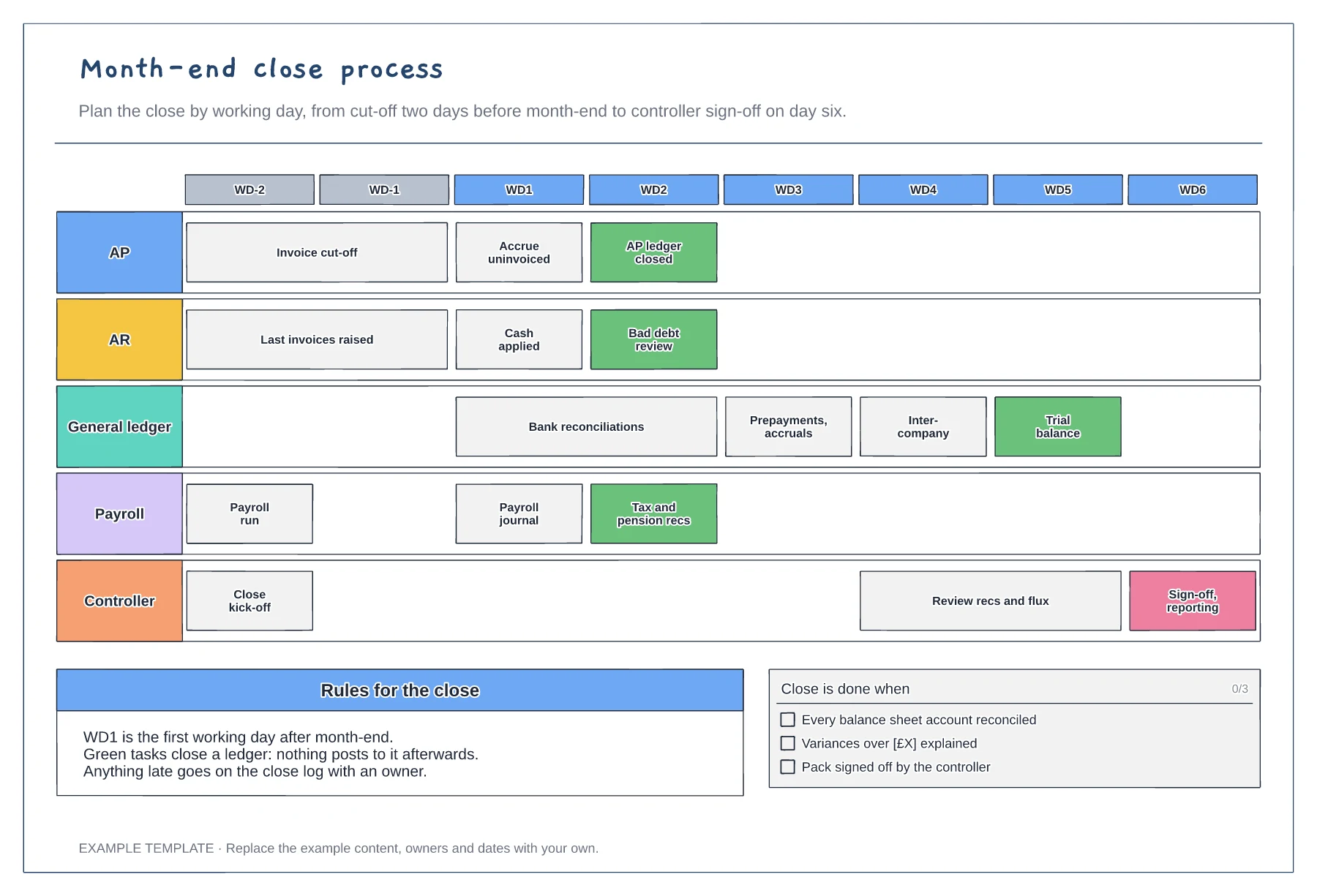
Month-end close process template
Working-day grid from WD-2 to WD6 · Tasks for five teams · Ledger close points and a done checklist
Preview and use template →A financial close calendar puts the whole year's finance deadlines on one page. This example marks the monthly close, quarter-end and year-end, quarterly VAT returns, payroll year-end, external audit, budget season and board pack dates for a company with a December year-end, so busy months are visible well in advance.
This is a planning example, not financial, accounting, tax or legal advice. Check your own policies, auditors and local rules.
No account needed · Opens as your own editable page
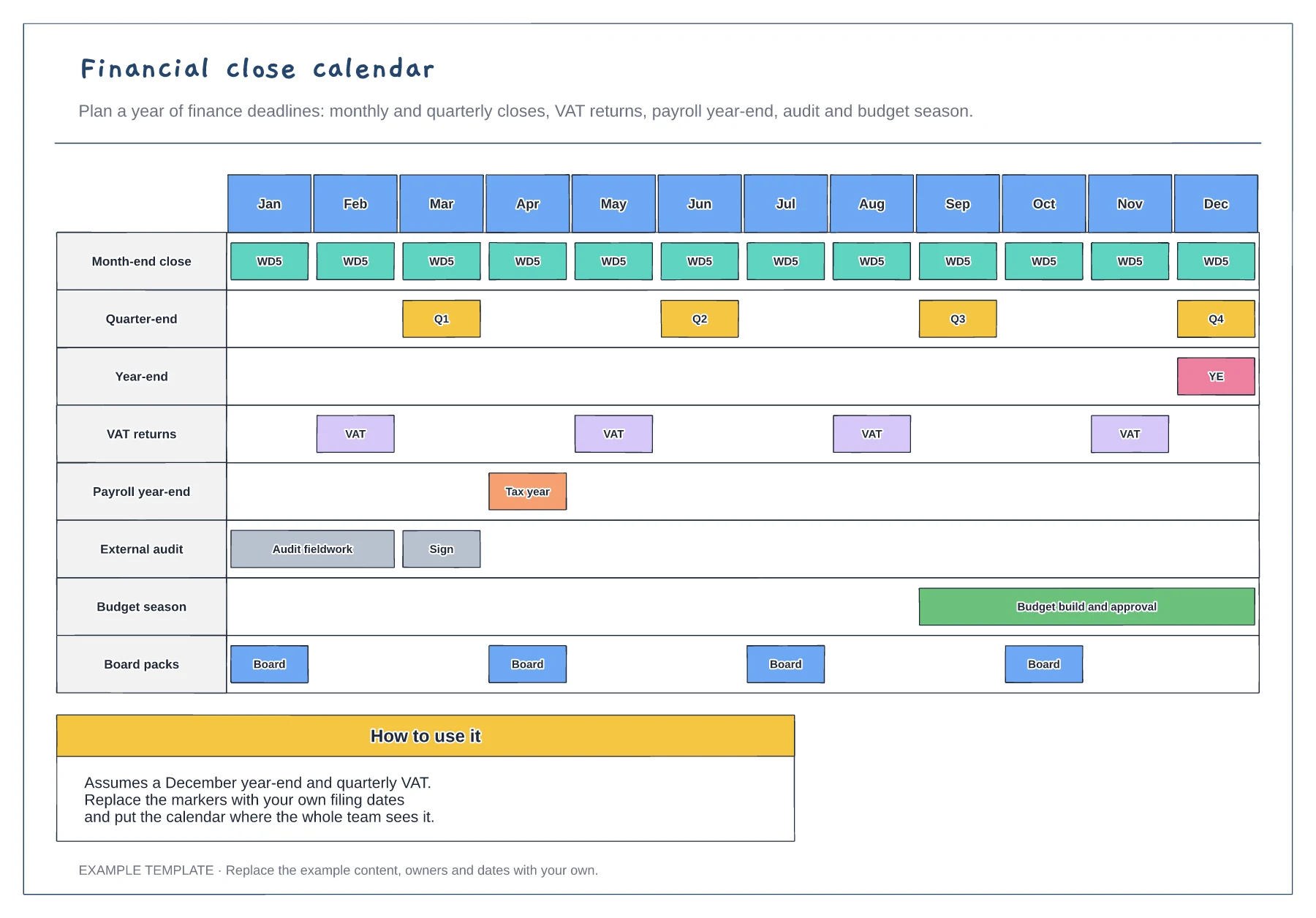
Start with dates you cannot move: tax and VAT filings, payroll year-end, statutory accounts and board meetings.
Add month-end closes, the audit and budget season. Look for months where too much lands at once.
Move internal work out of the busiest months and book holidays and training in quieter ones.
Yes. Reorder the months so the year runs from your financial year start, then move the year-end, audit and filing dates to match.
No. Open the template and edit it in your browser. Your work saves on this device. An account is optional if you want to sync your workspace.
Yes. Use Export in the editor to save a PNG, SVG or PDF, or download an editable .epicdraw backup.
Working-day grid from WD-2 to WD6 · Tasks for five teams · Ledger close points and a done checklist
Preview and use template →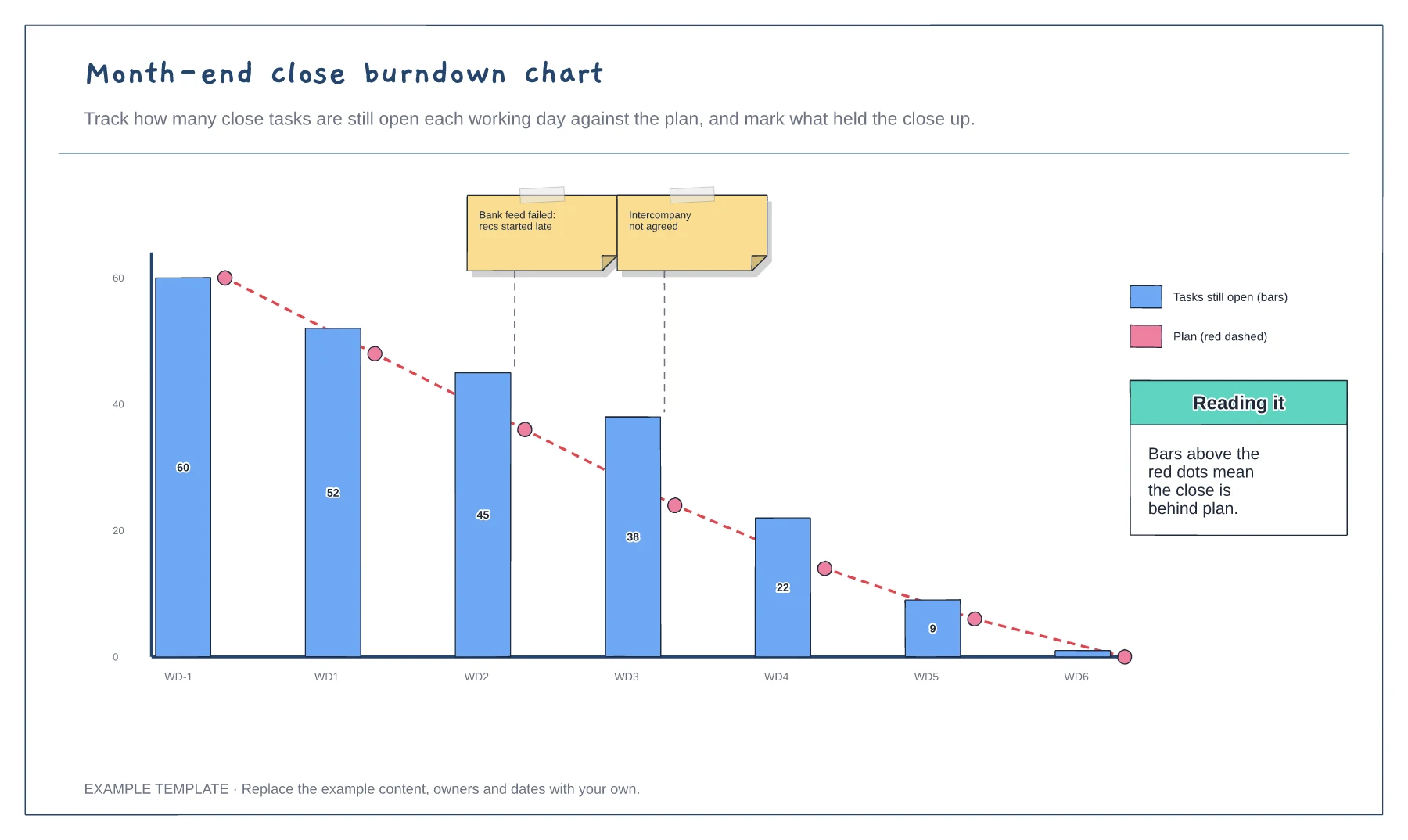
Open tasks by working day · Planned burndown line · Blockers marked on the chart
Preview and use template →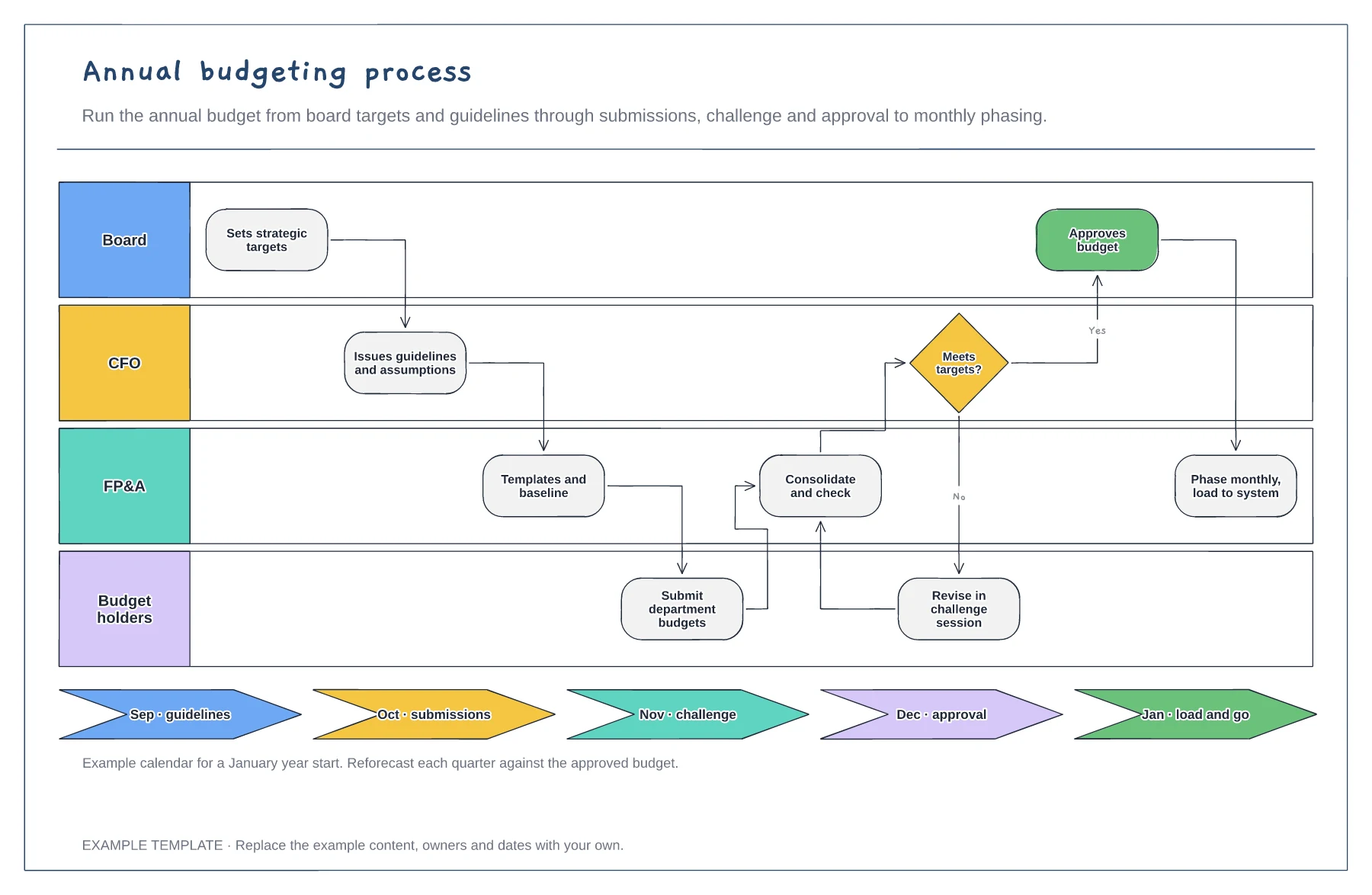
Board, CFO, FP&A and budget holder lanes · Challenge loop when targets are missed · Budget calendar by month
Preview and use template →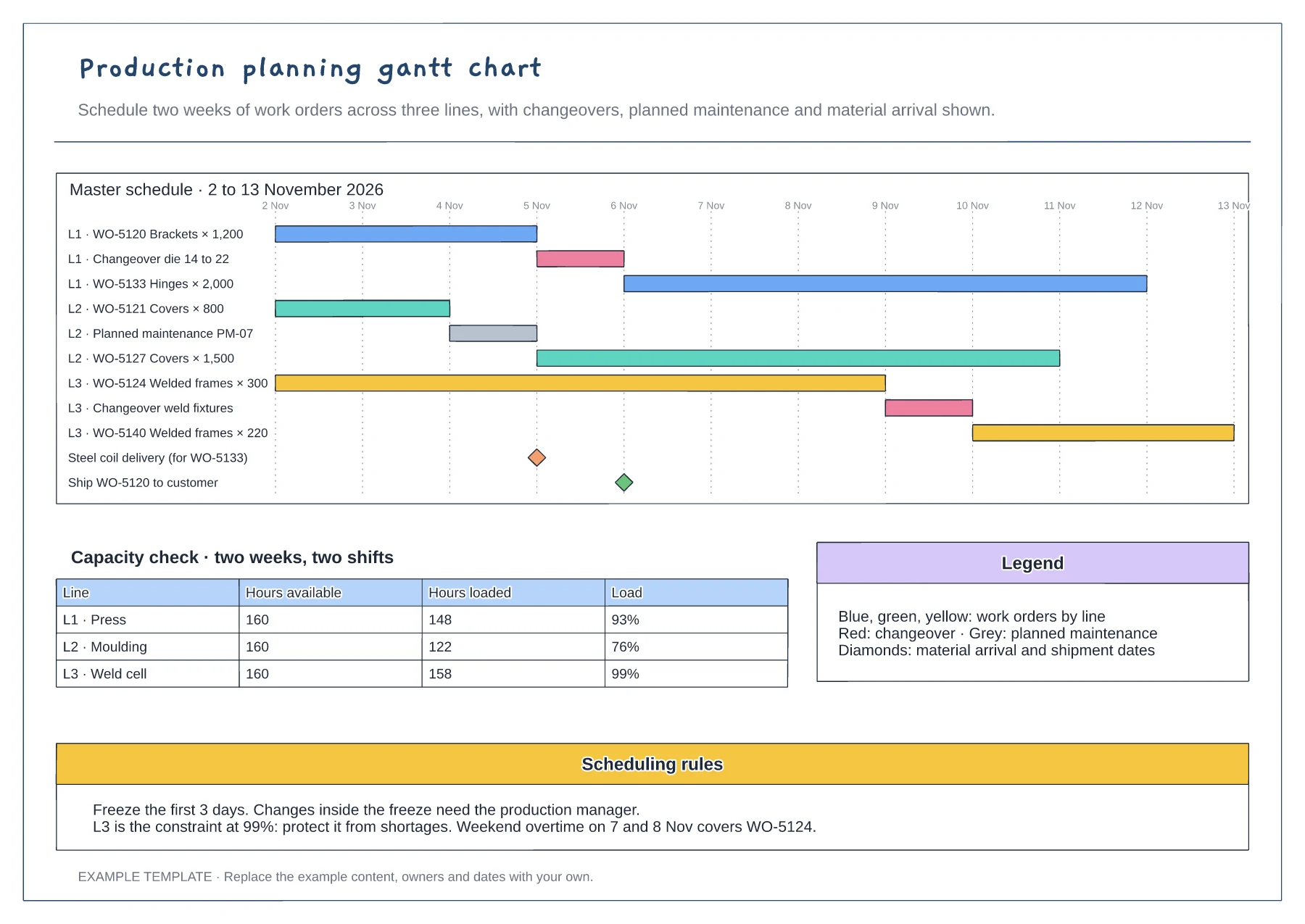
Gantt of work orders by line and day · Changeover, maintenance and milestone rows · Capacity table and scheduling rules
Preview and use template →
Planning, preparation, launch and learning phases · Channel deliverables and owners · Goals, budget and review prompts
Preview and use template →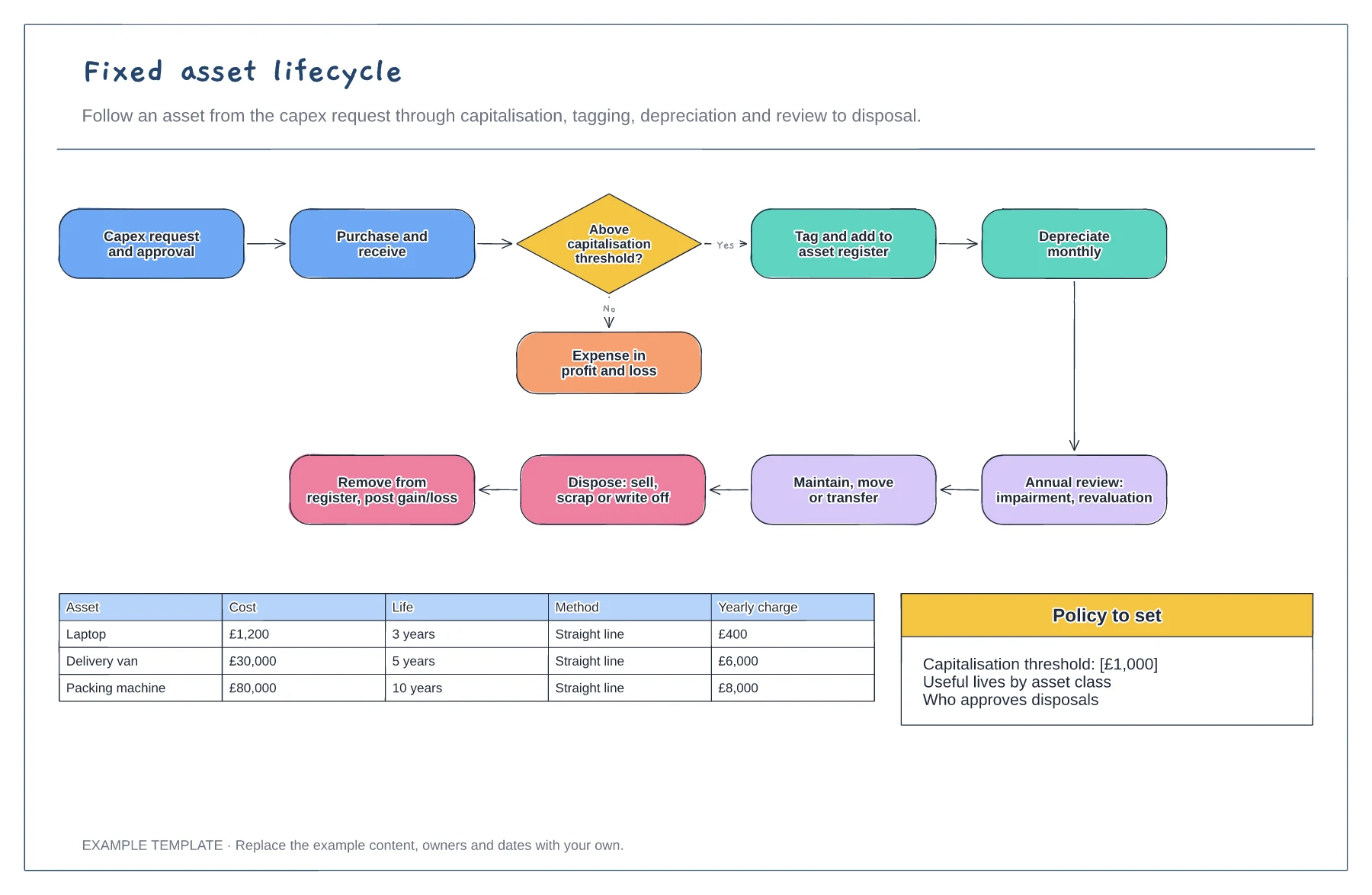
Request to disposal in one loop · Capitalisation threshold decision · Depreciation examples by asset
Preview and use template →