Finance
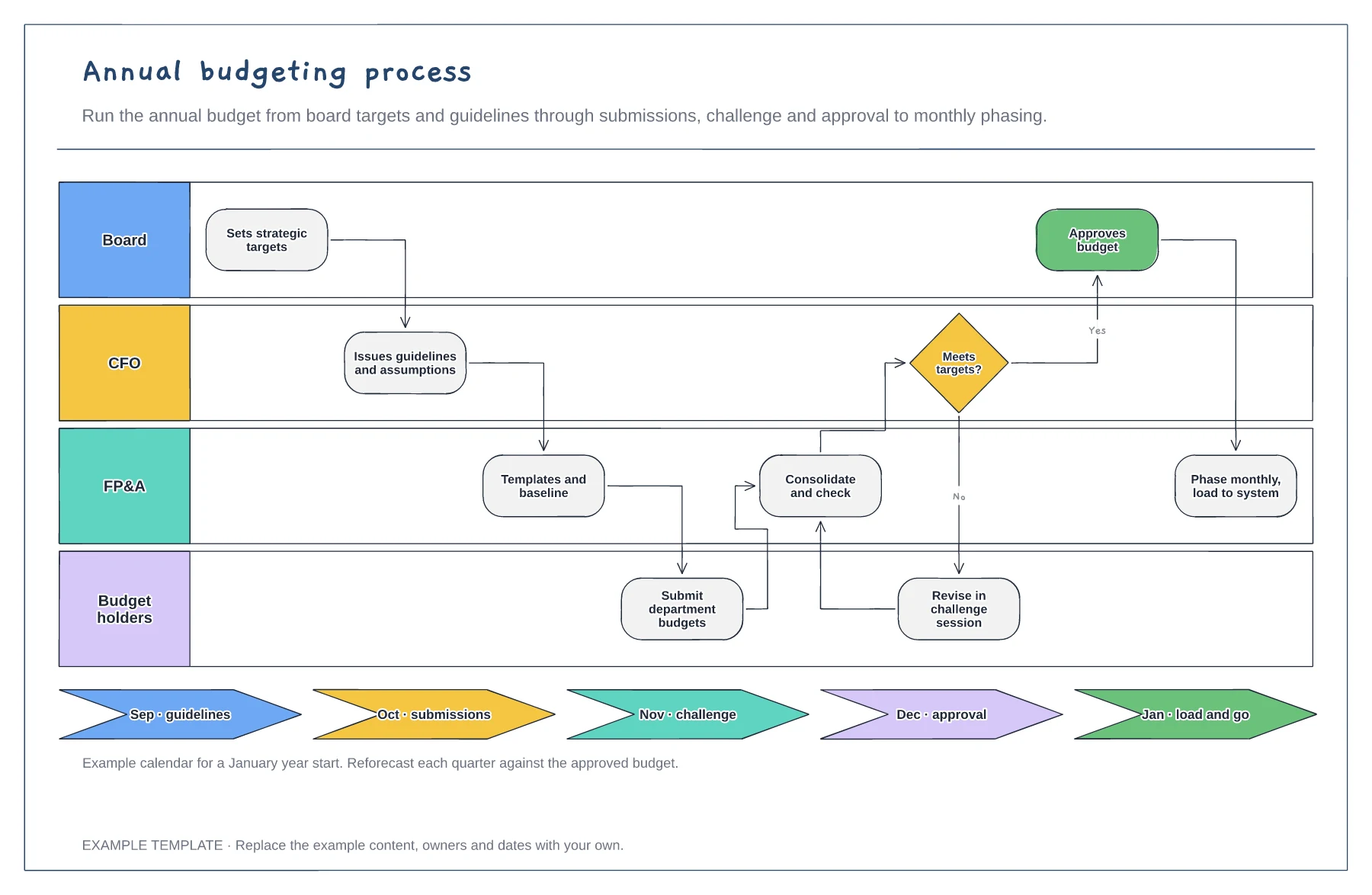
Annual budgeting process template
Board, CFO, FP&A and budget holder lanes · Challenge loop when targets are missed · Budget calendar by month
Preview and use template →A fixed asset lifecycle shows what happens to an asset from the request to buy it until it is removed from the register. This example includes the capitalisation threshold decision, tagging, monthly depreciation, annual impairment review, transfers and disposal, with a depreciation table for three example assets.
This is a planning example, not financial, accounting, tax or legal advice. Check your own policies, auditors and local rules.
No account needed · Opens as your own editable page
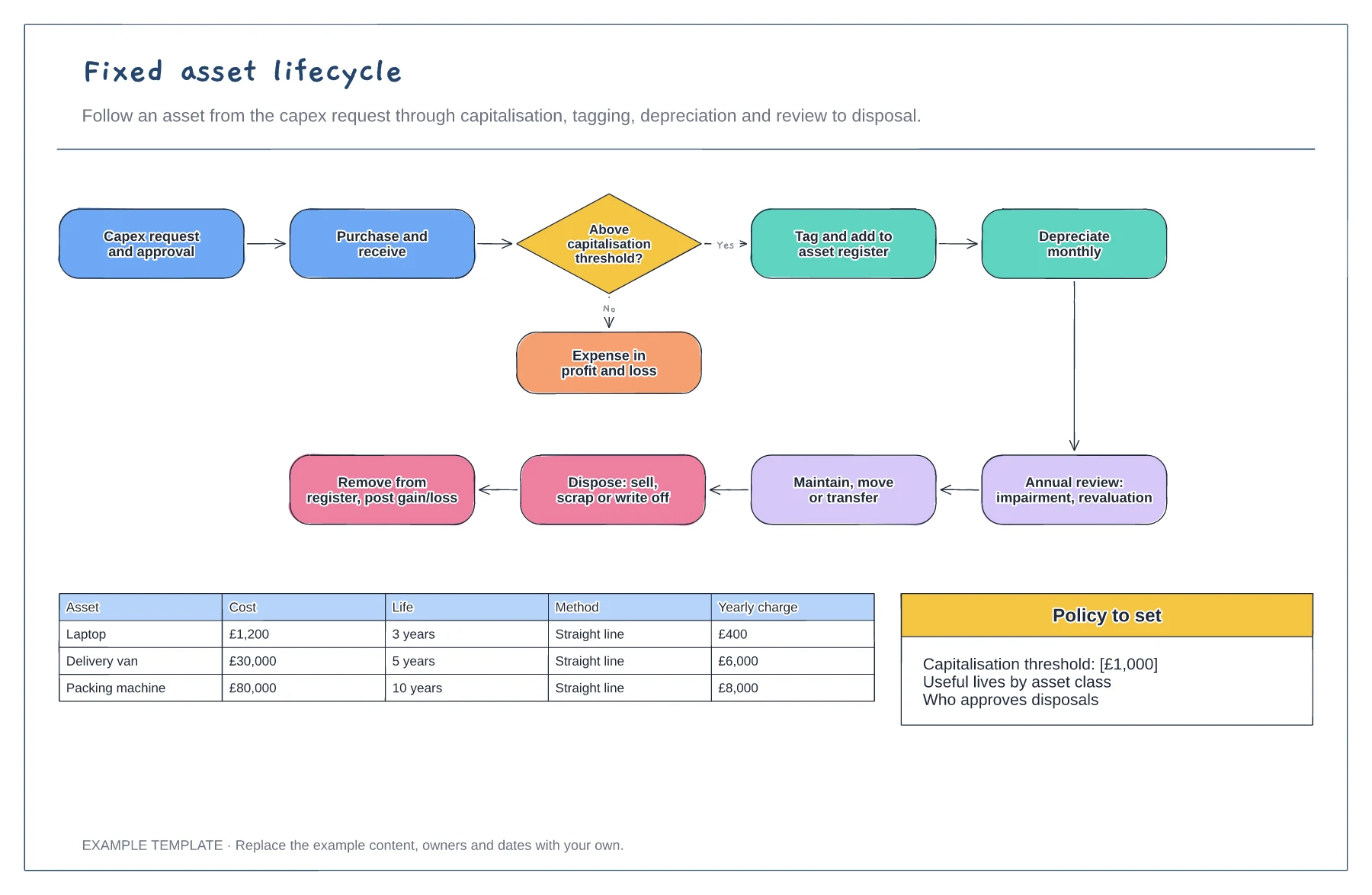
Write your capitalisation threshold into the decision. Purchases below it are expensed straight away.
Give every capitalised asset a tag and an entry in the register with cost, location, owner and useful life.
Check the register once a year for impairments and missing assets, and record disposals so the register matches what you own.
Edit the value in the threshold decision box. Items below it are expensed and items above it go on to tagging and depreciation.
No. Open the template and edit it in your browser. Your work saves on this device. An account is optional if you want to sync your workspace.
Yes. Use Export in the editor to save a PNG, SVG or PDF, or download an editable .epicdraw backup.
Board, CFO, FP&A and budget holder lanes · Challenge loop when targets are missed · Budget calendar by month
Preview and use template →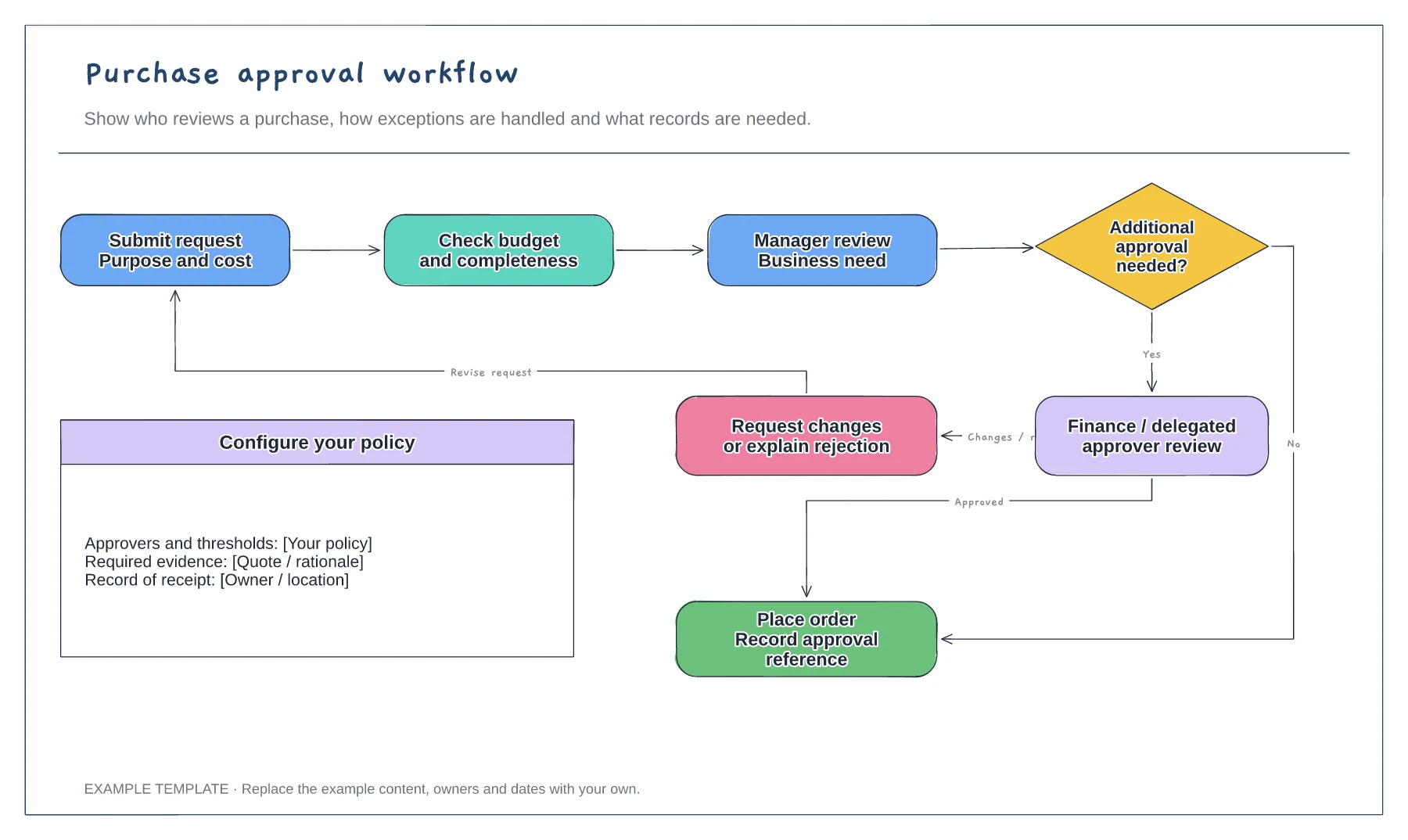
Purchase request and supporting information · Approval decisions and revision path · Order and record-keeping steps
Preview and use template →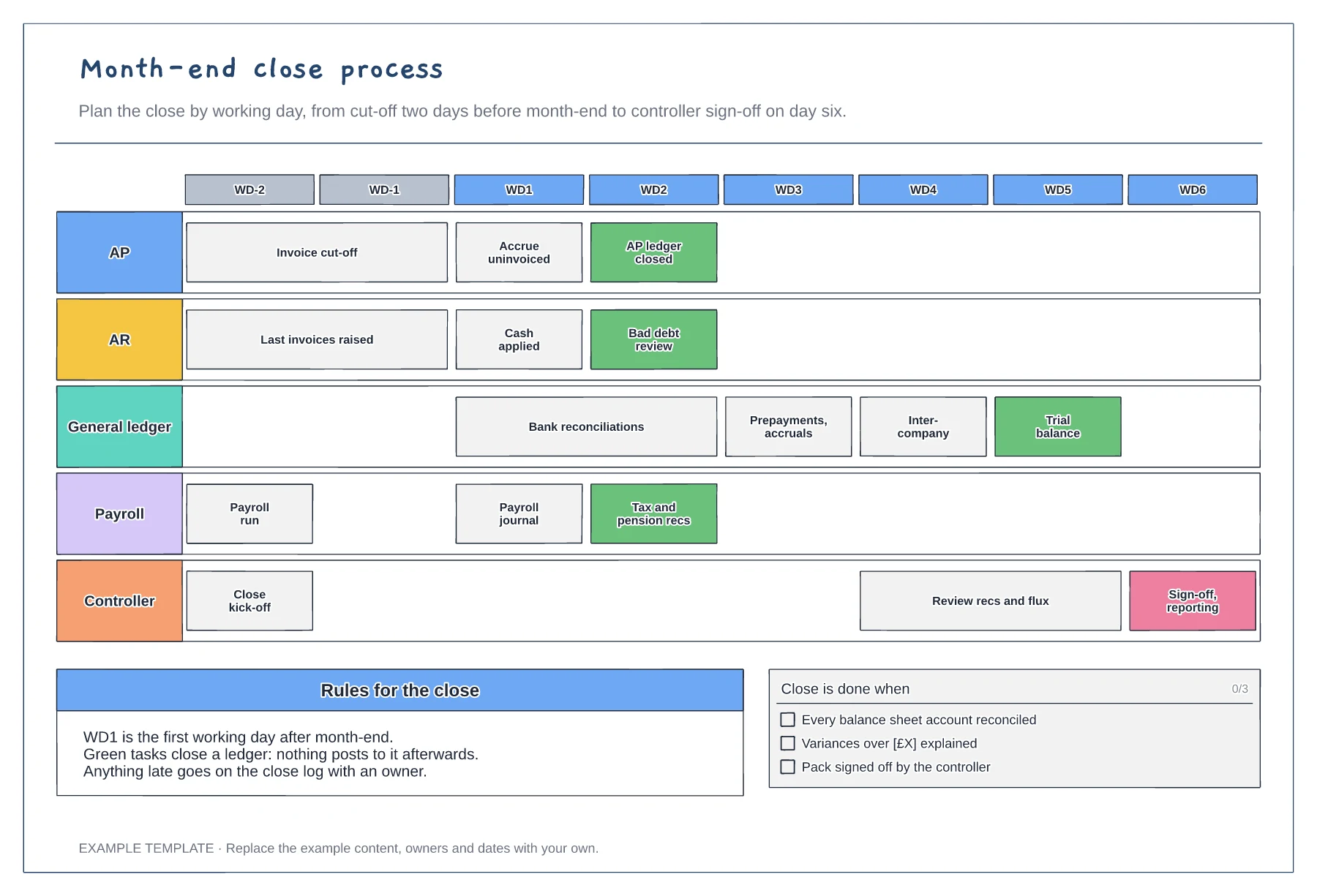
Working-day grid from WD-2 to WD6 · Tasks for five teams · Ledger close points and a done checklist
Preview and use template →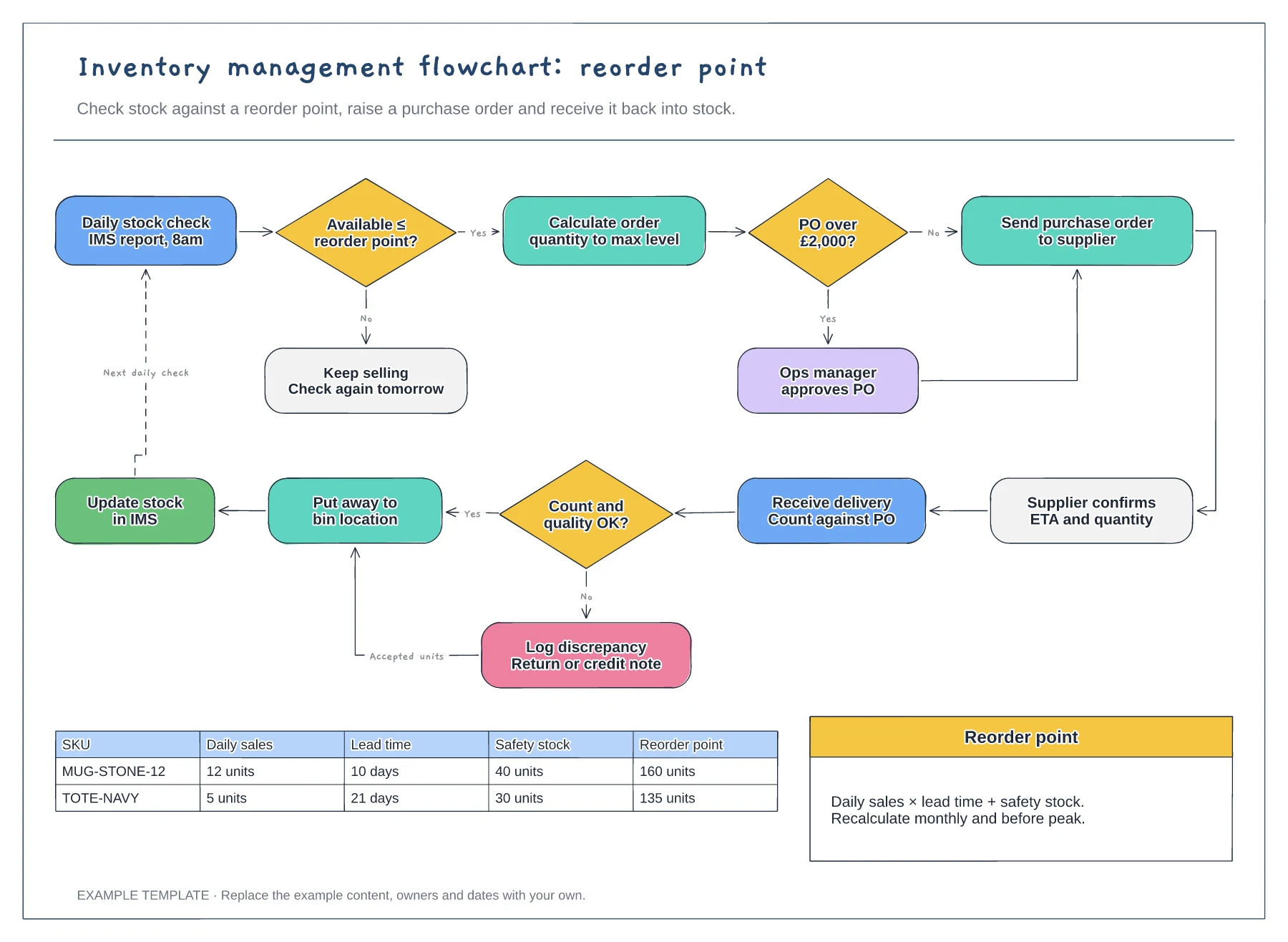
Reorder point decision and loop · Purchase order approval and receiving · Worked reorder point table
Preview and use template →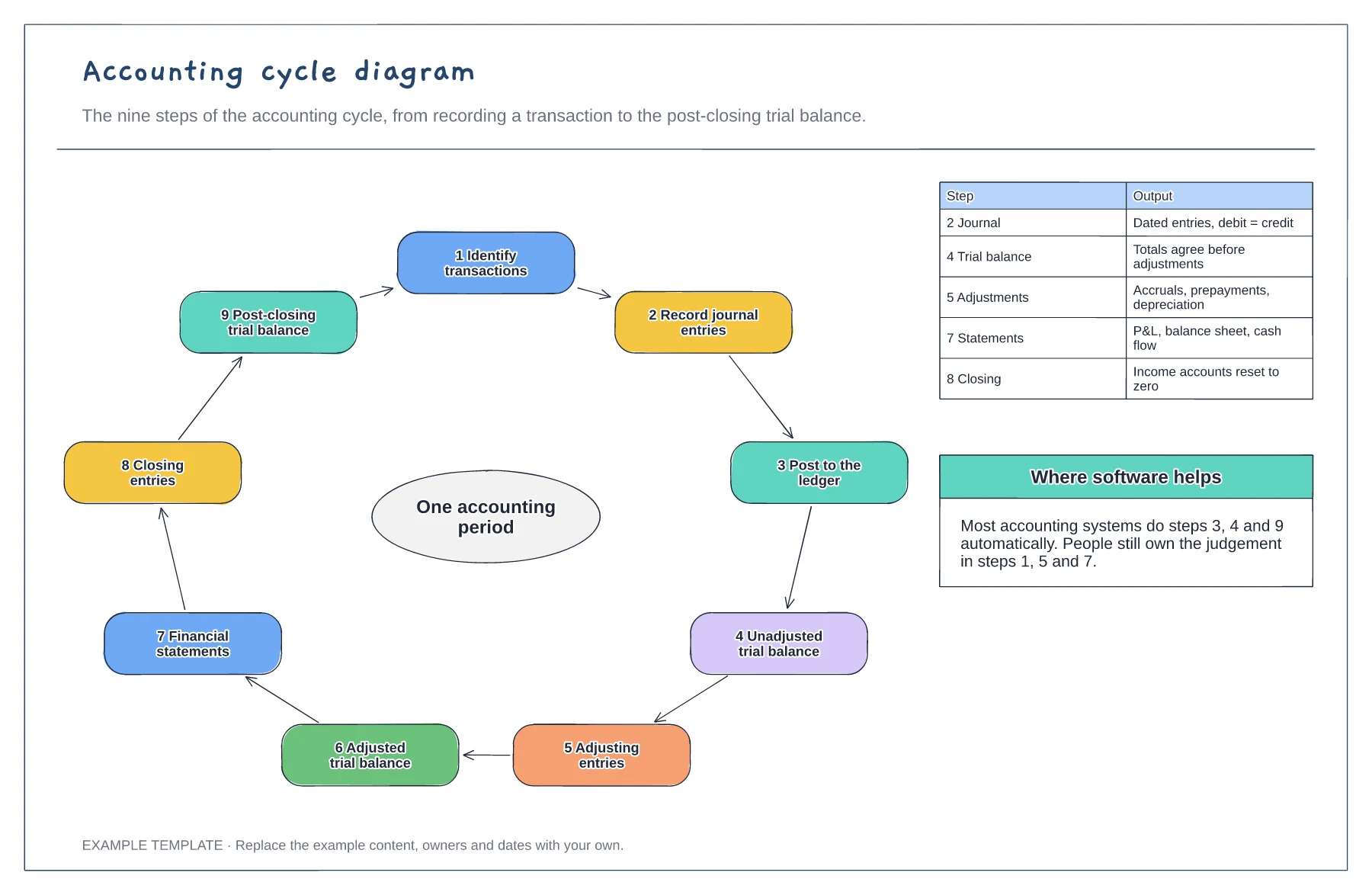
Nine steps in a loop · Output of the key steps · Where software does the work
Preview and use template →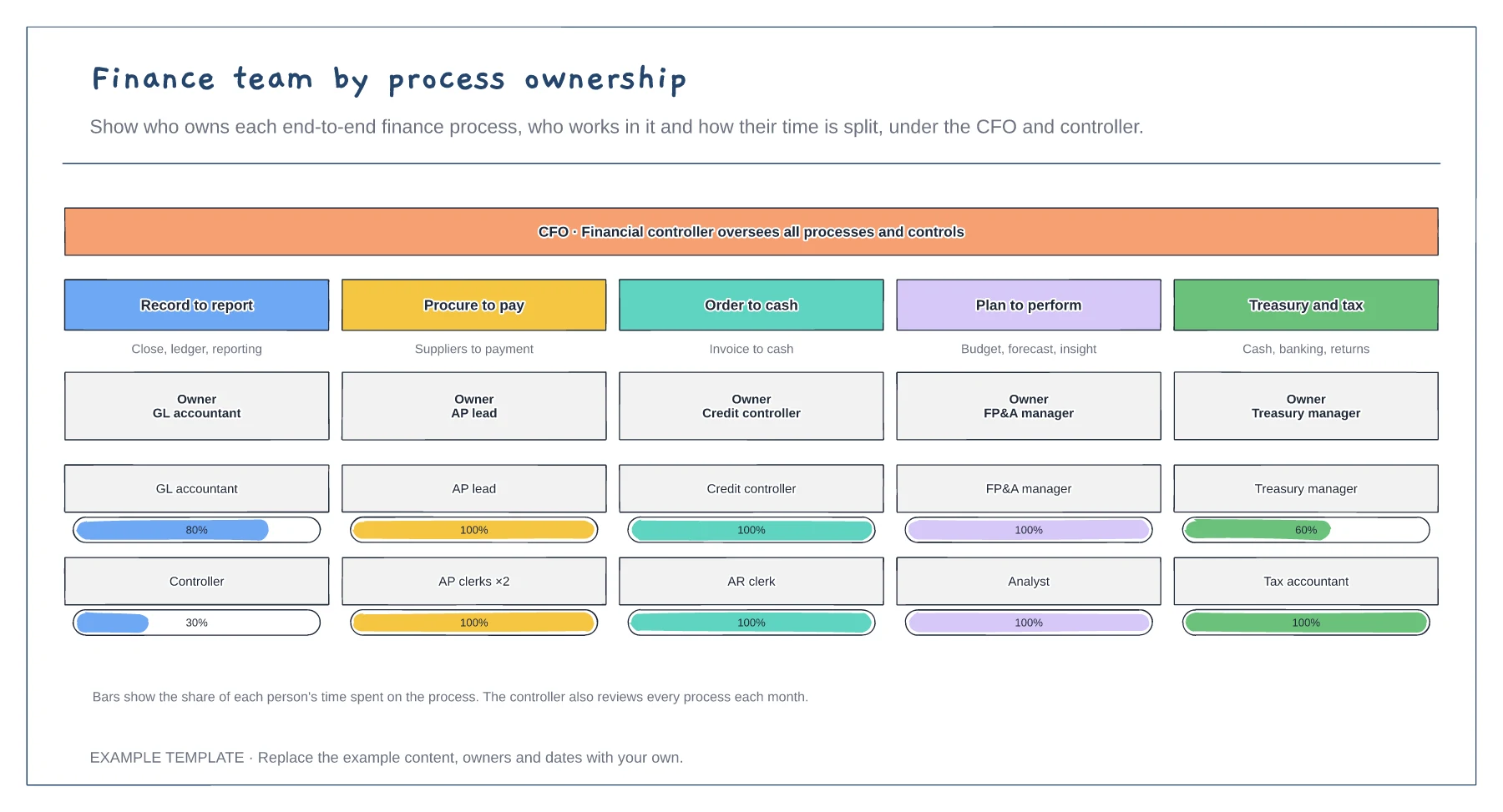
Five end-to-end finance processes · An owner for each process · Time split for each person
Preview and use template →