Finance
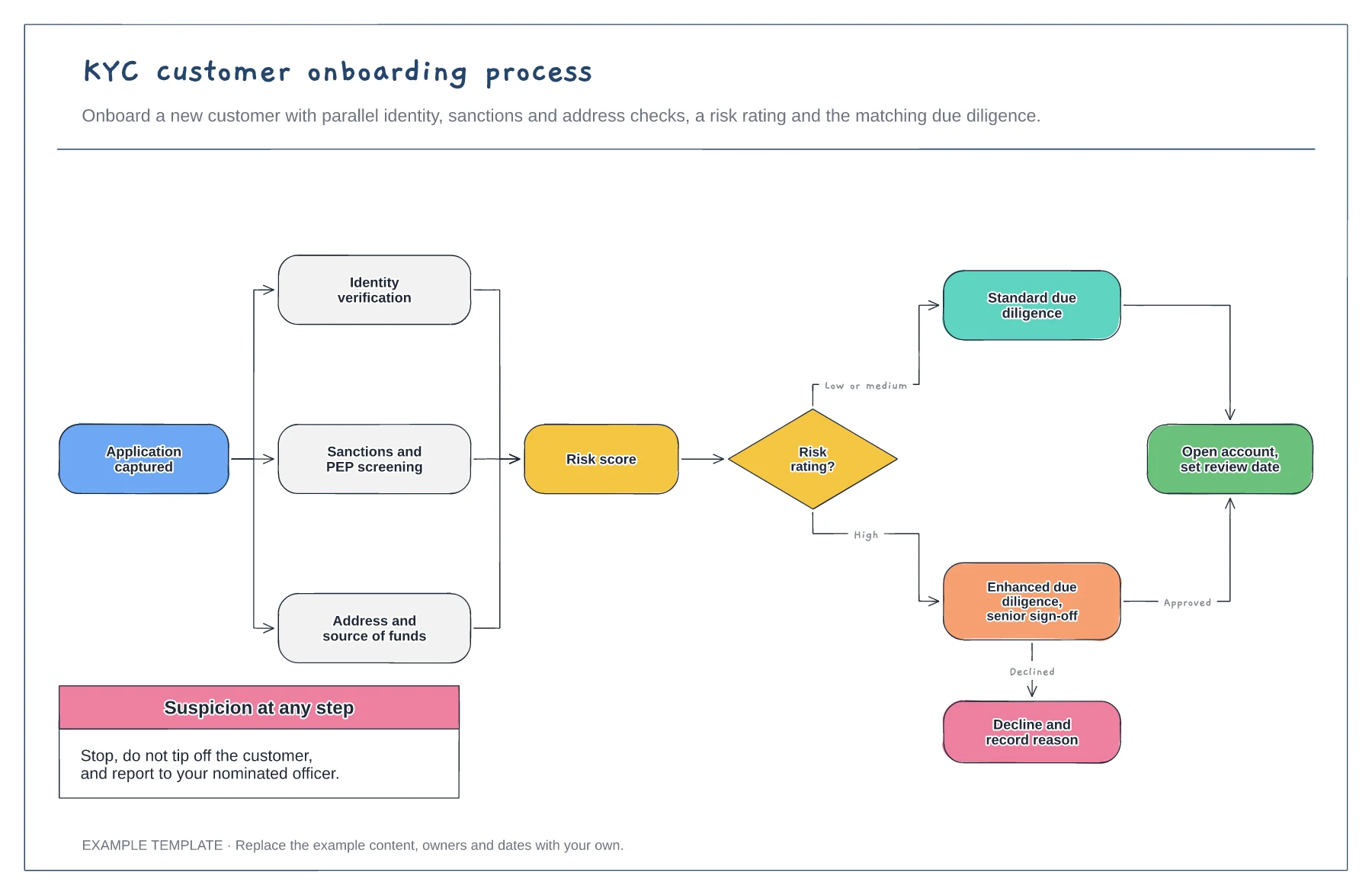
KYC customer onboarding process template
Three checks run in parallel · Risk rating with two due diligence routes · Decline route and suspicion note
Preview and use template →A fraud alert investigation flowchart shows how a team handles each alert consistently and quickly. This example triages alerts by score band, blocks the card straight away for high-risk alerts, sends medium ones to an analyst, contacts the customer to verify, and either confirms fraud with a chargeback and report or releases the payment and tunes the rule.
This is a planning example, not financial, accounting, tax or legal advice. Check your own policies, auditors and local rules.
No account needed · Opens as your own editable page
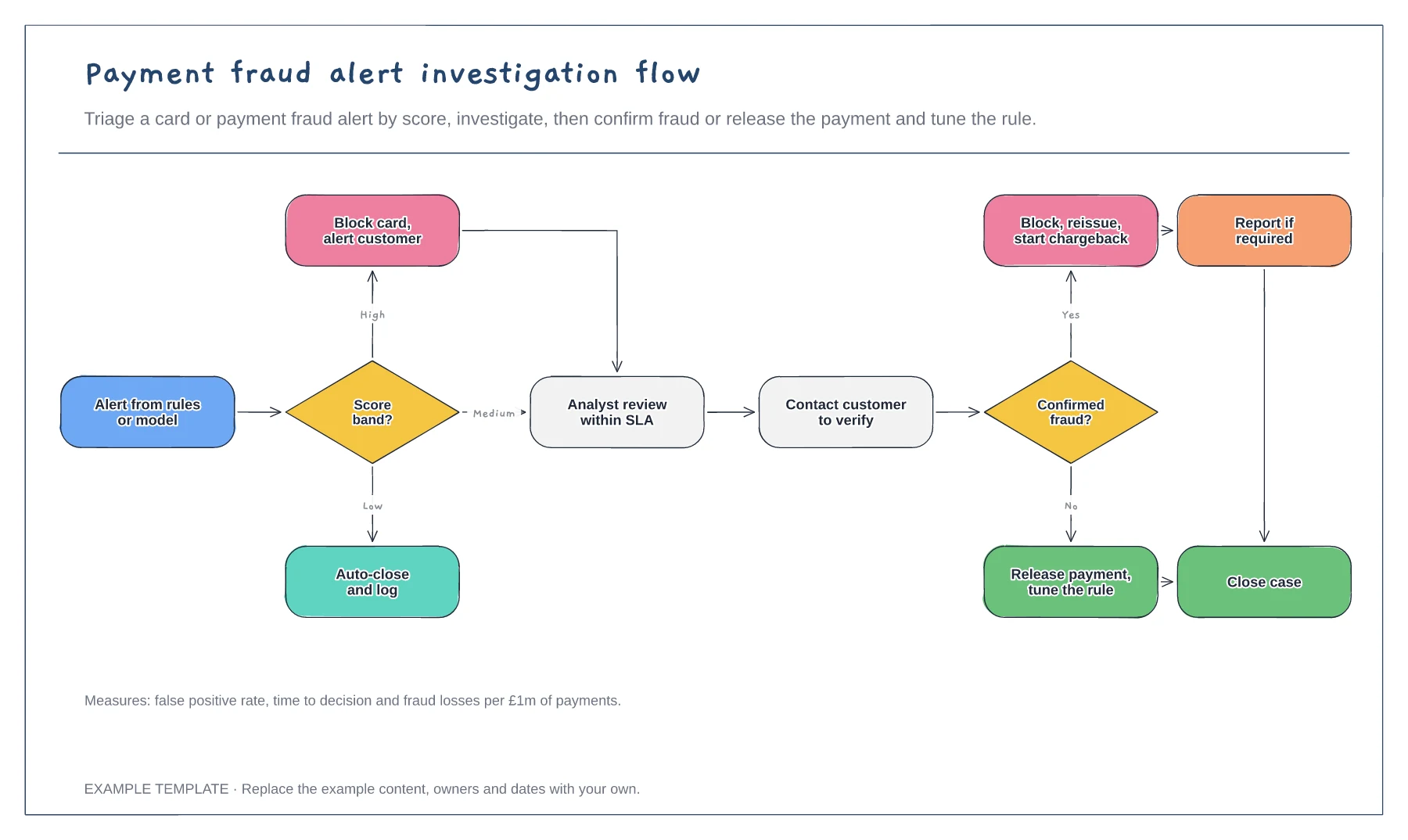
Decide which scores close automatically, which go to an analyst and which block immediately. Review the bands as fraud patterns change.
Write how analysts verify a transaction with the customer without giving fraudsters information they can use.
Use false positives to tune rules and confirmed fraud to improve the model. Track both rates over time.
Yes. Edit the band ranges in the triage step so alerts route to block, review or release at the thresholds your rules use.
No. Open the template and edit it in your browser. Your work saves on this device. An account is optional if you want to sync your workspace.
Yes. Use Export in the editor to save a PNG, SVG or PDF, or download an editable .epicdraw backup.
Three checks run in parallel · Risk rating with two due diligence routes · Decline route and suspicion note
Preview and use template →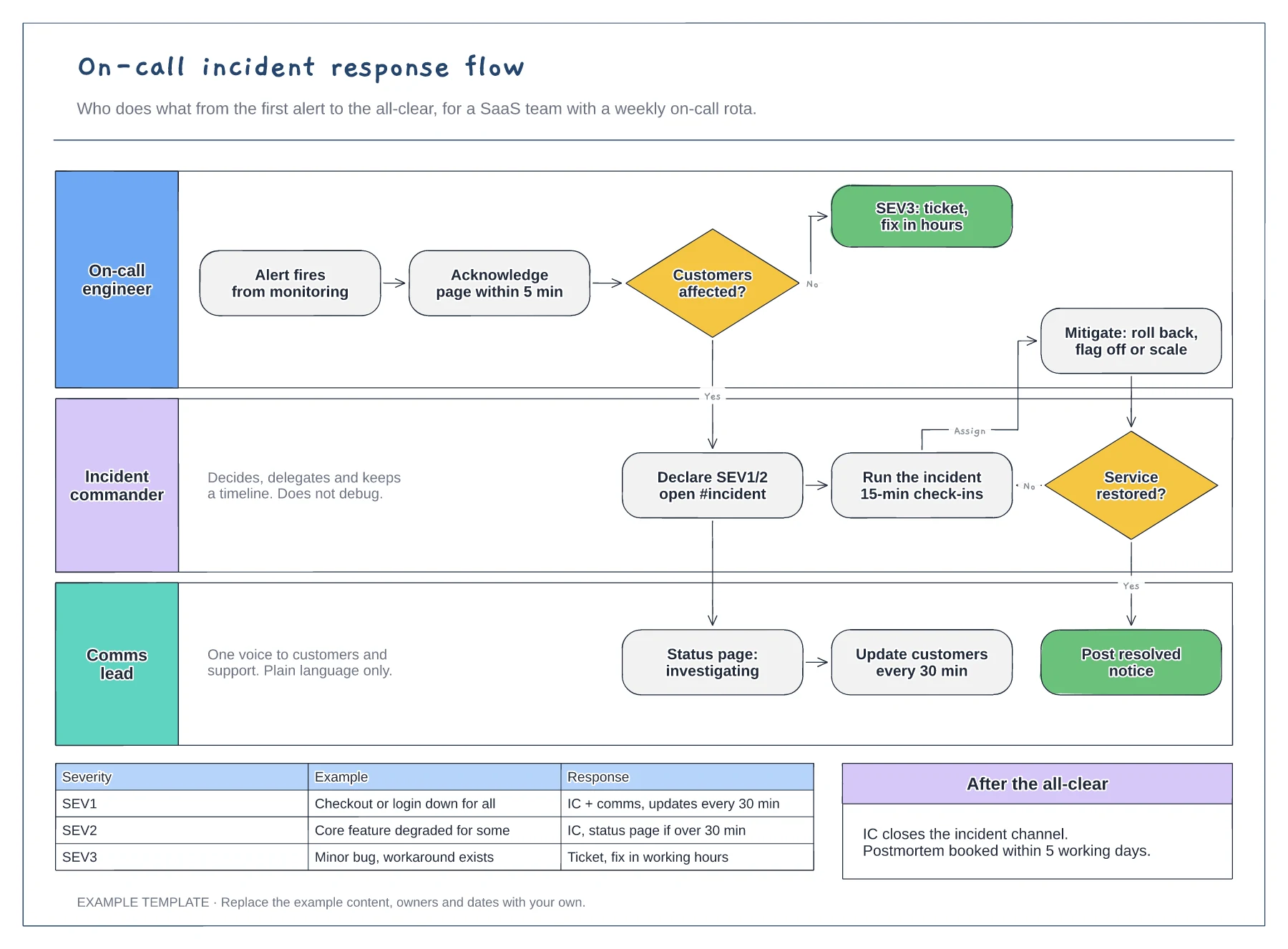
Lanes for on-call, incident commander and comms · Severity decision with SEV1 to SEV3 examples · Mitigation loop and customer update cadence
Preview and use template →
First-line triage and impact check · Specialist ownership and investigation · Customer updates and closure
Preview and use template →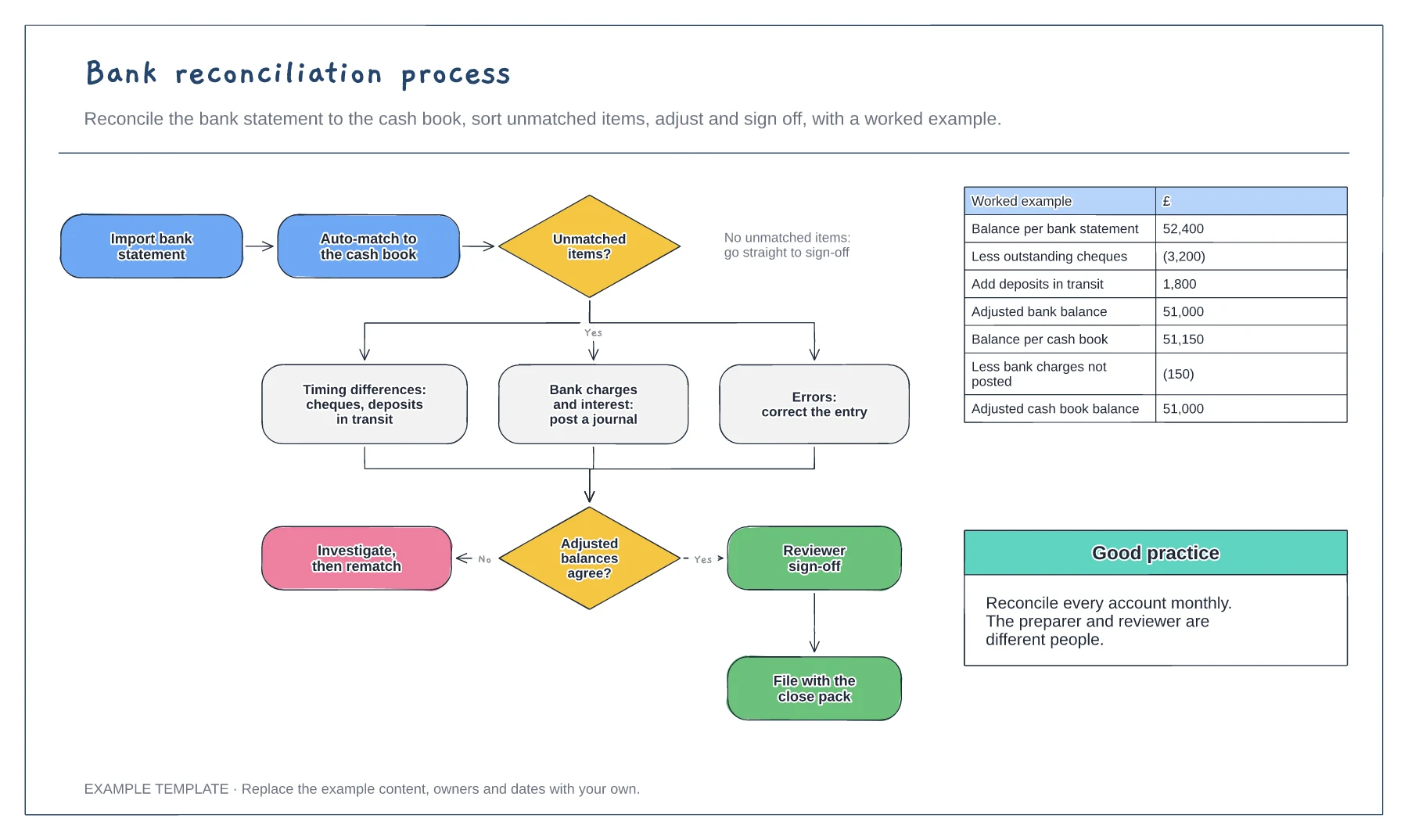
Import, match and adjust steps · Three kinds of unmatched item · Worked reconciliation example
Preview and use template →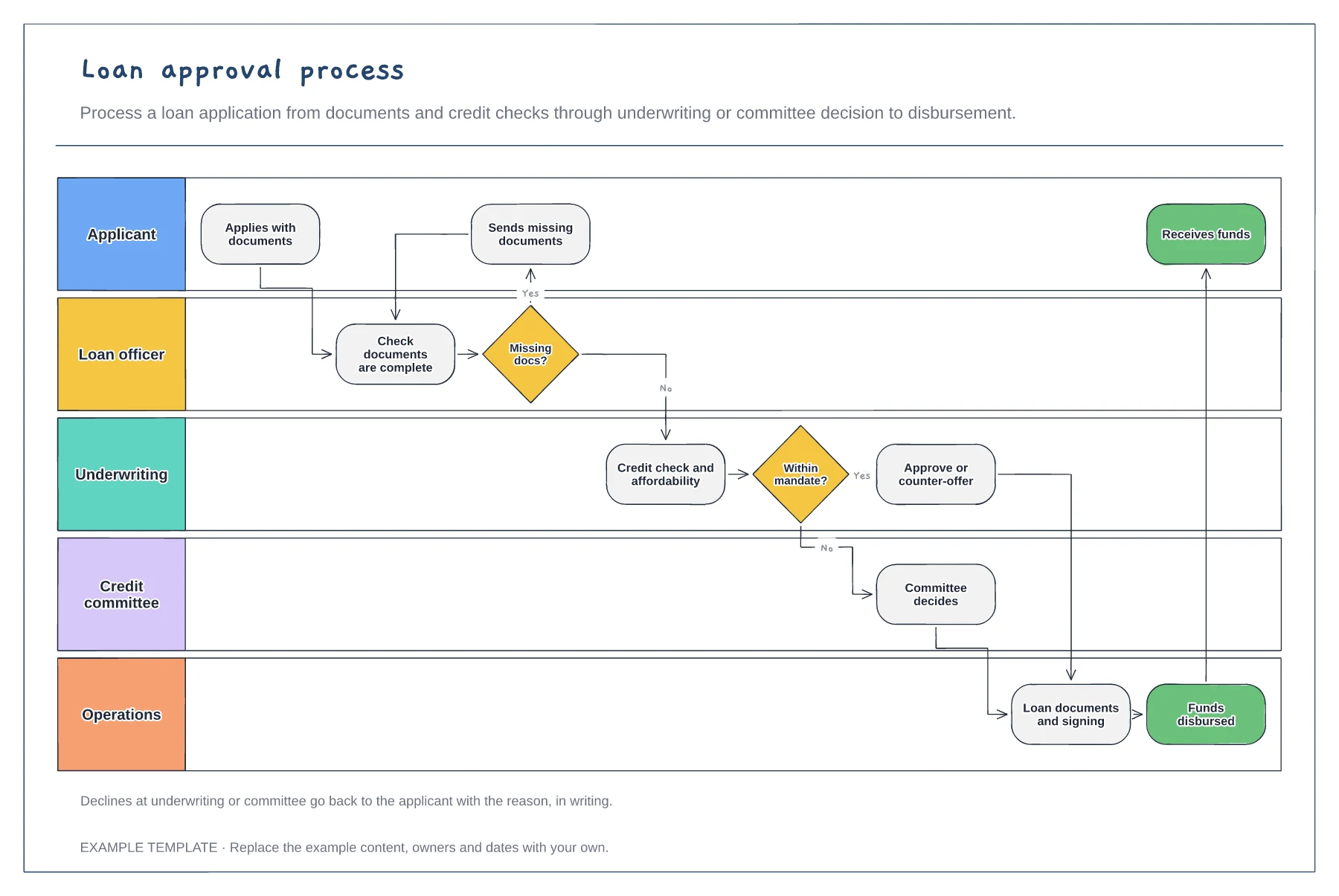
Five lanes from applicant to operations · Missing-documents loop · Underwriting mandate and committee route
Preview and use template →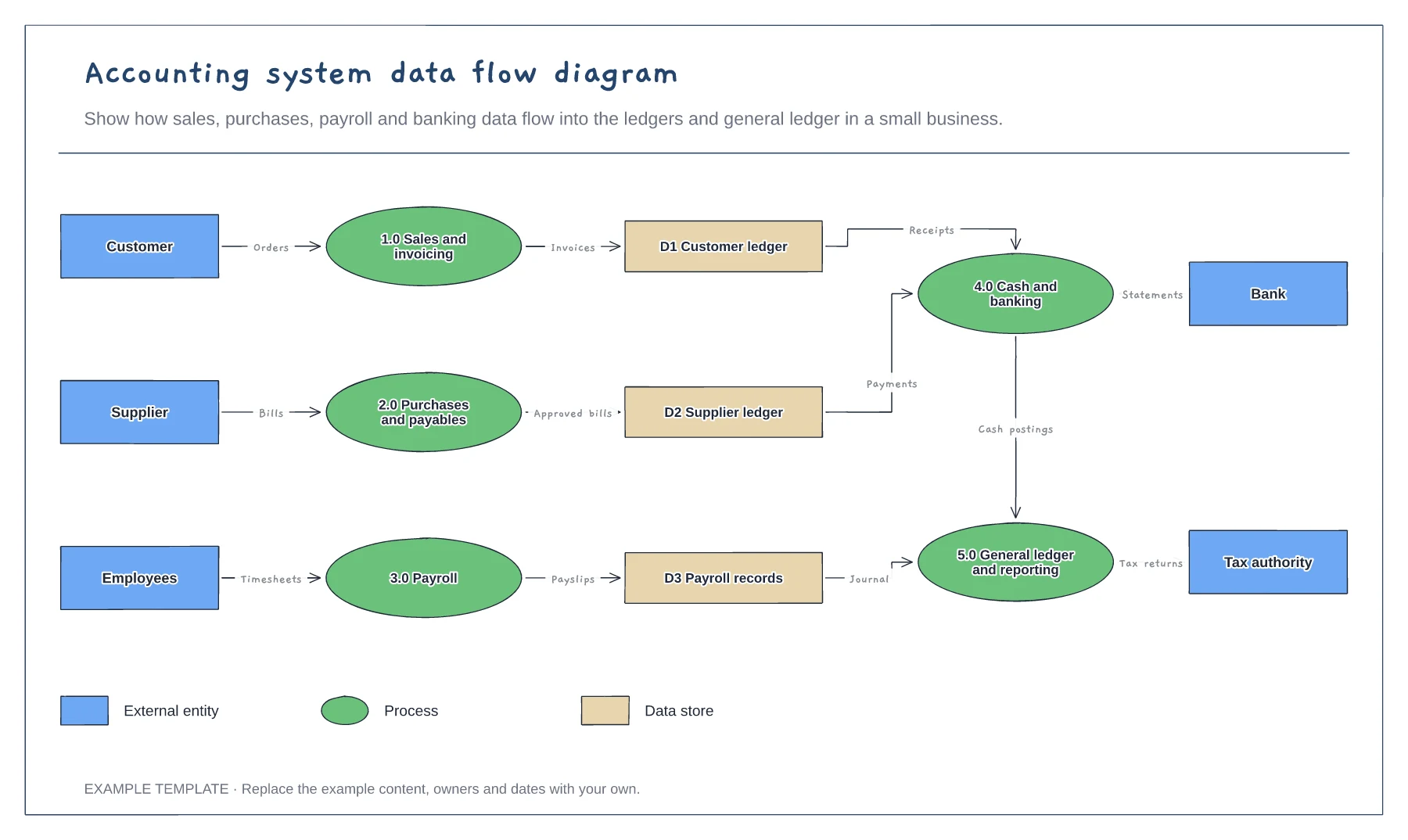
External entities, processes and data stores · Labelled data flows · Shape legend for DFD notation
Preview and use template →