Engineering
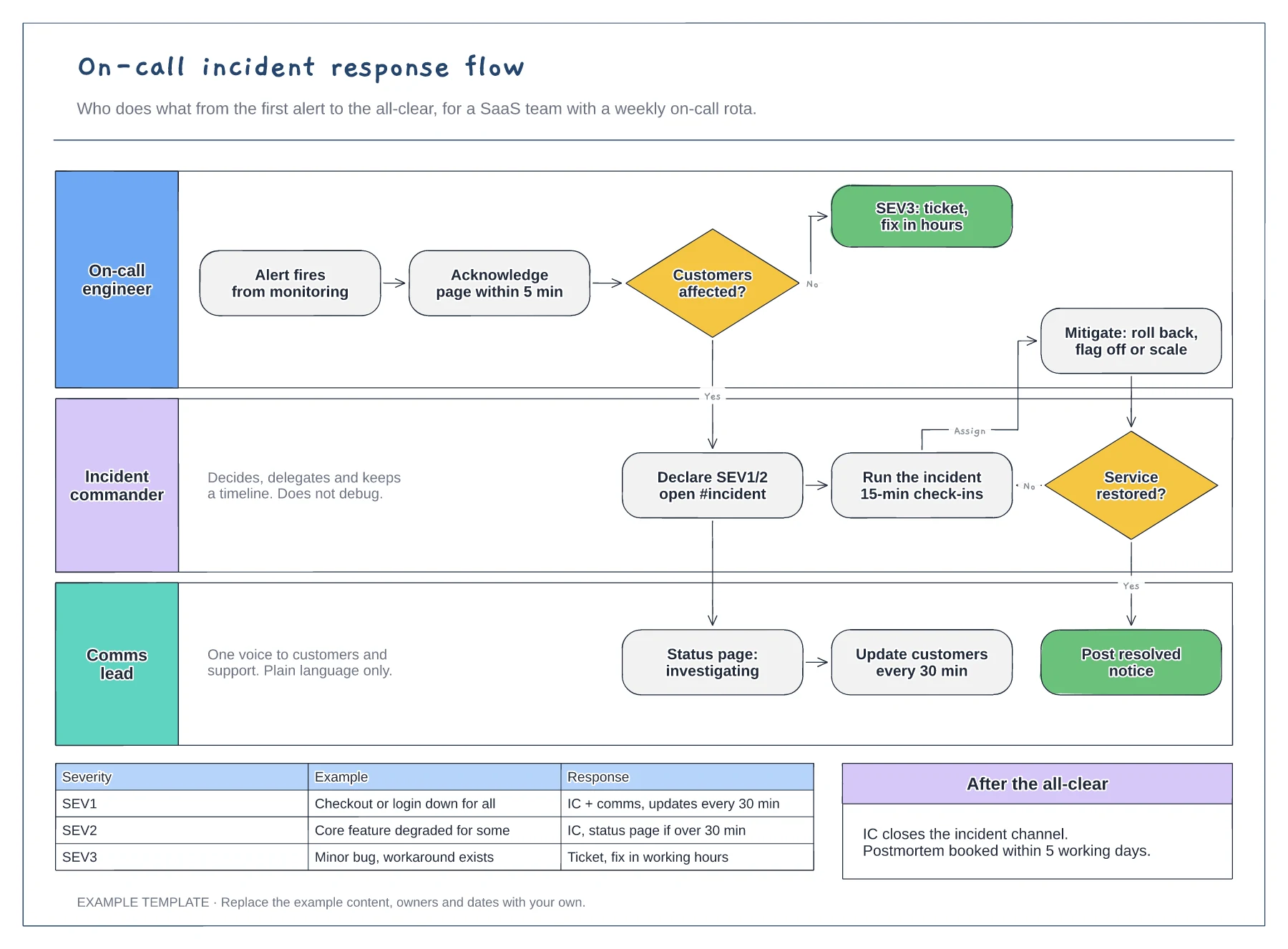
On-call incident response flowchart template
Lanes for on-call, incident commander and comms · Severity decision with SEV1 to SEV3 examples · Mitigation loop and customer update cadence
Preview and use template →A postmortem timeline puts every event from detection to resolution on one line, so the team can see where time was lost before discussing causes. This example follows a 42-minute checkout outage caused by a deploy, then records the impact, two contributing factors, what went well and four owned actions.
No account needed · Opens as your own editable page
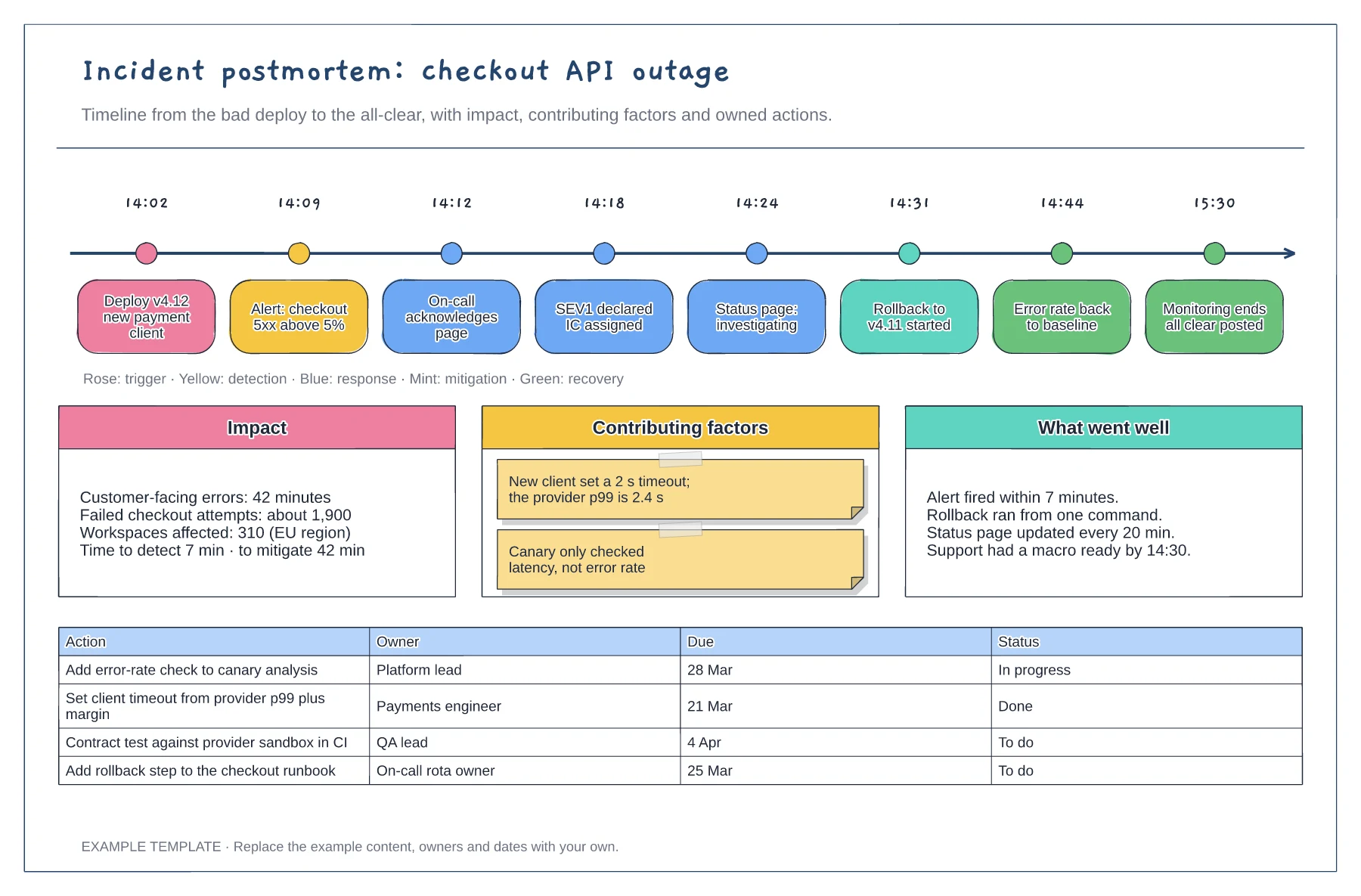
Pull timestamps from alerts, chat, deploy logs and the status page rather than memory. Colour each event by phase, because gaps between detection and response are easier to spot when the phases are visible.
Write contributing factors as conditions in the system, such as a timeout setting or a missing canary check. That keeps the review blameless and points the actions at things the team can change.
Replace the example actions with your own, each with one named role, a due date and a status. Review the table in your next team meeting so actions do not quietly expire.
Yes. Replace the checkout API events with your own timestamped entries and rewrite the impact and contributing factors; the action table works for any incident.
No. Open the template and edit it in your browser. Your work saves on this device. An account is optional if you want to sync your workspace.
Yes. Use Export in the editor to save a PNG, SVG or PDF, or download an editable .epicdraw backup.
Lanes for on-call, incident commander and comms · Severity decision with SEV1 to SEV3 examples · Mitigation loop and customer update cadence
Preview and use template →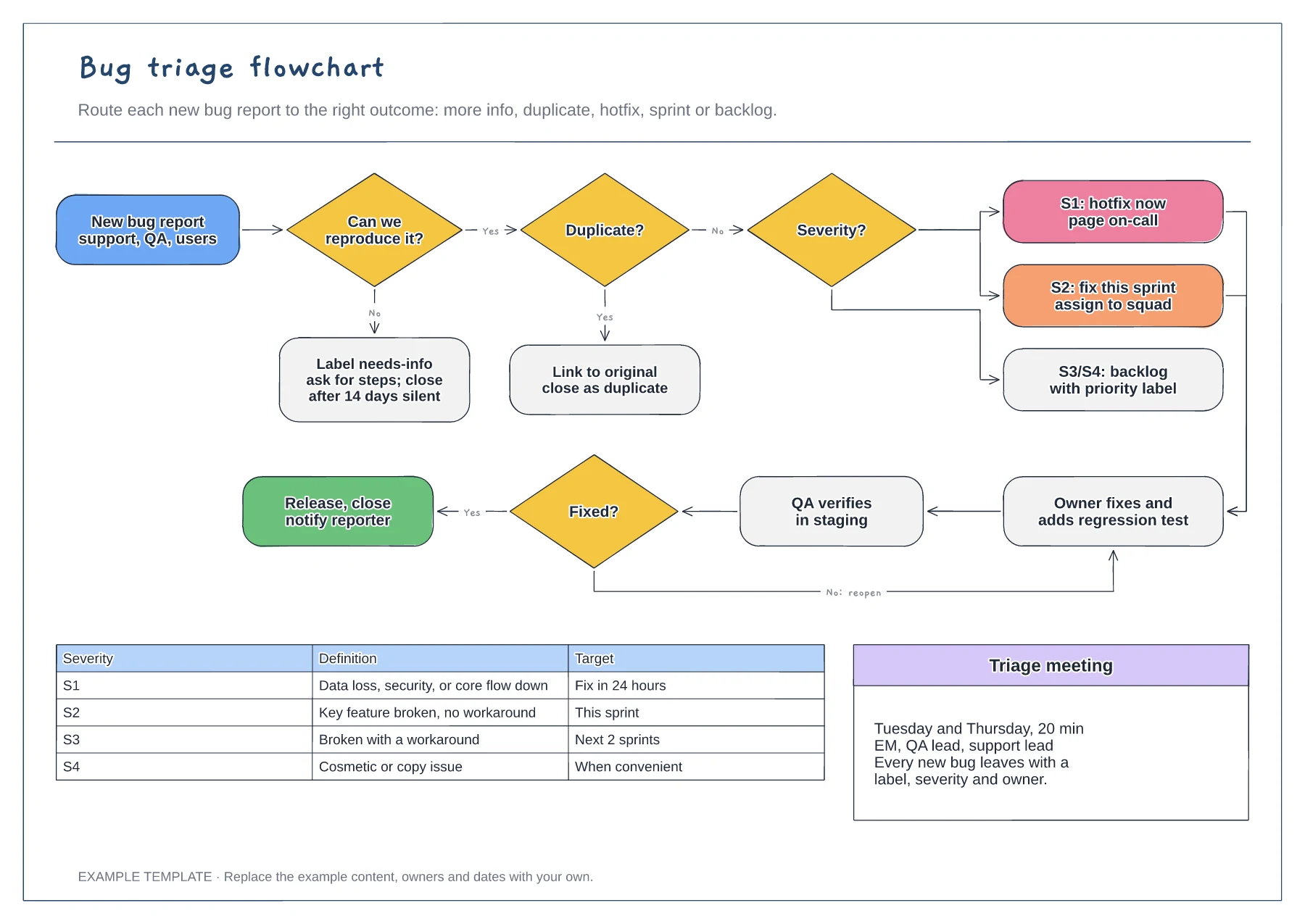
Reproduce and duplicate checks · Severity routing from S1 to S4 · Fix, verify and reopen loop with a severity table
Preview and use template →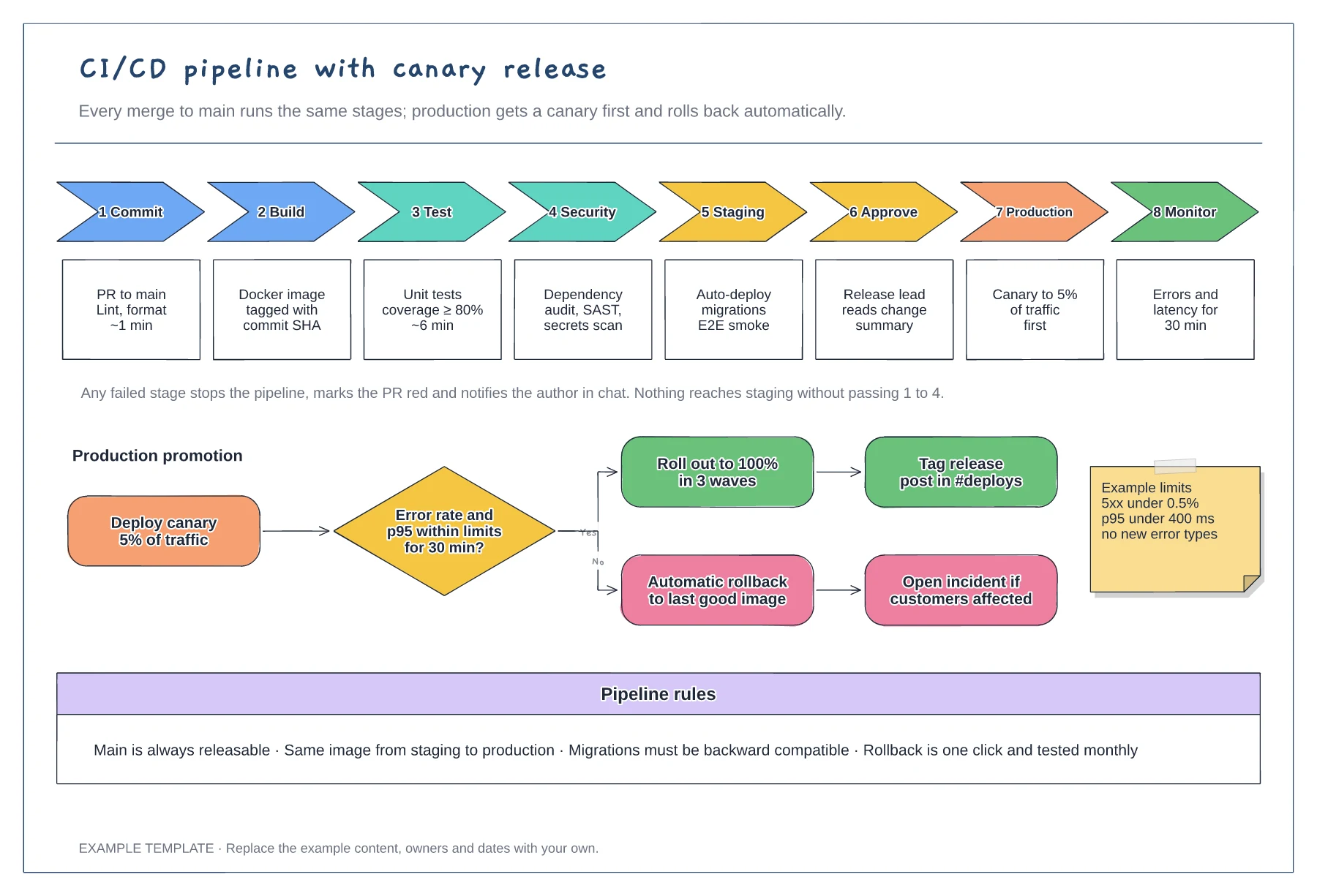
Eight stages with checks and time budgets · Canary promotion with a rollback branch · Example limits and pipeline rules
Preview and use template →
First-line triage and impact check · Specialist ownership and investigation · Customer updates and closure
Preview and use template →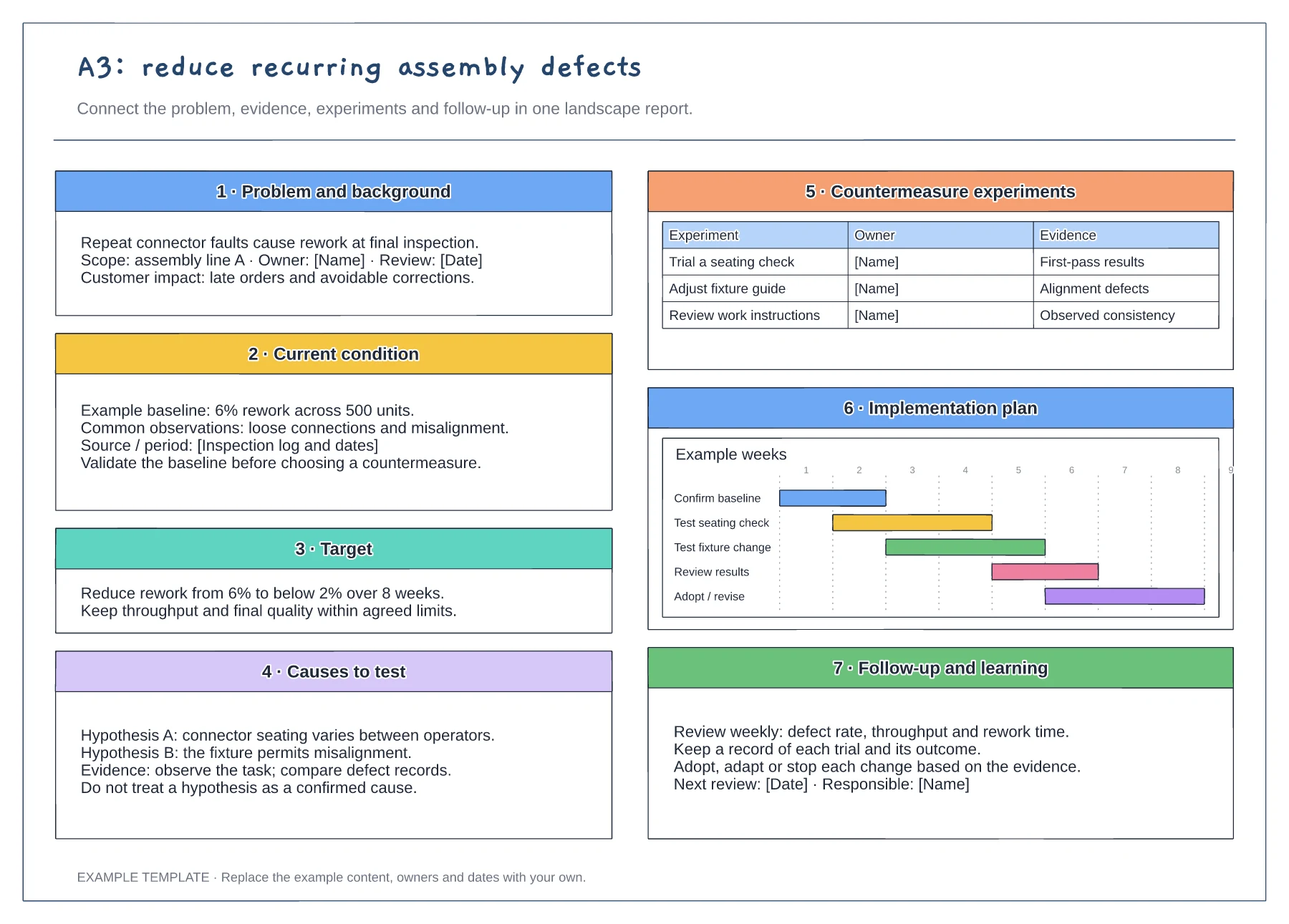
Problem statement and current condition · Cause analysis and countermeasure plan · Owners, checks and follow-up
Preview and use template →
Observations from the sprint · Discussion and improvement ideas · An owned experiment and review
Preview and use template →