Hospitality
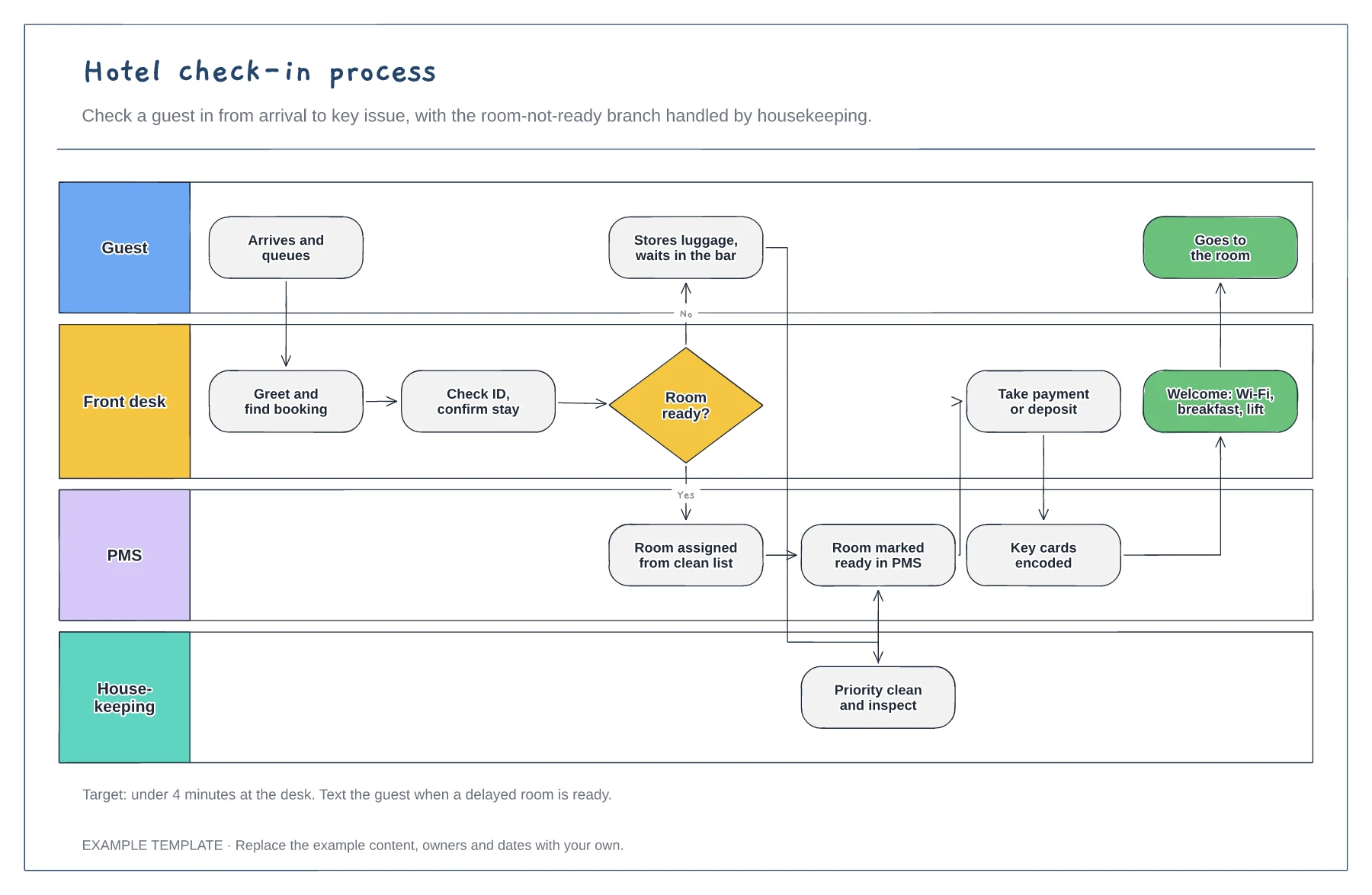
Hotel check-in process flowchart template
Guest, front desk, PMS and housekeeping lanes · Room-not-ready branch with priority clean · Payment, keys and welcome steps
Preview and use template →A floor map lets housekeeping and the front desk see the whole hotel at once. This example lays out three floors of fourteen rooms each, colours every room by status, from vacant dirty and cleaning to inspected, ready, occupied and out of order, shows the attendant for each floor and lists the rooms needed first for early arrivals.
No account needed · Opens as your own editable page
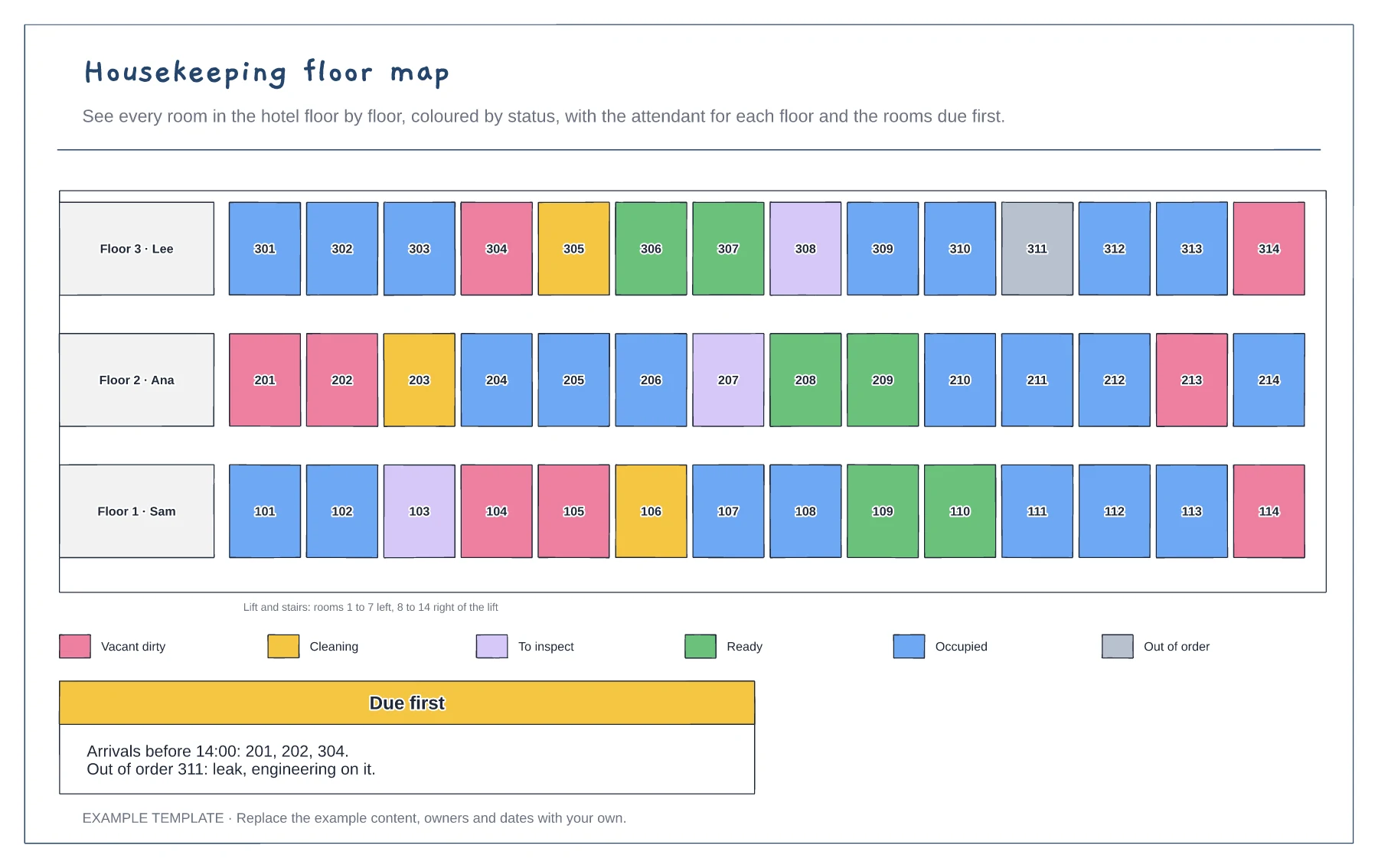
Lay out the rooms on each floor in the order an attendant walks them, so the map matches the corridor.
Update each room's colour as it moves from dirty to ready. The front desk only assigns ready rooms.
List rooms needed for early arrivals and VIPs so attendants clean them first.
Change the room's colour to match the key, from vacant dirty through to ready, and move the attendant labels as rooms are assigned.
No. Open the template and edit it in your browser. Your work saves on this device. An account is optional if you want to sync your workspace.
Yes. Use Export in the editor to save a PNG, SVG or PDF, or download an editable .epicdraw backup.
Guest, front desk, PMS and housekeeping lanes · Room-not-ready branch with priority clean · Payment, keys and welcome steps
Preview and use template →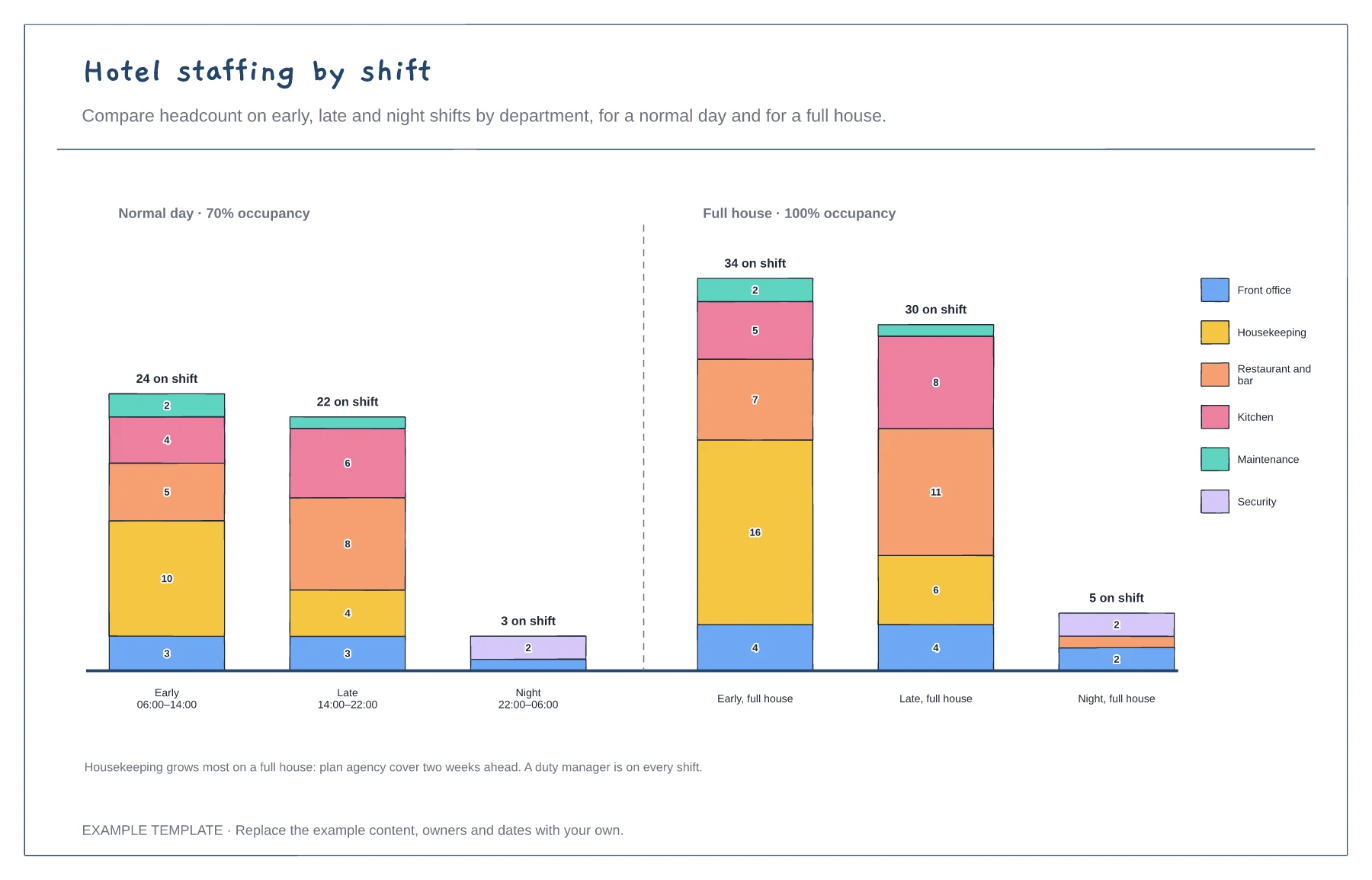
Headcount stacked by department · Early, late and night shifts · Normal day compared with a full house
Preview and use template →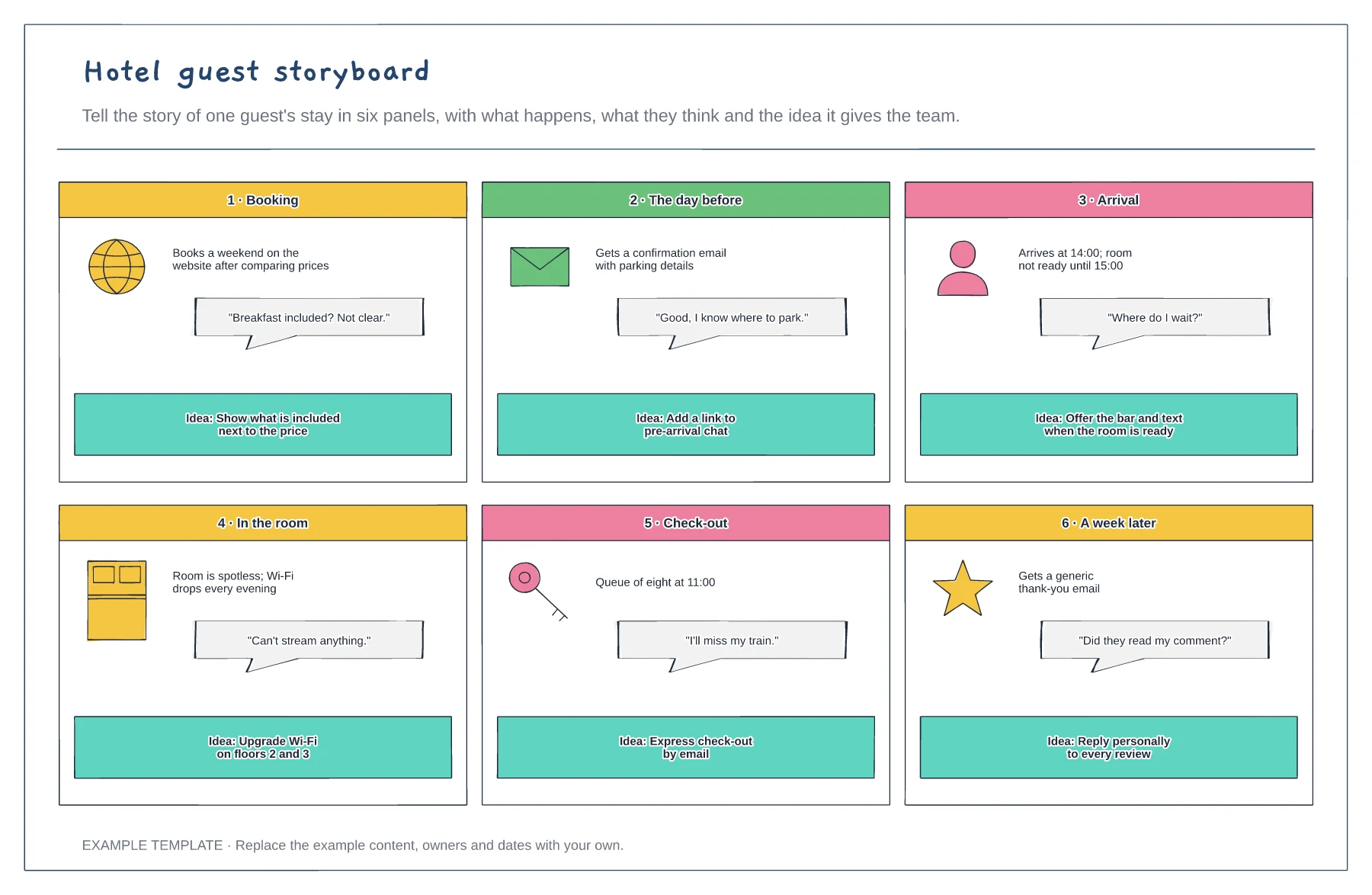
Six panels from booking to after the stay · What the guest thinks in each panel · An improvement idea per panel
Preview and use template →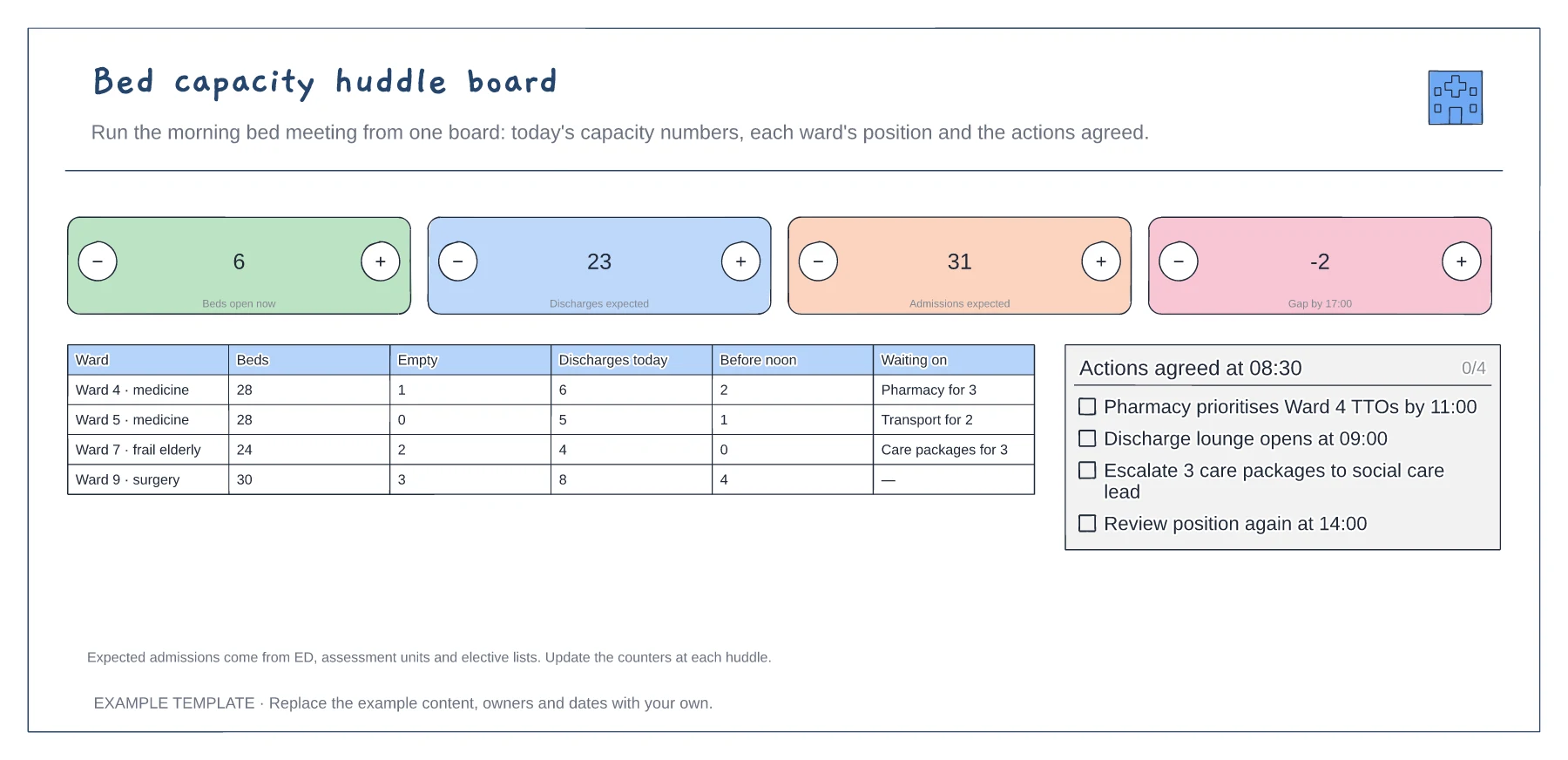
Four headline capacity counts · Ward-by-ward position · Actions agreed at the huddle
Preview and use template →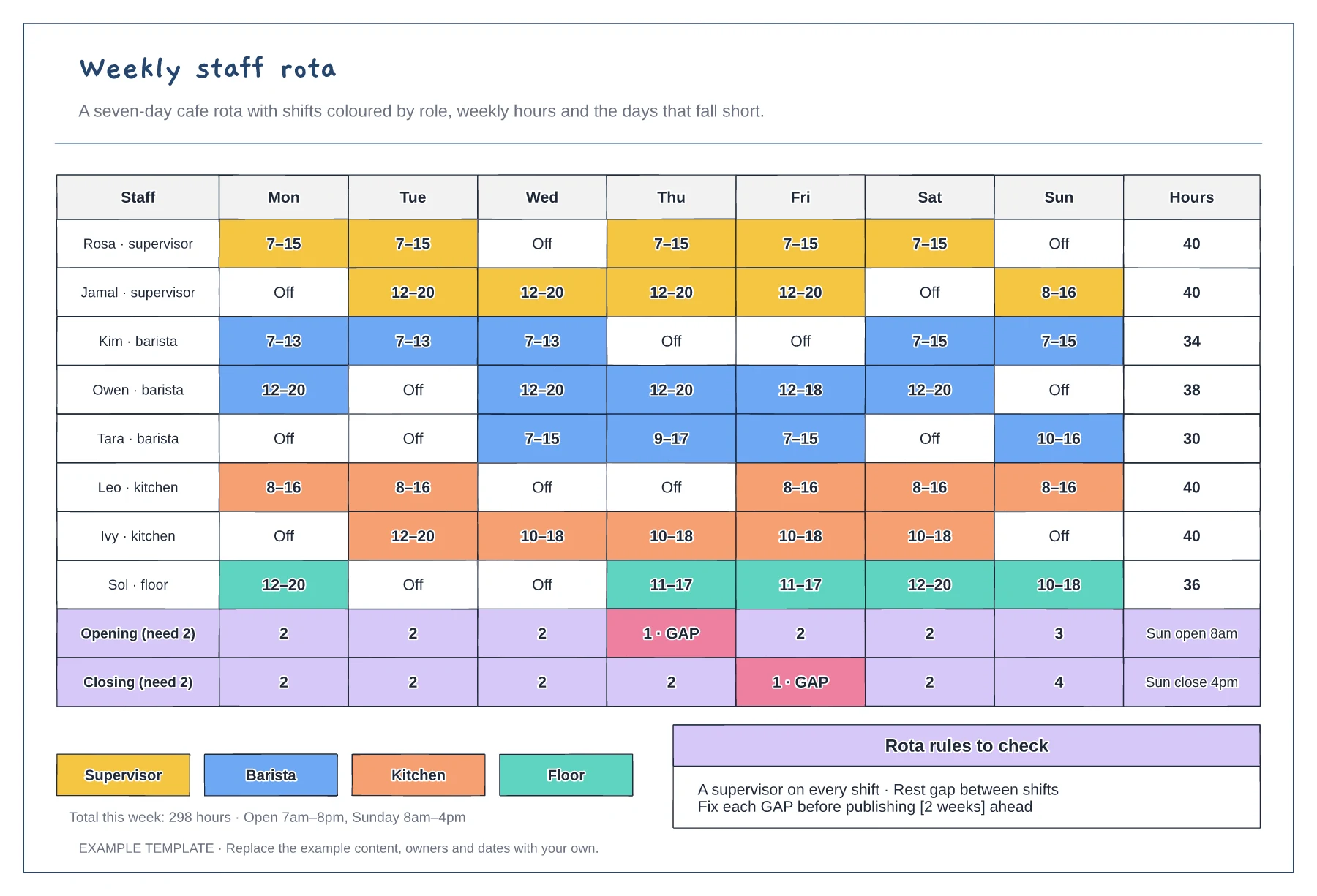
Mon to Sun shifts coloured by role · Weekly hours per person · Opening and closing cover with gaps flagged
Preview and use template →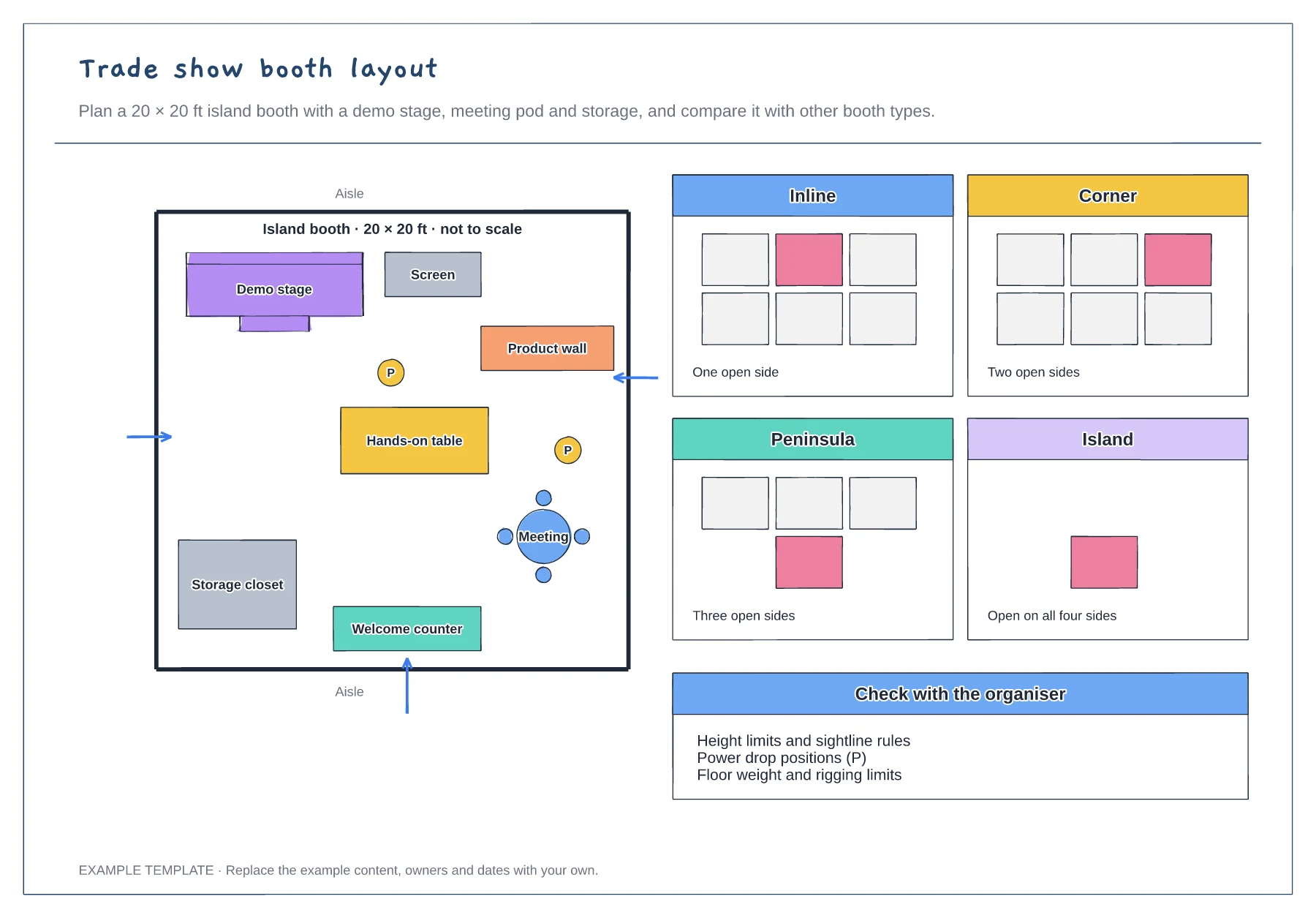
Island booth plan with traffic arrows · Demo stage, meeting pod and storage · Inline, corner, peninsula and island compared
Preview and use template →