Hospitality
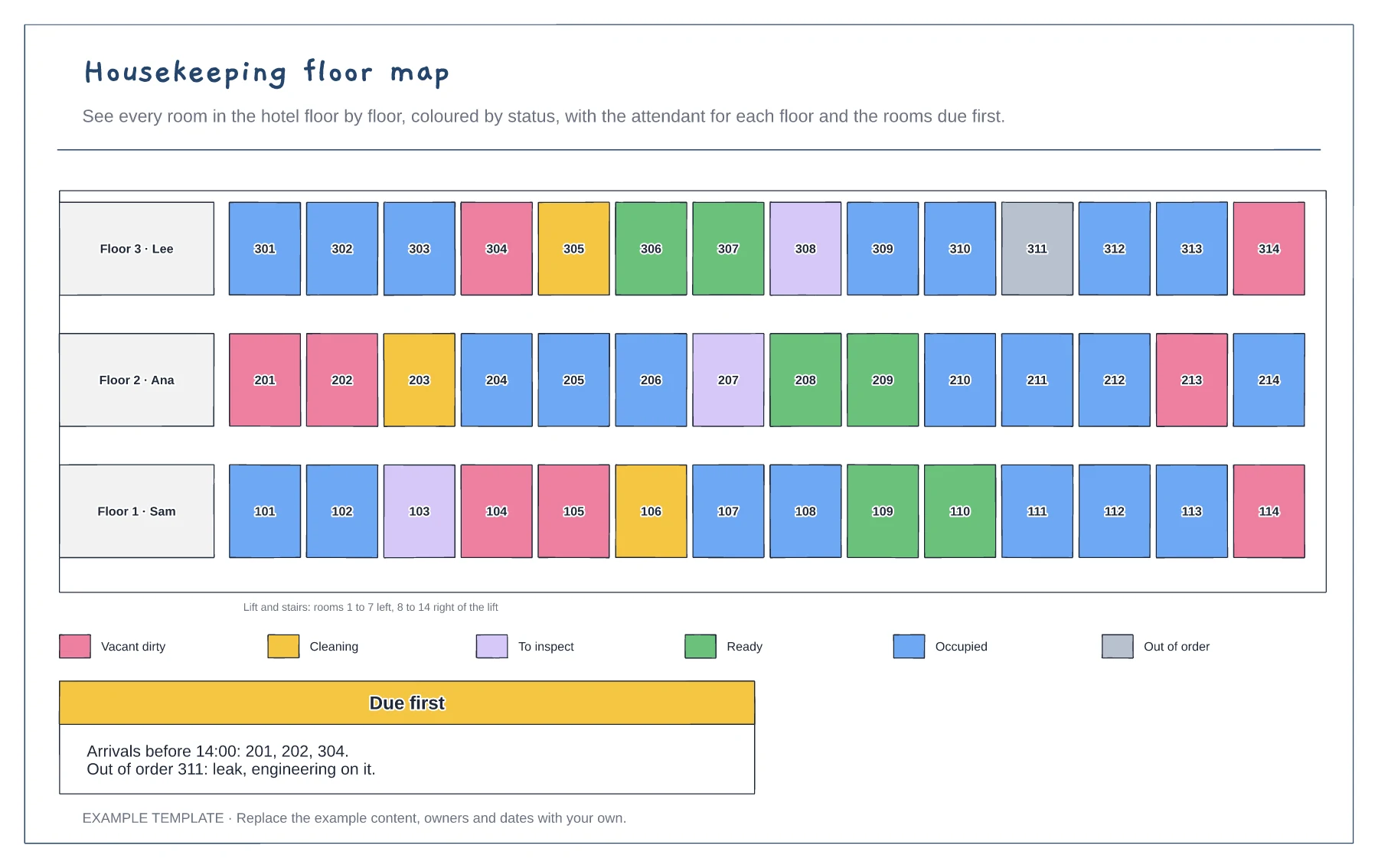
Housekeeping floor map template
Every room by floor · Six room statuses by colour · Attendants and rooms due first
Preview and use template →A hotel runs around the clock, so how many people are on each shift matters more than the reporting lines. This chart stacks headcount by department for the early, late and night shifts, for a normal day at 70% occupancy and a full house, so it is easy to see which departments grow with occupancy and where cover must be planned.
No account needed · Opens as your own editable page
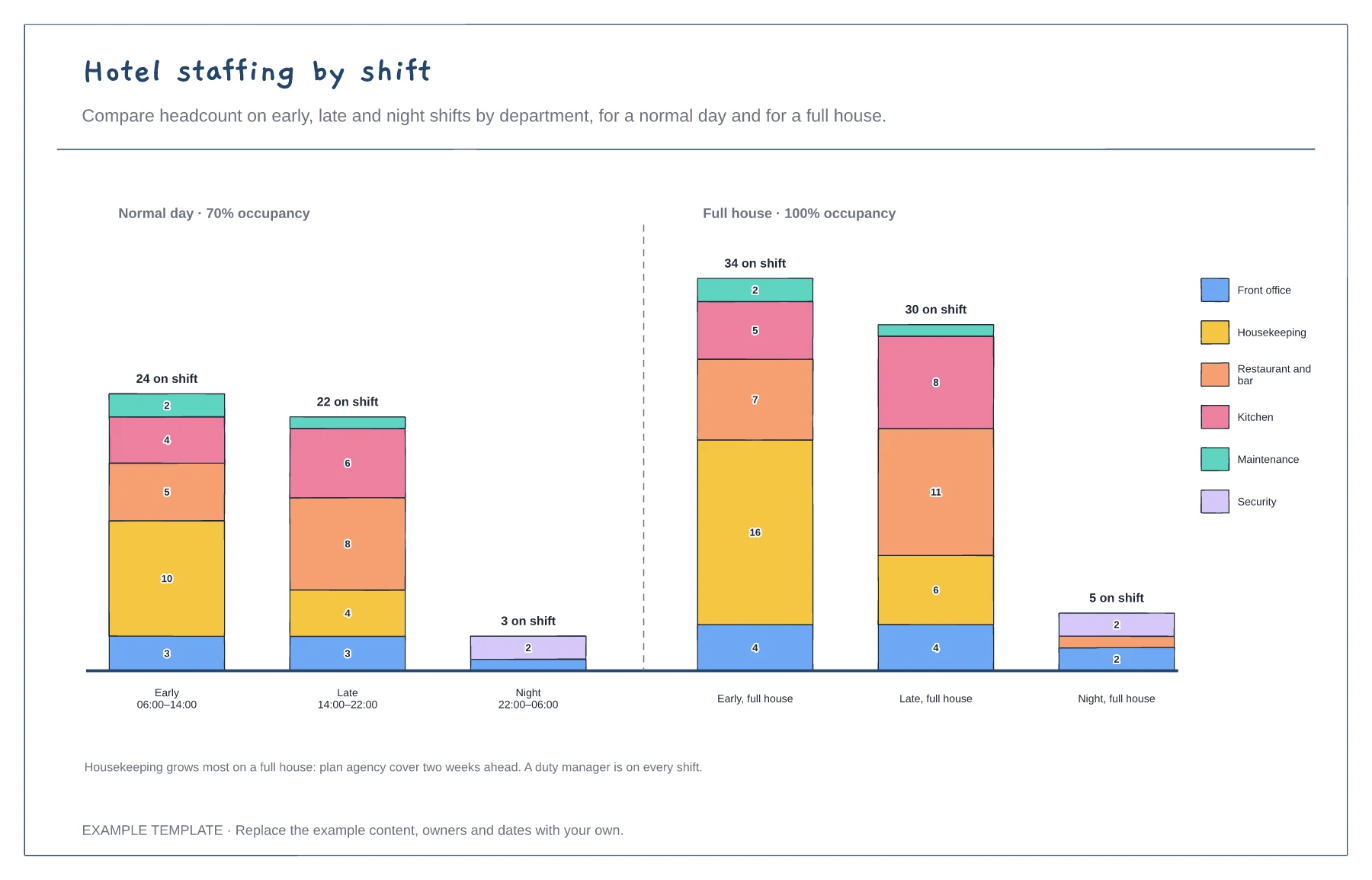
Record how many people each department has on each shift on a typical day.
Draw the same shifts at full occupancy. The difference shows which teams need flexible cover.
Book agency or overtime for the departments that grow most, well before busy dates.
Yes. Add another set of bars and edit the headcount by department for each shift, so the board shows how staffing changes.
No. Open the template and edit it in your browser. Your work saves on this device. An account is optional if you want to sync your workspace.
Yes. Use Export in the editor to save a PNG, SVG or PDF, or download an editable .epicdraw backup.
Every room by floor · Six room statuses by colour · Attendants and rooms due first
Preview and use template →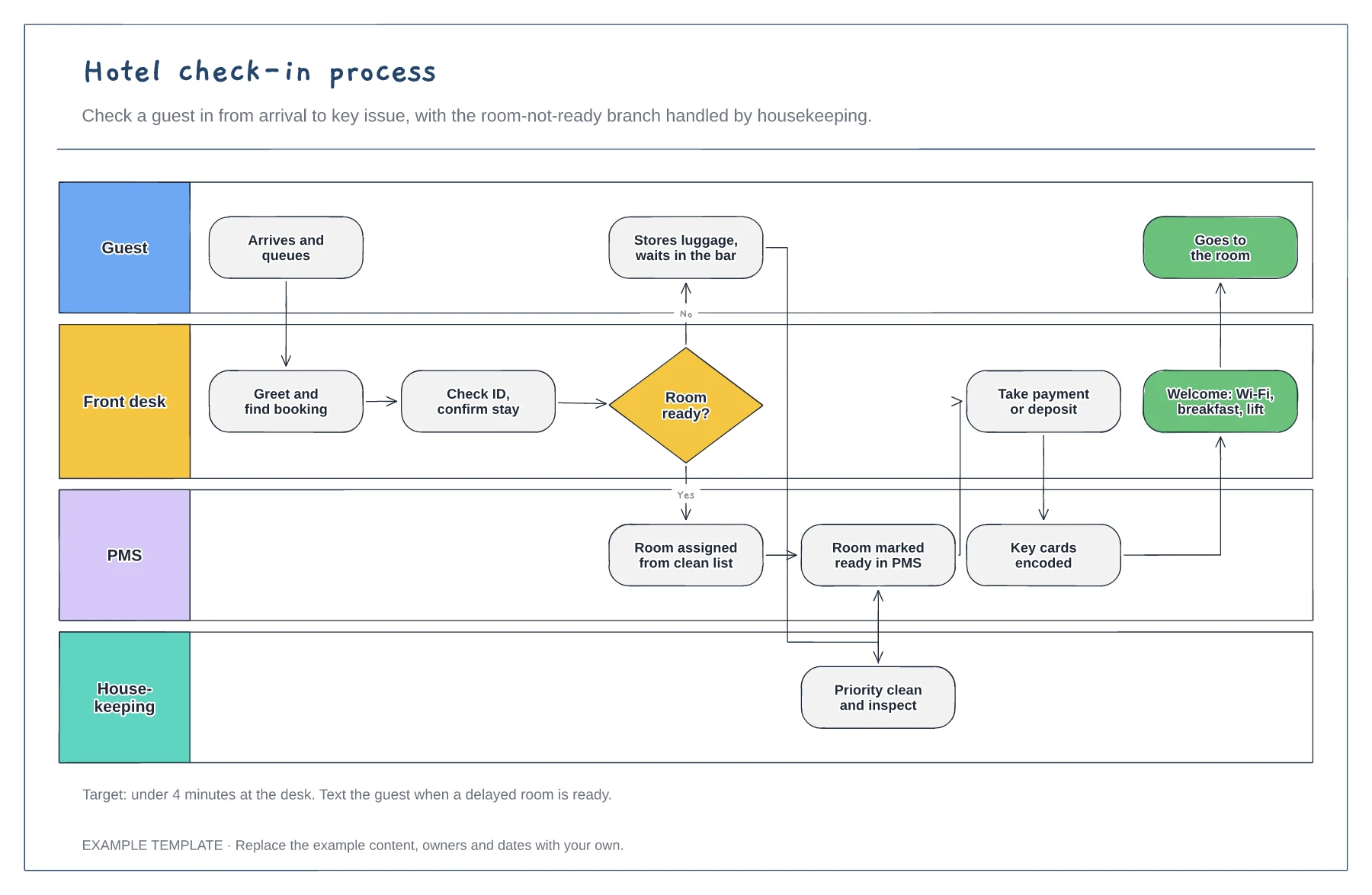
Guest, front desk, PMS and housekeeping lanes · Room-not-ready branch with priority clean · Payment, keys and welcome steps
Preview and use template →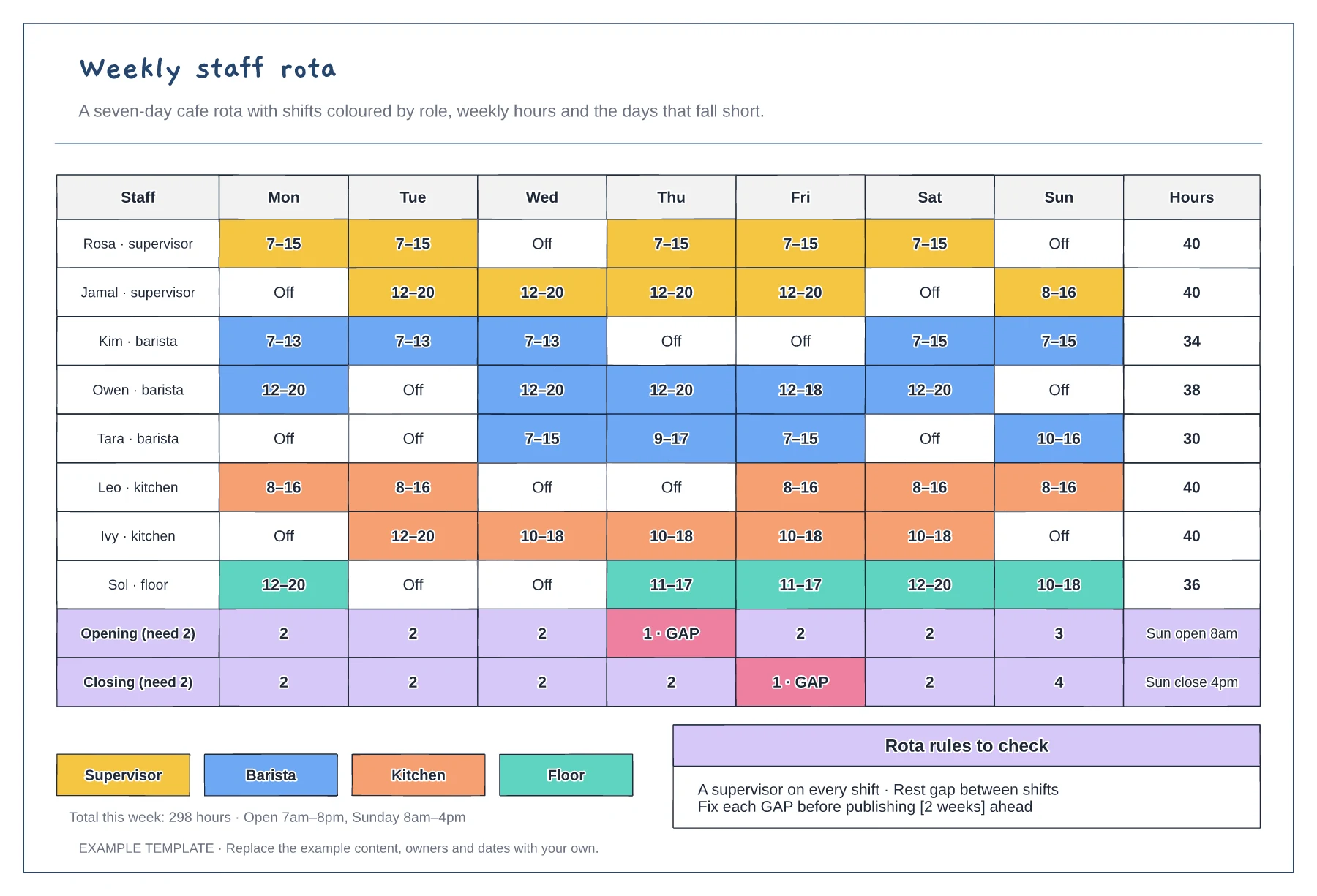
Mon to Sun shifts coloured by role · Weekly hours per person · Opening and closing cover with gaps flagged
Preview and use template →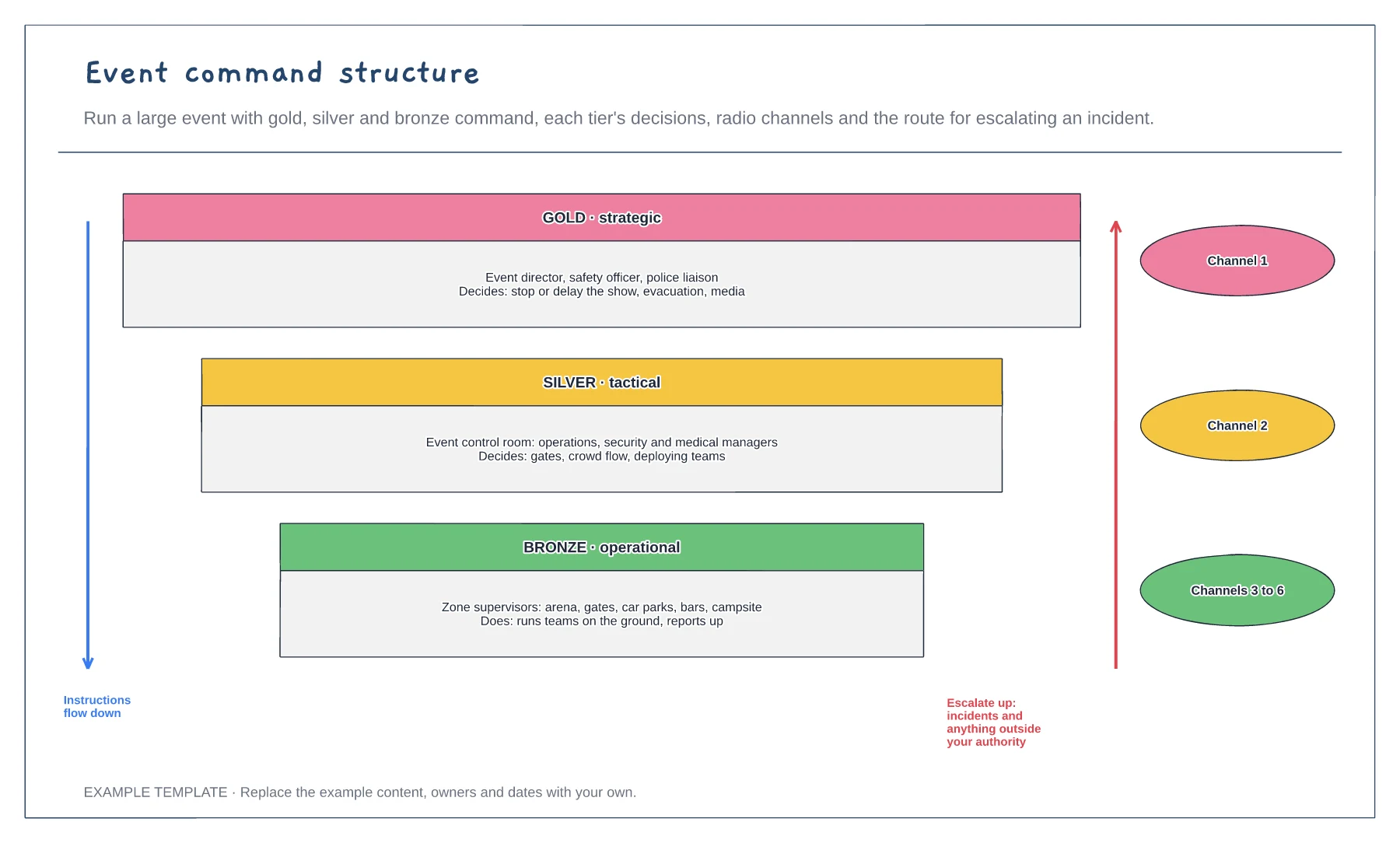
Gold, silver and bronze tiers · Decisions each tier can make · Radio channels and escalation route
Preview and use template →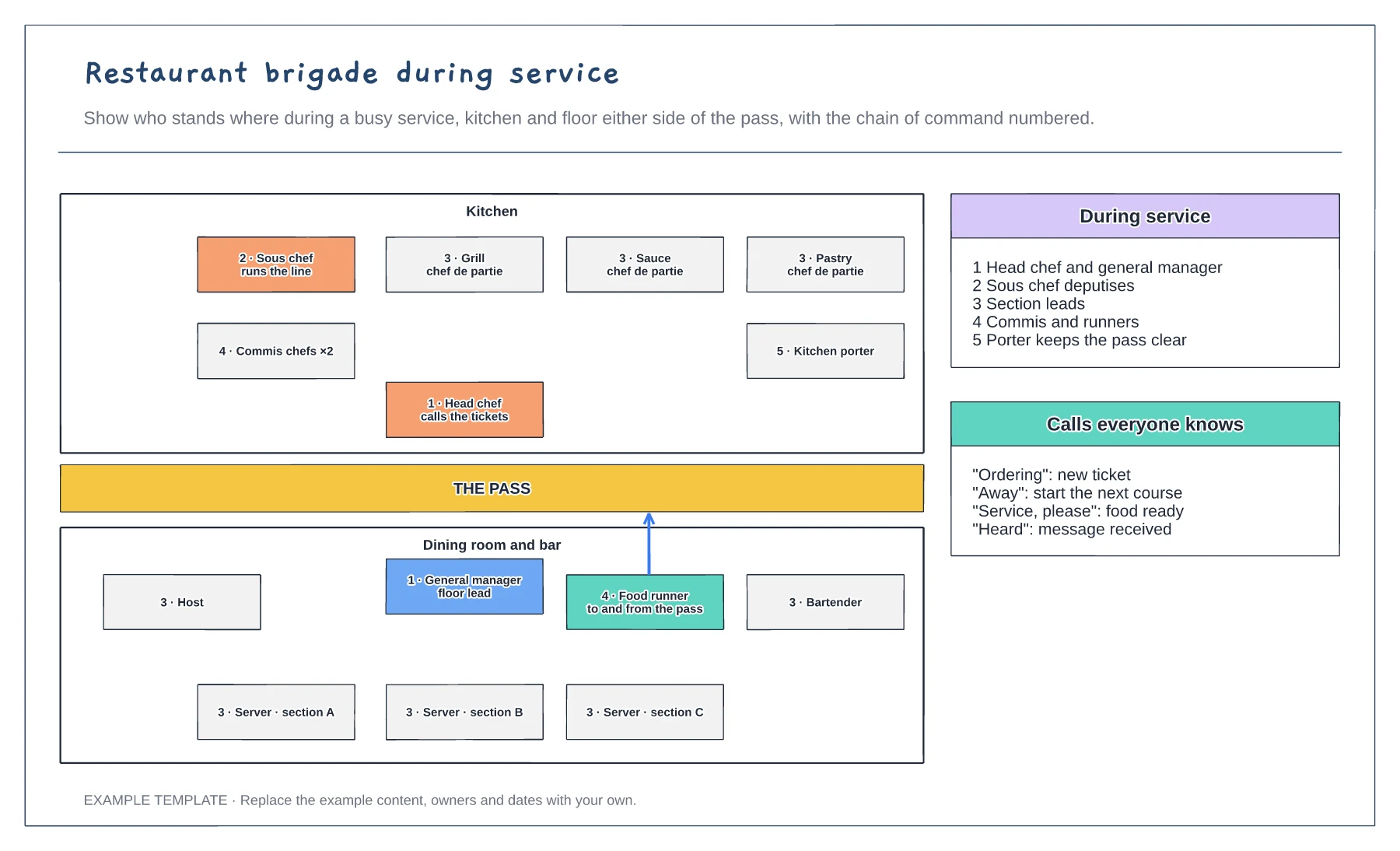
Kitchen and floor either side of the pass · Chain of command numbered · Service calls everyone knows
Preview and use template →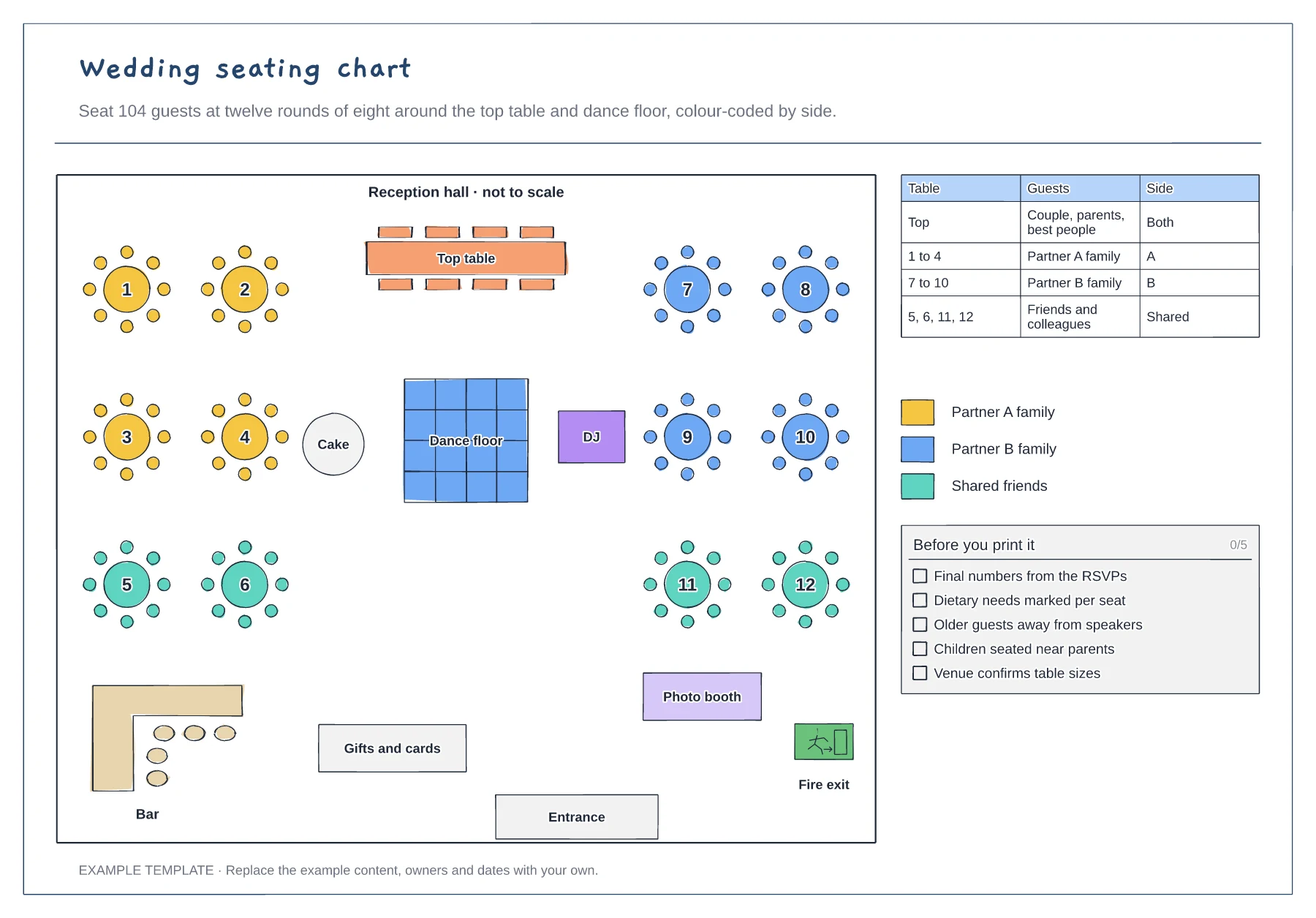
Top table, dance floor, bar and exits · Twelve numbered rounds of eight · Guest table and colour key by side
Preview and use template →