Healthcare
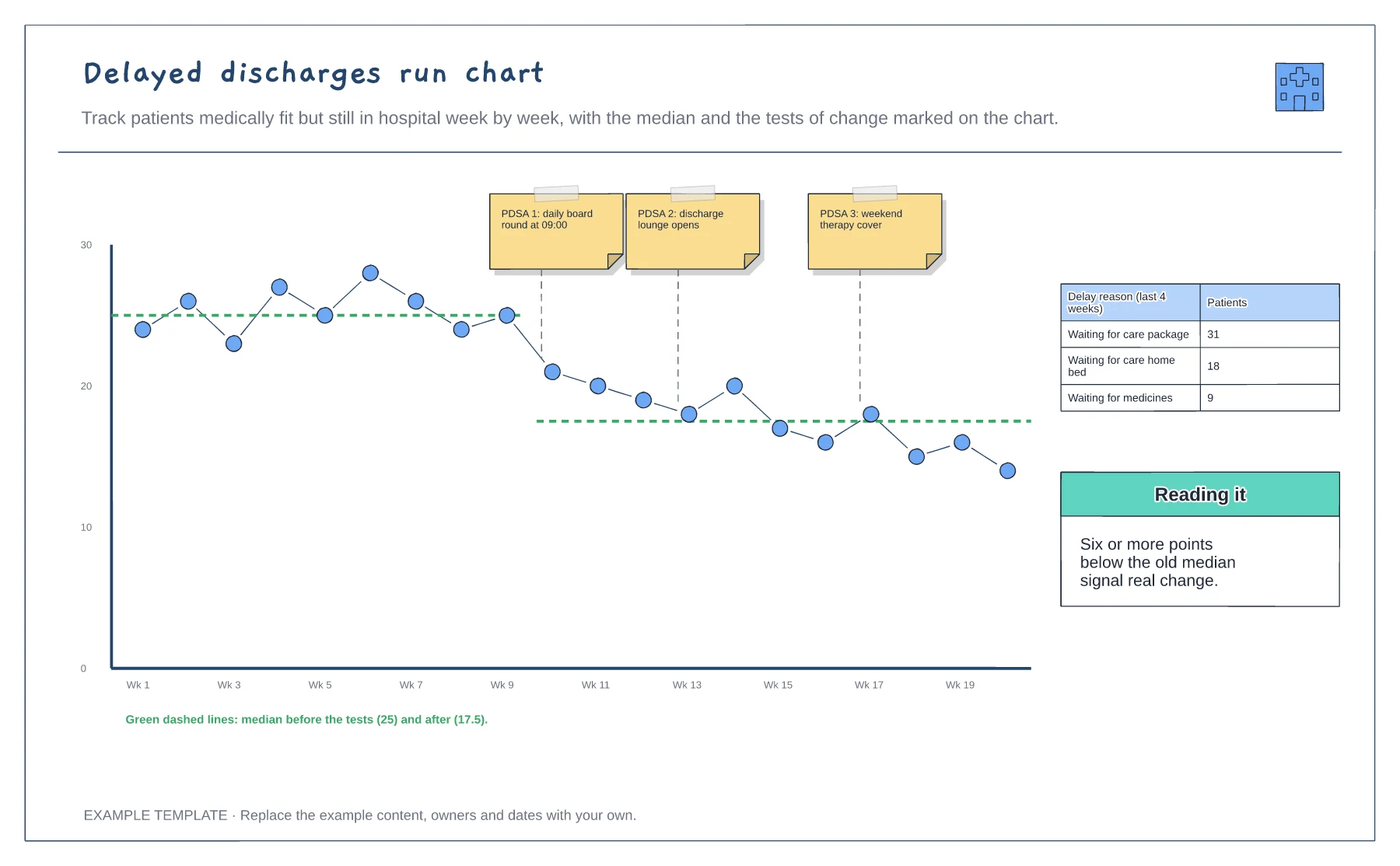
Delayed discharges run chart template
Weekly counts over 20 weeks · Tests of change marked on the chart · Medians before and after, and delay reasons
Preview and use template →A discharge swimlane shows who does what on the day a patient goes home, so delays at each handover are easier to spot. This example puts the ward doctor, ward nurse, pharmacy, discharge coordinator and family in their own lanes, from the ward round decision to TTOs, transport and the patient leaving the ward.
This is a planning example for process improvement, not clinical guidance. Follow your organisation's policies and clinical protocols.
No account needed · Opens as your own editable page
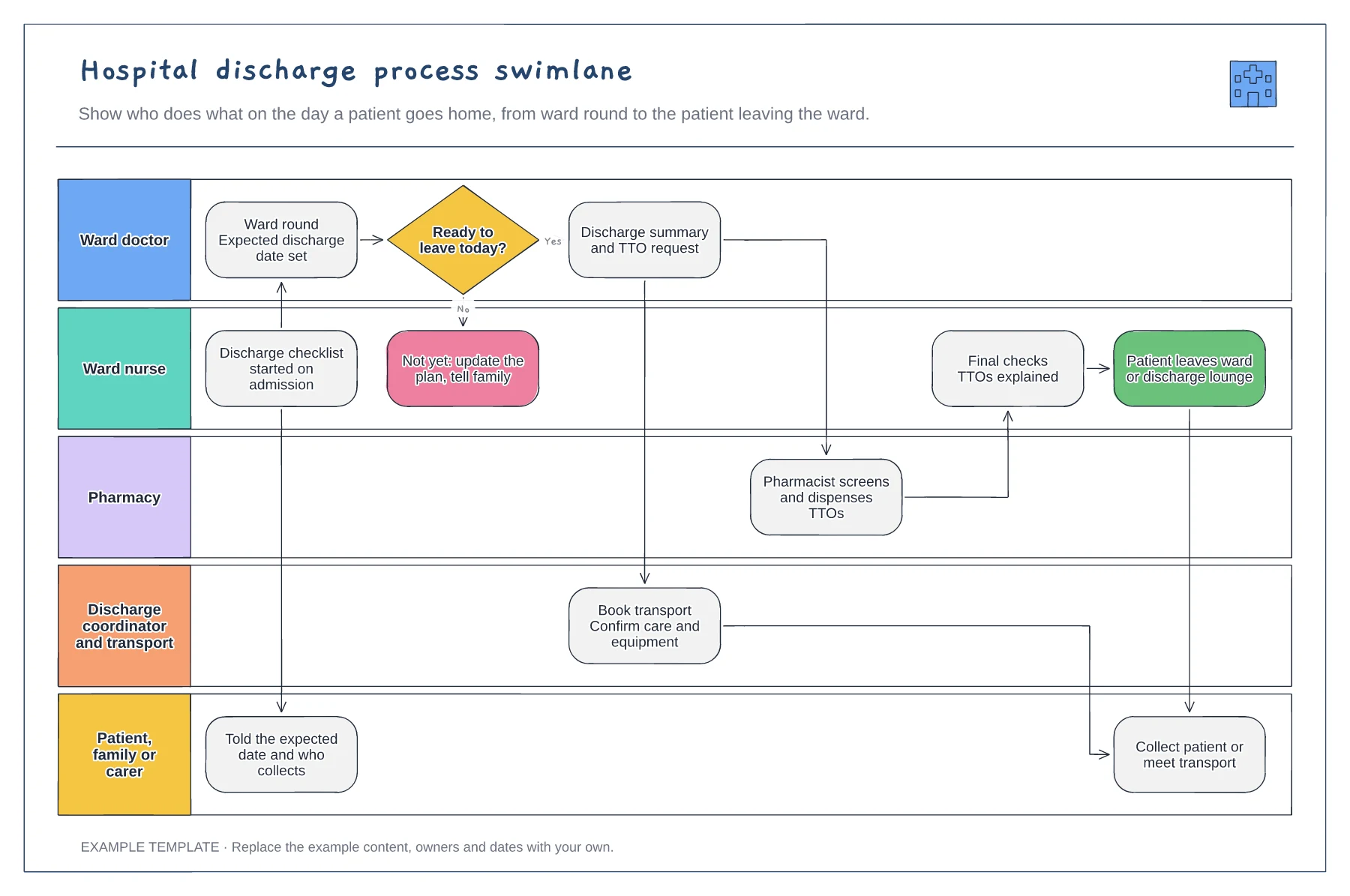
Rename the lanes for the roles on your ward. Add a lane for therapy, social care or a discharge lounge if they take part, because a step with no clear owner is usually the one that waits.
Trace one recent discharge and move the boxes to match what happened and roughly when. Seeing that TTOs were requested after transport was booked tells you more than a general complaint about delays.
Write the time each handover usually happens beside it, such as when the summary is written or the TTO reaches pharmacy. Those times give the team a baseline to improve against.
Yes. Copy an existing lane, rename it and move the handover boxes into it, so every step on the discharge has a clear owner.
No. Open the template and edit it in your browser. Your work saves on this device. An account is optional if you want to sync your workspace.
Yes. Use Export in the editor to save a PNG, SVG or PDF, or download an editable .epicdraw backup.
Weekly counts over 20 weeks · Tests of change marked on the chart · Medians before and after, and delay reasons
Preview and use template →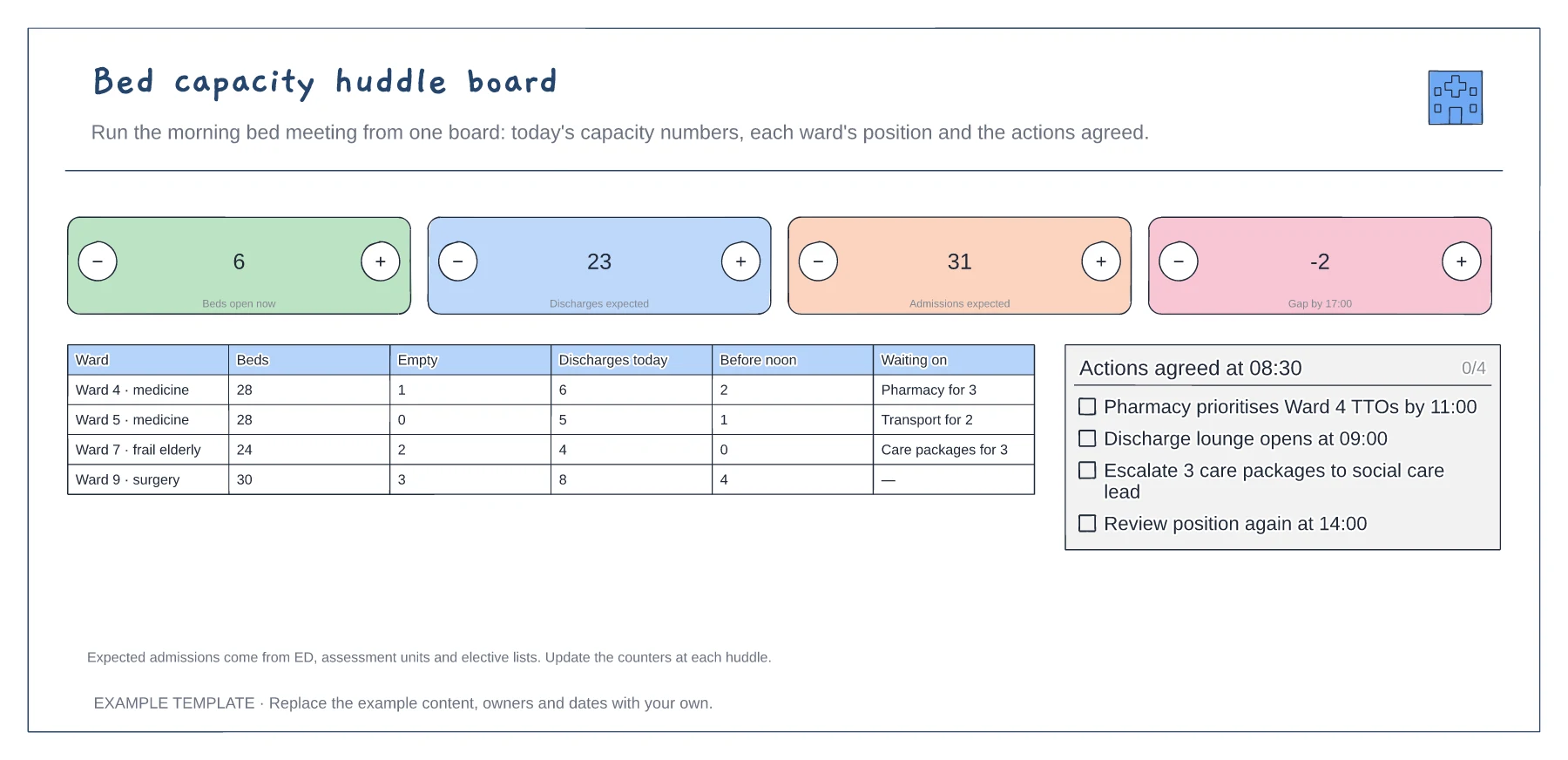
Four headline capacity counts · Ward-by-ward position · Actions agreed at the huddle
Preview and use template →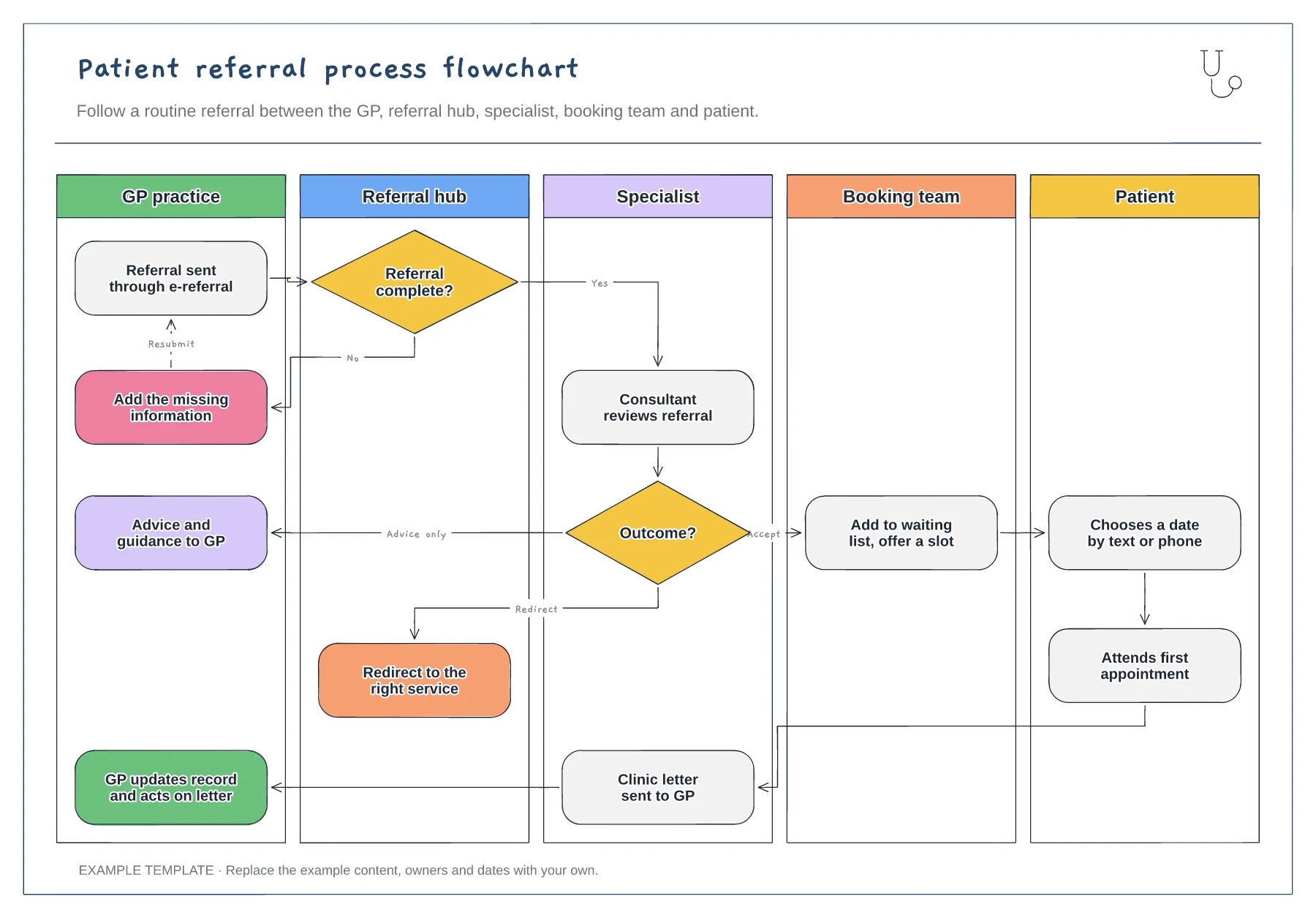
Five vertical swimlanes · Completeness check with resubmit loop · Accept, advice-only and redirect outcomes
Preview and use template →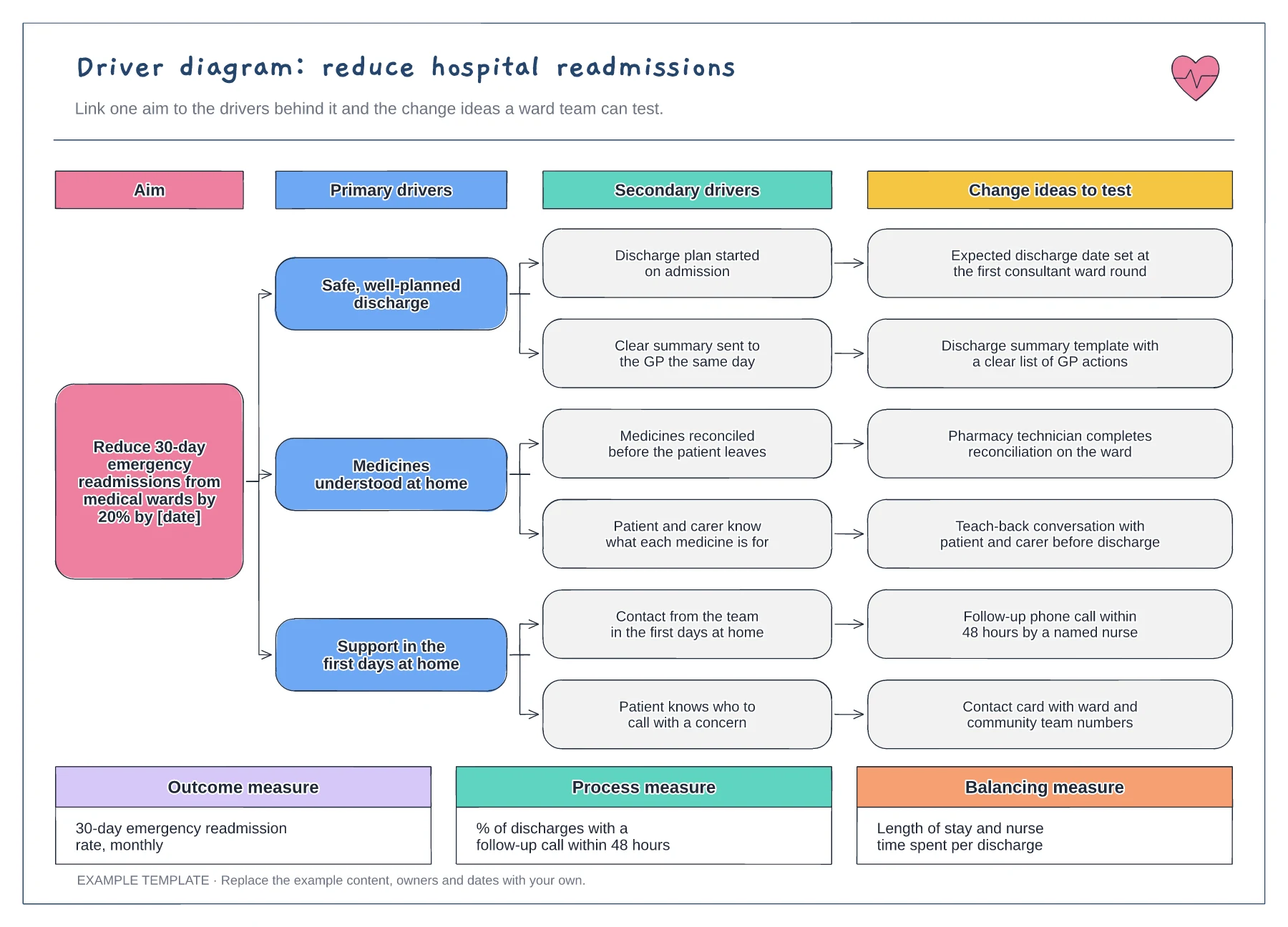
Aim with a target and date · Primary and secondary drivers · Change ideas and three types of measure
Preview and use template →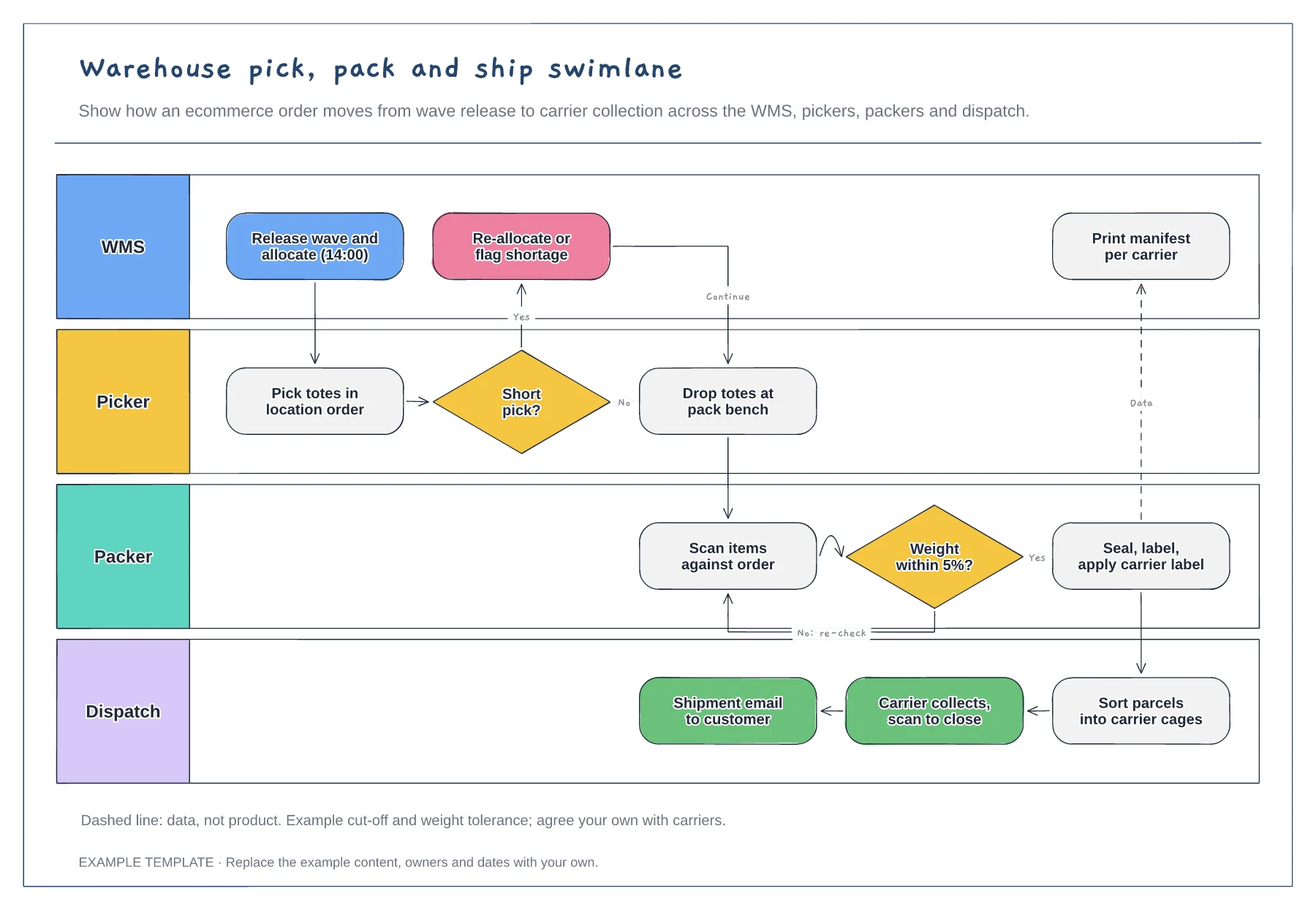
Lanes for WMS, picker, packer and dispatch · Short-pick and weight-check decisions · Data handoff for the carrier manifest
Preview and use template →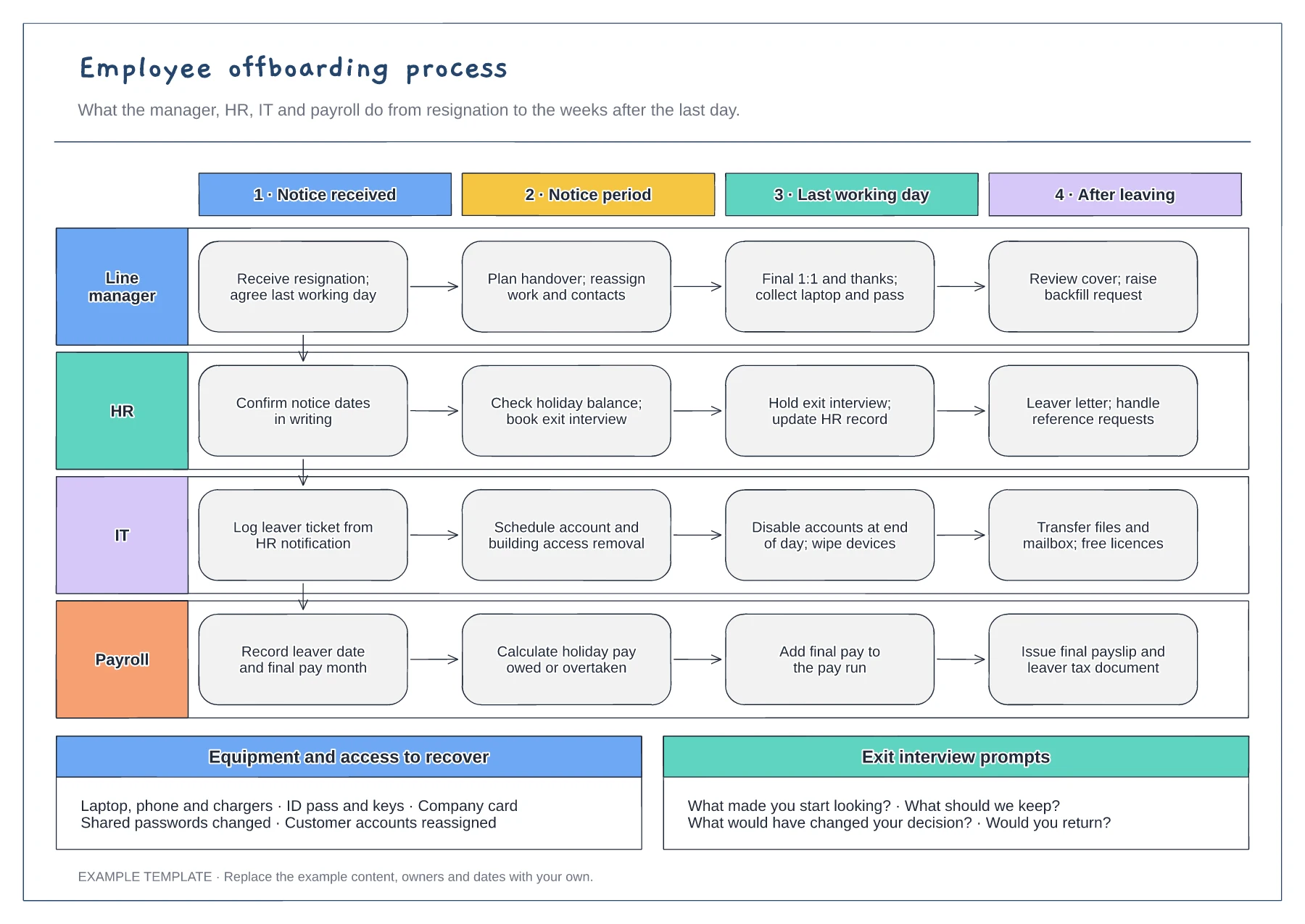
Manager, HR, IT and payroll lanes · Four stages from notice to after leaving · Equipment checklist and exit questions
Preview and use template →