
HR
Employee onboarding checklist template
Before-start preparation · Day-one and first-week activities · First-month review
Preview and use template →An offboarding process flowchart makes sure nothing is missed when someone leaves, from the resignation letter to the final payslip. This example lays out four teams, the line manager, HR, IT and payroll, across four stages: notice received, the notice period, the last working day and the weeks after leaving.
No account needed · Opens as your own editable page
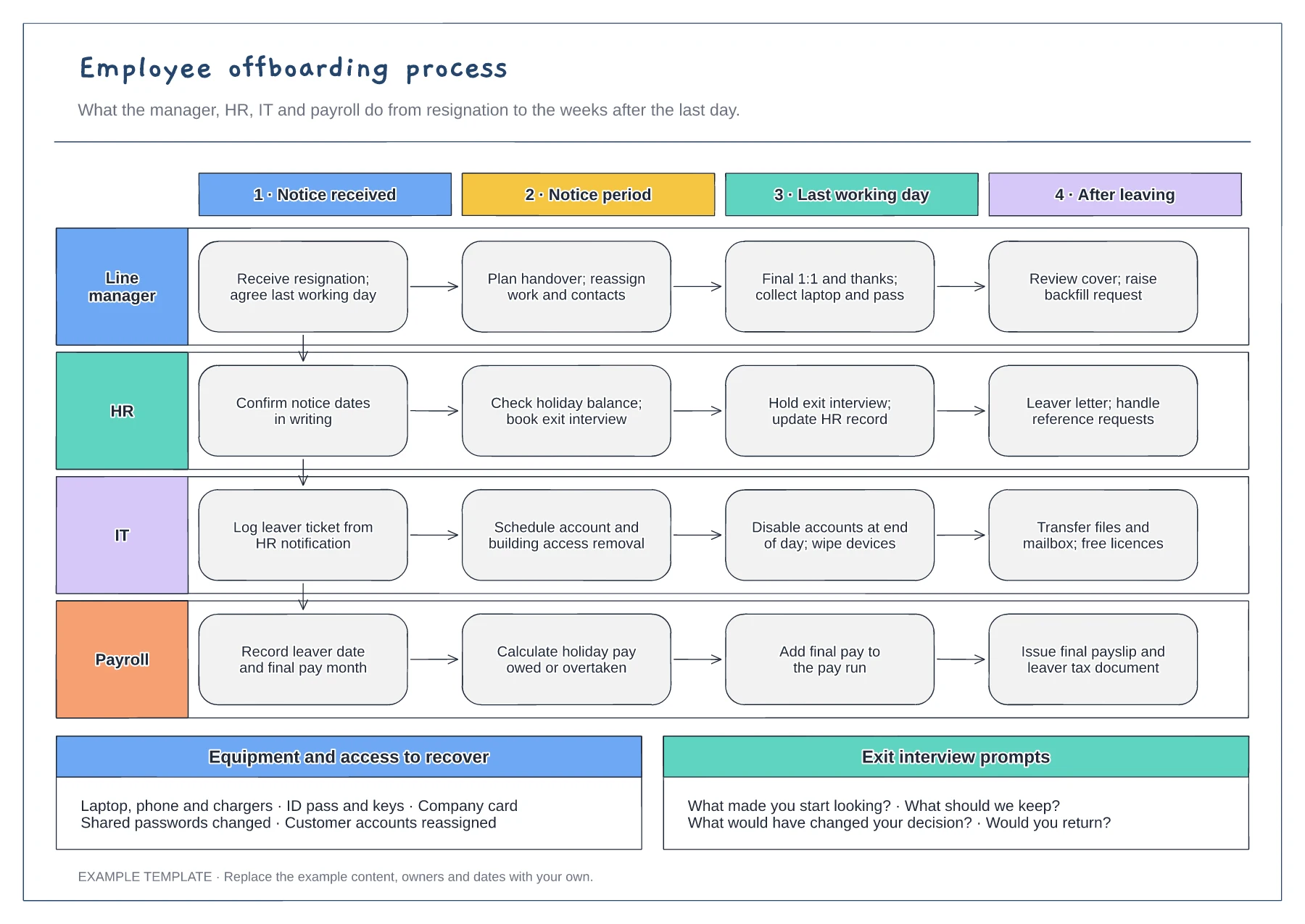
The first column shows the notification chain from manager to HR, IT and payroll. Name the system or inbox used for each step, because most offboarding gaps start with a team that was never told.
Agree when accounts are disabled, usually at the end of the last day. Removing access too early disrupts the handover; removing it late leaves a security risk.
Check that payroll knows about holiday owed or overtaken leave before the final pay run. Add your retention rules for personnel records so HR knows what to keep and for how long.
Yes. The equipment and exit interview prompts are editable, so add or remove items and tick them off as each one is returned or done.
No. Open the template and edit it in your browser. Your work saves on this device. An account is optional if you want to sync your workspace.
Yes. Use Export in the editor to save a PNG, SVG or PDF, or download an editable .epicdraw backup.
Before-start preparation · Day-one and first-week activities · First-month review
Preview and use template →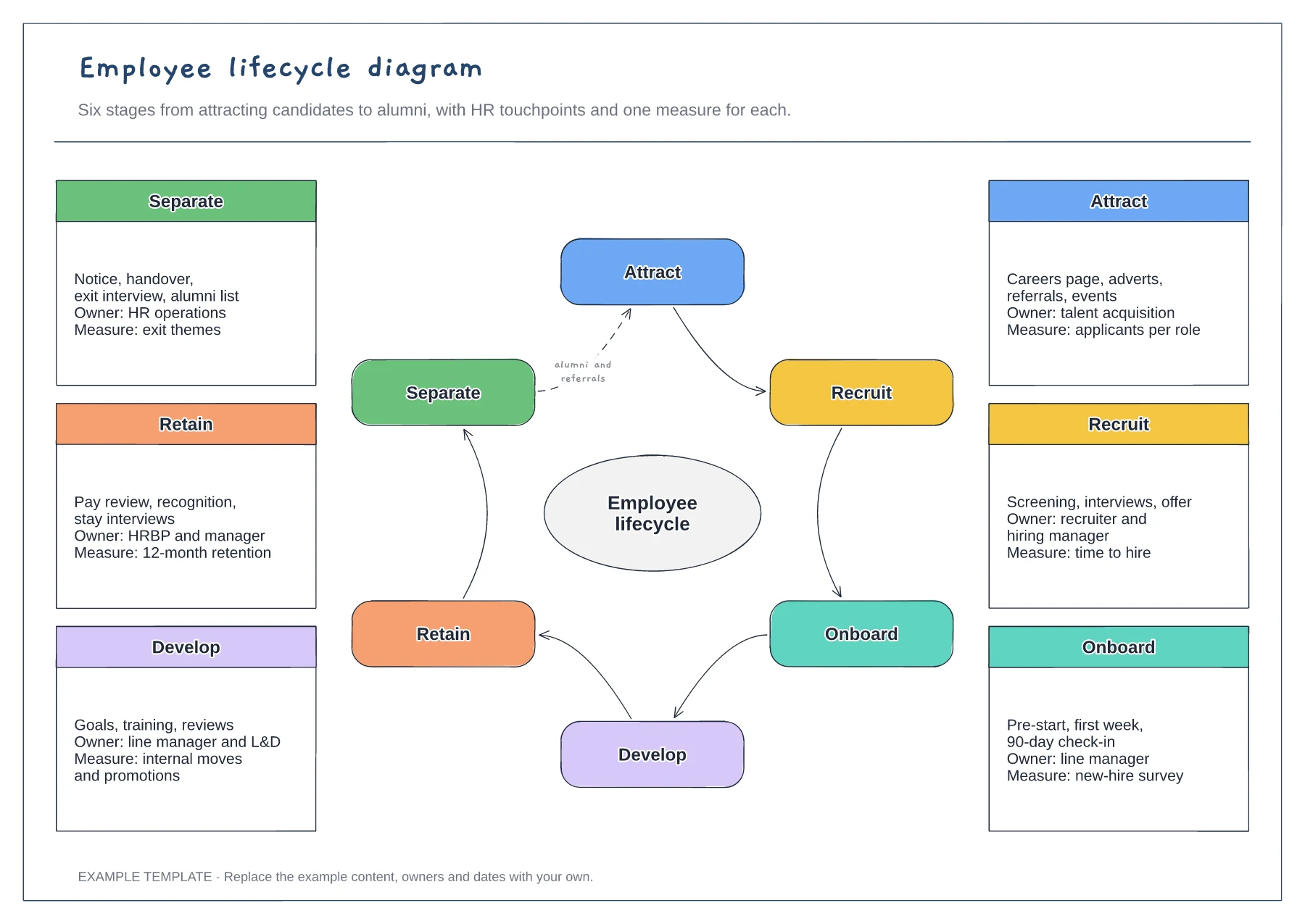
Six stages arranged in a cycle · Touchpoints and owner for each stage · One measure per stage
Preview and use template →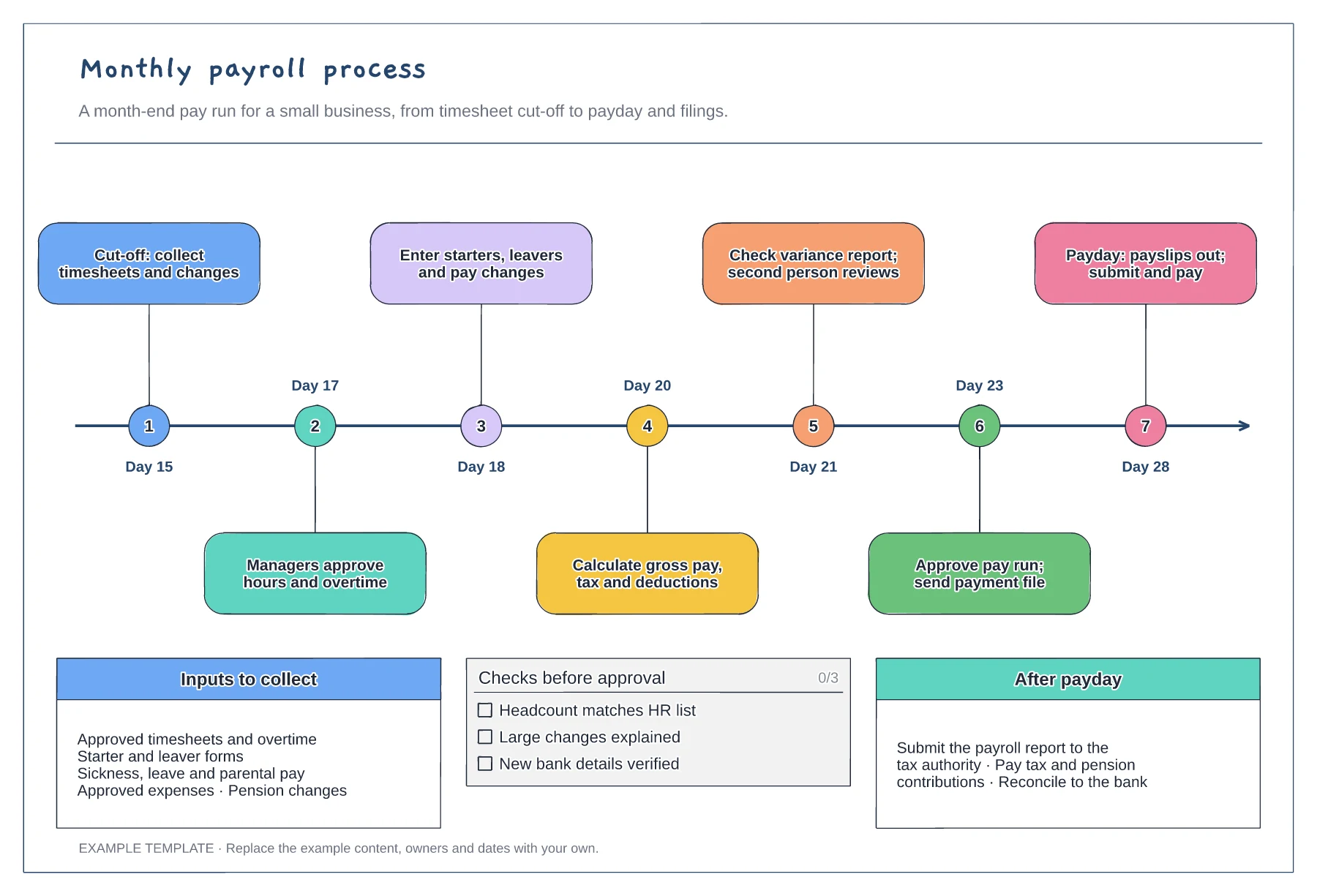
Month-end timeline with seven steps · Inputs to collect before cut-off · Pre-approval checks and after-payday tasks
Preview and use template →
First-line triage and impact check · Specialist ownership and investigation · Customer updates and closure
Preview and use template →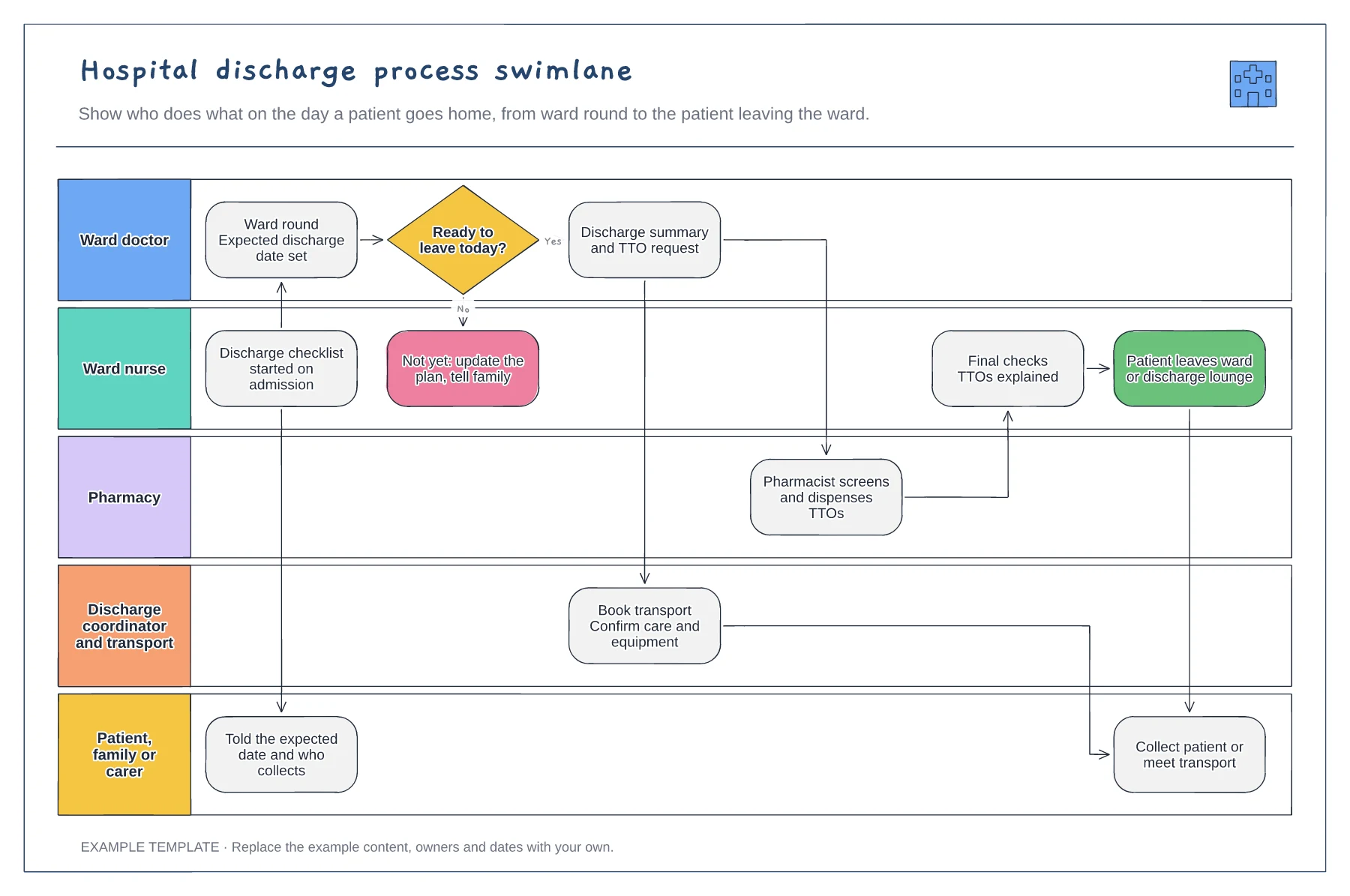
Five lanes from ward doctor to family · Ready-to-leave decision with a not-yet path · TTO, transport and final-check handovers
Preview and use template →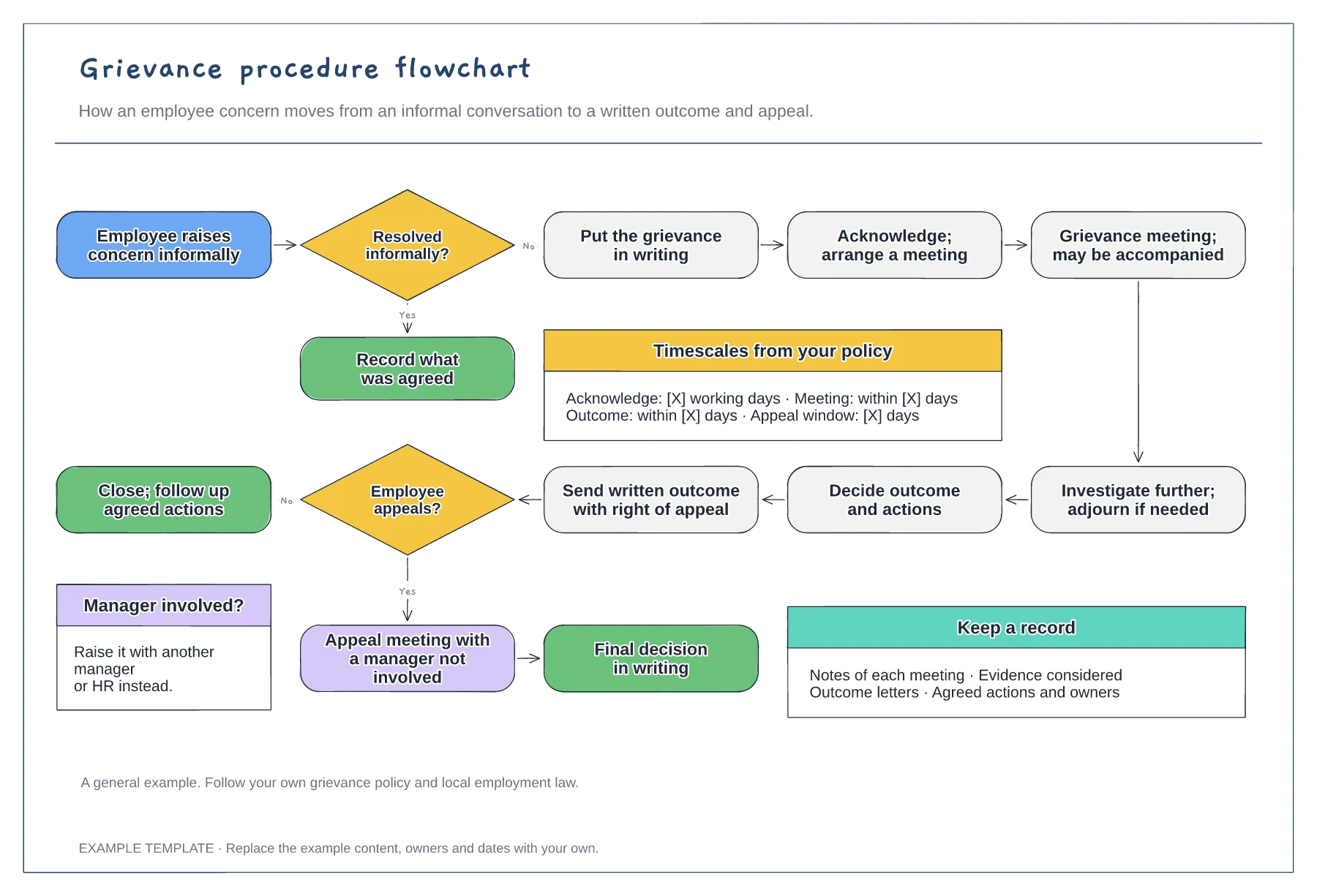
Informal and formal routes · Meeting, investigation and written outcome · Appeal and timescales from your policy
Preview and use template →