Healthcare
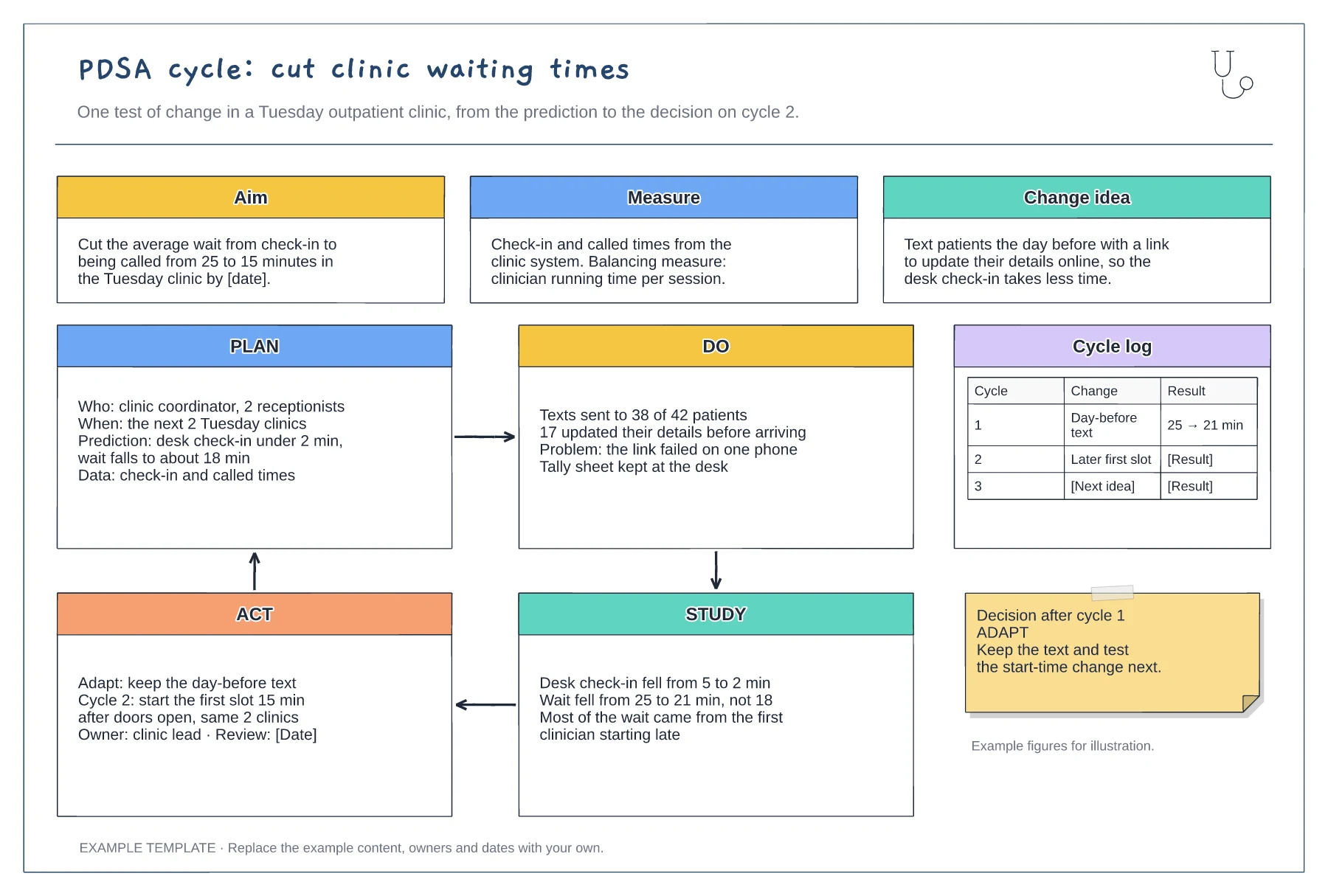
PDSA cycle example: clinic waiting times template
Aim, measure and change idea · Filled-in Plan, Do, Study and Act panels · Cycle log and decision note
Preview and use template →A driver diagram connects an improvement aim to the things that influence it and the changes a team could test. This example works through reducing 30-day emergency readmissions from medical wards, with three primary drivers, six secondary drivers, a change idea for each and the outcome, process and balancing measures.
This is a planning example for process improvement, not clinical guidance. Follow your organisation's policies and clinical protocols.
No account needed · Opens as your own editable page
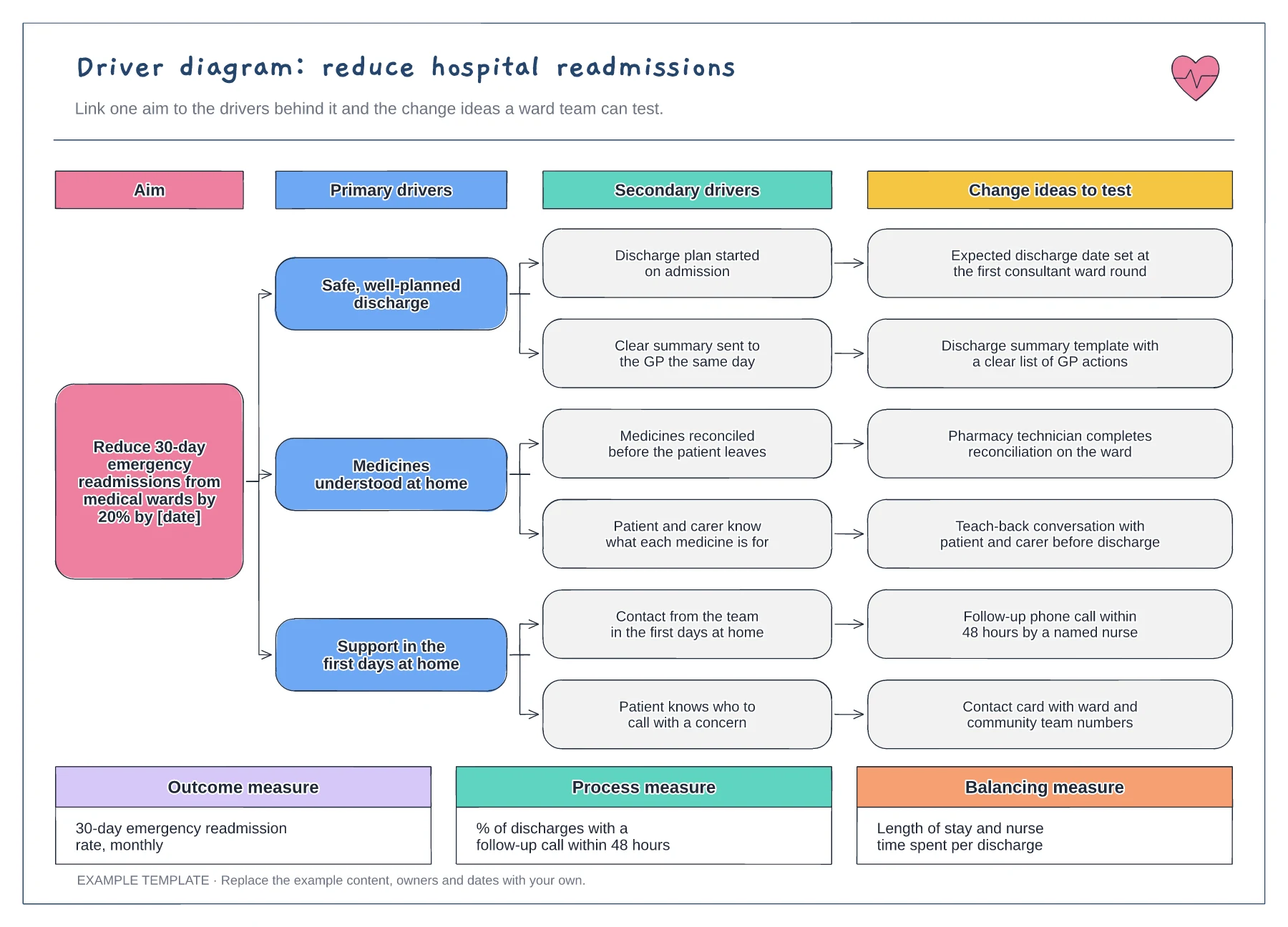
State what will improve, by how much and by when. A specific aim helps the team agree which drivers matter and stops the diagram growing into a list of everything that might help.
For each secondary driver, ask the staff who do the work what change they could test. Change ideas that come from the ward are more likely to be tried than ideas handed down.
Check that each change idea has a process measure you can collect. Keep the outcome measure on the board too, so the team can see whether the tests are adding up to the aim.
Start with the aim, then follow each primary driver to its secondary drivers and on to the change ideas that act on them. The measures show how you will know each change is working.
No. Open the template and edit it in your browser. Your work saves on this device. An account is optional if you want to sync your workspace.
Yes. Use Export in the editor to save a PNG, SVG or PDF, or download an editable .epicdraw backup.
Aim, measure and change idea · Filled-in Plan, Do, Study and Act panels · Cycle log and decision note
Preview and use template →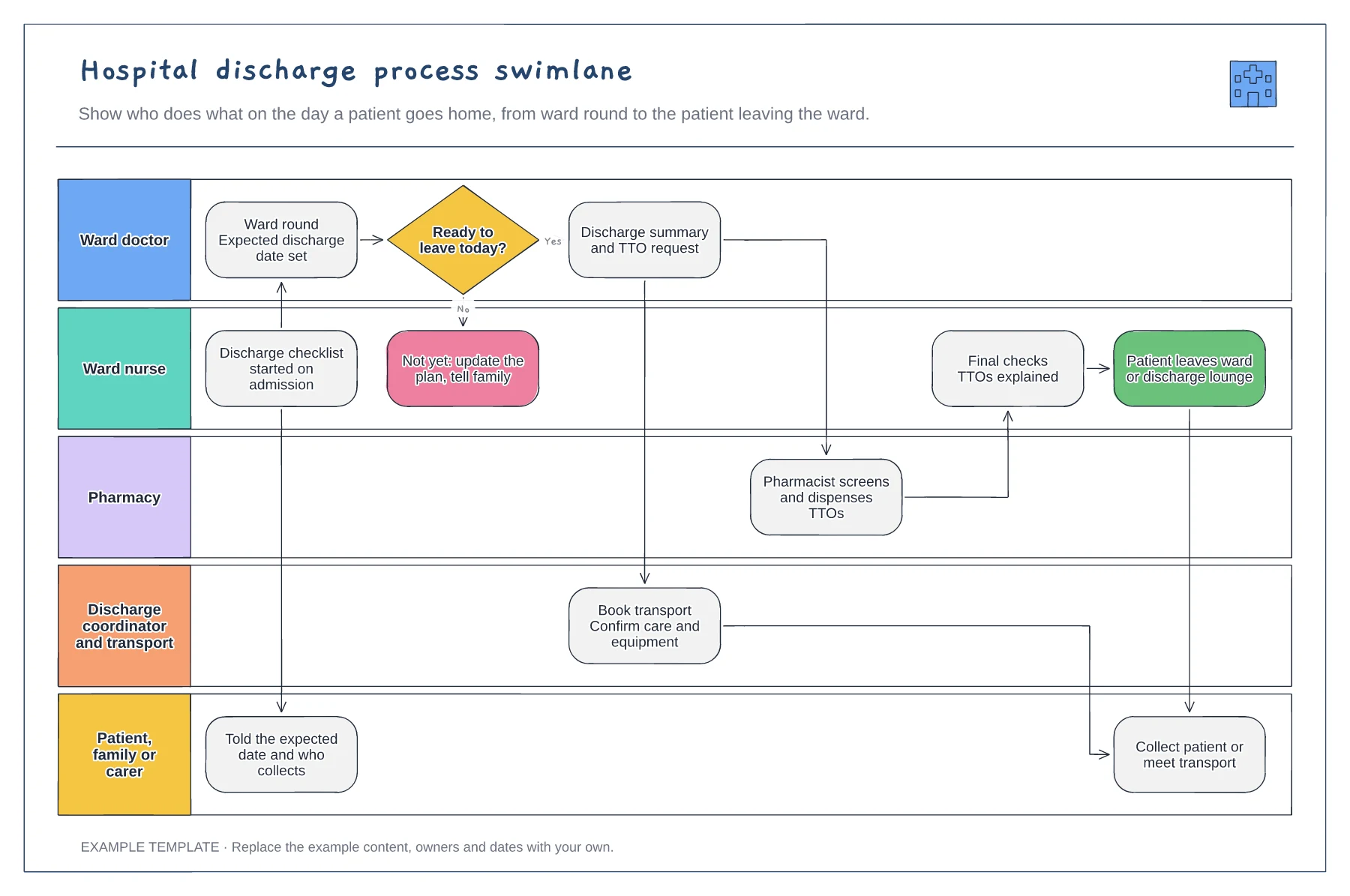
Five lanes from ward doctor to family · Ready-to-leave decision with a not-yet path · TTO, transport and final-check handovers
Preview and use template →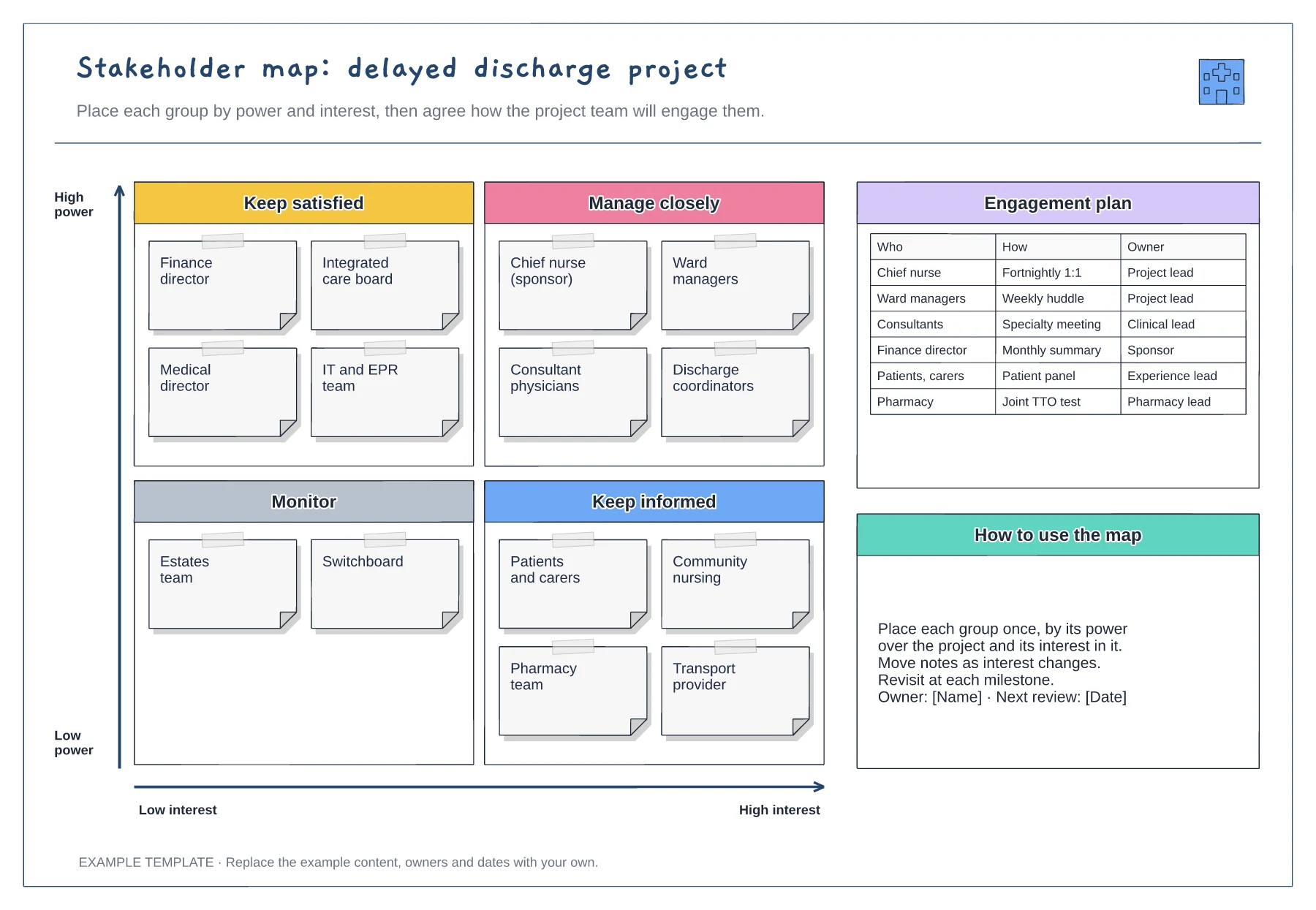
Power and interest grid · Stakeholder notes in four quadrants · Engagement plan with owners
Preview and use template →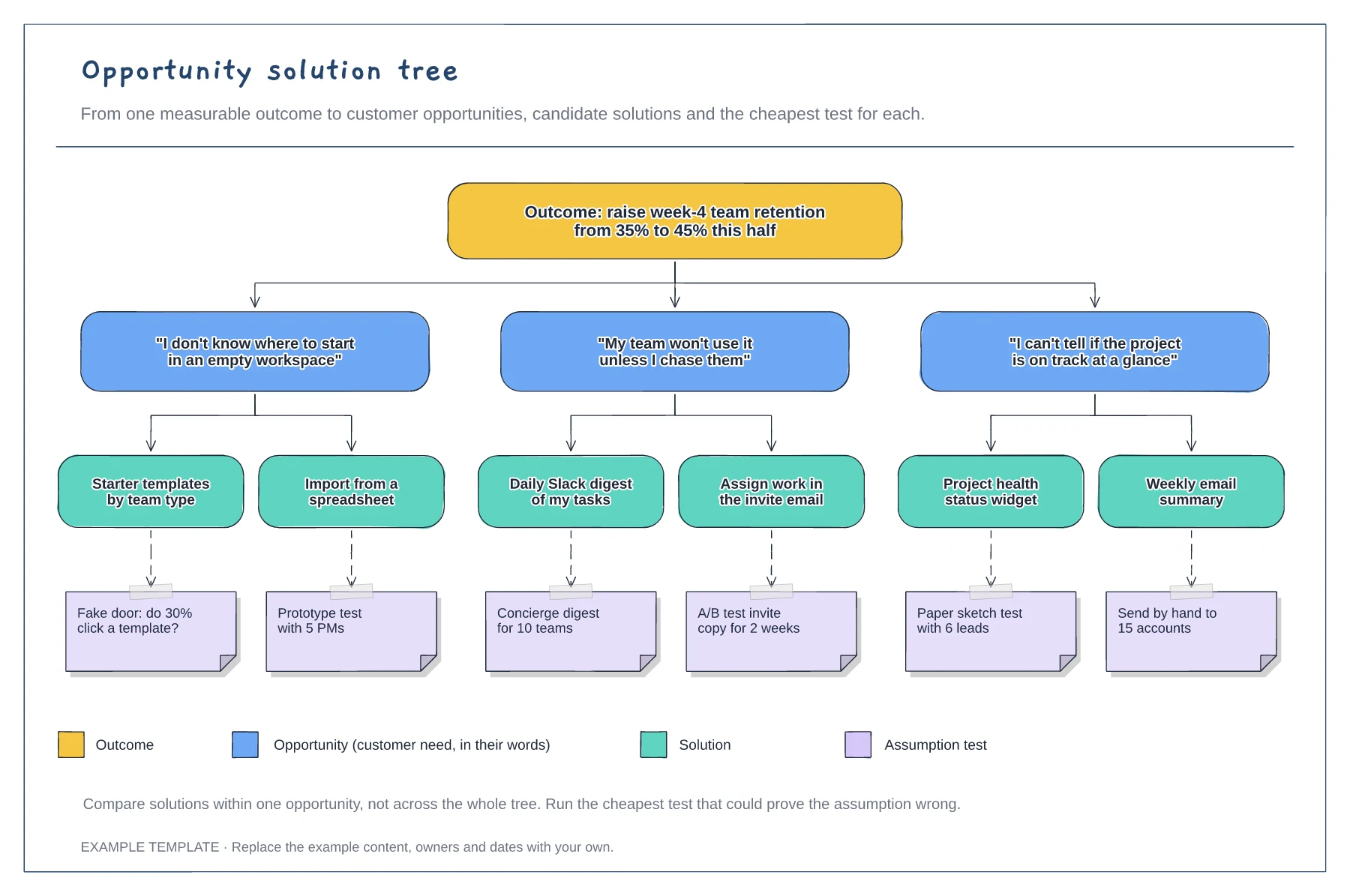
A measurable outcome at the top · Opportunities phrased as customer quotes · Solutions with assumption tests and a legend
Preview and use template →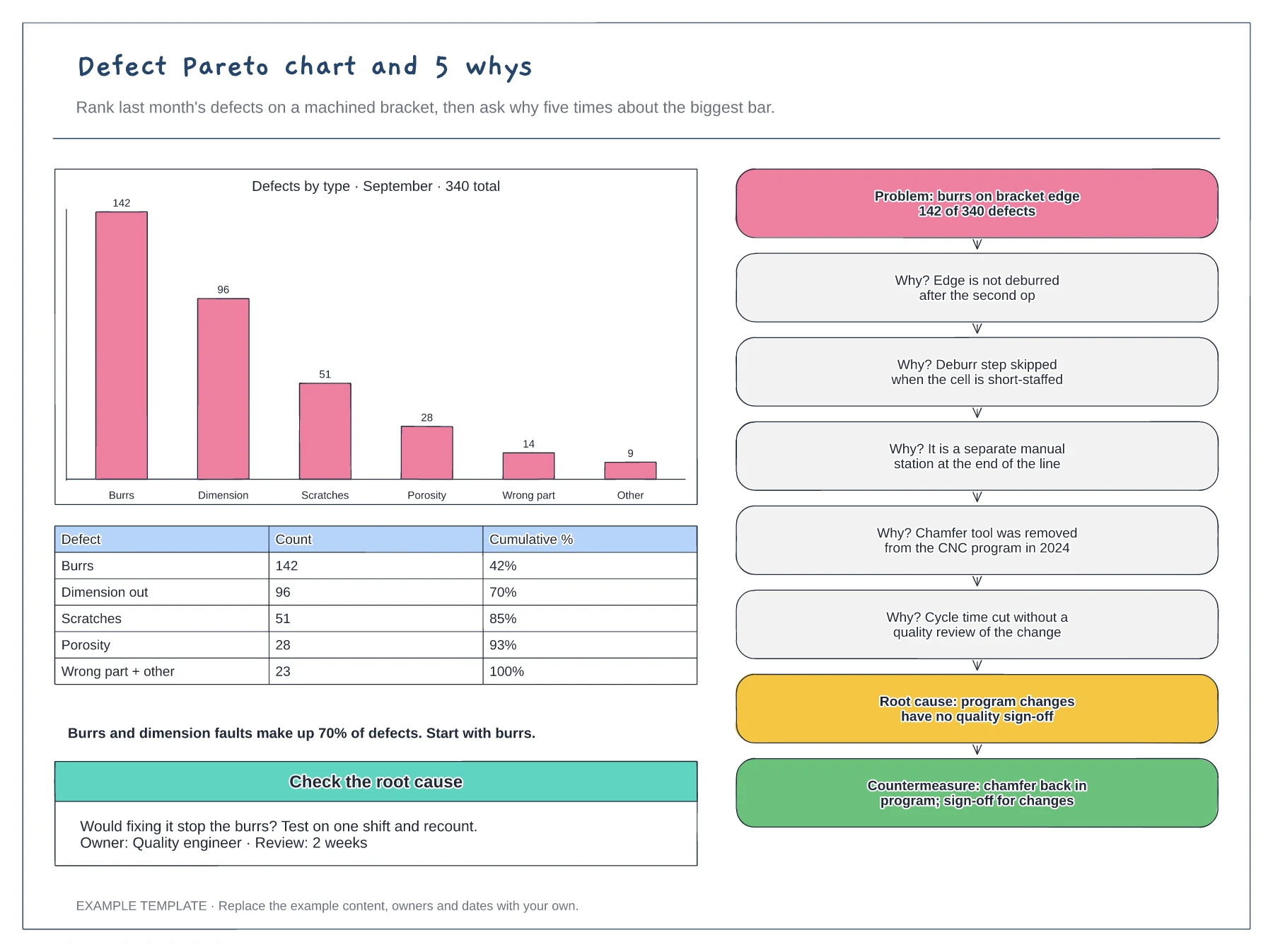
Pareto bar chart and cumulative table · 5 whys ladder from problem to root cause · Countermeasure and a check of the cause
Preview and use template →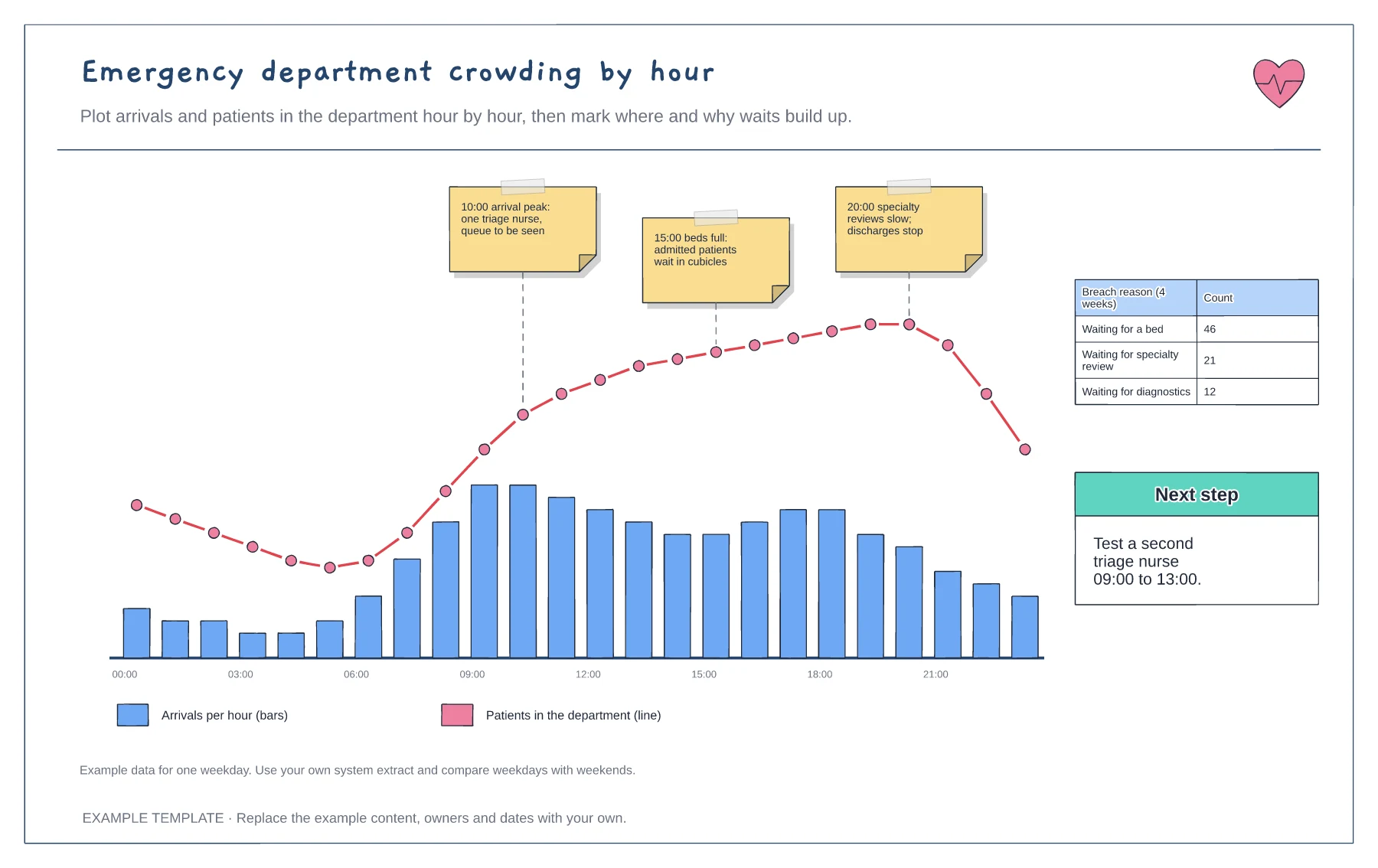
Arrivals per hour and occupancy line · Annotated pressure points · Breach reason tally and next step
Preview and use template →