Healthcare
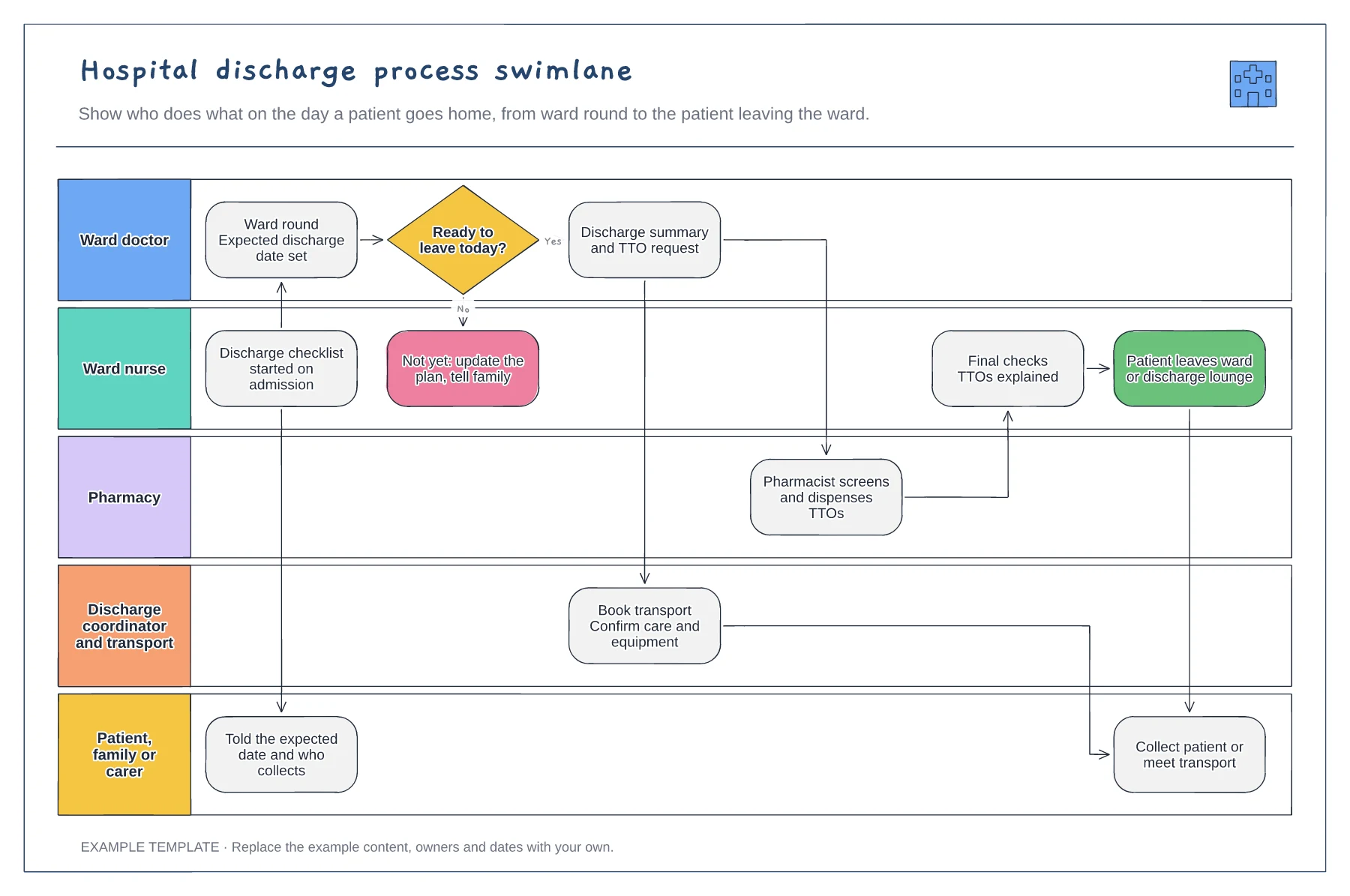
Hospital discharge process swimlane template
Five lanes from ward doctor to family · Ready-to-leave decision with a not-yet path · TTO, transport and final-check handovers
Preview and use template →A referral flowchart shows how a referral moves between organisations and teams, and where it can stall or bounce back. This example uses vertical lanes for the GP practice, referral hub, specialist, booking team and patient, covering incomplete referrals, three possible outcomes and the clinic letter back to the GP.
This is a planning example for process improvement, not clinical guidance. Follow your organisation's policies and clinical protocols.
No account needed · Opens as your own editable page
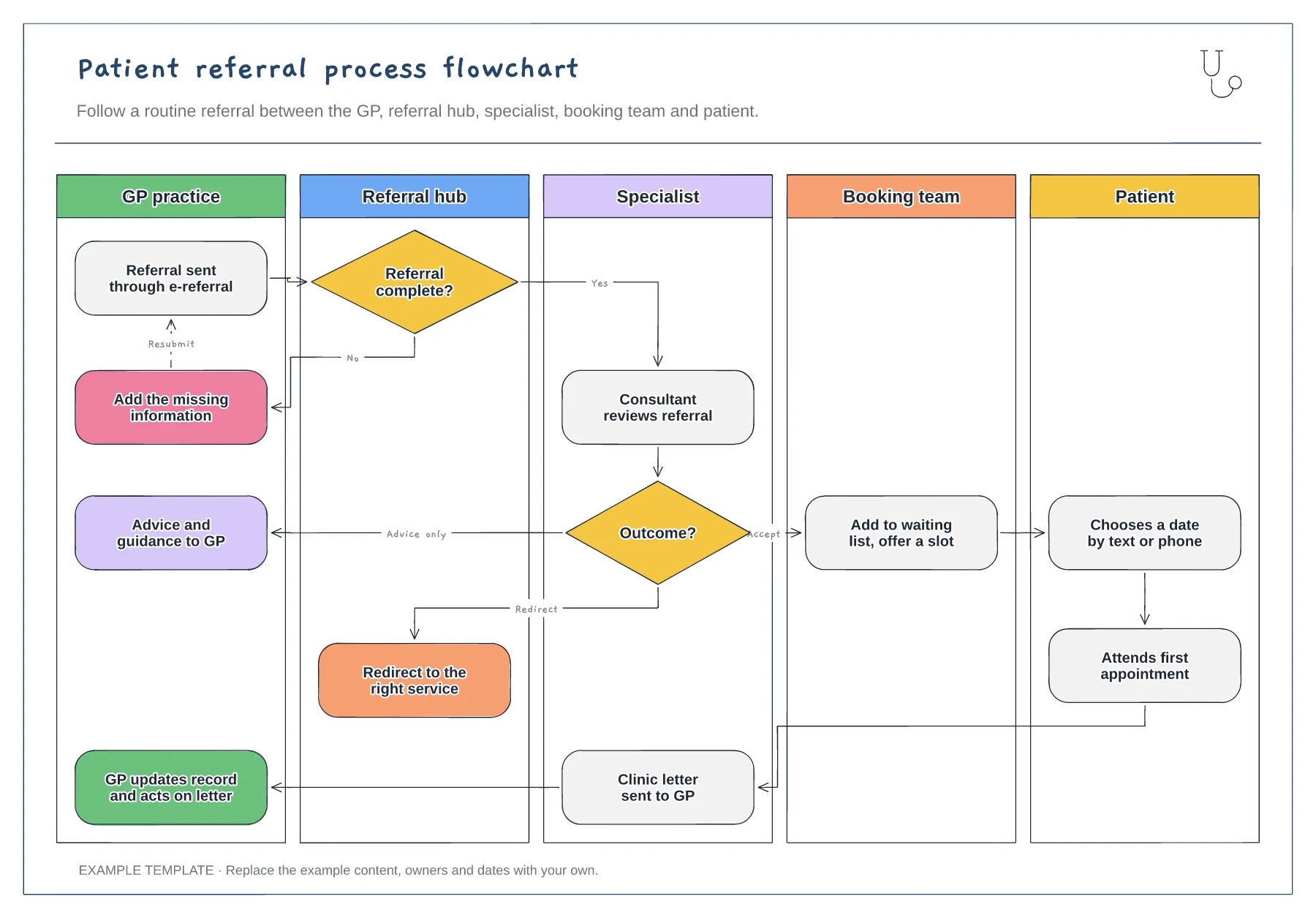
Rename the lanes for the teams involved, such as a single point of access or an independent provider. Remove the hub lane if referrals go straight to the specialist.
Agree the information a referral needs to pass the hub check and share it with referrers. Rejections for missing information add days, and a clear list is cheaper than a returned referral.
Check that every branch finishes with someone telling the patient and GP what happens next. Redirected referrals often lose the patient in the gap between services.
It is the route a referral takes when the hub finds it incomplete and sends it back to the GP. Add the common reasons beside it to show where referrals most often stall.
No. Open the template and edit it in your browser. Your work saves on this device. An account is optional if you want to sync your workspace.
Yes. Use Export in the editor to save a PNG, SVG or PDF, or download an editable .epicdraw backup.
Five lanes from ward doctor to family · Ready-to-leave decision with a not-yet path · TTO, transport and final-check handovers
Preview and use template →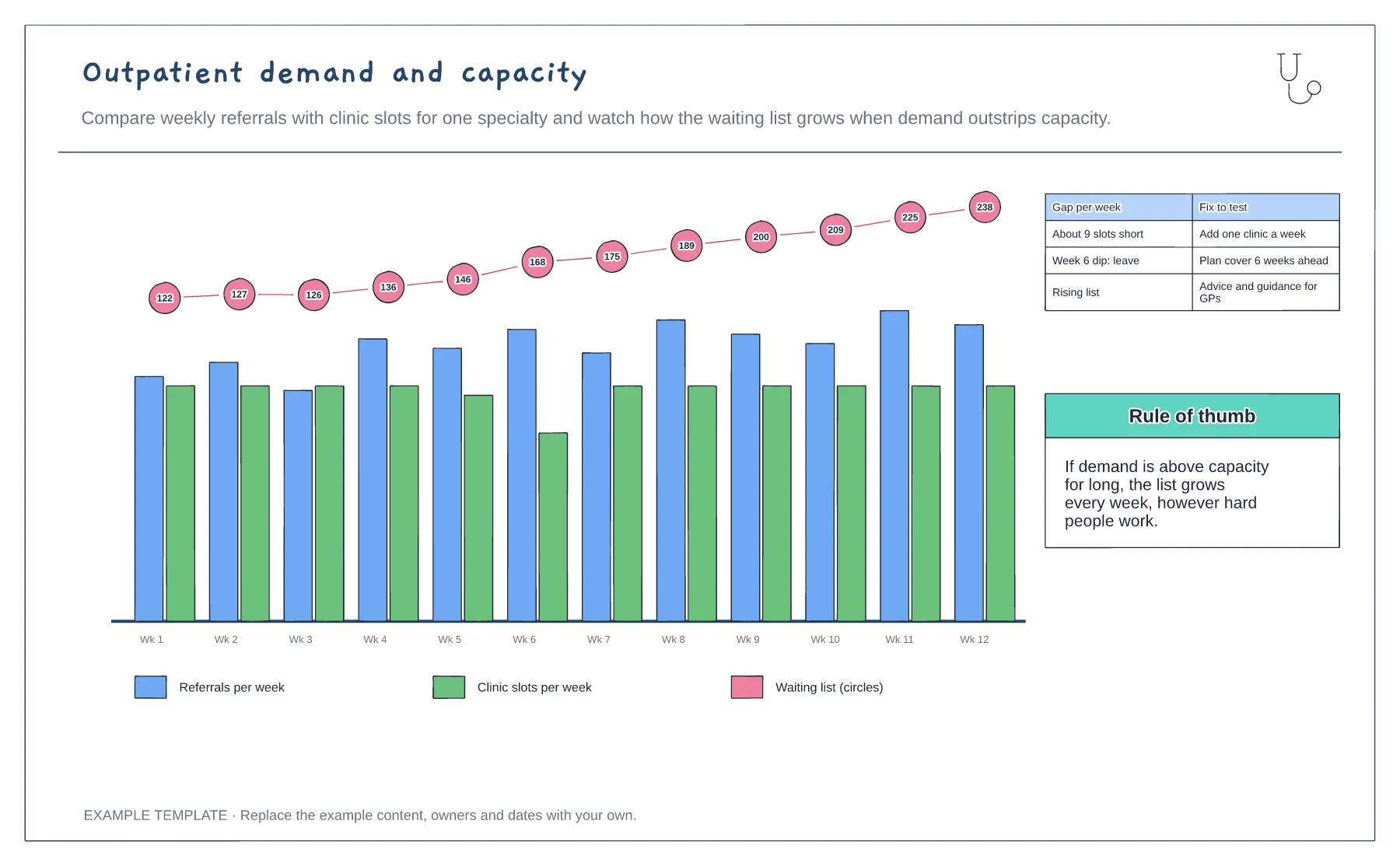
Weekly referrals and clinic slots · Waiting list growth · Gap and fixes to test
Preview and use template →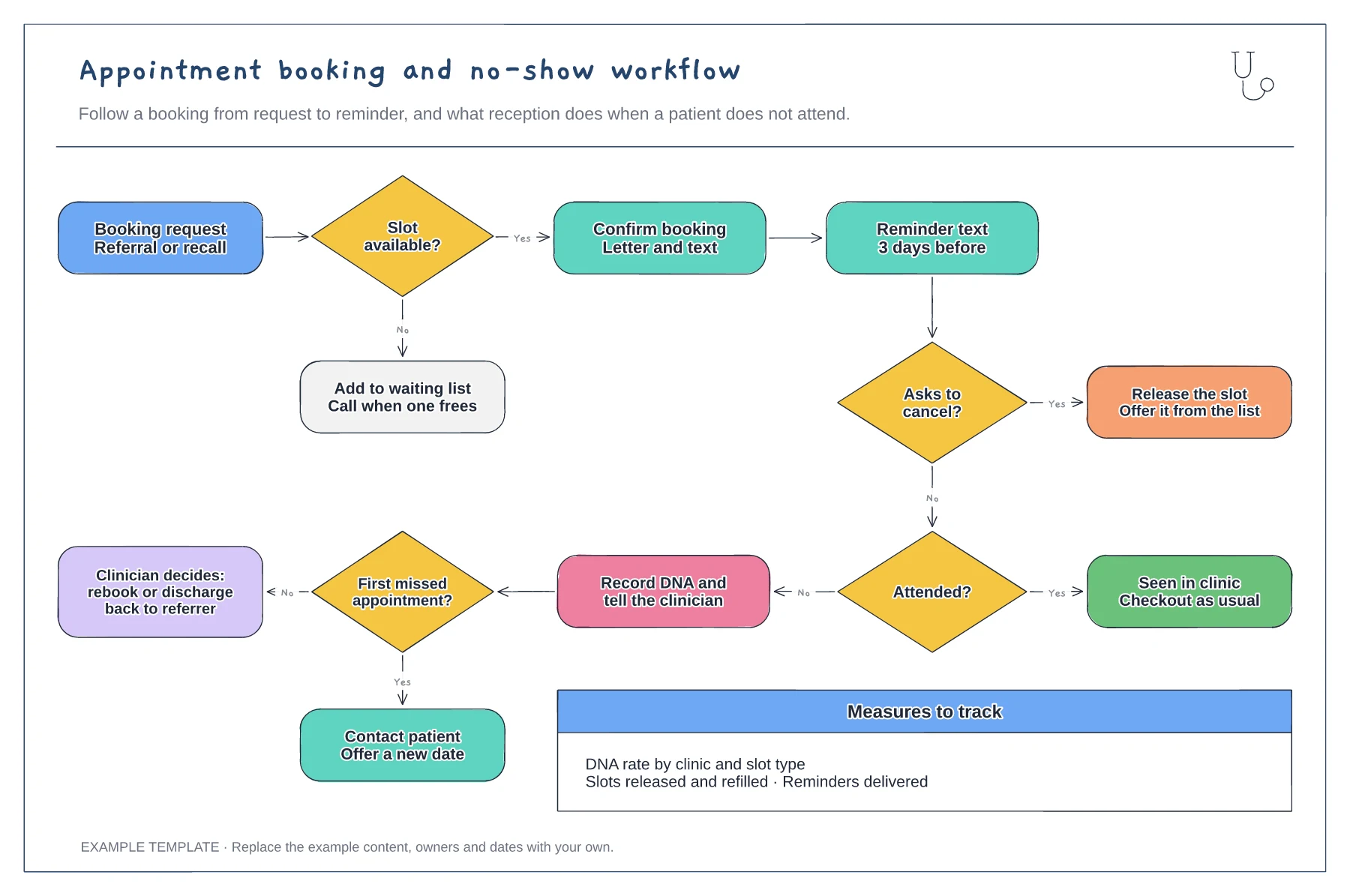
Booking, confirmation and reminder steps · Cancellation route that refills the slot · DNA route with rebook or discharge
Preview and use template →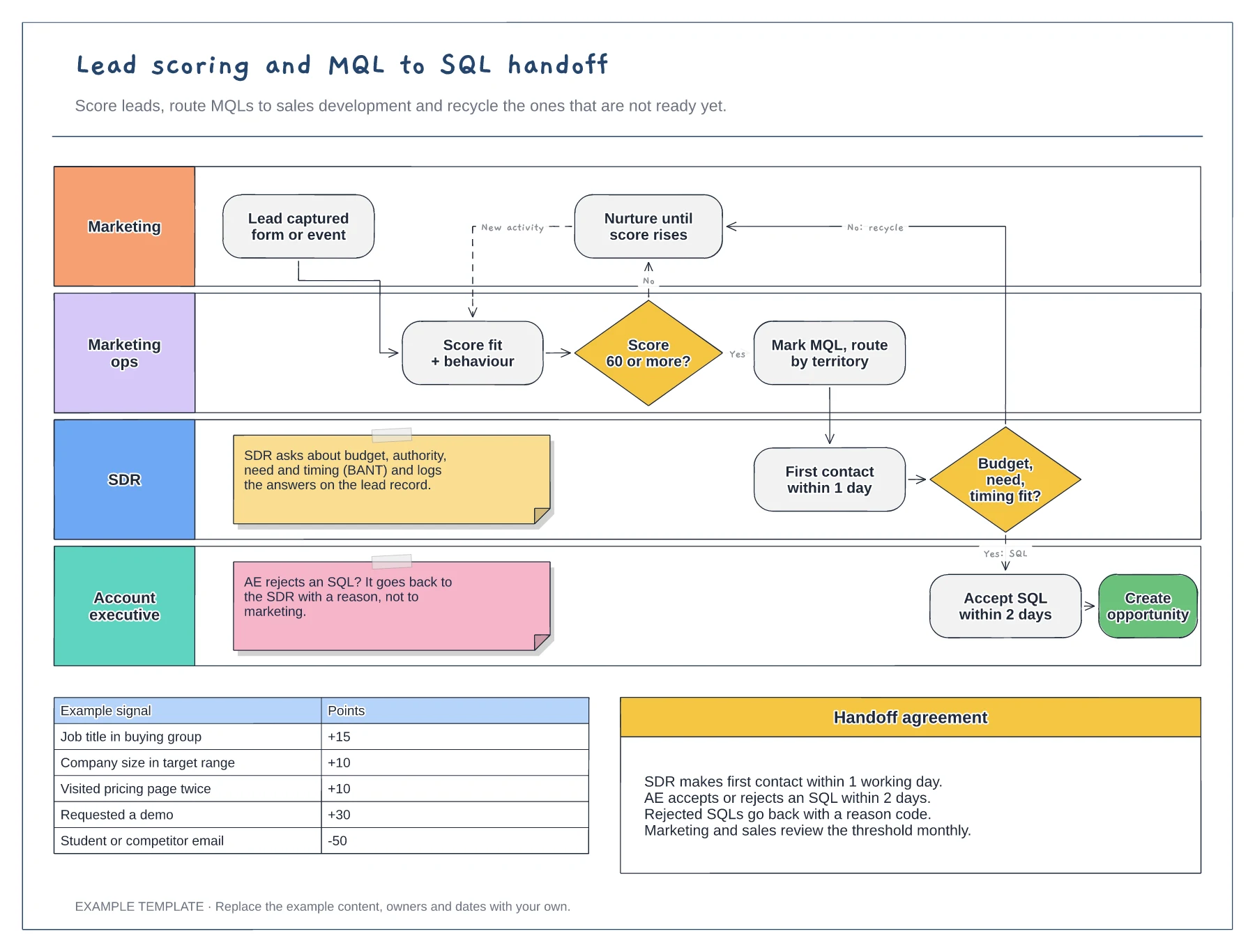
Swimlanes for marketing, marketing ops, SDR and AE · Example scoring model with points · Service-level agreement between the teams
Preview and use template →
First-line triage and impact check · Specialist ownership and investigation · Customer updates and closure
Preview and use template →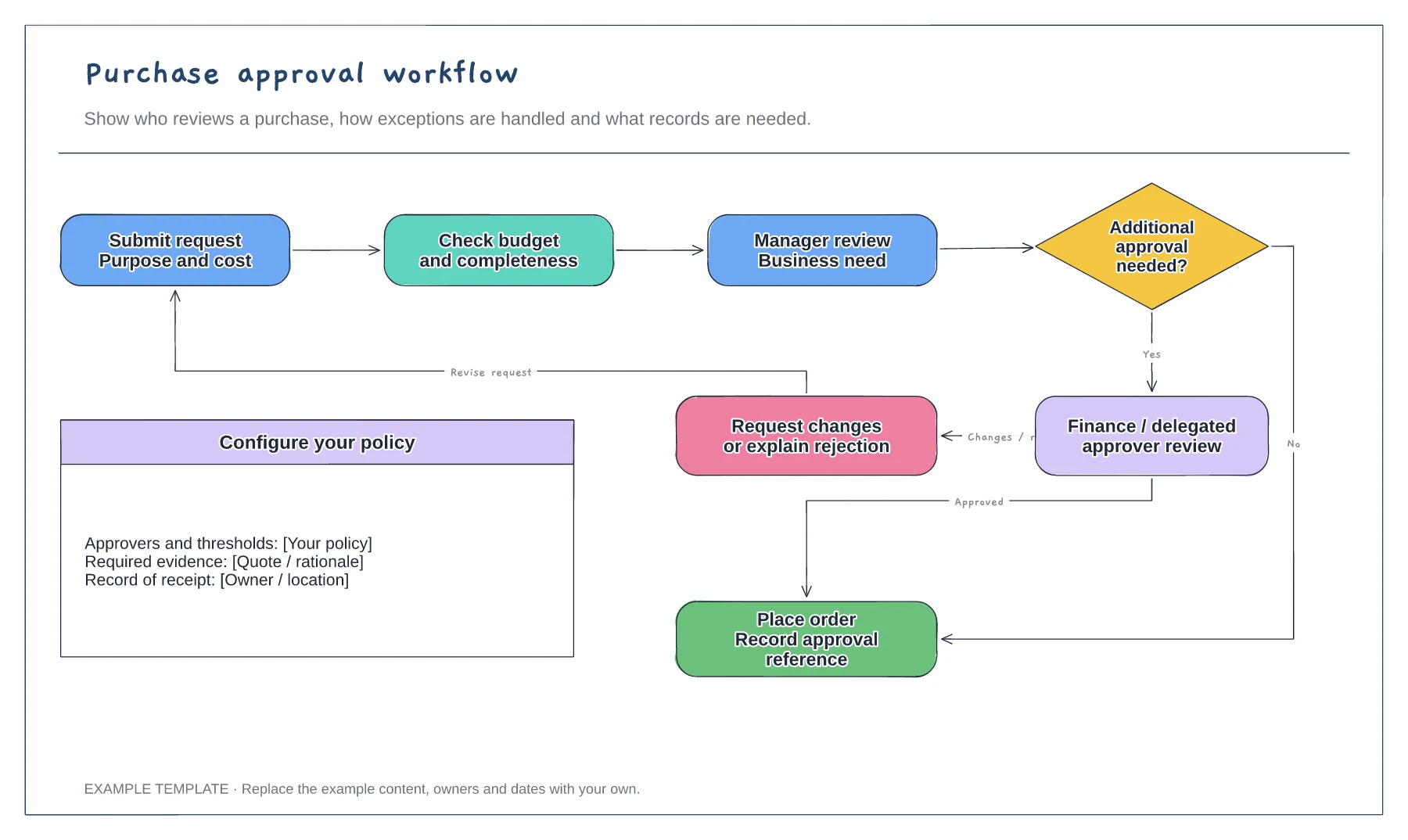
Purchase request and supporting information · Approval decisions and revision path · Order and record-keeping steps
Preview and use template →