IT and security
Attack tree diagram template
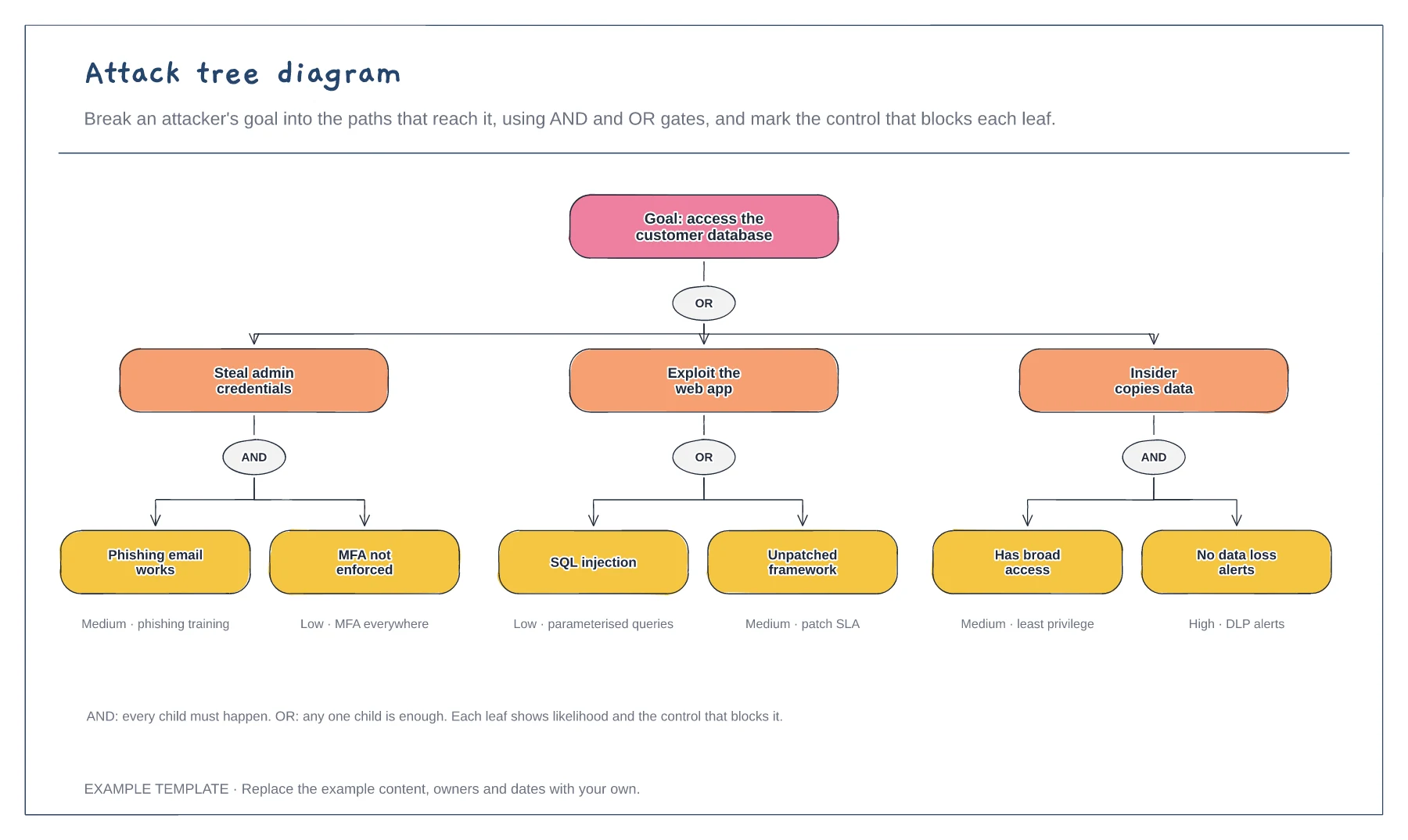
Goal broken into three attack paths · AND and OR gates · Likelihood and control on each leaf
Preview and use template →A threat model helps a team find security problems while a system is still being designed. This example draws a web app's data flows across three trust boundaries, numbers each flow, and lists threats by STRIDE category with a mitigation for each, so the design review ends with concrete actions.
No account needed · Opens as your own editable page
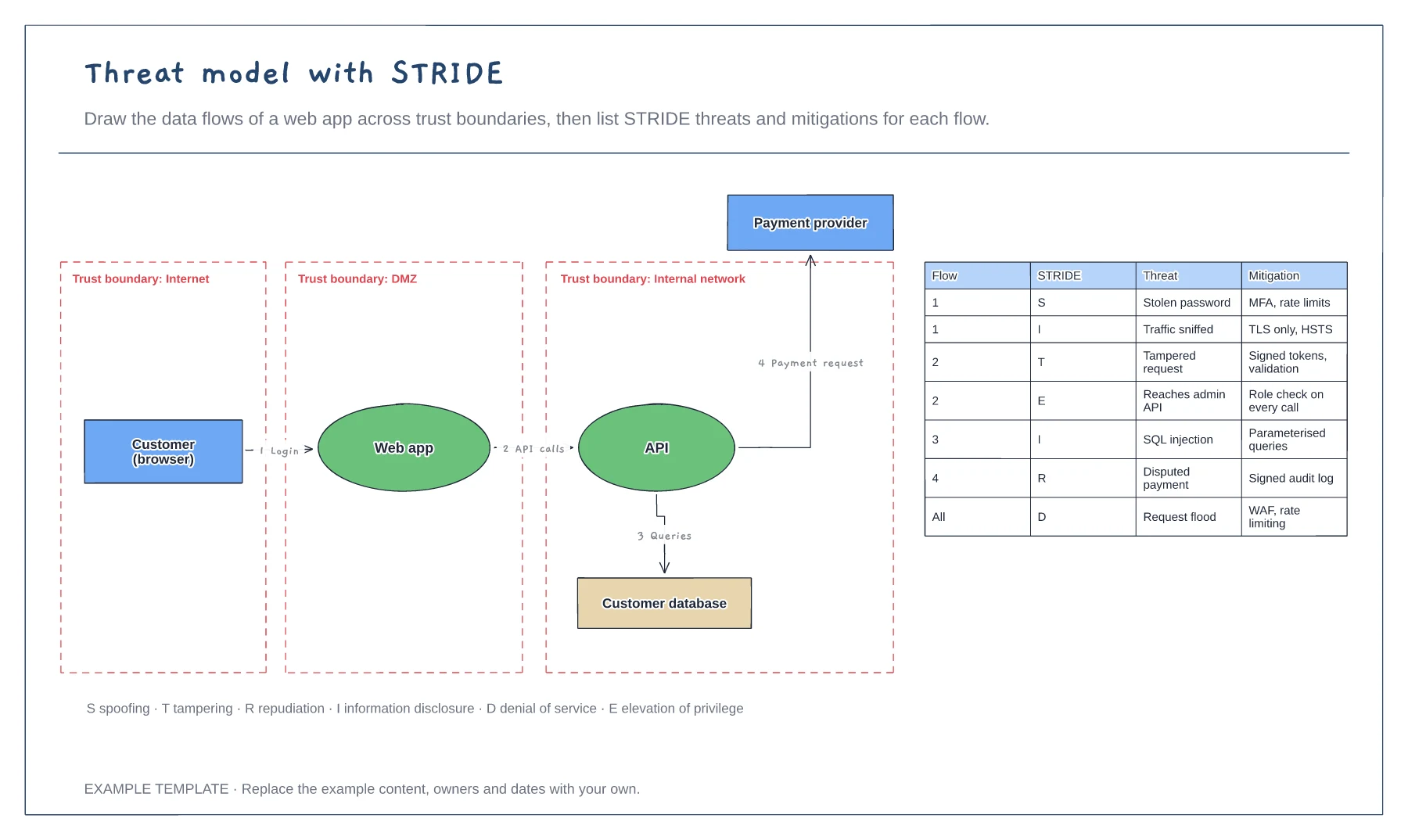
Sketch the users, processes, data stores and outside services, then number every arrow. Keep it to the level of detail you can review in an hour.
Draw a boundary wherever data crosses from less trusted to more trusted territory. Most threats sit on those crossings.
For each flow, ask how it could be spoofed, tampered with, denied, leaked, disrupted or used to gain privileges. Record a mitigation and an owner.
Each arrow on the data flow diagram has a number, and the STRIDE table uses the same number for the threats and mitigations on that flow.
No. Open the template and edit it in your browser. Your work saves on this device. An account is optional if you want to sync your workspace.
Yes. Use Export in the editor to save a PNG, SVG or PDF, or download an editable .epicdraw backup.
Goal broken into three attack paths · AND and OR gates · Likelihood and control on each leaf
Preview and use template →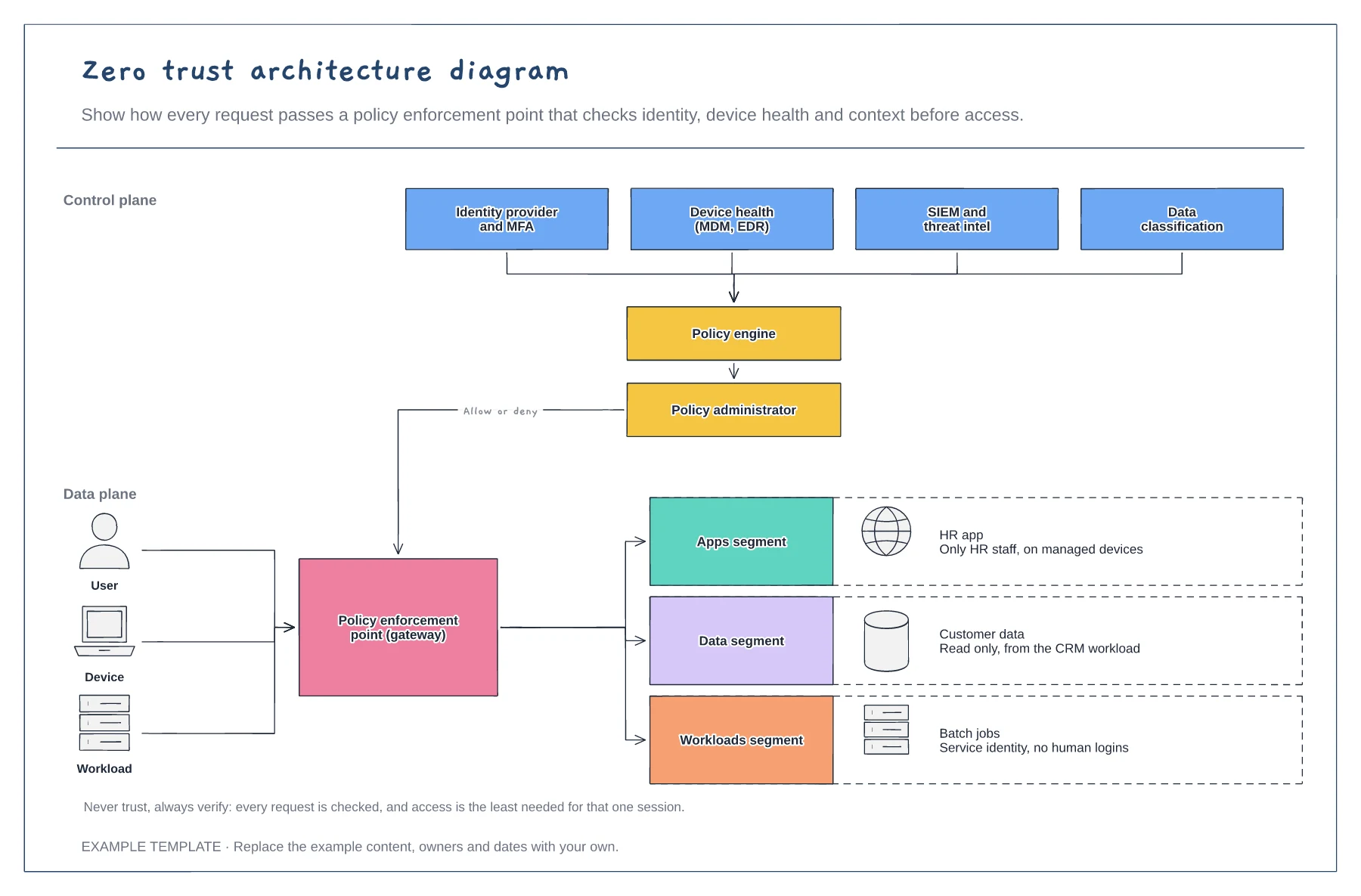
Signals feeding the policy engine · Policy enforcement point · Segmented apps, data and workloads
Preview and use template →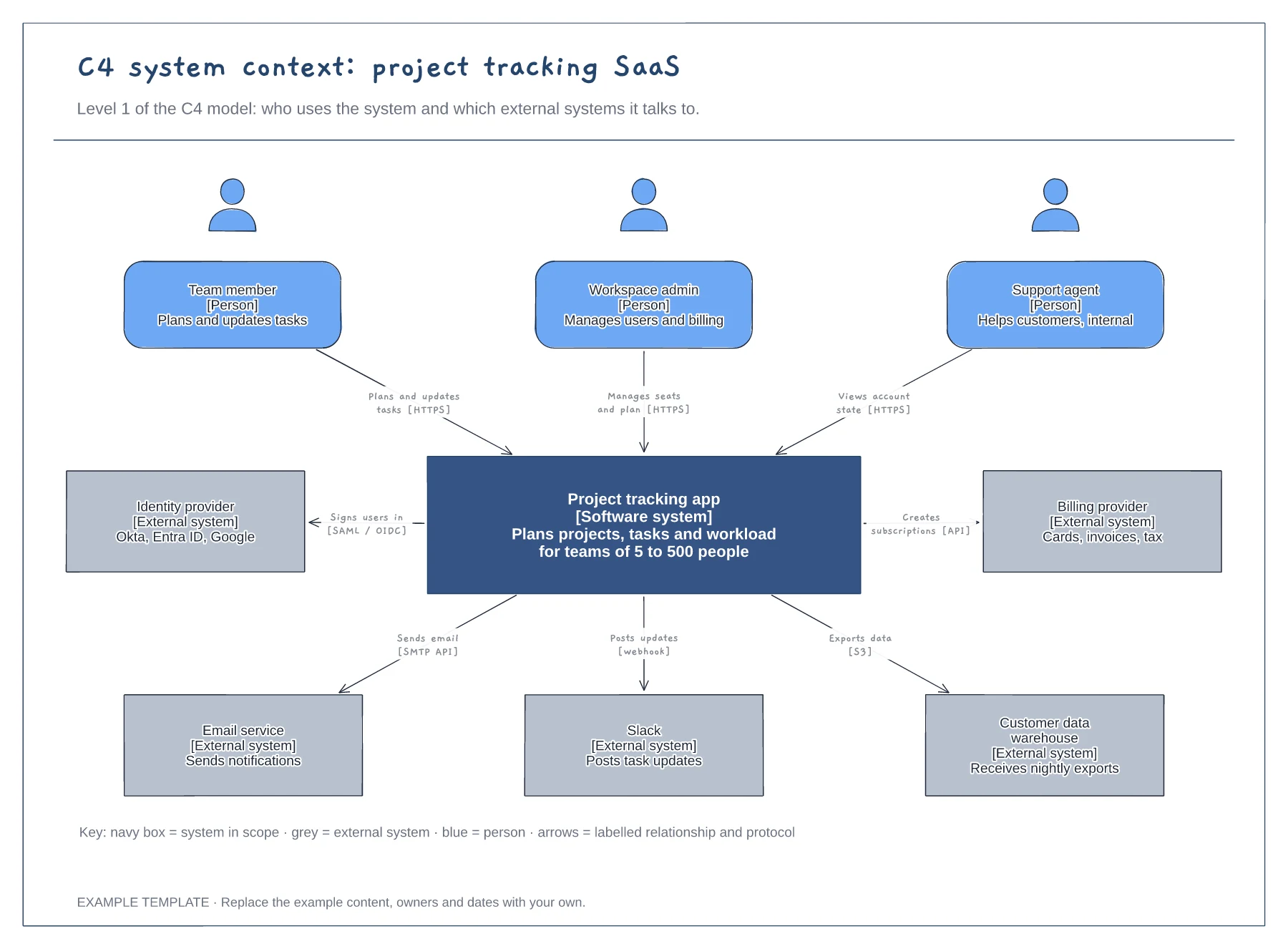
People with roles and descriptions · The system in scope and its external systems · Labelled relationships with protocols, plus a key
Preview and use template →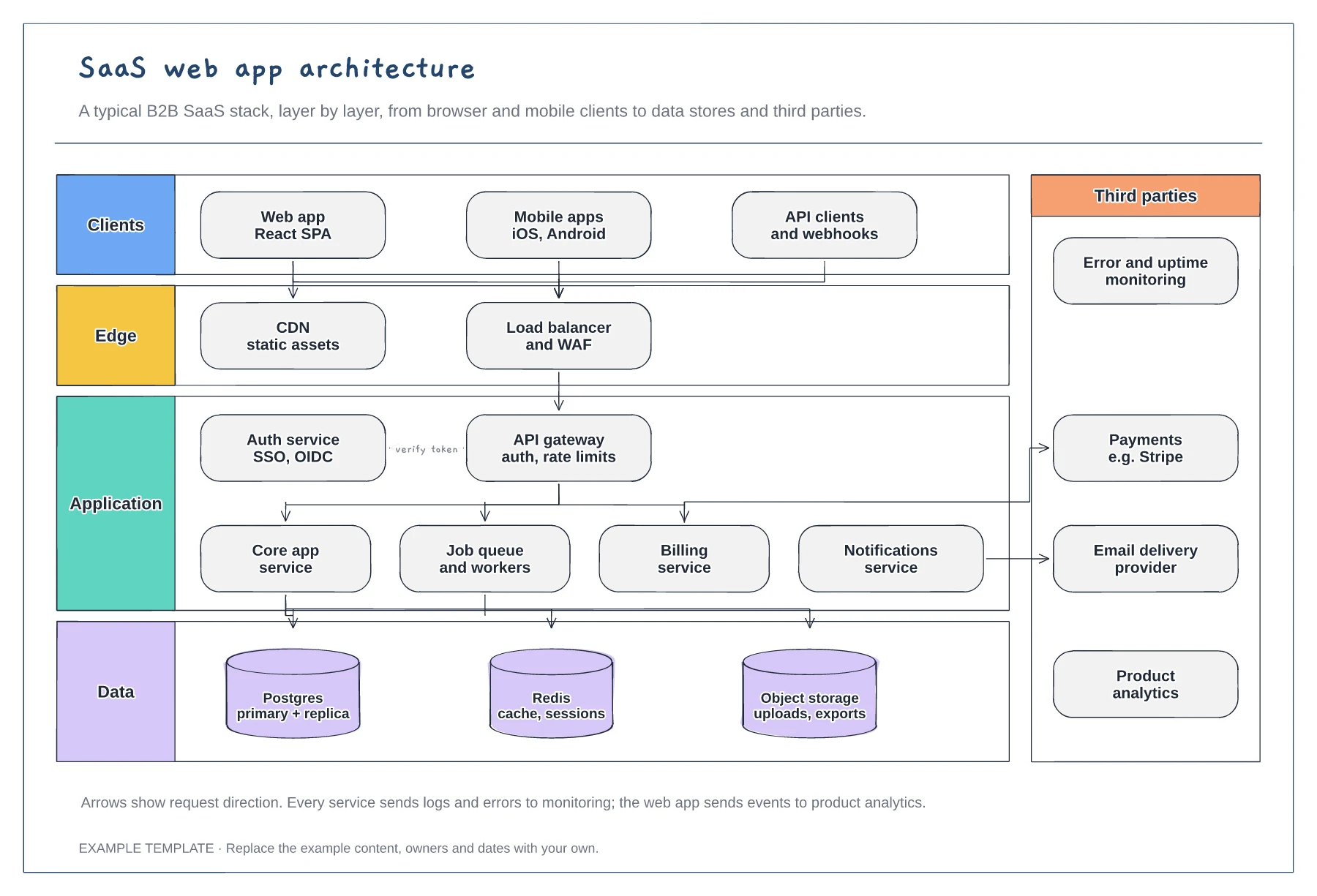
Client, edge, application and data layers · Services behind an API gateway and auth service · Third parties such as payments and email
Preview and use template →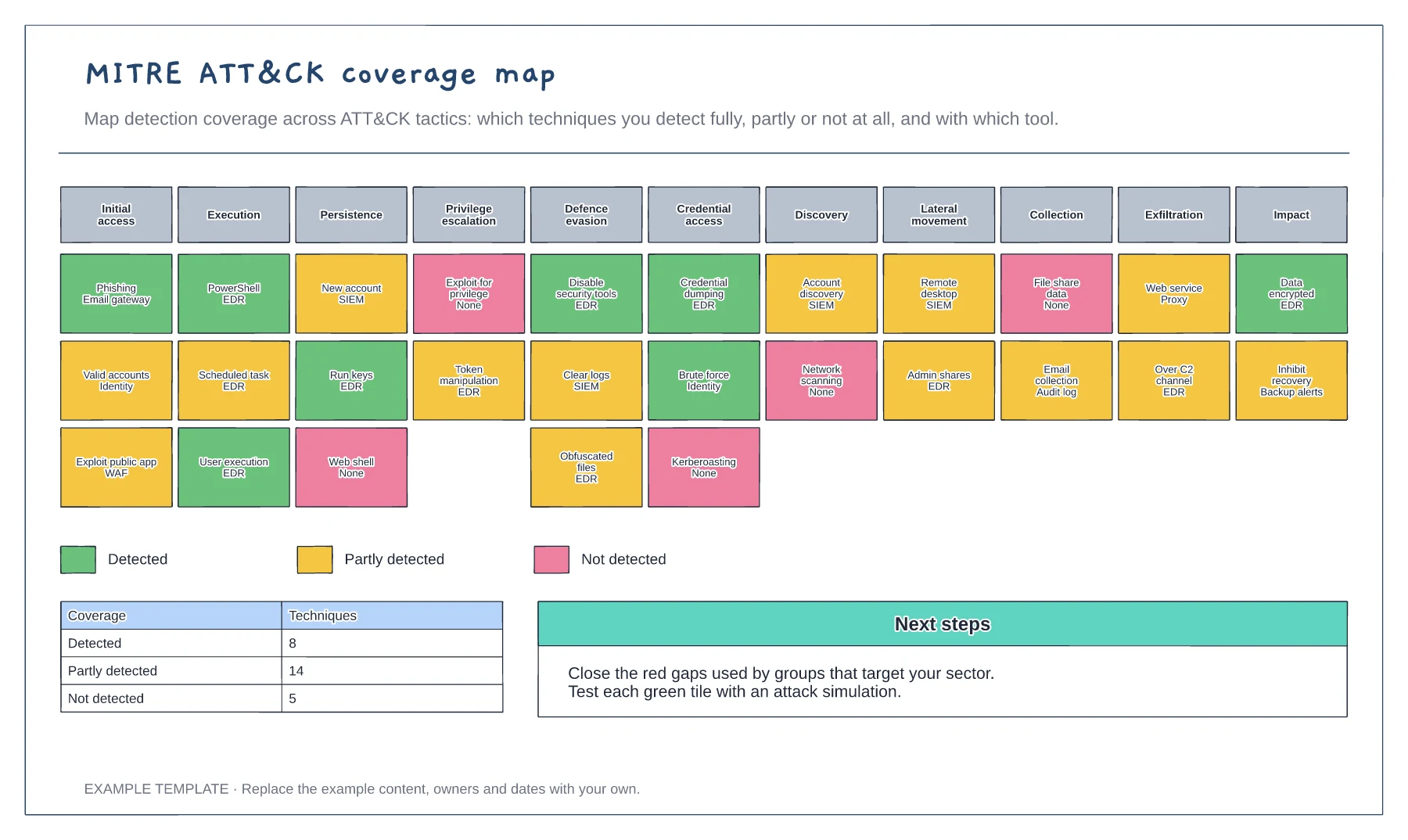
Eleven ATT&CK tactics · Techniques coloured by detection coverage · Coverage summary and next steps
Preview and use template →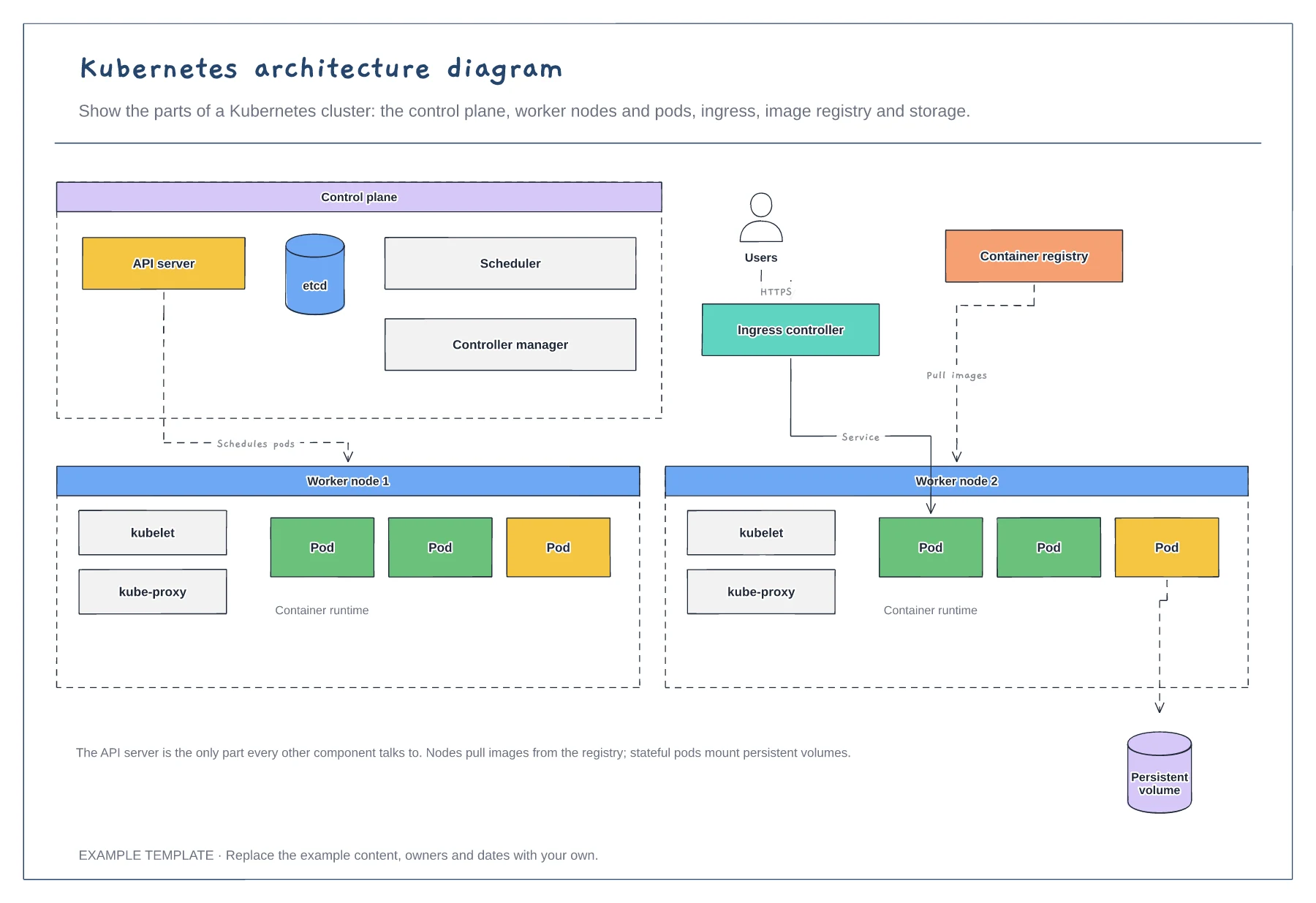
Control plane components · Worker nodes, kubelet and pods · Ingress, registry and storage
Preview and use template →