Operations
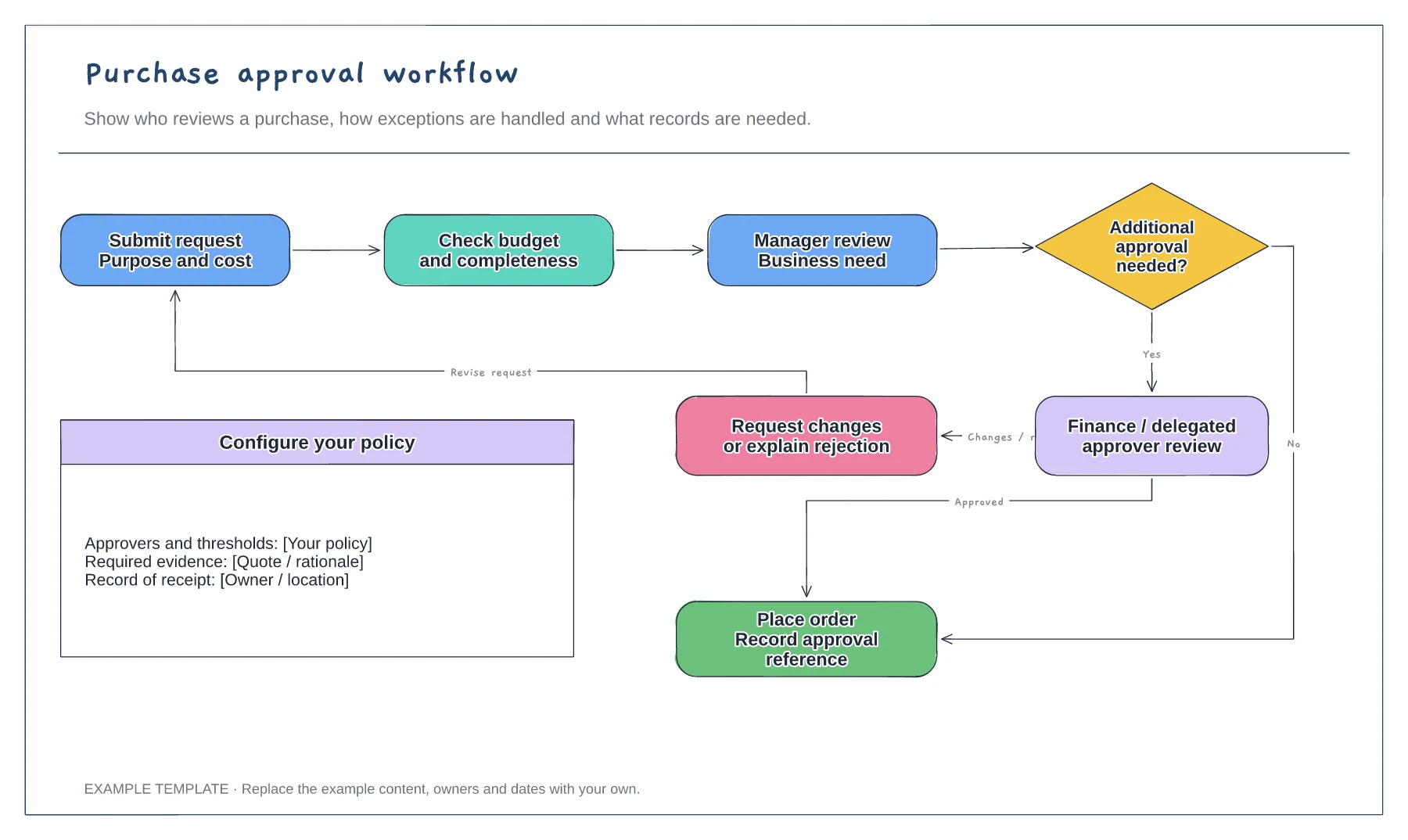
Purchase approval workflow template
Purchase request and supporting information · Approval decisions and revision path · Order and record-keeping steps
Preview and use template →An expense reimbursement process flowchart shows how a claim moves from a receipt to money back in the employee’s pay. This example uses vertical lanes for the employee, line manager, finance and payroll, with decisions for the policy check, a higher approval limit and complete receipts, plus example policy limits.
No account needed · Opens as your own editable page
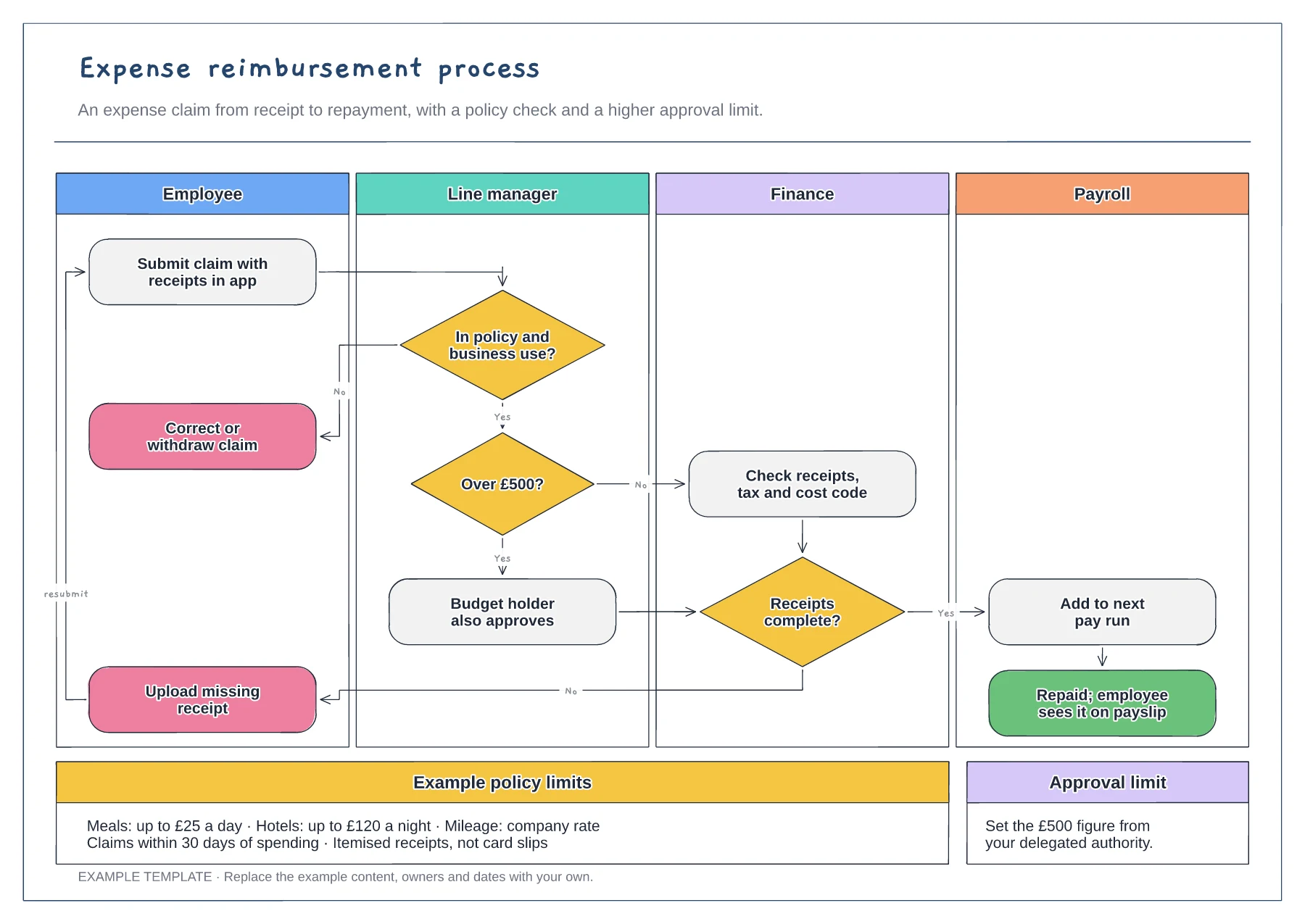
Replace the £500 threshold with your delegated authority and add the budget holder who signs above it. Clear limits stop claims waiting for approvals nobody needs to give.
List meal, hotel and mileage limits next to the process. Claimants can then check the rules before they spend, which reduces corrections, queries and returned claims.
Trace the no-path back to the employee and check it returns to the start. Decide whether finance holds the rest of the claim or pays the approved part.
Yes. Edit the limit in the approval decision and the example limits box so claims above it route to the right approver.
No. Open the template and edit it in your browser. Your work saves on this device. An account is optional if you want to sync your workspace.
Yes. Use Export in the editor to save a PNG, SVG or PDF, or download an editable .epicdraw backup.
Purchase request and supporting information · Approval decisions and revision path · Order and record-keeping steps
Preview and use template →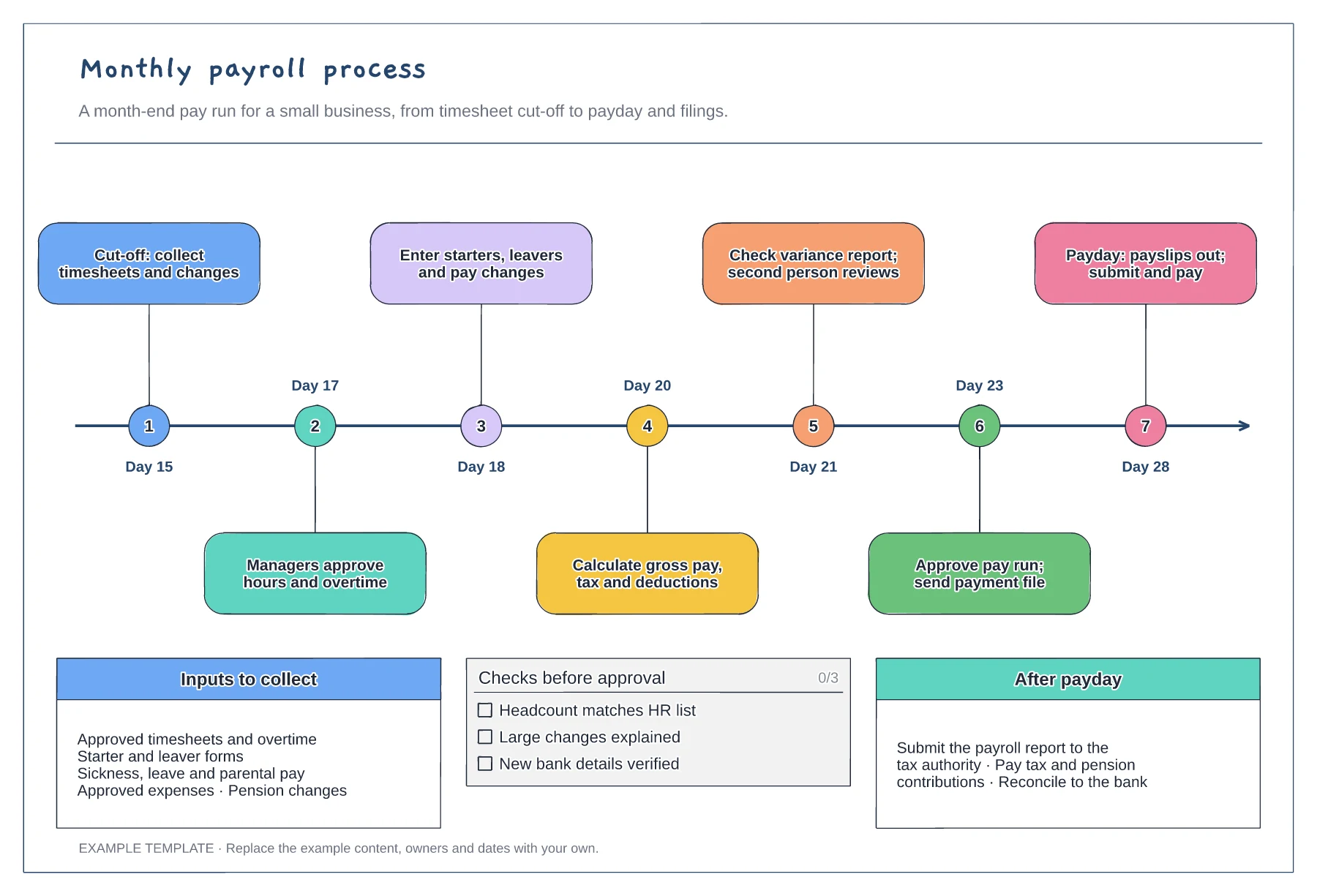
Month-end timeline with seven steps · Inputs to collect before cut-off · Pre-approval checks and after-payday tasks
Preview and use template →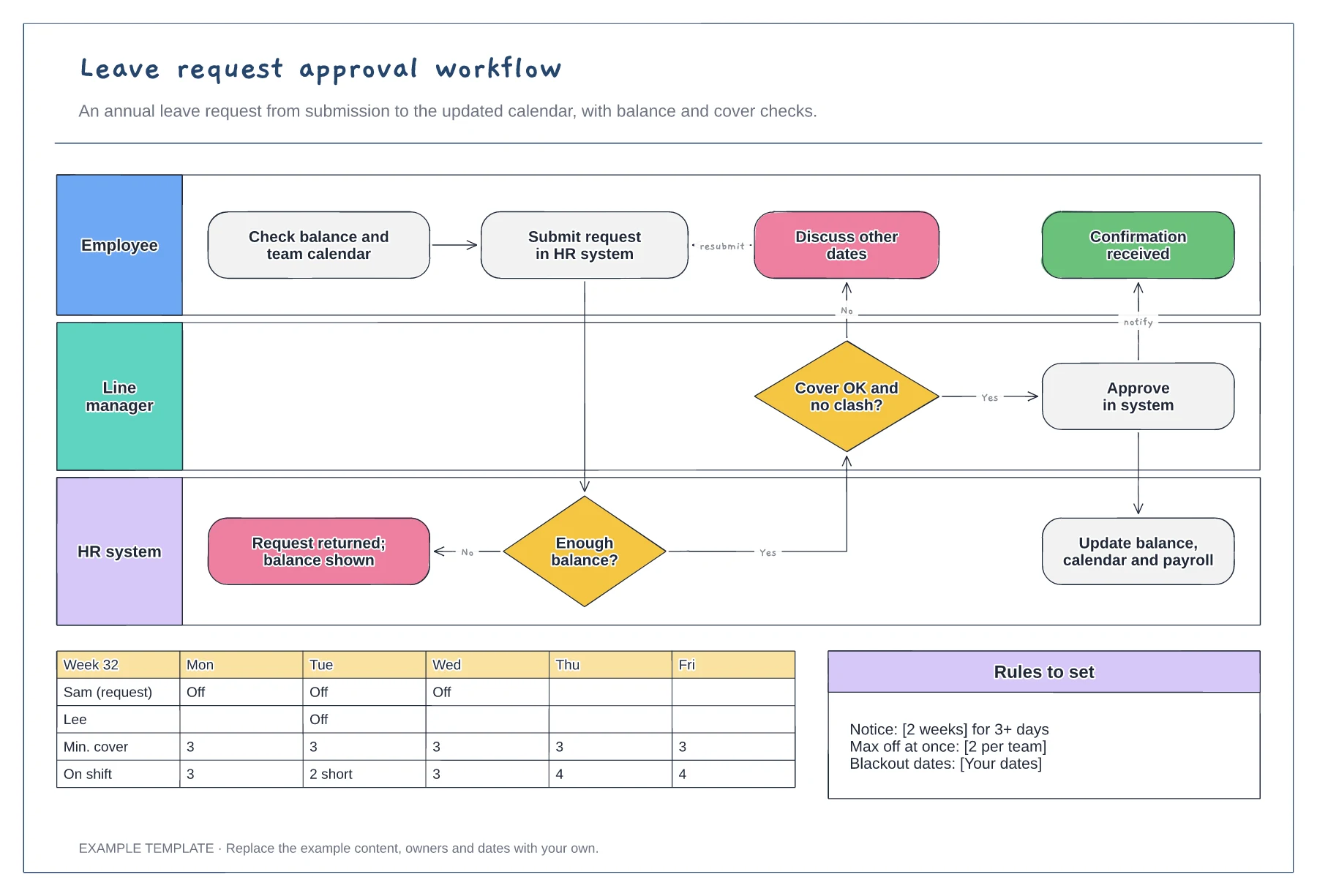
Employee, manager and HR system lanes · Balance and cover decisions · Team calendar and leave rules
Preview and use template →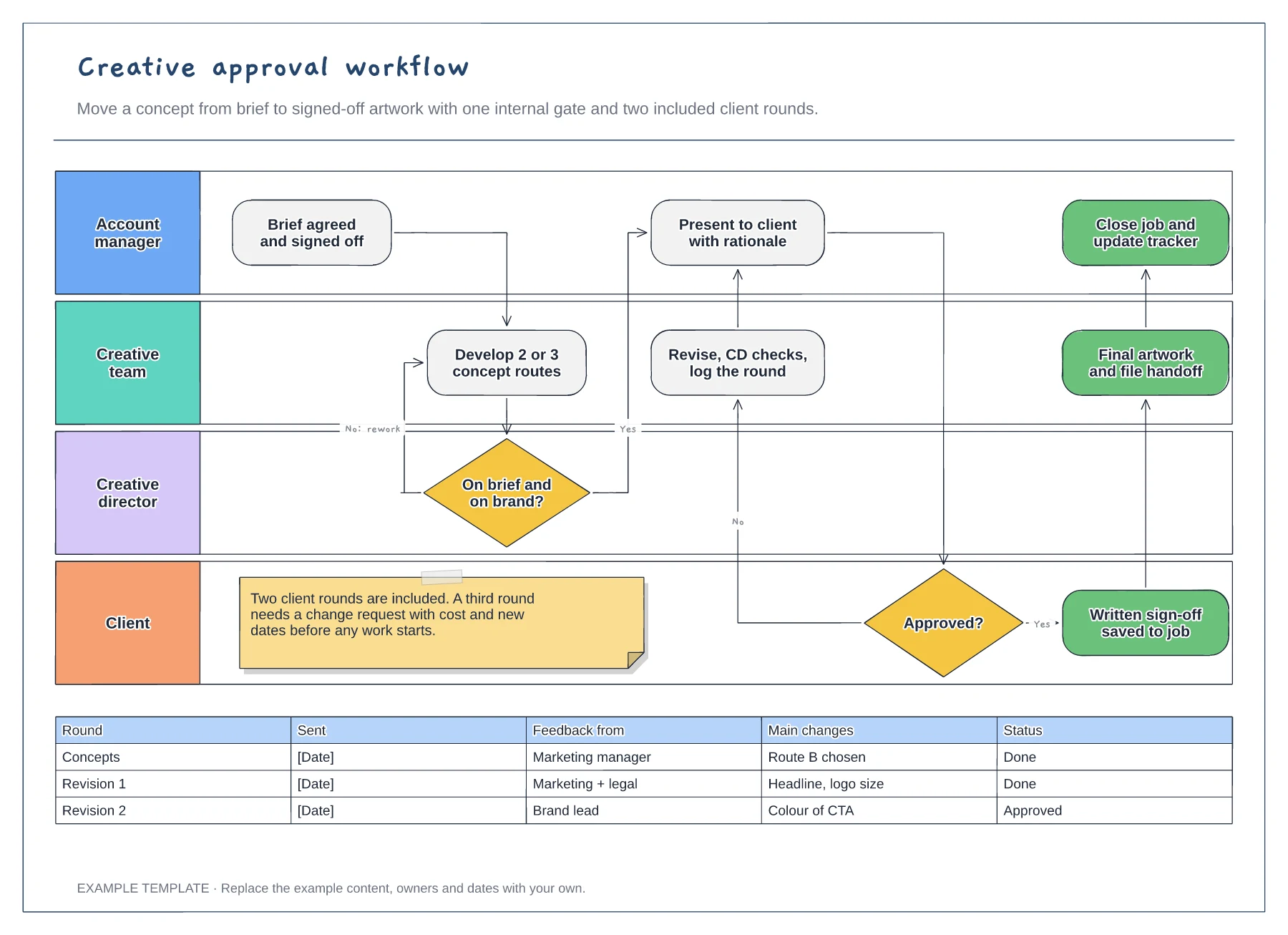
Four swimlanes from account manager to client · Internal gate and client revision loop · Revision log and a limit on included rounds
Preview and use template →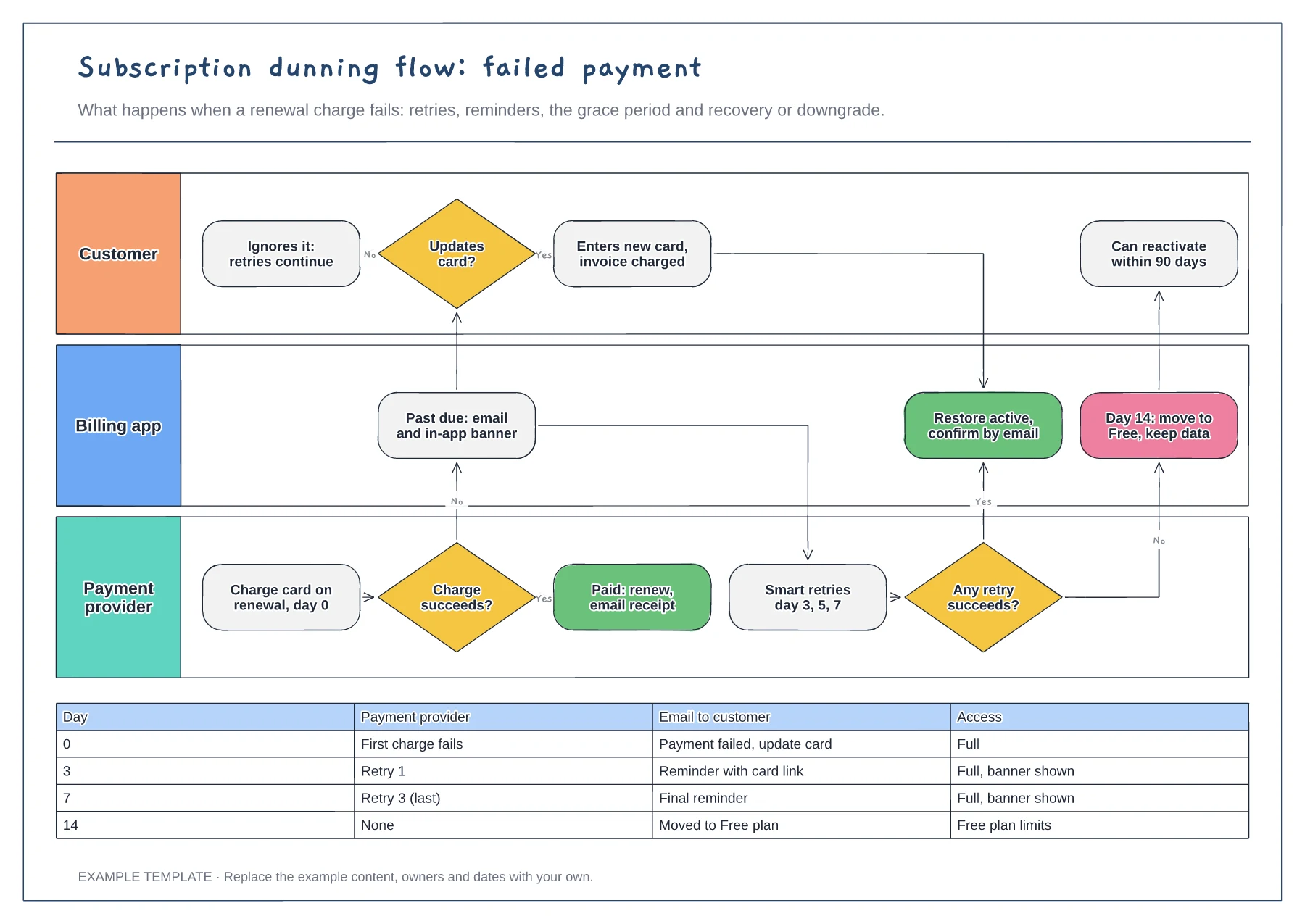
Lanes for customer, billing app and payment provider · Retry and reminder schedule by day · Recovery and downgrade outcomes
Preview and use template →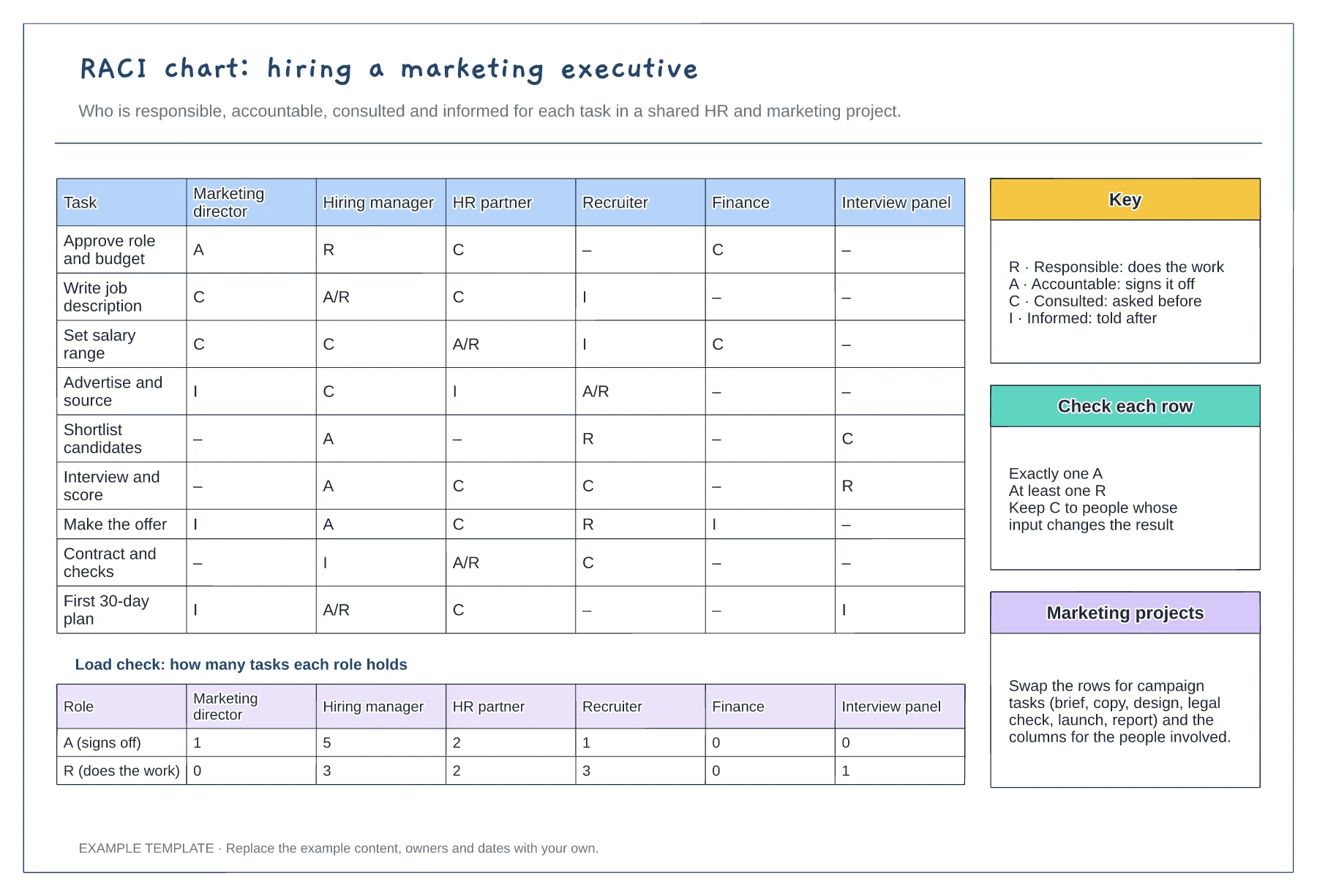
Tasks against six roles with R, A, C and I · Load check of A and R per role · Key, row checks and reuse notes
Preview and use template →