HR
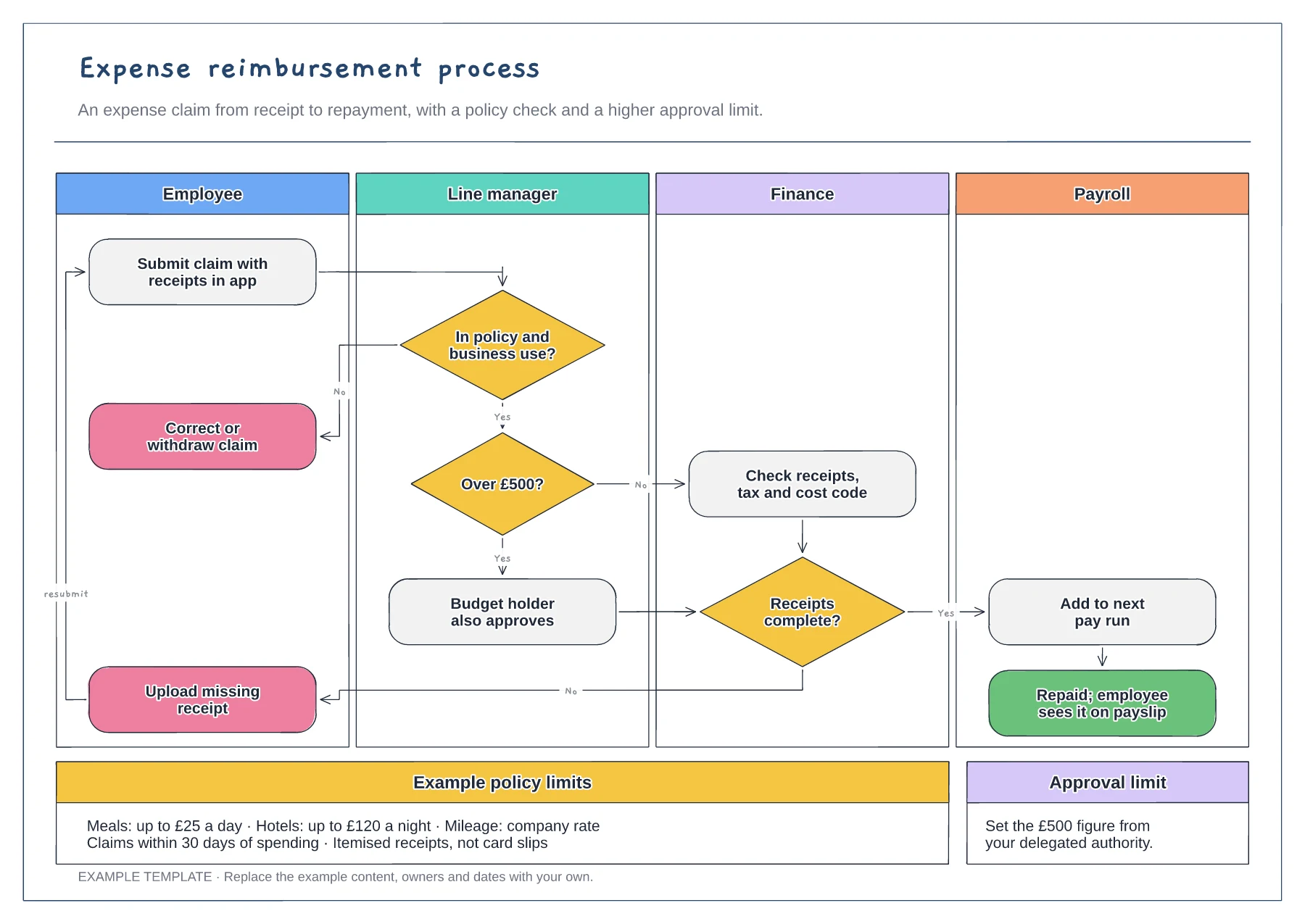
Expense reimbursement process flowchart template
Employee, manager, finance and payroll lanes · Policy, approval limit and receipt decisions · Example limits and claim rules
Preview and use template →A payroll process flowchart helps a small business run the same pay cycle every month without last-minute surprises. This example lays the month on a timeline: timesheet cut-off, manager approval, starters and leavers, calculation, a second-person review, approval and payday, with the inputs to collect and the checks before you approve.
No account needed · Opens as your own editable page
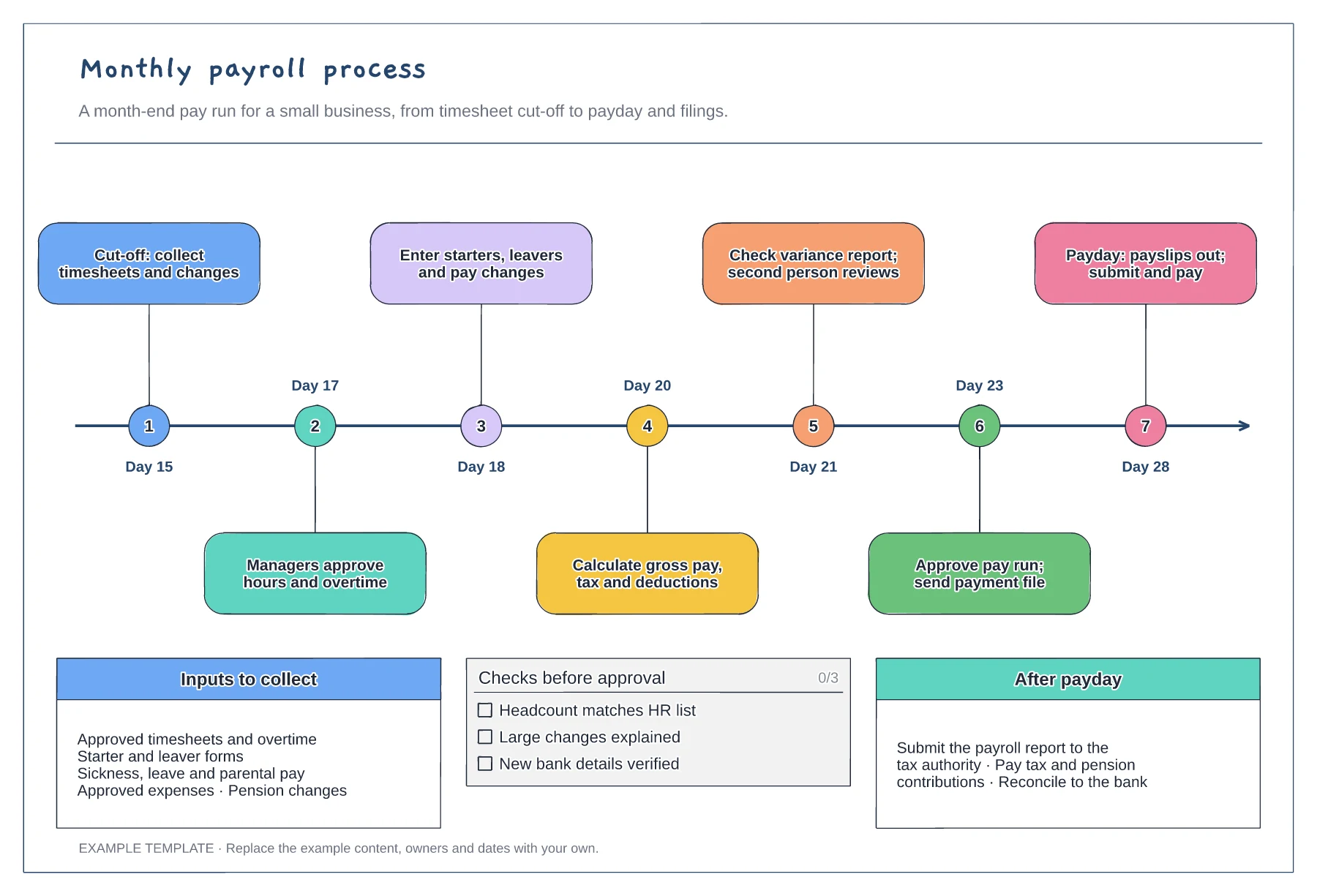
Replace the example days with your own calendar. Work back from payday to allow time for the bank transfer, so changes after the cut-off wait for the next run instead of being squeezed in.
Name who sends timesheets, overtime, sickness, starters, leavers and expenses. Late or missing inputs cause most payroll corrections, so each needs a deadline as well as an owner.
Have a different person review the variance report before approval. They should ask why totals or individual pay moved, not only whether the total looks reasonable.
Yes. Shorten the timeline so the cut-off, approval and payday fall in the same week, and keep the inputs and pre-approval checks as they are.
No. Open the template and edit it in your browser. Your work saves on this device. An account is optional if you want to sync your workspace.
Yes. Use Export in the editor to save a PNG, SVG or PDF, or download an editable .epicdraw backup.
Employee, manager, finance and payroll lanes · Policy, approval limit and receipt decisions · Example limits and claim rules
Preview and use template →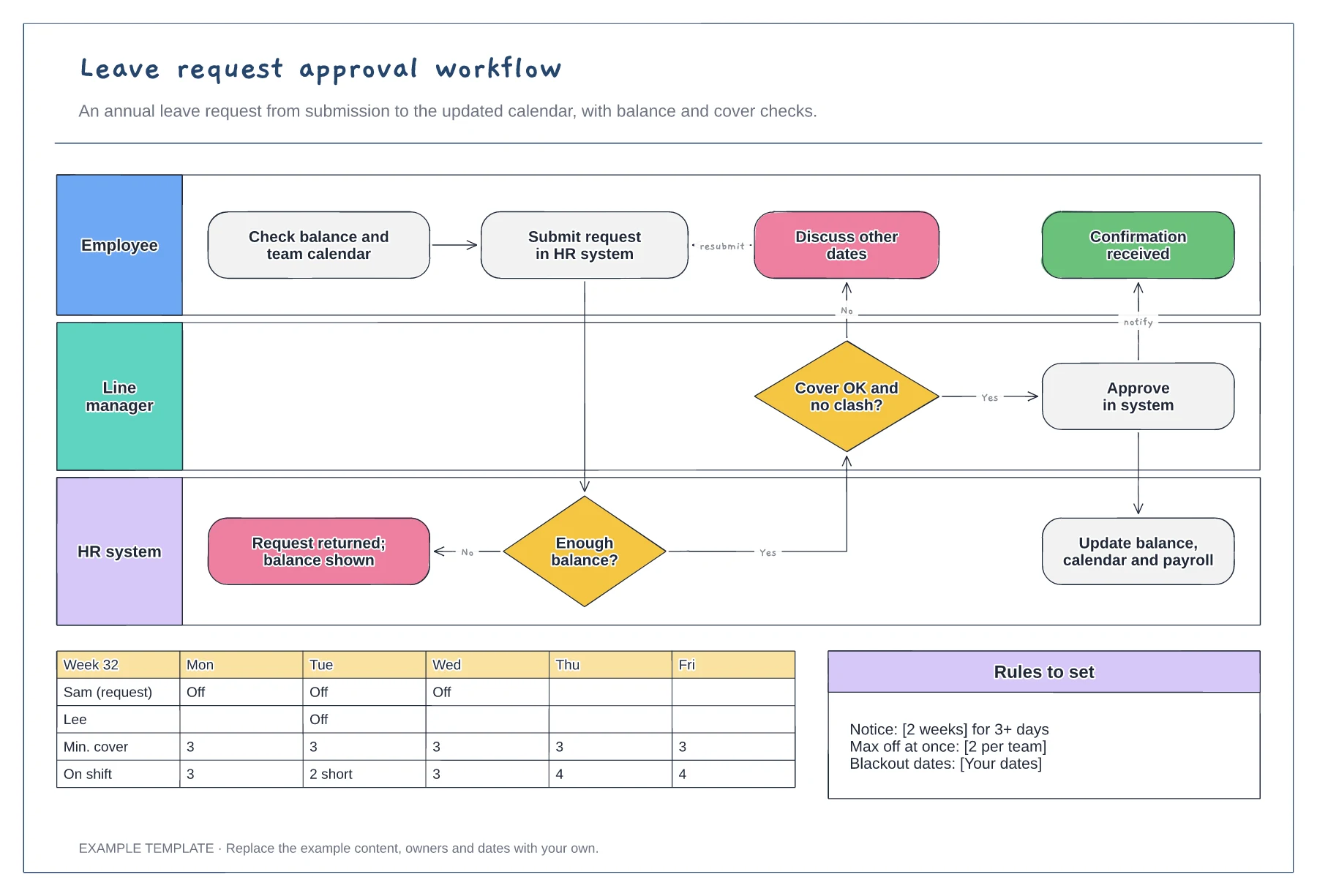
Employee, manager and HR system lanes · Balance and cover decisions · Team calendar and leave rules
Preview and use template →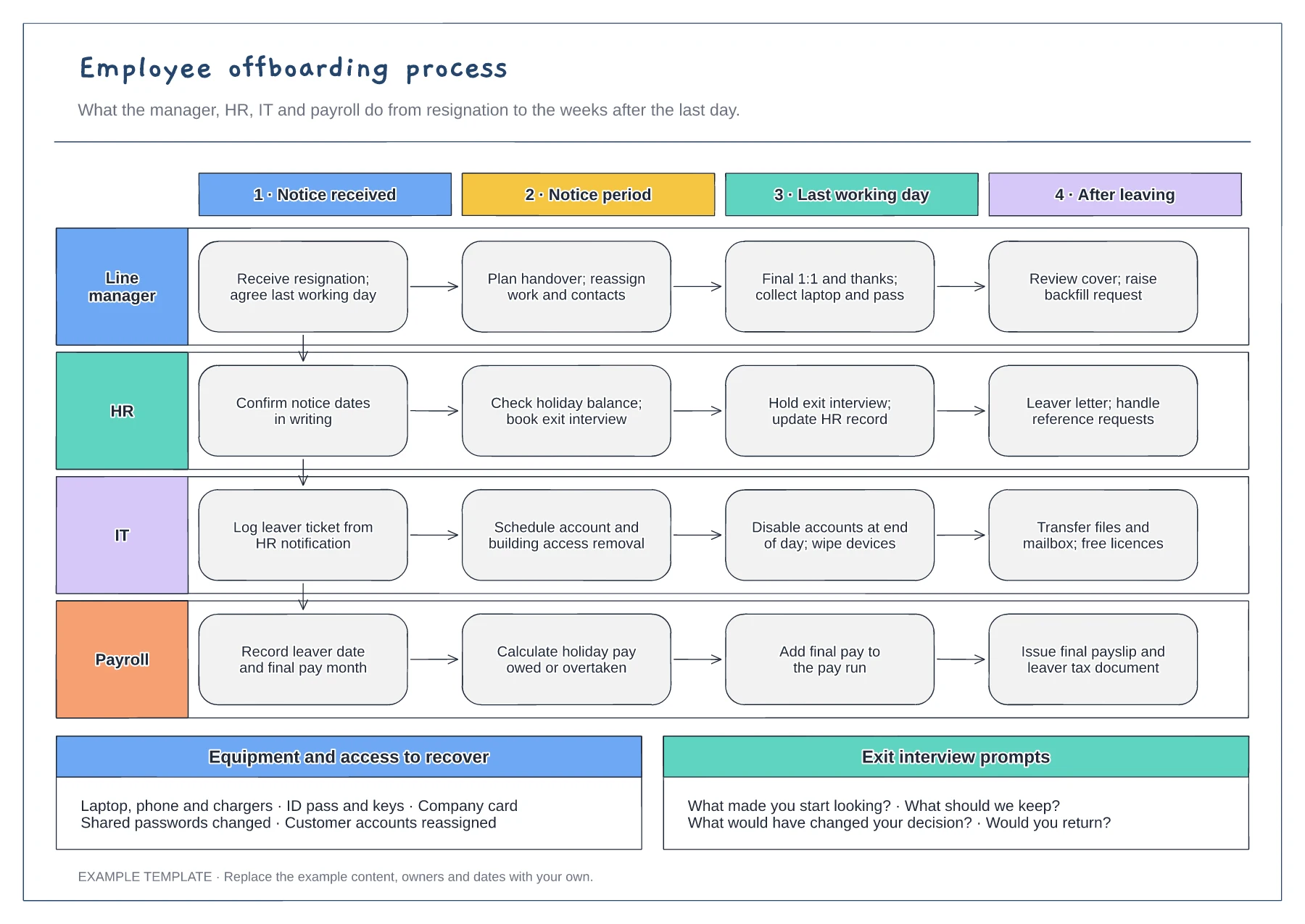
Manager, HR, IT and payroll lanes · Four stages from notice to after leaving · Equipment checklist and exit questions
Preview and use template →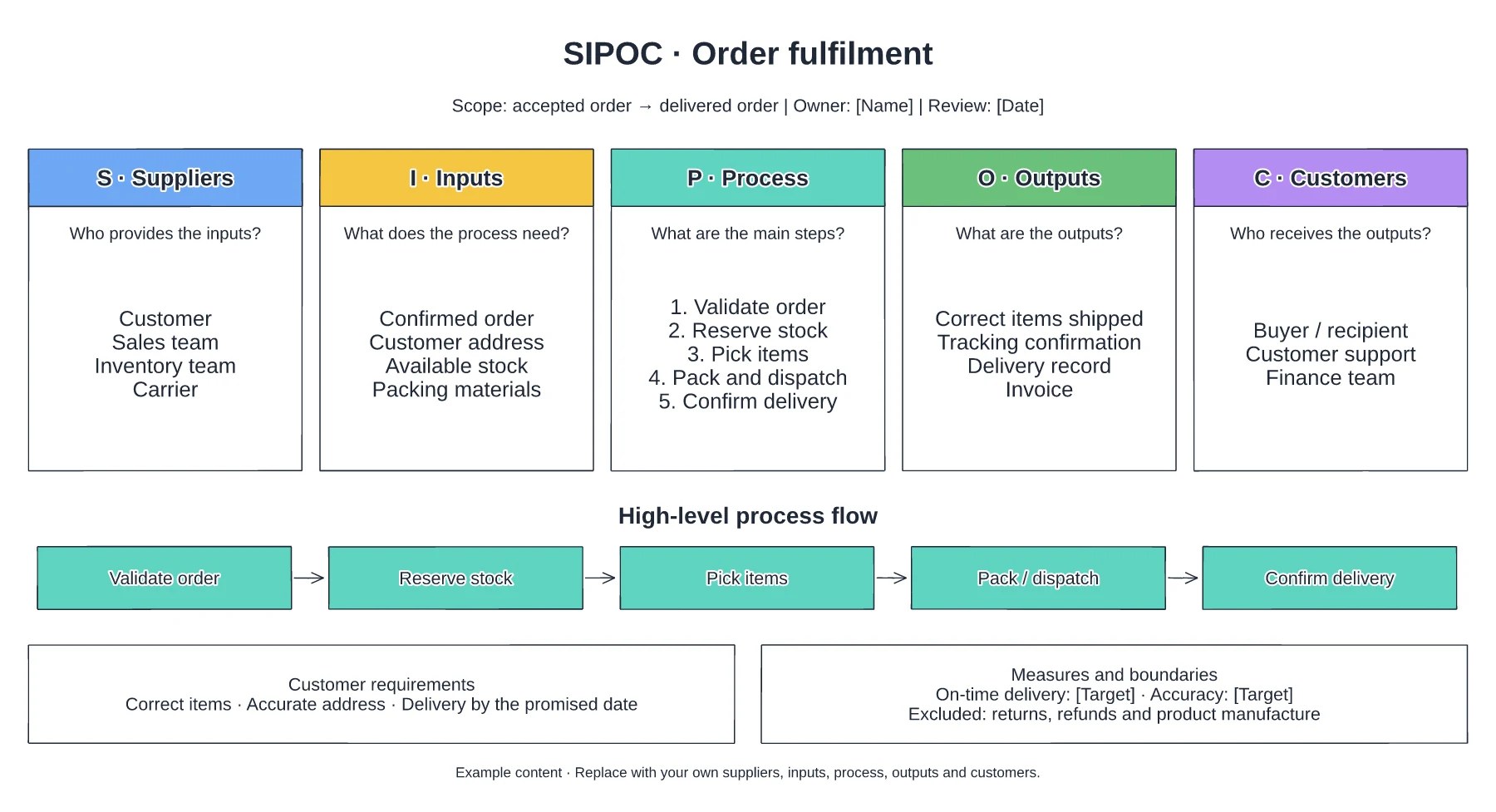
Suppliers and required inputs · High-level fulfilment stages · Outputs, customers and requirements
Preview and use template →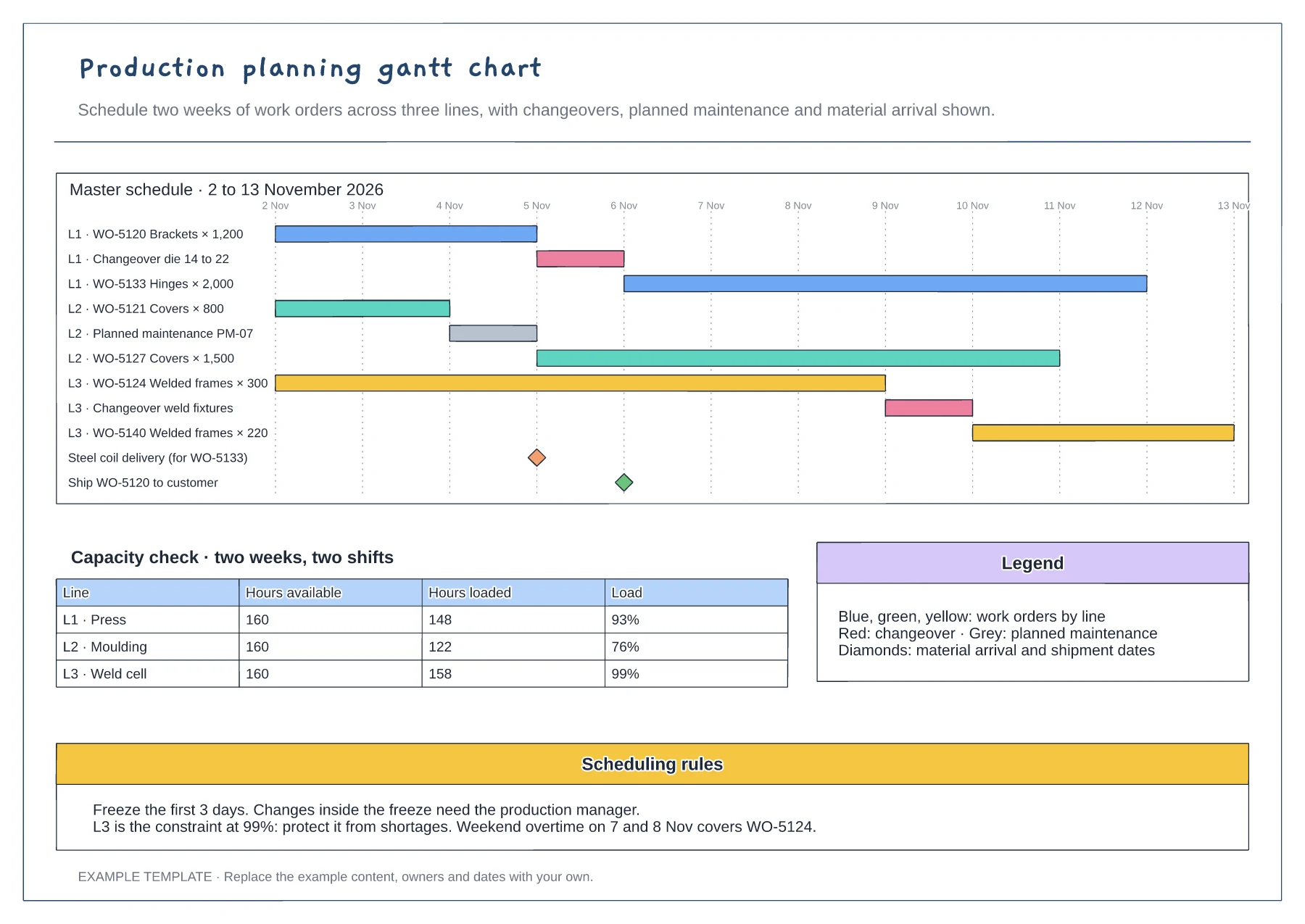
Gantt of work orders by line and day · Changeover, maintenance and milestone rows · Capacity table and scheduling rules
Preview and use template →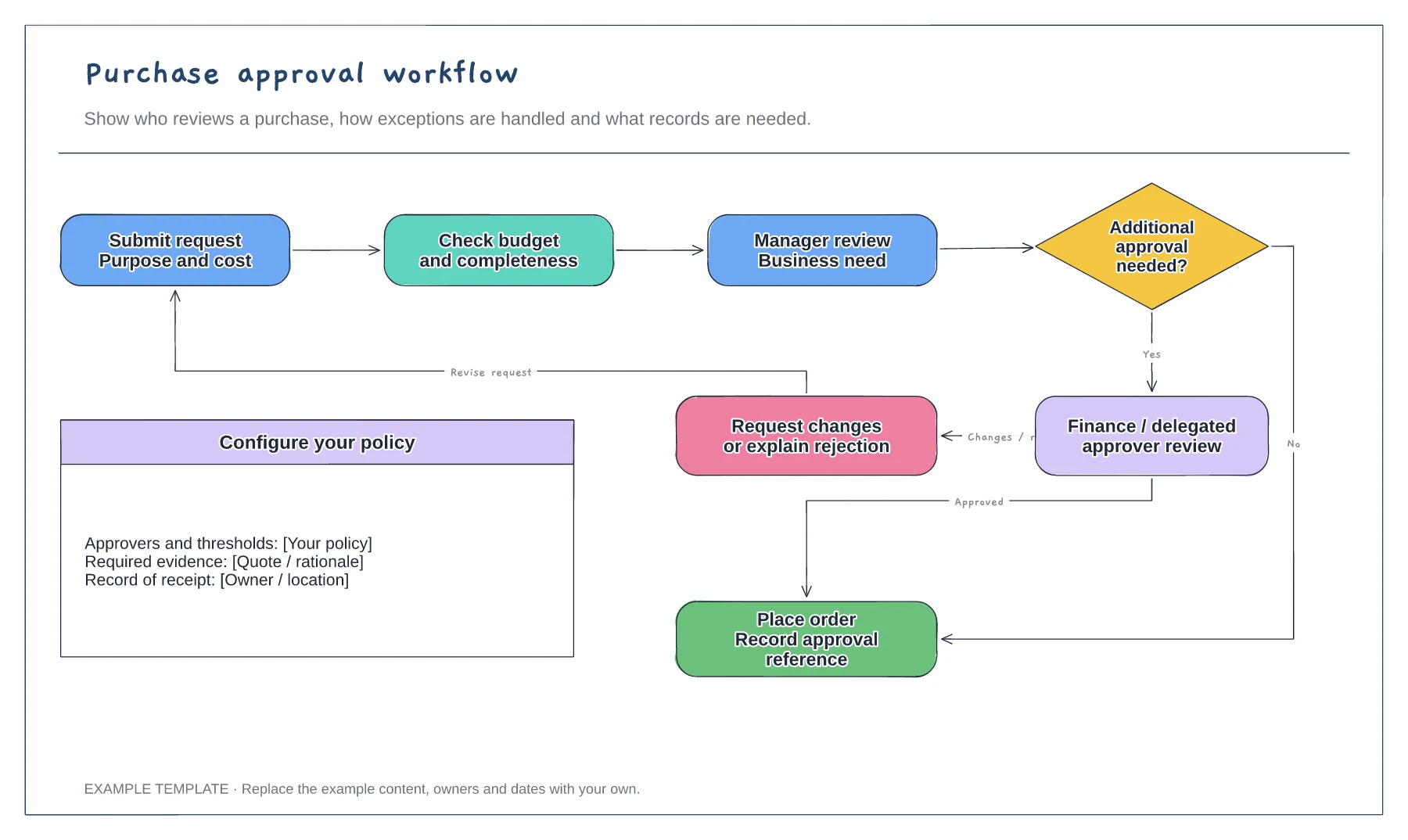
Purchase request and supporting information · Approval decisions and revision path · Order and record-keeping steps
Preview and use template →