HR
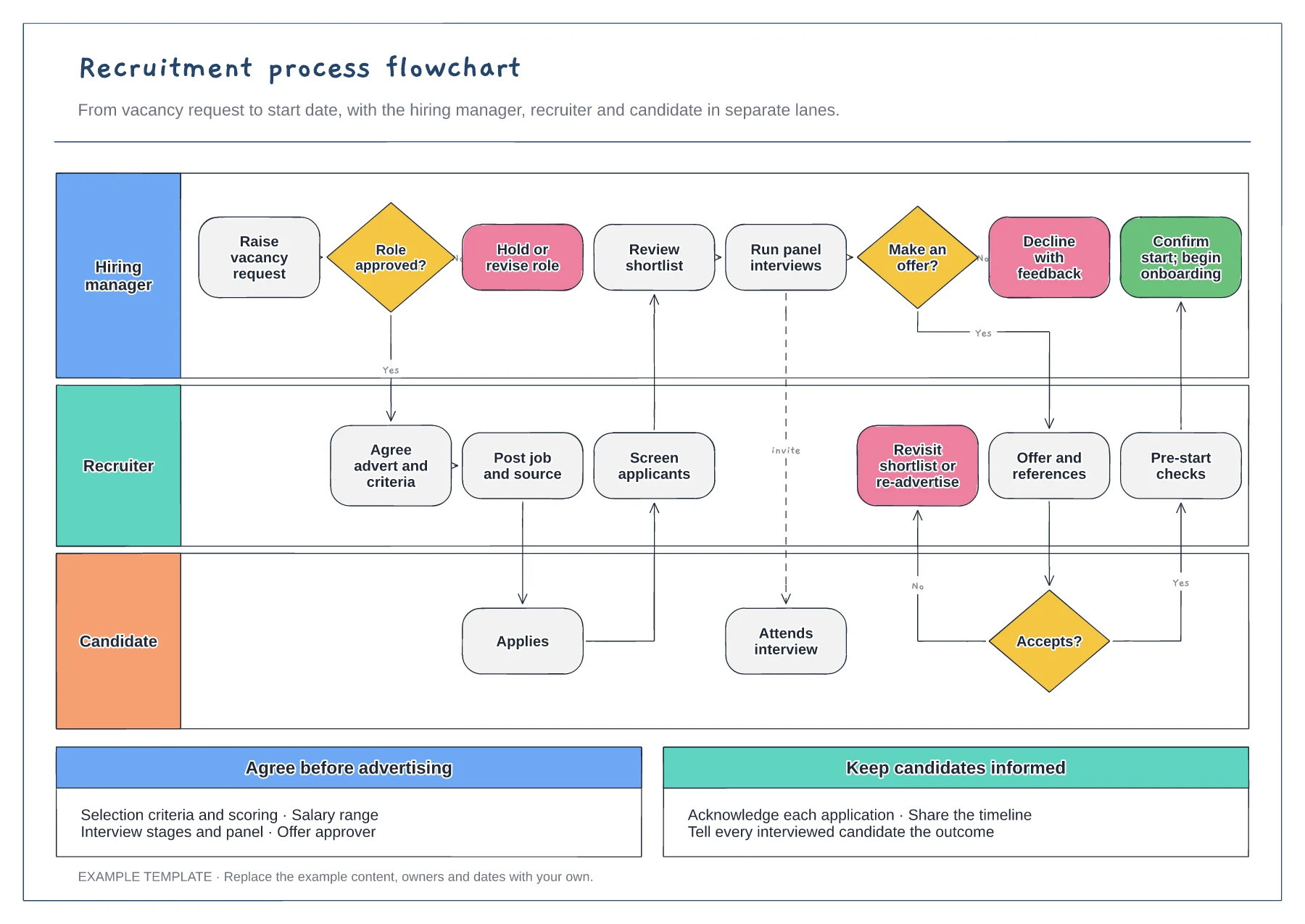
Recruitment process flowchart template
Hiring manager, recruiter and candidate lanes · Approval, offer and acceptance decisions · Notes on criteria and candidate updates
Preview and use template →A RACI chart sets out who does the work, who signs it off, who is consulted and who is kept informed for each task. This example covers a shared HR and marketing project, hiring a marketing executive, with nine tasks across six roles and a load check showing how many tasks each role holds.
No account needed · Opens as your own editable page
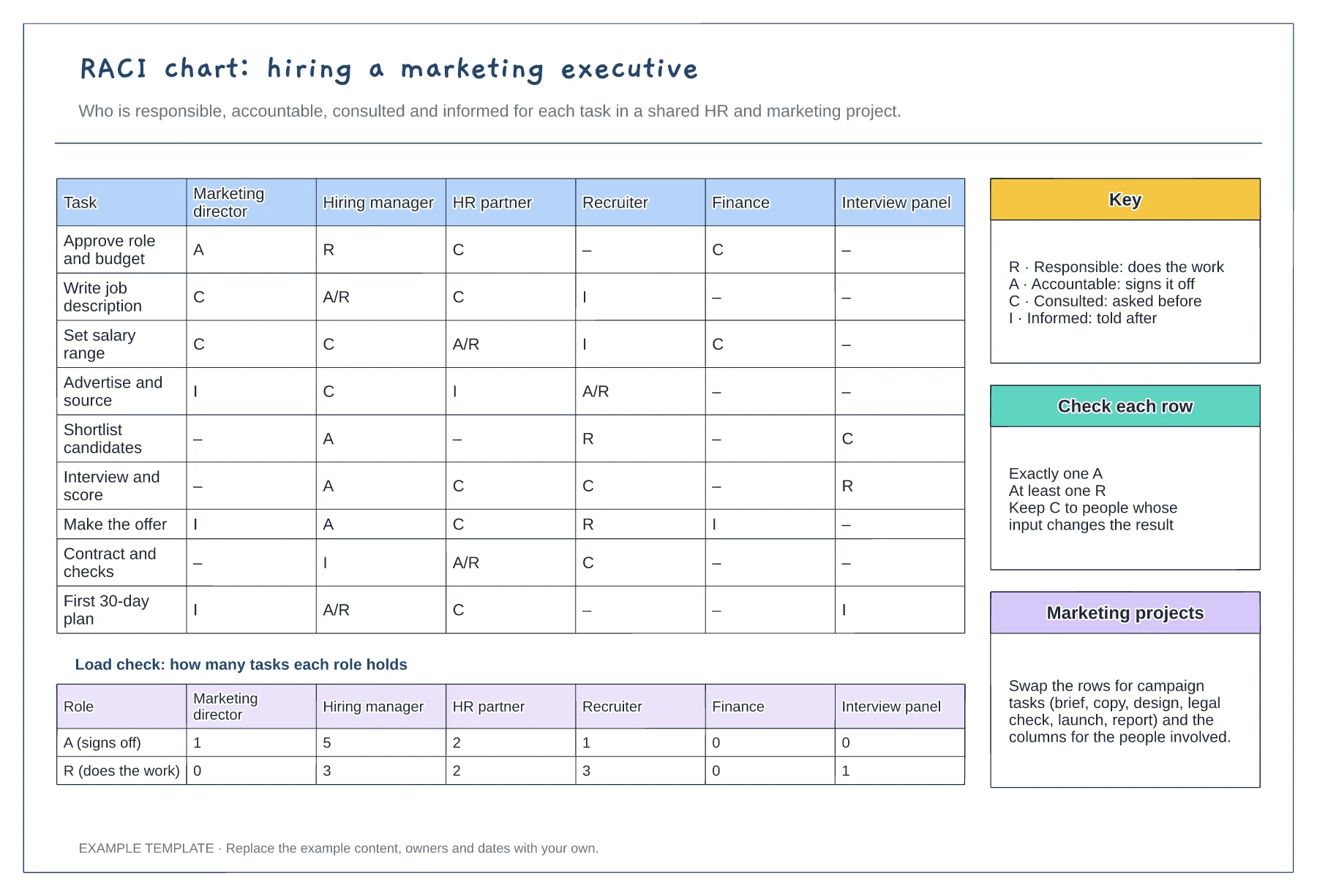
Write each row as a piece of work with a clear end, such as "Set salary range". Vague rows like "Support hiring" produce vague answers about who is responsible.
Check that every task has one accountable person and at least one person responsible. Two As on a row usually means a decision nobody actually owns.
The totals row shows who holds most of the sign-offs. If one role is accountable for most tasks, consider delegating some so the project does not wait for one diary.
It counts the A and R letters for each role, so you can spot anyone carrying too much or a task with no single accountable person.
No. Open the template and edit it in your browser. Your work saves on this device. An account is optional if you want to sync your workspace.
Yes. Use Export in the editor to save a PNG, SVG or PDF, or download an editable .epicdraw backup.
Hiring manager, recruiter and candidate lanes · Approval, offer and acceptance decisions · Notes on criteria and candidate updates
Preview and use template →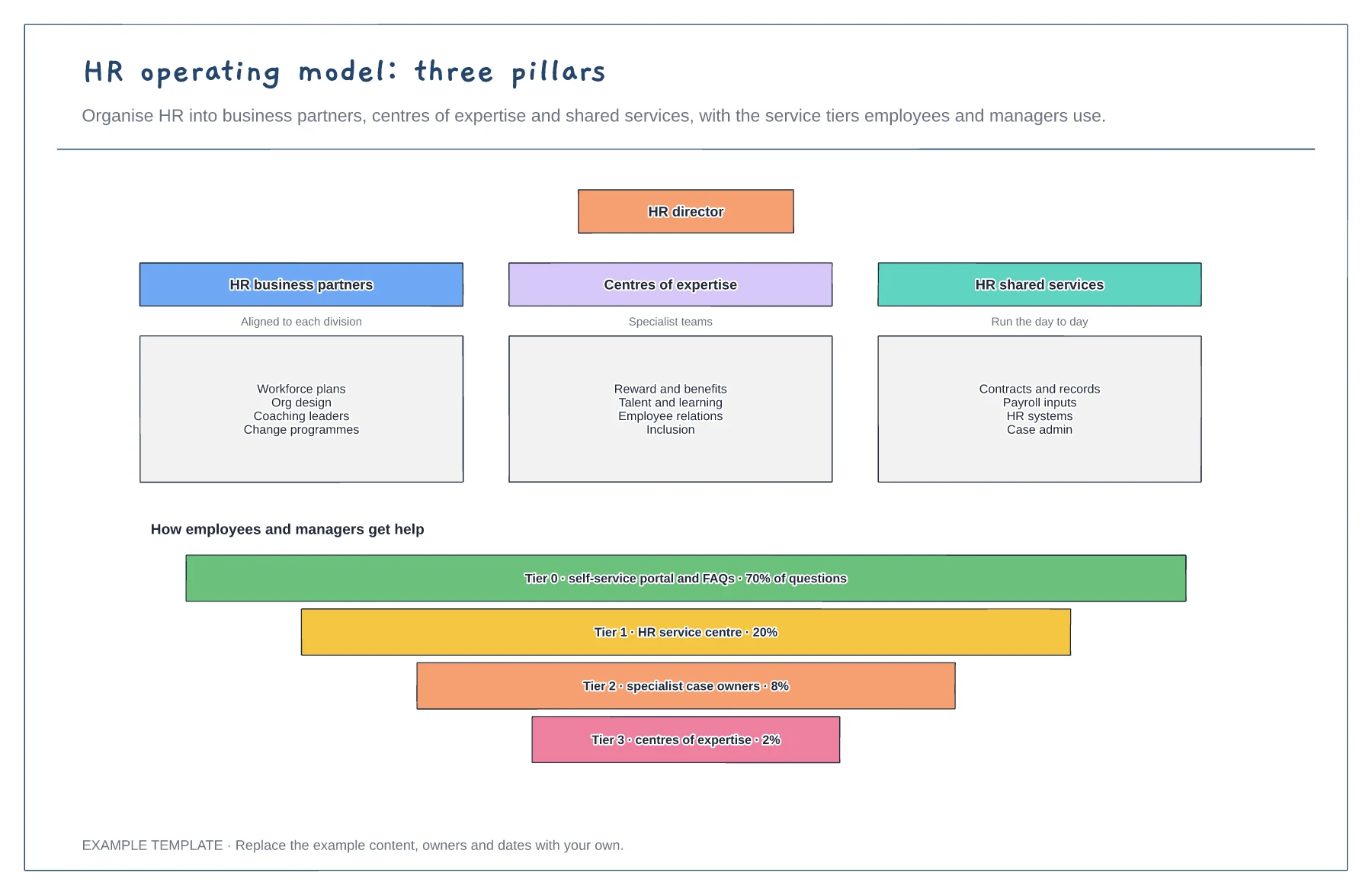
Three HR pillars and what each does · HR director over all three · Service tiers with share of questions
Preview and use template →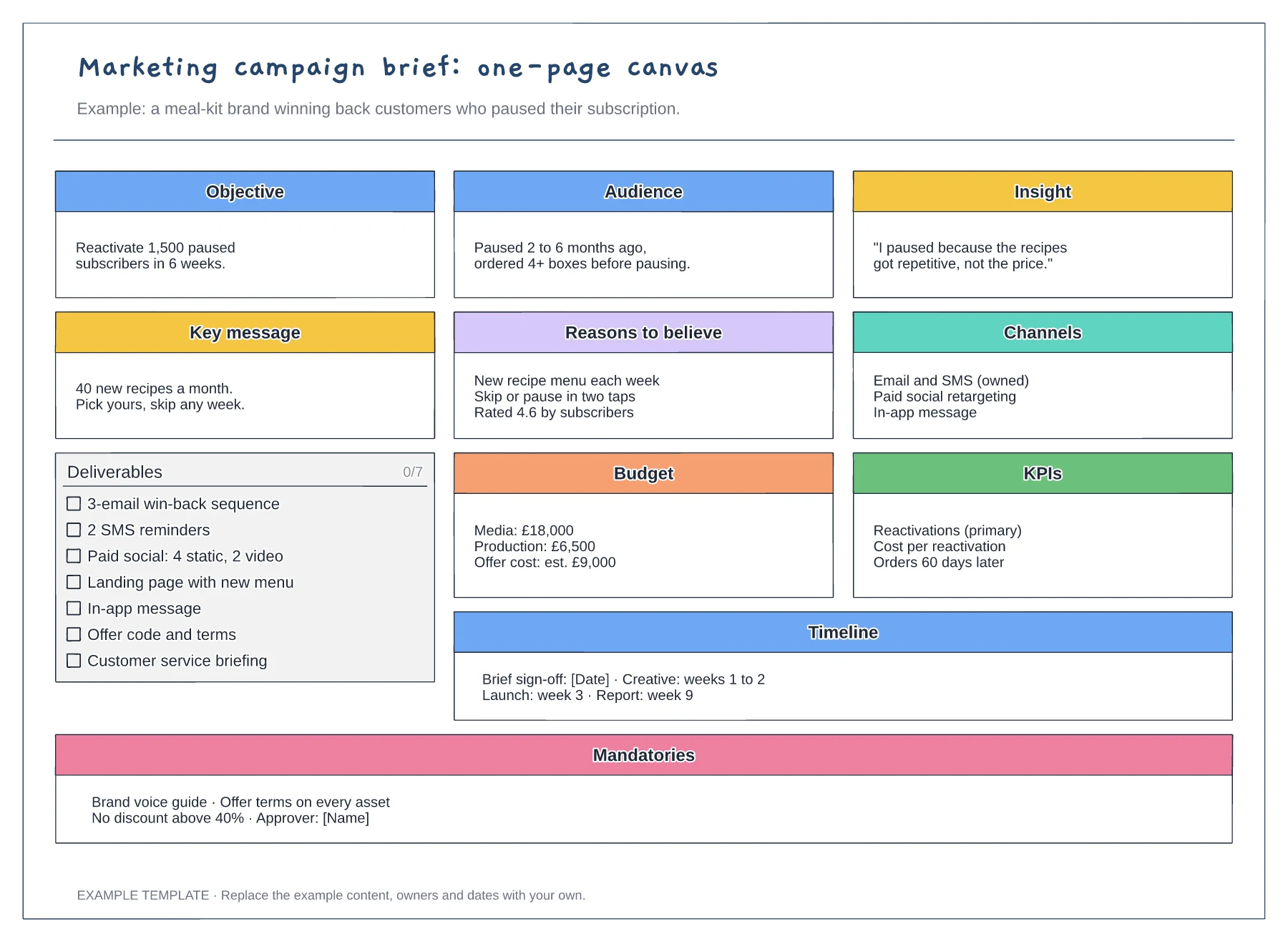
Objective, audience, insight and key message · Deliverables checklist with budget and KPIs · Timeline and mandatories for every asset
Preview and use template →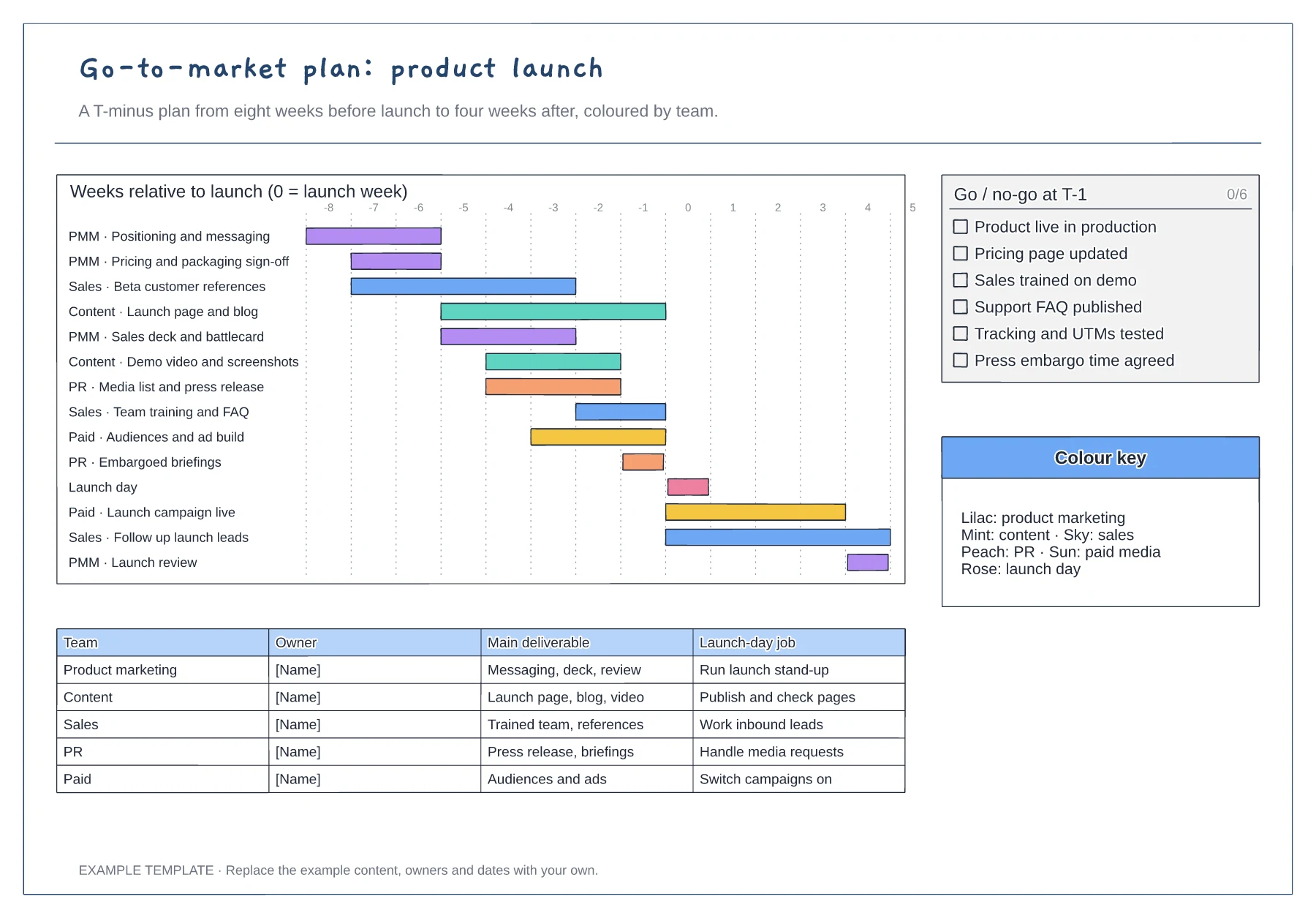
T-minus gantt chart coloured by team · Go/no-go checklist for the week before launch · Owner table with each team's launch-day job
Preview and use template →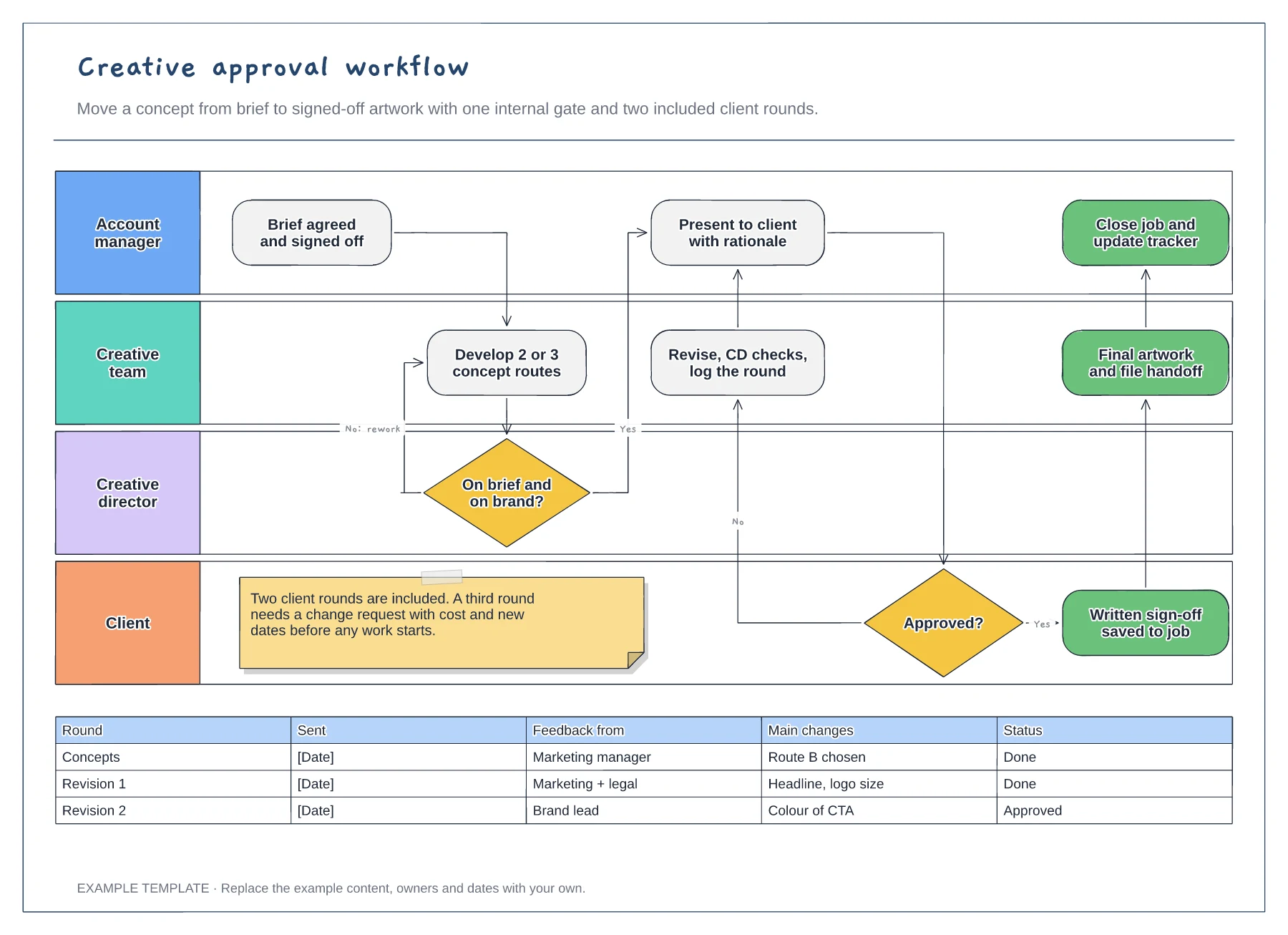
Four swimlanes from account manager to client · Internal gate and client revision loop · Revision log and a limit on included rounds
Preview and use template →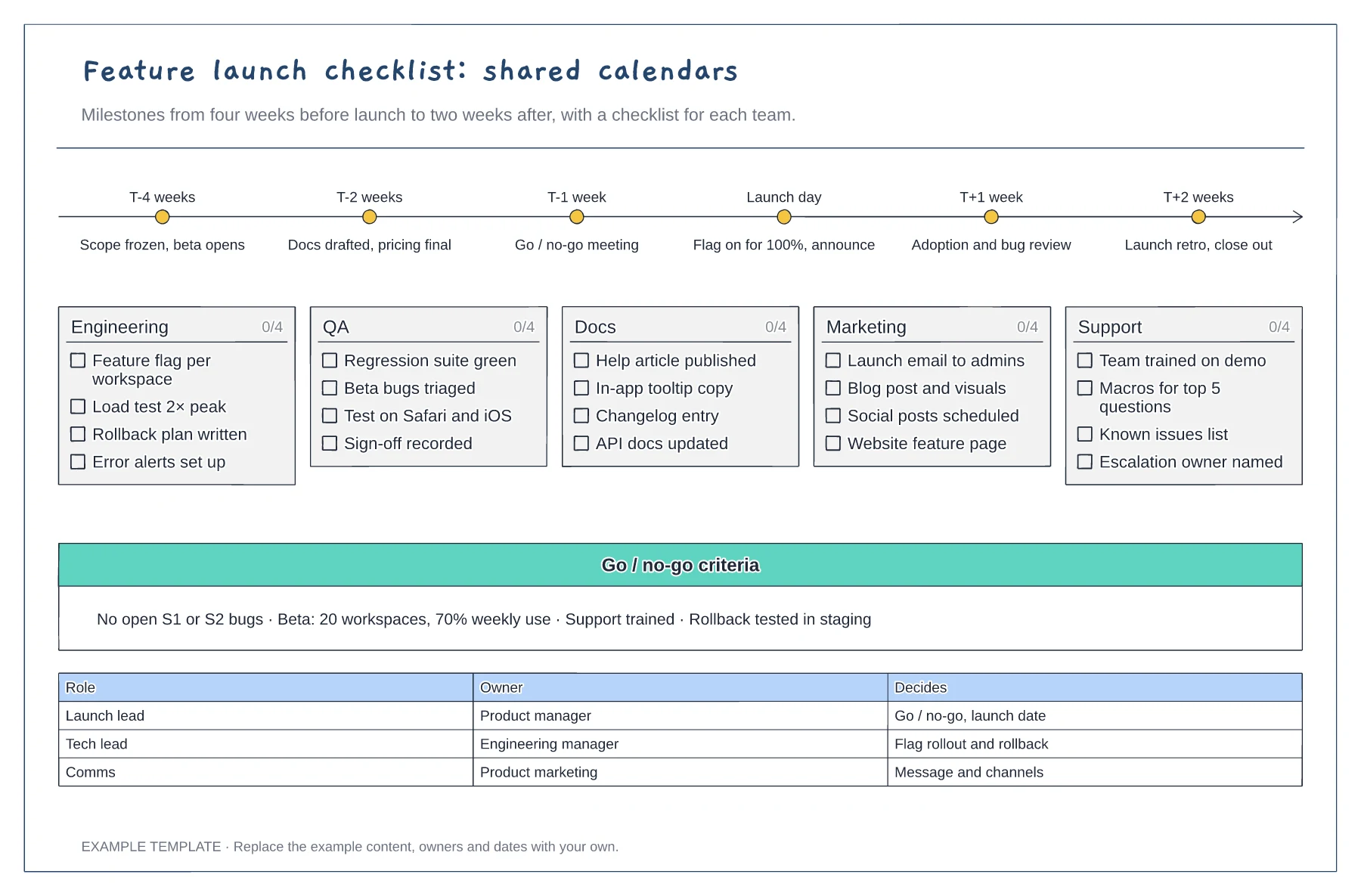
Milestones from T-4 weeks to T+2 weeks · Tickable checklists for five teams · Go or no-go criteria and decision owners
Preview and use template →