Product
Free trial conversion analysis template
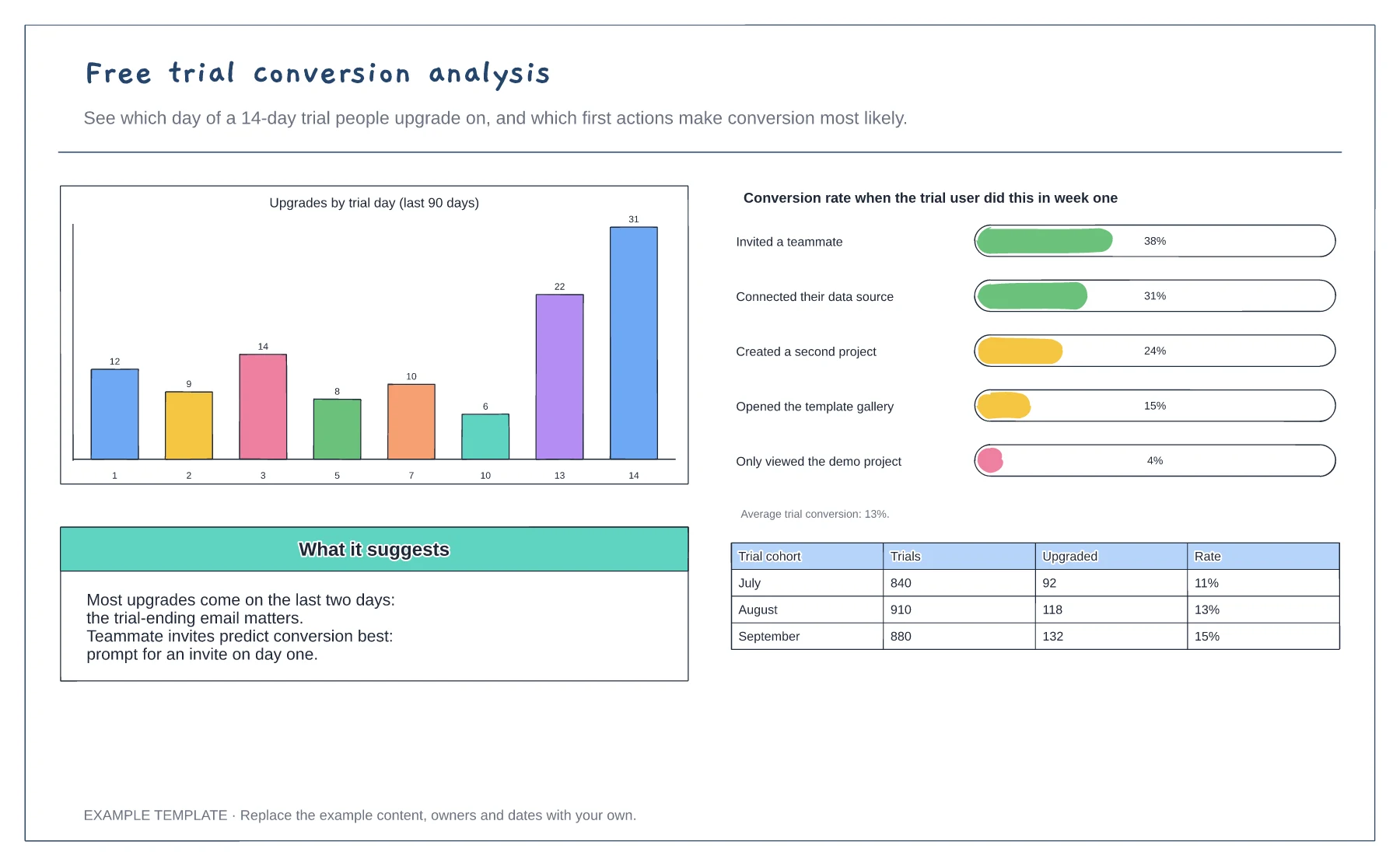
Upgrades by trial day · Conversion by first-week action · Monthly cohort table
Preview and use template →A dunning flow sets out what happens when a subscription payment fails, so customers get clear warnings and the business recovers revenue without cutting people off by accident. This swimlane example covers the customer, the billing app and the payment provider, from the failed renewal through retries and reminders to recovery or downgrade.
No account needed · Opens as your own editable page
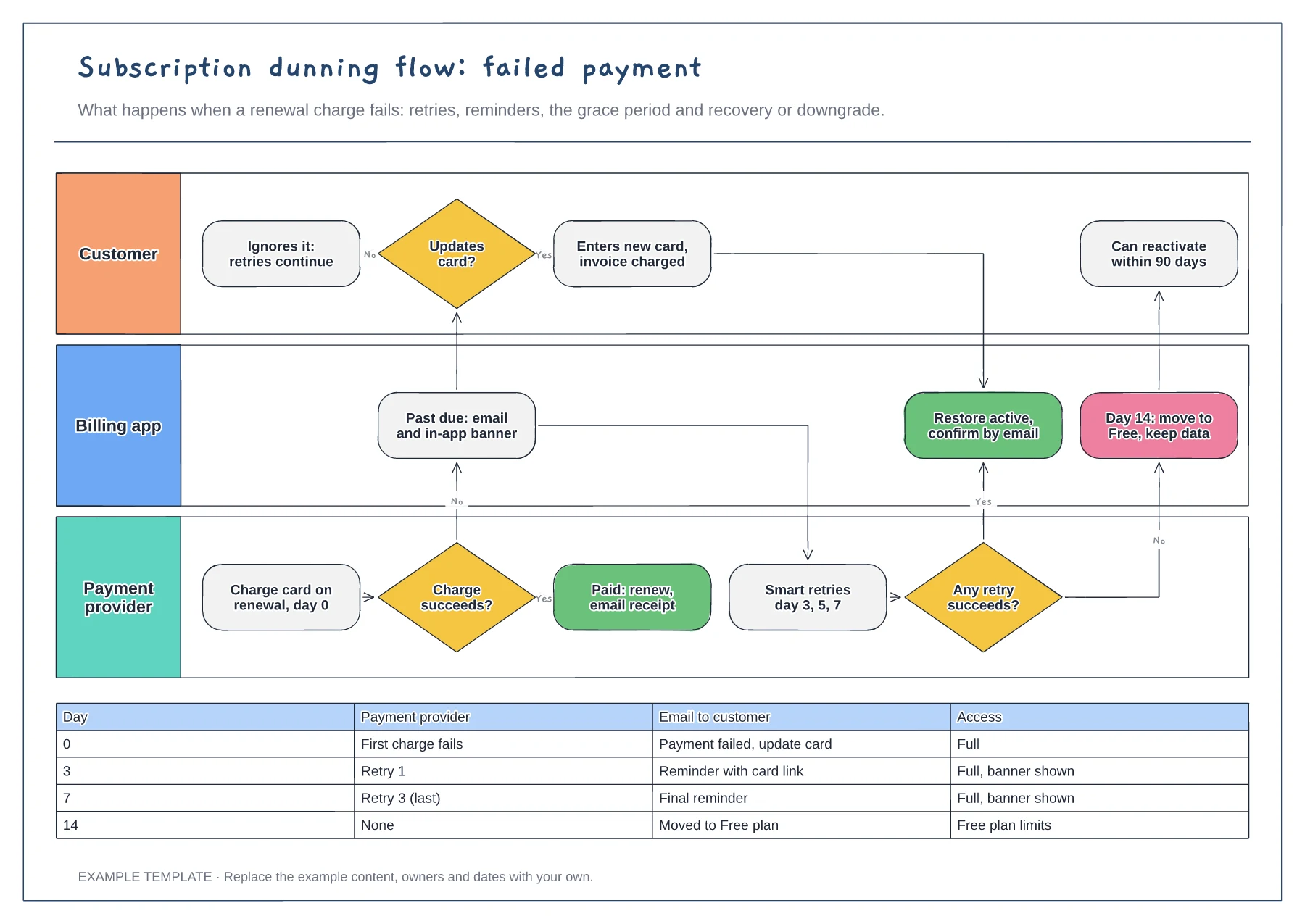
Check which retries your payment provider runs automatically, then align your emails with them. Customers should hear from you before each retry, not after it fails again.
Choose what customers can use while past due, and for how long. Full access with a banner keeps goodwill; restricting too early can turn a card problem into a cancellation.
Show how a downgraded customer can reactivate and what happens to their data. A simple path back recovers accounts that only lapsed because a card expired.
Edit the day labels in the retry and reminder schedule, then move the matching steps in the customer, billing app and payment provider lanes so they line up.
No. Open the template and edit it in your browser. Your work saves on this device. An account is optional if you want to sync your workspace.
Yes. Use Export in the editor to save a PNG, SVG or PDF, or download an editable .epicdraw backup.
Upgrades by trial day · Conversion by first-week action · Monthly cohort table
Preview and use template →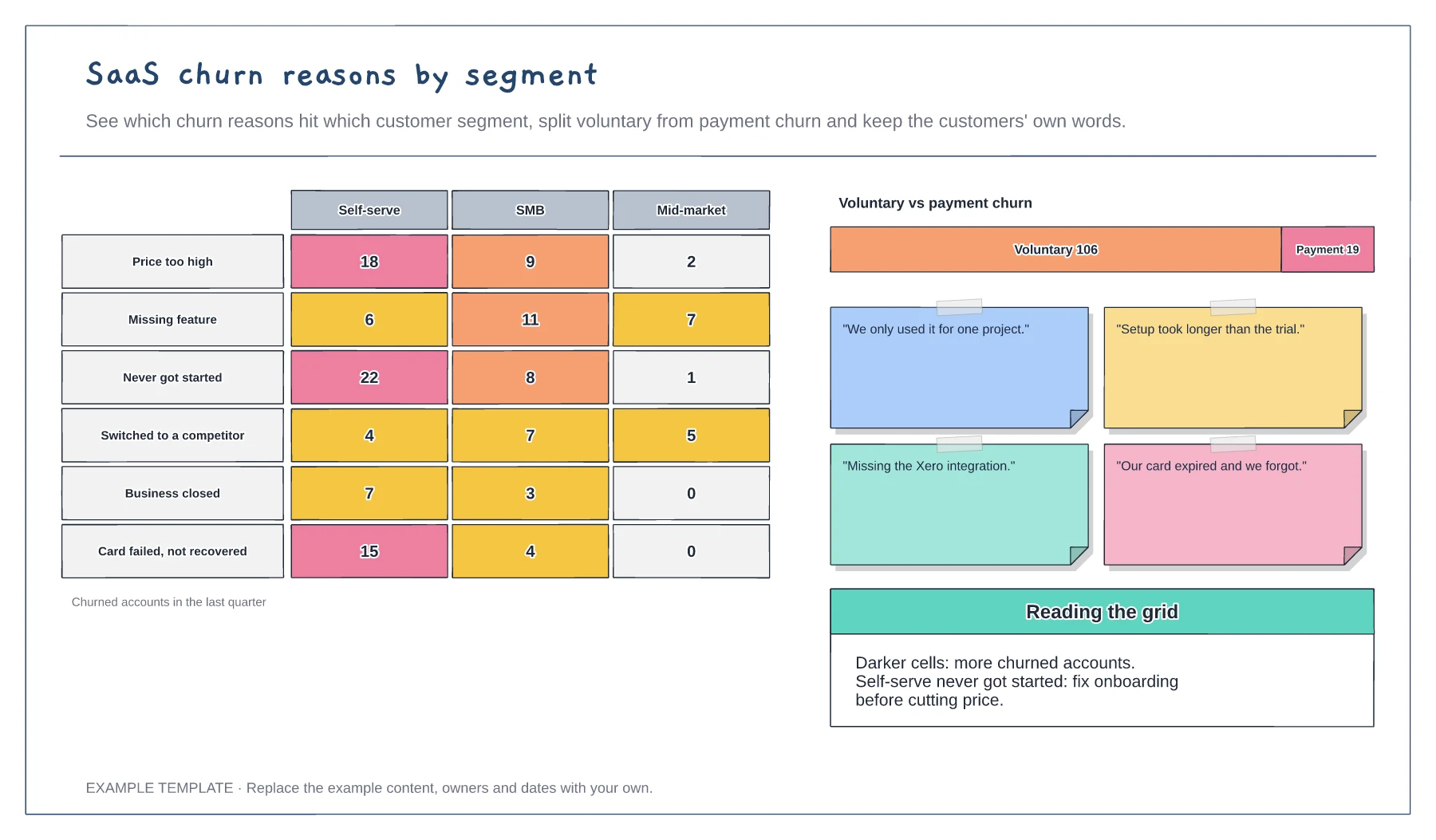
Heat grid of churn reasons by segment · Voluntary versus payment churn split · Customer quotes beside the data
Preview and use template →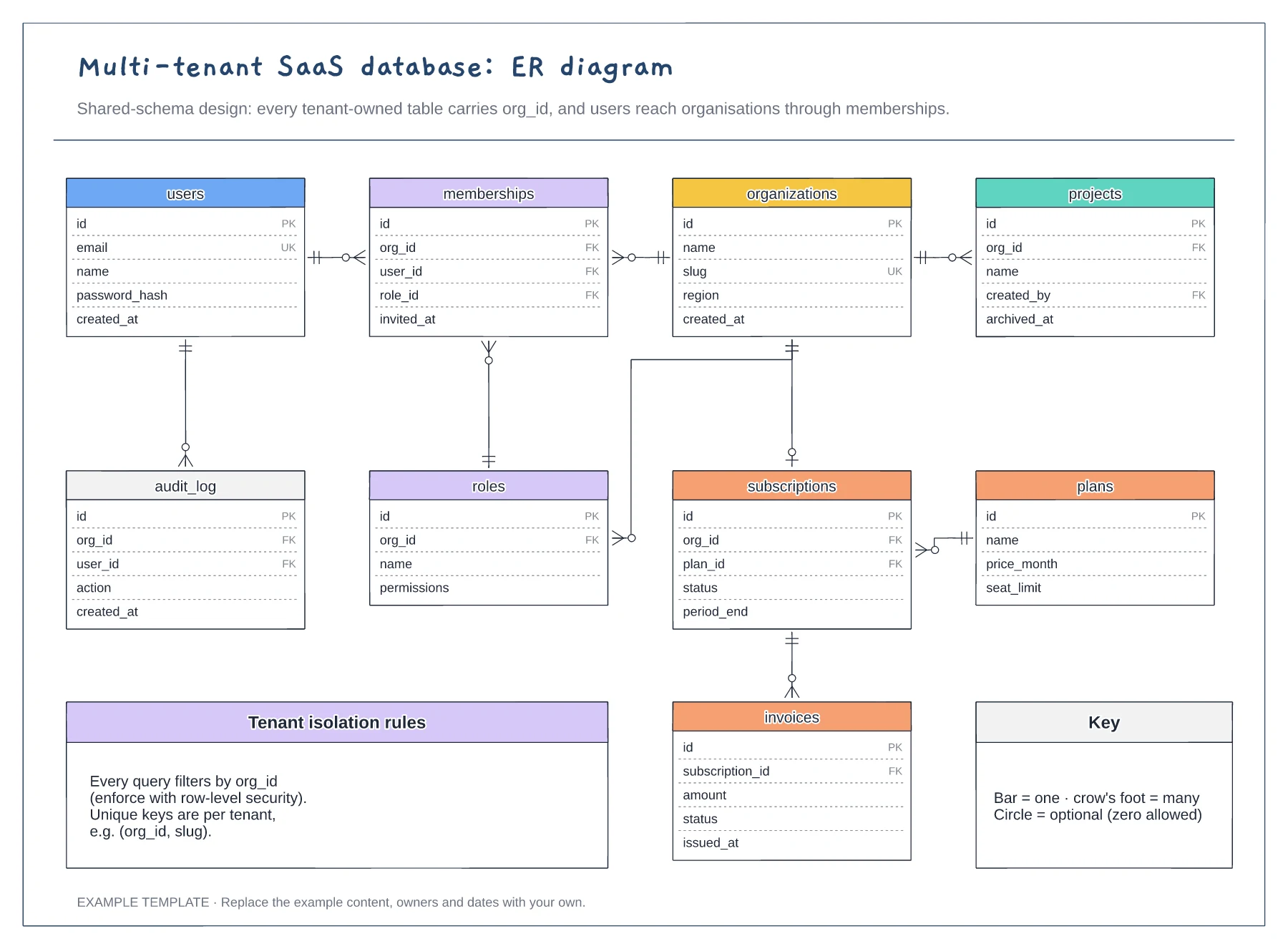
Nine tables with keys marked PK, FK and UK · Crow's foot relationships with optional ends · Tenant isolation rules and a notation key
Preview and use template →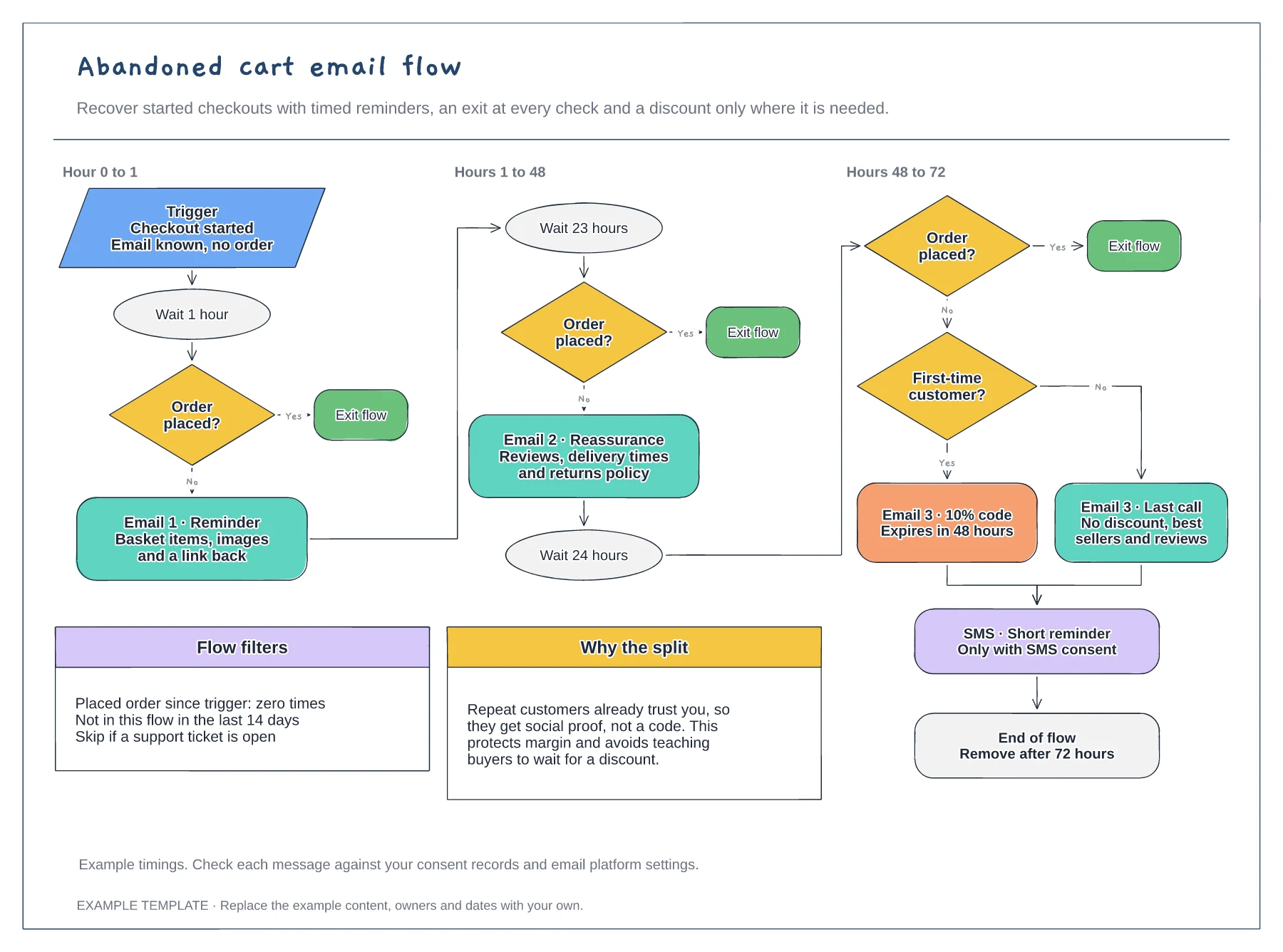
Trigger, waits and order checks · First-time buyer discount split · Flow filters and an SMS step
Preview and use template →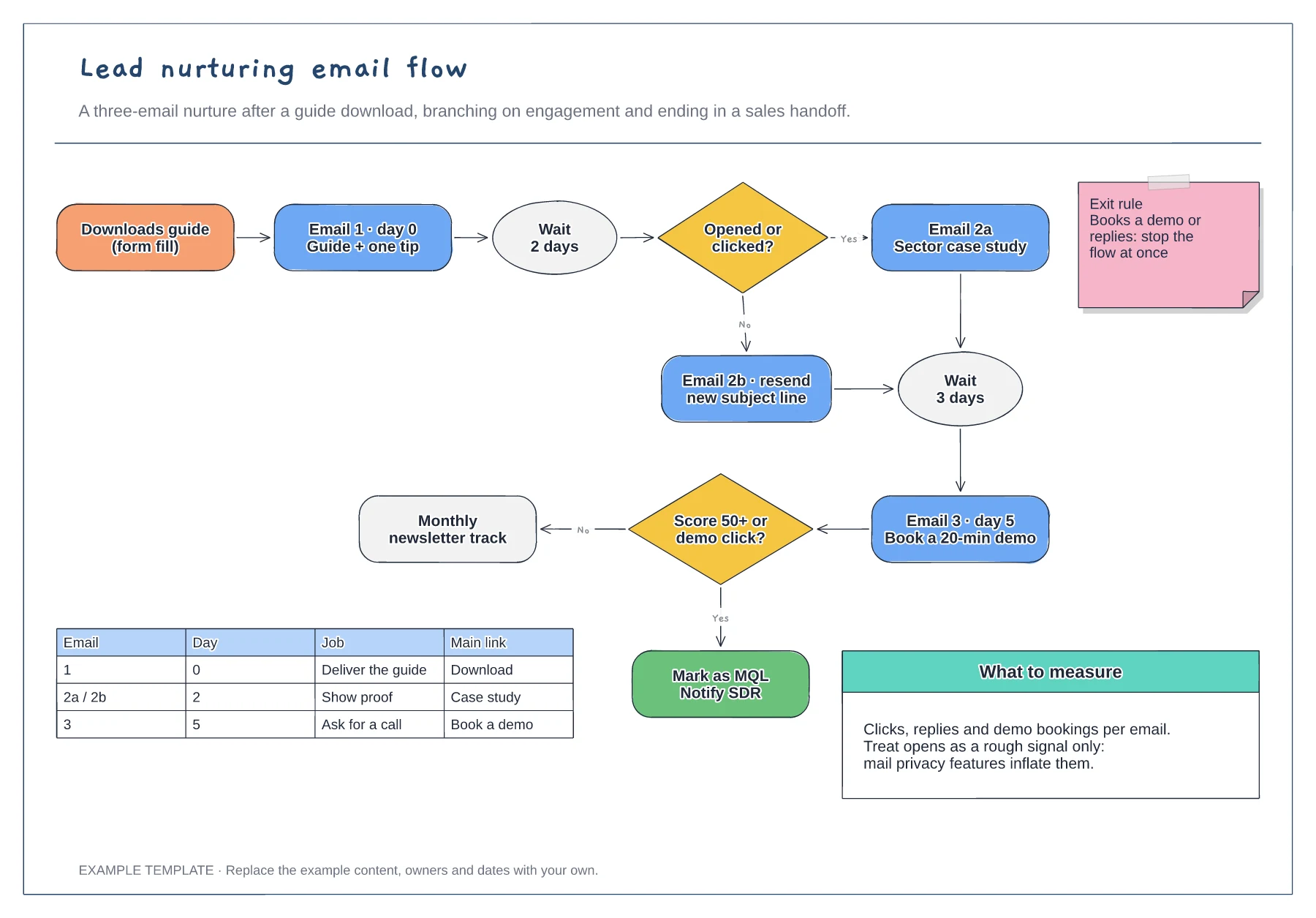
Trigger, wait steps and engagement branches · Exit rule and MQL handoff · Email table and notes on what to measure
Preview and use template →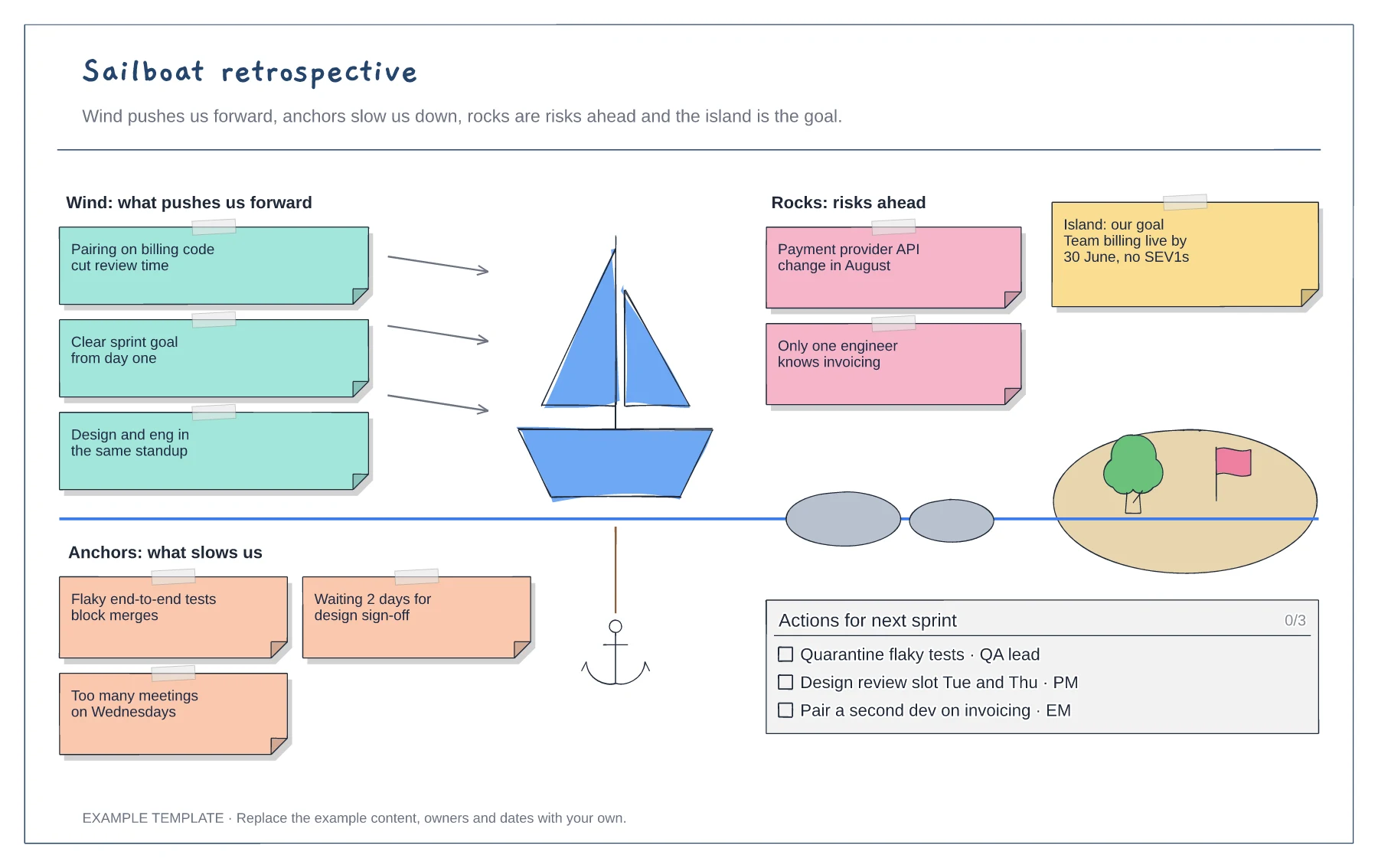
Wind, anchors, rocks and island areas · Example notes from a SaaS team · A checklist of actions with owners
Preview and use template →