Marketing
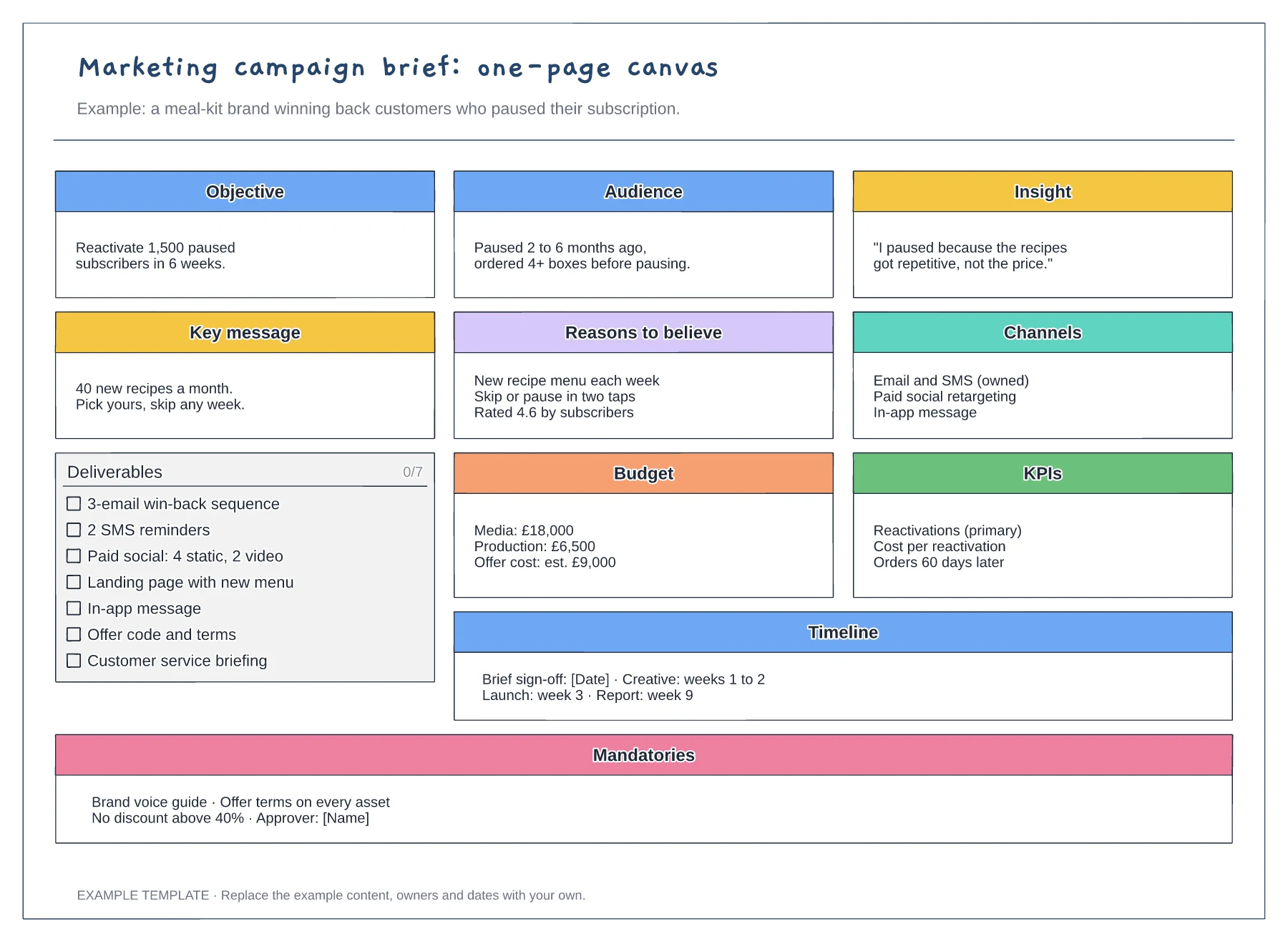
Marketing campaign brief template
Objective, audience, insight and key message · Deliverables checklist with budget and KPIs · Timeline and mandatories for every asset
Preview and use template →A creative approval workflow shows who reviews a piece of work, in what order, and what happens when feedback comes back. This example follows a campaign from an agreed brief through internal review by the creative director, two included client rounds and written sign-off, with a log of each round underneath.
No account needed · Opens as your own editable page
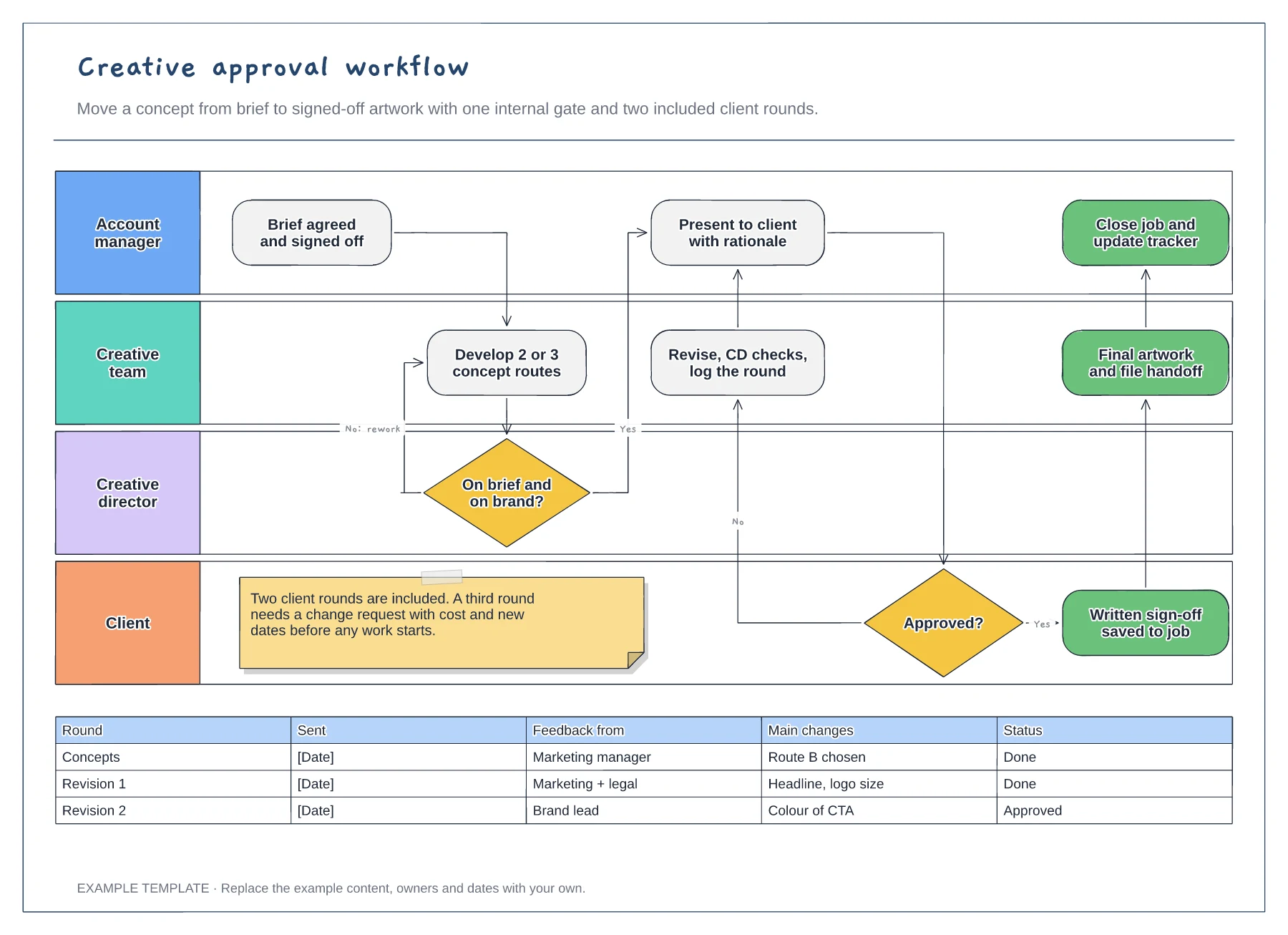
Replace the lane names with the people who actually approve work on your account, including legal or brand teams if they review. A missing reviewer usually appears late, so adding them now prevents a surprise round of changes.
Change the two included rounds to match your contract or statement of work. Writing the limit on the diagram gives the account manager something to point to when a third set of changes arrives.
Record each round with who sent feedback and what changed. When a client asks why a deadline moved, the log shows the extra rounds and dates without anyone reconstructing them from email.
Yes. Change the limit in the revision log and the label on the client revision loop, or add a step that flags extra rounds as chargeable.
No. Open the template and edit it in your browser. Your work saves on this device. An account is optional if you want to sync your workspace.
Yes. Use Export in the editor to save a PNG, SVG or PDF, or download an editable .epicdraw backup.
Objective, audience, insight and key message · Deliverables checklist with budget and KPIs · Timeline and mandatories for every asset
Preview and use template →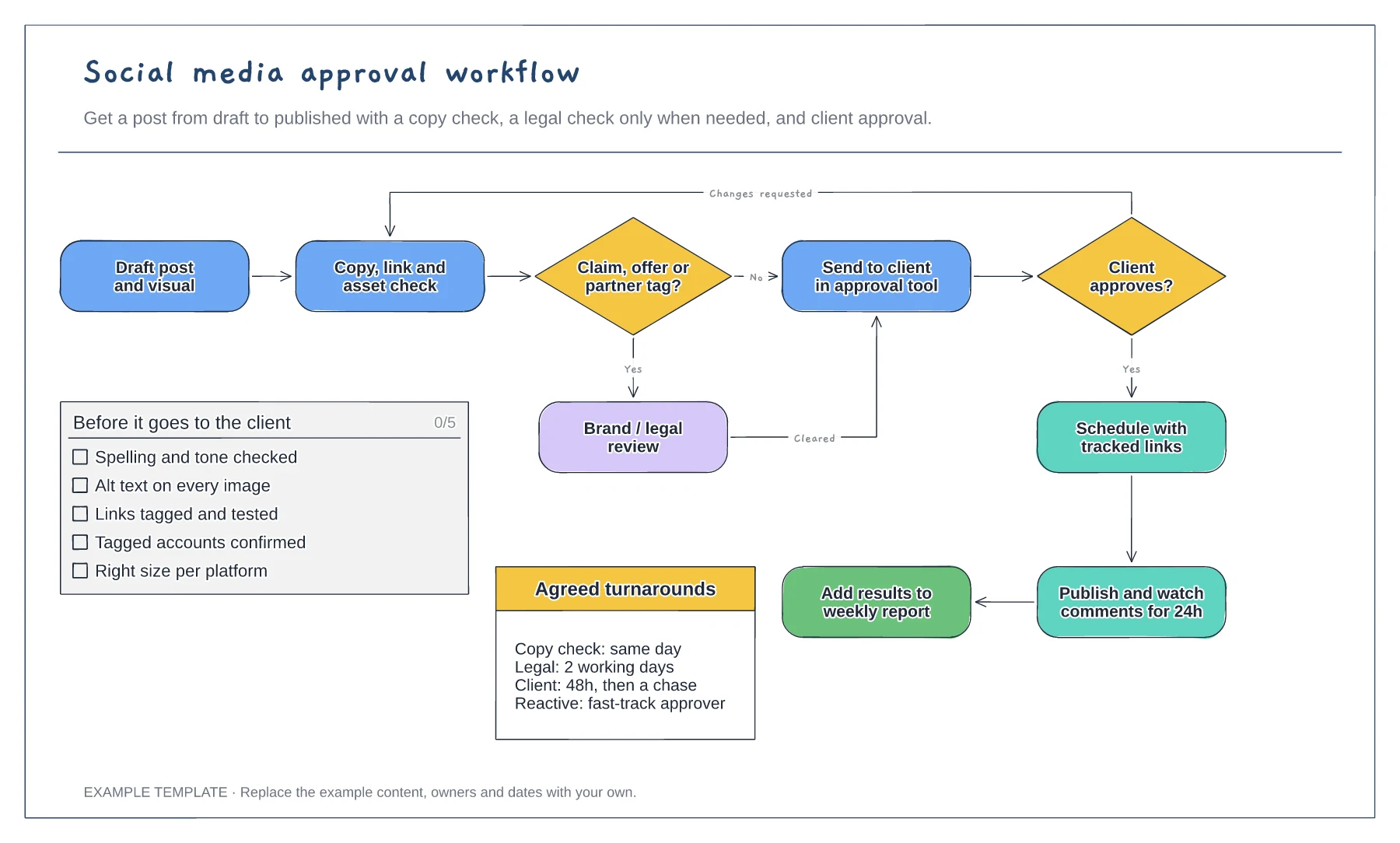
Flowchart with a conditional legal check · Changes-requested loop back to the copy check · Pre-approval checklist and agreed turnarounds
Preview and use template →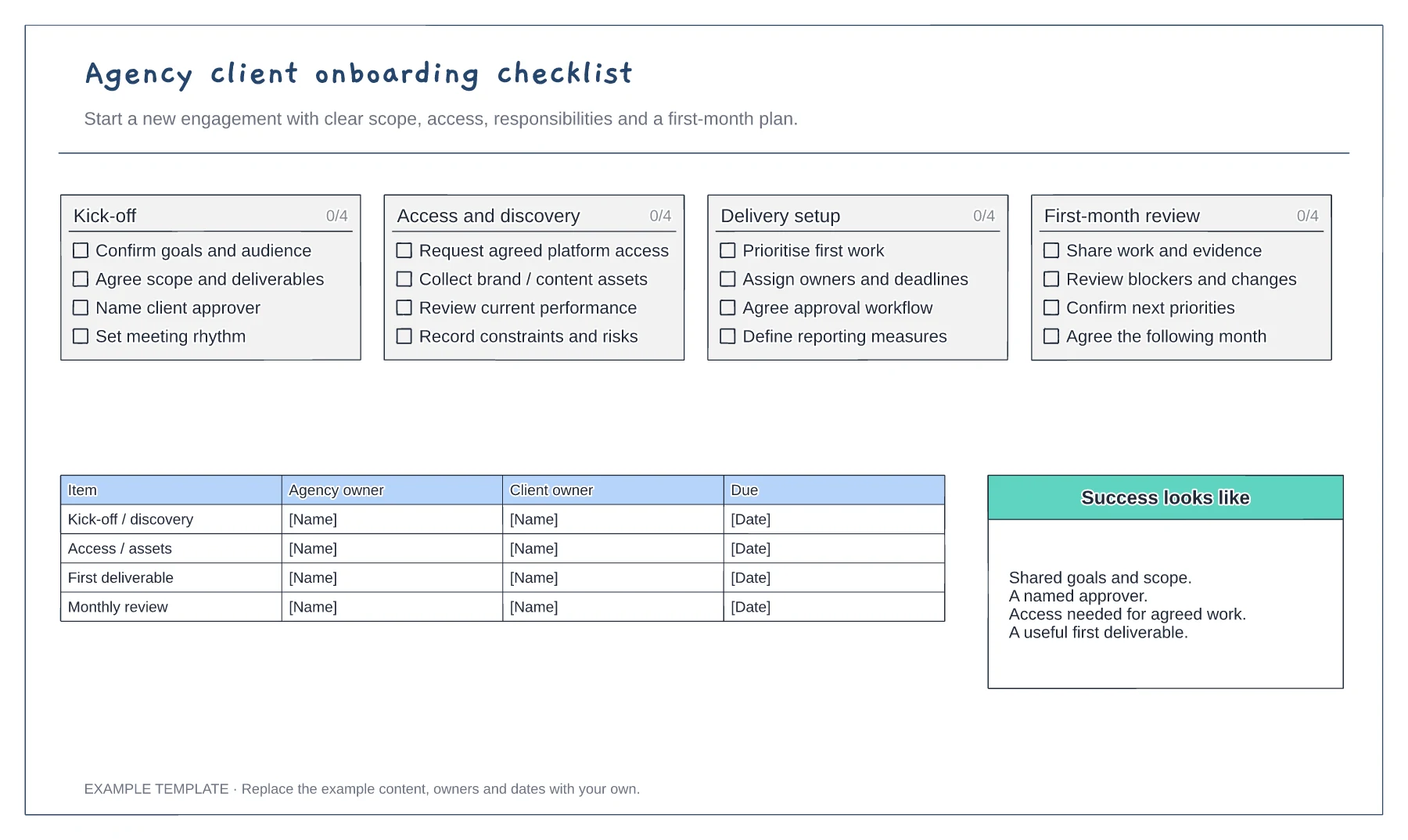
Scope and commercial handover · Access and working arrangements · Kickoff and first-month plan
Preview and use template →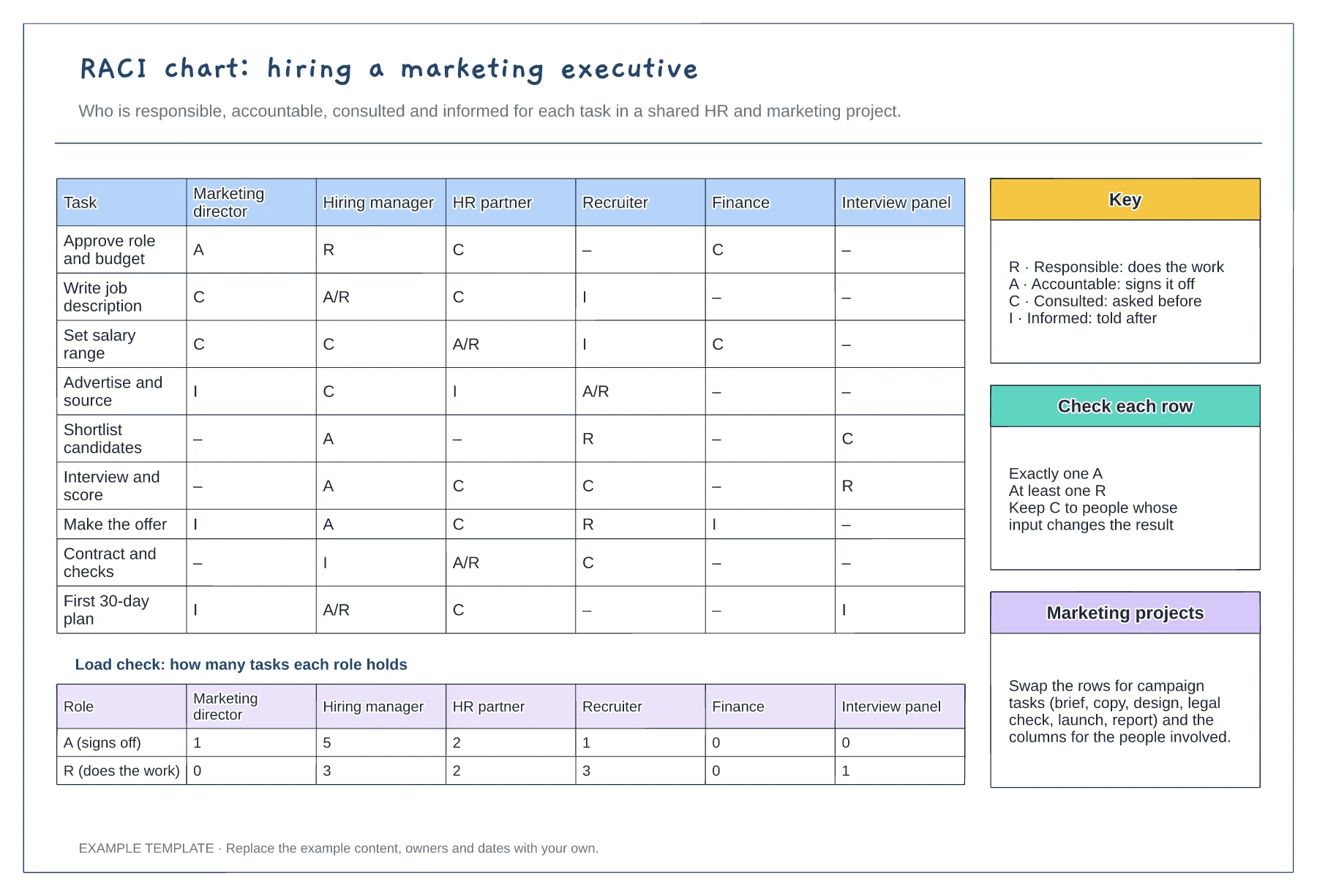
Tasks against six roles with R, A, C and I · Load check of A and R per role · Key, row checks and reuse notes
Preview and use template →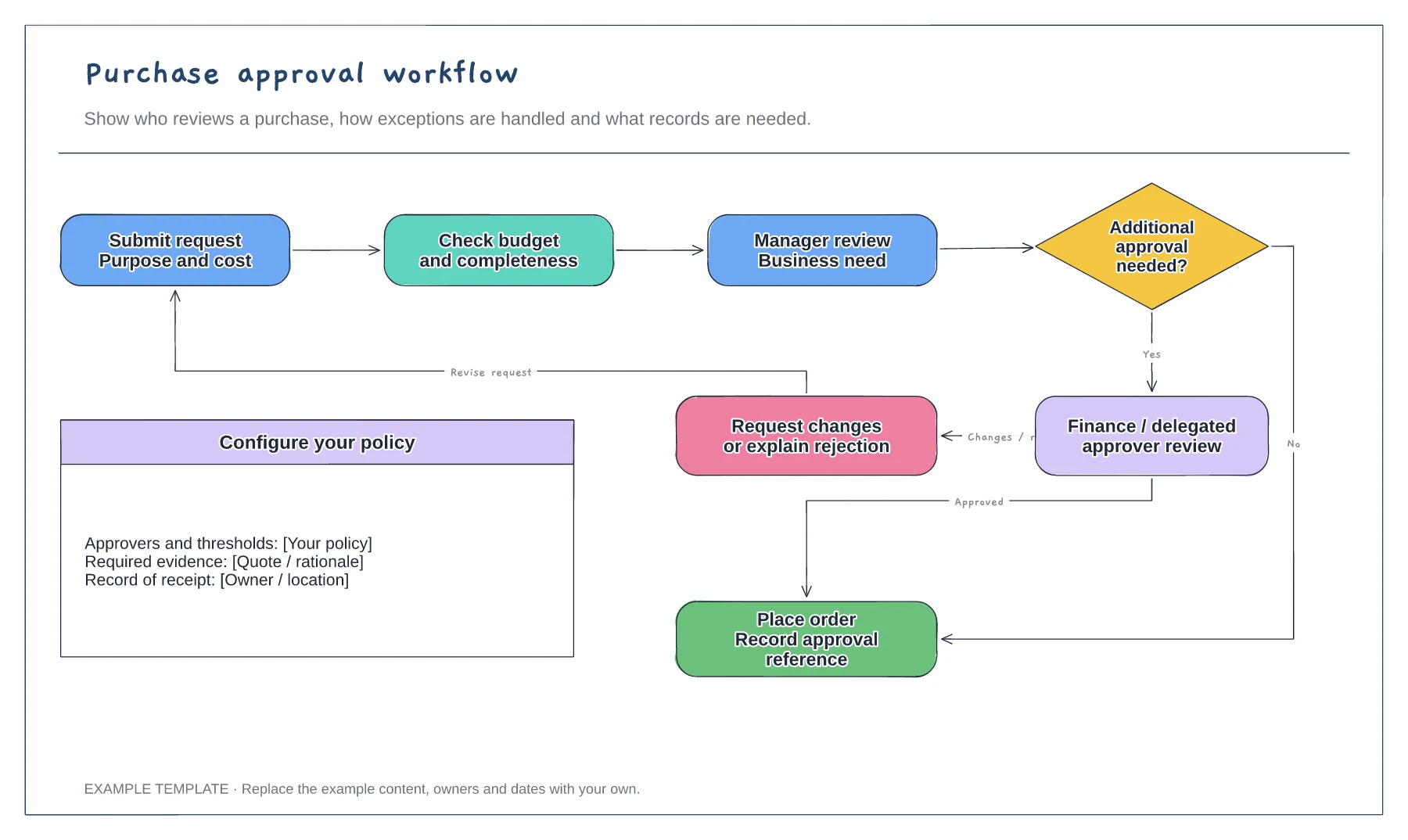
Purchase request and supporting information · Approval decisions and revision path · Order and record-keeping steps
Preview and use template →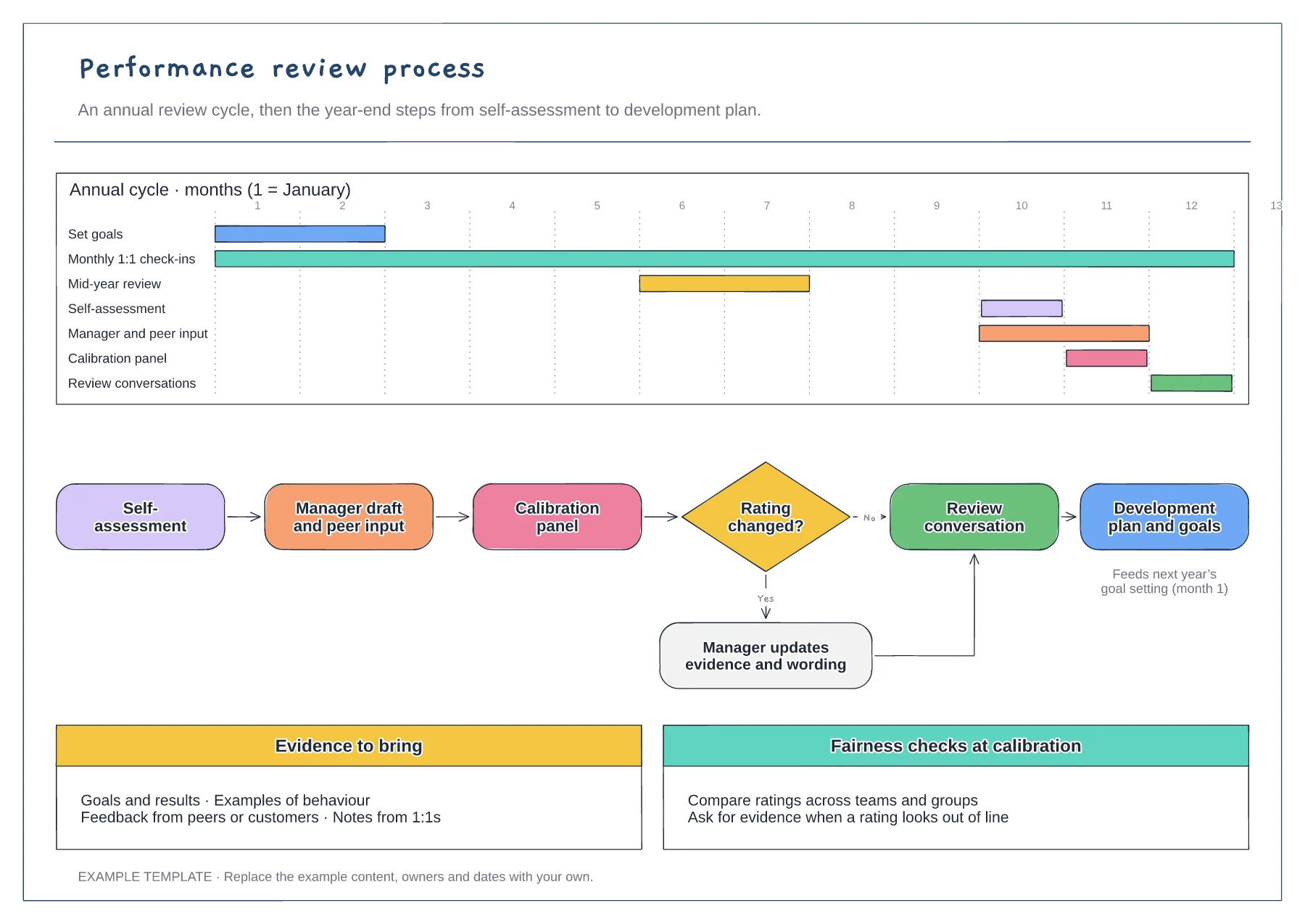
Annual cycle on a Gantt chart · Year-end flow with calibration decision · Evidence and fairness checks
Preview and use template →