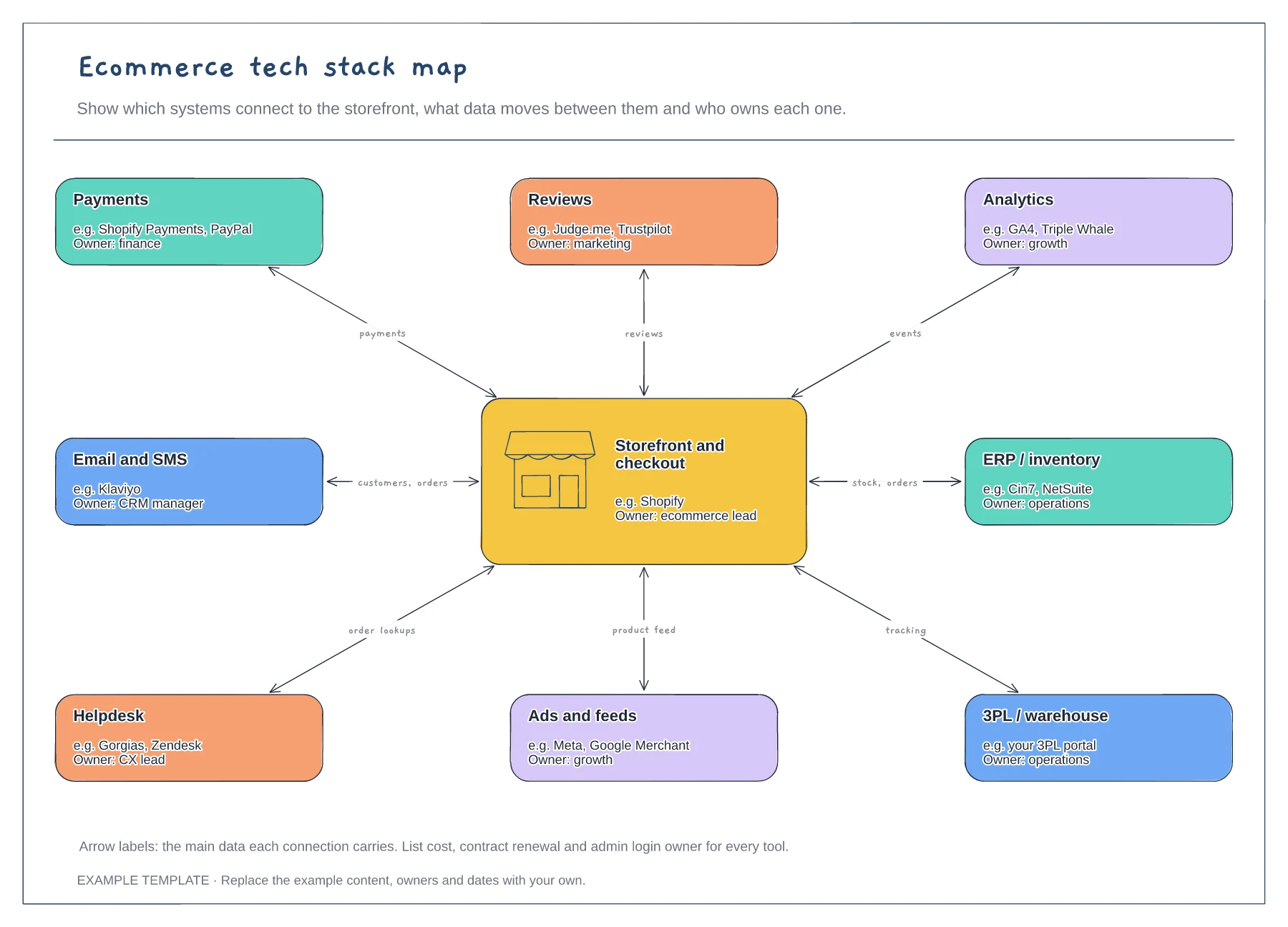
Ecommerce
Ecommerce tech stack map template
Storefront hub and eight systems · Data carried by each connection · An owner for every tool
Preview and use template →A capability map shows what your marketing tools need to do before you look at the tools themselves. This example lists capabilities in five stages, from attracting visitors and converting them to nurturing, measuring and managing data, shows which tool covers each, and marks gaps with no tool and overlaps where two tools do the same job.
No account needed · Opens as your own editable page
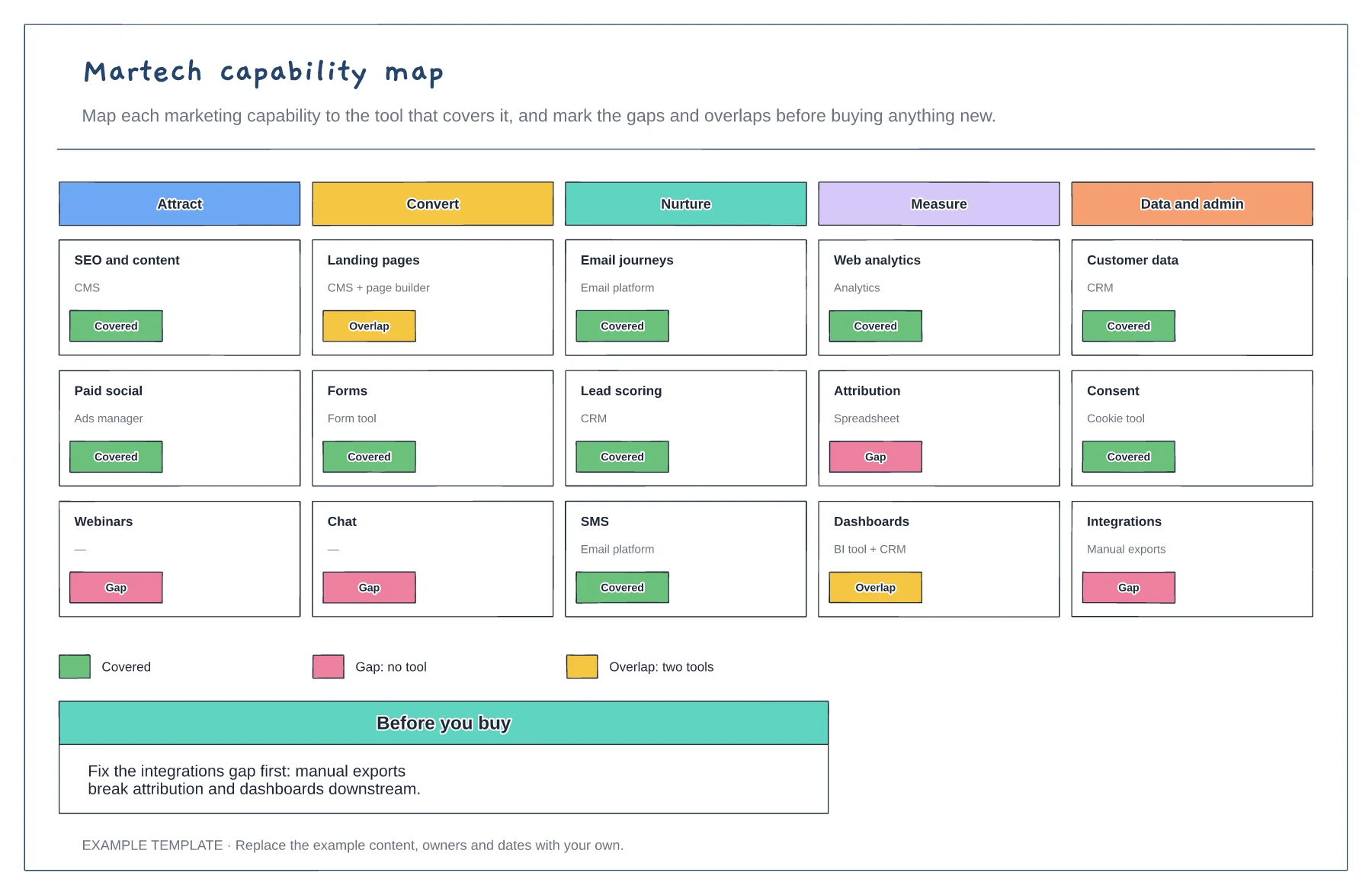
Write what marketing needs to do at each stage before naming any software.
Add the tool that covers each capability today, including spreadsheets and manual workarounds.
Mark gaps and overlaps, then decide what to add, remove or connect. Integrations often matter more than new tools.
A capability with no tool beside it is marked as a gap, and one covered by more than one tool is marked as an overlap. Update the markers as you add or retire tools.
No. Open the template and edit it in your browser. Your work saves on this device. An account is optional if you want to sync your workspace.
Yes. Use Export in the editor to save a PNG, SVG or PDF, or download an editable .epicdraw backup.
Storefront hub and eight systems · Data carried by each connection · An owner for every tool
Preview and use template →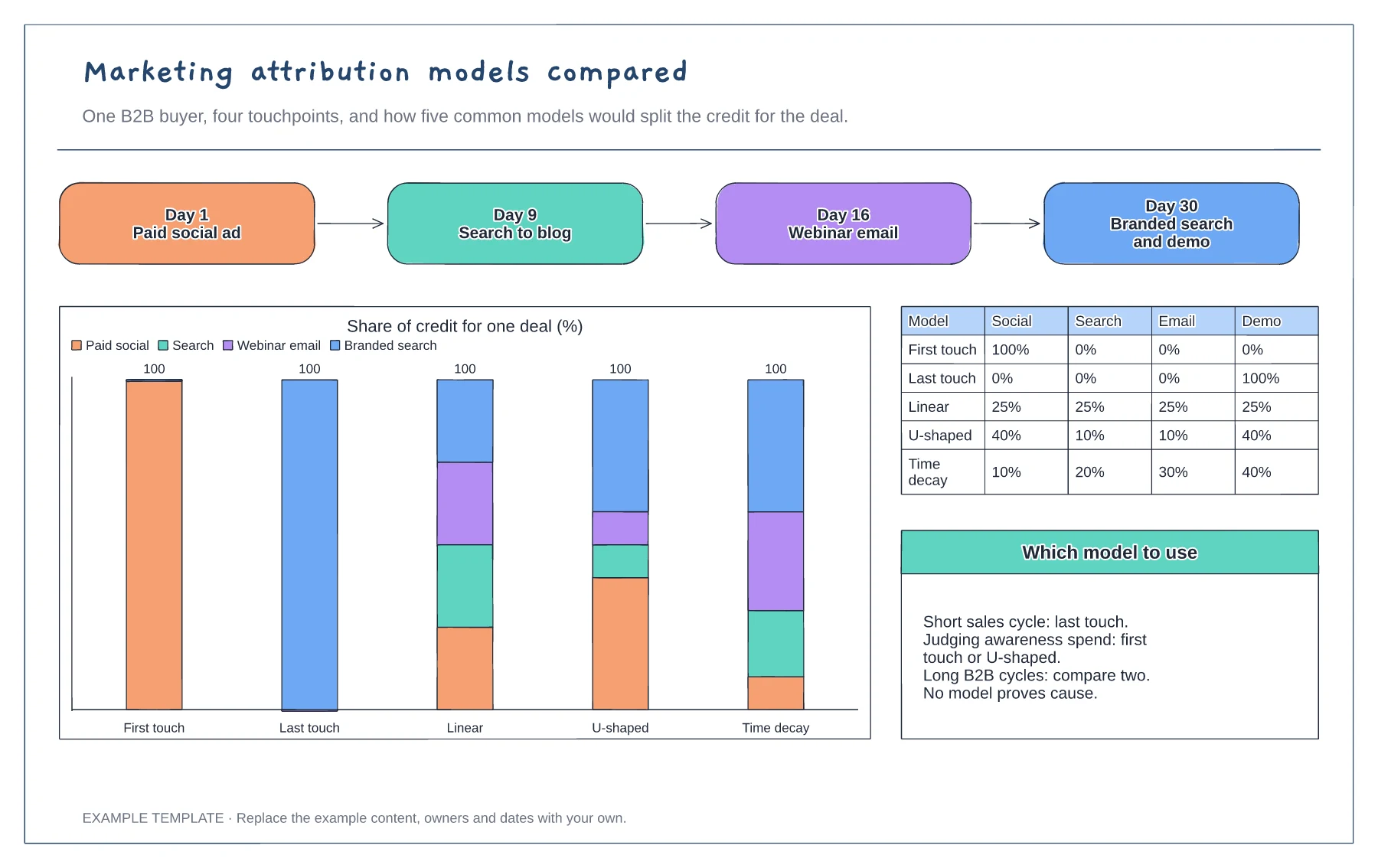
Four-touchpoint buyer path · Stacked chart of credit by model · Percentage table and notes on choosing a model
Preview and use template →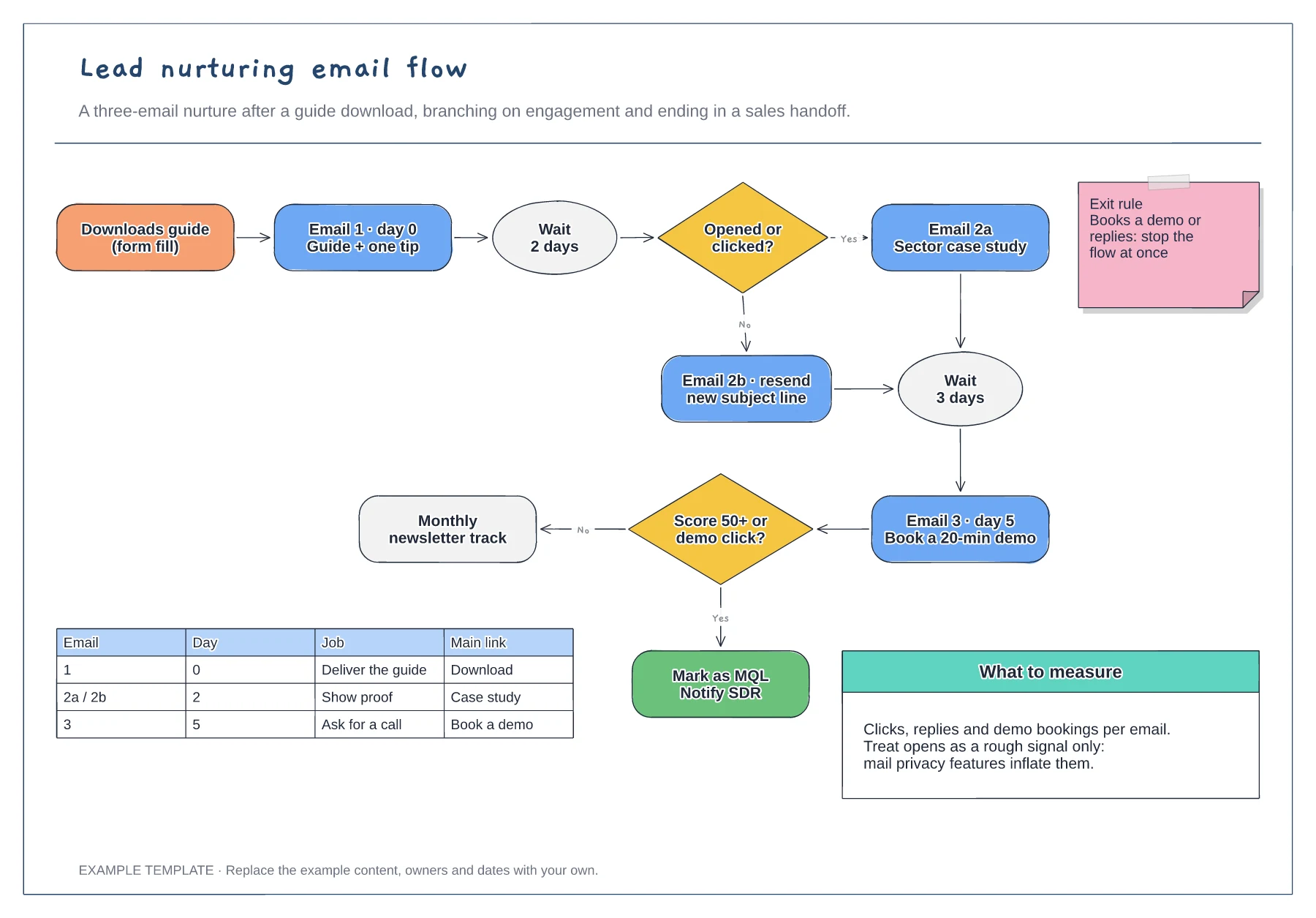
Trigger, wait steps and engagement branches · Exit rule and MQL handoff · Email table and notes on what to measure
Preview and use template →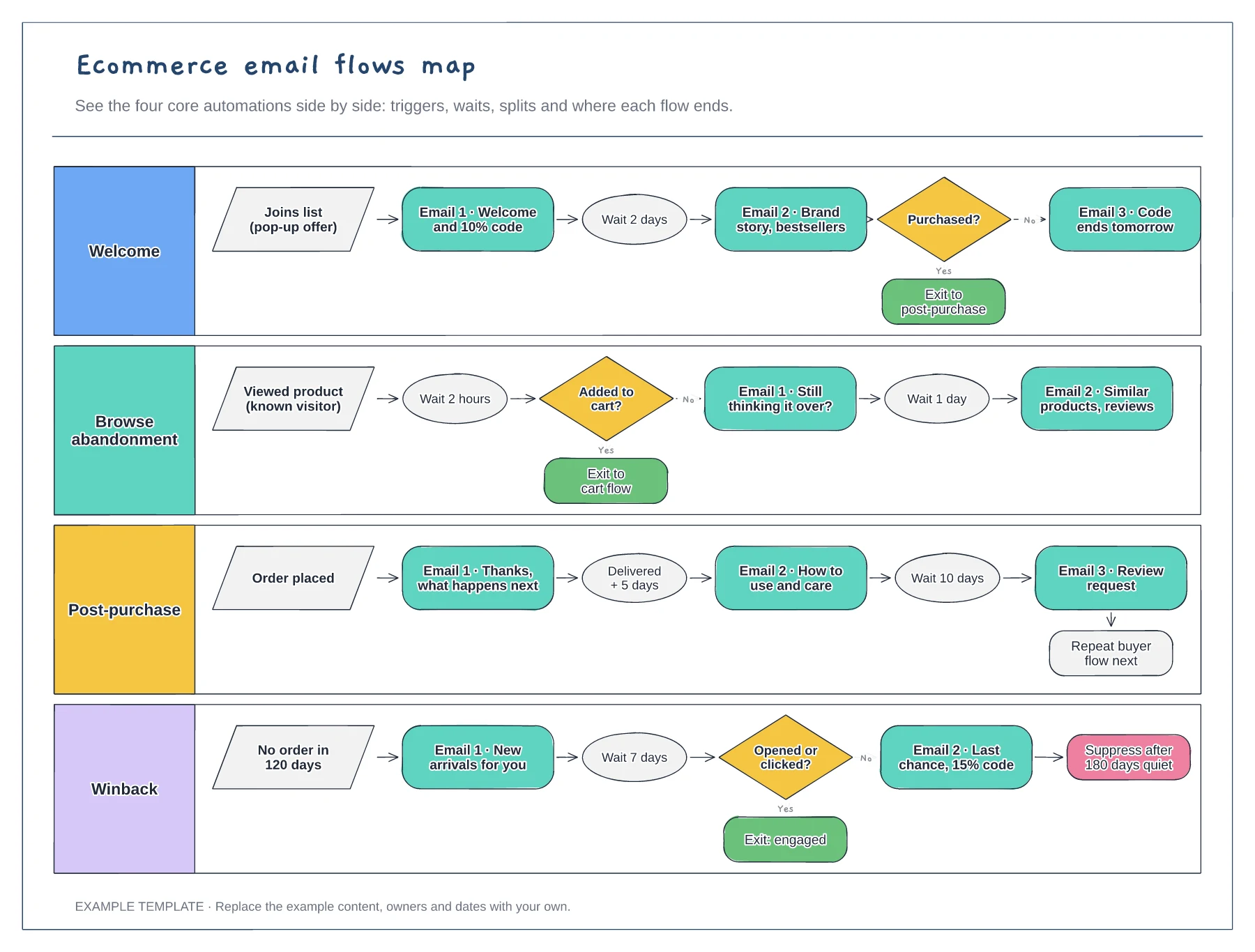
Four flows in separate lanes · Triggers, waits and conditional splits · Exits that hand people to the next flow
Preview and use template →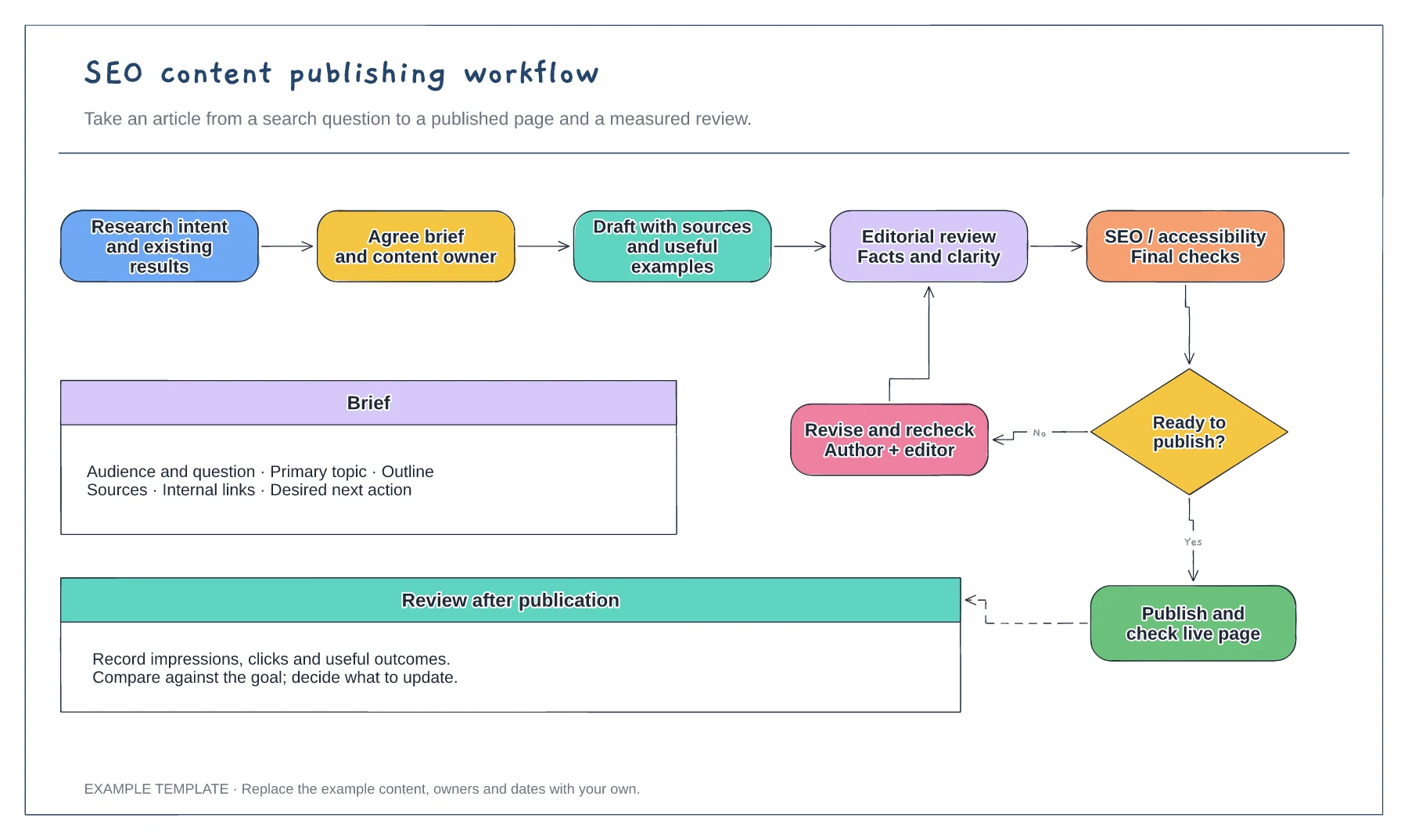
Search question and content brief · Draft, edit and approval loop · Publication and performance review
Preview and use template →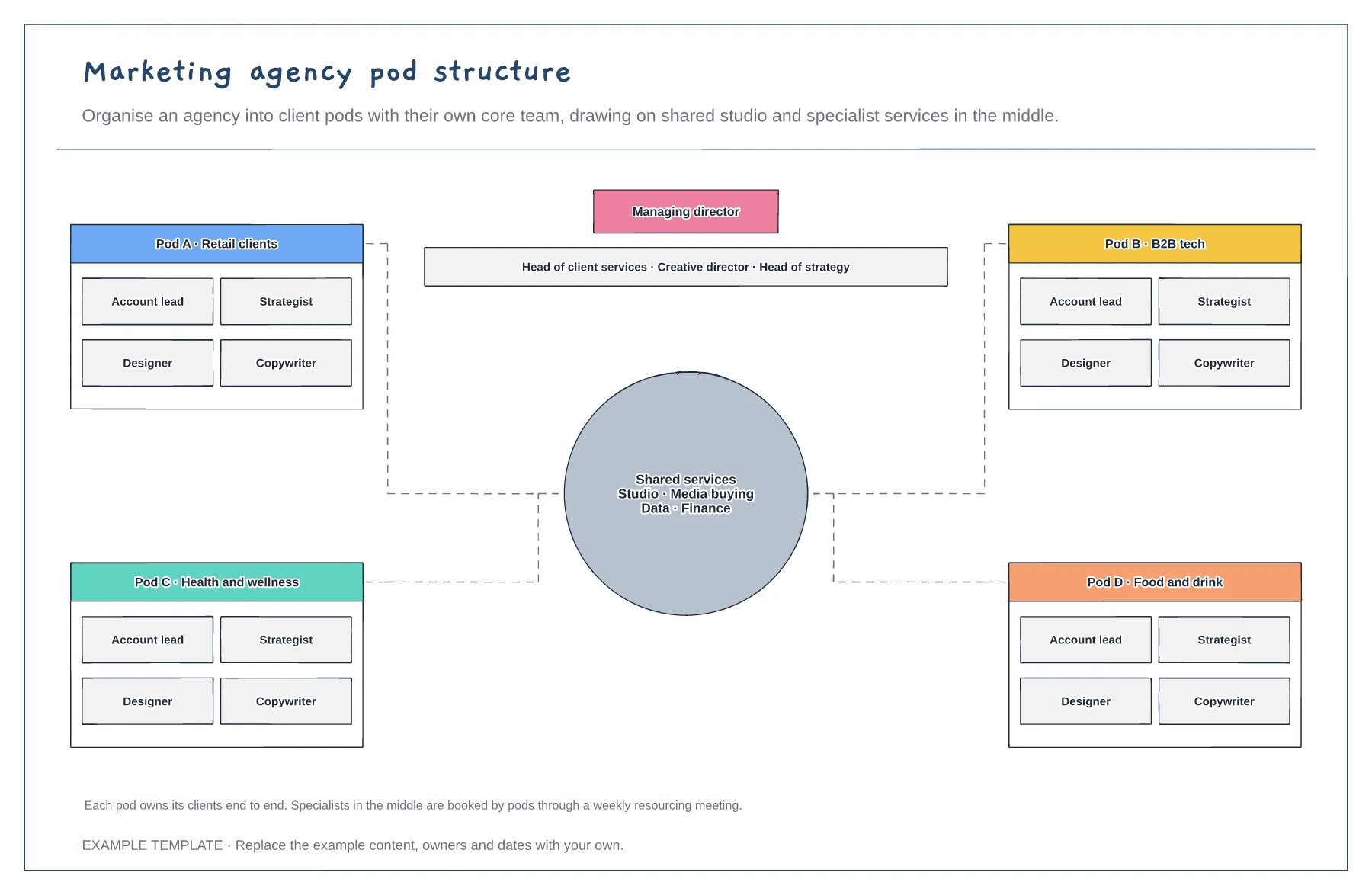
Four client pods with a core team · Shared services in the middle · Leadership across all pods
Preview and use template →