Ecommerce
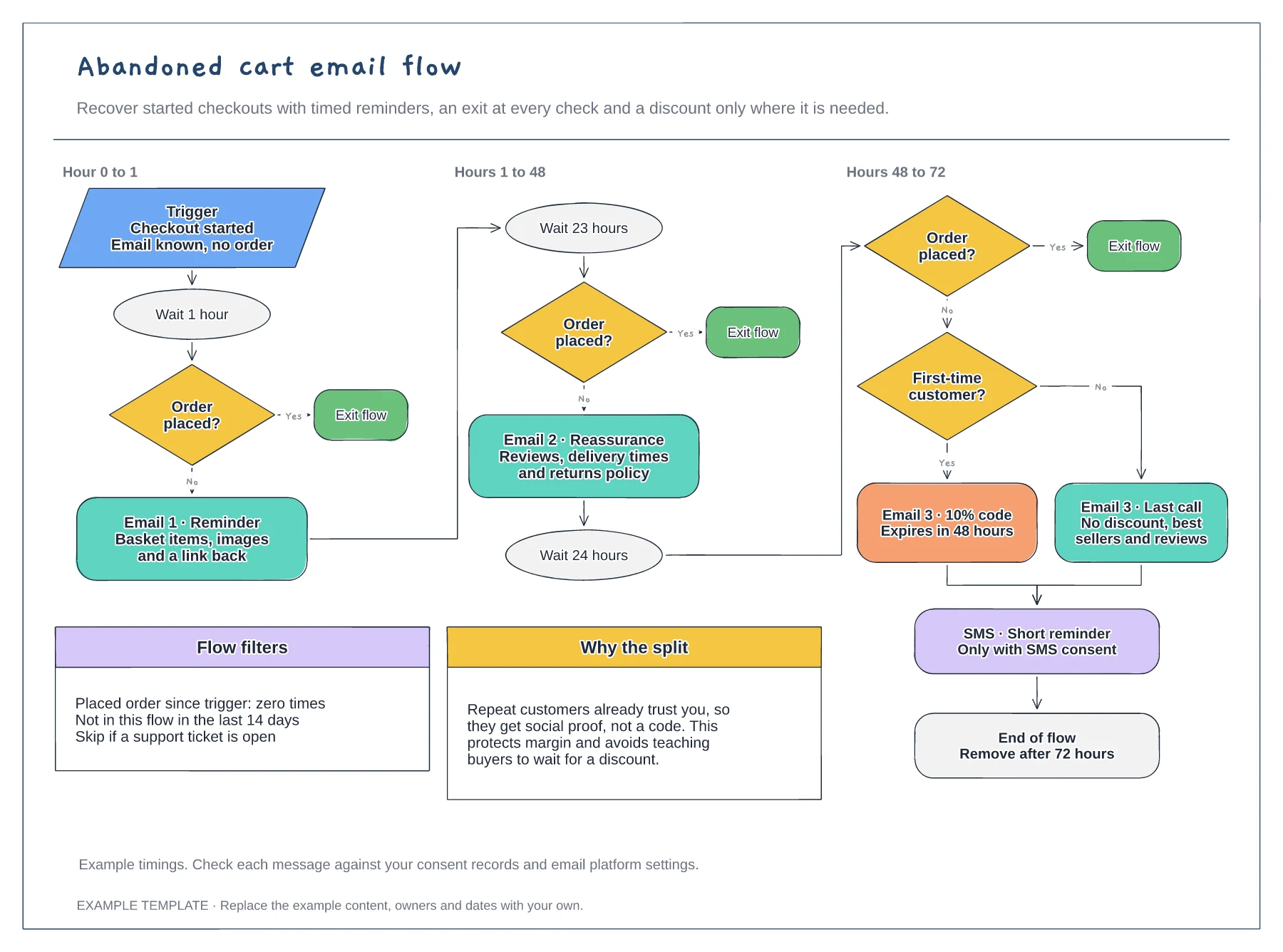
Abandoned cart email flow template
Trigger, waits and order checks · First-time buyer discount split · Flow filters and an SMS step
Preview and use template →An email flows map shows all of a store's automations on one page, so you can see how they pass people to each other and where messages might overlap. This example lays out four core flows in swimlanes: welcome, browse abandonment, post-purchase and winback, each with its trigger, waits, conditional split and exit.
No account needed · Opens as your own editable page
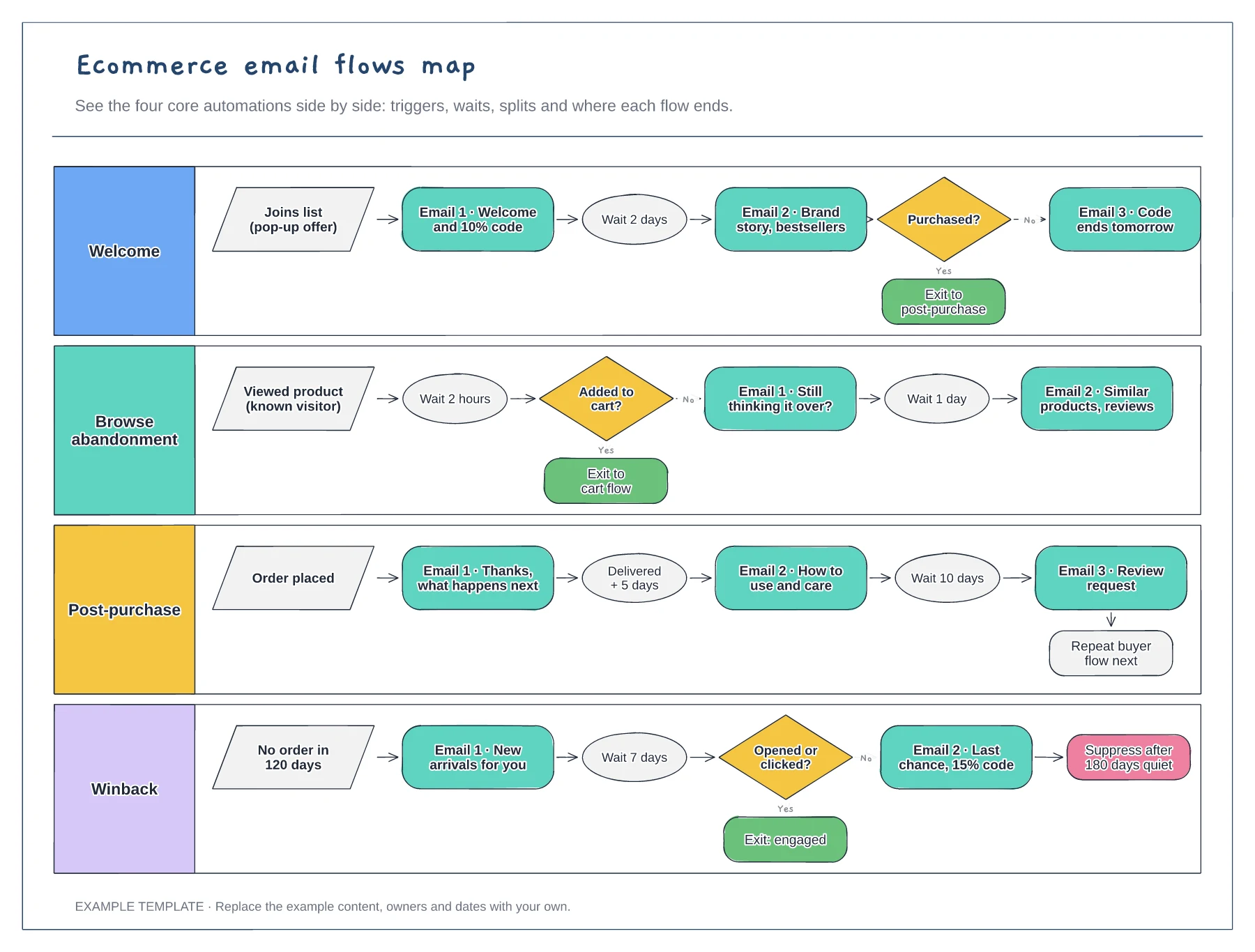
Add a lane for each live automation and copy its real trigger and timings from your email platform. Seeing them together often reveals a customer who could receive three emails on the same day.
Show where each flow sends people next, such as a new subscriber who buys moving from welcome to post-purchase. Clear exits stop two flows from sending competing messages to the same person.
Mark lanes that are missing or unfinished, then build the most valuable one first. Many shops start with welcome and abandoned cart, because those flows reach people who are closest to buying.
Add a new lane, copy the trigger, wait and exit pattern from an existing flow, then link its exit to the flow people should join next.
No. Open the template and edit it in your browser. Your work saves on this device. An account is optional if you want to sync your workspace.
Yes. Use Export in the editor to save a PNG, SVG or PDF, or download an editable .epicdraw backup.
Trigger, waits and order checks · First-time buyer discount split · Flow filters and an SMS step
Preview and use template →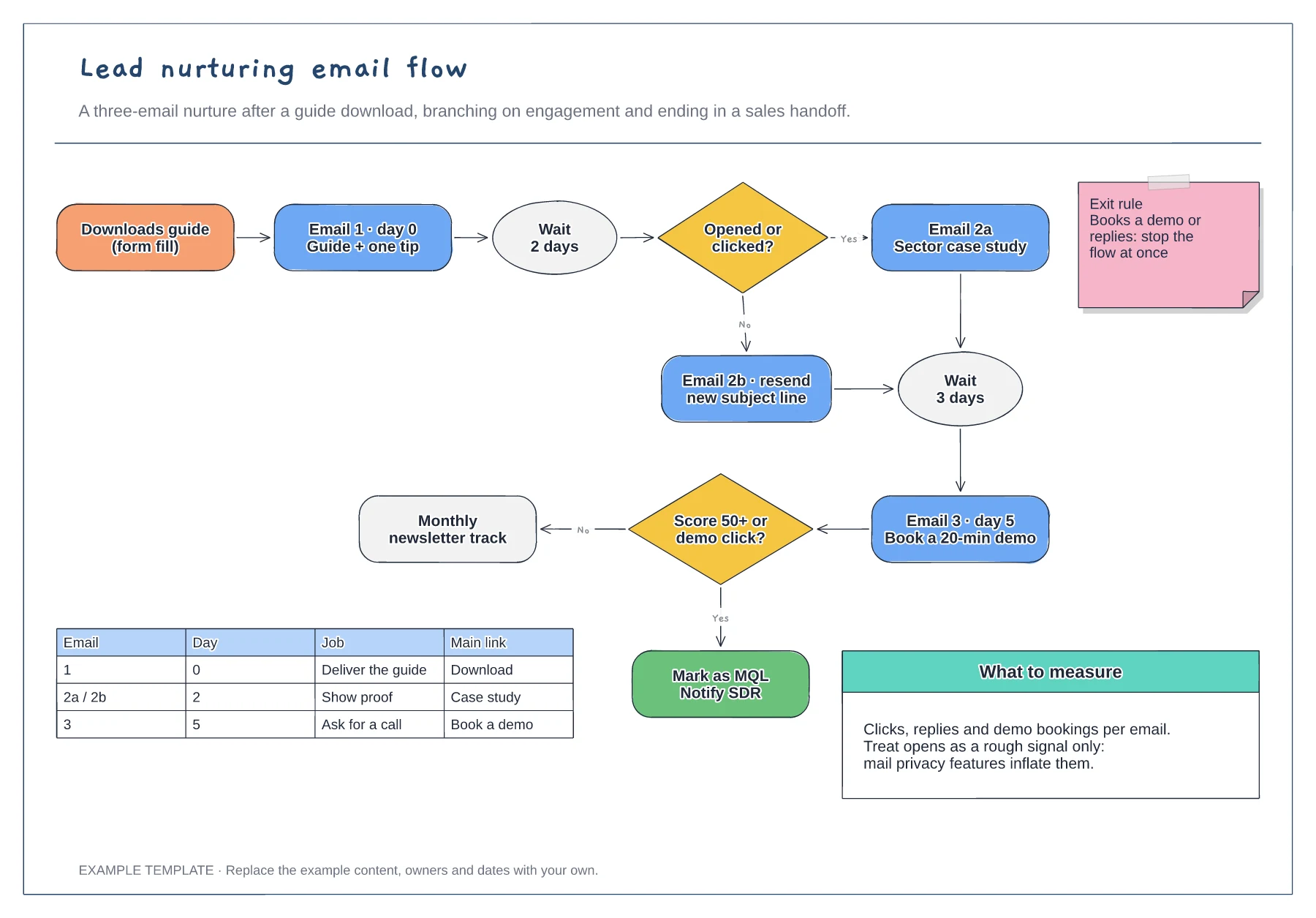
Trigger, wait steps and engagement branches · Exit rule and MQL handoff · Email table and notes on what to measure
Preview and use template →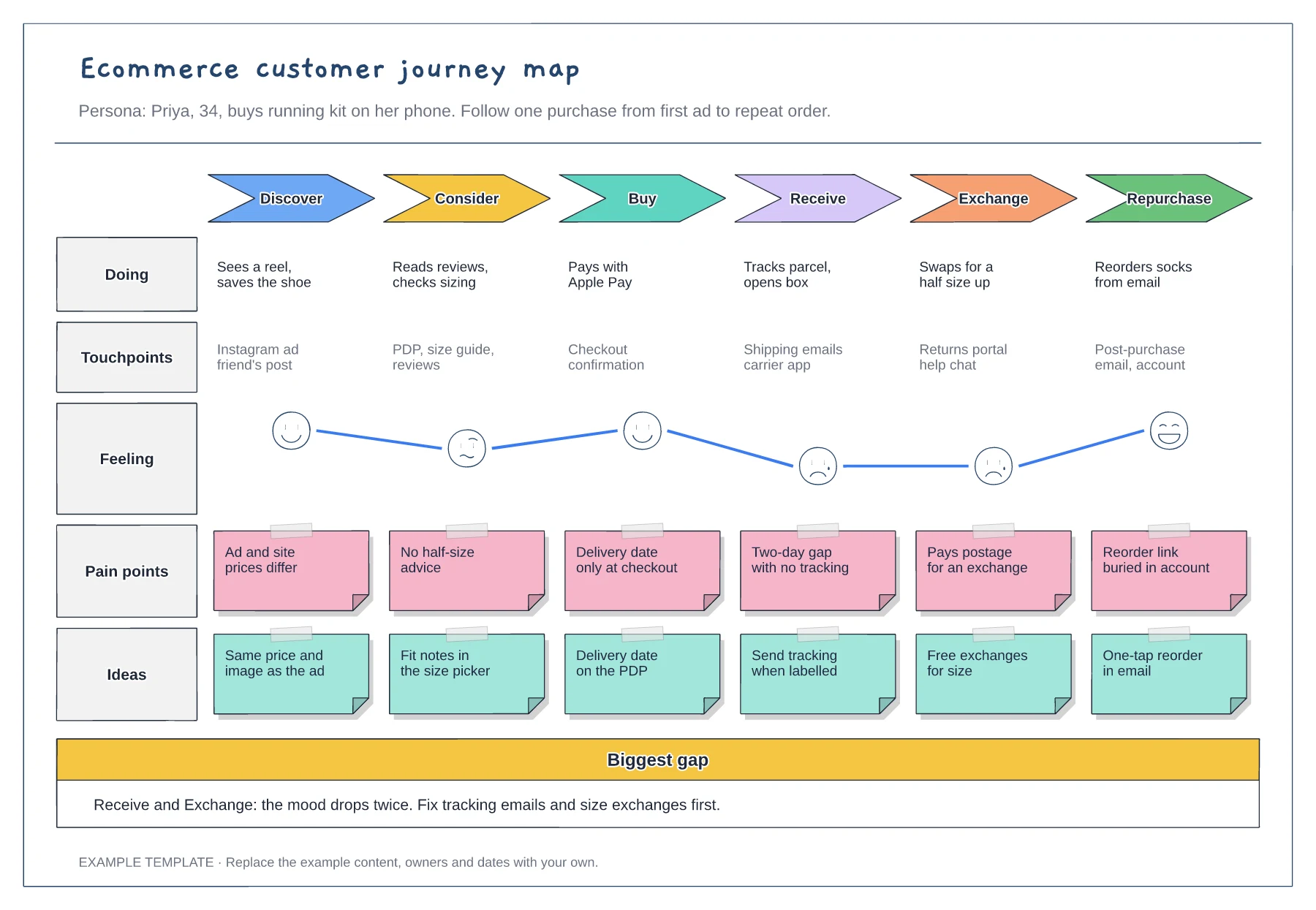
Six stages from discover to repurchase · Touchpoints and an emotion curve · Pain points paired with ideas
Preview and use template →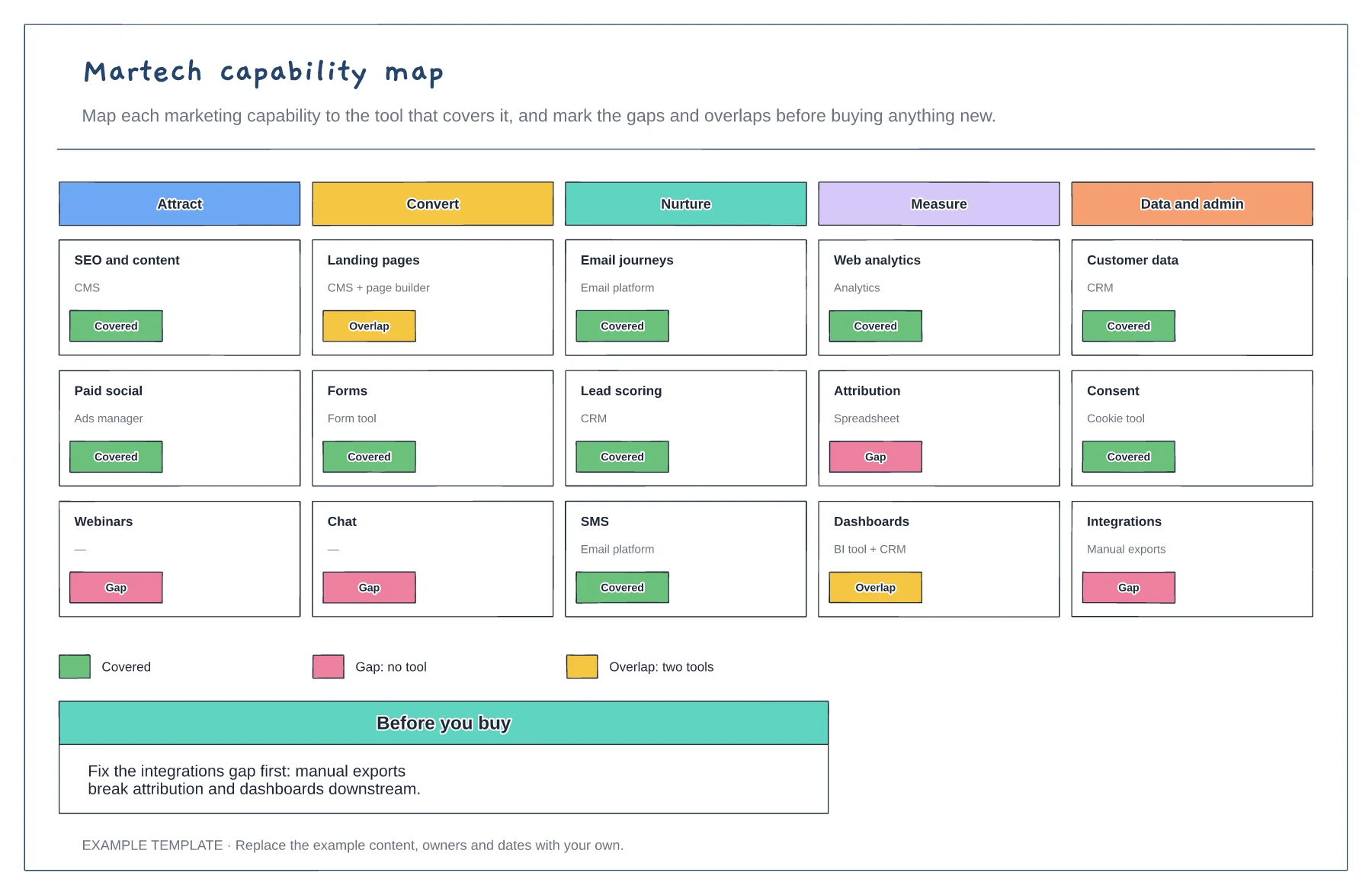
Capabilities in five stages · The tool covering each · Gaps and overlaps marked
Preview and use template →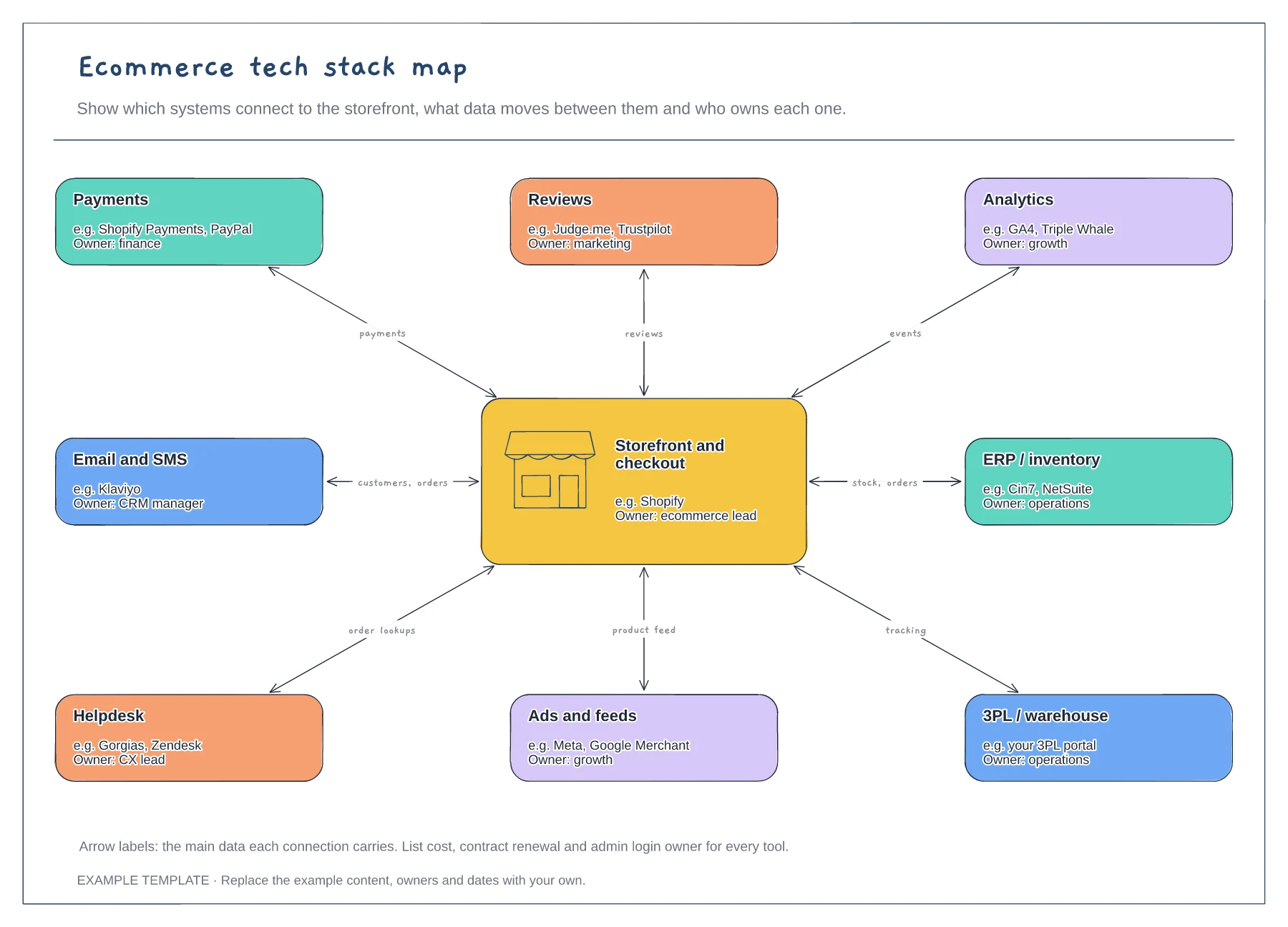
Storefront hub and eight systems · Data carried by each connection · An owner for every tool
Preview and use template →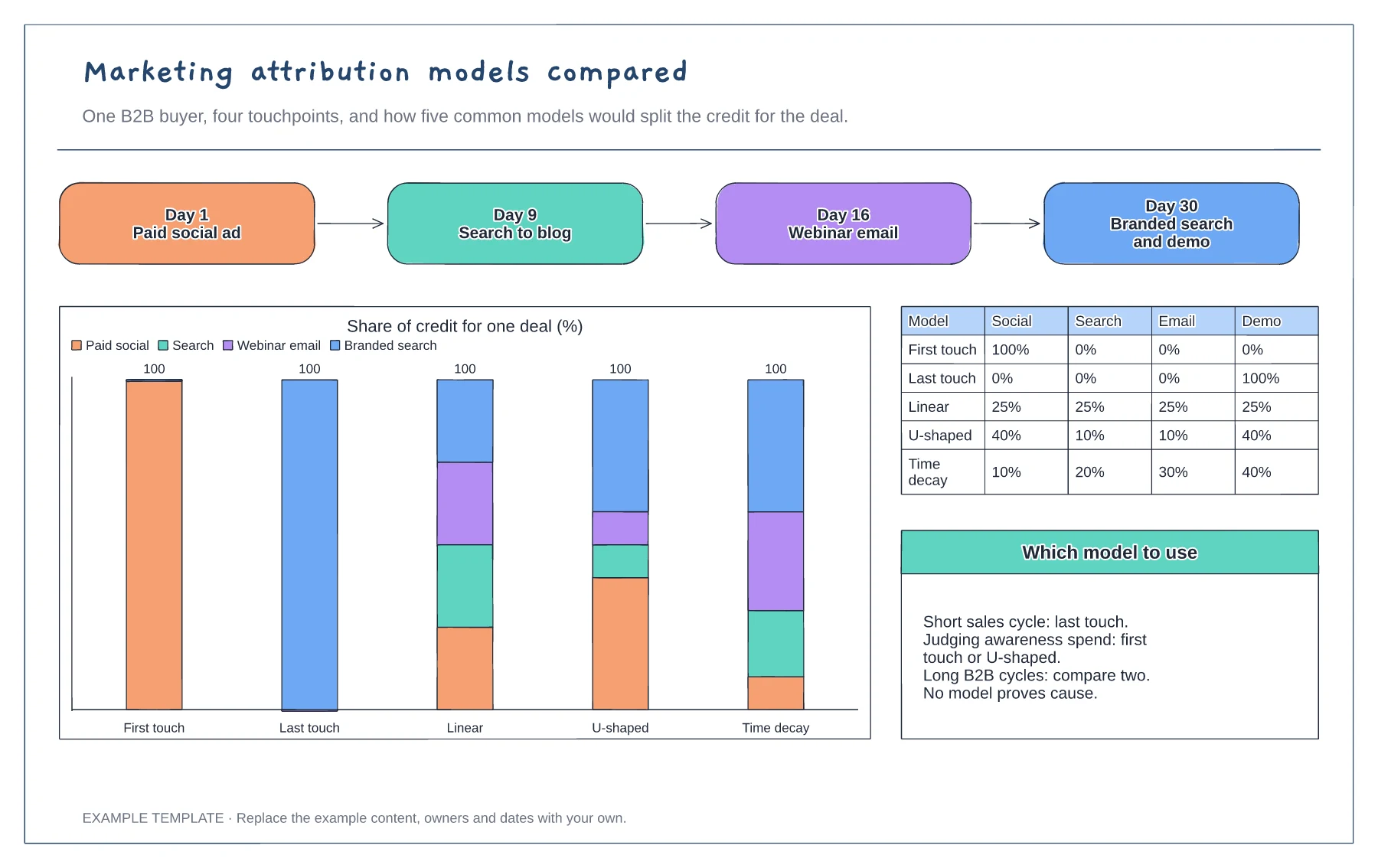
Four-touchpoint buyer path · Stacked chart of credit by model · Percentage table and notes on choosing a model
Preview and use template →